1
Error and status messages
30
10
Error and status messages
10.1
Error messages occurring during normal operation
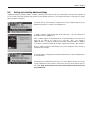
Most error messages appear in plain text directly in the respective application, and usually accompanied by a text describing how
to correct the error. Error messages of this type are self-explanatory and therefore not mentioned below.
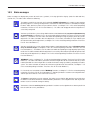
The following error messages can appear instead of the weighing result:
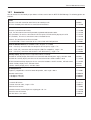
Overload
The weight on the pan exceeds the weighing capacity of the balance. Reduce the weight
on the weighing pan.
Underload
Ensure that the weighing pan is correctly in place, can move freely, and does not catch
on the draft cover.
Error when switching on or zeroing «G» (weight display flashes)
When the balance was switched on (i.e. when it was connected to the power supply
or switched on from standby mode) or upon zeroing, one or more limits were exceeded.
The usual reason for this message to appear is when there is a weight on the weighing
pan when the balance is switched on. Remove the weight.
Taring or zeroing was interrupted
A taring or zeroing operation was aborted because a stable result was not obtained
during the stabilization time (“Timeout”). Close the doors of the draft shield (if your
balance is equipped with a draft shield) and check the working location (vibrations,
drafts). Press “OK” and repeat the taring («H») or zeroing («G»).
10.2
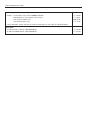
Further error messages
If any error messages appear (“Error x”) other than those described above, please contact your METTLER TOLEDO dealer.