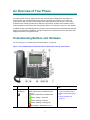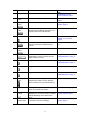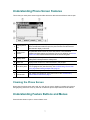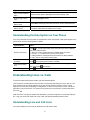
1
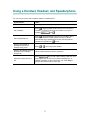
Softkey Definitions
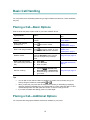
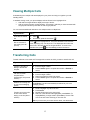
Common Phone Tasks
View online help on
the phone
Press
Place a call
Go-off hook before or
after dialing a number.
Redial a number
Switch to the
handset during a call
Switch to the
speaker or headset
during a call
.
Press Redial. Or press
the Navigation button
while on-hook to see
your Placed Calls log.
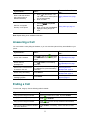
Pick up the handset.
Press
or
, then
hang up the handset.
Mute your phone
Press
Use your call logs
Press
to
choose a call log. To
dial, highlight a listing
and go off-hook.
Edit a number
Press EditDial, << or
>>.
Hold/resume a call
Transfer a call to a
new number
Start a standard (ad
hoc) conference call
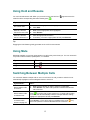
Answer
Answer a call
Back
Return to the previous Help
topic
Cancel
Cancel an action or exit a
screen without applying
changes
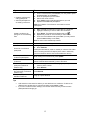
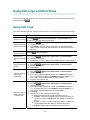
CFwdALL
Set up/cancel call forwarding
Clear
Delete records or settings
Close
Close the current window
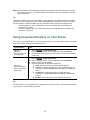
ConfList
View conference participants
Confrn
Create a conference call
Delete
Remove characters to the
right of the cursor when
using EditDial
Details
Open the Details call record
for a multiparty call in the
Missed Calls and Received
Calls logs
Dial
Dial a phone number
DirTrfr
Transfer two calls to each
other
EditDial
Edit a number in a call log
EndCall
Disconnect the current call
Erase
Reset settings to their
defaults
Exit
Return to the previous
screen
.
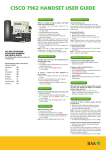
Quick Reference Guide for
Cisco Unified IP Phones
7961G and 7941G
Press Hold or Resume.
Press Transfer and
enter a target number,
then press Transfer
again.
With 1st party on the line
press more > Confrn,
dial the participant,
then press Confrn
again.
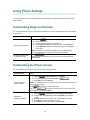
Softkey Definitions
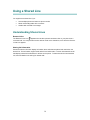
Phone Screen Icons
Button Icons
Common Phone Tasks