1
Build Utilities
20.1.4
32087C
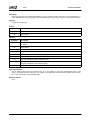
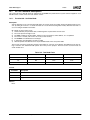
BMPFLIP.EXE – Windows .BMP File Conditioning Utility
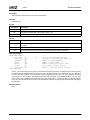
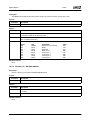
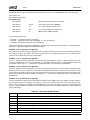
BMPFLIP.EXE is used during the code build process to flip the order of bytes that appear in the OEM splash screen bitmap
file. The resulting bitmap file contains the original image in a format more easily displayed by the GeodeROM component
power-on code.
Example of usage:
bmpflip [in.bmp] [outfile] [width] [height]
Normally, BMPFLIP is executed automatically from the makefile and is never invoked directly by the developer.
20.1.5
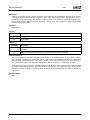
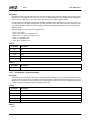
CPRPAD.EXE – Compressed ROM Pad Utility
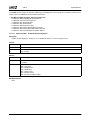
CPRPAD.EXE is used during the code build process to “pad” the CPR “Compressed ROM” image to 192 KB by adding FFh
bytes to the beginning of this image. The GeodeROM component is structured such that any components other than the
boot loader reside in compressed form in the 192 KB region between FFFC0000h and FFFEFFFFh. The boot loader occupies the remaining 64 KB of Flash ROM address space starting at FFFF0000h.
Example of usage:
CPRPAD [filename.cpr]
Filename.cpr is the name of both the input and output files. Normally, CPRPAD is executed automatically by the makefile
and requires no intervention by the developer.
20.1.6
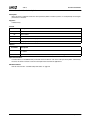
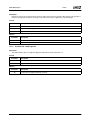
ROMPAD.EXE – Boot Loader Image Pad Utility
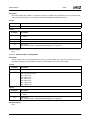
ROMPAD.EXE is used during the GeodeROM component build process to condition the 64 KB boot loader image that
resides in the traditional system BIOS space at F000:0h. ROMPAD prepends FFh bytes to the GeodeROM component boot
loader to ensure the file is exactly 64 KB in length.
Example of usage:
ROMPAD [filename.rom]
Filename.rom is the name of both the input and output files.
Normally, ROMPAD is executed automatically by the makefile and requires no intervention by the developer.
20.1.7
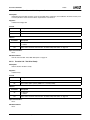
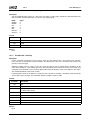
BINCOPY.EXE
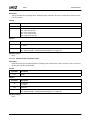
Concatenates a group of files into one.
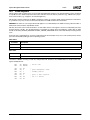
Example of usage:
bincopy [file.lst]
File.lst contains the destination file on a single line followed by full/relative files to add to destination file, each on a separate
line.
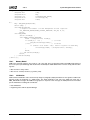
Example file.lst
• OUTPUT.BIN
• PART1.ROM
• C:\WINDOWS\PART2.ROM
• D:\TEMP\PART3.DOC
Normally, BINCOPY is executed automatically by the makefile and requires no intervention by the developer.
AMD Geode™ GeodeROM Functional Specification
261