1
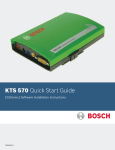
KTS 570
ESI[tronic] Software Installation Instructions
Before you get started:
•
•
•
•
Save the Packing Slip that came with your KTS 570 as it has account information
you will need during the release process.
Please disable any Bluetooth drivers on your laptop or pc where you are loading
ESI[tronic]
Verify your computer’s date and time is accurate (incorrect dates can adversely
affect the software security release process)
Close all Windows programs, turn off screen-savers, and disable any anti-virus
software.
CAUTION! Do not forget to enable your anti-virus software after
installation and software security release code activation are complete.
Step 1: INSTALLING THE BOSCH APPLICATIONS MENU
1.
2.
3.
4.
Insert the ESI[tronic] DVD 200x/1 (e.g., 2006/1) into the DVD drive of your PC.
Double click My Computer on the desktop.
Locate and double click the DVD Drive in the Folders list (typically D).
Double click the folder baa.
F00E900050
KTS 570 / ESI[tronic] INSTALLATION GUIDE