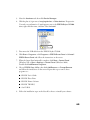
1
Setting Up Network Printing
■
Windows XP and 2000
■
Windows Me and 98
■
Macintosh
Windows XP and 2000
This section tells you how to set up the EPSON Stylus CX3200 so that other
computers on the network can print to it.
Note: This section is for small network users only. If you are on a large network
and would like to share the EPSON Stylus CX3200, consult your network
administrator.
To install software programs in Windows 2000, it is necessary to log on as a user
with administrative privileges (a user who belongs to the Administrators group).
To install software programs in Windows XP, it is necessary to log on with a
Computer Administrator account. You cannot install software programs if you log
on as a Limited account user. After you install Windows XP, the user account is
set as a Computer Administrator account.
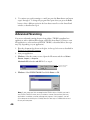
The images that are provided in the following section pertain to Windows 2000.
First, you need to set up the EPSON Stylus CX3200 as a shared printer on the
computer to which it is connected. Then, you must add the EPSON Stylus CX3200
to each computer that will access it through the network.
Setting Up a Shared Printer
To share the EPSON Stylus CX3200 with other computers on a network, follow the
steps below to configure the computer to which it is connected.
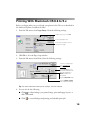
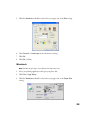
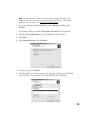
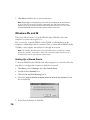
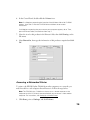
1. For users of Windows 2000, click Start, point to Settings, and then click
Printers.
For Windows XP users, double-click Printers and Faxes in Control Panel.
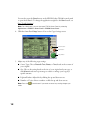
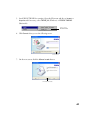
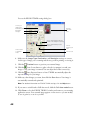
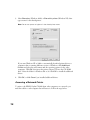
2. Right-click the icon for the EPSON Stylus CX3200, then click Sharing.
71