1
4.5.6
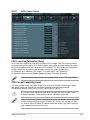
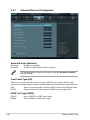
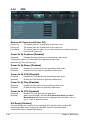
USB Configuration
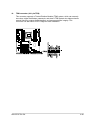
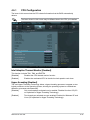
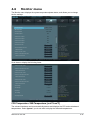
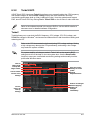
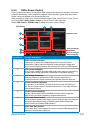
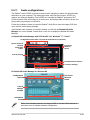
The items in this menu allow you to change the USB-related features.
UEFI BIOS Utility - Advanced Mode
Ai Tweaker
Main
Back
Advanced
Exit
Monitor
Boot
Tool
Advanced\ USB Configuration >
USB Configuration
USB Devices:
1 Keyboard, 1 Mouse, 4 Hubs
Legacy USB Support
Enabled
Legacy USB3.0 Support
Enabled
EHCI Hand-off
Disabled
Enables Legacy USB support. AUTO
option disables legacy support if no
USB devices are connected. DISABLE
option will keep USB devices
available only for UEFI applications.
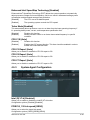
The USB Devices item shows the auto-detected values. If no USB device is
detected, the item shows None.
Legacy USB Support [Enabled]
[Disabled]
[Enabled]
[Auto]
The USB devices can be used only for the BIOS setup program.
Enables the support for USB devices on legacy operating systems (OS).
Allows the system to detect the presence of USB devices at startup. If
detected, the USB controller legacy mode is enabled. If no USB device is
detected, the legacy USB support is disabled.
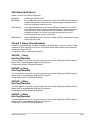
Legacy USB3.0 Support [Enabled]
[Disabled]
[Enabled]
Disables the function.
Enables the support for USB 3.0 devices on legacy operating systems
(OS).
EHCI Hand-off [Disabled]
[Disabled]
[Enabled]
Disables the function.
Enables the support for operating systems without an EHCI hand‑off
feature.
ASUS ESC700 G2
4-37