1
4.8.1
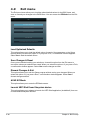
ASUS EZ Flash 2 Utility
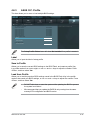
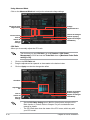
Allows you to run ASUS EZ Flash 2 Utility to update BIOS. When you press <Enter>, a
confirmation message appears. Use the left/right arrow key to select between [Yes] or [No],
then press <Enter> to confirm your choice.
For more details, refer to section 4.10.2 ASUS EZ Flash 2 utility.
4.8.2
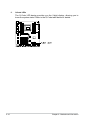
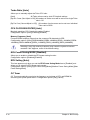
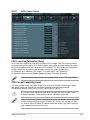
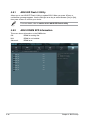
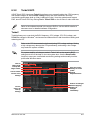
ASUS DRAM SPD Information
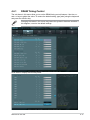
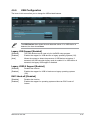
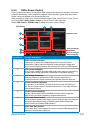
This menu shows information on the DIMM slots.
OK:
N/A:
Abnormal:
DRAM is working fine.
DRAM is not installed.
DRAM error.
UEFI BIOS Utility - Advanced Mode
Main
Back
4-46
Ai Tweaker
Exit
Advanced
Monitor
Boot
Tool
Tool\ ASUS Dram SPD Information >
> DIMM_A1
N/A
> DIMM_A2
N/A
> DIMM_B1
N/A
> DIMM_B2
N/A
> DIMM_C1
OK
> DIMM_C2
N/A
> DIMM_D1
OK
> DIMM_D2
N/A
Click to enter DRAM SPD information.
Status:
OK: DRAM is working fine.
N/A: DRAM is not installed.
Abnormal: DRAM error.
Chapter 4: BIOS setup