1
Charged Aerosol Detectors
Corona Veo and Corona Veo RS
5.5 Performing Sample Analysis
This section provides information for performing sample analysis with the detector. Before
you perform an analysis, set the operating parameters from the detector display
(→ section 5.3, page 48).
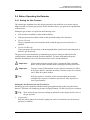
5.5.1 Starting and Stopping Data Acquisition
Before you start data acquisition, make sure that you have set the required parameters, and
that the system and the detector have equilibrated. You can start and stop data acquisition
and watch the progress of data acquisition on the display.
To monitor data acquisition on the detector display, see page 53.
To start data acquisition from the detector display
1.
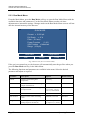
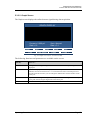
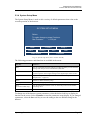
In the Main Menu, select the Run Mode soft key.
2.
Equilibrate the detector as described in section 5.4.3 (→ page 62).
3.
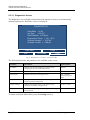
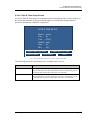
To monitor the progress of data acquisition on the display, see the Current parameter
on the Run Mode Menu that displays the online data signal in real-time (→ page 50).
4.
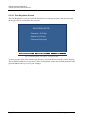
To stop data acquisition, press the Exit soft key in the Run Mode Menu and on the
next screen, select Continue to Exit.
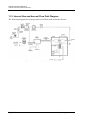
5.5.2 Operating the Stream-Switching Valve (Corona Veo RS only)
The stream-switching valve can be used to direct flow to the nebulizer or divert to external
devices or waste. In addition, the stream-switching valve will divert liquid away from the
detector in the event of an alarm condition.
When the detector is controlled from chromatography software, such as Chromeleon, the
valve can be actuated as part of the chromatographic method. This way, it can be used to
divert flow away from the detector as a timed function to eliminate unwanted peaks from
detection, thus simplifying the chromatogram.
Tip:
Page 64
If you operate the detector with another detector from chromatography
software, the valve can divert the liquid flow to the other detector or liquid
handling and/or collector device.
Operating Instructions