1
TC-6110 Hardware
Hardware Installation
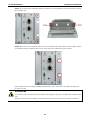
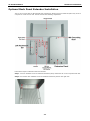
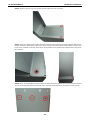
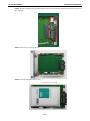
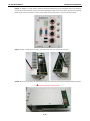
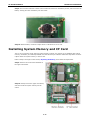
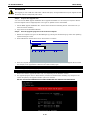
Step 6: Turn back the tray and fasten the drive to the PCB using the holes indicated below.
Step 7: Fasten four screws on the front.
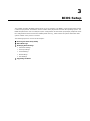
Step 8: Connect the power cable and SSD/HDD cable with the main board. Reconnect the data and power
interfaces, then complete the installation by fastening the drive tray to the main PCB using the six screws.
Step 9: When finished, insert the storage tray back into the TC-6110 and tighten the external thumbscrews.
2-13