1
Newton Programmer’s Guide
For Newton 2.0
Addison-Wesley Publishing Company
Reading, Massachusetts Menlo Park, California New York
Don Mills, Ontario Harlow, England Amsterdam Bonn
Sydney Singapore Tokyo Madrid San Juan
Paris Seoul Milan Mexico City Taipei
Apple Computer, Inc.
© 1996 Apple Computer, Inc.
All rights reserved.
No part of this publication may be
reproduced, stored in a retrieval
system, or transmitted, in any form or
by any means, mechanical, electronic,
photocopying, recording, or
otherwise, without prior written
permission of Apple Computer, Inc.,
except to make a backup copy of any
documentation provided on
CD-ROM. Printed in the United
States of America.
No licenses, express or implied, are
granted with respect to any of the
technology described in this book.
Apple retains all intellectual property
rights associated with the technology
described in this book. This book is
intended to assist application
developers to develop applications
only for licensed Newton platforms.
Every effort has been made to ensure
that the information in this manual is
accurate. Apple is not responsible for
printing or clerical errors.
Apple Press, the Apple Press Signature,
eWorld, Geneva, NewtonScript, Newton
Toolkit, and QuickDraw are trademarks
of Apple Computer, Inc.
Acrobat, Adobe Illustrator, and
PostScript are trademarks of Adobe
Systems Incorporated, which may be
registered in certain jurisdictions.
CompuServe is a registered service
mark of CompuServe, Inc.
FrameMaker is a registered trademark
of Frame Technology Corporation.
Helvetica and Palatino are registered
trademarks of Linotype Company.
ITC Zapf Dingbats is a registered
trademark of International Typeface
Corporation.
Microsoft is a registered trademark of
Microsoft Corporation. Windows is a
trademark of Microsoft Corporation.
QuickView™ is licensed from Altura
Software, Inc.
Apple Computer, Inc.
1 Infinite Loop
Cupertino, CA 95014
408-996-1010
LIMITED WARRANTY ON MEDIA AND
REPLACEMENT
Apple, the Apple logo, APDA,
AppleLink, AppleTalk, Espy,
LaserWriter, the light bulb logo,
Macintosh, MessagePad, Newton,
Newton Connection Kit, and New York
are trademarks of Apple Computer, Inc.,
registered in the United States and other
countries.
Simultaneously published in the
United States and Canada.
ALL IMPLIED WARRANTIES ON THIS
MANUAL, INCLUDING IMPLIED
WARRANTIES OF
MERCHANTABILITY AND FITNESS
FOR A PARTICULAR PURPOSE, ARE
LIMITED IN DURATION TO NINETY
(90) DAYS FROM THE DATE OF THE
ORIGINAL RETAIL PURCHASE OF
THIS PRODUCT.
Even though Apple has reviewed this
manual, APPLE MAKES NO
WARRANTY OR REPRESENTATION,
EITHER EXPRESS OR IMPLIED, WITH
RESPECT TO THIS MANUAL, ITS
QUALITY, ACCURACY,
MERCHANTABILITY, OR FITNESS
FOR A PARTICULAR PURPOSE. AS A
RESULT, THIS MANUAL IS SOLD “AS
IS,” AND YOU, THE PURCHASER, ARE
ASSUMING THE ENTIRE RISK AS TO
ITS QUALITY AND ACCURACY.
IN NO EVENT WILL APPLE BE LIABLE
FOR DIRECT, INDIRECT, SPECIAL,
INCIDENTAL, OR CONSEQUENTIAL
DAMAGES RESULTING FROM ANY
DEFECT OR INACCURACY IN THIS
MANUAL, even if advised of the possibility
of such damages.
THE WARRANTY AND REMEDIES SET
FORTH ABOVE ARE EXCLUSIVE AND
IN LIEU OF ALL OTHERS, ORAL OR
WRITTEN, EXPRESS OR IMPLIED. No
Apple dealer, agent, or employee is
authorized to make any modification,
extension, or addition to this warranty.
Some states do not allow the exclusion or
limitation of implied warranties or liability
for incidental or consequential damages, so
the above limitation or exclusion may not
apply to you. This warranty gives you
specific legal rights, and you may also have
other rights which vary from state to state.
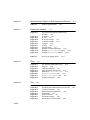
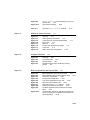
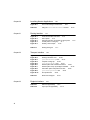
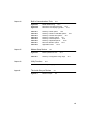
Table of Contents
Figures and Tables
Preface
xxxiii
About This Book
xliii
Who Should Read This Book
xliii
Related Books
xliii
Newton Programmer’s Reference CD-ROM
xliv
Sample Code
xlv
Conventions Used in This Book
xlv
Special Fonts
xlv
Tap Versus Click
xlvi
Frame Code
xlvi
Developer Products and Support
xlvii
Undocumented System Software Objects
xlviii
Chapter 1
Overview
1-1
Operating System
1-1
Memory
1-3
Packages
1-4
System Services
1-4
Object Storage System
1-5
View System
1-6
Text Input and Recognition
1-7
Stationery
1-8
Intelligent Assistant
1-8
Imaging and Printing
1-9
Sound
1-9
Book Reader
1-10
Find
1-10
Filing
1-11
iii
Communications Services
1-11
NewtonScript Application Communications
Routing Through the In/Out Box
1-13
Endpoint Interface
1-14
Low-Level Communications
1-14
Transport Interface
1-14
Communication Tool Interface
1-15
Application Components
1-15
Using System Software
1-17
The NewtonScript Language
1-18
What’s New in Newton 2.0
1-18
NewtApp
1-18
Stationery
1-19
Views
1-19
Protos
1-20
Data Storage
1-20
Text Input
1-20
Graphics and Drawing
1-21
System Services
1-21
Recognition
1-22
Sound
1-22
Built-in Applications
1-22
Routing and Transports
1-23
Endpoint Communication
1-23
Utilities
1-24
Books
1-24
Chapter 2
Getting Started
2-1
Choosing an Application Structure
2-1
Minimal Structure
2-1
NewtApp Framework
2-2
Digital Books
2-3
Other Kinds of Software
2-4
Package Loading, Activation, and Deactivation
Loading
2-5
Activation
2-5
Deactivation
2-6
iv
1-13
2-4
Effects of System Resets on Application Data
Flow of Control
2-8
Using Memory
2-8
Localization
2-9
Developer Signature Guidelines
2-9
Signature
2-9
How to Register
2-10
Application Name
2-10
Application Symbol
2-11
Package Name
2-11
Summary
2-12
View Classes and Protos
2-12
Functions
2-12
Chapter 3
Views
2-7
3-1
About Views
3-1
Templates
3-2
Views
3-4
Coordinate System
3-6
Defining View Characteristics
3-8
Class
3-9
Behavior
3-9
Location, Size, and Alignment
3-10
Appearance
3-20
Opening and Closing Animation Effects
Other Characteristics
3-24
Inheritance Links
3-24
Application-Defined Methods
3-26
View Instantiation
3-26
Declaring a View
3-27
Creating a View
3-28
Closing a View
3-29
View Compatibility
3-30
New Drag and Drop API
3-30
New Functions and Methods
3-30
New Messages
3-30
New Alignment Flags
3-31
3-23
v
Changes to Existing Functions and Methods
3-31
New Warning Messages
3-32
Obsolete Functions and Methods
3-32
Using Views
3-32
Getting References to Views
3-32
Displaying, Hiding, and Redrawing Views
3-33
Dynamically Adding Views
3-33
Showing a Hidden View
3-34
Adding to the stepChildren Array
3-34
Using the AddStepView Function
3-35
Using the BuildContext Function
3-36
Creating Templates
3-36
Making a Picker View
3-37
Changing the Values in viewFormat
3-37
Determining Which View Item Is Selected
3-37
Complex View Effects
3-38
Making Modal Views
3-38
Finding the Bounds of Views
3-39
Animating Views
3-40
Dragging a View
3-40
Dragging and Dropping with Views
3-40
Scrolling View Contents
3-41
Redirecting Scrolling Messages
3-42
Working With View Highlighting
3-42
Creating View Dependencies
3-43
View Synchronization
3-43
Laying Out Multiple Child Views
3-43
Optimizing View Performance
3-44
Using Drawing Functions
3-44
View Fill
3-44
Redrawing Views
3-44
Memory Usage
3-45
Scrolling
3-46
Summary of Views 3-47
Constants 3-47
Functions and Methods 3-51
vi
Chapter 4
NewtApp Applications
4-1
About the NewtApp Framework
4-1
The NewtApp Protos
4-2
About newtApplication
4-4
About newtSoup
4-5
The Layout Protos
4-5
The Entry View Protos
4-8
About the Slot View Protos
4-9
Stationery
4-11
NewtApp Compatibility
4-11
Using NewtApp
4-12
Constructing a NewtApp Application
4-12
Using Application Globals
4-13
Using newtApplication
4-14
Using the Layout Protos
4-16
Using Entry Views
4-19
Using the Required NewtApp Install and Remove Scripts
Using Slot Views in Non-NewtApp Applications
4-22
Modifying the Base View
4-22
Using a False Entry View
4-23
Creating a Custom Labelled Input-Line Slot View
4-24
Summary of the NewtApp Framework
4-25
Required Code
4-25
Protos
4-25
Chapter 5
Stationery
4-21
5-1
About Stationery
5-1
The Stationery Buttons
5-2
Stationery Registration
5-4
Getting Information about Stationery
5-5
Compatibility Information
5-5
Using Stationery
5-5
Designing Stationery
5-5
Using FillNewEntry
5-6
Extending the Notes Application
5-7
Determining the SuperSymbol of the Host
5-7
vii
Creating a DataDef
5-8
Defining DataDef Methods
5-9
Creating ViewDefs
5-11
Registering Stationery for an Auto Part
5-13
Using the MinimalBounds ViewDef Method
5-14
Stationery Summary
5-15
Data Structures
5-15
Protos
5-15
Functions
5-17
Chapter 6
Pickers, Pop-up Views, and Overviews
6-1
About Pickers and Pop-up Views
6-1
Pickers and Pop-up View Compatibility
6-2
New Pickers and Pop-up Views
6-2
Obsolete Function
6-4
Picker Categories
6-4
General-Purpose Pickers
6-4
Using protoGeneralPopup
6-7
Map Pickers
6-8
Text Pickers
6-10
Date, Time, and Location Pop-up Views
6-17
Number Pickers
6-21
Picture Picker
6-21
Overview Protos
6-22
Using protoOverview
6-24
Using protoListPicker
6-26
Using the Data Definitions Frame in a List Picker
6-29
Specifying Columns
6-29
Having a Single Selection in a List Picker
6-30
Having Preselected Items in a List Picker
6-30
Validation and Editing in protoListPicker
6-31
Changing the Font of protoListPicker
6-33
Using protoSoupOverview
6-33
Determining Which protoSoupOverview Item Is Hit
6-33
Displaying the protoSoupOverview Vertical Divider
6-34
Roll Protos
6-35
View Classes
6-36
viii
Specifying the List of Items for a Popup
Summary
6-41
General Picker Protos
6-41
Map Pickers
6-45
Text Picker Protos
6-46
Date, Time, and Location Pop-up Views
Number Pickers
6-53
Picture Picker
6-53
Overview Protos
6-54
Roll Protos
6-57
View Classes
6-58
Functions
6-59
Chapter 7
Controls and Other Protos
6-37
6-50
7-1
Controls Compatibility
7-1
Scroller Protos
7-2
Implementing a Minimal Scroller
7-3
Automatic Arrow Feedback
7-3
Scrolling Examples
7-4
Scrolling Lines of Text
7-4
Scrolling in the Dates Application
7-5
Scrolling In a Graphics Application
7-5
Scroll Amounts
7-5
Advanced Usage
7-6
Button and Box Protos
7-6
Implementing a Simple Button
7-10
Selection Tab Protos
7-11
Gauge and Slider Protos
7-12
Implementing a Simple Slider
7-13
Time Protos
7-14
Implementing a Simple Time Setter
7-15
Special View Protos
7-16
View Appearance Protos
7-18
Status Bar Protos
7-19
Summary
7-20
Scroller Protos
7-20
Button and Box Protos
7-22
ix
Selection Tab Protos
7-25
Gauges and Slider Protos
7-25
Time Protos
7-27
Special View Protos
7-28
View Appearance Protos
7-30
Status Bar Protos
7-31
Chapter 8
Text and Ink Input and Display
8-1
About Text
8-1
About Text and Ink
8-1
Written Input Formats
8-2
Caret Insertion Writing Mode
8-3
Fonts for Text and Ink Display
8-3
About Text Views and Protos
8-3
About Keyboard Text Input
8-4
The Keyboard Registry
8-5
The Punctuation Pop-up Menu
8-5
Compatibility
8-6
Using Text
8-6
Using Views and Protos for Text Input and Display
General Input Views
8-6
Paragraph Views
8-10
Lightweight Paragraph Views
8-11
Using Input Line Protos
8-12
Displaying Text and Ink
8-14
Text and Ink in Views
8-14
Using Fonts for Text and Ink Display
8-17
Rich Strings
8-22
Text and Styles
8-25
Setting the Caret Insertion Point
8-26
Using Keyboards
8-26
Keyboard Views
8-26
Using Keyboard Protos
8-28
Defining Keys in a Keyboard View
8-30
Using the Keyboard Registry
8-36
Defining Tabbing Orders
8-36
The Caret Pop-up Menu
8-38
x
8-6
Handling Input Events
8-38
Testing for a Selection Hit
8-38
Summary of Text
8-39
Text Constants and Data Structures
8-39
Views
8-42
Protos
8-43
Text and Ink Display Functions and Methods
Keyboard Functions and Methods
8-49
Input Event Functions and Methods
8-50
Chapter 9
Recognition
8-47
9-1
About the Recognition System
9-1
Classifying Strokes
9-3
Gestures
9-4
Shapes
9-5
Text
9-6
Unrecognized Strokes
9-7
Enabling Recognizers
9-8
View Flags
9-9
Recognition Configuration Frames
9-9
View Flags vs. RecConfig Frames
9-10
Where to Go From Here
9-10
Recognition Failure
9-11
System Dictionaries
9-11
Correction and Learning
9-13
User Preferences for Recognition
9-14
Handwriting Recognition Preferences
9-15
RecToggle Views
9-18
Flag-Naming Conventions
9-19
Recognition Compatibility
9-20
Using the Recognition System
9-21
Types of Views
9-21
Configuring the Recognition System
9-22
Obtaining Optimum Recognition Performance
Accepting Pen Input
9-24
Taps and Overlapping Views
9-24
Recognizing Shapes
9-25
9-23
xi
Recognizing Standard Gestures
9-25
Combining View Flags
9-26
Recognizing Text
9-27
Recognizing Punctuation
9-28
Suppressing Spaces Between Words
9-28
Forcing Capitalization
9-29
Justifying to Width of Parent View
9-29
Restricting Input to Single Lines or Single Words
Validating Clipboard and Keyboard Input
9-29
Using the vAnythingAllowed Mask
9-30
Summary
9-31
Constants
9-31
Data Structures
9-33
Chapter 10
Recognition: Advanced Topics
9-29
10-1
About Advanced Topics in Recognition
10-1
How the System Uses Recognition Settings
10-1
ProtoCharEdit Views
10-4
Ambiguous Characters in protoCharEdit Views
10-5
Deferred Recognition
10-5
User Interface to Deferred Recognition
10-5
Programmer’s Overview of Deferred Recognition
10-6
Compatibility Information
10-7
Using Advanced Topics in Recognition
10-7
Using recConfig Frames
10-8
Creating a recConfig Frame
10-9
Using RecConfig Frames to Enable Recognizers
10-10
Returning Text, Ink Text or Sketch Ink
10-10
Fine-Tuning Text Recognition
10-12
Manipulating Dictionaries
10-13
Single-Character Input Views
10-13
Creating Single-Letter Input Views
10-15
Changing Recognition Behavior Dynamically
10-17
Using protoRecToggle Views
10-19
Creating the recToggle View
10-19
Configuring Recognizers and Dictionaries for recToggle
Views
10-20
Creating the _recogSettings Slot
10-20
xii
Providing the _recogPopup Slot
10-22
Accessing Correction Information
10-23
Using Custom Dictionaries
10-24
Creating a Custom Enumerated Dictionary
10-24
Creating the Blank Dictionary
10-25
Adding Words to RAM-Based Dictionaries
10-26
Removing Words From RAM-Based Dictionaries
10-27
Saving Dictionary Data to a Soup
10-27
Restoring Dictionary Data From a Soup
10-28
Using Your RAM-Based Custom Dictionary
10-28
Removing Your RAM-Based Custom Dictionary
10-30
Using System Dictionaries Individually
10-30
Working With the Review Dictionary
10-30
Retrieving the Review Dictionary
10-31
Displaying Review Dictionary Browsers
10-31
Adding Words to the User Dictionary
10-32
Removing Words From the User Dictionary
10-32
Adding Words to the Expand Dictionary
10-33
Removing Words From the Expand Dictionary
10-34
Retrieving Word Expansions
10-34
Retrieving the Auto-Add Dictionary
10-34
Disabling the Auto-Add Mechanism
10-35
Adding Words to the Auto-Add Dictionary
10-35
Removing Words From the Auto-Add Dictionary
10-36
Using protoCharEdit Views
10-36
Positioning protoCharEdit Views
10-36
Manipulating Text in protoCharEdit Views
10-37
Restricting Characters Returned by protoCharEdit Views
10-38
Customized Processing of Input Strokes
10-40
Customized Processing of Double Taps
10-41
Changing User Preferences for Recognition
10-41
Modifying or Replacing the Correction Picker
10-42
Using Stroke Bundles
10-42
Stroke Bundles Example
10-42
Summary of Advanced Topics in Recognition
10-44
Constants
10-44
Data Structures
10-45
Recognition System Prototypes
10-49
Additional Recognition Functions and Methods
10-54
xiii
Chapter 11
Data Storage and Retrieval
11-1
About Data Storage on Newton Devices
11-1
Introduction to Data Storage Objects
11-2
Where to Go From Here
11-6
Stores
11-6
Packages
11-7
Soups
11-7
Indexes
11-8
Saving User Preference Data in the System Soup
11-10
Queries
11-10
Querying for Indexed Values
11-10
Begin Keys and End Keys
11-12
Tag-based Queries
11-14
Customized Tests
11-14
Text Queries
11-15
Cursors
11-16
Entries
11-17
Alternatives to Soup-Based Storage
11-18
Dynamic Data
11-18
Static Data
11-19
Compatibility Information
11-20
Obsolete Store Functions and Methods
11-20
Soup Compatibility Information
11-20
Query Compatibility Information
11-23
Obsolete Entry Functions
11-24
Obsolete Data Backup and Restore Functions
11-24
Using Newton Data Storage Objects
11-25
Programmer’s Overview
11-25
Using Stores
11-28
Store Object Size Limits
11-29
Referencing Stores
11-29
Retrieving Packages From Stores
11-29
Testing Stores for Write-Protection
11-30
Getting or Setting the Default Store
11-30
Getting and Setting the Store Name
11-30
Accessing the Store Information Frame
11-31
Using Soups
11-31
Naming Soups
11-31
Registering and Unregistering Soup Definitions
11-32
xiv
Retrieving Existing Soups
11-33
Adding Entries to Soups
11-34
Adding an Index to an Existing Soup
11-35
Removing Soups
11-36
Using Built-in Soups
11-36
Making Changes to Other Applications’ Soups
11-37
Adding Tags to an Existing Soup
11-37
Using Queries
11-37
Querying Multiple Soups
11-38
Querying on Single-Slot Indexes
11-38
Querying for Tags
11-41
Querying for Text
11-43
Internationalized Sorting Order for Text Queries
11-44
Queries on Descending Indexes
11-45
Querying on Multiple-Slot Indexes
11-47
Limitations of Index Keys
11-51
Using Cursors
11-53
Getting a Cursor
11-53
Testing Validity of the Cursor
11-53
Getting the Entry Currently Referenced by the Cursor
11-54
Moving the Cursor
11-54
Counting the Number of Entries in Cursor Data
11-56
Getting the Current Entry’s Index Key
11-56
Copying Cursors
11-56
Using Entries
11-57
Saving Frames as Soup Entries
11-57
Removing Entries From Soups
11-58
Modifying Entries
11-59
Moving Entries
11-60
Copying Entries
11-60
Sharing Entry Data
11-61
Using the Entry Cache Efficiently
11-61
Using Soup Change Notification
11-63
Registering Your Application for Change Notification
11-63
Unregistering Your Application for Change Notification
11-65
Responding to Notifications
11-65
Sending Notifications
11-66
Summary of Data Storage
11-68
Data Structures
11-68
Data Storage Functions and Methods
11-71
xv
Chapter 12
Special-Purpose Objects for
Data Storage and Retrieval
12-1
About Special-Purpose Storage Objects
12-1
Entry Aliases
12-1
Virtual Binary Objects
12-2
Parts
12-3
Store Parts
12-4
Mock Entries
12-4
Mock Stores, Mock Soups, and Mock Cursors
12-6
Using Special-Purpose Data Storage Objects
12-7
Using Entry Aliases
12-7
Using Virtual Binary Objects
12-8
Creating Virtual Binary Objects
12-8
Modifying VBO Data
12-10
VBOs and String Data
12-12
Using Store Parts
12-12
Creating a Store Part
12-13
Getting the Store Part
12-14
Accessing Data in Store Parts
12-14
Using Mock Entries
12-14
Implementing the EntryAccess Method
12-15
Creating a New Mock Entry
12-15
Testing the Validity of a Mock Entry
12-16
Getting Mock Entry Data
12-16
Changing the Mock Entry’s Handler
12-16
Getting the Mock Entry’s Handler
12-16
Implementing Additional Handler Methods
12-16
Summary of Special-Purpose Data Storage Objects
12-17
Data Structures
12-17
Functions and Methods
12-17
Chapter 13
Drawing and Graphics
About Drawing
13-1
Shape-Based Graphics
13-2
Manipulating Shapes
13-7
The Style Frame
13-7
xvi
13-1
Drawing Compatibility
13-8
New Functions
13-8
New Style Attribute Slots
13-8
Changes to Bitmaps
13-8
Changes to the HitShape Method
13-8
Changes to View Classes
13-9
Using the Drawing Interface
13-9
How to Draw
13-9
Responding to the ViewDrawScript Message
13-9
Drawing Immediately
13-10
Using Nested Arrays of Shapes
13-10
The Transform Slot in Nested Shape Arrays
13-11
Default Transfer Mode
13-12
Transfer Modes at Print Time
13-12
Controlling Clipping
13-12
Transforming a Shape
13-13
Using Drawing View Classes and Protos
13-14
Displaying Graphics Shapes and Ink
13-14
Displaying Bitmaps, Pictures, and Graphics Shapes
13-15
Displaying Pictures in a clEditView
13-15
Displaying Scaled Images of Other Views
13-15
Translating Data Shapes
13-16
Finding Points Within a Shape
13-16
Using Bitmaps
13-17
Making CopyBits Scale Its Output Bitmap
13-18
Storing Compressed Pictures and Bitmaps
13-18
Capturing a Portion of a View Into a Bitmap
13-18
Rotating or Flipping a Bitmap
13-19
Importing Macintosh PICT Resources
13-20
Drawing Non-Default Fonts
13-20
PICT Swapping During Run-Time Operations
13-21
Optimizing Drawing Performance
13-22
Summary of Drawing
13-23
Data Structure
13-23
View Classes
13-23
Protos
13-24
Functions and Methods
13-26
xvii
Chapter 14
Sound
14-1
About Newton Sound
14-1
Event-related Sounds
14-2
Sounds in ROM
14-2
Sounds for Predefined Events
14-2
Sound Data Structures
14-3
Compatibility
14-3
Using Sound
14-4
Creating and Using Custom Sound Frames
14-4
Creating Sound Frames Procedurally
14-5
Cloning Sound Frames
14-5
Playing Sound
14-5
Using a Sound Channel to Play Sound
14-5
Playing Sound Programmatically
14-6
Synchronous and Asynchronous Sound
14-7
Advanced Sound Techniques
14-8
Pitch Shifting
14-9
Manipulating Sample Data
14-10
Summary of Sound
14-11
Data Structures
14-11
Protos
14-11
Functions and Methods
14-12
Sound Resources
14-12
Chapter 15
Filing
15-1
About Filing
15-1
Filing Compatibility Information
15-9
Using the Filing Service
15-10
Overview of Filing Support
15-10
Creating the Labels Slot
15-11
Creating the appName Slot
15-11
Creating the appAll Slot
15-12
Creating the appObjectFileThisIn Slot
15-12
Creating the appObjectFileThisOn Slot
15-12
Creating the appObjectUnfiled Slot
15-12
Specifying the Target
15-13
xviii
Creating the labelsFilter slot
15-14
Creating the storesFilter slot
15-14
Adding the Filing Button
15-14
Adding the Folder Tab View
15-14
Customizing Folder Tab Views
15-15
Defining a TitleClickScript Method
15-15
Implementing the FileThis Method
15-15
Implementing the NewFilingFilter Method
15-16
Using the Folder Change Notification Service
15-18
Creating the doCardRouting slot
15-18
Using Local or Global Folders Only
15-19
Adding and Removing Filing Categories
Programmatically
15-19
Interface to User-Visible Folder Names
15-19
Summary
15-20
Data Structures for Filing
15-20
Application Base View Slots
15-20
Filing Protos
15-21
Filing Functions and Methods
15-22
Application-Defined Filing Functions and Methods
15-22
Chapter 16
Find
16-1
About the Find Service
16-1
Compatibility Information
16-6
Using the Find Service
16-6
Technical Overview
16-6
Global and Selected Finds
16-9
Checklist for Adding Find Support
16-10
Creating the title Slot
16-11
Creating the appName Slot
16-11
Using the Finder Protos
16-11
Implementing Search Methods
16-14
Using the StandardFind Method
16-15
Using Your Own Text-Searching Method
16-16
Finding Text With a ROM_CompatibleFinder
16-17
Implementing the DateFind Method
16-18
Adding Application Data Sets to Selected Finds
16-19
Returning Search Results
16-21
xix
Implementing Find Overview Support
16-21
The FindSoupExcerpt Method
16-21
The ShowFoundItem Method
16-22
Replacing the Built-in Find Slip
16-24
Reporting Progress to the User
16-24
Registering for Finds
16-25
Summary
16-26
Finder Protos
16-26
Functions and Methods
16-28
Application-Defined Methods
16-28
Chapter 17
Additional System Services
17-1
About Additional System Services
17-1
Undo
17-1
Undo Compatibility
17-2
Idler Objects
17-2
Change Notifications
17-2
Online Help
17-3
Alerts and Alarms
17-3
User Alerts
17-3
User Alarms
17-3
Periodic Alarms
17-4
Alarms Compatibility
17-5
Progress Indicators
17-5
Automatic Busy Cursor
17-5
Notify Icon
17-5
Status Slips With Progress Indicators
17-6
Power Registry
17-7
Power Compatibility Information
17-7
Using Additional System Services
17-7
Using Undo Actions
17-8
The Various Undo Methods
17-8
Avoiding Undo-Related “Bad Package” Errors
Using Idler Objects
17-9
Using Change Notification
17-10
Using Online Help
17-10
xx
17-9
Using Alerts and Alarms
17-11
Using the Notify Method to Display User Alerts
17-11
Creating Alarms
17-11
Obtaining Information about Alarms
17-12
Retrieving Alarm Keys
17-12
Removing Installed Alarms
17-13
Common Problems With Alarms
17-13
Using the Periodic Alarm Editor
17-14
Using Progress Indicators
17-15
Using the Automatic Busy Cursor
17-15
Using the Notify Icon
17-15
Using the DoProgress Function
17-16
Using DoProgress or Creating Your Own
protoStatusTemplate
17-18
Using protoStatusTemplate Views
17-18
Using the Power Registry
17-24
Registering Power-On Functions
17-24
Registering Login Screen Functions
17-25
Registering Power-Off Functions
17-25
Using the Battery Information Functions
17-26
Summary of Additional System Services
17-27
Undo
17-27
Idlers
17-27
Notification and Alarms
17-27
Reporting Progress
17-28
Power Registry
17-29
Chapter 18
Intelligent Assistant
18-1
About the Assistant
18-1
Introduction
18-1
Input Strings
18-2
No Verb in Input String
18-2
Ambiguous or Missing Information
18-4
The Task Slip
18-4
Programmer’s Overview
18-5
Matching Words With Templates
18-8
The Signature and PreConditions Slots
18-10
xxi
The Task Frame
18-11
The Entries Slot
18-11
The Phrases Slot
18-11
The OrigPhrase Slot
18-12
The Value Slot
18-12
Resolving Template-Matching Conflicts
18-13
Compatibility Information
18-14
Using the Assistant
18-15
Making Behavior Available From the Assistant
18-15
Defining Action and Target Templates
18-15
Defining Your Own Frame Types to the Assistant
18-16
Implementing the PostParse Method
18-17
Defining the Task Template
18-18
Registering and Unregistering the Task Template
18-19
Displaying Online Help From the Assistant
18-19
Routing Items From the Assistant
18-20
Summary
18-21
Data Structures
18-21
Templates
18-21
Developer-Supplied Task Template
18-22
Developer-Supplied Action Templates
18-25
Developer-Supplied Target Templates
18-27
Assistant Functions and Methods
18-27
Developer-Supplied Functions and Methods
18-28
Application Base View Slots
18-28
Chapter 19
Built-in Applications and System Data
19-1
Names
19-2
About the Names Application
19-2
Names Compatibility
19-3
Using the Names Application
19-4
Adding a New Type of Card
19-4
Adding a New Data Item
19-4
Adding a New Card Layout Style
19-5
Adding New Layouts to the Names Application
19-6
Using the Names Methods and Functions
19-6
Using the Names Soup
19-7
Using the Names Protos
19-7
xxii
Dates
19-8
About the Dates Application
19-8
Dates Compatibility
19-9
Using the Dates Application
19-10
Adding Meetings or Events
19-11
Deleting Meetings and Events
19-12
Finding Meetings or Events
19-13
Moving Meetings and Events
19-14
Getting and Setting Information for Meetings or Events
19-15
Creating a New Meeting Type
19-17
Examples of Creating New Meeting Types
19-19
Miscellaneous Operations
19-20
Controlling the Dates Display
19-21
Using the Dates Soups
19-22
To Do List
19-22
About the To Do List Application
19-22
To Do List Compatibility
19-23
Using the To Do List Application
19-23
Creating and Removing Tasks
19-24
Accessing Tasks
19-24
Checking-Off a Task
19-25
Miscellaneous To Do List Methods
19-26
Using the To Do List Soup
19-26
Time Zones
19-27
About the Time Zones Application
19-27
Time Zone Compatibility
19-27
Using the Time Zone Application
19-28
Obtaining Information About a City or Country
19-28
Adding a City to a Newton Device
19-29
Using Longitude and Latitude Values
19-30
Setting the Home City
19-30
Notes
19-30
About the Notes Application
19-31
Notes Compatibility
19-31
Using the Notes Application
19-32
Creating New Notes
19-32
Adding Stationery to the Notes Application
19-33
Using the Notes Soup
19-33
xxiii
Fax Soup Entries
19-34
About Fax Soup Entries
19-34
Using Fax Soup Entries
19-34
Prefs and Formulas Rolls
19-35
About the Prefs and Formulas Rolls
19-35
Prefs and Formulas Compatibility
19-36
Using the Prefs and Formulas Interfaces
19-36
Adding a Prefs Roll Item
19-36
Adding a Formulas Roll Item
19-36
Auxiliary Buttons
19-36
About Auxiliary Buttons
19-36
Auxiliary Buttons Compatibility
19-36
Using Auxiliary Buttons
19-37
Icons and the Extras Drawer
19-38
About Icons and the Extras Drawer
19-38
Extras Drawer Compatibility
19-39
Using the Extras Drawer’s Interface for Icon Management
19-39
Using Extras Drawer Cursors
19-40
Changing Icon Information
19-40
Adding a Soup Icon
19-40
Removing a Soup Icon
19-41
Creating a Script Icon
19-42
Using the Soupervisor Mechanism
19-43
System Data
19-44
About System Data
19-44
Using System Data
19-44
Functions for Accessing User Configuration Data
19-45
Storing Application Preferences in the System Soup
19-45
Summary
19-46
Constants and Variables
19-46
User Configuration Variables
19-47
Protos
19-48
Soup Formats
19-49
Functions and Methods
19-53
xxiv
Chapter 20
Localizing Newton Applications
20-1
About Localization
20-1
The Locale Panel and the International Frame
20-1
Locale and ROM Version
20-2
How Locale Affects Recognition
20-2
Using the Localization Features of the Newton
20-3
Defining Language at Compile Time
20-3
Defining a Localization Frame
20-4
Using LocObj to Reference Localized Objects
20-4
Use ParamStr Rather Than “&” and “&&” Concatenation
Measuring String Widths at Compile Time
20-6
Determining Language at Run Time
20-6
Examining the Active Locale Bundle
20-6
Changing Locale Settings
20-7
Creating a Custom Locale Bundle
20-7
Adding a New Bundle to the System
20-8
Removing a Locale Bundle
20-8
Changing the Active Locale
20-9
Using a Localized Country Name
20-9
Summary: Customizing Locale
20-9
Localized Output
20-10
Date and Time Values
20-10
Currency Values
20-13
Summary of Localization Functions
20-14
Compile-Time Functions
20-14
Locale Functions
20-14
Date and Time Functions
20-14
Utility Functions
20-15
Chapter 21
Routing Interface
20-5
21-1
About Routing
21-1
The In/Out Box
21-1
The In Box
21-2
The Out Box
21-3
Action Picker
21-3
xxv
Routing Formats
21-5
Current Format
21-8
Routing Compatibility
21-8
Print Formats
21-8
Using Routing
21-8
Providing Transport-Based Routing Actions
21-9
Getting and Verifying the Target Object
21-10
Getting and Setting the Current Format
21-11
Supplying the Target Object
21-12
Storing an Alias to the Target Object
21-13
Storing Multiple Items
21-14
Using the Built-in Overview Data Class
21-14
Displaying an Auxiliary View
21-15
Registering Routing Formats
21-16
Creating a Print Format
21-18
Page Layout
21-18
Printing and Faxing
21-19
Creating a Frame Format
21-21
Creating a New Type of Format
21-22
Providing Application-Specific Routing Actions
21-22
Performing the Routing Action
21-24
Handling Multiple Items
21-24
Handling No Target Item
21-25
Sending Items Programmatically
21-26
Creating a Name Reference
21-27
Specifying a Printer
21-28
Opening a Routing Slip Programmatically
21-29
Supporting the Intelligent Assistant
21-30
Receiving Data
21-31
Automatically Putting Away Items
21-31
Manually Putting Away Items
21-33
Registering to Receive Foreign Data
21-34
Filing Items That Are Put Away
21-34
Viewing Items in the In/Out Box
21-34
View Definition Slots
21-35
Advanced Alias Handling
21-36
Summary of the Routing Interface
21-37
Constants
21-37
Data Structures
21-37
xxvi
Protos
21-38
Functions and Methods
21-39
Application-Defined Methods
21-40
Chapter 22
Transport Interface
22-1
About Transports
22-1
Transport Parts
22-2
Item Frame
22-2
Using the Transport Interface
22-5
Providing a Transport Object
22-5
Installing the Transport
22-5
Setting the Address Class
22-6
Grouping Transports
22-7
Sending Data
22-8
Sending All Items
22-9
Converting an E-Mail Address to an Internet Address
22-9
Receiving Data
22-9
Handling Requests When the Transport Is Active
22-12
Canceling an Operation
22-13
Obtaining an Item Frame
22-13
Completion and Logging
22-16
Storing Transport Preferences and Configuration
Information
22-17
Extending the In/Out Box Interface
22-17
Application Messages
22-19
Error Handling
22-20
Power-Off Handling
22-20
Providing a Status Template
22-21
Controlling the Status View
22-23
Providing a Routing Information Template
22-25
Providing a Routing Slip Template
22-26
Using protoFullRouteSlip
22-27
Using protoAddressPicker
22-31
Providing a Preferences Template
22-33
Summary of the Transport Interface
22-36
Constants
22-36
Protos
22-36
Functions and Methods
22-39
xxvii
Chapter 23
Endpoint Interface
23-1
About the Endpoint Interface
23-1
Asynchronous Operation
23-2
Synchronous Operation
23-3
Input
23-3
Data Forms
23-4
Template Data Form
23-5
Endpoint Options
23-7
Compatibility
23-7
Using the Endpoint Interface
23-8
Setting Endpoint Options
23-8
Initialization and Termination
23-10
Establishing a Connection
23-11
Sending Data
23-11
Receiving Data Using Input Specs
23-12
Specifying the Data Form and Target
23-13
Specifying Data Termination Conditions
23-14
Specifying Flags for Receiving
23-15
Specifying an Input Time-Out
23-16
Specifying Data Filter Options
23-16
Specifying Receive Options
23-17
Handling Normal Termination of Input
23-17
Periodically Sampling Incoming Data
23-18
Handling Unexpected Completion
23-18
Special Considerations
23-18
Receiving Data Using Alternative Methods
23-19
Streaming Data In and Out
23-20
Working With Binary Data
23-20
Canceling Operations
23-21
Asynchronous Cancellation
23-21
Synchronous Cancellation
23-22
Other Operations
23-22
Error Handling
23-23
Power-Off Handling
23-23
Linking the Endpoint With an Application
23-24
Summary of the Endpoint Interface
23-25
Constants and Symbols
23-25
Data Structures
23-26
Protos
23-28
Functions and Methods
23-30
xxviii
Chapter 24
Built-in Communications Tools
24-1
Serial Tool
24-1
Standard Asynchronous Serial Tool
24-1
Serial Tool with MNP Compression
24-4
Framed Asynchronous Serial Tool
24-4
Modem Tool
24-6
Infrared Tool
24-8
AppleTalk Tool
24-9
Resource Arbitration Options
24-10
AppleTalk Functions
24-12
The Net Chooser
24-13
Summary
24-16
Built-in Communications Tool Service Option Labels
Options
24-16
Constants
24-18
Functions and Methods
24-21
Chapter 25
Modem Setup Service
24-16
25-1
About the Modem Setup Service
25-1
The Modem Setup User Interface
25-2
The Modem Setup Process
25-3
Modem Communication Tool Requirements
25-4
Defining a Modem Setup
25-5
Setting Up General Information
25-5
Setting the Modem Preferences Option
25-5
Setting the Modem Profile Option
25-6
Setting the Fax Profile Option
25-7
Summary of the Modem Setup Service
25-9
Constants
25-9
xxix
Chapter 26
Utility Functions
26-1
Compatibility
26-2
New Functions
26-2
New Object System Functions
26-2
New String Functions
26-3
New Array Functions
26-3
New Sorted Array Functions
26-3
New Integer Math Functions
26-4
New Financial Functions
26-4
New Exception Handling Functions
26-4
New Message Sending Functions
26-4
New Deferred Message Sending Functions
26-4
New Data Stuffing Functions
26-5
New Functions to Get and Set Globals
26-5
New Debugging Functions
26-5
New Miscellaneous Functions
26-5
Enhanced Functions
26-6
Obsolete Functions
26-6
Summary of Functions and Methods
26-7
Object System Functions
26-7
String Functions
26-8
Bitwise Functions
26-9
Array Functions
26-9
Sorted Array Functions
26-9
Integer Math Functions
26-10
Floating Point Math Functions
26-10
Financial Functions
26-12
Exception Functions
26-12
Message Sending Functions
26-12
Deferred Message Sending Functions
26-12
Data Extraction Functions
26-13
Data Stuffing Functions
26-13
Getting and Setting Global Variables and Functions
26-13
Debugging Functions
26-13
Miscellaneous Functions
26-14
xxx
Appendix
The Inside Story on Declare
A-1
Compile-Time Results
A-1
Run-Time Results
A-2
Glossary
Index
GL-1
IN-1
xxxi
Figures and Tables
Chapter 1
Overview
1-1
Figure 1-1
Figure 1-2
Figure 1-3
Chapter 3
Chapter 4
Views
System software overview
1-2
Communications architecture
1-12
Using components
1-16
3-1
Figure 3-1
Figure 3-2
Figure 3-3
Figure 3-4
Figure 3-5
Figure 3-6
Figure 3-7
Figure 3-8
Template hierarchy
3-3
View hierarchy
3-5
Screen representation of view hierarchy
View system coordinate plane
3-7
Points and pixels
3-7
Bounds parameters
3-11
View alignment effects
3-18
Transfer modes
3-22
Table 3-1
viewJustify constants
NewtApp Applications
Figure 4-1
Figure 4-2
Figure 4-3
Figure 4-4
Figure 4-5
Figure 4-6
Figure 4-7
Figure 4-8
Figure 4-9
3-6
3-14
4-1
The main protos in a NewtApp-based application
A roll-based application (left) versus a card-based
application
4-6
Calls is an example of a page-based application
Multiple entries visible simultaneously
4-8
An Information slip
4-9
The smart name view and system-provided
people picker
4-11
The message resulting from a nil value for
forceNewEntry
4-17
The overview slots
4-17
The information button and picker.
4-20
4-3
4-7
xxxiii
Chapter 5
Stationery
Figure 5-1
Figure 5-2
Figure 5-3
Figure 5-4
Chapter 6
The IOU extension in the New picker
5-3
The IOU extension to the Notes application
The Show menu presents different views of
application data
5-4
The default viewDef view template
5-12
Pickers, Pop-up Views, and Overviews
Figure 6-1
Figure 6-2
Figure 6-3
Figure 6-4
Figure 6-5
Figure 6-6
Figure 6-7
Figure 6-8
Figure 6-9
Figure 6-10
Figure 6-11
Figure 6-12
Figure 6-13
Figure 6-14
Figure 6-15
Figure 6-16
Figure 6-17
Figure 6-18
Figure 6-19
Figure 6-20
Figure 6-21
Figure 6-22
Figure 6-23
Figure 6-24
Figure 6-25
Figure 6-26
Figure 6-27
Figure 6-28
Figure 6-29
Figure 6-30
Figure 6-31
Figure 6-32
Figure 6-33
Figure 6-34
xxxiv
5-1
5-3
6-1
A protoPopupButton example
6-5
A protoPopInPlace example
6-5
A protoLabelPicker example
6-5
A protoPicker example
6-6
A protoGeneralPopup example
6-6
A protoTextList example
6-7
A protoTable example
6-7
A protoCountryPicker example
6-9
A protoProvincePicker example
6-9
A protoStatePicker example
6-9
A protoWorldPicker example
6-10
A protoTextPicker example
6-10
A protoDateTextPicker example
6-11
A protoDateDurationTextPicker example
6-12
A protoDateNTimeTextPicker example
6-13
A protoTimeTextPicker example
6-13
A protoDurationTextPicker example
6-14
A protoTimeDeltaTextPicker example
6-14
A protoMapTextPicker example
6-15
A protoUSstatesTextPicker example
6-15
A protoCitiesTextPicker example
6-16
A protoLongLatTextPicker example
6-16
A protoDatePopup example
6-17
A protoDatePicker example
6-17
A protoDateNTimePopup example
6-18
A protoDateIntervalPopup example
6-18
A protoMultiDatePopup example
6-19
A protoYearPopup example
6-19
A protoTimePopup example
6-19
A protoAnalogTimePopup example
6-20
A protoTimeDeltaPopup example
6-20
A protoTimeIntervalPopup example
6-20
A protoNumberPicker example
6-21
A protoPictIndexer example
6-21
Chapter 7
Figure 6-35
Figure 6-36
Figure 6-37
Figure 6-38
Figure 6-39
Figure 6-40
Figure 6-41
Figure 6-42
Figure 6-43
Figure 6-44
Figure 6-45
Figure 6-46
Figure 6-47
Figure 6-48
A protoOverview example
6-22
A protoSoupOverview example
6-23
A protoListPicker example
6-24
A ProtoListPicker example
6-26
Creating a new name entry
6-27
Highlighted row
6-27
Selected row
6-27
Pop-up view displayed over list
6-28
Slip displayed for gathering input
6-28
A protoRoll example
6-35
A protoRollBrowser example
6-36
Example of an expandable text outline
6-36
Example of a month view
6-37
Cell highlighting example for protoPicker
6-40
Table 6-1
Table 6-2
Table 6-3
Item frame for strings and bitmaps
6-38
Item frame for string with icon
6-38
Item frame for two-dimensional grid
6-39
Controls and Other Protos
Figure 7-1
Figure 7-2
Figure 7-3
Figure 7-4
Figure 7-5
Figure 7-6
Figure 7-7
Figure 7-8
Figure 7-9
Figure 7-10
Figure 7-11
Figure 7-12
Figure 7-13
Figure 7-14
Figure 7-15
Figure 7-16
Figure 7-17
Figure 7-18
Figure 7-19
Figure 7-20
Figure 7-21
Figure 7-22
7-1
A protoHorizontal2DScroller view
7-2
A protoLeftRightScroller view
7-2
A protoUpDownScroller view
7-3
A protoHorizontalUpDownScroller view
7-3
A protoTextButton view
7-6
A protoPictureButton view
7-7
A protoInfoButton view
7-7
A protoOrientation view
7-7
A cluster of protoRadioButtons
7-8
A cluster of protoPictRadioButtons
7-8
A protoCloseBox view
7-8
A protoLargeCloseBox view
7-9
A protoCheckBox view
7-9
A protoRCheckBox view
7-9
A protoAZTabs view
7-11
A protoAZVertTabs view
7-11
A protoSlider view
7-12
A protoGauge view
7-12
A protoLabeledBatteryGauge view
7-12
A clGaugeView view
7-13
A protoDigitalClock view
7-14
A protoNewSetClock view
7-15
xxxv
Chapter 8
Figure 7-23
Figure 7-24
Figure 7-25
Figure 7-26
Figure 7-27
Figure 7-28
Figure 7-29
Figure 7-30
Figure 7-31
Figure 7-32
A protoAMPMCluster view
7-15
A protoDragger view
7-16
A protoDragNGo view
7-16
A protoGlance view
7-17
A protoStaticText view
7-17
A protoBorder view
7-18
A protoDivider view
7-18
A protoTitle view
7-18
A protoStatus view
7-19
A protoStatusBar view
7-19
Table 7-1
Scroller bounds frame slots
Text and Ink Input and Display
Figure 8-1
Figure 8-2
Figure 8-3
Figure 8-4
Figure 8-5
Figure 8-6
Figure 8-7
Figure 8-8
Figure 8-9
Figure 8-10
Figure 8-11
Figure 8-12
Figure 8-13
Figure 8-14
Figure 8-15
Table 8-1
Table 8-2
Table 8-3
Table 8-4
Table 8-5
Table 8-6
Table 8-7
Table 8-8
xxxvi
7-4
8-1
The Punctuation pop-up menu
8-5
An example of a protoLabelInputLine
8-13
The Recognition menu
8-15
Resized and recognized ink
8-16
A paragraph view containing an ink word
and text
8-25
The built-in alphanumeric keyboard
8-26
The built-in numeric keyboard
8-27
The built-in phone keyboard
8-27
The built-in time and date keyboard
8-27
An example of a protoKeyboard
8-29
The keyboard button
8-29
The small keyboard button
8-30
A generic keyboard view
8-31
Keyboard codes
8-34
Independent tabbing orders within a parent view
8-37
Views and protos for text input and display
8-4
viewStationery slot value for clEditView
children
8-9
Font family symbols
8-18
Font style (face) values
8-18
Built-in font constants
8-19
Font packing constants
8-21
Rich string functions
8-24
Key descriptor constants
8-34
Chapter 9
Chapter 10
Recognition
9-1
Figure 9-1
Figure 9-2
Figure 9-3
Figure 9-4
Figure 9-5
Figure 9-6
Figure 9-7
Figure 9-8
Recognizers create units from input strokes
9-5
Recognition-related view flags
9-9
Text-corrector picker
9-14
Handwriting Recognition preferences
9-16
Text Editing Settings slip
9-17
Fine Tuning handwriting preferences slips
9-17
Handwriting Settings slip
9-18
Use of protoRecToggle view in the Notes
application
9-19
Recognition: Advanced Topics
Figure 10-1
Figure 10-2
Figure 10-3
Figure 10-4
Figure 10-5
Figure 10-6
Figure 10-7
Table 10-1
Table 10-2
Chapter 11
Example of protoCharEdit view
10-4
User interface to deferred recognition, with
inverted ink
10-6
Single-character editing box specified by rcBaseInfo
frame
10-13
Two-dimensional array of input boxes specified by
rcGridInfo frame
10-14
One recToggle controls all views
10-21
Each recToggle view controls a single input
view
10-21
Example of a protoCharEdit view
10-36
Recognition failure in paragraph or edit view controlled
by recToggle
10-12
Symbols appearing in the _recogPopup slot
10-22
Data Storage and Retrieval
Figure 11-1
Figure 11-2
10-1
11-1
Figure 11-6
Figure 11-7
Stores, soups and union soups
11-4
An index provides random access and imposes
order
11-11
Using beginKey and endKey values to specify an
index subrange
11-12
Using beginExclKey and endExclKey values to
specify a subrange
11-13
Cursor presents discontiguous index key values
contiguously
11-16
Cursor operations on descending index
11-46
Specifying ends of a descending index
11-47
Table 11-1
Effect of functions and methods on entry cache
Figure 11-3
Figure 11-4
Figure 11-5
11-63
xxxvii
Chapter 12
Special-Purpose Objects for Data Storage and Retrieval
Table 12-1
Chapter 13
Parts and type identifiers
Drawing and Graphics
Figure 13-1
Chapter 15
Table 13-1
Summary of drawing results
Find
13-11
15-1
Two examples of filing button views
15-2
Filing slip
15-3
Creating a local folder
15-4
Filing slip without external store
15-5
Filing slip for 'onlyCardRouting
15-5
A protoNewFolderTab view
15-6
A protoClockFolderTab view
15-7
Choosing a filing filter
15-8
16-1
Figure 16-1
Figure 16-2
Figure 16-3
Figure 16-4
Figure 16-5
Figure 16-6
Figure 16-7
Figure 16-8
xxxviii
13-1
Figure 13-2
Figure 13-3
Figure 13-4
Figure 13-5
Figure 13-6
Figure 13-7
Figure 13-8
Figure 13-9
Figure 13-10
Figure 13-11
Figure 15-1
Figure 15-2
Figure 15-3
Figure 15-4
Figure 15-5
Figure 15-6
Figure 15-7
Figure 15-8
Chapter 16
12-4
A line drawn with different bit patterns and
pen sizes
13-3
A rectangle
13-3
An oval
13-4
An arc and a wedge
13-4
A rounded rectangle
13-5
A polygon
13-6
A region
13-6
A simple picture
13-7
Example of nested shape arrays
13-11
Example of ViewIntoBitmap method
13-19
Example of MungeBitmap method
13-19
Filing
12-1
The system-supplied Find slip
16-2
Specifying text or date searches in the Find slip
A local Find operation
16-3
Searching selected applications
16-3
Progress slip
16-4
The Find overview
16-5
Find status message
16-5
Strings used in a Find overview
16-8
16-2
Figure 16-9
Chapter 17
Figure 16-10
The ShowFoundItem method displays the view of an
overview item
16-9
Typical status message
16-24
Table 16-1
Overview of ROM_SoupFinder methods
Additional System Services
Figure 17-1
Figure 17-2
Figure 17-3
Figure 17-4
Figure 17-5
Figure 17-6
Figure 17-7
Figure 17-8
Chapter 18
Chapter 19
17-1
User alert
17-3
Alarm slip with Snooze button
17-4
A view based on protoPeriodicAlarmEditor
17-4
Busy cursor
17-5
Notify icon
17-5
Progress slip with barber pole gauge
17-6
A user alert
17-11
Built-in status view configurations
17-20
Intelligent Assistant
Figure 18-1
Figure 18-2
Figure 18-3
Figure 18-4
18-1
Assist slip
18-3
The Please picker
18-3
Calling task slip
18-4
Simplified overview of the Assistant’s matching
process
18-7
Built-in Applications and System Data
Figure 19-1
Figure 19-2
Figure 19-3
Figure 19-4
Figure 19-5
Figure 19-6
Figure 19-7
Figure 19-8
Figure 19-9
Figure 19-10
16-13
19-1
Names application Card and All Info views
19-3
Dates application Day and Day’s Agenda views
19-9
The To Do List application
19-23
The Time Zones application
19-27
Time Zones application’s All Info view
19-28
Notes note and Checklist views
19-31
Note added using NewNote method
19-33
Custom Prefs and Formulas Panels
19-35
The Notes application with and without an auxiliary
button
19-37
The information slips for an application’s soup that do
and do not support the soupervisor mechanism (note
extra filing button)
19-39
xxxix
Chapter 20
Chapter 21
Chapter 22
Chapter 23
Localizing Newton Applications
Figure 20-1
The Locale settings in Preferences
Table 20-1
Using the kIncludeAllElements constant
Routing Interface
20-2
In Box and Out Box overviews
21-2
Action picker
21-3
Transport selection mechanism for action picker
Format picker in routing slip
21-7
Auxiliary view example
21-15
Table 21-1
Routing data types
Transport Interface
20-13
21-1
Figure 21-1
Figure 21-2
Figure 21-3
Figure 21-4
Figure 21-5
21-6
21-7
22-1
Figure 22-1
Figure 22-2
Figure 22-3
Figure 22-4
Figure 22-5
Figure 22-6
Figure 22-7
Figure 22-8
Figure 22-9
Figure 22-10
Status view subtypes
22-22
Routing information view
22-26
protoFullRouteSlip view
22-27
Complete routing slip
22-29
protoPeoplePicker view
22-31
Address picker with remembered names
22-32
Address picker set up by Intelligent Assistant
22-32
Information picker and preferences view
22-33
protoTransportPrefs view
22-34
Print preferences
22-35
Table 22-1
Status view subtypes
Endpoint Interface
Table 23-1
Table 23-2
xl
20-1
22-21
23-1
Data form applicability
23-5
Input spec slot applicability
23-13
Chapter 24
Chapter 25
Chapter 26
Built-in Communications Tools
Figure 24-1
Figure 24-2
Figure 24-3
Default serial framing
24-5
NetChooser view while searching
24-14
NetChooser view displaying printers
24-14
Table 24-1
Table 24-2
Table 24-3
Table 24-4
Table 24-5
Table 24-6
Table 24-7
Table 24-8
Summary of serial options
24-2
Summary of serial tool with MNP options
Summary of framed serial options
24-5
Summary of modem options
24-7
Summary of Infrared Options
24-8
Summary of AppleTalk options
24-10
Resource arbitration options
24-11
AppleTalk functions
24-13
Modem Setup Service
Modem preferences view
Table 25-1
Summary of configuration string usage
Utility Functions
25-3
25-7
26-1
Summary of copying functions
The Inside Story on Declare
Figure A-1
24-4
25-1
Figure 25-1
Table 26-1
Appendix
24-1
Declare example
26-2
A-1
A-3
xli
P R E F A C E
About This Book
This book, Newton Programmer’s Guide, is the definitive guide to Newton
programming, providing conceptual information and instructions for using the
Newton application programming interfaces.
This book is a companion to Newton Programmer’s Reference, which provides
comprehensive reference documentation for the routines, system prototypes, data
structures, constants, and error codes defined by the Newton system. Newton
Programmer’s Reference is included on the CD-ROM that accompanies this book.
Who Should Read This Book
0
This guide is for anyone who wants to write NewtonScript programs for the
Newton family of products.
Before using this guide, you should read Newton Toolkit User’s Guide to learn how
to install and use Newton Toolkit, which is the development environment for
writing NewtonScript programs for Newton. You may also want to read The
NewtonScript Programming Language either before or concurrently with this
book. That book describes the NewtonScript language, which is used throughout
the Newton Programmer’s Guide.
To make best use of this guide, you should already have a good understanding of
object-oriented programming concepts and have had experience using a high-level
programming language such as C or Pascal. It is helpful, but not necessary, to have
some experience programming for a graphic user interface (like the Macintosh
desktop or Windows). At the very least, you should already have extensive
experience using one or more applications with a graphic user interface.
Related Books
0
This book is one in a set of books available for Newton programmers. You’ll also
need to refer to these other books in the set:
■
Newton Toolkit User’s Guide. This book comes with the Newton Toolkit
development environment. It introduces the Newton development environment
and shows how to develop applications using Newton Toolkit. You should read
this book first if you are a new Newton application developer.
xliii
P R E F A C E
■
The NewtonScript Programming Language. This book comes with the Newton
Toolkit development environment. It describes the NewtonScript programming
language.
■
Newton Book Maker User’s Guide. This book comes with the Newton Toolkit
development environment. It describes how to use Newton Book Maker and
Newton Toolkit to make Newton digital books and to add online help to Newton
applications.
■
Newton 2.0 User Interface Guidelines. This book contains guidelines to help
you design Newton applications that optimize the interaction between people
and Newton devices.
Newton Programmer’s Reference CD-ROM
0
This book is accompanied by a CD-ROM disc that contains the complete text of
Newton Programmer’s Reference. Newton Programmer’s Reference is the
comprehensive reference to the Newton programming interface. It documents all
routines, prototypes, data structures, constants, and error codes defined by the
Newton system for use by NewtonScript developers.
The companion CD-ROM includes three electronic versions of Newton
Programmer’s Reference. The CD-ROM contains these items, among others:
■
The complete Newton Programmer’s Reference in QuickView format for the
Mac OS — the same format used by the Macintosh Programmer’s Toolbox
Assistant. In this format, you can use the extremely fast full-text searching
capabilities and ubiquitous hypertext jumps to find reference information quickly.
■
The complete Newton Programmer’s Reference in Windows Help format. This
format provides quick and convenient access to the reference information for
developers working on Windows platforms.
■
The complete Newton Programmer’s Reference in Adobe Acrobat format. This
format provides a fully formatted book with page-numbered table of contents,
index, and cross-references. You can print all or portions of the book, and you can
also view it online. When viewing online, you can use the indexed search facilities
of Adobe Acrobat Reader 2.1 for fast lookup of any information in the book.
The companion CD-ROM also includes an Adobe Acrobat version of this book,
Newton Programmer’s Guide, and a demo version of the Newton Toolkit
development environment for the Mac OS.
xliv
P R E F A C E
Sample Code
0
The Newton Toolkit development environment, from Apple Computer, includes
many sample code projects. You can examine these samples, learn from them, and
experiment with them. These sample code projects illustrate most of the topics
covered in this book. They are an invaluable resource for understanding the topics
discussed in this book and for making your journey into the world of Newton
programming an easier one.
The Newton Developer Technical Support team continually revises the existing
samples and creates new sample code. The latest sample code is included each
quarter on the Newton Developer CD, which is distributed to all Newton Developer
Program members and to subscribers of the Newton monthly mailing. Sample
code is updated on the Newton Development side on the World Wide Web (http:/
/dev.info.apple.com/newton) shortly after it is released on the Newton
Developer CD. For information about how to contact Apple Computer regarding
the Newton Developer Program, see the section “Developer Products and Support,”
on page xlvii.
The code samples in this book show methods of using various routines and
illustrate techniques for accomplishing particular tasks. All code samples have been
compiled and, in most cases, tested. However, Apple Computer does not intend that
you use these code samples in your application.
To make the code samples in this book more readable, only limited error handling
is shown. You need to develop your own techniques for detecting and handling errors.
Conventions Used in This Book
0
This book uses the following conventions to present various kinds of information.
Special Fonts
0
This book uses the following special fonts:
■
Boldface. Key terms and concepts appear in boldface on first use. These terms
are also defined in the Glossary.
■
Courier typeface. Code listings, code snippets, and special identifiers in
the text such as predefined system frame names, slot names, function names,
method names, symbols, and constants are shown in the Courier typeface to
distinguish them from regular body text. If you are programming, items that
appear in Courier should be typed exactly as shown.
xlv
P R E F A C E
■
Italic typeface. Italic typeface is used in code to indicate replaceable items, such as the names of function parameters, which you must replace
with your own names. The names of other books are also shown in italic type,
and rarely, this style is used for emphasis.
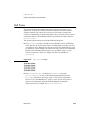
Tap Versus Click
0
Throughout the Newton software system and in this book, the word “click”
sometimes appears as part of the name of a method or variable, as in
ViewClickScript or ButtonClickScript. This may lead you to believe that
the text refers to mouse clicks. It does not. Wherever you see the word
“click” used this way, it refers to a tap of the pen on the Newton screen (which is
somewhat similar to the click of a mouse on a desktop computer).
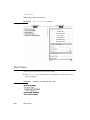
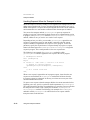
Frame Code
0
If you are using the Newton Toolkit (NTK) development environment in conjunction
with this book, you may notice that this book displays the code for a frame (such as
a view) differently than NTK does.
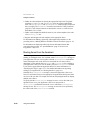
In NTK, you can see the code for only a single frame slot at a time. In this book,
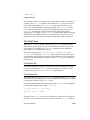
the code for a frame is presented all at once, so you can see all of the slots in the
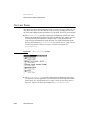
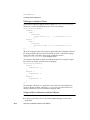
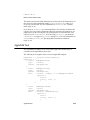
frame, like this:
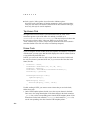
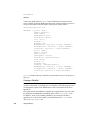
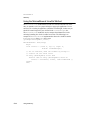
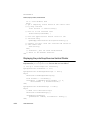
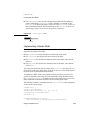
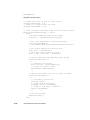
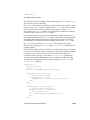
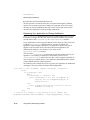
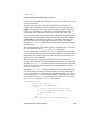
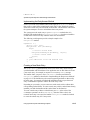
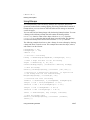
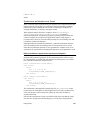
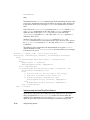
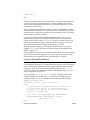
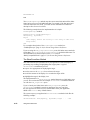
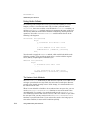
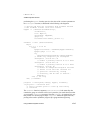
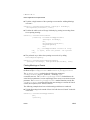
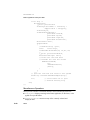
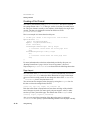
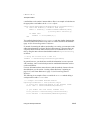
{
viewClass: clView,
viewBounds: RelBounds( 20, 50, 94, 142 ),
viewFlags: vNoFlags,
viewFormat: vfFillWhite+vfFrameBlack+vfPen(1),
viewJustify: vjCenterH,
ViewSetupDoneScript: func()
:UpdateDisplay(),
UpdateDisplay: func()
SetValue(display, 'text, value);
};
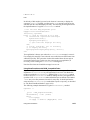
If while working in NTK, you want to create a frame that you see in the book,
follow these steps:
1. On the NTK template palette, find the view class or proto shown in the book.
Draw out a view using that template. If the frame shown in the book contains a
_proto slot, use the corresponding proto from the NTK template palette. If the
frame shown in the book contains a viewClass slot instead of a _proto slot,
use the corresponding view class from the NTK template palette.
xlvi
P R E F A C E
2. Edit the viewBounds slot to match the values shown in the book.
3. Add each of the other slots you see listed in the frame, setting their values to the
values shown in the book. Slots that have values are attribute slots, and those
that contain functions are method slots.
Developer Products and Support
0
The Apple Developer Catalog (ADC) is Apple Computer’s worldwide source for
hundreds of development tools, technical resources, training products, and
information for anyone interested in developing applications on Apple computer
platforms. Customers receive the Apple Developer Catalog featuring all current
versions of Apple development tools and the most popular third-party development
tools. ADC offers convenient payment and shipping options, including site
licensing.
To order products or to request a complimentary copy of the Apple Developer
Catalog, contact
Apple Developer Catalog
Apple Computer, Inc.
P.O. Box 319
Buffalo, NY 14207-0319
Telephone
1-800-282-2732 (United States)
1-800-637-0029 (Canada)
716-871-6555 (International)
Fax
716-871-6511
AppleLink
ORDER.ADC
Internet
[email protected]
World Wide Web
http://www.devcatalog.apple.com
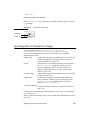
If you provide commercial products and services, call 408-974-4897 for
information on the developer support programs available from Apple.
For Newton-specific information, see the Newton developer World Wide Web page
at: http://dev.info.apple.com/newton
xlvii
P R E F A C E
Undocumented System Software Objects
When browsing in the NTK Inspector window, you may see functions, methods,
and data objects that are not documented in this book. Undocumented functions,
methods, and data objects are not supported, nor are they guaranteed to work in
future Newton devices. Using them may produce undesirable effects on current
and future Newton devices.
xlviii
0
C H A P T E R
Figure 1-0
Table 1-0
1
Overview
1
This chapter describes the general architecture of the Newton system software,
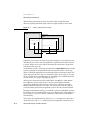
which is divided into three levels, as shown in Figure 1-1 (page 1-2).
The lowest level includes the operating system and the low-level communications
system. These parts of the system interact directly with the hardware and perform
basic operations such as memory management, input and output, and task switching.
NewtonScript applications have no direct access to system services at this level.
The middle level consists of system services that NewtonScript applications can
directly access and interact with to accomplish tasks. The system provides
hundreds of routines that applications can use to take advantage of these services.
At the highest level are components that applications can use to construct their user
interfaces. These reusable components neatly package commonly needed user
interface objects such as buttons, lists, tables, input fields, and so on. These
components incorporate NewtonScript code that makes use of the system services
in the middle level, and that an application can override to customize an object.
Operating System
1
The Newton platform incorporates a sophisticated preemptive, multitasking
operating system. The operating system is a modular set of tasks performing
functions such as memory management, task management, scheduling, task to task
communications, input and output, power management, and other low-level
functions. The operating system manages and interacts directly with the hardware.
A significant part of the operating system is concerned with low-level communication
functions. The communication subsystem runs as a separate task. It manages the
hardware communication resources available in the system. These include serial,
fax modem, AppleTalk networking, and infrared. The communication architecture
is extensible, and new communication protocols can be installed and removed at
run time, to support additional services and external devices that may be added.
Operating System
1-1
C H A P T E R
1
Overview
Figure 1-1
System software overview
Application Components
NewtonScript Application Program
User Interface Components
System Services
Find
Filing
Sound
Book Reader
Routing and Transport
Endpoint Communications
Imaging and Printing
Intelligent Assistant
Stationery
Text Input and Recognition
View System
Object Storage System
Operating System
Operating
System
Low-level
Communications
System
Newton Hardware
1-2
Operating System
C H A P T E R
1
Overview
Another operating system task of interest is the Inker. The Inker task is responsible
for gathering and displaying input from the electronic tablet overlaying the screen
when the user writes on the Newton. The Inker exists as a separate task so that the
Newton can gather input and display electronic ink at the same time as other
operations are occurring.
All Newton applications, including the recognition system, built-in applications,
and applications you develop, run in a single operating system task, called the
Application task.
NewtonScript applications have no direct access to the operating system level of
software. Access to certain low-level resources, such as communications, is
provided by higher-level interfaces.
Memory
1
It is helpful to understand the use of random access memory (RAM) in the system,
since this resource is shared by the operating system and all applications. Newton
RAM is divided into separate domains, or sections, that have controlled access.
Each domain has its own heap and stack. It is important to know about three of
these domains:
■
The operating system domain. This portion of memory is reserved for use by the
operating system. Only operating system tasks have access to this domain.
■
The storage domain. This portion of memory is reserved for permanent,
protected storage of user data. All soups, which store the data, reside here, as
well as any packages that have been downloaded into the Newton. To protect the
data in the storage domain from inadvertent damage, it can only be accessed
through the object storage system interface, described in Chapter 11, “Data
Storage and Retrieval.” If the user adds a PCMCIA card containing RAM, Flash
RAM, or read-only memory (ROM) devices, the memory on the card is used to
extend the size of the storage domain.
The storage domain occupies special persistent memory; that is, this memory is
maintained even during a system reset. This protects user data, system software
updates, and downloaded packages from being lost during system resets. The
used and free space in the storage domain is reported to the user in the Memory
Info slip in the Extras Drawer.
■
The application domain. This portion of memory is used for dynamic memory
allocation by the handwriting recognizers and all Newton applications. A fixed
part of this domain is allocated to the NewtonScript heap. The NewtonScript
heap is important because most objects allocated as a result of your NewtonScript
application code are allocated from the NewtonScript heap. These are the only
memory objects to which you have direct access. The NewtonScript heap is
shared by all applications.
Operating System
1-3
C H A P T E R
1
Overview
The system performs automatic memory management of the NewtonScript heap.
You don’t need to worry about memory allocation or disposal in an application.
The system automatically allocates memory when you create a new object in
NewtonScript. When references to an object no longer exist, it is freed during the
next garbage collection cycle. The system performs garbage collection
automatically when it needs additional memory.
The Newton operating system optimizes use of memory by using compression.
Various parts of memory are compressed and decompressed dynamically and
transparently, as needed. This occurs at a low level, and applications don’t need to
be concerned with these operations.
Packages
1
A package is the unit in which software is installed on and removed from the
Newton. Packages can combine multiple pieces of software into a single unit. The
operating system manages packages, which can be installed from PCMCIA cards,
from a serial connection to a desktop computer, a network connection, or via
modem. When a package comes into the Newton system, the system automatically
opens it and dispatches its parts to appropriate handlers in the system.
A package consists of a header, which contains the package name and other
information, and one or more parts, which contain the software. Parts can include
applications, communication drivers, fonts, and system updates (system software
code loaded into RAM that overrides or extends the built-in ROM code). A
package can also export objects for use by other packages in the system, and can
import (use) objects that are exported by other packages.
Packages are optionally stored compressed on the Newton. Compressed packages
occupy much less space (roughly half of their uncompressed size), but applications
in compressed packages may execute somewhat slower and use slightly more
battery power, because of the extra work required to decompress them when they
are executed.
For more information about packages, refer to Chapter 11, “Data Storage and
Retrieval.”
System Services
1
The Newton system software contains hundreds of routines organized into
functional groups of services. Your application can use these routines to accomplish
specific tasks such as opening and closing views, storing and retrieving data,
playing sounds, drawing shapes, and so on. This section includes brief descriptions
of the more important system services with which your application will need to
interact. Note that communications services are described in a separate section
following this one.
1-4
System Services
C H A P T E R
1
Overview
Object Storage System
1
This system is key to the Newton information architecture. The object storage
system provides persistent storage for data.
Newton uses a unified data model. This means that all data stored by all applications
uses a common format. Data can easily be shared among different applications,
with no translation necessary. This allows seamless integration of applications with
each other and with system services.
Data is stored using a database-like model. Objects are stored as frames, which are
like database records. A frame contains named slots, which hold individual pieces
of data, like database fields. For example, an address card in the Names application
is stored as a frame that contains a slot for each item on the card: name, address,
city, state, zip code, phone number, and so on.
Frames are flexible and can represent a wide variety of structures. Slots in a single
frame can contain any kind of NewtonScript object, including other frames, and
slots can be added or removed from frames dynamically. For a description of
NewtonScript objects, refer to The NewtonScript Programming Language.
Groups of related frames are stored in soups, which are like databases. For example,
all the address cards used by the Names application are stored in the Names soup,
and all the notes on the Notepad are stored in the Notes soup. All the frames stored
in a soup need not contain identical slots. For example, some frames representing
address cards may contain a phone number slot and others may not.
Soups are automatically indexed, and applications can create additional indexes on
slots that will be used as keys to find data items. You retrieve items from a soup by
performing a query on the soup. Queries can be based on an index value or can
search for a string, and can include additional constraints. A query results in a
cursor—an object representing a position in the set of soup entries that satisfy the
query. The cursor can be moved back and forth, and can return the current entry.
Soups are stored in physical repositories, called stores. Stores are akin to disk
volumes on personal computers. The Newton always has at least one store—the
internal store. Additional stores reside on PCMCIA cards.
The object storage system interface seamlessly merges soups that have the same
name on internal and external stores in a union soup. This is a virtual soup that
provides an interface similar to a real soup. For example, some of the address cards
on a Newton may be stored in the internal Names soup and some may be stored in
another Names soup on a PCMCIA card. When the card is installed, those names
in the card soup are automatically merged with the existing internal names so the
user, or an application, need not do any extra work to access those additional
names. When the card is removed, the names simply disappear from the card file
union soup.
System Services
1-5
C H A P T E R
1
Overview
The object storage system is optimized for small chunks of data and is designed to
operate in tight memory constraints. Soups are compressed, and retrieved entries
are not allocated on the NewtonScript heap until a slot in the entry is accessed.
You can find information about the object storage system interface in Chapter 11,
“Data Storage and Retrieval.”
View System
1
Views are the basic building blocks of most applications. A view is simply a
rectangular area mapped onto the screen. Nearly every individual visual item you
see on the screen is a view. Views display information to the user in the form of
text and graphics, and the user interacts with views by tapping them, writing in
them, dragging them, and so on. A view is defined by a frame that contains slots
specifying view attributes such as its bounds, fill color, alignment relative to other
views, and so on.
The view system is what you work with to manipulate views. There are routines to
open, close, animate, scroll, highlight, and lay out views, to name just a few
operations you can do. For basic information about views and descriptions of all
the routines you can use to interact with the view system, refer to Chapter 3, “Views.”
An application consists of a collection of views all working together. Each application
has an application base view from which all other views in the application
typically descend hierarchically. In turn, the base view of each application installed
in the Newton descends from the system root view. (Think of the hierarchy as a
tree structure turned upside down, with the root at the top.) Thus, each application
base view is a child of the root view. We call a view in which child views exist the
parent view of those child views. Note that occasionally, an application may also
include views that don’t descend from the base view but are themselves children of
the root view.
The system includes several different primitive view classes from which all views
are ultimately constructed. Each of these view classes has inherently different
behavior and attributes. For example, there are view classes for views that contain
text, shapes, pictures, keyboards, analog gauges, and so on.
As an application executes, its view frames receive messages from the system and
exchange messages with each other. System messages provide an opportunity for a
view to respond appropriately to particular events that are occurring. For example,
the view system performs default initialization operations when a view is opened.
It also sends the view a ViewSetupFormScript message. If the view includes a
method to handle this message, it can perform its own initialization operations in
that method. Handling system messages in your application is optional since the
system performs default behaviors for most events.
1-6
System Services
C H A P T E R
1
Overview
Text Input and Recognition
1
The Newton recognition system uses a sophisticated multiple-recognizer
architecture. There are recognizers for text, shapes, and gestures, which can be
simultaneously active (this is application-dependent). An arbitrator examines the
results from simultaneously active recognizers and returns the recognition match
that has the highest confidence.
Recognition is modeless. That is, the user does not need to put the system in a
special mode or use a special dialog box in order to write, but can write in any
input field at any time.
The text recognizers can handle printed, cursive, or mixed handwriting. They can
work together with built-in dictionaries to choose words that accurately match what
the user has written. The user can also add new words to a personal dictionary.
Depending on whether or not a text handwriting recognizer is enabled, users can
enter handwritten text that is recognized or not. Unrecognized text is known as ink
text. Ink text can still be manipulated like recognized text—words can be inserted,
deleted, moved around, and reformatted—and ink words can be intermixed with
recognized words in a single paragraph. Ink words can be recognized later using
the deferred recognition capability of the system.
The shape recognizer recognizes both simple and complex geometric objects,
cleaning up rough drawings into shapes with straight lines and smooth curves. The
shape recognizer also recognizes symmetry, using that property, if present, to help
it recognize and display objects.
For each view in an application, you can specify which recognizers are enabled and
how they are configured. For example, the text recognizer can be set to recognize
only names, or names and phone numbers, or only words in a custom dictionary
that you supply, among other choices.
Most recognition events are handled automatically by the system view classes, so
you don’t need to do anything in your application to handle recognition events,
unless you want to do something special. For example, when a user writes a word
in a text view, that view automatically passes the strokes to the recognizer, accepts
the recognized word back, and displays the word. In addition, the view automatically
handles corrections for you. The user can double-tap a word to pop up a list of
other possible matches for it, or to use the keyboard to correct it.
For information on methods for accepting and working with text input, refer to
Chapter 8, “Text and Ink Input and Display.” For information on controlling
recognition in views and working with dictionaries, refer to Chapter 9, “Recognition.”
System Services
1-7
C H A P T E R
1
Overview
Stationery
1
Stationery is a capability of the system that allows applications to be extended by
other developers. The word “stationery” refers to the capability of having different
kinds of data within a single application (such as plain notes and outlines in the
Notepad) and/or to the capability of having different ways of viewing the same data
(such as the Card and All Info views in the Names file). An application that supports
stationery can be extended either by adding a new type of data to it (for example,
adding recipe cards to the Notepad), or by adding a new type of viewer for existing
data (a new way of viewing Names file entries or a new print format, for example).
To support stationery, an application must register with the system a frame, called a
data definition, that describes the data with which it works. The different data
definitions available to an application are listed on the pop-up menu attached to the
New button. In addition, an application must register one or more view definitions,
which describe how the data is to be viewed or printed. View definitions can
include simple read-only views, editor-type views, or print formats. The different
view definitions available in an application (not including print formats) are listed
on the pop-up menu attached to the Show button.
Stationery is well integrated into the NewtApp framework, so if you use that framework for your application, using stationery is easy. The printing architecture also
uses stationery, so all application print formats are registered as a kind of stationery.
For more information about using stationery, see Chapter 5, “Stationery.”
Intelligent Assistant
1
A key part of the Newton information architecture is the Intelligent Assistant. The
Intelligent Assistant is a system service that attempts to complete actions for the
user according to deductions it makes about the task that the user is currently
performing. The Assistant is always instantly available to the user through the
Assist button, yet remains nonintrusive.
The Assistant knows how to complete several built-in tasks; they are Scheduling
(adding meetings), Finding, Reminding (adding To Do items), Mailing, Faxing,
Printing, Calling, and getting time information from the Time Zones map. Each of
these tasks has several synonyms; for example, the user can write “call,” “phone,”
“ring,” or “dial” to make a phone call.
Applications can add new tasks so that the Assistant supports their special capabilities
and services. The Newton unified data model makes it possible for the Assistant to
access data stored by any application, thus allowing the Assistant to be well integrated
in the system.
For details on using the Intelligent Assistant and integrating support for it into your
application, see Chapter 18, “Intelligent Assistant.”
1-8
System Services
C H A P T E R
1
Overview
Imaging and Printing
1
At the operating system level, the Newton imaging and printing software is based
on an object-oriented, device-independent imaging model. The imaging model is
monochrome since the current Newton screen is a black-and-white screen.
NewtonScript application programs don’t call low-level imaging routines directly
to do drawing or image manipulation. In fact, most drawing is handled for
applications by the user interface components they incorporate, or when they call
other routines that display information. However, there is a versatile set of
high-level drawing routines that you can call directly to create and draw shapes,
pictures, bitmaps, and text. When drawing, you can vary the pen thickness, pen
pattern, fill pattern, and other attributes. For details on drawing, refer to Chapter 13,
“Drawing and Graphics.”
The Newton text imaging facility supports Unicode directly, so the system can be
easily localized to display languages using different script systems. The system is
extensible, so it’s possible to add additional fonts, font engines, and printer drivers.
The high-level interface to printing on the Newton uses a model identical to that
used for views. Essentially, you design a special kind of view called a print format
to specify how printed information is to be laid out on the page. Print formats use a
unique view template that automatically adjusts its size to the page size of the
printer chosen by the user. When the user prints, the system handles all the details
of rendering the views on the printer according to the layout you specified.
The Newton offers the feature of deferred printing. The user can print even though
he or she is not connected to a printer at the moment. An object describing the print
job is stored in the Newton Out Box application, and when a printer is connected
later, the user can then select that print job for printing. Again, this feature is
handled automatically by the system and requires no additional application
programming work.
For information on how to add printing capabilities to an application, refer to
Chapter 21, “Routing Interface.”
Sound
1
The Newton includes a monophonic speaker and can play sounds sampled at rates
up to 22 kHz. You can attach sounds to particular events associated with a view,
such as showing it, hiding it, and scrolling it. You can also use sound routines to
play sounds synchronously or asynchronously at any other time.
Newton can serve as a phone dialer by dialing phone numbers through the speaker.
The dialing tones are built into the system ROM, along with several other sounds
that can be used in applications.
System Services
1-9
C H A P T E R
1
Overview
Besides the sounds that are built into the system ROM, you can import external
sound resources into an application through the Newton Toolkit development
environment.
For information about using sound in an application, see Chapter 14, “Sound.”
Book Reader
1
Book Reader is a system service that displays interactive digital books on the
Newton screen. Digital books can include multiple-font text, bitmap and vector
graphics, and on-screen controls for content navigation. Newton digital books
allow the user to scroll pages, mark pages with bookmarks, access data directly by
page number or subject, mark up pages using digital ink, and perform text searches.
Of course, the user can copy and paste text from digital books, as well as print text
and graphics from them.
Newton Press and Newton Book Maker are two different development tools that
you use to create digital books for the Newton. Nonprogrammers can easily create
books using Newton Press. Newton Book Maker is a more sophisticated tool that
uses a text-based command language allowing you to provide additional services to
the user or exercise greater control over page layout. Also, using Book Maker, you
can attach data, methods, and view templates to book content to provide customized
behavior or work with the Intelligent Assistant.
The Book Maker application can also be used to create on-line help for an
application. The installation of on-line help in an application package requires
some rudimentary NewtonScript programming ability; however, nonprogrammers
can create on-line help content, again using only a word processor and some basic
Book Maker commands.
Refer to the book Newton Book Maker User’s Guide for information on Book
Reader, the Book Maker command language, and the use of Newton Toolkit to
create digital book packages and on-line help. Refer to the Newton Press User’s
Guide for information on using Newton Press.
Find
1
Find is a system service that allows users to search one or all applications in the
system for occurrences of a particular string. Alternatively, the user can search for
data time-stamped before or after a specified date. When the search is completed,
the Find service displays an overview list of items found that match the search
criteria. The user can tap an item in the list and the system opens the corresponding
application and displays the data containing the selected string. Users access the
Find service by tapping the Find button.
1-10
System Services
C H A P T E R
1
Overview
If you want to allow the user to search for data stored by your application, you
need to implement certain methods that respond to find messages sent by the
system. You’ll need to supply one method that searches your application’s soup(s)
for data and returns the results in a particular format, and another method that
locates and displays the found data in your application if the user taps on it in the
find overview. The system software includes routines and templates that help you
support find in your application. For details on supporting the Find service, refer to
Chapter 16, “Find.”
Filing
1
The Filing service allows users to tag soup-based data in your application with
labels used to store, retrieve, and display the data by category. The labels used to
tag entries are represented as folders in the user interface; however, no true
hierarchical filing exists—the tagged entries still reside in the soup. Users access
the filing service through a standard user interface element called the file folder
button, which looks like a small file folder.
When the user chooses a category for an item, the system notifies your application
that filing has changed. Your application must perform the appropriate applicationspecific tasks and redraw the current view, providing to the user the illusion that the
item has been placed in a folder. When the user chooses to display data from a
category other than the currently displayed one, the system also notifies your
application, which must retrieve and display data in the selected category.
The system software includes templates that help your application implement the
filing button and the selector that allows the user to choose which category of data
to display. Your application must provide methods that respond to filing messages
sent by the system in response to user actions such as filing an item, changing the
category of items to display, and changing the list of filing categories. For details
on supporting the Filing service, refer to Chapter 15, “Filing.”
Communications Services
1
This section provides an overview of the communications services in Newton
system software 2.0.
The Newton communications architecture is application-oriented, rather than
protocol-oriented. This means that you can focus your programming efforts on
what your application needs to do, rather than on communication protocol details.
A simple high-level NewtonScript interface encapsulates all protocol details, which
are handled in the same way regardless of which communication transport tool you
are using.
Communications Services
1-11
C H A P T E R
1
Overview
The communication architecture is flexible, supporting complex communication
needs. The architecture is also extensible, allowing new communication transport
tools to be added dynamically and accessed through the same interface as existing
transports. In this way, new communication hardware devices can be supported.
The Newton communications architecture is illustrated in Figure 1-2.
Figure 1-2
Communications architecture
Application
NewtonScript
Routing interface
In/out box
Transport interface
Endpoint interface
Transport
Endpoint object
Low-level communications system
Communication tools
Serial
Modem MNP
IR
FAX
ATalk
...
Hardware devices
Modem Radio Keybd GSM CDPD
...
...
Figure 1-2 shows four unique communications interfaces available for you to use:
1-12
■
routing interface
■
endpoint interface
Communications Services
C H A P T E R
1
Overview
■
transport interface
■
communication tool interface
The first two, routing and endpoint interfaces, are available for NewtonScript
applications to use directly.
The transport interface is a NewtonScript interface, but it isn’t used directly by applications. A transport consists of a special kind of application of its own that is installed
on a Newton device and that provides new communication services to the system.
The communication tool interface is a low-level C++ interface.
These interfaces are described in more detail in the following sections.
NewtonScript Application Communications
1
There are two basic types of NewtonScript communications an application can do.
The most common type of communication that most applications do is routing
through the In/Out Box. As an alternative, applications can use the endpoint interface
to control endpoint objects.
Typically, an application uses only one of these types of communication, but
sometimes both are needed. These two types of communication are described in
the following sections.
Routing Through the In/Out Box
1
The routing interface is the highest-level NewtonScript communication interface.
The routing interface allows an application to communicate with the In/Out Box
and lets users send data and receive data from outside the system. In applications,
users access routing services through a standard user interface element called the
Action button, which looks like a small envelope. Users access the In/Out Box
application through icons in the Newton Extras Drawer. The In/Out Box provides a
common user interface for all incoming and outgoing data in the system.
The routing interface is best suited for user-controlled messaging and transactionbased communications. For example, the Newton built-in applications use this
interface for e-mail, beaming, printing, and faxing. Outgoing items can be stored in
the Out Box until a physical connection is available, when the user can choose to
transmit the items, or they can be sent immediately. Incoming items are received in
the In Box, where the user can get new mail and beamed items, for example.
For information on the routing interface, refer to Chapter 21, “Routing Interface.”
The In/Out Box makes use of the transport and endpoint interfaces internally to
perform its operations.
If you are writing an application that takes advantage of only the transports
currently installed in the Newton system, you need to use only the routing
Communications Services
1-13
C H A P T E R
1
Overview
interface. You need to use the transport or endpoint interfaces only when writing
custom communication tools.
Endpoint Interface
1
The endpoint interface is a somewhat lower-level NewtonScript interface; it has no
visible representation to the Newton user. The endpoint interface is suited for
real-time communication needs such as database access and terminal emulation. It
uses an asynchronous, state-driven communications model.
The endpoint interface is based on a single proto—protoBasicEndpoint—that
provides a standard interface to all communication tools (serial, fax modem,
infrared, AppleTalk, and so on). The endpoint object created from this proto
encapsulates and maintains the details of the specific connection. This proto
provides methods for
■
interacting with the underlying communication tool
■
setting communication tool options
■
opening and closing connections
■
sending and receiving data
The basic endpoint interface is described in Chapter 23, “Endpoint Interface.”
Low-Level Communications
1
There are two lower-level communication interfaces that are not used directly by
applications. The transport and communication tool interfaces are typically used
together (along with the endpoint interface) to provide a new communication
service to the system.
These two interfaces are described in the following sections.
Transport Interface
1
If you are providing a new communication service through the use of endpoints
and lower-level communication tools, you may need to use the transport interface.
The transport interface allows your communication service to talk to the In/Out
Box and to make itself available to users through the Action button (envelope icon)
in most applications.
When the user taps the Action button in an application, the Action picker appears.
Built-in transports available on the Action picker include printing, faxing, and
beaming. Any new transports that you provide are added to this list.
For more information, refer to Chapter 22, “Transport Interface.”
1-14
Communications Services
C H A P T E R
1
Overview
Communication Tool Interface
1
Underlying the NewtonScript interface is the low-level communications system.
This system consists of a communications manager module and several code
components known as communication tools. These communication tools interact
directly with the communication hardware devices installed in the system. The
communication tools are written in C++ and are not directly accessible from
NewtonScript—they are accessed indirectly through an endpoint object.
The built-in communication tools include:
■
Synchronous and asynchronous serial
■
Fax/data modem (data is V.34 with MNP/V.42 and fax is V.17 with Class 1, 2,
and 2.0 support)
■
Point-to-point infrared—called beaming (Sharp 9600 and Apple IR-enhanced
protocols)
■
AppleTalk ADSP protocol
For information about configuring the built-in communication tools through the
endpoint interface, refer to Chapter 24, “Built-in Communications Tools.”
Note that the communications manager module, and each of the individual
communication tools, runs as a separate operating system task. All NewtonScript
code is in a different task, called the Application task.
The system is extensible—additional communication tools can be installed at run
time. Installed tools are made available to NewtonScript client applications through
the same endpoint interface as the built-in tools.
At some point, Apple Computer, Inc. may release the tools and interfaces that
allow C++ communication tool development.
Application Components
1
At the highest level of system software are dozens of components that applications
can use to construct their user interfaces and other nonvisible objects. These
reusable components neatly package commonly needed user interface objects such
as buttons, lists, tables, input fields, and so on. These components incorporate
NewtonScript code that makes use of other system services, and which an
application can override to customize an object.
These components are built into the Newton ROM. When you reference one of
these components in your application, the code isn’t copied into your application—
your application simply makes a reference to the component in the ROM. This
conserves memory at run time and still allows your application to easily override
any attributes of the built-in component. Because you can build much of your
Application Components
1-15
C H A P T E R
1
Overview
application using these components, Newton applications tend to be much smaller
in size than similar applications on desktop computers.
A simple example of how you can construct much of an application using
components is illustrated in Figure 1-3. This simple application accepts names and
phone numbers and saves them into a soup. It was constructed in just a few minutes
using three different components.
The application base view is implemented by a single component that includes the
title bar at the top, the status bar at the bottom, the clock and the close box, and the
outer frame of the application. The Name and Phone input lines are each created
from the same component that implements a simple text input line; the two buttons
are created from the same button component. The only code you must write to
make this application fully functional is to make the buttons perform their actions.
That is, make the Clear button clear the input lines and make the Save button get
the text from the input lines and save it to a soup.
Figure 1-3
Using components
The components available for use by applications are shown on the layout palette
in Newton Toolkit. These components are known as protos, which is short for
“prototypes.” In addition to the built-in components, Newton Toolkit lets you create
your own reusable components, called user protos. The various built-in components
are documented throughout the book in the chapter containing information related
to each proto. For example, text input protos are described in Chapter 8, “Text and
Ink Input and Display;” protos that implement pickers and lists are described in
Chapter 6, “Pickers, Pop-up Views, and Overviews;” and protos that implement
controls and other miscellaneous protos are described in Chapter 7, “Controls and
Other Protos.”
1-16
Application Components
C H A P T E R
1
Overview
The NewtApp framework consists of a special collection of protos that are designed
to be used together in a layered hierarchy to build a complete application. For more
information about the NewtApp protos, refer to Chapter 4, “NewtApp Applications.”
Using System Software
1
Most of the routines and application components that comprise the Newton system
software reside in ROM, provided in special chips contained in every Newton
device. When your application calls a system routine, the operating system executes
the appropriate code contained in ROM.
This is different from traditional programming environments where system
software routines are accessed by linking a subroutine library with the application
code. That approach results in much larger applications and makes it harder to
provide new features and fix bugs in the system software.
The ROM-based model used in the Newton provides a simple way for the
operating system to substitute the code that is executed in response to a particular
system software routine, or to substitute an application component. Instead of
executing the ROM-based code for some routine, the operating system might
choose to load some substitute code into RAM; when your application calls the
routine, the operating system intercepts the call and executes the RAM-based code.
RAM-based code that substitutes for ROM-based code is called a system update.
Newton system updates are stored in the storage memory domain, which is
persistent storage.
Besides application components, the Newton ROM contains many other objects
such as fonts, sounds, pictures, and strings that might be useful to applications.
Applications can access these objects by using special references called magic
pointers. Magic pointers provide a mechanism for code written in a development
system separate from the Newton to reference objects in the Newton ROM or in
other packages. Magic pointer references are resolved at run time by the operating
system, which substitutes the actual address of the ROM or package object for the
magic pointer reference.
Magic pointers are constants defined in Newton Toolkit. For example, the names of
all the application components, or protos, are actually magic pointer constants. You
can find a list of all the ROM magic pointer constants in the Newton 2.0 Defs file,
included with Newton Toolkit.
Using System Software
1-17
C H A P T E R
1
Overview
The NewtonScript Language
1
You write Newton applications in NewtonScript, a dynamic object-oriented
language developed especially for the Newton platform, though the language is
highly portable. NewtonScript is designed to operate within tight memory
constraints, so is well suited to small hand-held devices like Newton.
NewtonScript is used to define, access, and manipulate objects in the Newton
system. NewtonScript frame objects provide the basis for object-oriented features
such as inheritance and message sending.
Newton Toolkit normally compiles NewtonScript into byte codes. The Newton
system software contains a byte code interpreter that interprets the byte codes at
run time. This has two advantages: byte codes are much smaller than native code,
and Newton applications are easily portable to other processors, since the
interpreter is portable. Newton Toolkit can also compile NewtonScript into native
code. Native code occupies much more space than interpreted code, but in certain
circumstances it can execute much faster.
For a complete reference to NewtonScript, refer to The NewtonScript Programming
Language.
What’s New in Newton 2.0
1
Version 2.0 of the Newton System Software brings many changes to all areas.
Some programming interfaces have been extended; others have been completely
replaced with new interfaces; and still other interfaces are brand new. For those
readers familiar with previous versions of system software, this section gives a
brief overview of what is new and what has changed in Newton 2.0, focusing on
those programming interfaces that you will be most interested in as a developer.
NewtApp
1
NewtApp is a new application framework designed to help you build a complete,
full-featured Newton application more quickly. The NewtApp framework consists
of a collection of protos that are designed to be used together in a layered hierarchy.
The NewtApp framework links together soup-based data with the display and
editing of that data in an application. For many types of applications, using the
NewtApp framework can significantly reduce development time because the protos
automatically manage many routine programming tasks. For example, some of the
tasks the protos support include filing, finding, routing, scrolling, displaying an
overview, and soup management.
1-18
The NewtonScript Language
C H A P T E R
1
Overview
The NewtApp framework is not suited for all Newton applications. If your
application stores data as individual entries in a soup, displays that data to the user
in views, and allows the user to edit some or all of the data, then it is a potential
candidate for using the NewtApp framework. NewtApp is well suited to “classic”
form-based applications. Some of the built-in applications constructed using the
NewtApp framework include the Notepad and the Names file.
Stationery
1
Stationery is a new capability of Newton 2.0 that allows applications to be extended
by other developers. If your application supports stationery, then it can be extended by
others. Similarly, you can extend another developer’s application that supports
stationery. You should also note that the printing architecture now uses stationery,
so all application print formats are registered as a kind of stationery.
Stationery is a powerful capability that makes applications much more extensible
than in the past. Stationery is also well integrated into the NewtApp framework, so
if you use that framework for your application, using stationery is easy. For more
information about stationery, see the section “Stationery” (page 1-8).
Views
1
New features for the view system include a drag-and-drop interface that allows you
to provide users with a drag-and-drop capability between views. There are hooks to
provide for custom feedback to the user during the drag process and to handle
copying or moving the item.
The system now includes the capability for the user to view the display in portrait
or landscape orientation, so the screen orientation can be changed (rotated) at any
time. Applications can support this new capability by supporting the new
ReorientToScreen message, which the system uses to alert all applications to
re-layout their views.
Several new view methods provide features such as bringing a view to the front or
sending it to the back, automatically sizing buttons, finding the view bounds
including the view frame, and displaying modal dialogs to the user.
There is a new message, ViewPostQuitScript, that is sent to a view (only on
request) when it is closing, after all of the view’s child views have been destroyed.
This allows you to do additional clean-up, if necessary. And, you’ll be pleased to
know that the order in which child views receive the ViewQuitScript message
is now well defined: it is top-down.
Additionally, there are some new viewJustify constants that allow you to
specify that a view is sized proportionally to its sibling or parent view, horizontally
and/or vertically.
What’s New in Newton 2.0
1-19
C H A P T E R
1
Overview
Protos
1
There are many new protos supplied in the new system ROM. There are new
pop-up button pickers, map-type pickers, and several new time, date, and duration
pickers. There are new protos that support the display of overviews and lists based
on soup entries. There are new protos that support the input of rich strings (strings
that contain either recognized characters or ink text). There are a variety of new
scroller protos. There is an integrated set of protos designed to make it easy for you
to display status messages to the user during lengthy or complex operations.
Generic list pickers, available in system 1.0, have been extended to support bitmap
items that can be hit-tested as two-dimensional grids. For example, a phone keypad
can be included as a single item in a picker. Additionally, list pickers can now
scroll if all the items can’t fit on the screen.
Data Storage
1
There are many enhancements to the data storage system for system software 2.0.
General soup performance is significantly improved. A tagging mechanism for
soup entries makes changing folders much faster for the user. You can use the
tagging mechanism to greatly speed access to subsets of entries in a soup. Queries
support more features, including the use of multiple slot indexes, and the query
interface is cleaner. Entry aliases make it easy to save unique references to soup
entries for fast access later without holding onto the actual entry.
A new construct, the virtual binary object, supports the creation and manipulation
of very large objects that could not be accommodated in the NewtonScript heap.
There is a new, improved soup change-notification mechanism that gives applications
more control over notification and how they respond to soup changes. More precise
information about exactly what changed is communicated to applications. Soup
data can now be built directly into packages in the form of a store part. Additionally,
packages can contain protos and other objects that can be exported through magic
pointer references, and applications can import such objects from available packages.
Text Input
1
The main change to text input involves the use of ink text. The user can choose to
leave written text unrecognized and still manipulate the text by inserting, deleting,
reformatting, and moving the words around, just as with recognized text. Ink words
and recognized words can be intermixed within a single paragraph. A new string
format, called a rich string, handles both ink and recognized text in the same string.
There are new protos, protoRichInputLine and
protoRichLabelInputLine, that you can use in your application to allow
users to enter ink text in fields. In addition, the view classes clEditView and
1-20
What’s New in Newton 2.0
C H A P T E R
1
Overview
clParagraphView now support ink text. There are several new functions that
allow you to manipulate and convert between regular strings and rich strings. Other
functions provide access to ink and stroke data, allow conversion between strokes,
points, and ink, and allow certain kinds of ink and stroke manipulations.
There are several new functions that allow you to access and manipulate the
attributes of font specifications, making changing the font attributes of text much
easier. A new font called the handwriting font is built in. This font looks similar to
handwritten characters and is used throughout the system for all entered text. You
should use it for displaying all text the user enters.
The use of on-screen keyboards for text input is also improved. There are new
proto buttons that your application can use to give users access to the available
keyboards. It’s easier to include custom keyboards for your application. Several
new methods allow you to track and manage the insertion caret, which the system
displays when a keyboard is open. Note also that a real hardware keyboard is
available for the Newton system, and users may use it anywhere to enter text. The
system automatically supports its use in all text fields.
Graphics and Drawing
1
Style frames for drawing shapes can now include a custom clipping region other
than the whole destination view, and can specify a scaling or offset transformation
to apply to the shape being drawn.
Several new functions allow you to create, flip, rotate, and draw into bitmap
shapes. Also, you can capture all or part of a view into a bitmap. There are new
protos that support the display, manipulation, and annotation of large bitmaps such
as received faxes. A new function, InvertRect, inverts a rectangle in a view.
Views of the class clPictureView can now contain graphic shapes in addition to
bitmap or picture objects.
System Services
1
System-supplied Filing services have been extended; applications can now filter the
display of items according to the store on which they reside, route items directly to
a specified store from the filing slip, and provide their own unique folders. In
addition, registration for notification of changes to folder names has been simplified.
Two new global functions can be used to register or unregister an application with
the Find service. In addition, Find now maintains its state between uses, performs
“date equal” finds, and returns to the user more quickly.
Applications can now register callback functions to be executed when the Newton
powers on or off. Applications can register a view to be added to the user preferences
roll. Similarly, applications can register a view to be added to the formulas roll.
What’s New in Newton 2.0
1-21
C H A P T E R
1
Overview
The implementation of undo has changed to an undo/redo model instead of two
levels of undo, so applications must support this new model.
Recognition
1
Recognition enhancements include the addition of an alternate high-quality
recognizer for printed text and significant improvements in the cursive recognizer.
While this doesn’t directly affect applications, it does significantly improve
recognition performance in the system, leading to a better user experience. Other
enhancements that make the recognition system much easier to use include a new
correction picker, a new punctuation picker, and the caret insertion writing mode
(new writing anywhere is inserted at the caret position).
Specific enhancements of interest to developers include the addition of a
recConfig frame, which allows more flexible and precise control over
recognition in individual input views. A new proto, protoCharEdit, provides a
comb-style entry view in which you can precisely control recognition and restrict
entries to match a predefined character template.
Additionally, there are new functions that allow you to pass ink text, strokes, and
shapes to the recognizer to implement your own deferred recognition. Detailed
recognition corrector information (alternate words and scores) is now available
to applications.
Sound
1
The interface for playing sounds is enhanced in Newton 2.0. In addition to the
existing sound functions, there is a new function to play a sound at a particular
volume and there is a new protoSoundChannel object. The
protoSoundChannel object encapsulates sounds and methods that operate on
them. Using a sound channel object, sound playback is much more flexible—the
interface supports starting, stopping, pausing, and playing sounds simultaneously
through multiple sound channels.
Built-in Applications
1
Unlike in previous versions, the built-in applications are all more extensible in
version 2.0. The Notepad supports stationery, so you can easily extend it by adding
new “paper” types to the New pop-up menu. The Names file also supports stationery,
so it’s easy to add new card types, new card layout styles, and new data items to
existing cards by registering new data definitions and view definitions for the
Names application. There’s also a method that adds a new card to the Names soup.
1-22
What’s New in Newton 2.0
C H A P T E R
1
Overview
The Dates application includes a comprehensive interface that gives you the ability
to add, find, move, and delete meetings and events. You can get and set various
kinds of information related to meetings, and you can create new meeting types for
the Dates application. You can programmatically control what day is displayed as
the first day of the week, and you can control the display of a week number in the
Calendar view.
The To Do List application also includes a new interface that supports creating new
to do items, retrieving items for a particular date or range, removing old items, and
other operations.
Routing and Transports
1
The Routing interface is significantly changed in Newton 2.0. The system builds
the list of routing actions dynamically, when the user taps the Action button. This
allows all applications to take advantage of new transports that are added to the
system at any time. Many hooks are provided for your application to perform
custom operations at every point during the routing operation. You register routing
formats with the system as view definitions. A new function allows you to send
items programmatically.
Your application has much more flexibility with incoming items. You can choose to
automatically put away items and to receive foreign data (items from different
applications or from a non-Newton source).
The Transport interface is entirely new. This interface provides several new protos
and functions that allow you to build a custom communication service and make it
available to all applications through the Action button and the In/Out Box. Features
include a logging capability, a system for displaying progress and status information
to the user, support for custom routing slips, and support for transport preferences.
Endpoint Communication
1
The Endpoint communication interface is new but very similar to the 1.0 interface.
There is a new proto, protoBasicEndpoint, that encapsulates the connection
and provides methods to manage the connection and send and receive data.
Additionally, a derivative endpoint, protoStreamingEndpoint, provides the
capability to send and receive very large frame objects.
Specific enhancements introduced by the new endpoint protos include the ability to
handle and identify many more types of data by tagging the data using data forms
specified in the form slot of an endpoint option. Most endpoint methods can now
be called asynchronously, and asynchronous operation is the recommended way to
do endpoint-based communication. Support is also included for time-outs and
multiple termination sequences. Error handling is improved.
What’s New in Newton 2.0
1-23
C H A P T E R
1
Overview
There have been significant changes in the handling of binary (raw) data. For input,
you can now target a direct data input object, resulting in significantly faster
performance. For output, you can specify offsets and lengths, allowing you to send
the data in chunks.
Additionally, there is now support for multiple simultaneous communication
sessions.
Utilities
1
Many new utility functions are available in Newton 2.0. There are several new
deferred, delayed, and conditional message-sending functions. New array functions
provide ways to insert elements, search for elements, and sort arrays. Additionally,
there’s a new set of functions that operate on sorted arrays using binary search
algorithms. New and enhanced string functions support rich strings, perform
conditional substring substitution, tokenize strings, and perform case-sensitive
string compares. A new group of functions gets, sets, and checks for the existence
of global variables and functions.
Books
1
New Book Reader features include better browser behavior (configurable
auto-closing), expanded off-line bookkeeping abilities, persistent bookmarks, the
ability to remove bookmarks, and more efficient use of memory.
New interfaces provide additional ways to navigate in books, customize Find
behavior, customize bookmarks, and add help books. Book Reader also supports
interaction with new system messages related to scrolling, turning pages, installing
books, and removing books. Additional interfaces are provided for adding items to
the status bar and the Action menu.
1-24
What’s New in Newton 2.0
C H A P T E R
Figure 2-0
Table 2-0
2
Getting Started
2
This chapter describes where to begin when you’re thinking about developing a
Newton application. It describes the different kinds of software you can develop
and install on the Newton and the advantages and disadvantages of using different
application structures.
Additionally, this chapter describes how to create and register your developer
signature.
Before you read this chapter, you should be familiar with the information described
in Chapter 1, “Overview.”
Choosing an Application Structure
2
When you create an application program for the Newton platform, you can use one
of the following basic types of application structures:
■
minimal predefined structure, by basing the application on a view class of
clView or the protoApp proto
■
highly structured, by basing the application on the NewtApp framework of protos
■
highly structured and specialized for text, by building a digital book
Alternatively, you might want to develop software that is not accessed through an
icon in the Extras Drawer. For example, you might want to install stationery, a
transport, or some other kind of specialized software that does something like
creating a soup and then removing itself.
These various approaches to software development are discussed in the following
sections.
Minimal Structure
2
The minimalist approach for designing a Newton application starts with an empty
or nearly empty container that provides little or no built-in functionality—thus the
“minimalist” name. This approach is best suited for specialized applications that
Choosing an Application Structure
2-1
C H A P T E R
2
Getting Started
don’t follow the “classic” form-based model. For example, some types of
applications that might use this approach include games, utilities, calculators, and
graphics applications.
The advantage of using the minimalist approach is that it’s simple and small.
Usually you’d choose this approach because you don’t need or want a lot of
built-in support from a comprehensive application framework, along with the extra
size and overhead that such support brings.
The disadvantage of the minimalist approach is that it doesn’t provide any support
from built-in features, like the NewtApp framework does. You get just a simple
container in which to construct your application.
To construct an application using the minimalist approach, you can use the view
class clView or the proto protoApp as your application base view. The view
class clView is the bare minimum you can start with. This is the most basic of the
primitive view classes. It provides nothing except an empty container. The
protoApp provides a little bit more, it includes a framed border, a title at the top,
and a close box so the user can close it. For details on these objects, see clView
(page 1-1) and protoApp (page 1-2) in Newton Programmer’s Reference.
Neither of these basic containers provide much built-in functionality. You must add
functionality yourself by adding other application components to your application.
There are dozens of built-in protos that you can use, or you can create your own
protos using NTK. Most of the built-in protos are documented in these two chapters:
Chapter 6, “Pickers, Pop-up Views, and Overviews,”and Chapter 7, “Controls and
Other Protos.” Note also that certain protos in the NewtApp framework can be
used outside of a NewtApp application. For information on NewtApp protos, see
Chapter 4, “NewtApp Applications.”
NewtApp Framework
2
NewtApp is an application framework that is well suited to “classic” form-based
applications. Such applications typically gather and store data in soups, display
individual soup entries to users in views, and allow the user to edit some or all of
the data. For example, some types of applications that might use NewtApp include
surveys and other data gathering applications, personal information managers, and
record-keeping applications. Some of the built-in applications constructed using
NewtApp include the Notepad, Names file, In/Out Box, Calls, and Time Zones.
The advantage of NewtApp is that it provides a framework of protos designed to
help you build a complete, full-featured Newton application more quickly than if
you started from scratch. The NewtApp protos are designed to be used together in a
layered hierarchy that links together soup-based data with the display and editing
of that data in an application. For many types of applications, using the NewtApp
framework can significantly reduce development time because the protos
2-2
Choosing an Application Structure
C H A P T E R
2
Getting Started
automatically manage many routine programming tasks. For example, some of the
tasks the protos support include filing, finding, routing, scrolling, displaying an
overview, and soup management.
The disadvantage of NewtApp is that it is structured to support a particular kind of
application—one that allows the creation, editing, and display of soup data. And
particularly, it supports applications structured so that there is one data element
(card, note, and so on) per soup entry. If your application doesn’t lend itself to that
structure or doesn’t need much of the support that NewtApp provides, then it
would be better to use a different approach to application design.
For details on using the NewtApp framework to construct an application, see
Chapter 4, “NewtApp Applications.”
Digital Books
2
If you want to develop an application that displays a large amount of text, handles
multiple pages, or needs to precisely layout text, you may want to consider making
a digital book instead of a traditional application. In fact, if you are dealing with a
really large amount of text, like more than a few dozen screens full, then you could
make your job much easier by using the digital book development tools.
Digital books are designed to display and manipulate large amounts of text and
graphics. Digital books can include all the functionality of an application—they
can include views, protos, and methods that are executed as a result of user actions.
In fact, you can do almost everything in a digital book that you can do in a more
traditional application, except a traditional application doesn’t include the text
layout abilities.
The advantage of using a digital book structure is that you gain the automatic text
layout and display abilities of Book Reader, the built-in digital book reading application. Additionally, the book-making tools are easy to use and allow you to quickly
turn large amounts of text and graphics into Newton books with minimal effort.
The disadvantage of using a digital book is that it is designed to support a
particular kind of application—one that is like a book. If your application doesn’t
lend itself to that structure or doesn’t need much of the text-handling support that
Book Reader provides, then it would be better to use a different approach to
application design.
For information on creating digital books using the Book Maker command
language and/or incorporating NewtonScript code and objects into digital books,
see Newton Book Maker User’s Guide. For information on creating simpler digital
books see Newton Press User’s Guide.
Choosing an Application Structure
2-3
C H A P T E R
2
Getting Started
Other Kinds of Software
2
There are other kinds of software you can develop for the Newton platform that are
not accessed by the user through an icon in the Extras drawer. These might include
new types of stationery that extend existing applications, new panels for the
Preferences or Formulas applications, new routing or print formats, communication
transports, and other kinds of invisible applications. Such software is installed in a
kind of part called an auto part (because its part code is auto).
You can also install a special kind of auto part that is automatically removed after it
is installed. The InstallScript function in the auto part is executed, and then it
is removed. (For more information about the InstallScript function, see the
section “Package Loading, Activation, and Deactivation” beginning on page 2-4.)
This kind of auto part is useful to execute some code on the Newton, for example,
to create a soup, and then to remove the code. This could be used to write an installer
application that installs just a portion of the data supplied with an application. For
example, you might have a game or some other application that uses various data
sets, and the installer could let the user choose which data sets to install (as soups)
to save storage space.
Any changes made by an automatically removed auto part are lost when the
Newton is reset, except for changes made to soups, which are persistent.
For additional information about creating auto parts and other kinds of parts such
as font, dictionary, and store parts, refer to Newton Toolkit User’s Guide.
Package Loading, Activation, and Deactivation
2
When a package is first loaded onto the Newton store from some external source,
the system executes the DoNotInstallScript function in each frame part in
the package. This function gives the parts in the package a chance to prevent
installation of the package. If the package is not prevented from being installed,
next it is activated.
When a package containing an application or auto part is activated on the Newton,
the system executes a special function in those parts: the InstallScript
function. A package is normally activated as a result of installing it—by inserting a
storage card containing it, by moving it from one store to another, by downloading
it from a desktop computer, by downloading it via modem or some other communication device, or by soft resetting the Newton device. Packages can also exist in an
inactive state on a Newton store, and such a package can be activated by the user at
a later time.
When a package is deactivated, the system executes another special function in
each of the application and auto parts in the package: the RemoveScript
function. A package is normally deactivated when the card it resides on is removed,
2-4
Package Loading, Activation, and Deactivation
C H A P T E R
2
Getting Started
when it is moved to another store (it is deactivated then reactivated), or when the
user deletes the application icon in the Extras Drawer. Packages can also be
deactivated without removing them from the store.
When a package is removed as a result of the user deleting it from the Extras
Drawer, the system also executes the DeletionScript function in each of the
package frame parts. This occurs before the RemoveScript function is executed.
The following sections describe how to use these functions.
Loading
2
The DoNotInstallScript function in a package part is executed when a
package is first loaded onto a Newton store from some external source (this does
not include inserting a storage card containing the package or moving it between
stores). This function applies to all types of frame parts (for example, not store parts).
This method gives the parts in the package a chance to prevent installation of the
entire package. If any of the package parts returns a non-nil value from this
function, the package is not installed and is discarded.
You should provide the user with some kind of feedback if package installation is
prevented, rather than silently failing. For example, to ensure that a package is
installed only on the internal store you could write a DoNotInstallScript
function like the following:
func()
begin
if GetStores()[0] <> GetVBOStore(ObjectPkgRef('foo)) then
begin
GetRoot():Notify(kNotifyAlert, kAppName,
"This package was not installed.
It can be installed only onto the internal store.");
true;
end;
end
Activation
2
The InstallScript function in a package part is executed when an application
or auto part is activated on the Newton or whenever the Newton is reset.
This function lets you perform any special installation operations that you need to
do, any initialization, and any registration for system services.
Package Loading, Activation, and Deactivation
2-5
C H A P T E R
2
Getting Started
IMPORTANT
Any changes that you make to the system in the
InstallScript function must be reversed in the
RemoveScript function. For example, if you register your
application for certain system services or install print formats,
stationery, or other objects in the system, you must reverse
these changes and remove or unregister these objects in the
RemoveScript function. If you fail to do this, such changes
cannot be removed by the user, and if your application is on a
card, they won’t be able to remove the card without getting a
warning message to put the card back. ▲
Only applications and auto parts use the InstallScript function. Note that the
InstallScript function takes one extra argument when used for an auto part.
Applications built using the NewtApp framework require special
InstallScript and RemoveScript functions. For details, see Chapter 4,
“NewtApp Applications.”
Deactivation
2
The RemoveScript function in a package part is executed when an application or
auto part is deactivated.
This function lets you perform any special deinstallation operations that you need
to do, any clean-up, and any unregistration for system services that you registered
for in the InstallScript function.
Note that automatically removed auto parts do not use the RemoveScript
function since such auto parts are removed immediately after the
InstallScript is executed—the RemoveScript is not executed.
In addition to the RemoveScript function, another function, DeletionScript,
is executed when the user removes a package by deleting it from the Extras
Drawer. This function applies to all types of frame parts, and is actually executed
before the RemoveScript function.
The DeletionScript function is optional. It lets you do different clean-up
based on the assumption that the user is permanently deleting a package, rather
than simply ejecting the card on which it happens to reside. For example, in the
DeletionScript function, you might want to delete all the soups created by the
application—checking with the user, of course, before performing such an
irreversible operation.
2-6
Package Loading, Activation, and Deactivation
C H A P T E R
2
Getting Started
Effects of System Resets on Application Data
2
Two kinds of reset operations—hard resets and soft resets—can occur on Newton
devices. All data in working RAM (the NewtonScript heap and the operating
system domain) is erased when a hard or soft reset occurs.
Unless a hard reset occurs, soups remain in RAM until they are removed explicitly,
even if the Newton device is powered down. Soups are not affected by soft resets,
as they are stored in the protected storage domain. The remainder of this section
describes reset operations in more detail and suggests ways to ensure that your
application can deal with resets appropriately.
A hard reset occurs at least once in the life of any Newton device—when it is
initially powered on. The hard reset returns all internal RAM to a known state: all
soups are erased, all caches are purged, all application packages are erased from
the internal store, application RAM is reinitialized, the NewtonScript heap is
reinitialized, and the operating system restarts itself. It’s the end (or beginning) of
the world as your application knows it.
Note
Data on external stores is not affected by a hard reset.
◆
A hard reset is initiated only in hardware by the user. Extreme precautions have
been taken to ensure that this action is deliberate. On the MessagePad, the user
must simultaneously manipulate the power and reset switches to initiate the
hardware reset. After this is accomplished, the hardware reset displays two dialog
boxes warning the user that all data is about to be erased; the user must confirm
this action in both dialog boxes before the hard reset takes place.
It is extremely unlikely that misbehaving application software would cause a hard
reset. However, a state similar to hardware reset may be achieved if the battery that
backs up internal RAM is removed or fails completely.
It’s advisable to test your application’s ability to install itself and run on a system
that has been initialized with a hard reset. The exact sequence of steps required to
hard reset a Newton device is documented in its user guide.
Newton devices may also perform a soft reset operation. A soft reset erases all data
stored by applications in the NewtonScript heap, for example all data stored in
slots in views or other frames in memory. A soft reset also reinitializes the data
storage system frames cache, while leaving soup data intact. Any frames in the
cache are lost, such as new or modified entries that have not been written back to
the soup. A soft reset can be initiated in software by the operating system or from
hardware by the user.
Effects of System Resets on Application Data
2-7
C H A P T E R
2
Getting Started
When the operating system cannot obtain enough memory to complete a requested
operation, it may display a dialog box advising the user to reset the Newton device.
The user can tap the Reset button displayed in the dialog box to reset the system, or
can tap the Cancel button and continue working.
The user may also initiate a soft reset by pressing a hardware button provided for
this purpose. This button is designed to prevent its accidental use. On the
MessagePad, for example, it is recessed inside the battery compartment and must
be pressed with the Newton pen or similarly-shaped instrument.
A soft reset may also be caused by misbehaving application software. One way to
minimize the occurrence of unexpected resets is to utilize exception-handling code
where appropriate.
The only way applications can minimize the consequences of a soft reset is to be
prepared for one to happen at any time. Applications need to store all permanent
data in a soup and write changed entries back to the soup as soon as is feasible.
It’s advisable to test your application’s ability to recover from a soft reset. The
exact sequence of steps required to soft-reset a particular Newton device is
documented in its user guide.
Flow of Control
2
The Newton system is an event-driven, object-oriented system. Code is executed in
response to messages sent to objects (for example, views). Messages are sent as a
result of user events, such as a tap on the screen, or internal system events, such as
an idle loop triggering. The flow of control in a typical application begins when the
user taps on the application icon in the Extras Drawer. As a result of this event, the
system performs several actions such as reading the values of certain slots in your
application base view and sending a particular sequence of messages to it.
For a detailed discussion of the flow of control and the order of execution when an
application “starts up,” see the section “View Instantiation” beginning on page 3-26.
Using Memory
2
The tightly-constrained Newton environment requires that applications avoid
wasting memory space on unused references. As soon as possible, applications
should set to nil any object reference that is no longer needed, thereby allowing
the system to reclaim the memory used by that object. For example, when an
application closes, it needs to clean up after itself as much as possible, removing its
references to soups, entries, cursors, and any other objects. This means you should
set to nil any application base view slots that refer to objects in RAM.
2-8
Flow of Control
C H A P T E R
2
Getting Started
IMPORTANT
If you don't remove references to unused soups, entries, cursors,
and other objects, the objects will not be garbage collected,
reducing the amount of RAM available to the system and
other applications. ▲
Localization
2
If your application displays strings, and you want your application to run on
localized Newton products, you should consider localizing your application. This
involves translating strings to other languages and using other formats for dates,
times, and monetary values.
There are some features of NTK that make string localization simple, allowing you
to define the language at compile time to build versions in different languages
without changing the source files. Refer to Newton Toolkit User’s Guide for more
information.
For details on localizing an application, see Chapter 20, “Localizing Newton
Applications.”
Developer Signature Guidelines
2
To avoid name conflicts with other Newton application, you need to register a
single developer signature with Newton DTS. You can then use this signature as
the basis for creating unique application symbols, soup names and other global
symbols and strings according to the guidelines described in this section.
Signature
2
A signature is an arbitrary sequence of approximately 4 to 10 characters. Any
characters except colons (:) and vertical bars(|) can be used in a signature. Case is
not significant.
Like a handwritten signature, the developer signature uniquely identifies a Newton
application developer. The most important characteristic of a signature is that it is
unique to a single developer, which is why Newton DTS maintains a registry of
developer signatures. Once you have registered a signature with Newton DTS it is
yours, and will not be assigned to any other developer.
Localization
2-9
C H A P T E R
2
Getting Started
Examples of valid signatures include
NEWTONDTS
Joe’s Cool Apps
1NEWTON2DTS
What the #$*? SW
How to Register
2
To register your signature, you need to provide the following information to the
Newton Development Information Group at Apple.
Company Name:
Contact Person:
Mailing Address:
Phone:
Email Address:
Desired Signature 1st choice:
Desired Signature 2nd choice:
Send this information to the e-mail address
[email protected]
or send it via US Mail to:
NewtonSysOp
c/o: Apple Computer, Inc.
1 Infinite Loop, M/S: 305-2A
Cupertino, CA 95014
USA
Application Name
2
The application name is the string displayed under your application's icon in the
Extras drawer. Because it is a string, any characters are allowed.
This name does not need to be unique, because the system does not use it to
identify the application. For example, it is possible for there to be two applications
named Chess on the market. The application name is used only to identify the
application to the user. If there were in fact two applications named Chess
installed on the same Newton device, hopefully the user could distinguish one from
the other by some other means, perhaps by the display of different icons in the
Extras drawer.
2-10
Developer Signature Guidelines
C H A P T E R
2
Getting Started
Examples of valid application names include
Llama
Good Form
2 Fun 4 U
Chess
Note
It’s recommended that you keep your application
names short so that they don’t crowd the names
of other applications in the Extras drawer. ◆
Application Symbol
2
The application symbol is created by concatenating the application name, a
colon (:), and your registered developer signature. This symbol is not normally
visible to the end user. It is used to uniquely identify an application in the system.
Because application symbols contain a colon (:), they must be enclosed by vertical
bars (|) where they appear explicitly in NewtonScript code.
Examples of valid application symbols include:
'|Llama:NEWTONDTS|
'|2 Fun 4 U:Joe’s Cool Apps|
You specify the application symbol in the Output Settings dialog of NTK. At the
beginning of a project build, NTK 1.5 or newer defines a constant for your project
with the name kAppSymbol and sets it to the symbol you specify as the
application symbol. Use of this constant throughout your code makes it easier to
maintain your code.
At the end of the project build, if you’ve not created a slot with the name
appSymbol in the application base view of your project, NTK creates such a slot
and places in it the application symbol. If the slot exists already, NTK doesn’t
overwrite it.
Package Name
2
The package name is usually a string version of the application symbol. The
package name may be visible to the user if no application name is provided.
Package names are limited to 26 characters, so this places a practical limit on the
combined length of application names and signatures.
Developer Signature Guidelines
2-11
C H A P T E R
2
Getting Started
Summary
2
View Classes and Protos
2
clView
2
aView := {
viewClass: clView, // base view class
viewBounds: boundsFrame, // location and size
viewJustify: integer, // viewJustify flags
viewFlags: integer, // viewFlags flags
viewFormat: integer, // viewFormat flags
...
}
protoApp
2
anApp := {
_proto: protoApp, // proto application
title: string, // application name
viewBounds: boundsFrame, // location and size
viewJustify: integer, // viewJustify flags
viewFlags: integer, // viewFlags flags
viewFormat: integer, // viewFormat flags
declareSelf: 'base, // do not change
...
}
Functions
2
Application-Defined Functions
2
InstallScript(partFrame) // for application parts
InstallScript(partFrame, removeFrame) // for auto parts
DeletionScript()
DoNotInstallScript()
RemoveScript(frame)
2-12
Summary
C H A P T E R
Figure 3-0
Table 3-0
3
Views
3
This chapter provides the basic information you need to know about views and how
to use them in your application.
You should start with this chapter if you are creating an application for Newton
devices, as views are the basic building blocks for most applications. Before
reading this chapter, you should be familiar with the information in Newton Toolkit
User’s Guide and The NewtonScript Programming Language.
This chapter introduces you to views and related items, describing
■
views, templates, the view coordinate system, and the instantiation process for
creating a view
■
common tasks, such as creating a template, redrawing a view, creating special
view effects, and optimizing a view’s performance
■
view constants, methods, and functions
About Views
3
Views are the basic building blocks of most applications. Nearly every individual
visual item you see on the screen—for example, a radio button, or a checkbox—is
a view, and there may even be views that are not visible. Views display information
to the user in the form of text and graphics, and the user interacts with views by
tapping them, writing in them, dragging them, and so on.
Different types of views have inherently different behavior, and you can include
your own methods in views to further enhance their behavior. The primitive view
classes provided in the Newton system are described in detail in Table 2-2 (page 2-4)
in the Newton Programmer’s Reference.
You create or lay out a view with the Newton Toolkit’s graphic editor. The Newton
Toolkit creates a template; that is, a data object that describes how the view will
look and act on the Newton. Views are then created from templates when the
application runs on the Newton.
About Views
3-1
C H A P T E R
3
Views
This section provides detailed conceptual information on views and other items
related to views. Specifically, it covers the following:
■
templates and views and how they relate to each other
■
the coordinate system used in placing views
■
components used to define views
■
application-defined methods that the system sends to views
■
the programmatic process used to create a view
■
new functions, methods, and messages added for 2.0 as well as modifications to
existing view code
Templates
3
A template is a frame containing a description of an object. (In this chapter the
objects referred to are views that can appear on the screen.) Templates contain data
descriptions of such items as fields for the user to write into, graphic objects,
buttons, and other interactive objects used to collect and display information.
Additionally, templates can include methods, which are functions that give the
view behavior.
Note
A template can also describe nongraphic objects like
communication objects. Such objects have no visual
representation and exist only as logical objects. ◆
An application exists as a collection of templates, not just a single template. There
is a parent template that defines the application window and its most basic
features. From this parent template springs a hierarchical collection of child
templates, each defining a small piece of the larger whole. Each graphic object,
button, text field, and so on is defined by a separate template. Each child template
exists within the context of its parent template and inherits characteristics from its
parent template, though it can override these inherited characteristics.
Within the Newton object system, a template for a view exists as a special kind of
frame; that is, a frame containing or inheriting a particular group of slots
(viewClass, viewBounds, viewFlags, and some other optional slots) that
define the template’s class, dimensions, appearance, and other characteristics.
Templates are no different from any other frames, except that they contain or
inherit these particular slots (in addition to others). For more information about
frames, slots, and the NewtonScript language, see The NewtonScript Programming
Language.
3-2
About Views
C H A P T E R
3
Views
Figure 3-1 shows a collection of template frames that might make up an application.
The frame at the top represents the highest-level parent template. Each template
that has children contains a viewChildren (or stepChildren) slot whose
value is an array of references to its child templates.
Figure 3-1
Template hierarchy
Parent Template
{Slot: data
Slot: data
.
.
.
viewChildren:
[frameRef, frameRef]}
Child Template
Child Template
{Slot: data
Slot: data
.
.
.
{Slot: data
Slot: data
.
.
.
}
viewChildren:
[frameRef, frameRef]}
Child Template
Child Template
{Slot: data
Slot: data
{Slot: data
Slot: data
.
.
.
.
.
.
}
}
Arrows indicate
a reference to objects
About Views
3-3
C H A P T E R
3
Views
Views
3
A template is a data description of an object. A view is the visual representation of
the object that is created when the template is instantiated. The system reads the
stored description in the template and creates a view on the screen—for example, a
framed rectangle containing a title.
Besides the graphic representation you see on the screen, a view consists of a
memory object (a frame) that contains a reference to its template and also contains
transient data used to create the graphic object. Any changes to view data that occur
during run time are stored in the view, not in its template. This is an important point—
after an application has started up (that is, once the views are instantiated from their
templates), all changes to slots occur in the view; the template is never changed.
This distinction between templates and views with respect to changing slot values
occurs because of the NewtonScript inheritance mechanism. During run time,
templates, containing static data, are prototypes for views, which contain dynamic
data. To understand this concept, it is imperative that you have a thorough
understanding of the inheritance mechanism as described in The NewtonScript
Programming Language.
You can think of a template as a computer program stored on a disk. When the
program starts up, the disk copy (the template) serves as a template; it is copied
into dynamic memory, where it begins execution. Any changes to program
variables and data occur in the copy of the program in memory (the view), not in
the original disk version.
However, the Newton system diverges from this metaphor in that the view is not
actually a copy of the template. To save RAM use, the view contains only a reference
to the template. Operations involving the reading of data are directed by reference
to the template if the data is not first found in the view. In operations in which data
is written or changed, the data is written into the view.
Because views are transient and data is disposed of when the view is closed, any
data written into a view that needs to be saved permanently must be saved elsewhere
before the view disappears.
A view is linked with its template through a _proto slot in the view. The value of
this slot is a reference to the template. Through this reference, the view can access
slots in its template. Templates may themselves contain _proto slots which
reference other templates, called protos, on which they are built.
Views are also linked to other views in a parent-child relationship. Each view
contains a _parent slot whose value is a reference to its parent view; that is, the
view that encloses it. The top-level parent view of your application is called the
3-4
About Views
C H A P T E R
3
Views
application base view. (Think of the view hierarchy as a tree structure in which
the tree is turned upside down with its root at the top. The top-level parent view is
the root view.)
Figure 3-2 shows the set of views instantiated from the templates shown in
Figure 3-1. Note that this example is simplified in that it shows a separate template
for each view. In practice, multiple views often share a single template. Also, this
example doesn’t show templates that are built on other protos.
Figure 3-2
View hierarchy
Views
Templates
(transient, writable)
(permanent, read-only)
Parent View
Parent Template
{_proto:
.
.
.
}
{
.
.
.
viewChildren:[]
}
Child View A
Child View B
Child Template A
Child Template B
{_parent:
_proto:
.
.
.
}
{
.
_parent:
_proto:
.
}
{
.
.
.
viewChildren:[]
}
{
.
.
.
}
Child View C
Child View D
Child Template C
Child Template D
{_parent:
_proto:
.
.
.
}
{
.
_parent:
_proto:
.
}
{
.
.
.
}
{
.
.
.
}
Arrows indicate a
reference to parent/child
Arrows indicate a
reference to protos
About Views
3-5
C H A P T E R
3
Views
Figure 3-3 shows an example of what this view hierarchy might represent on
the screen.
Figure 3-3
Screen representation of view hierarchy
Child B
Parent
View
Child C
Child A
Child D
The application base view of each application exists as a child of the system root
view. The root view is essentially the blank screen that exists before any other
views are drawn. It is the ancestor of all other views that are instantiated.
Coordinate System
3
The view coordinate system is a two-dimensional plane. The (0, 0) origin point of
the plane is assigned to the upper-left corner of the Newton screen, and coordinate
values increase to the right and (unlike a Cartesian plane) down. Any pixel on the
screen can be specified by a vertical coordinate and a horizontal coordinate.
Figure 3-4 (page 3-7) illustrates the view system coordinate plane.
Views are defined by rectangular areas that are usually subsets of the screen. The
origin of a view is usually its upper-left corner, though the origin can be changed.
The coordinates of a view are relative to the origin of its parent view—they are not
screen coordinates.
It is helpful to conceptualize the coordinate plane as a two-dimensional grid.
The intersection of a horizontal and vertical grid line marks a point on the
coordinate plane.
Note the distinction between points on the coordinate grid and pixels, the dots
that make up a visible image on the screen. Figure 3-5 illustrates the relationship
between the two: the pixel is down and to the right of the point by which it
is addressed.
3-6
About Views
C H A P T E R
3
Views
Figure 3-4
View system coordinate plane
–6
–5
–4
–3
–2
–1
–6 –5 –4 –3 –2 –1
1
1
h
2
3
4
5
6
2
3
4
5
6
Figure 3-5
v
Points and pixels
Grid lines
Point
Pixel
About Views
3-7
C H A P T E R
3
Views
As the grid lines are infinitely thin, so a point is infinitely small. Pixels, by contrast,
lie between the lines of the coordinate grid, not at their intersections.
This relationship gives them a definite physical extent, so that they can be seen on
the screen.
Defining View Characteristics
3
A template that describes a view is stored as a frame that has slots for view
characteristics. Here is a NewtonScript example of a template that describes a view:
{viewClass: clView,
viewBounds: RelBounds( 20, 50, 94, 142 ),
viewFlags: vNoFlags,
viewFormat:vfFillWhite+vfFrameBlack+vfPen(1),
viewJustify: vjCenterH,
viewFont: simpleFont10,
declareSelf: 'base,
debug: "dialer",
};
Briefly, the syntax for defining a frame is:
{slotName: slotValue,
slotName: slotValue,
...};
where slotName is the name of a slot, and slotValue is the value of a slot. For more
details on NewtonScript syntax, refer to The NewtonScript Programming Language.
Frames serving as view templates have slots that define the following kinds of view
characteristics:
Class
The viewClass slot defines the class of graphic object from
which the view is constructed.
Behavior
The viewFlags slot defines other primary view behaviors
and controls recognition behavior.
Location, size, and alignment
The viewBounds and viewJustify slots define the
location, size, and alignment of the view and its contents.
Appearance
The viewFormat slot defines the frame and fill
characteristics. The viewFillPattern and
viewFramePattern slots control custom patterns.
Transfer modes used in drawing the view are controlled
by the viewTransferMode slot.
3-8
About Views
C H A P T E R
3
Views
Opening and closing animation effects
The viewEffect slot defines an animation to be performed
when the view is displayed or hidden.
Other attributes
Some other slots define view characteristics such as font,
copy protection, and so on.
Inheritance links
The _proto, _parent, viewChildren, and
stepChildren slots contain links to a view’s template,
parent view, and child views.
These different categories of view characteristics are described in the following
sections.
Class
3
The viewClass slot defines the view class. This information is used by the
system when creating a view from its template. The view class describes the type
of graphic object to be used to display the data described in the template. The view
classes built into the system serve as the primitive building blocks from which all
visible objects are constructed. The view classes are listed and described in Table 2-2
(page 2-4) in the Newton Programmer’s Reference.
Behavior
3
The viewFlags slot defines behavioral attributes of a view other than those that
are derived from the view class. Each attribute is represented by a constant defined
as a bit flag. Multiple attributes are specified by adding them together, like this:
vVisible+vFramed
Note that in the NTK viewFlags editor, multiple attributes are specified simply by
checking the appropriate boxes.
Some of the viewFlags constants are listed and described in Table 2-4 (page 2-11)
in the Newton Programmer’s Reference. There are also several additional constants
you can specify in the viewFlags slot that control what kinds of pen input (taps,
strokes, words, letters, numbers, and so on) are recognized and handled by the view.
These other constants are described in “Recognition” (page 9-1).
View behavior is also controlled through methods in the view that handle system
messages. As an application executes, its views receive messages from the system,
triggered by various events, usually the result of a user action. Views can handle
system messages by having methods that are named after the messages. You
control the behavior of views by providing such methods and including code that
operates on the receiving view or other views.
For a detailed description of the messages that views can receive, and information
on how to handle them, see “Application-Defined Methods” (page 3-26).”
About Views
3-9
C H A P T E R
3
Views
Handling Pen Input
3
The use of the vClickable viewFlags constant to control pen input is
important to understand, so it is worth covering here, even though it is discussed in
more detail in “Recognition” (page 9-1). The vClickable flag must be set for a
view to receive input. If this flag is not set for a view, that view cannot accept any
pen input.
If you have a view whose vClickable flag is not set, pen events, such as a tap,
will “fall through” that view and be registered in a background view that does
accept pen input. This can cause unexpected results if you are not careful. You
can prevent pen events from registering in the wrong view by setting the
vClickable flag for a view and providing a ViewClickScript method in the
view that returns non-nil. This causes the view to capture all pen input within
itself, instead of letting it “fall through” to a different view. If you want to capture
pen events in a view but still prevent input (and electronic ink), do not specify any
other recognition flags besides vClickable.
If you want strokes or gestures but want to prevent clicks from falling through up
the parent chain, return the symbol 'skip. This symbol tells the view system not
to allow the stroke to be processed by the parent chain, but instead allows the
stroke to be processed by the view itself for recognition behavior.
Several other viewFlags constants are used to control and constrain the recognition
of text, the recognition of shapes, the use of dictionaries, and other input-related
features of views. For more information, refer to “Recognition” (page 9-1).
Location, Size, and Alignment
3
The location and size of a view are specified in the viewBounds slot of the view
template. The viewJustify slot affects the location of a view relative to other
views. The viewJustify slot also controls how text and pictures within the view
are aligned and limits how much text can appear in the view (one line, one word,
and so on).
The viewOriginX and viewOriginY slots control the offset of child views
within a view.
View Bounds
The viewBounds slot defines the size and location of the view on the screen. The
value of the viewBounds slot is a frame that contains four slots giving the view
coordinates (all distances are in pixels). For example:
{left: leftValue,
top: topValue,
right: rightValue,
bottom: bottomValue
}
3-10
About Views
3
C H A P T E R
3
Views
The distance from the left origin of the parent view to the left
edge of the view.
The distance from the top origin of the parent view to the top
edge of the view.
The distance from the left origin of the parent view to the
right edge of the view.
The distance from the top origin of the parent view to the
bottom edge of the view.
leftValue
topValue
rightValue
bottomValue
Note
The values in the viewBounds frame are interpreted as
described here only if the view alignment is set to the default
values. Otherwise, the view alignment setting changes the way
viewBounds values are used. For more information, see “View
Alignment” (page 3-13). ◆
As shown in Figure 3-6, all coordinates are relative to a view’s parent, they are not
actual screen coordinates.
Figure 3-6
Bounds parameters
Parent View
Top
View
Bottom
Left
Right
When you are using the Newton Toolkit (NTK) to lay out views for your application, the viewBounds slot is set automatically when you drag out a view in the
layout window. If you are writing code in which you need to specify a viewBounds
slot, you can use one of the global functions such as SetBounds or RelBounds,
which are described in “Finding the Bounds of Views” (page 3-39).
About Views
3-11
C H A P T E R
3
Views
View Size Relative to Parent Size
3
A view is normally entirely enclosed by its parent view. You shouldn’t create a
view whose bounds extend outside its parent’s bounds. If you do create such a view,
for example containing a picture that you want to show just part of, you need to set
the vClipping flag in the viewFlags slot of the parent view.
If you do not set the vClipping flag for the parent view, the behavior is
unpredictable. The portions of the view outside the parent’s bounds may or may
not draw properly. All pen input is clipped to the parent’s bounds.
Note that the base views of all applications (all root view children, in fact) are
automatically clipped, whether or not the vClipping flag is set.
If your application base view is very small and you need to create a larger floating
child view, for example, a slip, you should use the BuildContext function. This
function creates a special view that is a child of the root view. To open the view,
you send the Open message to it.
Using Screen-Relative Bounds
3
Newton is a family of products with varying screen sizes. If you want your
application to be compatible with a variety of individual Newton products, you
should design your application so that it sizes itself dynamically (that is, at run
time), accounting for the size of the screen on which it is running, which could be
smaller or larger than the original Newton MessagePad screen.
You may want to dynamically size the base view of your application so that it
changes for different screen sizes, or you may want it to remain a fixed size on all
platforms. In the latter case, you should still check the actual screen size at run
time to make sure there is enough room for your application.
You can use the global function GetAppParams to check the size of the screen at
run time. This function returns a frame containing the coordinates of the drawable
area of the screen, as well as other information (see “Utility Functions Reference”
(page 23-1) in the Newton Programmer’s Reference for a description). The frame
returned looks like this:
{appAreaLeft: 0,
appAreaTop: 0,
appAreaWidth: 240,
appAreaHeight: 320,
...}
The following example shows how to use the ViewSetupFormScript method in
your application base view to make the application a fixed size, but no larger than
the size of the screen:
3-12
About Views
C H A P T E R
3
Views
viewSetupFormScript: func()
begin
local b := GetAppParams();
self.viewbounds := RelBounds(
b.appAreaLeft,
b.appAreaTop,
min(200, b.appAreaWidth),
// 200 pixels wide max
min(300, b.appAreaHeight)); // 300 pixels high max
end
Don’t blindly size your application to the full extents of the screen. This might look
odd if your application runs on a system with a much larger screen.
Do include a border around your application base view. That way, if the application
runs on a screen that is larger than the size of your application, the user will be able
to clearly see its boundaries.
The important point is to correctly size the application base view. Child views are
positioned relative to the application base view. If you have a dynamically sizing
application base view, make sure that the child views also are sized dynamically, so
that they are laid out correctly no matter how the dimensions of the base view
change. You can ensure correct layout by using parent-relative and sibling-relative
view alignment, as explained in the next section, “View Alignment.”
One additional consideration you should note is that on a larger screen, it may be
possible for the user to move applications around. You should not rely on the
top-left coordinate of your application base view being fixed. To prevent this from
happening check your application’s current location when you work with global
coordinates. To do this, send the GlobalBox message to your application base view.
View Alignment
3
The viewJustify slot is used to set the view alignment and is closely linked in
its usage and effects with the viewBounds slot.
The viewJustify slot specifies how text and graphics are aligned within the
view and how the bounds of the view are aligned relative to its parent or sibling
views. (Sibling views are child views that have a common parent view.)
In the viewJustify slot, you can specify one or more alignment attributes,
which are represented by constants defined as bit flags. You can specify one
alignment attribute from each of the following groups:
■
horizontal alignment of view contents (applies to views of class
clParagraphView and clPictureView only)
■
vertical alignment of view contents (applies to views of class
clParagraphView and clPictureView only)
About Views
3-13
C H A P T E R
3
Views
■
horizontal alignment of the view relative to its parent or sibling view
■
vertical alignment of the view relative to its parent or sibling view
■
text limits
For example, you could specify these alignment attributes for a button view that has
its text centered within the view and is placed relative to its parent and sibling views:
vjCenterH+vjCenterV+vjSiblingRightH+vjParentBottomV+oneLineOnly
If you don’t specify an attribute from a group, the default attribute for that group
is used.
The view alignment attributes and the defaults are listed and described in Table 3-1.
The effects of these attributes are illustrated in Figure 3-7, following the table.
Sibling setting are not used if the view has not previous setting, instead the parent
settings are used.
Table 3-1
Constant
viewJustify constants
Value
Description
Horizontal alignment of view contents
vjLeftH
0
Left alignment (default).
vjCenterH
2
Center alignment (default for clPictureView only).
vjRightH
1
Right alignment.
vjFullH
3
Stretches the view contents to fill the entire view width.
Vertical alignment of view contents1
vjTopV
0
Top alignment (default).
vjCenterV
4
Center alignment (default for clPictureView only).
vjBottomV
8
Bottom alignment.
vjFullV
12
For views of the clPictureView class only;
stretches the picture to fill the entire view height.
Horizontal alignment of the view relative to its parent or sibling view2
vjParentLeftH
0
The left and right view bounds are relative to the
parent’s left side (default).
continued
3-14
About Views
C H A P T E R
3
Views
Table 3-1
viewJustify constants (continued)
Constant
Value
Description
vjParentCenterH
16
The difference between the left and right view bounds
is used as the width of the view. If you specify zero
for left, the view is centered in the parent view. If you
specify any other number for left, the view is offset
by that much from a centered position (for example,
specifying left = 10 and right = width+10 offsets the
view 10 pixels to the right from a centered position).
vjParentRightH
32
The left and right view bounds are relative to the
parent’s right side, and will usually be negative.
vjParentFullH
48
The left bounds value is used as an offset from the left
edge of the parent and the right bounds value as an
offset from the right edge of the parent (for example,
specifying left = 10 and right = –10 leaves a 10-pixel
margin on each side).
vjSiblingNoH
0
(Default) Do not use sibling horizontal alignment.
vjSiblingLeftH
2048
The left and right view bounds are relative to the
sibling’s left side.
vjSiblingCenterH
512
The difference between the left and right view bounds
is used as the width of the view. If you specify zero
for left, the view is centered in relation to the sibling
view. If you specify any other number for left,
the view is offset by that much from a centered
position (for example, specifying left = 10 and
right = width+10 offsets the view 10 pixels to the
right from a centered position).
vjSiblingRightH
1024
The left and right view bounds are relative to the
sibling’s right side.
vjSiblingFullH
1536
The left bounds value is used as an offset from the left
edge of the sibling and the right bounds value as an
offset from the right edge of the sibling (for example,
specifying left = 10 and right = –10 indents the view
10 pixels on each side relative to its sibling).
Vertical alignment of the view relative to its parent or sibling view3
vjParentTopV
0
The top and bottom view bounds are relative to the
parent’s top side (default).
continued
About Views
3-15
C H A P T E R
3
Views
Table 3-1
viewJustify constants (continued)
Constant
Value
Description
vjParentCenterV
64
The difference between the top and bottom view
bounds is used as the height of the view. If you
specify zero for top, the view is centered in the parent
view. If you specify any other number for top,
the view is offset by that much from a centered
position (for example, specifying top = –10 and
bottom = height–10 offsets the view 10 pixels above
a centered position).
vjParentBottomV
128
The top and bottom view bounds are relative to the
parent’s bottom side.
vjParentFullV
192
The top bounds value is used as an offset from the top
edge of the parent and the bottom bounds value as an
offset from the bottom edge of the parent (for
example, specifying top = 10 and bottom = –10 leaves
a 10-pixel margin on both the top and the bottom).
vjSiblingNoV
0
(Default) Do not use sibling vertical alignment.
vjSiblingTopV
16384
The top and bottom view bounds are relative to the
sibling’s top side.
vjSiblingCenterV
4096
The difference between the top and bottom view
bounds is used as the height of the view. If you
specify zero for top, the view is centered in relation to
the sibling view. If you specify any other number for
top, the view is offset by that much from a centered
position (for example, specifying top = –10 and
bottom = height–10 offsets the view 10 pixels above a
centered position).
vjSiblingBottomV
8192
The top and bottom view bounds are relative to the
sibling’s bottom side.
vjSiblingFullV
12288
The top bounds value is used as an offset from the top
edge of the sibling and the bottom bounds value as an
offset from the bottom edge of the sibling (for
example, specifying top = 10 and bottom = –10
indents the view 10 pixels on both the top and the
bottom sides relative to its sibling).
continued
3-16
About Views
C H A P T E R
3
Views
Table 3-1
Constant
viewJustify constants (continued)
Value
Description
noLineLimits
0
(Default) No limits, text wraps to next line.
oneLineOnly
8388608
Allows only a single line of text, with no wrapping.
oneWordOnly
16777216
Allows only a single word. (If the user writes another
word, it replaces the first.)
Text limits
Indicate that a bounds value is a ratio
vjNoRatio
0
(Default) Do not use proportional alignment.
vjLeftRatio
67108864
The value of the slot viewBounds.left is
interpreted as a percentage of the width of the parent
or sibling view to which this view is horizontally
justified.
vjRightRatio
134217728
The value of the slot viewBounds.right is
interpreted as a percentage of the width of the parent
or sibling view to which this view is horizontally
justified.
vjTopRatio
268435456
The value of the slot viewBounds.top is
interpreted as a percentage of the height of the parent
or sibling view to which this view is vertically
justified.
vjBottomRatio
–536870912
The value of the slot viewBounds.bottom is
interpreted as a percentage of the height of the parent
or sibling view to which this view is vertically
justified.
vjParentAnchored
256
The view is anchored at its location in its parent view,
even if the origin of the parent view is changed. Other
sibling views will be offset, but not child views with
this flag set.
1
For views of the clParagraphView class, the vertical alignment constants vjTopV, vjCenterV, and
vjBottomV apply only to paragraphs that also have the oneLineOnly viewJustify flag set.
2 If you are applying horizontal sibling-relative alignment and the view is the first child, it is positioned according
to the horizontal parent-relative alignment setting.
3 If you are applying vertical sibling-relative alignment and the view is the first child, it is positioned according to
the vertical parent-relative alignment setting.
About Views
3-17
C H A P T E R
3
Views
Figure 3-7
View alignment effects
Justify v jFullV
Horizontal alignment of view contents
3-18
About Views
Vertical alignment of view contents
C H A P T E R
3
Views
Figure 3-7
View alignment effects (continued)
Parent
viewBounds:
{left:0. Top:25,
Right:175,
Bottom:75}
Sibling View
Each of the
paragraph views
has the same
viewBounds:
{left:0. Top:100,
Right:175,
Bottom:150}
viewBounds:
{Left:0,
Top:23,
Right:185,
Bottom:43}
viewBounds:
{left:175.
Top:175, Right:0,
Bottom:225}
viewBounds:
{left:0. Top:250,
Right:0,
Bottom:300}
Horizontal alignment of the view
relative to its parent view
Horizontal alignment of the view
relative to its sibling view
View Alignment effects2
Sibling View
Figure 3-7 continued
vjParentTopV
Basic Views / Newton Programmer's
Guide
viewBounds:
Each of the
{left:5. Top:0,
paragraph
views deep.
Frame
size
410
points
wide,
200
points
Right:45,
Parent View
has the same
Bottom:40}
viewBounds:
Apple Computer Inc.
vjParentCenterV
viewBounds:
Peggy Kunz, Illustrator
{left:0. Top:100,
Adobe Illustrator 5.0
Right:175,
{Left:31,
Top:0,
Right:215,
Bottom:20}
Bottom:150}
vjParentBottomV
viewBounds:
{left:105.
Top:40,
Right:145,
Bottom:0}
vjParentFullV
viewBounds:
{left:165.
Top:40,
Right:205,
Bottom:40}
Vertical alignment of the view
relative to its parent view
About Views
Vertical alignment of the view
relative to its sibling view
3-19
C H A P T E R
3
Views
viewOriginX and viewOriginY Slots
3
These slots can be read but not written or set. Instead, use Setorigin to set the
origin offset for a view. For more information, see “Scrolling View Contents”
(page 3-41).
If you use these slots to specify an offset, the point you specify becomes the new
origin. Child views are drawn offset by this amount. This is useful for displaying
different portions of a view whose content area is larger than its visible area.
Appearance
3
The viewFormat slot defines view attributes such as its fill pattern, frame pattern,
frame type, and so on. Custom fill and frame patterns are defined using the
viewFillPattern and viewFramePattern slots.
The viewTransferMode slot controls the appearance of the view when it is drawn
on the screen; that is, how the bits being drawn interact with bits on the screen.
View Format
3
The viewFormat slot defines visible attributes of a view such as its fill pattern,
frame type, and so on. In the viewFormat slot, you can specify one or more
format attributes, which are represented by constants defined as bit flags. You can
specify one format attribute from each of the following groups:
■
view fill pattern
■
view frame pattern
■
view frame thickness
■
view frame roundness
■
view frame inset (this is the white space between the view bounds and view frame)
■
view shadow style
■
view line style (these are solid or dotted lines drawn in the view to make it look
like lined paper)
Multiple attributes are specified by adding them together like this:
vfFillWhite+vfFrameBlack+vfPen(2)+vfLinesGray
Note that the frame of a view is drawn just outside of the view bounding box, not
within it.
The fill for a view is drawn before the view contents and the frame is drawn after
the contents.
3-20
About Views
C H A P T E R
3
Views
IMPORTANT
Many views need no fill pattern, so you may be inclined to set the
fill pattern to “none” when you create such a view. However, it’s
best to fill the view with white, if the view may be explicitly
dirtied (in need of redrawing) and if you don’t need a transparent
view. This increases the performance of your application because
when the system is redrawing the screen, it doesn’t have to update
views behind those filled with a solid color such as white.
However, don’t fill all views with white, since there is some small
overhead associated with fills; only use this technique if the view
is one that is usually dirtied.
Also, note that the application base view always appears opaque,
as do all child views of the root view. That is, if no fill is set for
the application base view, it automatically appears to be filled
with white. ▲
The view format attributes are listed and described in Table 2-5 (page 2-13) in the
Newton Programmer’s Reference.
Custom Fill and Frame Patterns
3
Custom fill and custom view frame patterns are set for a view by using the
vfCustom flag, as shown in Table 2-5 (page 2-13) in the Newton Programmer’s
Reference, and by using following two slots:
viewFillPattern
Sets a custom fill pattern that is used to fill the view.
viewFramePattern
Sets a custom pattern that is used to draw the frame lines
around the view, if the view has a frame.
You can use custom fill and frame patterns by setting the value of the
viewFillPattern and viewFramePattern slots to a binary data structure
containing a custom pattern. A pattern is simply an eight-byte binary data structure
with the class 'pattern.
You can use this NewtonScript trick to create binary pattern data structures “on
the fly”:
DefineGlobalConstant('myPat,SetLength(SetClass(Clone
("\uAAAAAAAAAAAAAAAA"),'pattern), 8));
This code clones a string, which is already a binary object, and changes its class to
'pattern. The string is specified with hexadecimal character codes whose binary
representation is used to create the pattern. Each two-digit hex code creates one
byte of the pattern.
About Views
3-21
C H A P T E R
3
Views
Drawing Transfer Mode for Views
3
The viewTransferMode slot specifies the transfer mode to be used for
drawing in the view. The transfer mode controls how bits being drawn are placed
over existing bits on the screen. The constants that you can specify for the
viewTransferMode slot are listed and described in Table 2-6 (page 2-14) in
the Newton Programmer’s Reference.
The transfer mode is used to specify how bits are copied onto the screen when
something is drawn in a view. For each bit in the item to be drawn, the system finds
the existing bit on the screen, performs a Boolean operation on the pair of bits, and
displays the resulting bit.
The first eight transfer modes are illustrated in Figure 3-8. The last transfer mode,
in addition to those shown, modeMask, is a special one, and its effects are
dependent on the particular picture being drawn and its mask.
Figure 3-8
Transfer modes
Source
Destination (Screen)
modeCopy
modeOr
modeXor
modeBic
modesNotCopy
modesNotOr
modesNotXor
modesNotBic
In Figure 3-8, the Source item represents something being drawn on the screen.
The Destination item represents the existing bits on the screen. The eight patterns
below these two represent the results for each of the standard transfer modes.
3-22
About Views
C H A P T E R
3
Views
Opening and Closing Animation Effects
3
Another attribute of a view that you can specify is an animation that occurs when
the view is opened or closed on the screen. If an effect is defined for a view, it occurs
whenever the view is sent an Open, Close, Show, Hide, or Toggle message.
Use the viewEffect slot to give the view an opening or closing animation.
Alternately, you can perform one-time effects on a view by sending it one of these
view messages: Effect, SlideEffect, RevealEffect, or Delete. These
methods are described in “Animating Views” (page 3-40).
The viewEffect slot specifies an animation that occurs when a view is shown or
hidden. If this slot is not present, the view will not animate at these times. There
are several predefined animation types. You can also create a custom effect using a
combination of viewEffect flags from Table 2-7 (page 2-86) in Newton
Programmer’s Reference. To use one of the predefined animation types, specify the
number of animation steps, the time per step, and the animation type, with the
following values:
fxSteps(x)
In x specify the number of steps you want, from 1 to 15.
fxStepTime(x)
In x specify the number of ticks that you want each step to
take, from zero to 15 (there are 60 ticks per second).
Specify one of the following values to select the type of animation effect desired:
■
fxCheckerboardEffect—reveals a view using a checkerboard effect, where
adjoining squares move in opposite (up and down) directions.
■
fxBarnDoorOpenEffect—reveals a view from center towards left and right
edges, like a barn door opening where the view is the inside of the barn.
■
fxBarnDoorCloseEffect—reveals a view from left and right edges towards
the center, like a barn door closing where the view is painted on the doors.
■
fxVenetianBlindsEffect—reveals a view so that it appears behind
venetian blinds that open.
■
fxIrisOpenEffect—changes the size of an invisible “aperture” covering the
view, revealing an ever-increasing portion of the full-size view as the aperture
opens.
■
fxIrisCloseEffect—like fxIrisOpenEffect, except that it decreases
the size of an invisible “aperture” covering the view, as the aperture closes.
■
fxPopDownEffect—reveals a view as it slides down from its top boundary.
■
fxDrawerEffect—reveals a view as it slides up from its bottom boundary.
■
fxZoomOpenEffect—expands the image of the view from a point in the
center until it fills the screen; that is, the entire view appears to grow from a
point in the center of the screen.
About Views
3-23
C H A P T E R
3
Views
■
fxZoomCloseEffect—opposite of fxZoomOpenEffect. This value
shrinks the image of the view from a point in the center until it disappears or
closes on the screen.
■
fxZoomVerticalEffect—the view expands out from a horizontal line in the
center of its bounds. The top half moves upward and lower half moves
downward.
A complete viewEffect specification might look like this:
fxVenetianBlindsEffect+fxSteps(6)+fxStepTime(8)
You can omit the fxSteps and fxStepTime constants and appropriate defaults
will be used, depending on the type of the effect.
Table 2-7 (page 2-86) in Newton Programmer’s Reference lists the constants that
you can use in the viewEffect slot to create custom animation effects. You
combine these constants in different ways to create different effects. For example,
the predefined animation type fxCheckerboardEffect is defined as:
fxColumns(8)+fxRows(8)+fxColAltPhase+fxRowAltPhase+fxDown
It is difficult to envision what the different effects will look like in combination, so it
is best to experiment with various combinations until you achieve the effect you want.
Other Characteristics
3
Other view characteristics are controlled by the following slots:
viewFont
Specifies the font used in the view. This slot applies only to
views that hold text, that is, views of the class
clParagraphView. For more information about how to
specify the font, see the section “Using Fonts for Text and
Ink Display” (page 8-17) in “Text and Ink Input and Display”
declareSelf
When the template is instantiated, a slot named with the
value of this slot is added to the view. Its value is a reference
to itself. For example, if you specify declareSelf:'base,
a slot named base is added to the view and its value is set to
a reference to itself. Note that this slot is not inherited by the
children of a view; it applies only to the view within which
it exists.
Inheritance Links
These slots describe the template’s location in the inheritance chain, including
references to its proto, parent, and children. The following slots are not inherited
by children of the template.
_proto
Contains a reference to a proto template. This slot is created
when the view opens.
3-24
About Views
3
C H A P T E R
3
Views
_parent
stepChildren
viewChildren
Contains a reference to the parent template. This slot is
created when the view opens. Note that it’s best to use the
Parent function to access the parent view at run time, rather
than directly referencing the _parent slot.
Contains an array that holds references to each of the
template’s child templates. This slot is created and set
automatically when you graphically create child views in
NTK. This slot is for children that you add to a template.
Contains an array that holds references to each of a system
proto’s child templates. Because this slot is used by system
protos, you should never modify it or create a new one with
this name. If you do so, you may be inadvertently overriding
the children of a system proto. An exception to this rule
occurs for clEditView; you might want to edit the
viewChildren slot of a clEditView. See Table 2-1, “View
class constants,” (page 2-2) in Newton Programmer’s Guide
for details.
The reason for the dual child view slots is that the viewChildren slot is used by
the system protos to store their child templates. If you create a view derived from
one of the system protos and change the viewChildren slot (for example, to add
your own child templates programmatically), you would actually be creating a new
viewChildren slot that would override the one in the proto, and the child
templates of the proto would be ignored.
The stepChildren slot has been provided instead as a place for you to put your
child templates, if you need to do so from within a method. By adding your
templates to this slot, the viewChildren slot of the proto is not overridden. Both
groups of child views are created when the parent view is instantiated.
If you are only creating views graphically using the Newton Toolkit palette, you don’t
need to worry about these internal details. The Newton Toolkit always uses the
stepChildren slot for you.
You may see either viewChildren, stepChildren, or both slots when you
examine a template at run time in the Newton Toolkit Inspector window. Child
templates can be listed in either slot, or both. When a view is instantiated, all the
child views from both of these two slots are also created. Note that the templates in
the viewChildren slot are instantiated first, followed by the templates in the
stepChildren slot.
If you are adding child views in a method that will not be executed until run time,
you need to use the stepChildren slot to do this. If there isn’t a
stepChildren slot, create one and put your views there.
About Views
3-25
C H A P T E R
3
Views
IMPORTANT
Remember that the viewChildren and stepChildren arrays
contain templates, not views. If you try to send a message like
Hide to one of the objects listed in this array, the system will
probably throw an exception because it is not a view.
During run time, if you want to obtain references to the child
views of a particular view, you must use the ChildViewFrames
method. This method returns views from both the
viewChildren and stepChildren slots. This method is
described in “Getting References to Views” (page 3-32). ▲
Application-Defined Methods
3
As your application executes, it receives messages from the system that you can
choose to handle by providing methods that are named after the messages. These
messages give you a chance to perform your own processing as particular events
are occurring.
For example, with views, the system performs default initialization operations
when a view is instantiated. It also sends a view a ViewSetupFormScript
message. If you provide a method to handle this message, you can perform your
own initialization operations in the method. However, handling system messages in
your application is optional.
The system usually performs its own actions to handle each event for which it
sends your view messages. Your system message-handling methods do not override
these system actions. You cannot change, delete, or substitute for the default system
event-handling actions. Your system message-handling methods augment the
system actions.
For example, when the view system receives a Show command for a view, it
displays the view. It also sends the view the ViewShowScript message. If you
have provided a ViewShowScript method, you can perform any special
processing that you need to do when the view is displayed.
The system sends messages to your application at specific times during its handling
of an event. Some messages are sent before the system does anything to respond to
the event, and some are sent after the system has already performed its actions. The
timing is explained in each of the message descriptions in “Application–Defined
Methods” (page 2-65) in the Newton Programmer’s Reference.
View Instantiation
3
View instantiation refers to the act of creating a view from its template. The process
of view instantiation includes several steps and it is important to understand when
and in what order the steps occur.
3-26
About Views
C H A P T E R
3
Views
Declaring a View
3
Before diving into the discussion of view instantiation, it is important to understand
the term declaring. Declaring a view is something you do during the application
development process using the Newton Toolkit (NTK). Declaring a view allows it
to be accessed symbolically from another view.
In NTK, you declare a view using the Template Info command. (Although the
phrase “declaring a view” is being used here, at development time, you’re really
just dealing with the view template.) In the Template Info dialog, you declare a
view by checking the box entitled “Declare To,” and then choosing another view in
which to declare the selected view. The name you give your view must be a valid
symbol, and not a reserved word or the name of a system method.
You always declare a view in its parent or in some other view farther up the parent
chain. It’s best, for efficiency and speed, to declare a view in the lowest level
possible in the view hierarchy; that is, in its parent view or as close to it as possible.
If you declare a view in a view other than the parent view, it may get the wrong
parent view. Because the view’s parent is wrong, its coordinates will be wrong as
well, so it will show up at the wrong position on screen.
Declaring a view simply puts the declared view in the named slot. See Appendix A,
“The Inside Story on Declare,” for a complete description. The slot name is the
name of the view you are declaring. The slot value, at run time, will hold a
reference to the declared view.
The base view of your application is always declared in the system root view. Note
that the application base view is declared in a slot named with its application symbol,
specified in the Application Symbol field of the Project Settings slip in NTK.
Why would you want to declare a view? When a view is declared in another view,
it can be accessed symbolically from that other view. The NewtonScript inheritance
rules already allow access from a view to its parent view, but there is no direct
access from a parent view to its child views, or between child views of a common
parent. Declaring a view provides this access.
For example, if you have two child views of a common parent, and they need to
send messages to each other, you need to declare each of them in the common
parent view. Or, if a parent view needs to send messages to one of its child views,
the child view must be declared in the parent view.
One key situation requiring a declared view is when you want to send the Open
message to show a nonvisible view. The Open message can only be sent to a
declared view.
Declaring a view has a small amount of system overhead associated with it. This is
why the system doesn’t just automatically declare every view you create. You
should only declare views that you need to access from other views.
About Views
3-27
C H A P T E R
3
Views
For a more detailed technical description of the inner workings of declaring a view,
see Appendix A, “The Inside Story on Declare.”
Creating a View
3
A view is created in two stages. First, a view memory object (a frame) is created in
RAM. This view memory object contains a reference to its template, along with
other transient run-time information. In the following discussion, the phrase,
“creating the view” is used to describe just this part of the process. Second, the
graphic representation of the view is created and shown on the screen. In the
following discussion, the phrase, “showing the view” is used to describe just this
part of the process.
A view is created and shown at different times, depending on whether or not it is a
declared view.
■
If the view is declared in another open (shown) view, it is created when the view
in which it is declared is sent the Open message. For example, a child view
declared in the parent of its parent view is created when that “grandparent” view
is opened. Note, however, that the child view is not necessarily shown at the
same time it is created.
■
If the view is not declared in any view, it is created and also shown when its
immediate parent view is sent the Open message. (Note that if a nondeclared
view’s vVisible flag is not set, that view can never be created.)
Here is the view creation sequence for a typical application installed in the Newton
Extras Drawer and declared in the system root view:
1. When your application is installed on the Newton device, its base view is
automatically created, but not shown.
2. When the user taps on the icon representing your application in the Extras
Drawer, the system sends the ButtonToggleScript message to the
application’s base view.
3. When the application is launched from the Extras Drawer, a view is created (but
not shown yet) for each template declared in the base view. Slots with the names
of these views are created in the base view. These slots contain references to
their corresponding views.
4. The ViewSetupFormScript message is sent to the base view, viewFlags,
viewFormat, viewBounds, viewJustify, and declareSelf slots, and so
on, are read from the view template. The global bounds of the view are adjusted
to reflect the effects of the viewJustifyflags, but the viewBounds values
are not changed, and the ViewSetupChildrenScript message is sent to
the base view.
3-28
About Views
C H A P T E R
3
Views
5. The viewChildren and stepChildren slots are read and the child views
are instantiated using this same process. As part of the process, the following
messages are sent to each child view, in this order: ViewSetupFormScript,
ViewSetupChildrenScript, and ViewSetupDoneScript.
6. The ViewSetupDoneScript message is sent to the view.
7. The view is displayed if its vVisible viewFlags bit is set.
8. The ViewShowScript message is sent to the view and then the
ViewDrawScript message is sent to the view. (Note that the
ViewShowScript message is not sent to any child views, however.)
9. Each of the child views is drawn, in hierarchical order, and the
ViewDrawScript message is sent to each of these views, immediately
after it is drawn.
As you can see from step 5, when a view is opened, all child views in the hierarchy
under it are also shown (as long as they are flagged as visible). A nonvisible child
view can be subsequently shown by sending it the Open message—as long as it
has been declared.
Closing a View
3
When you send a view the Close message, the graphic representation of the view
(and of all of its child views) is destroyed, but the view memory object is not
necessarily destroyed. There are two possibilities:
■
If the view was declared, and the view in which it was declared is still open, the
frame is preserved. You can send the view another Open or Toggle message to
reopen it at a later time.
A view memory object is finally destroyed when the view in which it was
declared is closed. That is, when a view is closed, all views declared in it are
made available for garbage collection.
■
If the view being closed was not declared, both its graphic representation and its
view memory object are made available for garbage collection when it is closed.
When a view is closed, the following steps occur:
1. If the view is closing because it was directly sent the Close or Toggle
message, the system sends it the ViewHideScript message. (If the view
is closing because it is a child of a view being closed directly, the
ViewHideScript message is not sent to it.)
2. The graphic representation of the view is removed from the screen.
3. The view is sent the ViewQuitScript message.
The view itself may or may not be marked for garbage collection, depending on
whether or not it was declared.
About Views
3-29
C H A P T E R
3
Views
View Compatibility
3
The following new functionality has been added for the 2.0 release of Newton
System Software. See the Newton Programmer’s Reference for complete
descriptions on each new function and method.
New Drag and Drop API
3
A drag and drop API has been added. This API now lets users drag a view, or part
of a view, and drop it into another view. See “Dragging and Dropping with Views”
(page 3-40) for details.
New Functions and Methods
3
The following functions and methods have been added.
■
AsyncConfirm creates and displays a slip that the user must dismiss before
continuing.
■
ButtonToggleScript lets the application perform special handling when its
icon is tapped in the Extras Drawer.
■
DirtyBox marks a portion of a view (or views) as needing redrawing.
■
GetDrawBox returns the bounds of the area on the screen that needs redrawing.
■
GlobalOuterBox returns the rectangle, in global coordinates, of the specified
view, including any frame that is drawn around the view.
■
ModalConfirm creates and displays a slip.
■
MoveBehind moves a view behind another view, redrawing the screen as
appropriate.
■
StdButtonWidth returns the size that a button needs to be in order to fit some
specified text.
New Messages
The following messages have been added.
■
ReorientToScreen is sent to each child of the root view when the screen
orientation is changed.
■
ViewPostQuitScript is sent to a view following the ViewQuitScript
message and after all of the view’s child views have been destroyed.
3-30
About Views
3
C H A P T E R
3
Views
New Alignment Flags
3
The viewJustify slot contains new constants that allow you to specify that a
view is sized proportionally to its sibling or parent view, both horizontally and/or
vertically.
A change to the way existing viewJustify constants work is that when you are
using sibling-relative alignment, the first sibling uses the parent alignment settings
(since it has no sibling to which to justify itself).
Changes to Existing Functions and Methods
3
The following changes have been made to existing functions and methods for 2.0.
■
RemoveStepView. This function now removes the view template from the
stepChildren array of the parent view. You do not need to remove the
template yourself.
■
SetValue. You can now use this global function to change the recognition
behavior of a view at run time by setting new recognition flags in the
viewFlags slot. The new recognition behavior takes effect immediately
following the SetValue call.
■
GlobalBox. This method now works properly when called from the
ViewSetupFormScript method of a view. If called from the
ViewSetupFormScript method, GlobalBox gets the viewBounds and
ViewJustify slots from the view, calculates the effects of the sibling and
parent alignment on the view bounds, and then returns the resulting bounds
frame in global coordinates.
■
LocalBox. This method now works properly when called from
the ViewSetupFormScript method of a view. If called from the
ViewSetupFormScript method, LocalBox gets the viewBounds and
ViewJustify slots from the view, calculates the effects of the sibling and
parent alignment on the view bounds, and then returns the resulting bounds
frame in local coordinates.
■
ViewQuitScript. When this message is sent to a view, it propagates down to
child views of that view. In system software version 1.0, the order in which child
views received this message and were closed was undefined.
In system software version 2.0, the order in which this message is sent to
child views is top-down. Also, each view has the option of having
ViewPostQuitScript called in child-first order. The return value of
the ViewQuitScript method determines whether or not the
ViewPostQuitScript message is sent.
About Views
3-31
C H A P T E R
3
Views
New Warning Messages
3
Warning messages are now printed to the inspector when a NewtonScript
application calls a view method in situations where the requested operation is
unwise, unnecessary, ambiguous, invalid, or just a bad idea.
Obsolete Functions and Methods
3
The following functions and methods are obsolete with version 2.0 of the Newton
System Software:
■
Confirm, which created and displayed an OK/Cancel slip. Use
AsyncConfirm instead.
■
DeferredConfirmedCall and DeferredConfirmedSend have both been
replaced by AsyncConfirm.
Using Views
3
This section describes how to use the view functions and methods to perform
specific tasks. See “Summary of Views” (page 3-47) for descriptions of the
functions and methods discussed in this section.
Getting References to Views
3
Frequently, when performing view operations, you need access to the child or
parent views of a view, or to the root view in the system. You need to use the
ChildViewFrames and Parent methods as well as the GetRoot and GetView
functions to return references to these “related” views.
To test whether an application is open or not, for example, you can use the
GetRoot function and the application’s signature, together with the global
function kViewIsOpenFunc:
call kViewIsOpenFunc with (GetRoot().appsignature)
The ChildViewFrames method is an important method you must use if you need
access to the child views of a view. It returns the views in the same order in which
they appear in the view hierarchy, from back to front. The most recently opened
views (which appear on top of the hierarchy) will appear later in the list. Views
with the vFloating flag (which always appear above nonfloating views) will be
at the end of the array.
3-32
Using Views
C H A P T E R
3
Views
Displaying, Hiding, and Redrawing Views
3
To display a view (and its visible child views), send it one of the following
view messages:
■
Open—to open the view
■
Toggle—to open or close the view
■
Show—to show the view if it had previously been opened, then hidden
■
To hide a view (and its child views), send it one of the following view messages:
■
Close—to hide and possibly delete it from memory
■
Toggle—to close or open the view
■
Hide—to hide it temporarily
You can cause a view (and its child views) to be redrawn by using one of the
following view messages or global functions:
■
Dirty—flags the view as “dirty” so it is redrawn during the next system
idle loop
■
RefreshViews—redraws all dirty views immediately
■
SetValue—sets the value of a slot and possibly dirties the view
■
SyncView—redraws the view if its bounds have changed
Dynamically Adding Views
3
Creating a view dynamically (that is, at run time) is a complex issue that has
multiple solutions. Depending on what you really need to do, you can use one of
the following solutions:
■
Don’t create the view dynamically because it’s easier to accomplish what you
want by creating an invisible view and opening it later.
■
Create the view by adding a new template to its parent view’s stepChildren
array in the ViewSetupChildrenScript method.
■
Create the template and the view at run time by using the AddStepView
function.
■
Create the template and the view at run time by using the BuildContext
function.
■
If you want a pop-up list view, called a picker, use the PopupMenu function to
create and manage the view.
These techniques are discussed in the following sections. The first four techniques
are listed in order from easiest to most complex (and error prone). You should use
the easiest solution that accomplishes what you want. The last technique, for
creating a picker view, should be used if you want that kind of view.
Using Views
3-33
C H A P T E R
3
Views
Showing a Hidden View
3
In many cases, you might think that you need to create a view dynamically. However,
if the template can be defined at compile time, it’s easier to do that and flag the
view as not visible. At the appropriate time, send it the Open message to show it.
The typical example of this is a slip, which you can usually define at compile time.
Using the Newton Toolkit (NTK), simply do not check the vVisible flag in the
viewFlags slot of the view template. This will keep the view hidden when the
application is opened.
Also, it is important to declare this view in your application base view. For
information on declaring a view, see the section “View Instantiation” (page 3-26).
When you need to display the view, send it the Open message using the name
under which you have declared it (for example, myView:Open()).
This solution even works in cases where some template slots cannot be set until run
time. You can dynamically set slot values during view instantiation in any of the
following view methods: ViewSetupFormScript,
ViewSetupChildrenScript, and ViewSetupDoneScript. You can also set
values in a declared view before sending it the Open message.
Adding to the stepChildren Array
3
If it is not possible to define the template for a view at compile time, the next best
solution is to create the template (either at compile time or run time) and add it to
the stepChildren array of the parent view using the
ViewSetupChildrenScript method. This way, the view system takes care of
creating the view at the appropriate time (when the child views are shown).
For example, if you want to dynamically create a child view, you first define the
view template as a frame. Then, in the ViewSetupChildrenScript method of
its parent view, you add this frame to the stepChildren array of the parent view.
To ensure that the stepChildren array is in RAM, use this code:
if not HasSlot(self, 'stepChildren) then
self.stepChildren := Clone(self.stepChildren);
AddArraySlot(self.stepChildren, myDynamicTemplate);
The if statement checks whether the stepChildren slot already exists in the
current view (in RAM). If it does not, it is copied out of the template (in ROM)
into RAM. Then the new template is appended to the array.
All of this takes place in the ViewSetupChildrenScript method of the parent
view, which is before the stepChildren array is read and the child views are
created.
3-34
Using Views
C H A P T E R
3
Views
If at some point after the child views have been created you want to modify the
contents of the stepChildren array and build new child views from it, you can
use the RedoChildren view method. First, make any changes you desire to the
stepChildren array, then send your view the RedoChildren message. All of
the view’s current children will be closed and removed. A new set of child views
will then be recreated from the stepChildren array.
Also, note that reordering the stepChildren array and then calling
RedoChildren or MoveBehind is the way to reorder the child views of a
view dynamically.
For details on an easy way to create a template dynamically, see “Creating
Templates” (page 3-36).
Using the AddStepView Function
3
If you need to create a template and add a view yourself at run time, use the
function AddStepView. This function takes two parameters: the parent view to
which you want to add a view, and the template for the view you want to create.
The function returns a reference to the view it creates. Be sure to save this return
value so you can access the view later.
The AddStepView function also adds the template to the parent’s
stepChildren array. This means that the stepChildren array needs to be
modifiable, or AddStepView will fail. See the code in the previous section for an
example of how to ensure that the stepChildren array is modifiable.
The AddStepView function doesn’t force a redraw when the view is created, so
you must take one of the following actions yourself:
■
Send the new view a Dirty message.
■
Send the new view’s parent view a Dirty message. This is useful if you’re
using AddStepView to create several views and you want to show them all at
the same time.
■
If you created the view template with the vVisible bit cleared, the new view
will remain hidden and you must send it the Show message to make it visible.
This technique is useful if you want the view to appear with an animation effect
(specified in the viewEffect slot in the template).
Do not use the AddStepView function in a ViewSetupFormScript method or
a ViewSetupChildrenScript method—it won’t work because that’s too early
in the view creation process of the parent for child views to be created. If you are
tempted to do this, you should instead use the second method of dynamic view
creation, in which you add your template to the stepChildren array and let the
view system create the view for you.
Using Views
3-35
C H A P T E R
3
Views
To remove a view created by AddStepView, use the RemoveStepView function.
This function takes two parameters: the parent view from which you want to
remove the child view, and the view (not its template) that you want to remove.
For details on an easy way to create a template dynamically, see “Creating
Templates” (page 3-36).
Using the BuildContext Function
3
Another function that is occasionally useful is BuildContext. It takes one
parameter, a template. It makes a view from the template and returns it. The view’s
parent is the root view. The template is not added to any viewChildren or
stepChildren array. Basically, you get a free-agent view.
Normally, you won’t need to use BuildContext. It’s useful when you need to
create a view from code that isn’t part of an application (that is, there’s no base
view to use as a parent). For instance, if your InstallScript or
RemoveScript needs to prompt the user with a slip, you use BuildContext to
create the slip.
BuildContext is also useful for creating a view, such as a slip, that is larger than
your application base view.
For details on an easy way to create a template dynamically, see the next section,
“Creating Templates”
Creating Templates
3
The three immediately preceding techniques require you to create templates. You
can do this using NewtonScript to define a frame, but then you have to remember
which slots to include and what kinds of values they can have. It’s easy to make
a mistake.
A simple way of creating a template is to make a user proto in NTK and then use it
as a template. That allows you to take advantage of the slot editors in NTK.
If there are slots whose values you can’t compute ahead of time, it doesn’t matter.
Leave them out of the user proto, and then at run time, create a frame with those
slots set properly and include a _proto slot pointing to the user proto. A typical
example might be needing to compute the bounds of a view at run time. If you
defined all the static slots in a user proto in the file called dynoTemplate, you
could create the template you need using code like this:
template := {viewBounds: RelBounds(x, y, width, height),
_proto: GetLayout("DynoTemplate"),
}
This really shows off the advantage of a prototype-based object system. You create
a small object “on the fly” and the system uses inheritance to get the rest of the
3-36
Using Views
C H A P T E R
3
Views
needed values. Your template is only a two-slot object in RAM. The user proto
resides in the package with the rest of your application. The conventional, RAMwasting alternative would have been:
template := Clone(PT_dynoTemplate);
template.viewBounds := RelBounds(x, y, width, height);
Note that for creating views arranged in a table, there is a function called
LayoutTable that calculates all the bounds. It returns an array of templates.
Making a Picker View
3
To create a transient pop-up list view, or picker, you can use the function
PopupMenu. This kind of view pops up on the screen and is a list from which the
user can make a choice by tapping it. As soon as the user chooses an item, the
picker view is closed.
You can also create a picker view by defining a template using the protoPicker
view proto. See “Pickers, Pop-up Views, and Overviews” (page 6-1) for
information on protoPicker and PopupMenu.
Changing the Values in viewFormat
3
You can change the values in the viewFormat slot of a view without closing and
reopening a view. Use the SetValue function to update the view with new
settings. For example:
SetValue(myView, ‘viewFormat, 337)
// 337 = vfFillWhite + vfFrameBlack+vfPen(1)
SetValue, among other things, calls Dirty if necessary, so you don’t need to
call it to do a task that the view system already knows about, such as changing
viewBounds or text slots in a view.
Determining Which View Item Is Selected
3
To determine which view item is selected in a view call GetHiliteOffsets.
You must call this function in combination with the HiliteOwner function.
When you call GetHiliteOffsets, it returns an array of arrays. Each item in
the outer array represents selected subviews, as in the following example:
x:= gethiliteoffsets()
#440CA69
Using Views
[[{#4414991}, 0, 2],
[{#4417B01}, 0, 5],
[{#4418029}, 1, 3]}
3-37
C H A P T E R
3
Views
Each of the three return values contains three elements:
■
Element 0: the subview that is highlighted. This subview is usually
a clParagraphView, but you need to check to make sure. A
clPolygonView is not returned here even if HiliteOwner returns a
clEditView when a clPolygonView child is highlighted.
■
Element 1: the start position of the text found in the text slot of a
clParagraphView.
■
Element 2: the end position of the text found in the text slot of a
clParagraphView.
To verify that your view is a clParagraphView, check the viewClass slot of
the view. The value returned (dynamically) sometimes has a high bit set so you
need to take it into consideration using a mask constant, vcClassMask:
theviews.viewClass=clParagraphView OR
theView.viewClass - vcClassMask=clParagraphView
BAnd(thViews.viewClass, BNot(vcClassMask))=clParagraphView
If a graphic is highlighted and HiliteOwner returns a clEditView, check its
view children for non-nil values of the 'hilites slot (the 'hilites slot is for
use in any view but its contents are private).
Complex View Effects
3
If you have an application that uses ViewQuitScript in numerous places, your
view may close immediately, but to the user the Newton may appear to be hung
during the long calculations. A way to avoid this is to have the view appear open
until the close completes.
You can accomplish this effect in one of two ways. First, put your code in
ViewHideScript instead of ViewCloseScript. Second, remove the view’s
ViewEffect and manually force the effect at the end of ViewQuitScript
using the Effect method.
Making Modal Views
A modal view is one that primarily restricts the user to interacting with that view.
All taps outside the modal view are ignored while the modal view is open.
In the interest of good user interface design, you should avoid using modal views
unless they are absolutely necessary. However, there are occasions when you may
need one.
3-38
Using Views
3
C H A P T E R
3
Views
Typically, modal views are used for slips. For example, if the user was going to
delete some data in your application, you might want to display a slip asking them
to confirm or cancel the operation. The slip would prevent them from going to
another operation until they provide an answer.
Use AsyncConfirm to create and display a slip that the user must dismiss before
continuing. The slip is created at a deferred time, so the call to AsyncConfirm
returns immediately, allowing the currently executing NewtonScript code to finish.
You can also use ModalConfirm but this method causes a separate OS task to be
created and doesn’t return until after the slip is closed. It is less efficient and takes
more system overhead.
Once you’ve created a modal view, you can use the FilterDialog or
ModalDialog to open it. Using FilterDialog is the preferred method as it
returns immediately. As with ModalConfirm, ModalDialog causes a separate
OS task to be created.
Finding the Bounds of Views
3
The following functions and view methods calculate and return a viewBounds
frame.
Run-time functions:
■
RelBounds— calculates the right and bottom values of a view and returns a
bounds frame.
■
SetBounds—returns a frame when the left, top, right, and bottom coordinates
are given.
■
GlobalBox—returns the rectangle, in coordinates, of a specified view.
■
GlobalOuterBox—returns the rectangle, in coordinates, of a specified view
including any frame that is drawn around a view.
■
LocalBox—returns a frame containing the view bounds relative to the view itself.
■
MoveBehind— moves a view behind another view.
■
DirtyBox— marks a portion of a view as needing redrawing.
■
GetDrawBox— returns the bounds of an area on the screen that needs redrawing.
Compile-time functions:
■
ButtonBounds—returns a frame when supplied with the width of a button to
be placed in the status bar.
■
PictBounds— finds the width and height of a picture and returns the proper
bounds frame.
Using Views
3-39
C H A P T E R
3
Views
Animating Views
3
There are four view methods that perform special animation effects on views. They
are summarized here:
■
Effect—performs any animation that can be specified in the viewEffect slot.
■
SlideEffect—slides a whole view or its contents up or down.
■
RevealEffect—slides part of a view up or down.
■
Delete—crumples a view and tosses it into a trash can.
Note that these animation methods only move bits around on the screen. They do
not change the actual bounds of a view, or do anything to a view that would change
its contents. When you use any of these methods, you are responsible for supplying
another method that actually changes the view bounds or contents. Your method is
called just before the animation occurs.
Dragging a View
3
Dragging a view means allowing the user to move the view by tapping on it,
holding the pen down, and dragging it to a new location on the screen. To drag a
view, send the view a Drag message.
Dragging and Dropping with Views
Dragging and dropping a view means allowing a user to drag an item and drop it
into another view.
To enable dragging and dropping capability, you must first create a frame that
contains slots that specify how the drop will behave. For example, you specify the
types of objects that can be dropped into a view, if any. Examples include 'text
or 'picture. See the dragInfo parameter to the DragAndDrop method
(page 2-46) in the Newton Programmer’s Reference for a complete description
of the slots.
You must set up code to handle a drag and drop in one of two ways: either add
code to create a frame and code to call DragAndDrop’s view method in each
source and destination view that accepts a drag and drop message, or you can
create a proto and use it as a template for each view.
Each view must also have the following methods. The system calls these methods
in the order listed.
■
ViewGetDropTypesScript— is sent to the destination view. It is called
repeatedly while the pen is down. ViewGetDropTypesScript is passed the
current location as the dragged item is moved from its source location to its
destination location. An array of object types is also returned. In this method,
you must return an array of object types that can be accepted by that location.
3-40
Using Views
3
C H A P T E R
3
Views
■
GetDropDataScript— is sent to the source view when the destination view
is found.
■
ViewDropScript— is sent to the destination view. You must add the object to
the destination view.
■
ViewDropMoveScript— is sent to the source view. It is used when dragging
an object within the same view. ViewDropRemoveScript and
ViewDropScript are not called in this case.
■
ViewDropRemoveScript — is sent to the source view. It is used when
dragging an object from one view to another. You must delete the original from
the source view when the drag completes.
Additional optional methods can also be added. If you do not include these, the
default behavior occurs.
■
ViewDrawDragDataScript — is sent to the source view. It draws the image
that will be dragged. If you don’t specify an image, the area inside the rectangle
specified by the DragAndDrop bounds parameter is used.
■
ViewDrawDragBackgroundScript— is sent to the source view. It draws
the image that will appear behind the dragged image.
■
ViewFindTargetScript— is sent to the destination view. It lets the
destination view change the drop point to a different view.
■
ViewDragFeedbackScript— is sent to the destination view. It provides
visual feedback while items are dragged.
■
ViewDropDoneScript— is sent to the destination view to tell it that the
object has been dropped.
Scrolling View Contents
3
There are different methods of scrolling a view, supported by view methods you
call to do the work. Both methods described here operate on the child views of the
view to which you send a scroll message.
One method is used to scroll all the children of a view any incremental amount in
any direction, within the parent view. Use the SetOrigin method to perform this
kind of scrolling. This method changes the view origin by setting the values of the
viewOriginX and viewOriginY slots in the view.
Another kind of scrolling is used for a situation in which there is a parent view
containing a number of child views positioned vertically, one below the other. The
SyncScroll method provides the ability to scroll the child views up or down the
height of one of the views. This is the kind of scrolling you see on the built-in
Notepad application.
Using Views
3-41
C H A P T E R
3
Views
In the latter kind of scrolling, the child views are moved within the parent view by
changing their view bounds. Newly visible views will be opened for the first time,
and views which have scrolled completely out-of-view will be closed. The
viewOriginX and viewOriginY slots are not used.
For information about techniques you can use to optimize scrolling so that it
happens as fast as possible, see “Scrolling” (page 3-46), and “Optimizing View
Performance” (page 3-44).
Redirecting Scrolling Messages
3
You can redirect scrolling messages from the base view to another view. Scrolling
and overview messages are sent to the frontmost view; this is the same view that is
returned if you call GetView('viewFrontMost).
The viewFrontMost view is found by looking recursively at views that have
both the vVisible and vApplication bits set in their viewFlags. This
means that you can set the vApplication bit in a descendant of your base view,
and as long as vApplication is set in all of the views in the parent chain for that
view, the scrolling messages will go directly to that view. The vApplication bit
is not just for base views, despite what the name might suggest.
If your situation is more complex, where the view that needs to be scrolled cannot
have vApplication set or is not a descendant of your base view, you can have the
base view’s scrolling scripts call the appropriate scripts in the view you wish scrolled.
Working With View Highlighting
3
A highlighted view is identified visually by being inverted. That is, black and white
are reversed.
To highlight or unhighlight a view, send the view the Hilite message.
To highlight or unhighlight a single view from a group, send the view the
HiliteUnique message. (The group is defined as all of the child views of one
parent view.)
To highlight a view when the current pen position is within it, send the view the
TrackHilite message. The view is unhighlighted when the pen moves outside
the view bounds. If the view is a button, you can send the view the TrackButton
message to accomplish the same task.
To get the view containing highlighted data, you can call the global function
HiliteOwner; to get the highlighted text use GetHiliteOffsets.
To highlight some or all of the text in a paragraph, you can use the SetHilite
method.
3-42
Using Views
C H A P T E R
3
Views
To determine if a given view is highlighted, check the vSelected bit in the
viewFlags. vSelected should not be set by your application, but you can test it
to see if a view is currently selected (that is, highlighted.) If
BAND(viewflags,vSelected) <> 0 is non-nil, the view is selected.
Creating View Dependencies
3
You can make one view dependent upon another by using the global function
TieViews. The dependent view is notified whenever the view it is dependent
on changes.
This dependency relationship is set up outside the normal inheritance hierarchy.
That is, the views don’t have to be related to each other in any particular way in the
hierarchy. The views must be able to access each other, and so need references to
each other. Declaring them to a common parent view is one way to accomplish this.
View Synchronization
3
View synchronization refers to the process of synchronizing the graphic representation of the view with its internal data description. You need to do this when you
add, delete, or modify the children of a view, in order to update the screen.
Typically you would add or remove elements from the stepChildren array of a
parent view, and then call one of the view synchronization functions to cause the
child views to be redrawn, created, or closed, as appropriate. Remember that if you
need to modify the stepChildren array of a view, the array must be copied into
RAM; you can’t modify the array in the view template, since that is usually stored
in ROM or in a package. To ensure that the stepChildren array is in RAM, use
this code:
if not HasSlot(self, 'stepChildren) then
self.stepChildren := Clone(self.stepChildren);
To redraw all the child views of a view, you can send two different messages to a
view: RedoChildren or SyncChildren. These work similarly, except that
RedoChildren closes and reopens all child views, while SyncChildren only
closes obsolete child views and opens new child views.
Laying Out Multiple Child Views
3
Two different methods are provided to help lay out a view that is a table or consists
of some other group of child views.
To lay out a view containing a table in which each cell is a child view, send the
view the message LayoutTable.
Using Views
3-43
C H A P T E R
3
Views
To lay out a view containing a vertical column of child views, send the view the
message LayoutColumn.
Optimizing View Performance
3
Drawing, updating, scrolling, and performing other view operations can account
for a significant amount of time used during the execution of your application.
Here are some techniques that can help speed up the view performance of your
application.
Using Drawing Functions
3
Use the drawing functions to draw lines, rectangles, polygons, and even text in a
single view, rather than creating these objects as several separate specialized views.
This technique increases drawing performance and reduces the system overhead
used for each view you create. The drawing functions are described in “Drawing
and Graphics” (page 13-1)
View Fill
3
Many views need no fill color, so you may be inclined to set the fill color to “none”
when you create such a view. However, it’s best to fill the view with white, if it
may be individually dirtied and you don’t need a transparent view. This increases
the performance of your application because when the system is redrawing the
screen, it doesn’t have to update views behind those filled with a solid color such as
white. However, don’t fill all views with white, since there is some small overhead
associated with fills; use this technique only if the view is one that is usually dirtied.
Redrawing Views
3
A view is flagged as dirty (needing redrawing) if you send it the Dirty message,
or as a result of some other operation, such as calling the SetValue function for a
view. All dirty views are redrawn the next time the system event loop executes.
Often this redrawing speed is sufficient since the system event loop usually
executes several times a second (unless a lengthy or slow method is executing).
However, sometimes you want to be able to redraw a view immediately. The fastest
way to update a single view immediately is to send it the Dirty message and then
call the global function RefreshViews. In most cases, only the view you dirtied
will be redrawn.
If you call RefreshViews and there are multiple dirty views, performance can be
significantly slower, depending on where the dirty views are on the screen and how
many other views are between them. In this case, what is redrawn is the rectangle
that is the union of all the dirty views (which might include many other nondirty
3-44
Using Views
C H A P T E R
3
Views
views). Also, if there are multiple dirty views that are in different view hierarchies,
their closest common ancestor view is redrawn, potentially causing many other
views to be redrawn needlessly.
If you want to dirty and redraw more than one view at a time, it may be faster to
send the Dirty message to the first view, then call RefreshViews, send the
Dirty message to the second view, then call RefreshViews, and so on, rather
than just calling RefreshViews once after all views are dirtied. The performance
is highly dependent on the number of views visible on the screen, the location of
the dirty views, and their positions in the view hierarchy, so it’s best to experiment
to find the solution that gives you the best performance.
Memory Usage
3
Each view that you create has a certain amount of system overhead associated with
it. This overhead exists in the form of frame objects allocated in a reserved area of
system memory called the NewtonScript heap. The amount of space that a frame
occupies is entirely dependent on the complexity and content of the view to which
it corresponds. As more and more views are created, more of the NewtonScript
heap is used, and overall system performance may begin to suffer as a result.
This is not usually an issue with relatively simple applications. However, complex
applications that have dozens of views open simultaneously may cause the system
to slow down. If your application fits this description, try to combine and eliminate
views wherever possible. Try to design your application so that it has as few views
as possible open at once. This can increase system performance.
You should also be aware of some important information regarding hidden and
closed views and the use of memory. This information applies to any view that is
hidden, it has been sent the Hide message, or to any declared view that is closed
but where the view it is declared in is still open. In these cases, the view memory
object for the view still exists, even though the view is not visible on the screen. If
the hidden or closed view contains large data objects, these objects continue to
occupy space in the NewtonScript heap.
You can reduce memory usage in the NewtonScript heap by setting to nil those
slots that contain large objects and that you don’t need when the view is hidden or
closed. You can do this in the ViewHideScript or ViewQuitScript methods,
and then reload these slots with data when the view is shown or opened again,
using the ViewShowScript or ViewSetupFormScript methods. Again, the
performance impact of these techniques is highly application-dependent and you
should experiment to see what works best.
Note that this information applies to the base view of your application, since it is
automatically declared in the system root view. As long as it is installed in the
Newton, slots that you set in the base view of your application will continue to
exist, even after the application is closed. If you store large data objects in the base
Using Views
3-45
C H A P T E R
3
Views
view of your application, you should set to nil those slots that aren’t needed when
the application is closed, since they are wasting space in the NewtonScript heap. It
is especially important to set to nil slots that reference soups and cursors, if they
are not needed, since they use relatively much space.
If your application is gathering data from the user that needs to be stored, store the
data in a soup, rather than in slots in one of the application views. Data stored in
soups is protected, while slots in views are transient and will be lost during a
system restart.
For information on declaring views, see “View Instantiation” (page 3-26). For
information on storing data in soups, see Chapter 11, “Data Storage and Retrieval.”
Scrolling
3
Scrolling the contents of a view can sometimes seem slow. Here are some techniques
you can use to improve the speed:
3-46
■
Scroll multiple lines at a time, rather than just a single line at a time, when the
user taps a scroll arrow.
■
In general, reduce the number of child views that need to be redrawn, if
possible. For example, make a list that is implemented as several paragraphs
(separate views) into a single paragraph.
■
Set the view fill to white. For more information, see “View Fill” (page 3-44).
Using Views
C H A P T E R
3
Views
Summary of Views
3
Constants
3
Class Constants
Constant
Value
clView
74
clPictureView
76
clEditView
77
clKeyboardView
79
clMonthView
80
clParagraphView
81
clPolygonView
82
clRemoteView
88
clPickView
91
clGaugeView
92
clOutline
105
viewFlags Constants
Constant
Value
vNoFlags
0
vVisible
1
vReadOnly
2
vApplication
4
vCalculateBounds
8
vClipping
32
vFloating
64
vWriteProtected
128
vClickable
512
vNoScripts
134217728
Summary of Views
3-47
C H A P T E R
3
Views
viewFormat Constants
Constant
Value
vfNone
0
vfFillWhite
1
vfFillLtGray
2
vfFillGray
3
vfFillDkGray
4
vfFillBlack
5
vfFillCustom
14
vfFrameWhite
16
vfFrameLtGray
32
vfFrameGray
48
vfFrameDkGray
64
vfFrameBlack
80
vfFrameDragger
208
vfFrameCustom
224
vfFrameMatte
240
vfPen(pixels)
pixels
256
vfLinesWhite
4096
vfLinesLtGray
8192
vfLinesGray
12288
vfLinesDkGray
16384
vfLinesBlack
20480
vfInset(pixels)
pixels
65536
vfLinesCustom
57344
vfShadow(pixels)
pixels
262144
vfRound(pixels)
pixels
16777216
3-48
Summary of Views
C H A P T E R
3
Views
viewTransferMode Constants
Constant
Value
modeCopy
0
modeOr
1
modeXor
2
modeBic
3
modeNotCopy
4
modeNotOr
5
modeNotXor
6
modeNotBic
7
modeMask
8
viewEffect Constants
Constant
Bit Flag
Integer Value
fxColumns(x)
((x-1) << fxColumnsShift)
x-1
fxRows(x)
((x-1) << fxRowsShift)
(x-1)*32
fxHStartPhase
(1 << fxHStartPhaseShift)
1024
fxVStartPhase
(1 << fxVStartPhaseShift)
2048
fxColAltHPhase
(1 << fxColAltHPhaseShift)
4096
fxColAltVPhase
(1 << fxColAltVPhaseShift)
8192
fxRowAltHPhase
(1 << fxRowAltHPhaseShift)
16384
fxRowAltVPhase
(1 << fxRowAltVPhaseShift)
32768
fxMoveH
(1 << fxMoveHShift)
65536
fxRight
fxMoveH
65536
fxLeft
fxHStartPhase+fxMoveH
66560
fxUp
fxVStartPhase+fxMoveV
133120
fxDown
fxMoveV
131072
fxMoveV
(1 << fxMoveVShift)
131072
fxVenetianBlindsEffect
fxDrawerEffect
fxRows(8)+fxDown
131296
fxUp
133120
continued
Summary of Views
3-49
C H A P T E R
3
Views
Constant
Bit Flag
Integer Value
fxCheckerboardEffect
fxColumns(8)+fxRows(8)+fxColAltVPhase+
fxRowAltHPhase+fxDown
155879
fxZoomVerticalEffect
fxColumns(1)+fxRows(2)+fxUp+
fxRowAltVPhase
165920
fxColumns(2)+fxRows(2)+fxUp+fxLeft
199713
fxColumns(2)+fxRows(2)+fxUp+fxLeft+
fxColAltHPhase+fxRowAltVPhase
236577
(1 << fxRevealLineShift)
262144
fxDown+fxRevealLine
393216
1 << fxWipeShift)
524288
fxZoomCloseEffect
fxZoomOpenEffect
fxRevealLine
fxPopDownEffect
fxWipe
fxBarnDoorCloseEffect
fxColumns(2)+fxColAltHPhase+
fxRowAltVPhase+fxRight+fxWipe
626689
fxBarnDoorOpenEffect
fxColumns(2)+fxColAltHPhase+
fxRowAltVPhase+fxLeft+fxWipe
627713
fxColumns(2)+fxRows(2)+fxUp+fxLeft+
fxRevealLine+fxWipe
986145
fxColumns(2)+fxRows(2)+fxUp+fxLeft+
fxColAltHPhase+fxRowAltVPhase+
fxRevealLine+fxWipe
1023009
fxFromEdge
(1 << fxFromEdgeShift)
1048576
fxSteps(x)
((num-1) << fxStepsShift)
(x-1)*
2097152
fxStepTime(x)
((num) << fxStepTimeShift)
x*33554432
fxIrisCloseEffect
fxIrisOpenEffect
3-50
Summary of Views
C H A P T E R
3
Views
Functions and Methods
3
Getting References to Views
view:ChildViewFrames()
view:Parent()
GetRoot()
GetView(symbol)
Displaying, Hiding, and Redrawing Views
view:Open()
view:Close()
view:Toggle()
view:Show()
view:Hide()
view:Dirty()
RefreshViews()
SetValue(view, slotSymbol, value)
view:SyncView()
viewToMove:MoveBehind(view)
Dynamically Adding Views
AddStepView(parentView, childTemplate)
RemoveStepView(parentView, childView)
AddView(parentView, childTemplate)
BuildContext(template)
Making Modal Views
AsyncConfirm(confirmMessage, buttonList, fn)
ModalConfirm(confirmMessage, buttonList)
view:ModalDialog()
view:FilterDialog()
Setting the Bounds of Views
RelBounds(left, top, width, height)
SetBounds(left, top, right, bottom)
view:GlobalBox()
view:GlobalOuterBox()
view:LocalBox()
viewToMove:MoveBehind(view)
view:DirtyBox(boundsFrame)
view:GetDrawBox()
ButtonBounds(width)
PictBounds(name, left, top)
Animating Views
view:Effect(effect, offScreen, sound, methodName, methodParameters)
view:SlideEffect(contentOffset, viewOffset, sound, methodName,
methodParameters)
Summary of Views
3-51
C H A P T E R
3
Views
view:RevealEffect(distance, bounds, sound, methodName,
methodParameters)
view:Delete(methodName, methodParameters)
Dragging a View
view:Drag(unit, dragBounds)
Dragging and Dropping an Item
view:DragAndDrop(unit, bounds, limitBounds, copy, dragInfo)
Scrolling View Contents
view:SetOrigin(originX, originY)
view:SyncScroll(What, index, upDown)
Working With View Highlighting
view:Hilite(on)
view:HiliteUnique(on)
view:TrackHilite(unit)
view:TrackButton(unit)
HiliteOwner()
GetHiliteOffsets()
view:SetHilite(start, end, unique)
Creating View Dependencies
TieViews(mainView, dependentView, methodName)
Synchronizing Views
view:RedoChildren()
view:SyncChildren()
Laying Out Multiple Child Views
view:LayoutTable(tableDefinition, columnStart, rowStart)
view:LayoutColumn(childViews, index)
Miscellaneous View Operations
view:SetPopup()
GetViewFlags(template)
Visible(view)
ViewIsOpen(view) //platform file function
Application-Defined Methods
ViewSetupFormScript()
ViewSetupChildrenScript()
ViewSetupDoneScript()
ViewQuitScript()
ViewPostQuitScript()
ViewShowScript()
ViewHideScript()
ViewDrawScript()
ViewHiliteScript(on)
ViewScrollDownScript()
3-52
Summary of Views
C H A P T E R
3
Views
ViewScrollUpScript()
ViewOverviewScript()
ViewAddChildScript(child)
ViewChangedScript(slot, view)
ViewDropChildScript(child)
ViewIdleScript()
sourceView:ViewDrawDragDataScript(bounds)
sourceView:ViewDrawDragBackgroundScript(bounds, copy)
destView:ViewGetDropTypesScript(currentPoint)
src: ViewGetDropDataScript(dragType, dragRef)
destView:ViewDragFeedbackScript(dragInfo, currentPoint, show)
sourceView:ViewDropApproveScript(destView)
sourceView:ViewGetDropDataScript(dragType, dragRef)
destView:ViewDropScript(dropType, dropData, dropPt)
sourceView:ViewDropMoveScript(dragRef, offset, lastDragPt, copy)
destView:ViewFindTargetScript(dragInfo)
sourceView:ViewDropRemoveScript(dragRef)
destView:ViewDropDoneScript()
Summary of Views
3-53
C H A P T E R
Figure 4-0
Table 4-0
4
NewtApp Applications
4
NewtApp is a collection of prototypes that work together in an application framework. Using these protos you can quickly construct a full-featured application that
includes functionality like finding and filing.
Whether or not you have written an application for the Newton platform before,
you should read this chapter. If you’re new at writing Newton applications, you’ll
find that using NewtApp is the best way to start programming for the Newton
platform. If you’ve created Newton applications before, the process of putting
together a NewtApp application will be familiar, though you’ll find the time
required is significantly less.
Newton applications can be created with the NewtApp framework protos, which
are described in this chapter, or by constructing them from protos described in
almost every other chapter of this book. Chapter 2, “Getting Started,” gives you an
overview of the process.
Before reading this chapter you should be familiar with the concepts of views,
templates, protos, soups, and stores. However, you don’t need to know the details
of the interfaces to these objects before proceeding with NewtApp. Simply read the
first part of the appropriate chapters to get a good overview of the information. These
subjects are covered in Chapter 3, “Views,” Chapter 11, “Data Storage and Retrieval,”
Chapter 16, “Find,” Chapter 15, “Filing,” and Chapter 21, “Routing Interface.”
To work with the examples in this chapter, you should also be familiar with
Newton Toolkit (NTK) which is described in the Newton Toolkit User’s Guide.
About the NewtApp Framework
4
You can construct an entire application by using the protos in the NewtApp framework, without recreating a lot of support code; that is, the code necessary for
providing date and text searching, filing, setting up and registering soups, flushing
entries, notifying the system of soup changes, formatting data for display, displaying
views, and handling write-protected cards. You set the values of a prescribed set of
slots, and the framework does the rest.
About the NewtApp Framework
4-1
C H A P T E R
4
NewtApp Applications
You can create most kinds of applications with the NewtApp framework. If your
application is similar to a data browser or editor, or if it implements an automated
form, you can save yourself a significant amount of time by using the NewtApp
framework.
If you’re creating a specialized application (for example, a calculator) or if you
need to display more than one soup at a time, you shouldn’t construct it with
NewtApp, but should use the protos described in other chapters of this book. These
chapters include Chapter 3, “Views,” Chapter 6, “Pickers, Pop-up Views, and
Overviews,” Chapter 7, “Controls and Other Protos,” Chapter 8, “Text and Ink
Input and Display,” Chapter 13, “Drawing and Graphics,” Chapter 16, “Find,” and
Chapter 15, “Filing.”
Some NewtApp protos work in nonframework applications. For example, you may
want to update an existing application to take advantage of the functionality
provided by the NewtApp slot view protos. Updating requires a bit of retrofitting,
but it can be done. See “Using Slot Views in Non-NewtApp Applications”
(page 4-22) for an example.
When you use the NewtApp framework protos, your user interface is updated as
the protos change with new system software releases, thereby staying consistent
with the latest system changes. In addition, the built-in code that manages system
services for these protos is also automatically updated and maintained as the
system software advances.
A NewtApp-based application can present many different views of your data. For
example, the Show button displays different views of information; the New button
creates new formats for data input.
NewtApp applications use a programming device known as stationery—a
collective term for data definitions (known as dataDefs) and view definitions
(known as viewDefs)—to enable this feature. You should use viewDefs to add
different views of your data and dataDefs to create different data formats. Stationery
is documented in Chapter 5; its use in a NewtApp application is demonstrated in
this chapter.
The NewtApp Protos
4
When you put the application protos together in a programming environment like
Newton Toolkit and set the values of slots, the framework takes care of the rest.
Your applications automatically take advantage of extensive system management
functionality with little additional work on your part. For example, to include your
application in system-wide date searches, just set a slot in the base view of your
application called dateFindSlot. (See “newtApplication” (page 3-8) in Newton
Programmer’s Reference.)
4-2
About the NewtApp Framework
C H A P T E R
4
NewtApp Applications
The parts of the NewtApp framework are designed to fit together using the
two-part NewtonScript inheritance scheme. Generally speaking, the framework is
constructed so the user interface components of your application (such as views
and buttons) use proto inheritance to make methods and application-state variables,
which are provided by NewtApp (and transparent to you), available to your
application. Parent inheritance implements slots that keep track of system details.
Because the NewtApp framework structure is dependent on both the parent and
proto structure of your application, it requires applications to be constructed in a
fairly predictable way. Children of certain NewtApp framework protos are required
to be particular protos; for example, the application base view must be a
newtApplication proto.
▲
WA R N I N G
When you override system service methods and functions be
careful to use the conditional message send operator (:?) to avoid
inadvertently overriding built-in functionality; otherwise, your
code will break.
There may also be alternate ways to construct a NewtApp
application, other than those recommended in this chapter and in
Chapter 5, “Stationery.” Be forewarned that applications using
alternate construction methods are not guaranteed to work in
the future. ▲
Figure 4-1 shows the four conceptual layers of NewtApp protos that you use to
construct an application: the application base view, the layout view, the entry view,
and the slot views.
Figure 4-1
The main protos in a NewtApp-based application
_proto: newtClockShowBar
_proto: newtApplication
title: "MyApp",
_proto: newtLayout
_proto: newtEntryView
Base View
Layout View
Entry View
_proto: newtLabelInputLine
path: 'name.first,
label: "First",
Slot View
_proto: newtLabelInputLine
path: 'name.last,
label: "Last",
_proto: newtStatusBar
About the NewtApp Framework
4-3
C H A P T E R
4
NewtApp Applications
Note
This drawing does not depict the protos as they would appear in a
Newton Toolkit layout window. ◆
The basic NewtApp protos are defined here in very general terms. Note that unlike
Figure 4-1, this list includes the proto for storing data, which does not have a visual
representation in a layout file.
■
The newtApplication proto is the application’s base view. As in
nonframework applications, the base view proto either contains or has
references to all the other application parts.
■
The newtSoup proto is used to create and manage the data storage soup for
your application; it is not displayed.
■
The newtLayout protos govern the overall look of your data.
■
The newtEntryView protos is the view associated with current soup entry and
is contained in the default layout view. A newtEntryView proto does not
display on the screen, but instead manages operations on a soup.
■
The slot views are a category of protos used to edit and/or display data from the
slots in your application’s soup entry frames.
About newtApplication
4
The newtApplication proto serves as the base view for your application; it
contains all other application protos. The allSoups slot of this proto is where you
set up the application soup (based on the newtSoup proto).
The functionality defined in this proto layer manages application-wide functions,
events, and globals. For example, the functionality for opening and registering
soups, dispatching events, and maintaining state information and application
globals is implemented in this proto layer.
Also managed by this proto layer are the application-wide user interface elements.
Application-wide Controls
4
Several control protos affect the entire application. Because of this, the protos are
generally placed in the newtApplication base view layer. The buttons include
the standard Information and Action buttons, as well as the New and Show
stationery buttons. Stationery buttons, which you can use to tie viewDefs and
dataDefs into your application, are defined in Chapter 5, “Stationery.” The
NewtApp controls that should be in the newtApplication base view include the
standard status bar, the folder tab, and the A-Z alphabet tabs.
4-4
About the NewtApp Framework
C H A P T E R
4
NewtApp Applications
About newtSoup
4
Application data is stored in persistent structures known as soups in any Newton
application. In a NewtApp application, soup definitions, written in the
newtApplication.allSoups slot, must be based on the newtSoup proto.
Within a soup, data is stored in frames known as entries. In turn, entries contain the
individual slots in which you store your application’s data. The data in these slots is
accessed by using a programming construct known as a cursor.
The newtSoup proto defines its own version of a set of the data storage objects
and methods. If you are not already familiar with these concepts and objects, you
should read the introductory parts of Chapter 11, “Data Storage and Retrieval,”
before trying to use the newtSoup proto.
The Layout Protos
4
Each NewtApp application must have two basic views of the application data,
known as layouts, which are:
■
an overview—seen when the Overview button is tapped
■
a default view—seen when the application is first opened
Three kinds of layouts correspond to three basic application styles:
■
the card (see newtLayout)
■
the continuous roll (see newtRollLayout)
■
the page (see newtPageLayout)
Card-based and roll-based applications differ in the number of entries each may
have visible at one time. The built-in Names application is a card-based application.
For this type of application, only one entry is displayed at a time. In contrast, the
built-in Notes application, which is a roll-based application, can have multiple
entries visible at once. They must be separated by a header, that incorporates Action
and Filing buttons to make it obvious to which entry a button action should apply.
Examples of card-based and a roll-based applications are shown in Figure 4-2.
About the NewtApp Framework
4-5
C H A P T E R
4
NewtApp Applications
Figure 4-2
A roll-based application (left) versus a card-based application
The page-based application is a hybrid of the card-based and roll-based applications.
Like the card-based application, the page-based application shows only one entry
at a time. However, unlike the card-based application but like the roll-based
application, an entry may be longer than a screen’s length. The built-in Calls
application, shown in Figure 4-3, is an example of a page-based application.
4-6
About the NewtApp Framework
C H A P T E R
4
NewtApp Applications
Figure 4-3
Calls is an example of a page-based application
The overview protos are also layouts; they include the newtOverLayout and
newtRollOverLayout protos.
The NewtApp framework code that governs soups, scrolling, and all the standard
view functionality, is implemented in the layout protos. A main (default) view
layout and an overview layout must be declared in the allLayouts slot of the
newtApplication base view. See “newtApplication” (page 3-8) in Newton
Programmer’s Reference for details.
Your layout can also control which buttons show on the status bar; you can set the
menuLeftButtons and menuRightButtons slots of the layout proto, along
with the statusBarSlot of the base view (newtApplication proto). This
control becomes important when more than one entry is shown on the screen, as in
a roll-style application. For example, when multiple entries are showing on one
screen, the Action and Filing buttons would not be on the status bar. Instead, they
would be on the header of each entry, so the entry on which to perform an action is
unambiguous.
About the NewtApp Framework
4-7
C H A P T E R
4
NewtApp Applications
The Entry View Protos
4
The entry view is the focal point for operations that happen on one soup entry
frame at a time. These include functions such as displaying and updating data
stored in the entry’s slots.
The NewtApp framework has three entry view protos: newtEntryView,
newtRollEntryView, and newtFalseEntryView. The newtEntryView
and newtRollEntryView protos are used within a NewtApp application, while
the newtFalseEntryView and newtRollEntryView protos allows you to use
the framework’s slot views in an application that is not based on the NewtApp
framework.
The entry view also contains the user interface components that perform operations
on one entry at a time. These components include the header bars, which are used
as divider bars to separate multiple entries displayed simultaneously. This behavior
happens in the Notes application. An example of the Notes application with multiple
entries and header bars is shown in Figure 4-4.
Figure 4-4
4-8
Multiple entries visible simultaneously
About the NewtApp Framework
C H A P T E R
4
NewtApp Applications
Note that the header bar contains the Action and Filing buttons on its right side.
These buttons appear on the header bar to prevent any ambiguity regarding the
entry to be acted upon by those buttons.
In addition, the header bar contains a Title and icon on the left. When the icon is
tapped, the Information slip appears, as shown in Figure 4-5. This slip is created
from a newtInfoBox proto and displays an informational string, which it obtains
from the description slot of the dataDef. See Chapter 5, “Stationery,” for more
information about dataDefs.
Figure 4-5
An Information slip
It is at the entry view level of your application that the specific slots for accessing
and displaying data in your application soup are set up. The target entry, which is
the entry to be acted on, is set in the entry view. The target view is then created by
the entry view; the view in which the data in that entry appears. Finally, the data
cursor is created by the entry view and is used to access the entries.
The entry view protos also contain important methods that act on individual
entries. These methods include functionality for managing and changing existing
data in the soup, such as the FlushData method.
About the Slot View Protos
4
The slot view protos retrieve, display, edit, and save changes to any type of data
stored in the slots of your application soup’s entry frame.
Unless they are contained by either a newtEntryView or a
newtFalseEntryView, the slot views do not work. This is because the
entry views are responsible for setting references to a specific entry. These
references are used by the slot view to display data.
Slot views exist in two varieties: simple slot views and labelled input-line slot
views. Both kinds of slot views are tailored to display and edit a particular kind of
About the NewtApp Framework
4-9
C H A P T E R
4
NewtApp Applications
data which they format appropriately. For example, the number views
(newtNumberView and newtRONumberView) format number data (according to
the value of a format slot you set).
The labelled input-line slot view protos provide you with a label, which you may
specify, for the input line. Additionally, the label may include a picker (pop-up menu).
These views also format a particular kind of data. To do this they use a special
NewtApp object known as a filter to specify a value for the flavor slot of the
labelled input-line slot views.
The filter object essentially acts as a translator between the target data frame (or
more typically, a slot in that frame) and the text field visible to the user. For
example, in the newtDateInputLine proto, a filter translates the time from a
time-in-minutes value to a string, which is displayed. The filter then translates the
string back to a time-in-minutes value, which is saved in the soup.
You can create custom filters by basing them on the proto newtFilter or on the
other filters documented in Table 3-1 (page 3-60) in the Newton Programmer’s
Reference. You can also create custom labelled input-line slot views. See the example
in “Creating a Custom Labelled Input-Line Slot View,” beginning on page 4-24.
You can have your label input-line protos remember a list of recent items. To do so,
all you need do is assign a symbol to the 'memory slot of your template. This
symbol must incorporate your developer signature. The system automatically
maintains the list of recent items for your input line. To use the list, you need to
use the same symbol with the AddMemoryItem, AddMemoryItemUnique,
GetMemoryItems, and GetMemorySlot functions, which are described in
Chapter 26, “Utility Functions.”
In addition, one special slot view, called the newtSmartNameView proto, allows
the user to choose a name from the soup belonging to the built-in Names application.
It adds the pop-up menu item, Other, to the picker; when the user chooses Other
from the newtSmartNameView proto, it displays the names in the Names
application soup in a system-provided people picker.
After you choose a name and close the view displaying the Names soup, that
name is displayed on the input line. The name is also put into the Picker menu.
A newtSmartNameView proto is shown in Figure 4-6.
4-10
About the NewtApp Framework
C H A P T E R
4
NewtApp Applications
Figure 4-6
The smart name view and system-provided people picker
Stationery
4
Stationery, an extension you can add to any NewtApp application, is tightly
integrated with the NewtApp framework.
Stationery consists of two components that work together: a data definition (dataDef)
and a view definition (viewDef). The dataDef provides a definition of the data to be
used in the stationery. It is registered in conjunction with its display component,
which is a viewDef.
These extensions are available to the user through the New and Show stationery
buttons in the NewtApp application. The names of the viewDefs are displayed in
the Show menu. The New button is used either to propagate the new entry defined
in the dataDef or to display the names of the dataDefs. For more detailed
information, see Chapter 5, “Stationery.”
NewtApp Compatibility
4
The NewtApp framework did not exist prior to version 2.0 of Newton system
software. Applications created with NewtApp protos will not run on previous
versions of the Newton system.
About the NewtApp Framework
4-11
C H A P T E R
4
NewtApp Applications
Some NewtApp protos are usable in your non-NewtApp applications. For example,
there is a newtStatusBarNoClose proto, see page 3-29 in the Newton
Programmer’s Reference, that is unique to NewtApp, which may be used, without
special provision, in a non-NewtApp application.
Other NewtApp protos—specifically the slot views—can function only within a
simulated NewtApp environment. The mechanism for creating this setup is the
newtFalseEntryView proto, described on page 3-44 in the Newton
Programmer’s Reference.
The slot views, documented in “Slot View Protos” (page 3-49) in Newton
Programmer’s Reference, provide convenient display and data manipulation
functionality that you can use to your advantage in an existing application.
Using NewtApp
4
The protos in the NewtApp application framework can be used to
■
create an application that has one data soup and can be built as a data viewer
or editor
■
add functionality to non-NewtApp applications
■
create and incorporate stationery extensions
When you use the set of protos that make up the NewtApp application framework,
you can quickly create an application that takes full advantage of the Newton
system services.
In addition, many of the protos may be used in applications built without the
framework. In particular, the slot views, used to display data, have built-in
functionality you may wish to use.
The framework works best when used with stationery to present different views of
and formats for the application’s data. The sample application, described in the
following sections uses a single piece of stationery, which consists of a dataDef
with two viewDefs. Stationery is documented fully in Chapter 5, “Stationery.”
The sample application is built using the Newton Toolkit (NTK) development environment. See Newton Toolkit User’s Guide for more information about using NTK.
Constructing a NewtApp Application
4
The sample “starter” application presented here shows how to get a NewtApp
application underway quickly. You may incorporate this sample code into your
applications without restriction. Although every reasonable effort has been made to
make sure the application is operable, the code is provided “as is.” The
4-12
Using NewtApp
C H A P T E R
4
NewtApp Applications
responsibility for its operation is 100% yours. If you are going to redistribute it,
you must make it clear in your source files that the code descended from
Apple-provided sample code and you have made changes.
The sample is an application for gathering data that supports the system services
routing, filing, and finding. It presents two views of the data to be collected: a
required default view; “IOU Info” (and an alternate “IOU Notes” view); and a
required overview. IOU Info and IOU Notes are stationery and appear as items in
the Show button’s picker. In addition, it shows how to implement the application in
the three styles of NewtApp applications: card, page, and roll. See the DTS sample
code for details.
The application starts with three basic NTK layout files:
■
The application base view—a newtApplication proto.
■
A default layout—one of the layout protos.
■
An overview layout—either the newtOverLayout or
newtRollOverLayout proto.
The application also contains the NTK layout files for the stationery, a dataDef,
and its two corresponding viewDefs:
■
iouDataDef
■
iouDefaultViewDef
■
iouNotesViewDef
The creation of these files is shown in Chapter 5, “Stationery.”
A NewtApp application must include standard InstallScript and
RemoveScript functions. Any icons must be included with a resource file; the
example uses CardStarter.rsrc. In the example, there is also a text file,
Definitions.f, in which application globals are defined. Neither the resource
file nor the text file is required.
The basic view slots, viewBounds, viewFlags, and viewJustify,
are discussed in Chapter 3, “Views,” and are called out in the samples only
when there is something unusual about them.
Using Application Globals
4
These samples use several application globals. When you use NTK as your
development system, they are defined in a definitions file, which we named
Definitions.f.
The values of the constants kSuperSymbol and kDataSymbol are set to the
application symbol. They are used to set slots that must have unique identifying
symbols. You are not required to use the application symbol for this purpose, but it
is a good idea, because the application symbol is known to be unique.
Using NewtApp
4-13
C H A P T E R
4
NewtApp Applications
One other global, unique to this application, is set. It is the constant kAppTitle,
set to the string "Card Starter".
Using newtApplication
4
This proto serves as the template for the application base view. This section shows
you how to use it to set up the
■
application base view
■
application soup
■
status bar; for layout-level control of the appearance and disappearance of
its buttons.
■
layout slots
■
stationery slots
Setting Up the Application Base View
4
The application base view template, newtApplication, should contain the basic
application element protos. When you use NTK to create the layout for the
newtApplication proto, you add to it a newtStatusBar proto (the status bar
at the bottom of the application) and a newtClockShowBar (the folder tab across
the top of the application).
Follow these steps to create the application base view:
1. Create a new layout and draw a newtApplication proto in it.
2. Place a newtStatusBar across the bottom of the layout.
3. Name the newtStatusBar proto status.
4. Place a newtClockShowBar proto across the top of the layout.
5. Save the layout file as baseView.t.
6. Name the layout frame baseView.
There are more than a dozen slots that need to be set in a newtApplication
proto. Several of the newtApplication slots can be set quickly. Set these slots
as follows:
4-14
■
Set the title slot to kAppTitle. Note that you must define this constant.
■
Set the appSymbol slot to kAppSymbol. This constant is automatically
defined by NTK.
■
Set the appObject slot to ["Item", "Items"].
■
Set the appAll slot to "All Items". Note that you’ll see this displayed on a
folder tab.
Using NewtApp
C H A P T E R
4
NewtApp Applications
■
Optional. Set the statusBarSlot to contain the declared name of the status
bar so layouts can use it to control the buttons displayed on it. Use the symbol
'status to set it.
If you wish to override a system message like ViewSetupFormScript, which is
called before a view is displayed on the screen, make sure to call the inherited
method at the end of your own ViewSetupFormScript method. Also, you may
wish to add a ReOrientToScreen method to the newtApplication base
view so your application can rotate to a landscape display. This message is sent to
each child of the root view when the screen orientation is changed. See
ReOrientToScreen (page 2-73) in Newton Programmer’s Reference for details.
Finally, be sure to add the layout file baseView.t to your project and mark it as
the application base view.
Tying Layouts Into the Main Application
4
The allLayouts slot in the newtApplication proto is a frame that contains
symbols for the application’s layout files. It must contain two slots, named
default and overview, that refer to the two layout files used for those
respective views.
The section “Using the Layout Protos,” beginning on page 4-16, shows how to use
the NewtApp layout protos to construct these files. Assume they are named Default
Layout and Overview Layout for the purpose of setting the references to them in
the allLayouts slot. The following code segment sets the allLayouts slot
appropriately:
allLayouts:= {
default: GetLayout("Default Layout"),
overview: GetLayout("Overview Layout"),
}
Setting Up the Application Soup
4
The newtApplication proto uses the values in its allSoups slot to set up and
register your soup with the system.
The framework also looks in the allSoups slot to get the appropriate
soup information for each layout. It does this by matching the value of
the layout’s masterSoupSlot to the name of a frame contained in the
newtApplication.allSoups slot. See the section “Using the Layout Protos,”
following this one.
This application contains only one soup, though a NewtApp application can
contain more than one. Each soup defined for a NewtApp application must be
based on the newtSoup proto. The slots soupName, soupIndices, and
soupQuery must be defined within the allSoups soup definition frame.
Using NewtApp
4-15
C H A P T E R
4
NewtApp Applications
Use code similar to the following example to set the allSoups slot:
allSoups:=
{ IOUSoup: {_proto: newtSoup,
soupName: "IOU:PIEDTS",
soupIndices: [
{structure: 'slot,
path: 'title,
type: 'string},
{structure: 'slot,
path: 'timeStamp,
type: 'int},
{ structure: 'slot,
path: 'labels,
type: 'tags }
],
soupQuery: {type: 'index, indexPath:
'timeStamp},
soupDescr: "The IOU soup.",
defaultDataType: '|BasicCard:sig|,}
}
Using the Layout Protos
Each NewtApp Application requires exactly two layouts: a default layout,
displayed when the application is opened, and an overview layout, displayed when
the Overview button is tapped.
The NewtApp framework layout proto you choose for your default view, sets up
your application as either a card-, roll-, or page-style application.
Unique slots in the layout protos include:
■
masterSoupSlot
■
forceNewEntry
The masterSoupSlot is the most important. It contains a reference to the
application soup in the newtApplication.allSoups slot, from which the
layout gets its data.
■
4-16
The forceNewEntry slot allows your application to deal gracefully with
the situation created when someone opens a folder that is empty. If the
forceNewEntry slot is set to true in that situation, an entry is automatically
created. Otherwise, an alert slip announces that there are no items in this list,
Using NewtApp
4
C H A P T E R
4
NewtApp Applications
where items is replaced by the value of the appObject slot set in the
newtApplication base view. An example of this message from the Names
application is shown in Figure 4-7.
Figure 4-7
The message resulting from a nil value for forceNewEntry
Using newtOverLayout
4
The slots you must set for an overview are shown in the Overview Layout browser
in Figure 4-8.
Figure 4-8
The overview slots
Follow these steps to create the required overview layout:
1. Open a new layout window and drag out a newtOverLayout proto.
2. Name it Overview Layout.
Using NewtApp
4-17
C H A P T E R
4
NewtApp Applications
3. Set the masterSoupSlot to the symbol 'IOUSoup. This correlates to the
name of the soup as it is set up in the newtApplication.allSoups slot.
See “Setting Up the Application Soup,” beginning on page 4-15.
4. Add the forceNewEntry slot. Leave it with the default value true.
This causes a new entry to be created if a user tries to open an empty folder.
5. Add a viewFormat slot and set the Fill value to White. This makes the data
it displays look better and keeps anything from inadvertently showing through.
In addition, the white fill improves the speed of the display and enhances view
performance.
6. Set the name slot to a string like “Overview”.
7. Add a centerTarget slot and set it to true. This assures that the entries are
centered for display in the Overview.
Controlling Menu Buttons From Layouts
4
Once the name of the status bar is declared to the application base view (in the
newtApplication.statusBarSlot), you may control the appearance and
disappearance of buttons on the status bar, from the layout view, as needed.
To do this, you must specify which buttons should appear on the status bar by
using the slots menuLeftButtons and menuRightButtons. Each of these is
an array that must contain the name of the button proto(s) that you wish to appear
on the menu bar’s left and right sides. When you use these arrays, the button protos
listed in them are automatically placed correctly on the status bar, according to the
current human interface guidelines.
To appropriately set up the appearance of the status bar for display in the Overview,
first add the optional slots menuLeftButtons and menuRightButtons. The
buttons you name in these slots replace the menu bar buttons from the main layout,
since the statusBarSlot is set there.
Set the menuLeftButtons slot to an array that includes the protos for the
Information and New buttons. These buttons are automatically laid out on the
status bar, going from left to right.
menuLeftButtons:=[
newtInfoButton,
newtNewStationeryButton,
]
Set the menuRightButtons slot to an array that includes the protos for the
Action and Filing buttons. These buttons are automatically laid out on the status
bar from right to left.
4-18
Using NewtApp
C H A P T E R
4
NewtApp Applications
menuRightButtons:=[
newtActionButton,
newtFilingButton,
]
Be sure to add the Overview Layout template file to your NTK Project window.
Creating the Default Layout
4
This is the view you see upon opening the application. Since it will eventually
contain views that display the data, it needs to know about the application soup.
The masterSoupSlot identifies the application soup to the layout proto. The
symbol in this slot must match the name of a soup declared in the allSoups slot
of the newtApplication base view, which was IOUSoup. In the layout it is
used as a symbol to set the value of the masterSoupSlot.
Follow these steps to create the required default layout:
1. Open a new layout window in NTK and drag out a newtLayout proto.
2. Name it default.
3. Set the masterSoupSlot to the symbol 'IOUSoup. This correlates to the
name of the soup as it is set up in the newtApplication.allSoups slot.
See “Setting Up the Application Soup,” beginning on page 4-15.
4. Add a forceNewEntry slot.Leave the default value true. This causes a new
entry to be created when a user tries to open an empty folder.
5. Set the viewFormat slot’s Fill value to White. This makes the data it displays
look better and keeps anything from inadvertently showing through. In addition,
the white fill improves the speed of the display and enhances view performance.
Be sure to add the default template file to your NTK Project window.
Using Entry Views
4
Entry views are used as containers for the slot views that display data from the
slots in the target entry of the application soup. They are also the containers for the
different header bars. Note that entry views are not necessary in the overview
layout, since the overview layout displays items as shapes.
The entry view sets values needed to locate the data to be displayed in the slot
views it will contain. These values include references to the data cursor (the
dataCursor slot), the soup entry that contains the stored data (the target slot),
and the view to display data (the targetView slot).
Using NewtApp
4-19
C H A P T E R
4
NewtApp Applications
Follow these steps to ready your application for the slot views:
1. Drag out a newtEntryView proto on top of the newtLayout proto.
2. Optional. Name it theEntry.
There are no unusual slots to set in an entry view. Therefore, you are ready to add
the header and slot view protos.
3. Drag out a newtEntryPageHeader across the top of the newtEntryView.
4. Under the header, drag out a newtStationeryView proto that covers the rest
of the entry view. This special view is not be visible; its function is to provide a
bounding box for the viewDef that will eventually be displayed.
The layout should look like the screen shot shown in Figure 4-9.
Figure 4-9
The information button and picker.
Registering DataDefs and ViewDefs
4
Several slots in the newtApplication base view enable you to identify the
stationery in your application. These slots include the allViewDefs,
allDataDefs, and superSymbol slots.
Note
To see how to create the stationery used as part of this application,
consult Chapter 5, “Stationery.” The allDataDefs and
allViewDefs slots, which are discussed here, contain
references to those dataDefs and viewDefs. ◆
The allDataDefs and allViewDefs slots are assigned references to the NTK
layout files containing your dataDefs and viewDefs. Once this is done, the
NewtApp framework automatically registers your stationery with the Newton
system registry when your application is installed on a Newton device.
Each allDataDefs and allViewDefs slot contains frames that are required to
contain slots with identical names, to indicate the dataDefs and viewDefs that work
together. (A dataDef must be registered with its set of viewDefs because dataDefs
use viewDefs to display their data.)
In the allDataDefs slot is a frame containing a reference to the NTK layout
template for a single dataDef. In the frame within the allViewDefs slot is the
4-20
Using NewtApp
C H A P T E R
4
NewtApp Applications
frame containing slots with references to all the viewDef layout templates that
work with that dataDef.
The recommended way to name the corresponding allDataDefs and
allViewDefs slots is to set the slot names to the data symbol constant,
as shown in the following code examples.
Set the allDataDefs slot to return a frame with references to all the application’s
dataDefs, as follows:
result := {};
result.(kDataSymbol) := GetLayout("IOUDataDef");
// result.(kData2Symbol) := ... to add a 2nd DataDef
result;
Set the allViewDefs slot to return a frame with references to all the application’s
viewDefs, in a parallel manner, as shown in the following code:
result := {};
result.(kDataSymbol) := {
default: GetLayout("IOUDefaultViewDef"),
notes:
GetLayout("IOUNotesViewDef"),
iouPrintFormat: GetLayout("IOUPrintFormat"),
// Use for routing (beaming, mailing, transports):
frameFormat: {_proto: protoFrameFormat},
};
// Use to add a 2nd DataDef:
// result.(kData2Symbol) := {...}
result;
A NewtApp application only accepts stationery when a dataDef has a
superSymbol with a value matching the value of the newtApplication
base view’s superSymbol slot. For this reason you want the value of the
superSymbol slot to be a unique symbol. This sample application uses
the constant kSuperSymbol, which is set to the application symbol
'|IOU:PIEDTS|, to set the superSymbol slot.
Using the Required NewtApp Install and Remove Scripts
4
An InstallScript function and RemoveScript function are required to
register your NewtApp application with the system for the various system services.
These scripts are boilerplate functions you should copy unaltered.
Using NewtApp
4-21
C H A P T E R
4
NewtApp Applications
You should create a text file, which you save as Install&Remove.f, into which
to copy the functions:
InstallScript := func(partFrame)
begin
partFrame.removeFrame :=
(partFrame.theForm):NewtInstallScript(partFrame.theForm);
end;
RemoveScript := func(partFrame)
begin
(partFrame.removeFrame):NewtRemoveScript(removeFrame);
end;
This file should be the last one processed when your application is built. (In NTK
this means that it should appear at the bottom of the Project file list.)
If you have included the stationery files built in Chapter 5, “Stationery,” you may
now build, download, and run your NewtApp application.
Using Slot Views in Non-NewtApp Applications
4
The NewtApp slot view protos have a lot of functionality built into them which you
may want to use in a non-NewtApp application. You can do this by keeping your
existing application base view, removing the existing entry view layer and its
contents, replacing it with a newtFalseEntryView proto, and placing the slot
views in the newtFalseEntryView.
The following requirements must be satisfied for slot views to work outside a
NewtApp application:
■
The parent of the newtFalseEntryView must have the following slots:
■ target
■ targetView
■
The slot views must be contained in a newtFalseEntryView proto.
■
The newtFalseEntryView must receive a Retarget message whenever
entries are changed.
Modifying the Base View
This discussion assumes that you already have a base view set up as part of your
NTK project and that a newtFalseEntryView will be added to it later. If that is
the case, you already have slots set with specifications for a soup name, soup
indices, a soup query, and a soup cursor (among numerous others.)
4-22
Using NewtApp
4
C H A P T E R
4
NewtApp Applications
Certain slots must be added to these base view slots for your application to be able
to utilize the false entry view and the slot views. First, you must be sure to add a
target slot and targetView slot, so that the false entry view can set them when
an entry is changed. Second, you should include a method that sends the
Retarget message to the false entry view when an entry is changed. As an
example, you may wish to implement the following method, or one like it:
baseView.DoReTargeting := func()
theFalseEntryView:Retarget()
There are several places in your code where this message could be sent. For
instance, if your application scrolls through entries, you should send the
DoReTargeting message, defined above, to ViewScrollUpScript
and ViewScrollDownScript. Following is an example of a
ViewScrollUpScript method that scrolls through soup entries:
func()
begin
EntryChange(target);
cardSoupCursor:Prev();
:ResetTarget();
:DoRetargeting();
end
Other places where you may want to send the Retarget message include a
delete action method, a ViewSetupDoneScript method (which executes
immediately before a view is displayed or redisplayed), or even the
ButtonClickScript method of a button that generates new entries and
thus changes the soup and its display.
Using a False Entry View
4
The example used here, in which the newtFalseEntryView is implemented, is
a non-NewtApp application that supports the use of slot views. If you want to adopt
slot views into an existing application, you must use newtFalseEntryView.
Once you have an application base view set up, you may add the following slots to
your newtFalseEntryView:
■
Add a dataCursorSlot and set it to the symbol 'cardSoupCursor. This
symbol should match a slot defined in your application base view. The slot may
be omitted if your base application view’s cursor slot is set to the default name
dataCursor.
■
Add a dataSoupSlot and set it to the symbol 'cardSoup. This symbol
should match a slot defined in your application base view. The slot may be
Using NewtApp
4-23
C H A P T E R
4
NewtApp Applications
omitted if your base application view’s soup slot is set to the default name
dataSoup.
■
Add a soupQuerySlot and set it to the symbol 'cardSoupQuerySpec.
This symbol should match a slot defined in your application base view. The slot
may be omitted if your base application view’s soup query slot is set to the
default name soupQuery.
Finally, you should make sure to declare the newtFalseEntryView to the
application base view so the base view can send Retarget messages to the false
entry view when data is changed.
For more information about the newtFalseEntryView see the Newton
Programmer’s Reference.
Creating a Custom Labelled Input-Line Slot View
4
You may find situations in which you need to create a custom slot view to get one
that does exactly what your application requires. For example, the NewtApp
framework does not yet contain a slot view that can display a picture. This is
possible after you know more about how the slot views work.
In general, a slot view performs the following functions:
■
Target data; that is, updates a soup entry from its contents and vice versa.
■
Format data by using a filter.
■
Allow you to place (“jam”) the data from another soup entry in this slot view. Of
the built-in slot views, the newtSmartName proto does this.
All slot views assume a soup entry has been set by the parent view as the value of
the target slot. The target slot contains a reference to the soup entry. The soup
entry contains the slot with the data to be displayed in a given slot view and stores
the new data.
Slot views also require a path slot which refers to the specific slot within the
target entry. The path expression must lead to a slot that holds the correct
kind of data for a given slot view. For instance, the path slot of a
newtROTextDateView proto must refer to a slot in an entry that contain a
integer date.
In the label input-line slot view protos, formatting is accomplished by selecting the
correct NewtApp data filter as the value of the slot view’s flavor slot. Note that
some of the NewtApp data filters also specify a particular system picker which will
be available when you use the popup option for your slot view. See the DTS
sample code to see how to create a new newt proto.
4-24
Using NewtApp
C H A P T E R
4
NewtApp Applications
Summary of the NewtApp Framework
4
Required Code
4
Required InstallScript
4
InstallScript := func(partFrame)
begin
partFrame.removeFrame := (partFrame.theForm):
NewtInstallScript(partFrame.theForm);
end;
Required RemoveScript
4
RemoveScript := func(partFrame)
begin
(partFrame.removeFrame):NewtRemoveScript(removeFrame);
end;
Protos
4
newtSoup
4
myNewtSoup := {
_proto: newtSoup, // NewtApp soup proto
soupName: "MyApp:SIG", // a string unique to your app.
soupIndices: [
soupQuery: {
//soup particulars, may vary
{structure: 'slot, //describing a slot
path: 'title, // named “title” which
type: 'string}, //contains a string
...], // more descriptions may follow
// a soup query
type: 'index,
indexPath:'timeStamp}, // slot to use as index
soupDescr:"The Widget soup."//string describing the soup
defaultDataType:'soupType , //type for your soup entry
Summary of the NewtApp Framework
4-25
C H A P T E R
4
NewtApp Applications
AddEntry: //Adds the entry to the specified store
func(entry, store) ...
AdoptEntry: // Adds entry to the application soup while
func(entry, type)... // preserving dataDef entry slots
CreateBlankEntry: // Returns a blank entry
func() ...
DeleteEntry: // Removes an entry from its soup
func(entry) ...
DuplicateEntry: // Clones and returns entry
func(entry) ...
DoneWithSoup: // Unregisters soup changes and soup
func(appSymbol) ...
FillNewSoup:
// Called by MakeSoup to add soup
func()
...// values to a new soup
MakeSoup:
// Used by the newtApplication proto
func(appSymbol)... // to return and register a new soup
GetCursor: // Returns the cursor
func()
...
SetupCursor:
// Sets the cursor to an entry in the
func(querySpec) ... // master soup
Query: // Performs a query on a newtSoup
func(querySpec) ...
GetAlias: // Returns an entry alias.
func(entry)...
GetCursorPosition: // Returns an entry alias.
func() ...
GoToAlias: // Returns entry referenced by the alias.
func(alias)...
}
4-26
Summary of the NewtApp Framework
C H A P T E R
4
NewtApp Applications
newtApplication
4
myNewtAppBaseView := {
_proto: newtapplication, // Application base view proto
appSymbol: '|IOU:DTS| //Unique application symbol
title: "Roll Starter" // A string naming the app
appObject: ["Ox", "Oxen"]// Array with singular and
// plural strings describing application’s data
appAll: "All Notes" // Displayed in folder tab picker
allSoups: { //Frame defining all known soups for app
mySoup: {
_proto: newtSoup,
...
}
}
allLayouts: {
// Frame with references to layout files;
// both default and overview required.
default:GetLayout("DefaultLayoutFile"),
overview:GetLayout("OverviewLayoutFile"),
}
scrollingEndBehavior:'beepAndWrap // How scrolling is
// handled at end of view; can also be 'wrap, 'stop, or
// 'beepAndStop.
scrollingUpBehavior: 'bottom //Either 'top or 'bottom
statusBarSlot: 'myStatusBar //Declare name to base so
//layouts may send messages
allDataDefs: {'|appName:SIG|:GetLayout("yourDataDef")}
//Frame with dataDef symbols as slot names. Slot
// values are references to dataDef layout files.
allViewDefs:
{'|appName:SIG|: {default:GetLayout("yourViewDef")}}
// Frame with dataDef symbols as slot names. Slot
// values are references to frames of viewDef
// layout files.
superSymbol: '|appName:SIG| //Unique symbol identifying
//superSet of application’s soups
doCardRouting:true or 'onlyCardRouting //Enables
// filing and routing
Summary of the NewtApp Framework
4-27
C H A P T E R
4
NewtApp Applications
dateFindSlot: pathExpression // Enables dateFind for your
// app. Path must lead to a slot containing a date.
routeScripts: //Contains default Delete and Duplicate
//route scripts.
labelsFilter: //Set dynamically for filing settings
layout:
// Set to the current layout
newtAppBase: //Set dynamically to identify, for
//instance, view to be closed when close box tapped
retargetChain: // Dynamically set array of views
// to update.
targetView: // Dynamically set to the view where
// target soup entry is displayed
target: // Set to the soup entry to be displayed
AddEntryFromStationery: //Returns blank entry with class
func(stationerySymbol)....// slot set to stationerySymbol
AdoptEntryFromStationery: // Returns entry with all slots
func(adoptee, stationerySymbol, store)...// from adopted frame
//and class slot set to stationerySymbol
AdoptSoupEntryFromStationery: //Same as above plus
func(adoptee, stationerySymbol, store, soup)... // you specify
//soup & store
FolderChanged: //Changes folder tab to new value
func(soupName, oldFolder, newFolder)....
FilterChanged: //Updates folder labels for each soup
func()
.... //in the allSoups frame.
ChainIn: //Adds views needing to be notified for
func(chainSymbol) .... //retargeting to chainSymbol array.
ChainOut:
//Removes views from
func(chainSymbol) .... //chainSymbol array.
GetTarget:
func()
....
//Returns current soup entry.
GetTargetView:
func()
....
//Returns view in which the
// target entry is displayed.
DateFind: // Default DateFind method defined in framework.
// Set dateFindSlot in base view to enable it.
func(date, findType, results, scope, findContext)....
4-28
Summary of the NewtApp Framework
C H A P T E R
4
NewtApp Applications
Find:
// Default Find method as defined in framework.
func(text, results, scope, findContext)...
ShowLayout:// Switches display to specified layout.
func(layout)...
NewtDeleteScript:// Deletes entry.
func(entry, view)... // Referenced in routeScripts array
NewtDuplicateScript:// Duplicates entry.
func(entry, view)... // Referenced in routeScripts array
GetAppState:// Gets app preferences, sets app, & returns
func()... // prefs. Override to add own app prefs.
GetDefaultState:// Sets default app preferences.
func()... // Override to add own app prefs.
SaveAppState:// Sets default app preferences.
func()... // Override to add own app prefs.
newtInfoButton
4
infoButton := {
// The standard “i” info button
_proto: newtInfoButton,// Place proto in menuLeftButtons
DoInfoHelp:
//Opens online help book
func()...,
DoInfoAbout:
//Either opens or closes an
func()...,
// About view
DoInfoPrefs:
//Either opens or closes a
func()...,}
// Preferences view
newtActionButton
4
actionButton := {
// the standard action button
_proto: newtActionButton } // place in menuRightButtons
newtFilingButton
4
filingButton := {
// the standard filing button
_proto: newtFilingButton } // place in menuRightButtons
Summary of the NewtApp Framework
4-29
C H A P T E R
4
NewtApp Applications
newtAZTabs
myAZTab:= {
_proto: newtAZTabs,
PickActionScript:
func(letter)...}
4
// the standard A-Z tabs
//Default definition keys to
// 'indexPath of allSoups soup query
newtFolderTab
4
myFolderTab:= {
// the plain folder tab
_proto: newtFolderTab }
newtClockFolderTab
4
myClockFolderTab:= {
// digital clock and folder tabs
_proto: newtClockFolderTab }
newtStatusBarNoClose
4
aStatusBarNoClose:= {
// status bar with no close box
_proto: newtStatusBarNoClose,
menuLeftButtons: [], //array of button protos
// laid out left to right
menuRightButtons: [], // array of button protos laid out
// right to left
newtStatusBar
4
aStatusBar:= {
// status bar with close box
_proto: newtStatusBar
menuLeftButtons: [], //array of button protos
// laid out left to right
menuRightButtons: [], // array of button protos laid out
// right to left }
newtFloatingBar
4
aFloatingBar:= {
// status bar with close box
_proto: newtFloatingBar,
menuButtons: [], // array of button protos }
newtAboutView
anAboutView:= {
// The about view
_proto: newtAboutView }
4-30
Summary of the NewtApp Framework
4
C H A P T E R
4
NewtApp Applications
newtPrefsView
4
aPrefsView:= {
// The preferences view
_proto: newtPrefsView }
newtLayout
4
aBasicLayout:= {
// The basic layout view
_proto: newtLayout,
name: "",
// Optional.
masterSoupSlot: 'mainSoup, // Required.
// Symbol referring to soup from allSoups slot
forceNewEntry: true, //Forces new entry when empty
//folder opened.
menuRightButtons:[], //Replaces slot in status bar
menuLeftButtons:[], //Replaces slot in status bar
dataSoup: 'soupSymbol,//Set to soup for this layout
dataCursor: ,// Set to top visible entry; main cursor
FlushData:
func(),
//Flushes all children’s entries
NewTarget:
func(),
//Utility resets origin and
// resets screen
ReTarget:
//Sets the dataCursor slot and resets
func(setViews),// screen if setViews is true
ScrollCursor:
func(delta),
//Moves cursor delta entries and resets it.
SetUpCursor:
func(),
//Sets cursor and returns entry.
Scroller:
//Moves numAndDirection entries. Scrolls
func(numAndDirection)...,//up if numAndDirection <0.
ViewScrollDownScript: // Calls scroller with the
func()...,
//value of 1.
ViewScrollUpScript:
func()...,
// Calls scroller with the
//value of -1.
DoRetarget():
func()...,
}
// Calls the “right” retarget
Summary of the NewtApp Framework
4-31
C H A P T E R
4
NewtApp Applications
newtRollLayout
4
myRollLayout:= { // Dynamically lays out child views
_proto: newtRollLayout, // using protoChild as default
protoChild: GetLayout("DefaultEntryView"), // Default view
name: "",
// Optional.
masterSoupSlot: 'mainSoup, // Required.
// Symbol referring to soup from allSoups slot
forceNewEntry: true, //Forces new entry when empty
//folder opened.
menuRightButtons:[], //Replaces slot in status bar
menuLeftButtons:[], //Replaces slot in status bar
dataSoup: 'soupSymbol,//Set to soup for this layout
dataCursor: ,// Set to top visible entry; main cursor
// All newtLayout methods are inherited.
}
newtPageLayout
4
myPageLayout:= { // Dynamically lays out child views
_proto: newtPageLayout, // using protoChild as default
protoChild: GetLayout("DefaultEntryView"), // Default view
name: "",
// Optional.
masterSoupSlot: 'mainSoup, // Required.
// Symbol referring to soup from allSoups slot
forceNewEntry: true, //Forces new entry when empty
//folder opened.
menuRightButtons:[], //Replaces slot in status bar
menuLeftButtons:[], //Replaces slot in status bar
dataSoup: 'soupSymbol,//Set to soup for this layout
dataCursor: ,// Set to top visible entry; main cursor
// All newtLayout methods are inherited.
}
newtOverLayout
myOverLayout:= { // Overview for page and card type layout
_proto: newtOverLayout
centerTarget: nil, // True centers entry in overview
masterSoupSlot: 'mainSoup, // Required.
// Symbol referring to soup from allSoups slot
name: "",
// Required but not used.
4-32
Summary of the NewtApp Framework
4
C H A P T E R
4
NewtApp Applications
forceNewEntry: true, //Creates blank entry for layout
menuRightButtons:[], //Replaces slot in status bar
menuLeftButtons:[], //Replaces slot in status bar
nothingCheckable: nil, //True suppresses checkboxes
Abstract: //Returns shapes for items in overviews
func(targetEntry, bbox)..., //Override to extract text
GetTargetInfo: //Returns frame with target information
func(targetType)...,
HitItem: //Called when overview item is tapped.
func(index, x, y)...,
// All newtLayout methods are inherited.
}
newtRollOverLayout
4
myOverLayout:= { // Overview for roll-type application
_proto: newtRollOverLayout //Same as newtOverLayout
centerTarget: nil, // True centers entry in overview
masterSoupSlot: 'mainSoup, // Required.
// Symbol referring to soup from allSoups slot
name: "",
// Required but not used.
menuRightButtons:[], //Replaces slot in status bar
menuLeftButtons:[], //Replaces slot in status bar
forceNewEntry: true, //Creates blank entry for layout
nothingCheckable: nil, //True suppresses checkboxes
Abstract: //Returns shapes for items in overviews
func(targetEntry, bbox)..., //Override to extract text
GetTargetInfo: //Returns frame with target information
func(targetType)...,
HitItem: //Called when overview item is tapped.
func(index, x, y)...,
// All newtLayout methods are inherited.
}
newtEntryView
4
anEntryView:= { // Invisible container for slot views
_proto: newtEntryView
entryChanged: //Set to true for flushing
entryDirtied: //Set to true if flush occurred
target: //Set to entry for display
currentDataDef: //Set to current dataDef
Summary of the NewtApp Framework
4-33
C H A P T E R
4
NewtApp Applications
currentViewDef: //Set to current viewDef
currentStatView: //Set to current context of viewDef
StartFlush: // Starts timer that flushes entry
func()...,
EndFlush: // Called when flush timer fires
func()...,
EntryCool: // Is target read-only? True report
func(report)..., //displays write-protected message
JamFromEntry: // Finds children’s jamFromEntry and sends
func(otherEntry)..., // message if found, then retargets
Retarget: // Changes stationery’s display then sends
func()...,//message on to child views
DoRetarget: // Calls the “right” retarget
func()...,//
}
newtFalseEntryView
4
aFalseEntryView:= {// Use as container for slot views in
_proto: newtFalseEntryView, // non-NewtApp applications.
targetSlot: 'target, //Parent needs to have slots
dataCursorSlot: 'dataCursor, //with names
targetSlot: 'dataSoup, //that match each of
dataSoup: 'soupQuery // these symbols.
// newtFalseEntryView inherits all newtEntryView methods.
}
newtRollEntryView
4
aRollEntryView:= { // Entry view for paper roll-style apps
_proto: newtRollEntryView, //stationery required.
bottomlessHeight: kEntryViewHeight, //Optional
// Inherits slots and methods from newtEntryView.
}
newtEntryPageHeader
aPageHeader:= { // Header bar for card or page-style apps
_proto: newtEntryPageHeader,
// contains no additional slots or methods
}
4-34
Summary of the NewtApp Framework
4
C H A P T E R
4
NewtApp Applications
newtEntryRollHeader
4
aRollHeader:= {
// Header/divider bar for page or
// roll-style apps
_proto: newtEntryRollHeader,
hasFiling: true // Nil is no filing or action buttons
isResizable: true // Nil is no drag resizing
}
newtEntryViewActionButton
4
anEntryActionButton:= {// Action button to use on headers
// and within entry views
_proto: newtEntryViewActionButton
}
newtEntryViewFilingButton
4
anEntryFilingButton:= {// Filing button to use on headers
// and within entry views
_proto: newtEntryViewFilingButton
}
newtInfoBox
4
anInfoBox:= {
// Floating view displayed when header
_proto: newtInfoBox, //icon tapped
icon: ,// Optional, default provided.
description: "",// Displayed in view next to icon.
}
newtROTextView
4
readOnlyTextView:= {// All simple slot views based on this
_proto: newtROTextView,
path: 'pathExpr,// Text stored and retrieved from here
styles: nil,// Plain text.
tabs: nil,// Tabs not enabled.
jamSlot: 'jamPathExpr,// New path for JamFromEntry.
TextScript: // Returns a text representation of data
func()..., //
JamFromEntry: // Retargets to jamPathExpr if not nil
func(jamPathExpr)..., //
}
Summary of the NewtApp Framework
4-35
C H A P T E R
4
NewtApp Applications
newtTextView
4
editableTextView:= {// This is the editable text view
_proto: newtTextView,
path: 'pathExpr,// Text stored/retrieved from here
styles: nil,// Plain text.
tabs: nil,// Tabs not enabled.
jamSlot: 'jamPathExpr,// New path for JamFromEntry.
TextScript: // Returns a text representation of data
func()..., //
JamFromEntry: // Retargets to jamPathExpr if not nil
func(jamPathExpr)..., //
}
newtRONumView
4
readOnlyNumberView:= {// Read-only number view
_proto: newtRONumView,
path: 'pathExpr,// Numbers stored/retrieved from here
format: %.10g,// For 10-place decimal; you may change
integerOnly: true,// Text to num conversion is int
TextScript: // Returns a text representation of data
func()..., //
JamFromEntry: // Retargets to jamPathExpr if not nil
func(jamPathExpr)..., //
}
newtNumView
4
editableNumberView:= {// Editable number view
_proto: newtNumView,
path: 'pathExpr,// Numbers stored/retrieved from here
format: %.10g,// For 10-place decimal; you may change
integerOnly: true,// Text to num conversion is int
TextScript: // Returns a text representation of data
func()..., //
JamFromEntry: // Retargets to jamPathExpr if not nil
func(jamPathExpr)..., //
}
newtROTextDateView
readOnlyTextDateView:= {// Read-only text and date view. One
_proto: newtROTextDateView, //format slot must be non-nil
path: 'pathExpr,// Data stored/retrieved from here
4-36
Summary of the NewtApp Framework
4
C H A P T E R
4
NewtApp Applications
longFormat: yearMonthDayStrSpec,// for LongDateStr
shortFormat: nil,
// for ShortDateStr function
TextScript: // Returns a text representation of data
func()..., //
JamFromEntry: // Retargets to jamPathExpr if not nil
func(jamPathExpr)..., //
}
newtTextDateView
4
editableTextDateView:= {// Editable text and date view. One
_proto: newtTextDateView, //format slot must be non-nil
path: 'pathExpr,// Data stored/retrieved from here
longFormat: yearMonthDayStrSpec,// for LongDateStr
shortFormat: nil,
// for ShortDateStr function
TextScript: // Returns a text representation of data
func()..., //
JamFromEntry: // Retargets to jamPathExpr if not nil
func(jamPathExpr)..., //
}
newtROTextTimeView
4
readOnlyTextTimeView:= {// Displays and formats time text
_proto: newtROTextTimeView,
path: 'pathExpr,// Data stored/retrieved from here
format: ShortTimeStrSpec,// for TimeStr function
TextScript: // Returns a text representation of data
func()..., //
JamFromEntry: // Retargets to jamPathExpr if not nil
func(jamPathExpr)..., //
}
newtTextTimeView
4
editableTextTimeView:= {// Editable time text
_proto: newtTextTimeView,
path: 'pathExpr,// Data stored/retrieved from here
format: ShortTimeStrSpec,// for TimeStr function
TextScript: // Returns a text representation of data
func()..., //
JamFromEntry: // Retargets to jamPathExpr if not nil
func(jamPathExpr)..., //
}
Summary of the NewtApp Framework
4-37
C H A P T E R
4
NewtApp Applications
newtROTextPhoneView
4
readOnlyTextPhoneView:= {// Displays phone numbers
_proto: newtROTextPhoneView,
path: 'pathExpr,// Data stored/retrieved from here
TextScript: // Returns a text representation of data
func()..., //
JamFromEntry: // Retargets to jamPathExpr if not nil
func(jamPathExpr)..., //
}
newtTextPhoneView
4
EditableTextPhoneView:= {// Displays editable phone numbers
_proto: newtTextPhoneView,
path: 'pathExpr,// Data stored/retrieved from here
TextScript: // Returns a text representation of data
func()..., //
JamFromEntry: // Retargets to jamPathExpr if not nil
func(jamPathExpr)..., //
}
newtAreaCodeLine
4
protonewtAreaCodeLine : = {
_proto: protonewtAreaCodeLine,
flavor: newtPhoneFilter
access: 'query
label: string //text to display in the highlight window
path: 'pathExpr,// Data stored/retrieved from here
}
newtAreaCodePhoneLine
protonewtAreaCodeLine : = {
_proto: protonewtAreaCodeLine,
flavor: newtPhoneFilter
access: 'query
label: string //text to display in the highlight window
path: 'pathExpr,// Data stored/retrieved from here
}
4-38
Summary of the NewtApp Framework
4
C H A P T E R
4
NewtApp Applications
newtROEditView
4
readOnlyEditView:= { // A text display view, which
// may have scrollers
_proto: newtROEditView,
optionFlags: kNoOptions,
// disables scroller
//kHasScrollersOption enables scroller
doCaret: true, //caret is autoset
viewLineSpacing: 28,
path: 'pathExpr,// Data stored/retrieved from here
ScrolltoWord: // Finds words, scrolls to it, and highfunc(words, hilite)..., // lights it (if hilite is true)
}
newteditView
4
editView:= {
// A text edit view, which
// may have scrollers
_proto: newtEditView,
optionFlags: kNoOptions,
// disables scroller
//kHasScrollersOption enables scroller
doCaret: true, //caret is autoset
viewLineSpacing: 28,
path: 'pathExpr,// Data stored/retrieved from here
ScrolltoWord: // Finds words, scrolls to it, and highfunc(words, hilite)..., // lights it (if hilite is true)
}
newtCheckBox
4
checkBoxView:= {
// A checkbox
_proto: newtCheckBox
assert: true,// Data stored/retrieved from here
negate: nil,// Data stored/retrieved from here
path: 'pathExpr,// Data stored/retrieved from here
ViewSetupForm: // Is target.(path)= assert?
func()..., //
ValueChanged: // Changes target.(path) value to its
func()..., // opposite either true or false
}
Summary of the NewtApp Framework
4-39
C H A P T E R
4
NewtApp Applications
newtStationeryView
4
stationeryView:= {
// Used as bounding box and container
// view for viewDef
_proto: newtStationeryView
}
newtEntryLockedIcon
4
entryLockedIcon:= { //Shows lock if slot is on locked media
_proto: newtEntryLockedIcon
icon: nil,// Can also be: lockedIcon
Retarget : // displays either lock or unlocked icon
func()...,
SetIcon: // Changes target.(path) value to its
func()..., // opposite either true or false
}
newtProtoLine
4
basicInputLine:= {
// Base for input line protos
_proto: newtProtoLine,
label: "",// Text for input line label
labelCommands: ["", "",],// Picker options
curLabelCommand: 1,// Integer for current command
usePopup: true,// When true with labelCommands array
// picker is enabled
path: 'pathExpr,// Data stored/retrieved from here
access: 'readWrite,// Could be 'readOnly or 'pickOnly
flavor: newtFilter,// Don’t change
memory: nil,
// most recent picker choices
ChangePopup: // change picker items before they display
func(item, entry)..., //
UpdateText: // Used with Undo to update text to new text
func(newText)..., //
}
newtLabelInputLine
aLabelInputLine:= {
// Labelled input line for text
_proto: newtLabelInputLine,
label: "",// Text for input line label
labelCommands: ["", "",],// Picker options
curLabelCommand: integer,// Integer for current command
4-40
Summary of the NewtApp Framework
4
C H A P T E R
4
NewtApp Applications
usePopup: true,// When true with labelCommands array
// picker is enabled
access: 'readWrite,// Could be 'readOnly or 'pickOnly
flavor: newtTextFilter,//
memory: nil,
// most recent picker choices
path: 'pathExpr,// Data stored/retrieved from here
ChangePopup: // change picker items before they display
func(item, entry)..., //
UpdateText: // Used with Undo to update text to new text
func(newText)..., //
}
newtROLabelInputLine
4
aLabelInputLine:= {
// Labelled display line for text
_proto: newtROLabelInputLine,
label: "",// Text for input line label
flavor: newtTextFilter,//
memory: nil,
// most recent picker choices
path: 'pathExpr,// Data stored/retrieved from here
ChangePopup: // change picker items before they display
func(item, entry)..., //
UpdateText: // Used with Undo to update text to new text
func(newText)..., //
}
newtLabelNumInputLine
4
aLabelNumberInputLine:= {
// Labelled number input line
_proto: newtLabelNumInputLine,
label: "",// Text for input line label
labelCommands: ["", "",],// Picker options
curLabelCommand: integer,// Integer for current command
usePopup: true,// When true with labelCommands array
// picker is enabled
access: 'readWrite,// Could be 'readOnly or 'pickOnly
flavor: newtNumberFilter,//
memory: nil,
// most recent picker choices
path: 'pathExpr,// Data stored/retrieved from here
ChangePopup: // change picker items before they display
func(item, entry)..., //
UpdateText: // Used with Undo to update text to new text
func(newText)..., //
}
Summary of the NewtApp Framework
4-41
C H A P T E R
4
NewtApp Applications
newtROLabelNumInputLine
4
aDisplayLabelNumberInputLine:= {// Labelled number display line
_proto: newtROLabelNumInputLine,
label: "",// Text for input line label
flavor: newtNumberFilter,//
path: 'pathExpr,// Data stored/retrieved from here
UpdateText: // Used with Undo to update text to new text
func(newText)..., //
}
newtLabelDateInputLine
4
editableLabelNumberInputLine:= {// Labelled date input line
_proto: newtLabelDateInputLine,
label: "",// Text for input line label
labelCommands: ["", "",],// Picker options
curLabelCommand: integer,// Integer for current command
memory: nil,
// most recent picker choices
usePopup: true,// When true with labelCommands array
// picker is enabled
access: 'readWrite,// Could be 'readOnly or 'pickOnly
flavor: newtDateFilter,//
path: 'pathExpr,// Data stored/retrieved from here
ChangePopup: // change picker items before they display
func(item, entry)..., //
UpdateText: // Used with Undo to update text to new text
func(newText)..., //
}
newtROLabelDateInputLine
4
displayLabelDateLine:= {
// Labelled number display line
_proto: newtROLabelDateInputLine,
label: "",// Text for input line label
flavor: newtDateFilter,// Don’t change
path: 'pathExpr,// Data stored/retrieved from here
UpdateText: // Used with Undo to update text to new text
func(newText)..., //
}
newtLabelSimpleDateInputLine
editableLabelSimpleDateLine:= {// Labelled date display line
// accepts dates like 9/15 or 9/15/95
4-42
Summary of the NewtApp Framework
4
C H A P T E R
4
NewtApp Applications
_proto: newtLabelSimpleDateInputLine,
label: "",// Text for input line label
access: 'readWrite,// Could be 'readOnly or 'pickOnly
flavor: newtSimpleDateFilter,//
path: 'pathExpr,// Data stored/retrieved from here
UpdateText: // Used with Undo to update text to new text
func(newText)..., //
}
newtNRLabelDateInputLine
4
pickerLabelDateInputLine:= { // Input through DatePopup picker
_proto: newtNRLabelDateInputLine,
label: "",// Text for input line label
access: 'pickOnly,// Could be 'readOnly
flavor: newtDateFilter,//
path: 'pathExpr,// Data stored/retrieved from here
UpdateText: // Used with Undo to update text to new text
func(newText)..., //
}
newtROLabelTimeInputLine
4
displayLabelTimeLine:= {
// Labelled time display line
_proto: newtROLabelTimeInputLine,
label: "",// Text for input line label
flavor: newtTimeFilter,// Don’t change
path: 'pathExpr,// Data stored/retrieved from here
}
newtLabelTimeInputLine
4
aLabelTimeInputLine:= {
// Labelled time input line
_proto: newtLabelTimeInputLine,
label: "",// Text for input line label
labelCommands: ["", "",],// Picker options
curLabelCommand: integer,// Integer for current command
usePopup: true,// When true with labelCommands array
// picker is enabled
access: 'readWrite,// Could be 'readOnly or 'pickOnly
flavor: newtTimeFilter,// Don’t change
memory: nil,
// most recent picker choices
path: 'pathExpr,// Data stored/retrieved from here
ChangePopup: // change picker items before they display
func(item, entry)..., //
Summary of the NewtApp Framework
4-43
C H A P T E R
4
NewtApp Applications
UpdateText: // Used with Undo to update text to new text
func(newText)..., //
}
newtNRLabelTimeInputLine
4
pickerLabelTimeInputLine:= { // Input through TimePopup picker
_proto: newtNRLabelTimeInputLine,
label: "",// Text for input line label
access: 'pickOnly,// Could be 'readOnly
flavor: newtTimeFilter,// Don’t change
path: 'pathExpr,// Data stored/retrieved from here
UpdateText: // Used with Undo to update text to new text
func(newText)..., //
}
newtLabelPhoneInputLine
4
aLabelPhoneInputLine:= {
// Labelled phone input line
_proto: newtLabelPhoneInputLine,
label: "",// Text for input line label
usePopup: true,// When true with labelCommands array
// picker is enabled
access: 'readWrite,// Could be 'readOnly or 'pickOnly
flavor: newtPhoneFilter,// Don’t change
memory: nil,
// most recent picker choices
path: 'pathExpr,// Data stored/retrieved from here
ChangePopup: // change picker items before they display
func(item, entry)..., //
UpdateText: // Used with Undo to update text to new text
func(newText)..., //
}
newtSmartNameView
smartNameLine:= {
// protoPeoplePicker Input
_proto: newtSmartNameView, // from Names soup
label: "",// Text for input line label
access: 'readWrite,// Could be 'readOnly or 'pickOnly
flavor: newtSmartNameFilter,// Don’t change
path: 'pathExpr,// Data stored/retrieved from here
UpdateText: // Used with Undo to update text to new text
func(newText)...,
}
4-44
Summary of the NewtApp Framework
4
C H A P T E R
Figure 5-0
Table 5-0
5
Stationery
5
Stationery, which consists of new data formats and different views of your data,
may be built into an application or added as an extension. Once incorporated, these
data formats and views are available through the pickers (pop-up menus) of the
New and Show buttons.
Stationery works best when incorporated into a NewtApp application. It is part of the
NewtApp framework and is tightly integrated into its structures. If you are building
applications using the NewtApp framework, you’ll probably want to read this chapter.
Before you begin you should already be familiar with the concepts documented in
Chapter 4, “NewtApp Applications,” as well as the concepts of views and templates,
soups and stores, and system services like finding, filing, and routing. These subjects
are covered in Chapter 3, “Views,” Chapter 11, “Data Storage and Retrieval,”
Chapter 16, “Find,” Chapter 15, “Filing,” and Chapter 21, “Routing Interface.”
The examples in this chapter use the Newton Toolkit (NTK) development
environment. Therefore, you should also be familiar with NTK before you try the
examples. Consult Newton Toolkit User’s Guide for information about NTK.
This chapter describes:
■
how to create stationery and tie it into an application
■
how to create, register, and install an extension
■
the stationery protos, methods, and global functions
About Stationery
5
Stationery application extensions provide different ways of structuring data and
various ways to view that data. To add stationery to your application, you must
create a data definition, also called a dataDef, and an adjunct view definition, also
called a viewDef. Both of the stationery components are created as view templates,
though only the viewDef displays as a view at run time. Stationery always consists
of at least one dataDef which has one or more viewDefs associated with it.
About Stationery
5-1
C H A P T E R
5
Stationery
A dataDef is based on the newtStationery proto and is used to create
alternative data structures. The dataDef contains slots that define, describe, and
identify its data structures. It also contains a slot, called superSymbol, that
identifies the application into which its data entries are to be subsumed. It also
contains a name slot where the string that names the dataDef is placed. This is the
name that appears in the New picker. Note that each of the items shown in the New
menu of the Notes application in Figure 5-1 is a dataDef name.
The viewDef is based on any general view proto, depending upon the
characteristics you wish to impart, but must have a specified set of slots added to it.
(For more information about the slots required in viewDefs and dataDefs, see the
“Stationery Reference” chapter in Newton Programmer’s Reference.) The viewDef
is the view template you design as the input and display device for your data. It is
the component of stationery that imparts the “look and feel” for that part of the
application. Each dataDef must have at least one viewDef defined to display it,
though it can have several.
You may include or add stationery to any NewtApp application or any application
that already uses stationery. The stationery components you create appear as items
in the pickers (pop-up menus) of the New and Show buttons.
The Stationery Buttons
5
The stationery buttons are necessary to integrate stationery definitions with
an application. They must be in the application which is to display your
stationery components. They are defined as part of the NewtApp framework
and work only when included in a NewtApp application. (You can use the
newtStationeryPopupButton proto to create your own nonNewtApp buttons.)
The New button offers new data formats generated from dataDefs. For example,
the New button in the built-in Calls application creates one new data entry form by
default; if it contained more dataDefs there would be a New picker available. The
New button of the built-in Notes application offers a picker whose choices create a
new Note, Checklist, or Outline format for entering notes. The example used in this
chapter extends the built-in Notes application by adding the dataDef item IOU to
the New menu, as shown in Figure 5-1.
5-2
About Stationery
C H A P T E R
5
Stationery
Figure 5-1
The IOU extension in the New picker
When you choose IOU from the New picker, an IOU entry is displayed, as shown
in Figure 5-2.
Figure 5-2
The IOU extension to the Notes application
The Show button offers different views for the display of application data. These
are generated by the viewDefs defined for an application. For example, the choices
in the Show button of the built-in Names application include a Card and All Info
view of the data. These views appear as shown in Figure 5-3.
About Stationery
5-3
C H A P T E R
5
Stationery
Figure 5-3
The Show menu presents different views of application data
Stationery Registration
5
Your stationery, which may be built as part of an application or outside of an
application (as an NTK auto part), must be registered with the system when an
application is installed and unregistered when an application is uninstalled.
DataDef and viewDef registry functions coordinate those stationery parts by
registering the viewDef with its dataDef symbol, as well as its view template. The
dataDef registry function adds its view templates to the system registry.
When it is part of a NewtApp application, stationery registration is done
automatically–after you set slots with the necessary symbols. If you create your
stationery outside of a NewtApp application, you must register (and unregister)
your stationery manually by using the global functions provided for that
purpose (RegDataDef, UnRegDataDef, RegisterViewDef, and
UnRegisterViewDef) in the InstallScript and RemoveScript functions
in your application part.
Once stationery is registered, applications can make use of those dataDefs whose
superSymbol slot matches the application’s superSymbol slot.
5-4
About Stationery
C H A P T E R
5
Stationery
Getting Information about Stationery
5
By using the appropriate global function, you can get information about all the
dataDefs and viewDefs that have been registered and thus are part of the system
registry. These functions include GetDefs, GetDataDefs, GetAppDataDefs,
GetViewDefs, and so on. For details on these functions, see Newton
Programmer’s Reference.
You can also obtain application-specific stationery information. This enables
applications that are registered for stationery to be extended by other developers.
Compatibility Information
5
The stationery feature and programming interface is new in Newton OS version
2.0. It is not supported on earlier system versions.
Using Stationery
5
Stationery allows you to:
■
Create discrete data definitions and view definitions.
■
Extend your own and other applications.
■
Create print formats.
Designing Stationery
5
Whether you use stationery in an application or an auto part, it is important to keep
the data and view definitions as discrete as possible. Encapsulating them, by
keeping all references confined to the code in the data or view definition, will make
them maximally reusable.
You should keep in mind that these extensions may be used in any number of
future programming situations that you cannot foresee. If your stationery was
created for an application (which you may have written at the same time), resist
any and all urges to make references to structures contained in that application,
thereby “hard-wiring” it to depend on that application. In addition, you should
provide public interfaces to any values you want to share outside the dataDef.
If your stationery is designed for a NewtApp, the stationery soup entries, which are
defined in the dataDef component of stationery, are adopted into the soup of a
NewtApp application (via the AdoptEntry method) so that your stationery’s slots
are added to those already defined in the main application. This allows the
stationery and the host application to have discrete soup structures. See the
description of AdoptEntry (page 3-5) in Newton Programmer’s Reference.
Using Stationery
5-5
C H A P T E R
5
Stationery
The dataDef component of your stationery should use a FillNewEntry method
to define its own discrete soup entry structure. Note that it is your responsibility to
set a class slot within each entry. The value of the class slot must match the
dataDef symbol and is used by the system when routing the entry (via faxing,
mailing, beaming, printing, and so on). An example of how to use FillNewEntry
follows.
Using FillNewEntry
5
You use the FillNewEntry method in your dataDef to create an entry structure
that is tailored to your data. This approach is recommended when your stationery is
implemented as part of a NewtApp application.
The FillNewEntry method works in conjunction with the NewtApp
framework’s newtSoup.CreateBlankEntry method. The FillNewEntry
method takes a new entry, as returned by the CreateBlankEntry method, as a
parameter. This is done with a CreateBlankEntry implementation put in the
newtApplication.allSoups slot of your NewtApp application, as shown in
the following example:
CreateBlankEntry: func()
begin
local newEntry := Clone({class:nil,
viewStationery: nil,
title: nil,
timeStamp: nil,
height: 176});
newEntry.title := ShortDate(time());
newEntry.timeStamp := time();
newEntry;
end;
This new entry contains an entry template. In the following code example, that
new entry is passed as a parameter to the FillNewEntry method, which is
implemented in the stationery’s dataDef. FillNewEntry adds a slot named
kDataSymbol, which contains an entry template for the stationery’s data
definition. It then adds a class slot to the new entry, which is set to the same
constant (kDataSymbol). A viewStationery slot is then added and set to the
same constant (only needed for vestigial compatibility with the Notes application).
Finally, it adds a value to the dueDate slot of the kDataSymbol entry.
FillNewEntry: func(newEntry)
begin
newEntry.(kDataSymbol) :=
Clone({who: "A Name",
howMuch: 42,
dueDate: nil});
5-6
Using Stationery
C H A P T E R
5
Stationery
newEntry.class := kDataSymbol;
newEntry.viewStationery := kDataSymbol;
newEntry.(kDataSymbol).dueDate:=time();
newEntry;
end;
Extending the Notes Application
5
You may extend an existing application, such as the built-in Notes application, by
adding your own stationery. This is done by building and downloading an NTK
auto part that defines your stationery extensions.
The sample project used to illustrate many of the following sections consists of
these files, in the processing order shown:
■
ExtendNotes.rsrc
■
ExtendNotes Definitions.f
■
iouDataDef
■
iouDefaultViewDef
■
iouPrintFormat
■
ExtendNotes Install & Remove.f
Of these, the iouDataDef, iouDefaultViewDef, and ExtendNotes
Install & Remove.f files are used in the examples in this chapter. The
resource file (ExtendNotes.rsrc) contains the icon that is displayed next to the
dataDef name in the New menu (as shown in Figure 5-1). The definitions file
(ExtendNotes Definitions.f) is the file in which the constants, some of
which are used in examples, are defined. Finally, the iouPrintFormat file
defines a print format for the stationery.
Determining the SuperSymbol of the Host
5
Using stationery requires the presence of a matching superSymbol slot in both
the host application and the dataDef component of your stationery. The value in the
superSymbol slot is used to link a dataDef to an application.
If you do not know the value of the superSymbol slot for an application that is
installed on your Newton device, you may use the global function GetDefs to see
all the dataDefs that are registered by the system.
Using Stationery
5-7
C H A P T E R
5
Stationery
A call to the global function GetDefs in the NTK Inspector window returns a
series of frames describing dataDefs that have been registered with the system. An
excerpt of the output from a call made in the Inspector window follows.
GetDefs('dataDef,nil,nil)
#44150A9
[{_proto: {@451},
symbol: paperroll,
name: "Note",
superSymbol: notes,
description: "Note",
icon: {@717},
version: 1,
metadata: NIL,
MakeNewEntry: <function, 0 arg(s) #46938D>,
StringExtract: <function, 2 arg(s) #4693AD>,
textScript: <function, 2 arg(s) #4693CD>},
{_proto: {@451},
symbol: calllog,
name: "Calls",
superSymbol: callapp,
description: "Phone Message",
icon: {@718},
version: 1,
metadata: NIL,
taskSlip: |PhoneHome:Newton|,
MakeNewEntry: <function, 0 arg(s) #47F9A9>,
StringExtract: <function, 2 arg(s) #47F969>,
textScript: <function, 2 arg(s) #47F989>},
...]
GetDefs and other stationery functions are documented in Newton Programmer’s
Reference.
Creating a DataDef
You create a dataDef by basing it on a newtStationery proto. In NTK it is
created as a layout file, even though it is never displayed. The following steps lead
you through the creation of the dataDef that is used to extend the built-in Notes
application.
Note again that the data definition is adopted into an application’s soup only when
the application and dataDef have matching values in their superSymbol slots.
For instance, when you are building a dataDef as an extension to the Notes
application, as we are in this example, your dataDef must have 'notes as the
value of its superSymbol slot.
5-8
Using Stationery
5
C H A P T E R
5
Stationery
The following example uses the constant kSuperSymbol as the value of the
superSymbol slot. It is defined as follows in the Extend Notes
Definition.f file:
constant kSuperSymbol := 'notes;// Note's SuperSymbol
Once you have created an NTK layout, named the template iouDataDef, and
saved the file under the name iouDataDef, you may set the slots of the
iouDataDef as follows:
■
Set name to "IOU". This shows up in the New button’s picker.
■
Set superSymbol to the constant kSuperSymbol. This stationery can
only be used by an application that has a matching value in the
newtApplication base view’s superSymbol slot.
■
Set description to "An IOU entry". This string shows up in the
information box that appears when the user taps the icon on the left side of
the header, as shown in Figure 4-5 (page 4-9).
■
Set symbol to kDataSymbol.
■
Set version to 1. This is an arbitrary stationery version number set at your
discretion.
■
Remove the viewBounds slot; it’s not needed since this object is not a view.
There are a number of methods defined within the newtStationery proto that
you should override for your data type.
Defining DataDef Methods
5
The three methods MakeNewEntry, StringExtract, and TextScript are
illustrated in this section. You use the method MakeNewEntry to define the soup
entries for your dataDef; the method StringExtract is required by NewtApp
overview scripts to return text for display in the overview; and TextScript is
called by the routing interface to return a text description of your data.
The MakeNewEntry method returns a complete entry frame which will be added
to some (possibly unknown) application soup. You should use MakeNewEntry,
instead of the FillNewEntry method (which works in conjunction with the
NewtApp framework’s newtSoup.CreateBlankEntry), when your stationery
is being defined as an auto part.
The example of MakeNewEntry used here defines the constant
kEntryTemplate as a frame in which to define all the generic parts of the entry.
All the specific parts of the data definition are kept in a nested frame that has the
name of the data class symbol, kDataSymbol. By keeping the specific definitions
of your data grouped in a single nested frame and accessible by the class of the
data, you are assuring that your code will be reusable in other applications.
Using Stationery
5-9
C H A P T E R
5
Stationery
// Generic entry definition:
DefConst('kEntryTemplate, {
class: kDataSymbol,
viewStationery: kDataSymbol,// vestigial; for Notes
// compatibility
title: nil,
timeStamp: nil,
height: 176,
// For page and paper roll-type apps
// this should be the same as height
// slot in dataDef and viewDefHeight
// slot in viewDef (if present)
});
// This facilitates writing viewDefs that can be reused
kEntryTemplate.(kDataSymbol) := {
who: nil,
howMuch: 0,
dueDate: nil,
};
MakeNewEntry: func()
begin
local theNewEntry := DeepClone(kEntryTemplate);
theNewEntry.title := ShortDate(time());
theNewEntry.timeStamp := time();
theNewEntry.(kDataSymbol).dueDate := time();
theNewEntry;
end;
The StringExtract method is called when an overview is generated and is
expected to return a one or two-line description of the data. Here is an example of a
StringExtract implementation:
StringExtract: func(item,numLines)
begin
if numLines = 1 then
return item.title
else
return item.title&&item.(kDataSymbol).who;
end;
The TextScript method is called by the routing interface to get a text version of
an entire entry. It differs from StringExtract in that it returns the text of the
item, rather than a description.
5-10
Using Stationery
C H A P T E R
5
Stationery
Here is an example:
TextScript: func(item,target)
begin
item.text := "IOU\n" & target.(kDataSymbol).who
&& "owes me" &&
NumberStr(target.(kDataSymbol).howMuch);
item.text;
end;
Creating ViewDefs
5
ViewDefs may be based on any of the generic view protos. You could use, for
instance, a clView, which has very little functionality. Or, if you wanted a picture
to display behind your data, you could base your viewDef on a clPictureView.
Routing and printing formats are also implemented as viewDefs. You can learn
more about using special protos to create routing and printing formats in Chapter 21,
“Routing Interface.”
Note that these are just a few examples of views you may use as a base view in
your viewDef. Your viewDef will function as expected, so long as the required slots
are set and the resulting view template is registered, either in the allviewDefs
slot of the newtApplication base view or through the InstallScript
function of an auto part.
You may create the viewDef for the auto part that extends the Notes application by
using a clView as the base view. Create an NTK view template, named
iouDefaultViewDef, in which a clView fills the entire drawing area. Then
save the view template file (using the Save As menu item) as
iouDefaultViewDef.
You can now set the slots as follows:
■
Set the name slot to "IOU Info". This string appears in the Show button, if
there is one.
■
Set the symbol slot to 'default. At least one of the viewDefs associated with
a dataDef must have 'default as the value of its symbol slot.
■
Set the type slot to 'viewer. The three system-defined types for viewDefs are
'editor, 'viewer, and 'routeFormat. You may define others as you wish.
■
Set the viewDefHeight slot to 176 (of the four slot views that will be added
to this viewDef, each is 34 pixels high plus an 8-pixel separation between them
and an 8-pixel border at the bottom).
■
Set the viewBounds slot to 0, 0, 0, 0.
■
Set the viewJustify slot to horizontal parent full relative and vertical parent
full relative.
Using Stationery
5-11
C H A P T E R
5
Stationery
Add the protos that will display the data and labels to the working application. The
protos used here include:
■ newtSmartNameView
■ newtLabelNumInputLine
■ newtLabelDateInputLine
■ newtLabelTimeInputLine
You can read more about these protos in Chapter 4, “NewtApp Applications.” They
should be aligned as shown in Figure 5-4.
Figure 5-4
The default viewDef view template
Set the slots of the newtSmartNameView as follows:
■ Set the label slot to "Who".
■ Set the path slot to [pathExpr: kDataSymbol, 'who]. The path slot
must evaluate to a slot in your data entry frame that contains a name (or a place
to store one).
■ Set the usePopup slot to true.
5-12
Using Stationery
C H A P T E R
5
Stationery
Set the slots of the newtLabelNumInputLine as follows:
■
Set the label slot to "How Much".
■
Set the path slot to [pathExpr: kDataSymbol, 'howMuch]. This path
slot must evaluate to a slot in your data entry frame that contains a number (or a
place to store one).
Add a newtLabelDateInputLine at the top of the default template so that it
is aligned as shown. Then set the slots as follows:
■
Set the label slot to "Date Due".
■
Set the path slot to [pathExpr: kDataSymbol, 'dueDate]. This path
slot must evaluate to a slot in your data entry frame that contains a date (or a
place to store one).
Add a newtLabelTimeInputLine at the top of the default template so that it
is aligned as shown. Then set the slots as follows:
■
Set the label slot to "Due Time".
■
Set the path slot to [pathExpr: kDataSymbol, 'dueDate]. This path
must evaluate to a slot in your data entry frame that contains a time (or a place
to store one).
Registering Stationery for an Auto Part
5
When your stationery is implemented in an auto part, you are responsible for
registering and removing it. The following code samples show InstallScript
and RemoveScript functions that use the appropriate global functions to register
and unregister the viewDef and dataDef files in your auto part as it is installed and
removed, respectively. Note that the print format file is also registered as a viewDef
with the system.
InstallScript: func(partFrame,removeFrame)
begin
RegDataDef(kDataSymbol, GetLayout("iouDataDef"));
RegisterViewDef(GetLayout("iouDefaultViewDef"),
kDataSymbol);
RegisterViewDef(GetLayout("iouPrintFormat"),
kDataSymbol);
end;
RemoveScript: func(removeFrame)
begin
UnRegisterViewDef('default, kDataSymbol);
UnRegisterViewDef('iouPrintFormat, kDataSymbol);
UnRegDataDef(kDataSymbol);
end;
Using Stationery
5-13
C H A P T E R
5
Stationery
Using the MinimalBounds ViewDef Method
The MinimalBounds method must be used in a viewDef when the size of the
entry is dynamic, as it is in a paper-roll-style or page-style application. It’s not
necessary for a card-style application, which has a fixed height; in that case you
should set a static height for your viewDef in the viewDefHeight slot.
The MinimalBounds method is used to compute the minimal size for the
enclosing bounding box for the viewDef at run time. The following is an
example of a MinimalBounds implementation where the viewDef contains
a newtEditView whose path slot is set to
[pathExpr:kDataSymbol,'notes]:
MinimalBounds: func(entry)
begin
local result := {left: 0, top: 0, right: 0,
bottom: viewDefHeight};
// For an editView, make the bounds big enough to
// contain all the child views.
if entry.(kDataSymbol).notes then
foreach item in entry.(kDataSymbol).notes do
result := UnionRect( result, item.viewBounds );
result;
end;
5-14
Using Stationery
5
C H A P T E R
5
Stationery
Stationery Summary
5
Data Structures
5
ViewDef Frame
5
myViewDef := {
_proto: anyGenericView,
type: 'editor, // could also be 'viewer or a custom type
symbol: 'default, // required; identifies the view
name: string, // required; name of viewDef
version: integer, // required; should match dataDef
viewDefHeight: integer, // required, except in card-style
MinimalBounds:
// returns the minimal enclosing
func(entry)..., // bounding box for data
SetupForm:
// called by ViewSetupFormScript;
func(entry, entryView)..., //
use to massage data
}
Protos
5
newtStationery
5
myDataDef := { // use to build a dataDef
_proto: newtStationery,
description: string,
, // describes dataDef entries
height: integer, // required, except in card-style; should
// match viewDefHeight
icon: resource, // optional; used in header & New menu
name: string, // required; appears in New button picker
symbol: kAppSymbol, // required unique symbol
superSymbol: aSymbol, // identifies “owning” application
version: integer, // required; should match viewDef’s version
FillNewEntry:
// returns a modified entry
func(newEntry)...,
MakeNewEntry:
// used if FillNewEntry does not exist
func()...,
StringExtract:
// creates string description
func(entry, nLines)...,
TextScript:
// extracts data as text for routing
func(fields, target)...,
}
Stationery Summary
5-15
C H A P T E R
5
Stationery
newtStationeryPopupButton
5
aStatPopup := { // used to construct New and Show buttons
_proto: newtStationeryPopupButton,
form: symbol,
// 'viewDef or 'dataDef
symbols: nil, // gathers all or specify:[uniqueSym,…]
text: string,
// text displayed in picker
types: [typeSym,…],// type slots of viewDefs
sorter: '|str<|,// sorted alphabetically by Sort function
shortCircuit: Boolean, // controls picker behavior
StatScript:
// called when picker item chosen
func(stationeryItem)..., // define actions in this method
SetUpStatArray:// override to intercept picker items to
func()..., // be displayed
}
newtNewStationeryButton
5
aNewButton := { // the New button collects dataDefs
_proto: newtNewStationeryButton,
sorter: '|str<|,// sorted alphabetically by Sort function
shortCircuit: Boolean,// controls picker behavior
StatScript:
// called when picker item chosen
func(stationeryItem)..., // define actions in this method
SetUpStatArray:// override to intercept picker items to
func()..., // be displayed
}
newtShowStationeryButton
aShowButton := { // the Show button collects viewDefs
_proto: newtShowStationeryButton,
types: [typeSym,…],// can specify type slots of viewDefs
sorter: '|str<|,// sorted alphabetically by Sort function
shortCircuit: Boolean,// controls picker behavior
StatScript:
// called when picker item chosen
func(stationeryItem)..., // define actions in this method
SetUpStatArray:// override to intercept picker items to
func()..., // be displayed
}
5-16
Stationery Summary
5
C H A P T E R
5
Stationery
newtRollShowStationeryButton
5
aRollShowButton := { // the Show button in paper roll apps
_proto: newtRollShowStationeryButton,
types: [typeSym,…],// can specify type slots of viewDefs
sorter: '|str<|,// sorted alphabetically by Sort function
shortCircuit: Boolean,// controls picker behavior
StatScript:
// called when picker item chosen
func(stationeryItem)..., // define actions in this method
SetUpStatArray:// override to intercept picker items to
func()..., // be displayed
}
newtRollShowStationeryButton
5
anEntryShowButton := { // Show button in paperroll apps
_proto: newtEntryShowStationeryButton,
types: [typeSym,…],// can specify type slots of viewDefs
sorter: '|str<|,// sorted alphabetically by Sort function
shortCircuit: Boolean,// controls picker behavior
StatScript:
// called when picker item chosen
func(stationeryItem)..., // define actions in this method
SetUpStatArray:// override to change entry displayed
func()..., // can display different view for each
}
Functions
5
RegDataDef(dataDefSym, newDefTemplate) // register dataDef
UnRegDataDef(dataDefSym) // unregister dataDef
RegisterViewDef(viewDef, dataDefSym)// register viewDef
UnRegisterViewDef(viewDefSym, dataDefSym)//unregister viewDef
GetDefs(form, symbols, types)// returns view or data defs array
GetDataDefs(dataDefSym)// returns dataDef
GetAppDataDefs(superSymbol)// returns an app’s dataDefs
GetEntryDataDef(soupEntry) // returns the entry’s dataDef
GetEntryDataView(soupEntry, viewDefSym)// returns the entry’s
// viewDef
GetViewDefs (dataDefSym) // returns viewDefs registered
// with the dataDef
GetDataView (dataDefSym, viewDefSym) // returns a specific
// viewDef of the dataDef
Stationery Summary
5-17
C H A P T E R
Figure 6-0
Table 6-0
6
Pickers, Pop-up Views, and
Overviews
6
This chapter describes how to use pickers and pop-up views to present information
and choices to the user. You should read this chapter if you are
■
creating your own pickers and pop-up views
■
taking advantage of built-in picker and pop-up protos
■
presenting outlines and overviews of data
Before reading this chapter, you should be familiar with the information in
Chapter 3, “Views.”
This chapter contains:
■
an overview of pickers and pop-up views
■
descriptions of the pickers and pop-up views used to perform specific tasks
■
a summary of picker and pop-up view reference information
About Pickers and Pop-up Views
6
A picker or pop-up view is a view that pops up and presents a list of items from
which the user can make selections. The view pops up in response to a user action
such as a pen tap.
The distinction between a picker and a pop-up view is not important and has not
been maintained in naming the protos, so the terms are used somewhat
interchangeably. In the discussion that follows, picker is used for both terms.
The simplest picker protos handle the triggering and closing of the picker; for these
protos, all you need to do is provide the items in the list. When the user taps a
button, a label, or a hot spot in a picture, the picker view opens automatically.
When the user makes a selection, the view closes automatically and sends a
message with the index of the chosen item. If the user taps outside the picker, the
view closes, with no selection having been made.
About Pickers and Pop-up Views
6-1
C H A P T E R
6
Pickers, Pop-up Views, and Overviews
More sophisticated picker protos allow multiple selections and use a close box to
dispatch the view.
With some picker protos, you must determine when and how the picker is displayed.
You open a picker view by sending the Open message to the view, or by calling the
PopupMenu function.
Your picker views can display
■
simple text
■
bitmaps
■
icons with strings
■
separator lines
■
two-dimensional grids
The most sophisticated picker protos let you access built-in system soups as well as
your own soups. Much of the behavior of these protos is provided by data
definitions that iterate through soup entries, display a list, allow the user to see and
modify the data, and add new entries to the soup.
Pickers and Pop-up View Compatibility
6
The 2.0 release of Newton system software contains a number of new picker protos
and a replacement for the DoPopup global function.
New Pickers and Pop-up Views
Two new picker protos, protoPopupButton and protoPopInPlace, define
text buttons that display pickers.
A new set of map pickers allows you to display various maps from which a user
can select a location and receive information about it. The map pickers include
the following:
■ protoCountryPicker
■ protoProvincePicker
■ protoStatePicker
■ protoWorldPicker
A set of new text pickers lets you display pop-up views that show text that the
user can change by tapping the string and entering a new string. The
protoDateTextPicker, for example, lets the user change a date. The textpicker protos include the following:
■ protoTextPicker
■ protoDateTextPicker
6-2
About Pickers and Pop-up Views
6
C H A P T E R
6
Pickers, Pop-up Views, and Overviews
■
protoDateDurationTextPicker
■
protoRepeatDateDurationTextPicker
■
protoDateNTimeTextPicker
■
protoTimeTextPicker
■
protoDurationTextPicker
■
protoTimeDeltaTimePicker
■
protoMapTextPicker
■
protoCountryTextPicker
■
protoUSstatesTextPicker
■
protoCitiesTextPicker
■
protoLongLatTextPicker
New date, time, and location pop-up views let the user specify new information in
a graphical view—changing the date on a calendar, for example. These protos
include the following:
■
protoDatePopup
■
protoDatePicker
■
protoDateNTimePopup
■
protoDateIntervalPopup
■
protoMultiDatePopup
■
protoYearPopup
■
protoTimePopup
■
protoAnalogTimePopup
■
protoTimeDeltaPopup
■
protoTimeIntervalPopup
A new number picker displays pickers from which a user can select a number. The
new number picker is
■
protoNumberPicker
A set of new overview protos allows you to create overviews of data; some of the
protos are designed to display data from the Names soup. The data picker protos
include the following:
■
protoOverview
■
protoSoupOverview
■
protoListPicker
■
protoPeoplePicker
About Pickers and Pop-up Views
6-3
C H A P T E R
6
Pickers, Pop-up Views, and Overviews
■
protoPeoplePopup
The following two protos are data types that support the protoListPicker:
■
protoNameRefDataDef
■
protoPeopleDataDef
Obsolete Function
6
The DoPopup global function used in system software version 1.x is obsolete; it is
supported in version 2.0, but support is not guaranteed in future releases. Use the
new PopupMenu function instead.
Picker Categories
6
The remainder of this chapter divides the pickers into a number of categories. The
protos within each category operate in a related manner. General-purpose protos
are used to create simple, general-purpose pickers and pop-up views. The remaining
protos in the list are triggered by specific user actions or by events that you define:
■
general-purpose pickers
■
map pickers
■
text pickers
■
date, time, and location pickers
■
number pickers
■
picture picker
■
overview protos
■
roll protos
There is also a section discussing the view classes used with pickers.
General-Purpose Pickers
You use the protos described in this section to create simple, general-purpose
pickers and pop-up views. Some of the following protos are triggered by specific
user actions, while others are triggered by events that you define:
■
6-4
The protoPopupButton picker is a text button that displays a picker when
tapped. The button is highlighted while the picker is open. For information
about the slots and methods for this picker, see “protoPopupButton” (page 5-4)
in Newton Programmer’s Reference. Figure 6-1 shows an example of a
protoPopupButton.
General-Purpose Pickers
6
C H A P T E R
6
Pickers, Pop-up Views, and Overviews
Figure 6-1
Button
■
After button is tapped, it is highlighted
and picker is shown to the right of it.
The protoPopInPlace picker is a text button that displays a picker when
tapped. When the user chooses an item from the picker, the text of the chosen
item appears in the button. For information about the slots and methods for this
picker, see “protoPopInPlace” (page 5-6) in Newton Programmer’s Reference.
Figure 6-2 shows an example of a protoPopInPlace.
Figure 6-2
Button
■
A protoPopupButton example
A protoPopInPlace example
After button is tapped,
picker is shown on top of it.
After item is chosen from
picker, it is shown in button
The protoLabelPicker is a label that displays a picker when tapped. The
currently selected item in the list is displayed next to the label. For information
about the slots and methods for this picker, see “protoLabelPicker” (page 5-8) in
Newton Programmer’s Reference. Figure 6-3 shows an example of a
protoLabelPicker.
Figure 6-3
A protoLabelPicker example
Current choice
shown next to
label (optionally
includes icon, if
used in picker list)
Menu of choices
pops up
■
The protoPicker is a picker that displays anything from a simple text list to a
two-dimensional grid containing shapes and text. For information about the slots
and methods for this picker, see “protoPicker” (page 5-13) in Newton
General-Purpose Pickers
6-5
C H A P T E R
6
Pickers, Pop-up Views, and Overviews
Programmer’s Reference. Figure 6-4 shows the types of objects you can display
in a protoPicker.
Figure 6-4
A protoPicker example
Simple string
Thin
separator line
Twodimensional grid
Thick
separator line
Icon with string
Bitmap
■
The protoGeneralPopup is a pop-up view that has a close box. The view
cancels if the user taps outside it. This can use this proto to construct more
complex pickers. It is used, for example, as the basis for the duration
pickers. For information about the slots and methods for this proto, see
“protoGeneralPopup” (page 5-19) in Newton Programmer’s Reference.
Figure 6-5 shows an example of a protoGeneralPopup.
Figure 6-5
A protoGeneralPopup example
protoGeneralPopup view
6-6
General-Purpose Pickers
C H A P T E R
6
Pickers, Pop-up Views, and Overviews
■
The protoTextList picker is a scrollable list of items. The user can scroll the
list by dragging or scrolling with the optional scroll arrows and can choose one
or more items in the list by tapping them. The scrollable list can include shapes
or text. For information about the slots and methods for this picker, see
“protoTextList” (page 5-20) in Newton Programmer’s Reference. Figure 6-6
shows an example of a protoTextList.
Figure 6-6
■
A protoTextList example
The protoTable picker is a simple one-column table of text. The user can tap
any item in the list to select it. For information about the slots and methods for
this picker, see “protoTable” (page 5-24) in Newton Programmer’s Reference.
Figure 6-7 shows an example of a protoTableList picker.
Figure 6-7
A protoTable example
You define the format of the table using a protoTableDef object; see
“protoTableDef” (page 5-27) in Newton Programmer’s Reference for
information. You define the format of each row using a protoTableEntry
object; see “protoTableEntry” (page 5-29) in Newton Programmer’s Reference
for information.
Using protoGeneralPopup
6
As with most protos, you create a protoGeneralPopup object by using the
NTK palette to draw one in your layout. After creating the object, you should
remove the context and cancelled slots. The viewBounds should be (0,
0, width, height) for the box. The New method tries to set the bounds
correctly, based on the recommended bounds passed to the call.
General-Purpose Pickers
6-7
C H A P T E R
6
Pickers, Pop-up Views, and Overviews
The protoGeneralPopup sends a pickCancelledScript to the
callbackContext specified in the New method. However, it does not send a
pickActionScript back; instead, it sends an Affirmative message to itself.
You supply the method and decide what call to make to the context and what
information to send back.
To put other objects in the protoGeneralPopup, just drag them out in NTK. For
example, if you want a checkbox in your pop-up view, drag out a
protoCheckbox. You can put anything in the pop-up view, including your
own protos.
Since you have to assemble the information to send on an affirmative, you will
likely end up declaring your content to the general pop-up.
The only slots you really need to set are Affirmative and viewBounds.
Affirmative is a function. Here’s an example:
func()
begin
// Notify the context that the user has accepted the
// changes made in the popup
if context then
context:?pickActionScript(changeData) ;
end
Map Pickers
6
You can use the pickers described in this section to display maps and allow the user
to select countries, U.S. states, Canadian provinces, and cities. The Newton system
software provides the following map picker protos:
■
6-8
The protoCountryPicker displays a map of the world. When the user taps a
country, the PickWorld message is sent to your view. For information about
the slots and methods for this picker, see “protoCountryPicker” (page 5-30) in
Newton Programmer’s Reference. Figure 6-8 shows an example of a
protoCountryPicker.
Map Pickers
C H A P T E R
6
Pickers, Pop-up Views, and Overviews
Figure 6-8
■
The protoProvincePicker displays a map of North America. When
the user taps a province, the PickWorld message is sent to your view.
For information about the slots and methods for this picker, see
“protoProvincePicker” (page 5-31) in Newton Programmer’s Reference.
Figure 6-9 shows an example of a protoProvincePicker.
Figure 6-9
■
A protoProvincePicker example
The protoStatePicker displays a map of North America. When the user
taps a state, the PickWorld message is sent to your view. For information
about the slots and methods for this picker, see “protoStatePicker” (page 5-32)
in Newton Programmer’s Reference. Figure 6-10 shows an example of a
protoStatePicker.
Figure 6-10
■
A protoCountryPicker example
A protoStatePicker example
The protoWorldPicker displays a map of the world. When the user taps a
continent, the PickWorld message is sent to your view. For information about
Map Pickers
6-9
C H A P T E R
6
Pickers, Pop-up Views, and Overviews
the slots and methods for this picker, see “protoWorldPicker” (page 5-34) in
Newton Programmer’s Reference. Figure 6-11 shows an example of a
protoWorldPicker.
Figure 6-11
A protoWorldPicker example
Text Pickers
6
Text picker protos allow the user to specify various kinds of information by
picking text representations. Each of these protos displays a label picker with
a string that shows the currently selected data value. For example,
protoDurationTextPicker, which lets the user set a duration, might have a
label of “When” followed by a duration in the form “8:26 A.M. – 10:36 P.M.”
When the user taps a text picker, the picker displays a pop-up view in which the
user can enter new information. The Newton system software provides the
following text picker protos:
■
The protoTextPicker is a label picker with a text representation of an entry.
When the user taps the picker, a customized picker is displayed. For information
about the slots and methods for this picker, see “protoTextPicker” (page 5-35) in
Newton Programmer’s Reference. Figure 6-12 shows an example of a
protoTextPicker.
Figure 6-12
6-10
Text Pickers
A protoTextPicker example
C H A P T E R
6
Pickers, Pop-up Views, and Overviews
■
The protoDateTextPicker is a label picker with a text representation of a
date. When the user taps the picker, a protoDatePopup is displayed, which
allows the user to specify a different date. For information about the slots and
methods for this picker, see “protoDateTextPicker” (page 5-37) in Newton
Programmer’s Reference. Figure 6-13 shows an example of a
protoDateTextPicker.
Figure 6-13
■
A protoDateTextPicker example
The protoDateDurationTextPicker is a label picker with a text
representation of a range of dates. When the user taps the picker, a
protoDateIntervalPopup is displayed, which allows the user to
specify a different range. For information about the slots and methods for
this picker, see “protoDateDurationTextPicker” (page 5-40) in Newton
Programmer’s Reference. Figure 6-14 shows an example of a
protoDateDurationTextPicker.
Text Pickers
6-11
C H A P T E R
6
Pickers, Pop-up Views, and Overviews
Figure 6-14
A protoDateDurationTextPicker example
Before tap
6-12
After tap
■
The protoRepeatDateDurationTextPicker is a label picker
with a text representation of a range of dates. When the user taps the
picker, a protoDateIntervalPopup is displayed, which allows the
user to specify a different range. This proto differs from the
protoDateDurationTextPicker in that the
protoRepeatDateDurationDatePicker presents choices that are
appropriate for the repeatType slot, and the duration displayed when the user
taps a duration or stop date is given in units of the repeatType. Otherwise, it
looks like the protoDateDurationTextPicker and popup shown in Appendix
Figure 6-14. For information about the slots and methods for this picker,
see “protoRepeatDateDurationTextPicker” (page 5-43) in Newton Programmer’s
Reference.
■
The protoDateNTimeTextPicker is a label picker with a text
representation of a date and time. When the user taps the picker, a
protoDateNTimePopup is displayed, which allows the user to specify a
different date and time. For information about the slots and methods for this
picker, see “protoDateNTimeTextPicker” (page 5-46) in Newton Programmer’s
Reference. Figure 6-15 shows an example of a
protoDateNTimeTextPicker.
Text Pickers
C H A P T E R
6
Pickers, Pop-up Views, and Overviews
Figure 6-15
A protoDateNTimeTextPicker example
Before tap
After tap
■
The protoTimeTextPicker is a label picker with a text representation of a
time. When the user taps the picker, a protoTimePopup is displayed, which
allows the user to specify a different time. For information about the slots and
methods for this picker, see “A protoTimeTextPicker example”
(page 6-13) in Newton Programmer’s Reference. Figure 6-16 shows an example
of a protoTimeTextPicker.
Figure 6-16
A protoTimeTextPicker example
Before tap
After tap
■
The protoDurationTextPicker is a label picker with a text representation
of a time range. When the user taps the picker, a protoTimeIntervalPopup
is displayed, which allows the user to specify a different time range. For
information about the slots and methods for this picker, see
“protoDurationTextPicker” (page 5-51) in Newton Programmer’s Reference.
Figure 6-17 shows an example of a protoDurationTextPicker.
Text Pickers
6-13
C H A P T E R
6
Pickers, Pop-up Views, and Overviews
Figure 6-17
A protoDurationTextPicker example
Before tap
After tap
■
The protoTimeDeltaTextPicker is a label picker with a text
representation of a time delta. When the user taps the picker, a
protoTimeDeltaPopup is displayed, which allows the user to specify a
different time delta. For information about the slots and methods for this picker,
see “protoTimeDeltaTextPicker” (page 5-53) in Newton Programmer’s
Reference. Figure 6-18 shows an example of a
protoTimeDeltaTextPicker.
Figure 6-18
A protoTimeDeltaTextPicker example
Before tap
After tap
■
6-14
The protoMapTextPicker is a label picker with a text representation of a
country. When the user taps the picker, a popup displays that allows the user to
select a new country from an alphabetical list. For information about the slots
and methods for this picker, see “protoMapTextPicker” (page 5-54) in Newton
Programmer’s Reference. Figure 6-19 shows an example of a
protoMapTextPicker.
Text Pickers
C H A P T E R
6
Pickers, Pop-up Views, and Overviews
Figure 6-19
A protoMapTextPicker example
Before tap
After tap
■
The protoCountryTextPicker is the same as protoMapTextPicker.
■
The protoUSstatesTextPicker is a label picker with a text representation of a U.S. state. When the user taps the picker, a popup displays that allows
the user to select a new state from an alphabetical list. For information about the
slots and methods for this picker, see “protoUSstatesTextPicker” (page 5-56) in
Newton Programmer’s Reference. Figure 6-20 shows an example of a
protoUSstatesTextPicker.
Figure 6-20
A protoUSstatesTextPicker example
Before tap
After tap
Text Pickers
6-15
C H A P T E R
6
Pickers, Pop-up Views, and Overviews
■
The protoCitiesTextPicker is a label picker with a text representation of
a city. When the user taps the picker, a popup displays that allows the user to
select a new city from an alphabetical list. For information about the slots and
methods for this picker, see “protoCitiesTextPicker” (page 5-58) in Newton
Programmer’s Reference. Figure 6-21 shows an example of a
protoCitiesTextPicker.
Figure 6-21
A protoCitiesTextPicker example
Before tap
After tap
■
The protoLongLatTextPicker is a label picker with a text representation
of longitude and latitude values. When the user taps the picker, a
longLatPicker is displayed, which allows the user to select new longitude
and latitude values. For information about the slots and methods for this picker,
see “protoLongLatTextPicker” (page 5-61) in Newton Programmer’s Reference.
Figure 6-22 shows an example of a protoLongLatTextPicker.
Figure 6-22
Before tap
After tap
6-16
Text Pickers
A protoLongLatTextPicker example
C H A P T E R
6
Pickers, Pop-up Views, and Overviews
Date, Time, and Location Pop-up Views
6
You can use the protos described in this section to present pop-up views to the user
for setting or choosing specific types of values. The Newton System Software
provides the following pop-up protos for date, time, and location values:
■
The protoDatePopup allows the user to choose a single date. For information
about the slots and methods for this proto, see “protoDatePopup” (page 5-63) in
Newton Programmer’s Reference. Figure 6-23 shows an example of a
protoDatePopup.
Figure 6-23
■
A protoDatePopup example
The protoDatePicker allows the user to choose a single date when the date
is likely to be relatively close to the current date. Changing the year is not easily
done with this proto. For information about the slots and methods for this proto,
see “protoDatePicker” (page 5-64) in Newton Programmer’s Reference.
Figure 6-24 shows an example of a protoDatePicker.
Figure 6-24
A protoDatePicker example
Date, Time, and Location Pop-up Views
6-17
C H A P T E R
6
Pickers, Pop-up Views, and Overviews
■
The protoDateNTimePopup allows the user to choose a single date and time.
For information about the slots and methods for this proto, see
“protoDateNTimePopup” (page 5-67) in Newton Programmer’s Reference.
Figure 6-25 shows an example of a protoDateNTimePopup.
Figure 6-25
■
The protoDateIntervalPopup allows the user to choose an interval of
dates by specifying the start and stop dates. For information about the slots and
methods for this proto, see “protoDateIntervalPopup” (page 5-69) in Newton
Programmer’s Reference. Figure 6-26 shows an example of a
protoDateIntervalPopup.
Figure 6-26
6-18
A protoDateNTimePopup example
A protoDateIntervalPopup example
Date, Time, and Location Pop-up Views
C H A P T E R
6
Pickers, Pop-up Views, and Overviews
■
The protoMultiDatePopup allows the user to specify a range of dates. For
information about the slots and methods for this proto, see “protoMultiDatePopup”
(page 5-72) in Newton Programmer’s Reference. Figure 6-27 shows an example
of a protoMultiDatePopup.
Figure 6-27
■
The protoYearPopup allows the user to choose a year. For information about
the slots and methods for this proto, see “protoYearPopup” (page 5-73) in
Newton Programmer’s Reference. Figure 6-28 shows an example of a
protoYearPopup.
Figure 6-28
■
A protoMultiDatePopup example
A protoYearPopup example
The protoTimePopup allows the user to choose a time with a digital clock.
For information about the slots and methods for this proto, see
“protoTimePopup” (page 5-74) in Newton Programmer’s Reference.
Figure 6-29 shows an example of a protoTimePopup.
Figure 6-29
A protoTimePopup example
Date, Time, and Location Pop-up Views
6-19
C H A P T E R
6
Pickers, Pop-up Views, and Overviews
■
The protoAnalogTimePopup allows the user to choose a time with an
analog clock. For information about the slots and methods for this proto, see
“protoAnalogTimePopup” (page 5-76) in Newton Programmer’s Reference.
Figure 6-30 shows an example of a protoAnalogTimePopup.
Figure 6-30
■
The protoTimeDeltaPopup allows the user to choose a time period (a delta).
For information about the slots and methods for this proto, see
“protoTimeDeltaPopup” (page 5-78) in Newton Programmer’s Reference.
Figure 6-31 shows an example of a protoTimeDeltaPopup.
Figure 6-31
■
A protoTimeDeltaPopup example
The protoTimeIntervalPopup allows the user to choose a time interval by
specifying the start and stop times. For information about the slots and methods
for this proto, see “protoTimeIntervalPopup” (page 5-79) in Newton
Programmer’s Reference. Figure 6-32 shows an example of a
protoTimeIntervalPopup.
Figure 6-32
6-20
A protoAnalogTimePopup example
A protoTimeIntervalPopup example
Date, Time, and Location Pop-up Views
C H A P T E R
6
Pickers, Pop-up Views, and Overviews
Number Pickers
6
This section describes the protos available to allow users to pick numbers. The
Newton system software provides the following protos for picking numbers:
■
The protoNumberPicker displays a picker from which the user can select a
number. For information about the slots and methods for this picker, see
“protoNumberPicker” (page 5-81) in Newton Programmer’s Reference.
Figure 6-33 shows an example of a protoNumberPicker.
Figure 6-33
A protoNumberPicker example
Picture Picker
6
This section describes the proto you can use to create a picture as a picker.
■
The protoPictIndexer picker displays a horizontal array of pictures, from
which the user can choose. For information about the slots and methods for this
picker, see “protoPictIndexer” (page 5-82) in Newton Programmer’s Reference.
Figure 6-34 shows an example of a protoPictIndexer.
Figure 6-34
A protoPictIndexer example
protoPictIndexer view
Number Pickers
6-21
C H A P T E R
6
Pickers, Pop-up Views, and Overviews
Overview Protos
6
You can use the protos described in this section to create overviews of data. An overview allows the user to see all of data in a soup or an array scrolling list. The user
can select individual items and open them to see the detail. Overview protos include:
■
The protoOverview provides a framework for displaying an overview of the
data in your application. Each overview item occupies one line, and the user can
scroll the list and pick individual or multiple items. “Using protoOverview”
(page 6-24) has information on using this proto. For further information about
the slots and methods of protoOverview, see “protoOverview” (page 5-85) in
Newton Programmer’s Reference. Figure 6-35 shows an example of a
protoOverview.
Figure 6-35
■
6-22
A protoOverview example
The protoSoupOverview provides a framework for displaying an overview
of soup entries in your application. For information about the slots and methods
for this proto, see “protoSoupOverview” (page 5-90) in Newton Programmer’s
Reference. Figure 6-36 shows an example of a protoSoupOverview.
Overview Protos
C H A P T E R
6
Pickers, Pop-up Views, and Overviews
Figure 6-36
■
A protoSoupOverview example
The protoListPicker provides a scrollable list of items. Items can be from a
soup, an array, or both. The user can select any number of items in the list. For
information about the slots and methods for this proto, see “protoListPicker”
(page 5-93) in Newton Programmer’s Reference. “Using protoListPicker”
(page 6-26) has a more extensive example and discusses how to use this proto.
Figure 6-37 shows an example of a protoListPicker.
Overview Protos
6-23
C H A P T E R
6
Pickers, Pop-up Views, and Overviews
Figure 6-37
A protoListPicker example
■
The protoPeoplePicker displays a list of names and associated information
from the Names application. For information about the slots and methods for
this proto, see “protoPeoplePicker” (page 5-110) in Newton Programmer’s
Reference.
■
The protoPeoplePopup is similar to the protoPeoplePicker, except that
protoPeoplePopup displays the picker in a pop-up view. For information
about the slots and methods for this proto, see “protoPeoplePopup” (page 5-111)
in Newton Programmer’s Reference.
Using protoOverview
The protoOverview was set up primarily to be the basis
for protoSoupOverview. Because of that, you need to do some extra
work to use just the protoOverview.
You need to define Abstract, HitItem, IsSelected, SelectItem, and
viewSetupChildrenScript methods in your protoOverview. See
“protoOverview” (page 5-85) in Newton Programmer’s Reference for details.
6-24
Overview Protos
6
C H A P T E R
6
Pickers, Pop-up Views, and Overviews
You also need to define the following slot in your protoOverview:
cursor
This should be a cursor-like object.
You use the object stored in this slot to encapsulate your data. The cursor-like
object must support the methods Entry, Next, Move, and Clone. An example is
given below.
In addition, you must provide a mechanism to find an actual data item given an
index of a displayed item. In general, you need some sort of saved index that
corresponds to the first displayed item. See the example code in “HitItem”
(page 5-88) in Newton Programmer’s Reference for an example of how this is used.
You also should provide a mechanism to track the currently highlighted item,
which is distinct from a selected item.
Since your data is probably in an array, you can use a “cursor” object like this:
{
items: nil,
index: 0,
Entry:func()
begin
if index < Length(items) then
items[index];
end,
Next: func()
if index < Length(items)-1 then
begin
index := index + 1;
items[index];
end,
Move: func(delta)
begin
index := Min(Max(index + delta, 0),
kNumItems-1) ;
items[index];
end,
Clone:func()
Clone(self)}
The methods that you need to have in the cursor-like object are:
■
Entry, which returns the item pointed to by the “cursor.”
■
Next, which moves the “cursor” to the next item and returns that item or, if
there is no next item, nil.
Overview Protos
6-25
C H A P T E R
6
Pickers, Pop-up Views, and Overviews
■
Move, which moves the “cursor” a given number of entries and returns that
entry or, if there is no item in that place, nil.
■
Clone, which returns a copy of the “cursor” that is modifiable independent of
the original “cursor.”
Using protoListPicker
6
The protoListPicker proto—documented in Newton Programmer’s Reference
(page 5-93)—provides a number of controls for finding specific entries, including
folder tabs, alphabet tabs (azTabs), and scrolling arrows; any of these controls can
be suppressed.
Like protoOverview, this proto manages an array of selected items. Any soup
that can be queried by a cursor can be displayed, or elements from an array can
be displayed.
Figure 6-38 shows a full-featured example of protoListPicker that displays a
two-column list. The first column is used to select or deselect members, and the
second column provides additional information that can be edited in place.
Figure 6-38
A ProtoListPicker example
The checkbox at the bottom-left of the slip is used to either show every eligible
item or to trim all unselected elements from the list. The New button at the bottom
allows the immediate creation of another entry to be displayed. See Figure 6-39.
6-26
Overview Protos
C H A P T E R
6
Pickers, Pop-up Views, and Overviews
Figure 6-39
Creating a new name entry
When the pen comes down in any column, the row/column cell inverts as shown in
Figure 6-40.
Figure 6-40
Highlighted row
When the pen is released, if it is within the first column, the item is either checked
to show that it is selected or unchecked to show that it is not. See Figure 6-41.
Figure 6-41
Selected row
When the pen tap is released within the second column, what happens next
depends on the underlying data. If there are many options already available, a
Overview Protos
6-27
C H A P T E R
6
Pickers, Pop-up Views, and Overviews
pop-up view is displayed to allow the user to select any option or enter a new one.
See Figure 6-42.
Figure 6-42
Pop-up view displayed over list
If the user selects “Add new price” (or if there were one or no options already
available to them), the user can enter a new price as shown in Figure 6-43.
Figure 6-43
Slip displayed for gathering input
The proto is driven by a frame contained in the pickerDef slot. This picker
definition frame may or may not come from the data definition registry. The
functionality it provides, however, is similar to that of any data definition: it offers
all the hooks the proto needs to interpret and display the data without the proto
itself knowing what the data is.
The chosen items are collected into an array, as described in “Name References”
(page 5-1) in Newton Programmer’s Reference, which can be stored separately
from the original entries. Each selection is represented in the array by a name
reference that contains all information needed to display or operate on the entries.
The name reference is stored as part of the selection, along with an entry alias that
refers to the original entry, if there is an original entry. (See “Entry Aliases”
beginning on page 12-1 for basic information on these objects.)
6-28
Overview Protos
C H A P T E R
6
Pickers, Pop-up Views, and Overviews
The picker definition (described in the next section) is a data definition frame that
is provides the routines to create a name reference from an entry, an entry alias,
another name reference, a straight frame, or just to create a canonical empty name
reference (if no data is provided). It also retrieves the data from a name reference.
Finally, it provides some information about the name reference to support actions
like tapping and highlighting.
You also need to define the soup to query. Both this and the query specification can
be defined either in the data definition or in the list picker.
Using the Data Definitions Frame in a List Picker
6
The pickerDef slot of the list picker holds a data definition frame that determines
the overall behavior of the list picker. This frame should be based on
protoNameRefDataDef or protoPeopleDataDef, or at should least support
the required slots.
Here is an example:
pickerDef:= {
_proto:
protoNameRefDataDef,
name:
"Widgets",
class:
'|nameRef.widget|,
entryType:
'widget,
soupToQuery:"Widgets",
querySpec:
{indexPath: 'name},
columns:
kColumns,
};
Specifying Columns
6
The columns slot hold an array that determines how the columns in the list picker
are displayed. Here’s an example of column specification array:
columns:= [{
fieldPath:'name,// path for field to display in column
optional:true,// not required -- unnamed widget
tapWidth:155},// width for checkbox & name combined
{
fieldPath:'price,// path for field to display
in column
optional:nil,// price is required
tapWidth:0}];// width -- to right end of view
Overview Protos
6-29
C H A P T E R
6
Pickers, Pop-up Views, and Overviews
See “Column Specifications” (page 5-3) in Newton Programmer’s Reference for
details of the slots.
Having a Single Selection in a List Picker
6
The key to getting single selection is that single selection is part of the picker
definition and not an option of protoListPicker. That means the particular
class of nameRef you use must include single selection. In general, this requires
creating your own subclass of the particular name reference class.
The basic solution is to create a data definition that is a subclass of the particular
class your protoListPicker variant will view. That data definition will include
the singleSelect slot. As an example, suppose you want to use a
protoPeoplePopup that just picks individual people. You could use the
following code to bring up a protoPeoplePopup that allows selecting only one
individual at a time:
// register the modified data definition
RegDataDef('|nameref.people.single:SIG|,
{_proto: GetDataDefs('|nameRef.people|), singleSelect:
true});
// then pop the thing
protoPeoplePopup:New('|nameref.people.single:SIG|,[],self,[
]);
// sometime later
UnRegDataDef('|nameref.people.single:SIG|);
For other types of protoListPickers and classes, create the appropriate
subclass. For example, a transport that uses protoAddressPicker for e-mail
messages might create a subclass of '|nameRef.email| and put that subclass
symbol in the class slot of the protoAddressPicker.
Since many applications are likely to do this, you may cut down on code in your
installScript and removeScript by registering your dataDef only for the
duration of the picker. That would mean registering the class just before you pop
the picker and unregistering after the picker has closed. You can use the
pickActionScript and pickCanceledScript methods to be notified when
to unregister the dataDef.
Having Preselected Items in a List Picker
If you want to have items that are initially selected in a list picker, use the
viewSetupDoneScript to set up the selected array, rather than setting up
the selected array in your viewSetupFormScript or
viewSetupChildrenScript, then send the Update message to
protoListPicker to tell it to update the display.
6-30
Overview Protos
6
C H A P T E R
6
Pickers, Pop-up Views, and Overviews
Validation and Editing in protoListPicker
6
The built-in validation mechanism is not designed to deal with nested soup
information. In general, you gain more flexibility by not using a
validationFrame in your pickerDef, even if you have no nested entries.
Instead, you can provide your own validation mechanism and editors:
■
define a Validate method in your picker definition
■
define an OpenEditor method in your picker definition
■
draw a layout for each editor you require
Here is how your Validate method should work. The following example
assumes that pickerDef.ValidateName and pickerDef.ValidatePager have
been implemented:
pickerDef.Validate := func(nameRef, pathArray)
begin
// keep track of any paths that fail
local failedPaths := [];
for each index, path in pathArray do
begin
if path = 'name then
begin
// check if name validation fails
if NOT :ValidateName(nameRef) then
// if so, add it to array of failures
AddArraySlot(failedPaths, path);
end;
else begin
if NOT :ValidatePager(nameRef) then
AddArraySlot(failedPaths, path);
end;
end;
// return failed paths or empty array
failedPaths;
end;
Here is how your OpenEditor method should work:
pickerDef.OpenEditor := func(tapInfo, context, why)
begin
local valid = :Validate(tapInfo.nameRef,
tapInfo.editPaths) ;
if (Length(valid) > 0) then
// if not valid, open the editor
Overview Protos
6-31
C H A P T E R
6
Pickers, Pop-up Views, and Overviews
// NOTE: returns the edit slip that is opened
GetLayout("editor.t"):new(tapInfo.nameRef,
tapInfo.editPaths, why, self, 'EditDone, context);
else
begin
// the item is valid, so just toggle the selection
context:Tapped('toggle);
nil;
// Return <nil>.
end;..
end;
The example above assumes that the base view of the layout editor.t has a New
method that opens the editor and returns the associated view.
The editor can be designed to fit your data. However, we suggest that you use a
protoFloatNGo that is attached to the root view using BuildContext. You are
also likely to need a callback to the pickderDef so it can appropriately update
the edited or new item. Finally, your editor needs to update your data soup using an
Xmit soup method so that the list picker updates.
In the OpenEditor example above, the last three arguments are used by the editor
to send a callback to the pickerDef from the viewQuitScript. The design of
the callback function is up to you. Here is an example:
pickerDef.EditDone := func(nameRef, context)
begin
local valid = :Validate(tapInfo.nameRef, tapInfo.editPaths) ;
if (Length(valid) > 0) then
begin
// Something failed. Try and revert back to original
if NOT :ValidatePager(nameRef) AND
self.('[pathExpr: savedPagerValue, nameRef]) = nameRef then
nameRef.pager := savedPagerValue.pager;
context:Tapped(nil);// Remove the checkmark
end;
else
// The nameRef is valid, so select it.
context:Tapped('select);
// Clear the saved value for next time.
savedPagerValue := nil;
end;
6-32
Overview Protos
C H A P T E R
6
Pickers, Pop-up Views, and Overviews
Changing the Font of protoListPicker
6
The mechanism described here will probably change in the future. Eventually you
may be able to set a viewFont slot in the list picker itself, just as you can set
viewLineSpacing now. In the meantime, you need a piece of workaround code.
You must set the viewFont of the list picker and also include this workaround
code.
Give the list picker the following viewSetupDoneScript:
func()
begin
if listBase then
SetValue(listBase, 'viewFont, viewFont) ;
inherited:?viewSetupDoneScript();
end;
This sets the viewFont of the listbase view to the view font of the list picker.
You cannot rely on the listbase view always being there (hence the test).
Using protoSoupOverview
6
For the most part, you use this proto like protoOverview, except that it is set up
to use a soup cursor, and, so, is easier to use. See “Using protoOverview” (page 6-24)
for information.
Determining Which protoSoupOverview Item Is Hit
6
There is a method of protoSoupOverview called HitItem that is called
whenever an item is tapped. The method is defined by the overview and you should
call the inherited method. Also note that HitItem gets called regardless of where
in the line a tap occurs. If the tap occurs in the checkbox (that is, if x is less than
selectIndent), you should do nothing other than calling the inherited functions,
because the inherited function will handle the tap, otherwise you should do
something appropriate.
The method is passed the index of the item that is hit. The index is relative to the
item displayed at the top of the displayed list. This item is always the current entry
of the cursor used by protoSoupOverview, so you can find the actual soup entry
by cloning the cursor and moving it.
func(itemIndex, x, y)
begin
// MUST call the inherited method for bookkeeping
inherited:HitItem(itemIndex, x, y);
Overview Protos
6-33
C H A P T E R
6
Pickers, Pop-up Views, and Overviews
if x > selectIndent then
begin
// get a temporary cursor based on the cursor used
// by soup overview
local tCursor := cursor:Clone();
// move it to the selected item
tCursor:Move(itemIndex) ;
// move the application’s detail cursor to the
// selected entry
myBaseApp.detailCursor:Goto(tCursor:Entry());
// usually you will close the overview and switch to
// some other view
self:Close();
end;
// otherwise, just let them check/uncheck
// which is the default behavior
end
Displaying the protoSoupOverview Vertical Divider
The mechanism for bringing up the vertical divider line was not correctly
implemented in protoSoupOverview. You can draw one in as follows:
// set up a cached shape for efficiency
mySoupOverview.cachedLine := nil;
mySoupOverview.viewSetupDoneScript := func()
begin
inherited:?viewSetupDoneScript();
local bounds := :LocalBox();
cachedLine := MakeRect(selectIndent - 2, 0,
selectIndent - 1, bounds.bottom);
end;
mySoupOverview.viewDrawScript := func()
begin
// MUST call inherited script
inherited:?viewDrawScript();
:DrawShape(cachedLine,
{penPattern: vfNone, fillPattern: vfGray});
end;
6-34
Overview Protos
6
C H A P T E R
6
Pickers, Pop-up Views, and Overviews
Roll Protos
6
You can use the protos described in this section to present roll views in your
applications. A roll view is one that contains several discrete subviews that are
arranged vertically. The roll can be viewed in overview mode, in which each
subview is represented by a one-line description. Any or all of the subviews can be
expanded to full size. The individual subviews are contained in objects based on
protoRollItem.
The Newton system software provides the following roll protos:
■
The protoRoll provides a roll-like view that includes a series of individual
items. The user can see the items either as a collapsed list of one-line overviews
or as full-size views. When the user taps an overview line, all the full-size views
are displayed, with the tapped view shown at the top of the roll. For information
about the slots and methods for this proto, see “protoRoll” (page 5-112) in
Newton Programmer’s Reference. Figure 6-44 shows an example of a
protoRoll.
Figure 6-44
■
A protoRoll example
The protoRollBrowser is similar to protoRoll, except that
protoRollBrowser creates a self-contained application based on the
protoApp, described in “protoApp” (page 1-2) in Newton Programmer’s
Reference. See “protoRollBrowser” (page 5-116) in Newton Programmer’s
Reference for information about the slots and methods for this proto.
Figure 6-45 shows an example of a protoRollBrowser:
Roll Protos
6-35
C H A P T E R
6
Pickers, Pop-up Views, and Overviews
Figure 6-45
A protoRollBrowser example
Collapsed View
Expanded View
View Classes
6
There are two view classes that you use for pickers:
■
The clOutline view class displays an expandable text outline. Figure 6-46
shows an example.
Figure 6-46
6-36
View Classes
Example of an expandable text outline
C H A P T E R
6
Pickers, Pop-up Views, and Overviews
■
The clMonthView view class displays a monthly calendar. Figure 6-47 shows
an example.
Figure 6-47
Example of a month view
Selected day
Current day
Specifying the List of Items for a Popup
6
You specify the item list for protoPicker, protoTextList,
protoPopUpButton, proptoPopupInPlace, and PopUpMenu in
an array. In the simplest case, this is an array of strings, but it can contain
different kinds of items:
simple string
A string. You can control the pickability of a text item or add
a mark to the display by specifying the text in a frame, as
described in Table 6-1 (page 6-38).
bitmap
A bitmap frame or a NewtonScript frame, as returned from
the GetPictAsBits compile-time function. You can
control the pickability of the item or add a mark to the
display by placing the bitmap in a frame, as described in
Table 6-1 (page 6-38).
icon with string
A frame that specifies both a string and an icon, as described
in Table 6-2 (page 6-38).
separator line
An instruction to display a line that runs the width of the
picker. To display a dashed gray line, specify the symbol
'pickSeparator. For a solid black line, specify the
symbol 'pickSolidSeparator.
two-dimensional grid
A frame describing the grid item, as described in Table 6-3
(page 6-39).
If all the items in the picker list cannot fit into the view, the user can scroll the list
to see more items.
Table 6-1 describes the frame used to specify simple string and bitmap items in the
picker list.
Specifying the List of Items for a Popup
6-37
C H A P T E R
6
Pickers, Pop-up Views, and Overviews
Table 6-1
Item frame for strings and bitmaps
Slot name
Description
item
The item string or bitmap reference.
pickable
A flag that determines whether the item is pickable.
Specify non-nil if you want the item to be pickable, or
nil if you don’t want the item pickable. Not-pickable
items appear in the list but are not highlighted and can’t be
selected.
mark
A character displayed next to an item when it’s chosen.
Specify a dollar sign followed by the character you want to
use to mark this item if it is chosen. For example,
$\uFC0B
specifies the check mark symbol. (You can use the constant
kCheckMarkChar to specify the check mark character.)
fixedHeight
When you give a bitmap, you can give this slot for the first
item in order to force all items to be the same size. If you
use bitmaps in a list that can become large enough to
scroll, you should specify the fixedHeight slot for
every item. You can also use slot this for any item to
specify a height different from other items.
Table 6-2 describes the frame used to specify a string with an icon in the picker list.
Table 6-2
Item frame for string with icon
Slot name
Description
item
The item string.
icon
A bitmap frame, as returned from the compile-time function
GetPictAsBits. The bitmap is displayed to the left of the
text, and the text is drawn flush against it, unless the
indent slot is specified.
continued
6-38
Specifying the List of Items for a Popup
C H A P T E R
6
Pickers, Pop-up Views, and Overviews
Table 6-2
Item frame for string with icon (continued)
Slot name
Description
indent
An integer that defines a text indent to use for this item and
subsequent icon/string items. This integer specifies the
number of pixels to indent the text from the left side of the
picker view. You can use it to line up a number of text items
that may have icons of varying width. Specify –1 to cancel
the indent effect for the current and subsequent text items.
The icon is always centered within the indent width.
fixedHeight
You can give this slot for the first item in order to force all
items to be the same size. If you use icons in a list that can
become large enough to scroll, you should specify the
fixedHeight slot for every item. You can also use this
slot for any item to specify a height different from other
items. (When you use PopupMenu, you must specify a
fixedHeight slot for the first item, because PopupMenu
ignores the height of the icon.)
Table 6-3 describes the frame required to specify a two-dimensional grid item in
the picker list.
Table 6-3
Item frame for two-dimensional grid
Slot Name
Description
bits
A binary object representing the bitmap of the grid item. A
bitmap is returned in the bits slot in the frame returned by
the compile-time function GetPictAsBits.
The bitmap is a complete picture of the grid item, including
the lines between cells and the border around the outside of the
cells. There must be no extra white space outside the border.
Each cell must be the same size and must be symmetrical.
bounds
The bitmap bounds frame, from the bounds slot in the frame
returned by GetPictAsBits.
width
The number of columns in the grid (must be non-zero).
height
The number of rows in the grid (must be non-zero).
continued
Specifying the List of Items for a Popup
6-39
C H A P T E R
6
Pickers, Pop-up Views, and Overviews
Table 6-3
Item frame for two-dimensional grid (continued)
Slot Name
Description
cellFrame
Optional. The width of the separator line between cells, used
for highlighting purposes. If you don’t specify this slot, the
default is 1 pixel.
outerFrame
Optional. The width of the border line around the cells, used
for highlighting purposes. If you don’t specify this slot, the
default is 2 pixels.
mask
Optional. A binary object representing the bits for a bitmap
mask. This mask is used to restrict highlighting, or for special
hit-testing. The mask must be exactly the same size as the
bitmap. Cells in the grid are highlighted only if the position
tapped is “black” in the mask.
Note
Picker items can include 1.x bitmaps but not 2.0 shapes.
◆
When a cell is highlighted in a two-dimensional picker item, only the part of the
cell inside the cell frame lines is inverted. You can vary the highlighting effect by
changing the values of the cellFrame and outerFrame slots, which control
how much unhighlighted space to leave for the cell frame lines. An example of how
these values affect cell highlighting is shown in Figure 6-48.
Figure 6-48
cellFrame=1
outerFrame=2
6-40
Cell highlighting example for protoPicker
cellFrame=3
outerFrame=3
Specifying the List of Items for a Popup
cellFrame=0
outerFrame=0
C H A P T E R
6
Pickers, Pop-up Views, and Overviews
Summary
6
The following sections summarize the reference information in this chapter.
General Picker Protos
6
protoPopupButton
6
aProtoPopupButton :=
_proto:
viewFlags:
viewBounds:
viewJustify:
text:
popup:
ButtonClickScript:
PickActionScript:
PickCancelledScript:
...
}
{
protoPopupButton,
flags,
boundsFrame,
justificationFlags,
string,
// text inside button
array,
// items in list
function,
// called on button tap
function,
// returns item selected
function,
// user cancelled
protoPopInPlace
6
aProtoPopInPlace := {
_proto:
protoPopInPlace,
viewBounds:
boundsFrame,
viewFlags:
constant,
viewJustify:
justificationFlags,
text:
string,
// text inside button
popup:
array,
// items in list
PickActionScript:
function,
// returns selected item
PickCancelledScript: function,
// user cancelled
...
}
protoLabelPicker
aProtoLabelPicker
_proto:
viewBounds:
viewFont:
Summary
6
:= {
protoLabelPicker,
boundsFrame,
fontSpec,
6-41
C H A P T E R
6
Pickers, Pop-up Views, and Overviews
iconSetup:
icon frame,
labelCommands:
array,
// items in list
iconBounds:
boundsFrame, // bounds of largest icon
iconIndent:
integer,
// indent of text from icon
checkCurrentItem: Boolean, // true to check selected item
indent:
integer,
// indent of picker from label
textIndent:
integer,
// indent of text
LabelActionScript:function,
// returns selected item
TextSetup:
function,
// gets initial item
TextChanged:
function,
// called upon item value change
UpdateText:
function,
// call to change selected item
PickerSetup:
function,
// called when user taps label
Popit:
function,
// call to programmatically
// pop up picker
...
}
protoPicker
aProtoPicker := {
_proto:
protoPicker,
bounds:
boundsFrame,
viewBounds:
boundsFrame, // ignored
viewFlags:
constant,
viewFormat:
formatFlags,
viewJustify:
justificationFlags,
viewFont:
fontSpec,
viewEffect:
effectFlag,
pickItems:
array, // items in list
pickTextItemHeight:integer, // height reserved for items
pickLeftMargin:
integer, // margin from left of view
pickRightMargin: integer, // margin from right of view
pickTopMargin:
integer, // margin above each item in
// list
pickAutoClose:
Boolean, // true to close list after pick
pickItemsMarkable:Boolean, // true to reserve space for
//
check mark before item
pickMarkWidth:
integer, // space to reserve for marks
callbackContext: view,
// view with pick scripts
PickActionScript: function, // returns selected item
PickCancelledScript:function,
// user cancelled
SetItemMark:
function, // sets char for check marks
GetItemMark:
function, // gets char for check marks
...
}
6-42
Summary
6
C H A P T E R
6
Pickers, Pop-up Views, and Overviews
protoGeneralPopup
6
aProtoGeneralPopup := {
_proto:
protoGeneralPopup,
viewBounds:
boundsFrame,
viewFlags:
constant,
cancelled:
Boolean, // true if user cancelled
// pop-up view
context:
view,
// view with pick scripts
New:
// open pop-up view
Affirmative:
function,
// user taps pop-up view
PickCancelledScript:function,
// called in pop-up view
// cancelled
...
}
protoTextList
6
aProtoTextList := {
_proto:
protoTextList,
viewBounds:
boundsFrame,
viewFont:
fontSpec,
viewFormat:
formatFlags,
viewLines:
integer,
// number of lines to show
selection:
integer,
// index of selected item
selectedItems: arrary,
// items in list
listItems:
array,
// strings or shapes in list
lineHeight:
array,
// height of lines in list
isShapeList:
Boolean, // true if picts instead of text
useMultipleSelections:
Boolean, // true for multiple select
useScroller:
Boolean, // true to include scrollers
scrollAmounts: array,
// units to scroll
DoScrollScript:
function,
// scrolls list by offset
ViewSetupFormScript: function,
// set up list
ButtonClickScript:
function,
// returns selected item
...
}
protoTable
6
aProtoTable := {
_proto:
protoTable,
viewBounds:
boundsFrame,
Summary
6-43
C H A P T E R
6
Pickers, Pop-up Views, and Overviews
formatFlags,
frame,
//
//
scrollAmount:
integer,
//
currentSelection:
string,
//
selectedCells:
array,
//
declareSelf:
symbol,
//
ViewSetupFormScript: function,
//
SelectThisCell:
function,
//
selected
...
}
viewFormat:
def:
protoTableDef table
definition frame
number of rows to scroll
text of selected item
selected cell indexes
'tabbase; do not change
set up table
called when cell is
protoTableDef
aProtoTableDef := {
_proto: protoTableDef,
tabAcross:
integer,
//
tabDown:
integer,
//
tabWidths:
integer,
//
tabHeight:
integer,
//
tabProtos:
frame,
//
tabValues:
integer/array,
tabValueSlot: symbol,
//
tabUniqueSelection:Boolean,
indentX:
integer,
//
TabSetUp:
function,
//
...
}
6
number of columns - must be 1
number of rows in table
width of table
height of rows
references to row templates
// value/array of values for
// rows
slot to store tabValues in
// true for single selection
do not change: used internally
called before each row set up
protoTableEntry
aProtoTableEntry := {
_proto:
protoTableEntry,
viewClass:
clTextView,
viewFlags:
flags,
viewJustify:
justificationFlags,
viewTransferMode: modeOr,
text:
string,
// text inside table
ViewClickScript: function,
// sets current selection
ViewHiliteScript: function,
// highlights selection
...
}
6-44
Summary
6
C H A P T E R
6
Pickers, Pop-up Views, and Overviews
Map Pickers
6
protoCountryPicker
6
aProtoCountryPicker := {
_proto:
protoCountryPicker,
viewBounds: boundsFrame,
autoClose: Boolean, // true to close picker on selection
listLimit: integer,
// maximum items listed
PickWorld: function,
// called when selection is made
...
}
protoProvincePicker
6
aProtoProvincePicker := {
_proto:
protoProvincePicker,
viewFlags: constant,
autoClose: Boolean, // true to close picker on selection
listLimit: integer,
// maximum items listed
PickWorld: function,
// called when selection is made
...
}
protoStatePicker
6
aProtoStatePicker := {
_proto:
protoStatePicker,
viewFlags: constant,
autoClose: Boolean, // true to close picker on selection
PickWorld: function,
// called when selection is made
listLimit: integer,
// maximum items listed
...
}
protoWorldPicker
6
aProtoWorldPicker := {
_proto:
protoWorldPicker,
viewBounds: boundsFrame,
autoClose: Boolean, // true to close picker on selection
listLimit: integer,
// maximum items listed
PickWorld: function, // called when selection is made
...
}
Summary
6-45
C H A P T E R
6
Pickers, Pop-up Views, and Overviews
Text Picker Protos
6
protoTextPicker
6
aProtoTextPicker := {
_proto:
protoTextPicker,
label:
string,
// picker label
indent:
integer,
// indent
labelFont:
fontSpec, // font for label
entryFont:
fontSpec, // font for picker line
Popit:
function,
// user tapped picker
PickActionScript:
function,
// returns selected item
PickCancelledScript: function,
// user cancelled picker
TextSetup:
function,
// returns text string
...
}
protoDateTextPicker
6
aProtoDateTextPicker := {
_proto:
protoDateTextPicker,
label:
string,
// picker label
date:
integer,
// initial and currently
// selected date
longFormat:
symbol,
// format to display date
shortFormat:
symbol,
// format to display date
PickActionScript: function,
// returns selected item
PickCancelledScript:function,
// user cancelled picker
...
}
protoDateDurationTextPicker
aProtoDateDurationTextPicker := {
_proto:
protoDateDurationTextPicker,
label:
string,
// picker label
labelFont:
fontSpec, // display font
entryFont:
fontSpec, // picked entry font
startTime:
integer,
// initial start date
stopTime:
integer,
// initial end date
longFormat:
symbol,
// format to display date
shortFormat:
symbol,
// format to display date
6-46
Summary
6
C H A P T E R
6
Pickers, Pop-up Views, and Overviews
PickActionScript:
function,
PickCancelledScript: function,
...
}
// returns selected item
// user cancelled picker
protoRepeatDateDurationTextPicker
6
aProtoRepeatDateDurationTextPicker := {
_proto:
protoRepeatDateDurationTextPicker,
label:
string,
// picker label
startTime:
integer,
// initial start date
stopTime:
integer,
// initial end date
longFormat:
symbol,
// format to display date
shortFormat:
symbol,
// format to display date
repeatType:
constant, // how often meeting meets
mtgInfo:
constant, // repeating meetings
PickActionScript: function,
// returns selected item
PickCancelledScript:function, // user cancelled picker
...
}
protoDateNTimeTextPicker
6
aProtoDateNTimeTextPicker := {
_proto:
protoDateNTimeTextPicker,
label:
string,
// picker label
date:
integer,
// initial date/time
format:
symbol,
// format to display time
longFormat:
symbol,
// format to display date
shortFormat:
symbol,
// format to display date
increment:
integer
// amount to change time
PickActionScript:
function,
// returns selected item
PickCancelledScript: function,
// user cancelled picker
...
}
protoTimeTextPicker
aProtoTimeTextPicker
_proto:
label:
labelFont:
entryFont:
indent:
Summary
6
:= {
protoTimeTextPicker,
string,
// picker label
fontSpec, // label display font
fontSpec, // picked entry font
integer,
// amount to indent text
6-47
C H A P T E R
6
Pickers, Pop-up Views, and Overviews
time:
format:
increment:
integer,
symbol,
integer,
PickActionScript:
function,
PickCancelledScript: function,
...
}
//
//
//
//
//
//
initial start time
format to display time
increment to change
time for taps
returns selected item
user cancelled picker
protoDurationTextPicker
6
aProtoDurationTextPicker := {
_proto:
protoDurationTextPicker,
label:
string,
// picker label
startTime:
integer,
// initial start time
stopTime:
integer,
// initial end time
format:
symbol,
// format to display time
increment:
integer,
// increment to change
// time for taps
PickActionScript:
function,
// returns selected item
PickCancelledScript: function,
// user cancelled picker
...
}
protoTimeDeltaTextPicker
aProtoTimeDeltaTextPicker := {
_proto:
protoTimeDeltaTextPicker,
label:
string,
// picker label
time:
integer,
// initial time
labelFont:
fontSpec, // label display font
entryFont:
fontSpec, // picked entry font
indent:
integer,
//amount to indent text
increment:
integer,
// increment to change
// time for taps
minValue:
integer,
// minimum delta value
PickActionScript:
function,
// returns selected item
PickCancelledScript: function,
// user cancelled picker
...
}
6-48
Summary
6
C H A P T E R
6
Pickers, Pop-up Views, and Overviews
protoMapTextPicker
6
aProtoMapTextPicker := {
_proto:
protoMapTextPicker,
label:
string,
// picker label
labelFont:
fontSpec, // label display font
entryFont:
fontSpec, // picked entry font
indent:
integer,
// amount to indent text
params:
frame,
PickActionScript:
function,
// returns selected item
PickCancelledScript: function,
// user cancelled picker
...
}
protoCountryTextPicker
6
aProtoCountryTextPicker := {
_proto:
protoCountryTextPicker,
label:
string,
// picker label
labelFont:
fontSpec, // label display font
entryFont:
fontSpec, // picked entry font
indent:
integer,
// amount to indent text
params:
frame,
PickActionScript:
function,
// returns selected item
PickCancelledScript: function,
// user cancelled picker
...
}
protoUSstatesTextPicker
6
aProtoUSstatesTextPicker := {
_proto:
protoUSstatesTextPicker,
label:
string,
// picker label
labelFont:
fontSpec, // label display font
entryFont:
fontSpec, // picked entry font
indent:
integer,
// amount to indent text
params:
frame,
PickActionScript:
function,
// returns selected item
PickCancelledScript: function,
// user cancelled picker
...
}
Summary
6-49
C H A P T E R
6
Pickers, Pop-up Views, and Overviews
protoCitiesTextPicker
6
aProtoCitiesTextPicker := {
_proto:
protoCitiesTextPicker,
label:
string,
// picker label
labelFont:
fontSpec, // label display font
entryFont:
fontSpec, // picked entry font
indent:
integer,
// amount to indent text
params:
frame,
PickActionScript:
function,
// returns selected item
PickCancelledScript: function,
// user cancelled picker
...
}
protoLongLatTextPicker
6
aProtoLongLatTextPicker := {
_proto:
protoLongLatTextPicker,
label:
string,
// picker label
latitude:
integer,
// initial latitude
longitude:
integer,
// initial longitude
labelFont:
fontSpec, // label display font
entryFont:
fontSpec, // picked entry font
indent:
integer,
// amount to indent text
PickActionScript:
function,
// returns selected item
PickCancelledScript: function,
// user cancelled picker
worldClock:
boolean
// do not change
...
}
Date, Time, and Location Pop-up Views
6
protoDatePopup
6
aProtoDatePopup := {
_proto:
New:
PickActionScript:
PickCancelledScript:
...
}
6-50
Summary
protoDatePopup,
function,
// creates pop-up view
function,
// returns selected item
function,
// user cancelled picker
C H A P T E R
6
Pickers, Pop-up Views, and Overviews
protoDatePicker
6
aProtoDatePicker := {
_proto:
protoDatePicker,
selectedDates: array,
// selected date
DateChanged:
function,
// called when date is selected
Refresh:
function,
// update view with new dates
...
}
protoDateNTimePopup
6
protoDateNTimePopup := {
_proto:
protoDateNTimePopup,
New:
function,
// creates pop-up view
NewTime:
function,
// called when time changes
PickActionScript:
function,
// returns selected item
PickCancelledScript: function,
// user cancelled picker
...
}
protoDateIntervalPopup
6
protoDateIntervalPopup := {
_proto:
protoDateIntervalPopup,
New:
function,
// creates pop-up view
NewTime:
function,
// called when time changes
PickActionScript:
function,
// returns selected item
PickCancelledScript: function,
// user cancelled picker
...
}
protoMultiDatePopup
6
protoMultiDatePopup := {
_proto:
protoMultiDatePopup,
New:
function,
// creates pop-up view
PickActionScript:
function,
// returns selected item
PickCancelledScript: function,
// user cancelled picker
...
}
Summary
6-51
C H A P T E R
6
Pickers, Pop-up Views, and Overviews
protoYearPopup
protoYearPopup := {
_proto:
protoYearPopup,
New:
function,
//
NewYear:
function,
//
DoneYear:
function,
//
PickCancelledScript: function,
//
...
}
6
creates pop-up view
called when year changes
called on close box tap
user cancelled picker
protoTimePopup
protoTimePopup := {
_proto:
protoTimePopup,
New:
function,
//
NewTime:
function,
//
PickActionScript:
function,
//
PickCancelledScript: function,
//
...
}
6
creates pop-up view
called when time changes
returns selected item
user cancelled picker
protoAnalogTimePopup
6
protoAnalogTimePopup := {
_proto:
protoAnalogTimePopup,
New:
function,
// creates pop-up view
NewTime:
function,
// called when time changes
PickActionScript:
function,
// returns selected item
PickCancelledScript: function,
// user cancelled picker
...
}
protoTimeDeltaPopup
protoTimeDeltaPopup := {
_proto:
protoTimeDeltaPopup,
New:
function,
// creates pop-up view
PickActionScript:
function,
// returns selected item
PickCancelledScript: function,
// user cancelled picker
...
}
6-52
Summary
6
C H A P T E R
6
Pickers, Pop-up Views, and Overviews
protoTimeIntervalPopup
6
protoTimeIntervalPopup := {
_proto:
protoTimeIntervalPopup,
New:
function,
// creates pop-up view
PickActionScript:
function,
// returns selected item
PickCancelledScript: function,
// user cancelled picker
...
}
Number Pickers
6
protoNumberPicker
6
aProtoNumberPicker := {
_proto:
protoNumberPicker,
minValue:
integer,
// minimum value in list
maxValue:
integer,
// maximum value in list
value:
integer,
// currently selected value
showLeadingZeros: Boolean, // true to show leading zeros
prepareForClick: function,
// called after click is
// processed
ClickDone:
function,
// called after click is
// processed
...
}
Picture Picker
6
protoPictIndexer
6
aProtoPictIndexer := {
_proto:
protoPictIndexer,
viewBounds :
boundsFrame,
viewJustify:
justificationFlags,
viewFormat :
formatFlags,
icon:
bitmap,
// bitmap with objects
// arranged vertically
iconBBox:
boundsFrame, // bitmap bounds within view
numIndices:
integer,
// # of objects in bitmap
curIndex:
integer,
// index of current item
IndexClickScript: function,
// user taps bitmap
...
}
Summary
6-53
C H A P T E R
6
Pickers, Pop-up Views, and Overviews
Overview Protos
6
protoOverview
6
aProtoOverview :=
_proto:
viewBounds :
viewFlags :
viewFont :
lineHeight:
selectIndent:
nothingCheckable:
SelectItem:
SetupAbstracts:
Abstract:
HitItem:
IsSelected:
{
protoOverview,
boundsFrame,
constant,
fontSpec,
integer,
// height of items in pixels
integer,
// specifies left margin
Boolean, // true for no checkboxes
function,
// to record selected items
function,
// set up entry
function,
// return shape given entry
function,
// called when item is tapped
function
// Return true if the item is
// selected
cursor:
cursor,
// cursor for the items
CheckState:
function,
// determines if selectable
Scroller:
function,
// implement scrolling here
SelectItem:
function,
// records selected items
viewSetupChildrenScript:
function,
// Calls SetupAbstracts
...
}
protoSoupOverview
aProtoSoupOverview := {
_proto:
protoSoupOverview,
autoDeselect:
Boolean, // whether to deselect when
// the pen leaves an item
cursor:
cursor,
// cursor for the entries
Scroller:
function,
// implement scrolling here
SelectItem:
function,
// records selected items
Abstract:
function,
// return shape given entry
IsSelected:
function,
// returns true if selected
ForEachSelected: function,
// called for each selected
// item
...
}
6-54
Summary
6
C H A P T E R
6
Pickers, Pop-up Views, and Overviews
protoListPicker
6
aProtoListPicker := {
_proto:
protoListPicker,
declareSelf : symbol,
// Set to 'pickBase
defaultJustification :constant,
viewFlags :
constant,
viewBounds :
boundsFrame,
lineHeight:
integer,
// height of items in pixels
listFormat:
formatFlags,
pickerDef:
frame,
// defines list behavior
selected:
array,
// references to selected items
soupToQuery:
string,
// union soup to query
querySpec:
frame,
// query to use
selected:
array,
// modified as user selects
// and deselects item
singleSelect: Boolean, // single selection if non-nil
suppressNew:
Boolean, // suppress New button if non-nil
suppressScrollers:Boolean, // suppress scroller if
//
non-nil
suppressAZTabs:
Boolean, // suppress tabs if non-nil
suppressFolderTabs:Boolean, // suppress if non-nil
suppressSelOnlyCheckbox:Boolean,// suppress if non-nil
suppressCloseBox: Boolean, // suppress if non-nil
suppressCounter: Boolean, // suppress if non-nil
reviewSelections: Boolean, // Selected Only if non-nil
readOnly:
Boolean, // items are read-only if
//
non-nil
dontPurge:
Boolean, // keep unselected refs if
//
non-nil
soupChangeSymbol: symbol,
// for RegSoupChange method
SoupEnters:
function,
// syncs up changed soup
SoupLeaves:
function,
// syncs up changed soup
SetNowShowing:
function,
// set Selected Only
AddFakeItem:
function,
// add item to array; update
// screen
GetSelected:
function,
// returns clone of selected
//
array
...
}
Summary
6-55
C H A P T E R
6
Pickers, Pop-up Views, and Overviews
protoNameRefDataDef
6
aProtoNameRefDataDef := {
_proto:
protoNameRefDataDef,
name:
string,
// name to identify picker in
// top left corner
class:
symbol,
// specify class for new name
// references
entryType:
symbol,
// class for new soup entries
columns:
array,
// column specifications
singleSelect: Boolean, // single selection if non-nil
soupToQuery:
string,
// union soup to query
querySpec:
frame,
// query to use
validationFrame:frame,
// checks validity of entry
MakeCanonicalNameRef:function,// make blank name ref
MakeNameRef:
function,
// make name reference
Get:
function,
// returns data from specified
// object
GetPrimaryValue:function, // retrieves data from object
HitItem:
function,
// called when item tapped
MakePopup:
function,
// called before making pop-up
// view
Tapped:
function,
// called when tap has been
// handled
New:
function,
// called when tap on New button
DefaultOpenEditor:function,// open an edit view
OpenEditor:
function,
// open an custom edit view
NewEntry:
function,
// returns a new soup entry
ModifyEntry:
function,
// returns a modified soup entry
Validate:
function,
// validates paths
...
}
protoPeopleDataDef
aProtoPeopleDataDef := {
_proto:
protoPeopleDataDef,
entryType:
symbol,
// class for new soup entries
soupToQuery:
string,
// union soup to query
primaryPath:
symbol,
// the primary path column
primaryPathMapper:frame,
// maps entry class to data
Equivalent:
function,
// compares two name refs
6-56
Summary
6
C H A P T E R
6
Pickers, Pop-up Views, and Overviews
Validate:
function,
//
//
ModifyEntryPath: function,
//
GetRoutingInfo:
function,
//
GetItemRoutingFrame:function, //
GetRoutingTitle: function,
//
PrepareForRouting:function,
//
...
}
returns array of invalid
refs
entry modification of Names
retrieves routing info
converts routing info
creates target string
strips extra info
protoPeoplePicker
6
aProtoPeoplePicker := {
_proto:
protoPeoplePicker,
class:
symbol,
// type of data to display
selected:
array,
// references to selected items
...
}
protoPeoplePopup
6
aProtoPeoplePicker := {
_proto:
protoPeoplePicker,
class:
symbol,
// type of data to display
selected:
array,
// references to selected items
context:
symbol,
// view with PickActionScript
// method
options:
array,
// options for protoListPicker
PickActionScript: function,
// called when pop-up is closed
...
}
Roll Protos
6
protoRoll
6
aProtoRoll := {
_proto:
protoRoll,
viewFlags:
constant,
viewBounds:
boundsFrame,
items:
array,
// templates for roll items
Summary
6-57
C H A P T E R
6
Pickers, Pop-up Views, and Overviews
allCollapsed:
index:
Boolean,
integer,
declareSelf:
...
}
symbol,
//
//
//
//
roll collapsed if non-nil
index of item to start
display at
'roll — do not change
protoRollBrowser
6
aProtoRollBrowser := {
_proto:
protoRollBrowser,
viewBounds:
boundsFrame,
viewJustify:
justificationFlags,
viewFormat:
formatFlags,
title:
string,
// text for title at top of roll
rollItems:
array,
// templates for roll items
rollCollapsed: Boolean, // roll collapsed if non-nil
rollIndex:
integer,
// index of item to start
// display at
declareSelf:
symbol,
// 'base — do not change
...
}
protoRollItem
aProtoRollItem
_proto:
viewBounds:
viewJustify:
viewFormat:
overview:
height:
stepChildren:
...
}
6
:= {
protoRollItem,
boundsFrame,
justificationFlags,
formatFlags,
string,
// text for one-line overview
integer,
// height of the view in pixels
Boolean, // child views for this roll item
View Classes
6
clOutlineView
6
myOutline:= {...
viewClass:
clOutline,
viewBounds:
boundsFrame,
6-58
Summary
C H A P T E R
6
Pickers, Pop-up Views, and Overviews
browsers:
array,
// frame with array of outline
// items
viewFont:
fontSpec,
viewFlags :
constant,
viewFormat:
formatFlags,
clickSound:
frame,
// sound frame for taps
OutlineClickScript:function, //called when user taps item
...
}
clMonthView
6
theMonth := {...
viewclass: clMonthView,
viewBounds:
boundsFrame,
viewflags:
constant,
labelFont:
fontSpec,
dateFont:
fontSpec,
selectedDates: array,
viewSetupFormScript: function,
...
}
Functions
6
PopupMenu(list, options)
IsNameRef(item)
AliasFromObj(item)
EntryFromObj(item)
ObjEntryClass(item)
Summary
6-59
C H A P T E R
Figure 7-0
Table 7-0
7
Controls and Other Protos
7
Controls are software objects that provide various user interface capabilities,
including scrolling, selection buttons, and sliders. You use the controls and other
protos described in this chapter to add these features to your NewtonScript
applications.
This chapter gives a general description of the controls and related protos provided
in Newton System Software. For a detailed description of these protos, including
the slots that you use to set to implement each, see “Controls Reference”
(page 6-1) in Newton Programmer’s Reference.
This chapter provides information about the following controls and protos:
■
horizontal and vertical scrollers
■
boxes and buttons
■
alphabetical selection tabs
■
gauges and sliders
■
time-setting displays
■
special views
■
view appearance enhancements
■
status bars
Controls Compatibility
7
The 2.0 release of Newton System Software includes a number of new protos,
including:
■
four new scroller protos: protoHorizontal2DScroller,
protoLeftRightScroller, protoUpDownScroller, and
protoHorizontalUpDownScroller
■
two new buttons: protoInfoButton and protoOrientation
■
two selection tab protos: protoAZTabs and protoAZVertTabs
7-1
C H A P T E R
7
Controls and Other Protos
■
four new date and time protos: protoDigitalClock, protoSetClock,
protoNewSetClock, and protoAMPMCluster
■
two special view protos: protoDragger and protoDragNGo
Scroller Protos
7
Scrollers allow the user to move vertically or horizontally through a display that is
bigger than the view. The Newton System Software provides a number of scrollers
to allow users to scroll their views.
All scroller protos are implemented in the same way; that is, they use the same
methods and slots. These scrollers are not linked or related to the scroll arrows on
the built-in button bar. For individual descriptions of the scroller protos, see
“Scroller Protos” (page 7-2) in Newton Programmer’s Reference. This section
describes how to implement scrollers in your applications.
The scroller protos do not perform the actual scrolling of data in a view; they
simply display and maintain the arrows as the user taps them. To scroll data in a
view, you can use the following protos in your applications:
■
The protoHorizontal2DScroller is centered at the bottom of a view and
provides both horizontal and vertical scroll arrows. For more information about
the slots and methods for this scroller, see “protoHorizontal2DScroller”
(page 6-2) in Newton Programmer’s Reference. Figure 7-1 shows an example
of a protoHorizontal2DScroller view.
Figure 7-1
■
The protoLeftRightScroller is centered at the bottom of a view and
provides horizontal scroll arrows. For more information about the slots and
methods for this scroller, see “protoLeftRightScroller” (page 6-5) in Newton
Programmer’s Reference. Figure 7-2 shows an example of a
protoLeftRightScroller view.
Figure 7-2
7-2
A protoHorizontal2DScroller view
Scroller Protos
A protoLeftRightScroller view
C H A P T E R
7
Controls and Other Protos
■
The protoUpDownScroller is centered on the right side of a view and
provides vertical scroll arrows. For more information about the slots and
methods for this scroller, see “protoUpDownScroller” (page 6-5) in Newton
Programmer’s Reference. Figure 7-3 shows an example of a
protoHorizontal2DScroller view.
Figure 7-3
■
A protoUpDownScroller view
The protoHorizontalUpDownScroller is centered at the bottom of a
view and provides vertical scroll arrows. For more information about the slots
and methods for this scroller, see “protoHorizontalUpDownScroller” (page 6-6)
in Newton Programmer’s Reference. Figure 7-4 shows an example of a
protoHorizontalUpDownScroller view.
Figure 7-4
A protoHorizontalUpDownScroller view
Implementing a Minimal Scroller
7
To implement a minimal scroller, all that you have to define is a
ViewScroll2DScript method in your scroller template. This method is
called whenever the user taps one of the scroll arrows in the scroller view. Your
ViewScroll2DScript method must perform the actual scrolling of the contents
of some other view, which you usually do by calling the SetOrigin method.
For more information on the ViewScroll2DScript method, see
“ViewScroll2DScript” (page 6-3) in Newton Programmer’s Reference. For
more information on the SetOrigin method, see “SetOrigin” (page 2-48) in
Newton Programmer’s Reference.
Automatic Arrow Feedback
7
All of the scroller protos can provide visual feedback to the user indicating that
there is more information to see. This feedback is handled automatically for your if
you provide three additional slots in your scroller template: scrollRect,
Scroller Protos
7-3
C H A P T E R
7
Controls and Other Protos
viewRect, and dataRect. Each of these slots is a bounds frame with the
following form:
{left: 0, top: 0, right: 10, bottom: 10}
You usually create these bounds frame slots with the utility function SetBounds,
which is described in “SetBounds” (page 2-34) in Newton Programmer’s Reference.
When you use these slots, the scroller protos highlight the scrolling arrows
automatically to indicate to the user that more data can be viewed by tapping on the
highlighted arrows.
Each of the bounds frame slots serves a specific purpose in the scroller, as shown in
Table 7-1. The next section provides several examples of setting the values of these
slots for different scrolling effects.
Table 7-1
Scroller bounds frame slots
Slot name
Description
scrollRect
Specifies the scrollable area, which is the total area that the
user can see, or scroll over, with the scroller.
viewRect
Specifies the part of the scrollable area that the user can
see at any one time. This is usually smaller than the area
specified by scrollRect.
dataRect
Specifies the portion of the scrollRect that contains
data. In simple cases, this is the same as scrollRect.
Scrolling Examples
7
This section presents several simple examples of setting the bounds frame slots in
your scroller to allow scrolling.
Scrolling Lines of Text
7
To scroll lines of text, you set the values of the three scroller bounds frames as
required for your application. For example, if you have 20 text items in a vertical
list and you want to show 6 of the items at a time, you need to set the slot values
as follows:
scrollRect: SetBounds(0, 0, 0, 20)
viewRect:
SetBounds(0, 0, 0, 6)
dataRect:
SetBounds(0, 0, 0, 20)
7-4
Scroller Protos
// 20 possible lines
// show 6 at a time
C H A P T E R
7
Controls and Other Protos
Scrolling in the Dates Application
7
Scrolling in the Dates application allows the user to see the 24 hours in a day, 7
hours at a time. When there is only interesting data in a certain range of the day,
the application sets the dataRect for that time frame. This tells the scroller to
blacken a scroll arrow when the data time frame is not displayed in the viewRect,
providing additional visual feedback to the user.
scrollRect: SetBounds(0, 0, 0, 24)
viewRect:
SetBounds(0, 0, 0, 7)
dataRect:
SetBounds(0, 0, 0, 10)
// 24 hours per day
// show 7 at a time
// meeting from 9-10
Scrolling In a Graphics Application
7
A final example shows scrolling in a graphics application. This example shows a
total scrollable area of 200 pixels by 200 pixels, of which a 50 pixel by 50 pixel
area is shown at any one time. In this example, an object of interest (data) is
located at (100,100).
// total area is 200 by 200
scrollRect: SetBounds( 0,
0, 200, 200)
// show a 50 by 50 area at a time
viewRect:
SetBounds( 0,
0, 50, 50)
// there’s something at location (100,100)
dataRect:
SetBounds(100, 100, 110, 110)
Scroll Amounts
7
Whenever the ViewScroll2DScript method is called, the scroller proto
increments the viewRect by 1. For example, in the Dates application example,
each time the user taps an arrow, the viewRect is moved up or down by 1 hour.
In the graphics application example, each time the user taps an arrow, the viewRect
is moved up or down by 1 pixel. Since scrolling by 1 pixel at a time is too slow,
you need to be able to adjust the scrolling amount for certain applications. To do
so, you change the value of the scrollAmounts slot, which is an array of three
values. The default value of this slot is:
[1, 1, 1]
The first value in the scrollAmounts array specifies the amount to scroll for a
single tap. The second value specifies the amount to scroll when the user holds
down on the arrow (accelerated scrolling), and the third value specifies the amount
to scroll for a double tap. For a typical graphics application, you can use values like
the following:
[10, 50, 50]
Scroller Protos
7-5
C H A P T E R
7
Controls and Other Protos
Keep in mind that if you set scrollAmounts to values other than the default,
your method must check the value passed to it and scroll that amount.
Note
In general, you should discourage double-tapping, since
inadvertently tapping twice can cause a double-tap action
to occur. ◆
Advanced Usage
7
If you want more control over the arrow feedback, don’t use the scrollRect,
viewRect, or dataRect slots at all; instead, use the SetArrow and GetArrow
methods.
For more information about the SetArrow method, see “SetArrow” (page 6-4) in
Newton Programmer’s Reference; for more on the GetArrow method, see
“GetArrow” (page 6-4) in Newton Programmer’s Reference.
Button and Box Protos
7
You use the protos described in this section to display text and picture buttons,
checkboxes, and radio buttons. The Newton System Software provides a variety of
button and box types for use in your applications.
Each of these protos uses specific methods to control its behavior. For many of the
protos, the Newton System Software calls the ButtonClickScript when the
button is tapped. You can define or redefine this method to generate the actions that
you want associated with the button.
The Newton System Software calls certain methods for each of the protos described
here. For information about which methods you need to define for each proto, see
“Button and Box Protos” (page 6-6) in Newton Programmer’s Reference.
For information about sizing and placement recommendations for your button and
box protos, see Newton 2.0 User Interface Guidelines.
The following are the button and box protos that you can use in your applications:
■
The protoTextButton creates a rounded text button with text centered
vertically and horizontally inside it. For more information about the slots and
methods for this button, see “protoTextButton” (page 6-7) in Newton Programmer’s
Reference. Figure 7-5 shows an example of a protoTextButton view.
Figure 7-5
7-6
A protoTextButton view
Button and Box Protos
C H A P T E R
7
Controls and Other Protos
■
The protoPictureButton creates a picture that is a button. For more
information about the slots and methods for this button, see “protoPictureButton”
(page 6-9) in Newton Programmer’s Reference. Figure 7-6 shows an example of
a protoPictureButton view.
Figure 7-6
A protoPictureButton view
Picture Buttons
■
The protoInfoButton includes an information button in a view. When the
user taps this button, a picker containing information items appears. The picker
includes the About, Help, and Prefs items. For more information about the slots
and methods for this button, see “protoInfoButton” (page 6-10) in Newton
Programmer’s Reference. Figure 7-7 shows an example of a
protoInfoButton view.
Figure 7-7
Information
Button
■
Picker displayed when
button is tapped
The protoOrientation is a text button that changes the screen orientation so
that data on the screen can be displayed facing different directions. This proto is
available only on Newton platforms that support changing the screen
orientation. For more information about the slots and methods for this button,
see “protoOrientation” (page 6-13) in Newton Programmer’s Reference.
Figure 7-8 shows an example of a protoOrientation view.
Figure 7-8
■
A protoInfoButton view
A protoOrientation view
The protoRadioCluster groups a series of radio buttons into a cluster in
which only one can be “on” at a time. For more information about the slots and
methods for this proto, see “protoRadioCluster” (page 6-14) in Newton
Programmer’s Reference. This proto has no visual representation.
Button and Box Protos
7-7
C H A P T E R
7
Controls and Other Protos
■
The protoRadioButton creates a radio button child view of a radio button
cluster (based on protoRadioCluster). Each radio button is a small oval
bitmap that is labeled with text. For more information about the slots and
methods for this button, see “protoPictRadioButton” (page 6-18) in Newton
Programmer’s Reference. Figure 7-9 shows an example of several radio buttons
in a cluster.
Figure 7-9
■
The protoPictRadioButton creates a child view of a radio button cluster
(based on protoRadioCluster). For more information about the slots
and methods for this button, see “protoPictureButton” (page 6-9) in Newton
Programmer’s Reference. Figure 7-10 shows a cluster of
protoPictRadioButtons.
Figure 7-10
■
A cluster of protoPictRadioButtons
The protoCloseBox allows the user to close the view. For more information
about the slots and methods for this box, see “protoCloseBox” (page 6-20) in
Newton Programmer’s Reference. Figure 7-11 shows an example of a
protoCloseBox view.
Figure 7-11
7-8
A cluster of protoRadioButtons
A protoCloseBox view
Button and Box Protos
C H A P T E R
7
Controls and Other Protos
■
The protoLargeCloseBox creates a picture button with an “X” icon that is
used to close the view. For more information about the slots and methods for
this box, see “protoLargeCloseBox” (page 6-22) in Newton Programmer’s
Reference. Figure 7-12 shows an example of a protoLargeCloseBox view.
Figure 7-12
A protoLargeCloseBox view
Large Close Box
Note
See Newton 2.0 User Interface Guidelines for information about
when to use protoCloseBox and when to use
protoLargeCloseBox. ◆
■
The protoCheckBox creates a labeled checkbox with the label text to the right
of the box. When the user taps the checkbox, a checkmark is drawn in it. For
more information about the slots and methods for this box, see
“protoCheckbox” (page 6-24) in Newton Programmer’s Reference. Figure 7-13
shows an example of a protoCheckBox view.
Figure 7-13
■
A protoCheckBox view
The protoRCheckBox creates a labeled checkbox with the text to the left of
the checkbox. When the user taps the checkbox, a checkmark is drawn in it. For
more information about the slots and methods for this box, see “protoRCheckbox”
(page 6-26) in Newton Programmer’s Reference. Figure 7-14 shows an example
of a protoRCheckBox view.
Figure 7-14
A protoRCheckBox view
Button and Box Protos
7-9
C H A P T E R
7
Controls and Other Protos
Implementing a Simple Button
7
To provide a simple button in your application, pick a button proto to use, set the
appropriate slots in the button object, and (in most cases) define one or more
scripts for the button.
The following is an example of a template that includes protoTextButton:
aButton := {...
_proto: protoTextButton,
viewFont: ROM_fontSystem12Bold,
text: "My Button",
ButtonClickScript: func()
Print("ouch!");
// a handy way to fit a button around a string
ViewSetupFormScript: func()
viewbounds := RelBounds(10, 60,
StdButtonWidth(self.text), 13);
...}
The above example creates the following button on the Newton screen:
When the user taps this button in the Inspector, “ouch” is printed to the Inspector.
You implement a picture button with a similar template, as shown in the
following example:
pictButton := {...
_proto: protoPictureButton,
icon: namesBitmap,
viewBounds: SetBounds( 2, 8, 34, 40 ),
ButtonClickScript: func()
cardfile:Toggle()
...}
For more information on implementing specific button and box protos, see “Button
and Box Protos” (page 7-6) in Newton Programmer’s Reference.
7-10
Button and Box Protos
C H A P T E R
7
Controls and Other Protos
Selection Tab Protos
7
You can use the protos described in this section to display alphabetic selection tabs
on the screen. There are two tab protos that you can use:
■
The protoAZTabs displays alphabetical tabs arranged horizontally in a view.
For more information about the slots and methods for this proto, see
“protoAZTabs” (page 6-28) in Newton Programmer’s Reference. Figure 7-15
shows an example of a protoAZTabs view.
Figure 7-15
■
A protoAZTabs view
The protoAZVertTabs displays alphabetical tabs arranged vertically in a
view. For more information about the slots and methods for this proto, see
“protoAZVertTabs” (page 6-29) in Newton Programmer’s Reference.
Figure 7-16 shows an example of a protoAZVertTabs view.
Figure 7-16
A protoAZVertTabs view
When the user taps in either of the tab protos, the proto calls the
PickLetterScript method, passing in the letter that was tapped. The tabs
protos and the PickLetterScript method are described in “Selection Tab
Protos” (page 6-28) in Newton Programmer’s Reference.
Selection Tab Protos
7-11
C H A P T E R
7
Controls and Other Protos
Gauge and Slider Protos
7
You can use the gauge and slider protos described in this section to display gauges.
Each slider presents a gauge view that indicates the current progress in relation to
the entire operation. There are three protos and one view class available for
defining sliders:
■
The protoSlider creates a user-settable gauge view, which looks like an
analog bar gauge with a draggable diamond-shaped knob. For more information
about the slots and methods for this proto, see “protoSlider” (page 6-33) in
Newton Programmer’s Reference. Figure 7-17 shows an example of a
protoSlider view.
Figure 7-17
A protoSlider view
Large Close Box
■
The protoGauge creates a read-only gauge view. For more information about
the slots and methods for this proto, see “protoGauge” (page 6-35) in Newton
Programmer’s Reference. Figure 7-18 shows an example of a protoGauge
view.
Figure 7-18
■
A protoGauge view
The protoLabeledBatteryGauge creates a read-only gauge view that
periodically samples the system battery and graphically shows the amount of
power left. For more information about the slots and methods for this proto, see
“protoLabeledBatteryGauge” (page 6-37) in Newton Programmer’s Reference.
Figure 7-19 shows an example of a protoLabeledBatteryGauge view.
Figure 7-19
A protoLabeledBatteryGauge view
Battery gauge
7-12
Battery charging
Gauge and Slider Protos
C H A P T E R
7
Controls and Other Protos
■
The clGaugeView class is used to display objects that look like analog bar
gauges. Although the clGaugeView class is available, you should use the
protoGauge to display bar gauges. purpose as is the protoGauge proto. For
more information about the slots and methods for the protoGauge proto, see
“protoGauge” (page 6-35) in Newton Programmer’s Reference.
Figure 7-20
A clGaugeView view
Knob
Implementing a Simple Slider
7
The clGaugeView class and the slider protos all have several slots to define the
appearance and range of the slider:
■
The viewBounds slot specifies the size and location of the slider.
■
The viewValue slot specifies the current value of the slider.
■
The minValue slot specifies the minimum value of the slider, with a default
value of 0.
■
The maxValue slot specifies the maximum value of the slider, with a default
value of 100.
You can specify the initial value of a slider in the viewValue slot. However, you
often need to look up the initial value; when this is the case, set the initial value of
the slider in the ViewSetupFormScript method.
To implement a slider, define your template with the proto that you want to use,
specify the appearance and range slots, and (optionally) assign an initial value in
the ViewSetupFormScript method of the proto. For some protos, you need to
define additional methods that respond to the user modifying the slider.
The following example is a template that uses protoSlider to allow adjustment
of the current system volume:
SoundSetter := {...
_proto: protoSlider,
viewBounds: RelBounds( 12, -21, 65, 9),
viewJustify: vjParentBottomV,
maxValue: 4,
ViewSetupFormScript: func()
self.viewValue := GetUserConfig('soundVolume);
Gauge and Slider Protos
7-13
C H A P T E R
7
Controls and Other Protos
ChangedSlider: func()
begin
SetVolume(viewValue);
:SysBeep();
end,
...}
The example above initializes the slider gauge to indicate the current system
volume, which it retrieves from the user configuration that is maintained by the
Newton System Software. The range of allowable volume values is from 0
(the default for minValue) to 4.
Whenever the user moves the slider and lifts the pen, the viewValue slot is
updated and the ChangedSlider method is called. In the example, the
ChangedSlider method resets the system volume to the new value chosen by
the user and sounds a beep to provide the user with audible feedback.
For more information on the protoSlider and the ChangedSlider method,
see “protoSlider” (page 6-33) in Newton Programmer’s Reference.
Time Protos
7
You can use the time protos to allow the user to set time and date values. There are
four time protos:
■
The protoDigitalClock time proto displays a digital clock with which the
user can set a time value. For more information about the slots and methods for
this proto, see “protoDigitalClock” (page 6-38) in Newton Programmer’s
Reference. Figure 7-21 shows an example of a protoDigitalClock view.
Figure 7-21
■
7-14
A protoDigitalClock view
The protoNewSetClock time proto displays an analog clock with which the
user can set a time value. For more information about the slots and methods for
this proto, see “protoNewSetClock” (page 6-40) in Newton Programmer’s
Reference. Figure 7-22 shows an example of a protoNewSetClock view.
Time Protos
C H A P T E R
7
Controls and Other Protos
Figure 7-22
A protoNewSetClock view
■
The protoSetClock time proto also displays an analog clock with which the
user can set a time value. Although this proto is still available for use, it has
been updated to the protoNewSetClock, which you should use instead.
■
The protoAMPMCluster time proto displays A.M. and P.M. radio buttons in a
protoNewSetClock view. For more information about the slots and methods
for this proto, see “protoAMPMCluster” (page 6-44) in Newton Programmer’s
Reference. Figure 7-23 shows an example of a protoAMPMCluster view.
Figure 7-23
A protoAMPMCluster view
Implementing a Simple Time Setter
7
To implement a time setter, define your template with the proto that you want
to use, specify the initial time value to show in the clock, and define the
TimeChanged method. You might also need to define additional slots or messages,
as described in “Time Protos” (page 6-38) in Newton Programmer’s Reference.
The following example is a template that uses protoDigitalClock to allow the
user to specify a time:
clock := {...
_proto: protoDigitalClock,
time: 0,
TimeChanged: func()
begin
// add your code to respond to time change
print(time);
end,
Time Protos
7-15
C H A P T E R
7
Controls and Other Protos
// initialize with current time
ViewSetupFormScript: func()
begin
time := time();
end,
...};
Special View Protos
7
You can use the protos described in this section to provide special-purpose views in
your applications. There are seven special view protos:
■
The protoDragger creates a view that can be dragged around the screen with
the pen. For more information about the slots and methods for this proto, see
“protoDragger” (page 6-45) in Newton Programmer’s Reference. Figure 7-22
shows an example of a protoDragger view.
Figure 7-24
■
The protoDragNGo creates a view that can be dragged around the screen with
the pen. This is identical to protoDragger, except that protoDragNGo
includes a close box in the lower-right corner of the view. For more information
about the slots and methods for this proto, see “protoDragNGo” (page 6-47) in
Newton Programmer’s Reference. Figure 7-25 shows an example of a
protoDragNGo view.
Figure 7-25
7-16
A protoDragger view
A protoDragNGo view
Special View Protos
C H A P T E R
7
Controls and Other Protos
■
The protoDrawer creates a view that looks and acts like the base view of the
Extras Drawer. For more information about the slots and methods for this proto,
see “protoDrawer” (page 6-49) in Newton Programmer’s Reference.
■
The protoFloater creates a draggable view that is horizontally centered
within its parent view and floats above all other nonfloating sibling views within
an application. For more information about the slots and methods for this proto,
see “protoFloater” (page 6-49) in Newton Programmer’s Reference.
■
The protoFloatNGo creates a draggable view that is horizontally centered
within its parent view and floats above all other nonfloating sibling views
within an application. This is identical to protoFloater, except that
protoFloatNGo includes a close box in the lower-right corner of the view. For
more information about the slots and methods for this proto, see
“protoFloatNGo” (page 6-51) in Newton Programmer’s Reference.
■
The protoGlance creates a text view that automatically closes itself after
displaying for a brief period. For more information about the slots and methods
for this proto, see “protoGlance” (page 6-52) in Newton Programmer’s
Reference. Figure 7-26 shows an example of a protoGlance view.
Figure 7-26
■
A protoGlance view
The protoStaticText creates a one-line paragraph view that is read-only
and left-justified. For more information about the slots and methods for this, see
“protoStaticText” (page 6-54) in Newton Programmer’s Reference. Figure 7-22
shows an example of a protoStaticText view.
Figure 7-27
A protoStaticText view
Static text
Special View Protos
7-17
C H A P T E R
7
Controls and Other Protos
View Appearance Protos
7
You can use the protos described in this section to add to the appearance of your
views in certain ways. There are three view appearance protos:
■
The protoBorder is a view filled with black. You can use this proto as a
border, a line, or a black rectangle. For more information about the slots and
methods for this proto, see “protoBorder” (page 6-56) in Newton Programmer’s
Reference. Figure 7-28 shows an example of a protoBorder view.
Figure 7-28
■
The protoDivider creates a divider bar that extends the whole width of
its parent view. This proto also includes a text label. For more information
about the slots and methods for this proto, see “protoDivider” (page 6-56) in
Newton Programmer’s Reference. Figure 7-29 shows an example of a
protoDivider view.
Figure 7-29
■
A protoBorder view
A protoDivider view
The protoTitle creates a title centered above a heavy black line at the top of
a view. You can optionally include an icon that appears to the left of the title
text. For more information about the slots and methods for this proto, see
“protoTitle” (page 6-58) in Newton Programmer’s Reference. Figure 7-30
shows an example of a protoTitle view.
Figure 7-30
A protoTitle view
Icon
7-18
View Appearance Protos
Title
C H A P T E R
7
Controls and Other Protos
Status Bar Protos
7
You can use the protos described in this section to display a status bar at the bottom
of a view. There are two status bar protos:
■
The protoStatus creates a status bar, which includes a close button and an
analog clock, at the bottom of a view. For more information about the slots and
methods for this proto, see “protoStatus” (page 6-59) in Newton Programmer’s
Reference. Figure 7-31 shows an example of a protoStatus view.
Figure 7-31
■
A protoStatus view
The protoStatusBar creates a status bar, which includes an analog clock,
at the bottom of a view. This is identical to protoStatus, except that
protoStatusBar does not include a close button. For more information about
the slots and methods for this proto, see “protoStatusBar” (page 6-60) in Newton
Programmer’s Reference. Figure 7-32 shows an example of a
protoStatusBar view.
Figure 7-32
A protoStatusBar view
Note
The new status bar protos newtStatusBarNoClose and
newtStatusBar, are the preferred way to add a status bar to
your applications. These protos, which are described in
“NewtApp Applications” (page 4-1), simplify adding buttons and
automate hiding the close box when your application is moved
into the background. ◆
Status Bar Protos
7-19
C H A P T E R
7
Controls and Other Protos
Summary
7
Scroller Protos
7
protoLeftRightScroller
7
aProtoLeftRightScroller := {
_proto: protoLeftRightScroller,
scrollView:
viewTemplate,
scrollRect:
boundsFrame, // extent of scrollable area
dataRect:
boundsFrame, // extent of data in the view
viewRect:
boundsFrame, // extent of visible area
xPos:
integer,
// initial x-coord in scrollRect
yPos:
integer,
// initial y-coord in scrollRect
scrollAmounts: array,
// line, page, dbl-click values
pageThreshhold:integer,
// lines before page scrolling
ViewScroll2DScript: function, // called when arrows tapped
ViewScrollDoneScript:function, // called when scroll done
SetArrow:
function, // set scroll direction
GetArrow:
function, // returns scroll direction
...
}
protoUpDownScroller
aProtoUpDownScroller := {
_proto: protoUpDownScroller,
scrollView:
viewTemplate,
scrollRect:
boundsFrame,// extent of scrollable area
dataRect:
boundsFrame,// extent of data in the view
viewRect:
boundsFrame,// extent of visible area
xPos:
integer,
// initial x-coord in scrollRect
yPos:
integer,
// initial y-coord in scrollRect
scrollAmounts: array,
// line, page, dbl-click values
pageThreshhold:integer,
// lines before page scrolling
ViewScroll2DScript: function, // called when arrows tapped
ViewScrollDoneScript:function, // called when scroll done
SetArrow:
function, // set scroll direction
GetArrow:
function, // returns scroll direction
...
}
7-20
Summary
7
C H A P T E R
7
Controls and Other Protos
protoHorizontal2DScroller
7
aProtoHorizontal2DScroller := {
_proto: protoHorizontal2DScroller,
scrollView:
viewTemplate,
scrollRect:
boundsFrame,// extent of scrollable area
dataRect:
boundsFrame,// extent of data in the view
viewRect:
boundsFrame,// extent of visible area
xPos:
integer,
// initial x-coord in scrollRect
yPos:
integer,
// initial y-coord in scrollRect
scrollAmounts: array,
// line, page, dbl-click values
pageThreshhold:integer,
// lines before page scrolling
ViewScroll2DScript: function, // called when arrows tapped
ViewScrollDoneScript:function, // called when scroll done
SetArrow:
function, // set scroll direction
GetArrow:
function, // returns scroll direction
...
}
protoHorizontalUpDownScroller
7
aProtoHorizontalUpDownScroller := {
_proto: protoHorizontalUpDownScroller,
scrollView:
viewTemplate,
scrollRect:
boundsFrame,// extent of scrollable area
dataRect:
boundsFrame,// extent of data in the view
viewRect:
boundsFrame,// extent of visible area
xPos:
integer,
// initial x-coord in scrollRect
yPos:
integer,
// initial y-coord in scrollRect
scrollAmounts: array,
// line, page, dbl-click values
pageThreshhold:integer,
// lines before page scrolling
ViewScroll2DScript: function, // called when arrows tapped
ViewScrollDoneScript:function, // called when scroll done
SetArrow:
function, // set scroll direction
GetArrow:
function, // returns scroll direction
...
}
Summary
7-21
C H A P T E R
7
Controls and Other Protos
Button and Box Protos
7
protoTextButton
7
aProtoTextButton := {
_proto: protoTextButton,
viewBounds:
boundsFrame,
viewFlags:
integer,
// viewFlags constants
text:
string,
// text inside the button
viewFont:
fontFlags,
viewFormat:
formatFlags,
viewJustify:
justificationFlags,
viewTransferMode:
integer,
// view transfer constants
ButtonClickScript:
function,
// when button is tapped
ButtonPressedScript: function,
// while button is pressed
...
}
protoPictureButton
7
aProtoTextButton := {
_proto: protoPictureButton,
viewBounds:
boundsFrame,
viewFlags:
integer,
// viewFlags constants
icon:
bitmap,
// bitmap to use for button
viewFormat:
formatFlags,
viewJustify:
justificationFlags,
ButtonClickScript:
function,
// when button is tapped
ButtonPressedScript: function,
// while button is pressed
...
}
protoInfoButton
aProtoInfoButton := {
_proto: protoInfoButton,
viewFlags:
integer,
// viewFlags constants
viewBounds:
boundsFrame,
viewJustify:
justificationFlags,
...
}
7-22
Summary
7
C H A P T E R
7
Controls and Other Protos
protoOrientation
7
aProtoOrientation := {
_proto: protoOrientation,
viewFlags:
integer,
// viewFlags constants
viewBounds:
boundsFrame,
viewJustify:
justificationFlags,
...
}
protoRadioCluster
aProtoRadioCluster := {
_proto: protoRadioCluster,
viewBounds:
boundsFrame,
clusterValue:
integer,
//
InitClusterValue:
function,
//
ViewSetupFormScript: function,
//
ClusterChanged:
function,
//
SetClusterValue:
function,
//
...
}
7
value of selected button
initialize cluster
set initial button
called upon value change
change selected button
protoRadioButton
7
aProtoRadioButton := {
_proto: protoRadioButton,
viewBounds:
boundsFrame,
viewFormat:
formatFlags,
text:
string,
// radio button text label
buttonValue:
integer,
// identifies button
viewValue:
integer,
// current value of radio button
...
}
protoPictRadioButton
7
aProtoPictRadioButton := {
_proto: protoPictRadioButton,
viewBounds:
boundsFrame,
viewFormat:
formatFlags,
viewJustify:
justificationFlags,
icon:
bitmap,
// bitmap for picture button
buttonValue:
integer,
// identifies button
Summary
7-23
C H A P T E R
7
Controls and Other Protos
viewValue:
integer,
ViewDrawScript:function,
...
}
// current value of radio button
// to highlight button
protoCloseBox
7
aProtoCloseBox := {
_proto: protoCloseBox,
viewFlags:
integer,
// viewFlags constants
viewBounds:
boundsFrame,
viewJustify:
justificationFlags,
viewFormat:
formatFlags,
ButtonClickScript:function,
// called before closing
...
}
protoLargeCloseBox
7
aProtoLargeCloseBox := {
_proto: protoLargeCloseBox,
viewFlags:
integer,
// viewFlags constants
viewBounds:
boundsFrame,
viewJustify:
justificationFlags,
viewFormat:
formatFlags,
ButtonClickScript:function,
// called before closing
...
}
protoCheckbox
aProtoCheckbox := {
_proto: protoCheckbox,
viewBounds:
boundsFrame,
viewFormat:
formatFlags,
viewFont:
fontFlags, //
text:
string,
//
buttonValue:
value,
//
viewValue:
value,
//
ValueChanged: function,
//
ToggleCheck:
function,
//
...
}
7-24
Summary
7
font for text label
the checkbox label
value when box is checked
current value (nil=unchecked)
checkbox value changed
toggles checkbox state
C H A P T E R
7
Controls and Other Protos
protoRCheckbox
aProtoRCheckbox := {
_proto: protoRCheckbox,
viewBounds:
boundsFrame,
viewFormat:
formatFlags,
viewFont:
fontFlags, //
text:
string,
//
indent:
integer,
//
buttonValue:
value,
//
viewValue:
value,
//
ValueChanged: function,
//
ToggleCheck:
function,
//
...
}
7
font for text label
the checkbox label
pixels to indent box
value when box is checked
current value (nil=unchecked)
checkbox value changed
toggles checkbox state
Selection Tab Protos
7
protoAZTabs
7
aProtoAZTabs := {
_proto: protoAZTabs,
PickLetterScript: function,
SetLetter:
function,
...
}
// tab is tapped
// sets tab letter
protoAZVertTabs
aProtoAZVertTabs := {
_proto: protoAZVertTabs,
PickLetterScript: function,
SetLetter:
function,
...
}
7
// tab is tapped
// sets tab letter
Gauges and Slider Protos
7
protoSlider
7
aProtoSlider := {
_proto: protoSlider,
viewBounds:
boundsFrame,
Summary
7-25
C H A P T E R
7
Controls and Other Protos
viewValue:
minValue:
maxValue:
ViewSetupFormScript:
ChangedSlider:
TrackSlider:
...
}
integer,
integer,
integer,
function,
function,
function,
//
//
//
//
//
//
gauge value
minimum gauge value
maximum gauge value
set initial gauge value
slider moved
viewValue changed
protoGauge
aProtoGauge := {
_proto: protoGauge,
viewBounds:
viewValue:
minValue:
maxValue:
gaugeDrawLimits:
ViewSetupFormScript:
...
}
7
boundsFrame,
integer,
//
integer,
//
integer,
//
Boolean, //
function,
//
gauge value
minimum gauge value
maximum gauge value
non-nil for gray bg
set initial gauge value
protoLabeledBatteryGauge
7
aProtoLabeledBatteryGauge:= {
_proto: protoLabeledBatteryGauge,
viewBounds: boundsFrame,
...
}
clGaugeView
aClGaugeView:= {
viewBounds:
viewClass:
viewValue:
viewFlags:
viewFormat:
minValue:
maxValue:
gaugeDrawLimits:
ViewChangedScript:
ViewFinalChangeScript:
...
}
7-26
Summary
7
boundsFrame,
clGaugeView,
integer,
// value of gauge
integer,
// viewFlags constants
formatFlags,
integer,
// min value of gauge
integer,
// max value of gauge
Boolean, // non-nil for gray bg
function,
// gauge dragged
function,
// gauge changed
C H A P T E R
7
Controls and Other Protos
Time Protos
7
protoDigitalClock
7
aProtoDigitalClock := {
_proto: protoDigitalClock,
viewFlags:
integer,
// viewFlags constants
viewBounds:
boundsFrame,
viewJustify:
justificationFlags,
increment:
integer,
// minutes to change on tap
time:
integer,
// initial or current time
wrapping:
Boolean, // non-nil to wrap around day
// boundaries
midnite:
Boolean, // non-nil if 0 means midnight
// tomorrow
Refresh:
function,
// update clock
TimeChanged:
function,
// called when time is changed
...
}
protoSetClock
aProtoSetClock := {
_proto: protoSetClock,
viewBounds:
boundsFrame,
viewFlags:
integer,
//
viewFormat:
formatFlags,
hours:
integer,
//
minutes:
integer,
//
TimeChanged:
function,
//
...
}
7
viewFlags constants
value set by hour hand
value set by minute hand
called when time is changed
protoNewSetClock
7
aProtoNewSetClock := {
_proto: protoNewSetClock,
viewBounds:
boundsFrame,
viewJustify:
justificationFlags,
time:
integer,
// initial or current time
annotations:
array,
// four strings to annotate
// the clock face
supressAnnotations:Boolean, // if slot exists, suppress
exactHour:
Boolean, // adjust hour markers
Summary
7-27
C H A P T E R
7
Controls and Other Protos
Refresh:
TimeChanged:
...
}
function,
function,
// update clock
// called when time is changed
protoAMPMCluster
7
aProtoAMPMCluster := {
_proto: protoAMPMCluster,
viewBounds:
boundsFrame,
viewJustify:
justificationFlags,
time:
integer,
// specify time--required
...
}
Special View Protos
7
protoDragger
7
aProtoDragger := {
_proto: protoDragger,
viewBounds :
boundsFrame,
viewFlags:
integer,
// viewFlags constants
viewFormat:
formatFlags,
noScroll:
string,
// msg to display if no scrolling
noOverview:
string,
// msg to display if no overview
...
}
protoDragNGo
aProtoDragNGo := {
_proto: protoDragNGo,
viewBounds:
boundsFrame,
viewFlags:
integer,
// viewFlags constants
viewJustify:
justificationFlags,
viewFormat:
formatFlags,
noScroll:
string,
// msg to display if no scrolling
noOverview:
string,
// msg to display if no overview
...
}
7-28
Summary
7
C H A P T E R
7
Controls and Other Protos
protoDrawer
7
aProtoDrawer := {
_proto: protoDrawer,
viewFlags: integer,
// viewFlags constants
viewBounds: boundsFrame,
viewFormat: formatFlags,
viewEffect: effectFlags,
showSound: soundFrame,// sound when drawer opens
hideSound: soundFrame,// sound when drawer closes
...
}
protoFloater
7
aProtoFloater := {
_proto: protoFloater,
viewBounds: boundsFrame,
viewFlags: integer,
// viewFlags constants
viewJustify:justificationFlags,
viewFormat: formatFlags,
viewEffect: effectFlags,
noScroll:
string,
// msg to display if no scrolling
noOverview: string,
// msg to display if no overview
...
}
protoFloatNGo
7
aProtoFloatNGo := {
_proto: protoFloatNGo,
viewFlags:
integer,
// viewFlags constants
viewBounds:
boundsFrame,
viewJustify:
justificationFlags,
viewFormat:
formatFlags,
viewEffect:
effectFlags,
noScroll:
string,
// msg to display if no scrolling
noOverview:
string,
// msg to display if no overview
...
}
Summary
7-29
C H A P T E R
7
Controls and Other Protos
protoGlance
aProtoGlance := {
_proto: protoGlance,
viewBounds:
viewJustify:
viewFormat:
viewFont:
viewEffect:
viewIdleFrequency:
text:
...
}
7
boundsFrame,
justificationFlags,
formatFlags,
fontFlags, // font for text
effectFlags,
integer,
// time view to remain open
string,
// text to appear in view
protoStaticText
7
aProtoStaticText:= {
_proto: protoStaticText,
viewBounds:
boundsFrame,
viewFlags:
integer,
// viewFlags constants
text:
string,
// text to display
viewFont:
fontFlags,
viewJustify:
justificationFlags,
viewFormat:
formatFlags,
viewTransferMode: integer,
// view transfer constants
tabs:
array, // up to eight tab-stop positions
styles:
array, // font information
...
}
View Appearance Protos
7
protoBorder
7
aProtoBorder := {
_proto: protoBorder,
viewBounds:
boundsFrame,
viewFlags:
integer,
// viewFlags constants
viewFormat:
formatFlags,
...
}
7-30
Summary
C H A P T E R
7
Controls and Other Protos
protoDivider
7
aProtoDivider:= {
_proto: protoDivider,
viewBounds:
boundsFrame,
viewFlags:
integer,
// viewFlags constants
viewFont:
fontFlags, // font for text
viewJustify:
justificationFlags,
viewFormat:
formatFlags,
title:
string,
// text on divider bar
titleHeight:
integer,
// height of divider
...
}
protoTitle
7
aProtoTitle := {
_proto: protoTitle,
viewJustify:
justificationFlags,
viewFormat:
formatFlags,
viewFont:
fontFlags,
title:
string,
// text of title
titleIcon:
bitMapFrame,
titleHeight:
integer,
// height of title
viewTransferMode: integer,
// view transfer constants
...
}
Status Bar Protos
7
protoStatus
7
aProtoStatus := {
_proto: protoStatus,
...
}
protoStatusBar
7
aProtoStatusBar := {
_proto: protoStatusBar,
...
}
Summary
7-31
C H A P T E R
Figure 8-0
Table 8-0
8
Text and Ink Input and Display 8
This chapter describes how the Newton system handles text and presents interfaces
you can use to work with text in NewtonScript applications.
The material covers the following components of Newton text handling:
■
handwritten text input
■
keyboard text input
■
views for text display
■
fonts for text display
The first section of this chapter, “About Text,” describes the basic terms and
concepts needed to understand text processing on the Newton.
The second section, “Using Text,” describes how to use the various input and
display components to handle text in your applications.
For comprehensive reference information about the text-related constants, data
structures, views, methods, and functions, see “Text and Ink Input and Display
Reference” (page 7-1) in Newton Programmer’s Reference.
About Text
8
This section describes the basic concepts, terms, and processes you need to
understand to work with text in your applications.
About Text and Ink
8
The Newton allows you to process two forms of text input: ink text and
recognized text. This section describes both forms of text input.
About Text
8-1
C H A P T E R
8
Text and Ink Input and Display
When the user writes a line of text on the Newton screen, the Newton system
software performs a series of operations, as follows:
■
The raw data for the input is captured as ink, which is also known as sketch ink
or raw ink.
■
Raw ink is stored as a sequence of strokes or stroke data.
■
If the view in which the ink was drawn is configured for ink text, the recognition
system groups the stroke data into a series of ink words, based on the timing
and spacing of the user’s handwriting. A user can insert, delete, and move ink
words in the same way as recognized text. Ink words can be scaled to various
sizes for display and printing. They can also be recognized at a later time, by a
process known as deferred recognition.
■
If the view in which the ink was drawn supports or is configured for text
recognition, the ink words are processed by the recognition system into
recognized text and displayed in a typeface.
The data describing the handwriting strokes of the ink word are stored as compressed
data in a binary object. This stroke data can be accessed programmatically, using
the stroke bundle methods described in “Recognition” (page 9-1) in Newton
Programmer’s Guide.
The recognition system and deferred recognition are described in “Recognition”
(page 9-1).
Note
To provide maximum user flexibility for your applications, you
are encouraged to allow ink text in all of your input views. ◆
Written Input Formats
8
Ink words can be intermixed with recognized text. This data, normally represented
as rich strings, can be used anywhere that you might expect a standard string.
Each ink word is encoded as a single character in a rich string, as described in
“Rich Strings” (page 8-22).
You should use the rich string format to store data in a soup, because of its
compact representation. You can safely use rich strings with all functions, including
the string functions, which are documented in “Utility Functions” (page 26-1).
Another data format, described in “Text and Styles” (page 8-25), pairs text strings
with style data for viewing in text views.
8-2
About Text
C H A P T E R
8
Text and Ink Input and Display
Caret Insertion Writing Mode
8
Caret insertion writing mode is a text input mode that the user can enable or
disable. When caret insertion mode is disabled, handwritten text is inserted into the
view at the location where it is written. When caret insertion writing mode is
enabled, handwritten text is inserted at the location indicated by the insertion caret,
regardless of where on the screen it is drawn. Caret insertion writing mode is used
automatically for keyboard text entry.
To enable or disable caret insertion writing mode, the user selects or deselects the
“Insert new words at caret” option from the Text Editing Settings slip. You can
display this slip by tapping the Options button in the Recognition Preferences slip.
Applications do not normally need to be aware of whether caret insertion writing
mode is enabled or disabled. The one exception to this is at application startup
time, when you might want to set the initial location of the insertion point. This is
described in “Setting the Caret Insertion Point” (page 8-26).
There are a few caret insertion writing mode routines you can use to implement
your own version of this mode. They are described in “Caret Insertion Writing
Mode Functions and Methods” (page 7-47) in Newton Programmer’s Reference.
Fonts for Text and Ink Display
8
The Newton system software allows you to specify the font characteristics for
displaying text and ink in a paragraph view on the screen. The font information is
stored in a font specification structure known as a font spec. The font specification
for built-in ROM fonts can also be represented in a frame as a packed integer. Both
of these representations are described in “Using Fonts for Text and Ink Display”
(page 8-17).
The system provides a number of functions you can use to access and modify font
attributes. These are described in “Text and Styles” (page 8-25).
About Text Views and Protos
8
There are a number of views and protos to use for displaying text and for receiving
text input. For basic information about views, see “Views” (page 3-1).
About Text
8-3
C H A P T E R
8
Text and Ink Input and Display
The views and protos that you use for text are listed in Table 8-1.
Table 8-1
Views and protos for text input and display
View or Proto
Description
edit view
Use the clEditView class for basic text input and display.
Objects of this class can display and/or accept text and
graphic data. The clEditView automatically creates child
clParagraphView views for text input and display and
clPolygonView views for graphic input and display. You
can also include clPictureView views in your
clEditViews.
For more information about this class, see “General Input
Views” (page 8-6).
paragraph views
Use the clParagraphView class to display text or to accept
text input.
For more information about this class, see “Paragraph Views”
(page 8-10).
lightweight
paragraph views
If your paragraph view template meets certain criteria, the
Newton system automatically creates a lightweight paragraph
view for you. Lightweight paragraph views are read-only
and use only one font, although they can contain ink. These
views require significantly less memory than do standard
paragraph views.
For more information about lightweight paragraph views, see
“Lightweight Paragraph Views” (page 8-11).
input line protos
You can use one of the input line protos to allow the user to
enter a single line of text, as described in “Using Input Line
Protos” (page 8-12).
About Keyboard Text Input
8
Your application can provide keyboards and keypads for user text input by creating
an object from one of the keyboard view classes or protos:
■
8-4
The clKeyboardView class provides a keyboard-like array of buttons that the
user can tap with the pen to perform an action. This class is described in
“Keyboard Views” (page 8-26).
About Text
C H A P T E R
8
Text and Ink Input and Display
■
Use one of the keyboard protos to create keyboard views in your applications.
These protos include the protoKeyboard, which creates a keyboard view that
floats above all other views. The keyboard protos are also described in
“Keyboard Views.”
The Keyboard Registry
8
You need to register any custom keyboards or keypads that you create with the
Newton system’s keyboard registry. Caret insertion writing mode is used whenever
the user enters text from a keyboard or keypad. When a registered keyboard or keypad
is opened, the system knows to display the insertion caret at the proper location.
The Newton system also allows you to customize the behavior of the insertion
caret and key presses by calling your application-defined methods whenever an
action occurs in a registered keyboard or keypad.
For more information about the keyboard registry, see “Using the Keyboard
Registry” (page 8-36).
The Punctuation Pop-up Menu
8
The user can tap the insertion caret to display a Punctuation pop-up menu. This
menu, shown in Figure 8-1, provides an easy way to add punctuation when writing
with the stylus.
Figure 8-1
The Punctuation pop-up menu
Choosing any item on the Punctuation pop-up menu inserts the appropriate
character into the text, at the insertion caret. The bent arrow, at the top left, is a
carriage return, and the blank box at the bottom indicates a space.
You can override this menu with your own caret pop-up menu, as described in
“The Caret Pop-up Menu” (page 8-38).
About Text
8-5
C H A P T E R
8
Text and Ink Input and Display
Compatibility
8
One of the significant advances in software functionality in the Newton 2.0 system
is the capacity to process ink in most views, which includes deferred recognition
and the ability to mix text and ink together in rich string. This expands the behavior
provided by Newton 1.x machines, which generally process written input
immediately for recognition and display the resulting word in a typeface.
These additional capabilities made it necessary to extend the Recognition menu.
The Newton 2.0 Recognition menu adds more input options and replaces the
toggling Recognizer buttons of the Newton 1.x status bar.
The Newton 2.0 system also behaves slightly differently when merging text into
paragraph views. When caret insertion writing mode is disabled, paragraphs no
longer automatically insert carriage returns or tabs. This is true regardless of
whether the user is entering text or ink words.
With Newton System 2.0, you can include images in your edit views. Edit views
(clEditView) can now contain picture views (clPictureView) as child views
Any ink written on a 1.x machine can be dragged into a Newton System 2.0
paragraph and automatically converted into an ink word.
Notes, text, or ink moved from a Newton 1.x to a Newton with the 2.0 system
works correctly without any intervention. However, the reverse is not true: you
cannot insert a a card with 2.0 or later data into a 1.x machine.
The expando protos have become obsolete. These are protoExpandoShell,
protoDateExpando, protoPhoneExpando, and protoTextExpando.
These protos are still supported for 1.x application compatibility, but should not be
used in new applications.
Using Text
8
This section describes how to use various features of text input and display on the
Newton and provides examples of some of these features.
Using Views and Protos for Text Input and Display
8
This section describes the different views and protos to use in your applications for
text input and display.
General Input Views
The clEditView view class is used for a view that can display and/or accept text
and graphic data. Views of the clEditView class contain no data directly;
8-6
Using Text
8
C H A P T E R
8
Text and Ink Input and Display
instead, they have child views that contain the individual data items. Text items
are contained in child views of the class clParagraphView and graphics are
contained in child views of the class clPolygonView.
A view of the clEditView class includes the following features:
■
Automatic creation of clParagraphView or clPolygonView children as
the user writes or draws in the view. These child views hold the data the user writes.
■
Support for inclusion of clPictureView views, which are used for images.
■
Text and shape recognition, selection, and gestures such as scrubbing, copying
to clipboard, pasting from clipboard, duplicating, and others, as controlled by
the setting of the viewFlags slot. The initial recognition is handled by the
clEditView. A child clParagraphView or clPolygonView is created
and that child view handles subsequent editing of the data.
■
Drag and drop handling. A child view can be dragged (moved or copied) out of
the clEditView and dropped into another clEditView, whose child it then
becomes. Other views can be configured to handle data dragged from a
clEditView, as described in “Views” (page 3-1).
■
Clipboard support. A clParagraphView or clPolygonView child view can
be dragged (moved or copied) to the clipboard, from which it can be pasted into
another clEditView or clView, whose child it becomes.
■
Automatic resizing of clParagraphView child views to accommodate added
input. This feature is controlled by the vCalculateBounds flag in the
viewFlags slot of those child views.
■
Automatic addition of new words to existing paragraphs when caret insertion
writing mode is disabled.
Views of the class clEditView are intended for user input of text, shape, image,
and ink data. Consequently, views of this class expect that any child views have
been defined and created at run time, not predefined by templates created in NTK.
If you need to include predefined child views in a clEditView, use the
ViewSetupChildrenScript method of the clEditView to define the child
views and set up the stepChildren array. You might need to do this, for
example, if you store the data for child views in a soup, and you need to retrieve
the data and rebuild the child views at run time. For more information, see
“Including Editable Child Views in an Input View” (page 8-9).
The default font for a clParagraphView created by a clEditView is the font
selected by the user on the Styles palette in the system.
The default pen width for a clPolygonView created by a clEditView is the
width set by the user on the Styles palette.
The slots of clEditView are described in “General Input View (clEditView)”
(page 7-12) in Newton Programmer’s Reference.
Using Text
8-7
C H A P T E R
8
Text and Ink Input and Display
Here is an example of a template defining a view of the clEditView class:
editor := {...
viewClass: clEditView,
viewBounds: {left:0, top:0, right:200, bottom:200},
viewFlags: vVisible+vAnythingAllowed,
viewFormat: vfFillWhite+vfFrameBlack+vfPen(1)+
vfLinesLtGray,
viewLineSpacing: 20,
// methods and other view-specific slots
viewSetupFormScript: func()...
...}
System Messages in Automatically Created Views
8
When a child view is automatically created by a clEditView, the vNoScripts
flag is set in the viewFlags slot of the child view. This flag prevents system
messages from being sent to a view.
This behavior is normally desirable for automatically created views, because they
have no system message-handling methods and the system saves time by not
sending the messages to them.
If you want to use one of these views in a manner that requires it to receive system
messages, you need to remove the vNoScripts flag from the viewFlags slot of
the view.
Creating the Lined Paper Effect in a Text View
8
A view of the clEditView class can appear simply as a blank area in which the
user writes information. However, this type of view usually contains a series of
horizontal dotted lines, like lined writing paper. The lines indicate to the user that
the view accepts input. To create the lined paper effect, you must set the following
slots appropriately:
viewFormat
Must include one of the vfLines… flags. This activates the
line display.
viewLineSpacing
Sets the spacing between the lines, in pixels.
viewLinePattern
Optional. Sets a custom pattern that is used to draw the lines
in the view. In the viewFormat slot editor in NTK, you
must also set the Lines item to Custom to signal that
you are using a custom pattern. (This sets the
vfCustom<<vfLinesShift flag in the viewFormat
slot.)
Patterns are binary data structures, which are described in the
next section.
8-8
Using Text
C H A P T E R
8
Text and Ink Input and Display
Defining a Line Pattern
8
You can define a custom line pattern for drawing the horizontal lines in a paragraph
view. A line pattern is an eight-byte binary data structure with the class 'pattern.
To create a binary pattern data structure on the fly, use the following
NewtonScript trick:
myPattern := SetClass( Clone("\uAAAAAAAAAAAAAAAA"),
'pattern );
This code clones a string, which is already a binary object, and changes its class to
'pattern. The string is specified with hex character codes whose binary representation creates the pattern. Each two-digit hex code creates one byte of the pattern.
Including Editable Child Views in an Input View
8
For a child view of a clEditView to be editable, you need to follow certain rules:
■
The child view must reside in the viewChildren slot of the clEditView.
You cannot store a child view’s template in the stepChildren slot, as NTK
normally does.
■
The child view must contain a viewStationery slot with an appropriate
value, depending on the view class and data type. The acceptable values are
shown in Table 8-2:
Table 8-2
viewStationery slot value for clEditView children
View class
View data type
Value of
viewStationery slot
clParagraphView
text
'para
clPolygonView
recognized
graphics
'poly
clPolygonView
ink
'ink
clPictureView
bitmap or
picture object
'pict
■
Add the child view templates to the viewChildren array of the edit view and
open the view or send it the RedoChildren message. Alternatively, you can
add the child view with the AddView method and then send the Dirty message
to the edit view.
Using Text
8-9
C H A P T E R
8
Text and Ink Input and Display
IMPORTANT
You store view templates (not view objects) in the
viewChildren array of an edit view. ▲
Paragraph Views
The clParagraphView class displays text or accepts text input. It includes the
following features:
■
Text recognition
■
Text correction
■
Text editing, including scrubbing, selection, copying to the clipboard, pasting
from the clipboard, and other gestures, including duplicating, as controlled by
the setting of the viewFlags slot.
■
Automatic word-wrapping.
■
Support for the caret gesture, which adds a space or splits a word.
■
Clipping of text that won’t fit in the view. (An ellipsis is shown to indicate text
beyond what is visible.)
■
Use of ink and different text fonts (styles) within the same paragraph.
■
Tab-stop alignment of text.
■
Automatic resizing to accommodate added text (when this view is enclosed in a
clEditView). This feature is controlled by the vCalculateBounds flag in
the viewFlags slot.
■
Automatic addition of new words written near the view when this view is
enclosed in a clEditView and caret insertion writing mode is disabled.
The slots of clParagraphView are described in “Paragraph View
(clParagraphView)” (page 7-15) in Newton Programmer’s Reference.
Note that you don’t need to create paragraph views yourself if you are accepting
user input inside a clEditView. Just provide a clEditView and when the user
writes in it, the view automatically creates paragraph views to hold text.
The following is an example of a template defining a view of the
clParagraphView class:
dateSample := {...
viewClass: clParagraphView,
viewBounds: {left:50, top:50, right:200, bottom:70},
viewFlags: vVisible+vReadOnly,
viewFormat: vfFillWhite,
viewJustify: oneLineOnly,
text: "January 24, 1994",
8-10
Using Text
8
C H A P T E R
8
Text and Ink Input and Display
// 8 chars of one font, 3 chars of another, 5 chars
// of another
styles: [8, 18434, 3, 12290, 5, 1060865],
...}
Paragraph views are normally lined to convey to the user that the view accepts text
input. To add the lined paper effect to paragraph views, see “Creating the Lined
Paper Effect in a Text View” (page 8-8).
Lightweight Paragraph Views
8
When you create a template using the clParagraphView class, and that
template is instantiated into a view at run time, the system may create a specialized
kind of paragraph view object, called a lightweight paragraph view. Lightweight
paragraph views have the advantage of requiring much less memory than do
standard paragraph views.
The system automatically creates a lightweight paragraph view instead of a
standard paragraph view if your template meets the following conditions:
■
The view must be read-only, which means that its viewFlags slot contains the
vReadOnly flag.
■
The view must not include any tabs, which means that the template does not
contain the tabs slot.
■
The view must not include multiple font styles, which means that the template
does not contain the styles slot; however, the view can contain a rich string in
its text slot. For information about rich strings, see “Rich Strings” (page 8-22).
■
The viewFlags slot of the view must not contain the following flags:
vGesturesAllowed, vCalculateBounds.
Note
Lightweight paragraph views can contain ink.
◆
Most paragraph views look the same after they are instantiated; that is, there is
not normally a way to tell whether a particular paragraph view is a standard or a
lightweight view. However, ink displayed in a lightweight paragraph view is
displayed in a fixed font size.
Note
When laying out text in a lightweight paragraph view, the
viewLineSpacing value is ignored. This is not generally a
problem, since the line spacing dotted lines are normally used to
indicate that the text can be edited, and text in a lightweight
paragraph cannot be edited. ◆
Using Text
8-11
C H A P T E R
8
Text and Ink Input and Display
Once a lightweight paragraph view has been instantiated, you cannot dynamically
change the view flags to make it an editable view, or add multistyled text by
providing a styles slot, since this type of view object doesn’t support these
features. If you need this functionality for an existing lightweight paragraph view,
you’ll have to copy the text out of it into an editable paragraph view.
Using Input Line Protos
8
Input line protos provide the user with single lines in which to enter data. There are
four input line protos available:
■
protoInputLine is a one-line input field that defines a simple paragraph
view in which the text input is left-justified.
■
protoRichInputLine is the text and ink equivalent of protoInputLine.
■
protoLabelInputLine is a one-line input field that includes a text label and
can optionally include a pop-up menu known as a picker.
■
protoRichLabelInputLine is the text and ink equivalent of
protoLabelInputLine.
protoInputLine
8
This proto defines a view that accepts any kind of text input and is left-justified.
Below is an example of a what a protoInputLine looks like on the
Newton screen:
The protoInputLine is based on a view of the clParagraphView class. It
has no child views.
The following is an example of a template using protoInputLine:
myInput := {...
_proto: protoInputLine,
viewJustify: vjParentRightH+vjParentBottomV,
viewLineSpacing: 24,
viewBounds: SetBounds( -55, -33, -3, -3),
...}
The slots of the protoInputLine are described in “protoInputLine” (page 7-17)
in Newton Programmer’s Reference.
protoRichInputLine
This proto works exactly like protoInputLine. The only difference is that
protoRichInputLine allows mixed ink and text input, as determined by the
current user recognition preferences.
8-12
Using Text
8
C H A P T E R
8
Text and Ink Input and Display
The slots of protoRichInputLine are described in “protoRichInputLine”
(page 7-19) in Newton Programmer’s Reference.
protoLabelInputLine
8
This proto defines a view that features a label, accepts any kind of input, and is
left-justified. The protoLabelInputLine can optionally include a picker.
When the protoLabelInputLine does include a picker, the user selects a
choice from the picker. That choice is entered as the text in the input line, and is
marked with a check mark in the picker.
Figure 8-2 shows an example of a protoLabelInputLine with and without the
picker option:
Figure 8-2
An example of a protoLabelInputLine
Simple protLableInputLine (no picker option)
Picker option
indicated by
diamond
Example of a picker displayed after lable is tapped.
Check mark indicates the currently selected choice.
The protoLabelInputLine is based on a view of the clParagraphView
class. It has two child views:
■
The labelLine child view uses the protoStaticText proto to create the
static text label and to activate the picker if the proto includes one.
■
The entryLine child view uses the protoInputLine proto to create the
input field into which the user writes text. The text value entered into this field is
stored in the text slot of this view.
You can have your label input line protos remember a list of recent items. To do
this, assign a symbol that incorporates your developer signature to the 'memory
slot of your prototype. The system automatically maintains the list of recent
items for your input line. To access the list, use the same symbol with the
AddMemoryItem, AddMemoryItemUnique, GetMemoryItems, and
GetMemorySlot functions, which are described in “Utility Functions” (page 26-1).
Using Text
8-13
C H A P T E R
8
Text and Ink Input and Display
IMPORTANT
You can programmatically access the value of the text slot for
the protoLabelInputLine with the expression
entryLine.text. If you update the text slot programmatically, you need to call the SetValue function to ensure that the
view is updated. Below is an example:
SetValue(entryLine, 'text, "new text")]
▲
The following is an example of a template using protoLabelInputLine:
labelLine := {...
_proto: protoLabelInputLine,
viewBounds: {top: 90, left: 42, right: 194, bottom: 114},
label: "Who",
labelCommands: ["Me", "You", "Us", 'pickseparator,
"Them", "No one"],
curLabelCommand: 0,
...}
The slots of the protoLabelInputLine are described in “protoLabelInputLine”
(page 7-19) in Newton Programmer’s Reference.
protoRichLabelInputLine
8
This proto works exactly like protoLabelInputLine. The only difference is
that protoRichLabelInputLine allows mixed ink and text input, as
determined by the current user recognition preferences.
The slots of the protoRichLabelInputLine are described in
“protoRichLabelInputLine” (page 7-22) in Newton Programmer’s Reference.
Displaying Text and Ink
8
In addition to knowing about the views and protos that you can use for displaying
text and ink, you should understand how text and ink are displayed. This involves
the use of fonts, text styles, and rich strings. This section describes these objects
and how you can use them in your applications to control the display of text and ink.
Text and Ink in Views
8
When the user draws with the pen on the Newton screen, pen input data is captured
as ink, which is also known as sketch ink or raw ink.
What happens with the raw ink depends upon the configuration of the view in
which the input action was performed and the choices that the user made in the
8-14
Using Text
C H A P T E R
8
Text and Ink Input and Display
Recognition menu. The view configuration is defined by the view flags and the
(optional) recognition configuration (recConfig) frame of the view. The
Recognition menu is shown in Figure 8-3.
Figure 8-3
The Recognition menu
When the viewFlags input flags and the recConfig frame of the view are set to
accept both text and ink, the Recognition menu choices control what kind of data is
inserted into the paragraph view.
Note that you can limit the choices that are available in the Recognition menu of
your application, though this is rarely necessary or advisable.
The Recognition menu, recognition view flags, and the recognition configuration
frame are described in “Recognition” (page 9-1).
Mixing Text and Ink in Views
8
Some views require textual input and cannot accept ink words. The recognition
controls are not used by these text-only views, in which writing is always
recognized and inserted as text. If the user drops an ink word into a text-only field,
the ink word is automatically recognized before control returns to the user.
Edit views can handle both ink words and sketch ink. If an edit view receives an
ink word, it either merges that word into an existing paragraph view or creates a
new view for the ink word. If an edit view receives sketch ink, it creates a polygon
view for the ink drawing.
You can also create fields that accepts only ink words. However, if the user types or
drops recognized text into such a field, the recognized text remains recognized text.
You can set a paragraph view to accept either text or ink input with the
following settings:
viewClass: clParagraphView,
viewFlags: vVisible + vClipping + vClickable +
vGesturesAllowed + vCharsAllowed +
vNumbersAllowed,
recConfig: rcInkOrText
Using Text
8-15
C H A P T E R
8
Text and Ink Input and Display
Note
The view flags are described in “Views” (page 3-1). The
recognition view flags are described in “Recognition”
(page 9-1). ◆
Although raw ink is intended mostly for drawing, the user can still write with raw
ink by choosing “Sketches” from the Recognition menu. The recognizer
automatically segments raw ink into ink words. The raw ink can subsequently be
recognized, using deferred recognition. Unlike ink text, raw ink is not moved or
resized after it is written.
When raw ink from a 1.x system is dragged into a paragraph view, each piece of
ink is automatically converted into an ink word. This conversion is not reversible.
Note
You can use one of two representations for text and ink that are
mixed together. The first and more common representation is as a
rich string, as described in “Rich Strings” (page 8-22). The second
representation, used in paragraph views, is as a text string with a
corresponding series of matching style runs. This representation,
which is used for editing operations in paragraph views, is
described in “Text and Styles” (page 8-25). ◆
Ink Word Scaling and Styling
8
Ink words are drawn using the pen thickness that the user specifies in the Styles
menu. After the ink words are drawn, they are scaled by the system software. The
scaling value is specified in the Text Editing Settings menu, which the user can
access by choosing Preferences from the Recognition menu.
The standard values for scaling ink words are 50 percent, 75 percent, and 100 percent.
After the system performs scaling, it assigns a font style and size to the ink word.
The initial style is plain. The initial size is proportional to the x-height of the ink
word, as estimated by the recognizer. This size is defined so that an ink word of a
certain size will be roughly the same size as a text word displayed in a font of that
size. For example, an ink word of size 12 is drawn at roughly the same size as a
text word in a typical 12-point font, as shown in Figure 8-4. The ink words in
Figure 8-4 were first scaled to 50 percent of their written size.
Figure 8-4
8-16
Using Text
Resized and recognized ink
C H A P T E R
8
Text and Ink Input and Display
You can modify the size at which ink words are displayed in two ways: by
changing the scaling percentage or the font size. For example, suppose that you
draw an ink word and the system calculates its font size, as written, at 36 point. If
your ink text scaling is set to 50 percent, the ink word is displayed at half of the
written size, which makes its font size 18 point. If you subsequently change the
scaling of that ink word to 100 percent, its font size changes to 36 point.
If the user applies deferred recognition to the ink words, the recognized text is
displayed in the current font family, size, and style, as specified in the Styles menu.
Note
There is a maximum ink word size. Ink words are scaled to the
smaller of what would be produced by the selected scaling
percentage or the maximum size. ◆
Constraining Font Style in Views
8
You can override the use of styles in a paragraph view so that all of the text in the
paragraph is displayed with a certain font specification. To do this, use the
viewFont slot of the paragraph view along with two of the text view flags.
If you include vFixedTextStyle in the text flags for a paragraph view, all
recognized text in the view is displayed using the font family, point size, and
character style specified for viewFont. This is the normal behavior for input fields.
If you include vFixedInkTextStyle in the text flags for a paragraph view, all
ink words in the view are displayed using the point size and character style
specified for viewFont. Note that the font family does not affect the display of
ink words.
Note
Using the vFixedTextStyle or vFixedInkTextStyle flags
does not modify the 'styles slot of the view. However, if you
use either of these flags, the system does not allow the user to
change the text style for your paragraph view. ◆
The text view flags are described in “Text Flags” (page 7-2) in Newton
Programmer’s Reference.
Using Fonts for Text and Ink Display
8
Whenever recognized text is drawn on the Newton screen, the system software
examines the font specification associated with the text to determine how to draw
the text. The font specification includes the font family name, the font style, and
the point size for the text. You can specify a font with a font frame or with a packed
integer; both of these formats are described in this section.
Using Text
8-17
C H A P T E R
8
Text and Ink Input and Display
The constants you can use in font specifications are shown in “Font Constants for
Packed Font Integer Specifications” (page 7-4) in Newton Programmer’s Reference.
The Font Frame
8
A font frame has the following format:
{family: familyName, face: faceNumber, size: pointSize}
For familyName, you can specify a symbol corresponding to one of the available
built-in fonts, which are shown in Table 8-3.
Table 8-3
Font family symbols
Symbol
Font Family
'espy
Espy (system) font
'geneva
Geneva font
'newYork
New York font
'handwriting
Casual (handwriting) font
For faceNumber, you can specify a combination of the values shown in Table 8-4:
Table 8-4
8-18
Font style (face) values
Constant
Value
Font face
kFaceNormal
0x000
Normal font
kFaceBold
0x001
Bold font
kFaceItalic
0x002
Italic font
kFaceUnderline
0x004
Underline font
kFaceOutline
0x008
Outline font
kFaceSuperScript
0x080
Superscript font
kFaceSubscript
0x100
Subscript font
Using Text
C H A P T E R
8
Text and Ink Input and Display
Note
Apple recommending using the normal, bold, and underline font
styles. The other styles do not necessarily display well on
Newton screens. ◆
For pointSize, use an integer that specifies the point size value.
The Packed Integer Font Specification
8
You can specify a font in one 30-bit integer. A packed integer font specification
uses the lower 10 bits for the font family, the middle 10 bits for the font size, and
the upper 10 bits for the font style. Since only the ROM fonts have predefined font
family number constants, you can only specify ROM fonts in a packed value.
Using the Built-in Fonts
8
The system provides several constants you can use to specify one of the built-in fonts.
These constants are listed in Table 8-5. The fonts shown in the table can be specified
by the constant (usable at compile time only), by their font frame, or by an integer
value that packs all of the font information into an integer (sometimes this is what
you see at run time if you examine a viewFont slot in the NTK Inspector).
Table 8-5
Built-in font constants
Constant
Font frame
Integer value
ROM_fontsystem9
{family:'espy,
face:0, size:9}
9216
ROM_fontsystem9bold
{family:'espy,
face:1, size:9}
1057792
ROM_fontsystem9underline
{family:'espy,
face:4, size:9}
4203520
ROM_fontsystem10
{family:'espy,
face:0, size:10}
10240
ROM_fontsystem10bold
{family:'espy,
face:1, size:10}
1058816
ROM_fontsystem10underline
{family:'espy,
face:4, size:10}
4204544
ROM_fontsystem12
{family:'espy,
face:0, size:12}
12288
ROM_fontsystem12bold
{family:'espy,
face:1, size:12}
1060864
continued
Using Text
8-19
C H A P T E R
8
Text and Ink Input and Display
Table 8-5
Built-in font constants (continued)
Constant
Font frame
Integer value
ROM_fontsystem12underline
{family:'espy,
face:4, size:12}
4206592
ROM_fontsystem14
{family:'espy,
face:0, size:14}
14336
ROM_fontsystem14bold
{family:'espy,
face:1, size:14}
1062912
ROM_fontsystem14underline
{family:'espy,
face:4, size:14}
4208640
ROM_fontsystem18
{family:'espy,
face:0, size:18}
18432
ROM_fontsystem18bold
{family:'espy,
face:1, size:18}
1067008
ROM_fontsystem18underline
{family:'espy,
face:4, size:18}
4212736
simpleFont9
{family:'geneva,
face:0, size:9}
9218
simpleFont10
{family:'geneva,
face:0, size:10}
10242
simpleFont12
{family:'geneva,
face:0, size:12}
12290
simpleFont18
{family:'geneva,
face:0, size:18}
18434
fancyFont9 or
userFont9
{family:'newYork,
face:0, size:9}
9217
fancyFont10 or
userFont10
{family:'newYork,
face:0, size:10}
10241
fancyFont12 or
userFont12
{family:'newYork,
face:0, size:12}
12289
fancyFont18 or
userFont18
{family:'newYork,
face:0, size:18}
18433
continued
8-20
Using Text
C H A P T E R
8
Text and Ink Input and Display
Table 8-5
Built-in font constants (continued)
Constant
Font frame
Integer value
editFont10
{family:'handwriting,
face:0, size:10}
10243
editFont12
{family:'handwriting,
face:0, size:12}
12291
editFont18
{family:'handwriting,
face:0, size:18}
18435
The integers in Table 8-5 are derived by packing font family, face, and size
information into a single integer value. Each NewtonScript integer is 30 bits in
length. In packed font specifications, the lower 10 bits hold the font family, the
middle 10 bits hold the font size, and the upper 10 bits hold the font style.
These three parts added together specify a single font in one integer value. You can
use the constants listed in Table 8-6 at compile time to specify all of the needed information. To do this, add one constant from each category together to yield a complete
font specification. At run time, of course, you’ll need to use the integer values.
Table 8-6
Font packing constants
Constant
Value
Description
(none defined)
0
Identifies the System font (Espy)
tsFancy
1
Identifies the New York font
tsSimple
2
Identifies the Geneva font
tsHWFont
3
Identifies the Casual (Handwriting)
font
pointSize << 10
Specify the point size of the font in
pointSize
tsPlain
0
Normal font
tsBold
1048576
Bold font
Font Family
Font Size
tsSize(pointSize)
Font Face
continued
Using Text
8-21
C H A P T E R
8
Text and Ink Input and Display
Table 8-6
Font packing constants (continued)
Constant
Value
Description
tsItalic
2097152
Italic font
tsUnderline
4194304
Underlined normal font
tsOutline
8388608
Outline font
tsSuperScript
134217728
Superscript font
tsSubScript
268435456
Subscript font
Note that the “Casual” font uses the symbol 'handwriting for its font family.
You can use the MakeCompactFont function at runtime to create a packed
integer value from a specification of the font family, font size, and font face. You
can only specify ROM fonts with the packed integer format. Here is an example:
fontValue := MakeCompactFont('tsSimple, 12, tsItalic)
If the font specified by the three parameters does not belong to a ROM font family,
MakeCompactFont returns a font frame instead.
The MakeCompactFont function is described in “MakeCompactFont”
(page 7-28) in Newton Programmer’s Reference.
Rich Strings
8
Rich strings store text strings and ink in a single string. If you application supports
user-input text or ink, you can use rich strings to represent all user data. You can
convert between the text and styles pairs in paragraph views and rich strings. Text
and styles pair are described in “Text and Styles” (page 8-25).
Rich strings are especially useful for storing text with embedded ink in a soup. You
can use the rich string functions, described in “Rich String Functions” (page 8-24),
to work with rich strings.
The system software automatically handles rich strings properly, including their
use in performing the following operations:
8-22
■
screen display
■
sorting and indexing
■
concatenation with standard functions such as StrConcat and ParamStr,
described in “Utility Functions” (page 26-1)
■
measuring
Using Text
C H A P T E R
8
Text and Ink Input and Display
Important Rich String Considerations
8
Although the Newton system software allows you to use rich strings anywhere that
plain strings are used, there are certain considerations to be aware of when using
rich strings. These include:
■
Do not use functions that are not rich-string-aware. These include the Length,
SetLength, BinaryMunger, and StuffXXX functions.
■
Use the StrLen function to find the length of a string.
■
Use the StrMunger function to perform operations that modify the length of a
string, such as appending or deleting characters.
■
Do not assume that the rich string terminator character is the last character in a
rich string object.
■
Do not truncate a rich string by inserting a string terminator character into
the string.
■
Do not assign characters into a rich string, due to the presence of ink placeholder characters. Use the SetChar function instead of direct assignment.
■
Do not use undocumented string functions, which are not guaranteed to work
with rich strings.
Using the Rich String Storage Format
8
Ink data is embedded in rich strings by inserting a placeholder character in the
string for each ink word. Data for each ink word is stored following the string
terminator character.
Each ink word is represented in the text portion of the rich string by the special
character kInkChar (0xF700), which is a reserved Unicode character value.
The ink data for all ink words in the string follows the string terminator character.
The final 32 bits in a rich string encode information about the rich string.
Note
The string in the 'text slot of a paragraph view uses the
kParaInkChar (0xF701) character as a placeholder character
instead of the kInkChar code. The 'text slot string is not a
rich string but might contain ink word placeholders. See “Text and
Styles” (page 8-25) for more information. ◆
Automatic Conversion of Rich Strings
8
Text is automatically converted from the rich string format to a text/styles pair whenever a paragraph is opened and the SetValue function is called with a rich string.
When a paragraph view is opened, the 'text slot is first examined to determine
whether or not the text contains any embedded ink. If so, new versions of the
Using Text
8-23
C H A P T E R
8
Text and Ink Input and Display
view’s 'text and 'styles slots are generated and placed in the context frame of
the view.
When SetValue is called with a string parameter that is a rich string, it is
automatically decoded into a text and style pair. The result is stored in the view
frame of the paragraph view.
Rich String Functions
8
You can use the rich string functions to convert and work with rich strings. Each of
these functions, shown in Table 8-7, is described in “Rich String Functions and
Methods” (page 7-31) in Newton Programmer’s Reference.
Table 8-7
8-24
Rich string functions
Function or method name
Description
MakeRichString
Converts the data from two slots into a rich
string. MakeRichString uses the text
from the 'text slot of the view and the
styles array from the 'styles slot of the
view.
DecodeRichString
Converts a rich string into a frame containing
a 'text slot and a 'styles slot. These
slots can be placed in a paragraph view for
editing or viewing.
ExtractRangeAsRichString
Returns a rich string for a range of text
from a paragraph view.
IsRichString
Determines if a string is a rich string
(i.e., contains ink).
view:GetRichString
Returns the text from a paragraph view as a
rich string or plain string, depending on
whether the paragraph view contains
any ink.
StripInk
Strips any ink from a rich string. Either
removes the ink words or replaces each
with a specified replacement character
or string.
Using Text
C H A P T E R
8
Text and Ink Input and Display
Text and Styles
8
Within a paragraph view, text is represented in two slots: the 'text slot and the
'styles slot. The 'text slot contains the sequence of text characters in the
paragraph, including an instance of the kParaInkChar placeholder character
(0xF701) for each ink word.
The 'styles slot specifies how each text run is displayed in the paragraph. A
text run is a sequence of characters that are all displayed with the same font
specification. The 'styles slot consists of an array of alternating length and style
information: one length value and one style specification for each text run. For ink
words, the length value is always 1, and the style specification is a binary object
that contains the ink data.
For example, consider the paragraph text shown in Figure 8-5.
Figure 8-5
A paragraph view containing an ink word and text
In the paragraph view shown in Figure 8-5, the 'text slot contains the following
sequence of Unicode characters:
'T' 'r' 'y' ' ' 0xF701 'o' 'n' 'e'
The 'styles slot for this paragraph consists of the following array:
styles: [4, 12289,
1, <inkData, length 42>, 4, 12289]
The first pair of values in the array, (4, 12289), covers the word “Try” and the
space that follows it. The length value, 4, specifies that the text run consists of four
characters. The packed integer font specification value 12289 specifies plain,
12-point, New York.
The second pair of values in the array, (1, inkData), covers the ink word. The
length value is 1, which is always the case for ink words. The value inkData is a
binary object that contains the compressed data for the handwritten “this” that is
part of the text in the paragraph view. The data is automatically extracted from the
tablet data as part of a preliminary recognition process that precedes word recognition.
The third and final pair of values in the 'styles slot array, (4, 12289), covers
the word “one” and the space that precedes it. This text run is 4 characters long and
is displayed 12 points high in the plain version of the New York font family.
Note
The packed integer font specification values
are shown in Table 8-6 (page 8-21). ◆
Using Text
8-25
C H A P T E R
8
Text and Ink Input and Display
Setting the Caret Insertion Point
8
When you application starts up, you might want to establish the insertion point for
keyboard entry in caret insertion writing mode. There are three functions that you
can use for this purpose:
■
to establish the insertion point in an input field, use the SetKeyView function,
which is described in “SetKeyView” (page 7-43) in Newton Programmer’s
Reference.
■
to establish the insertion point in an edit view, use the PositionCaret
function, which is described in “PositionCaret” (page 7-49) in Newton
Programmer’s Reference.
■
to establish the insertion point in an edit view or paragraph, you can use the
SetCaretInfo function, which is described in “SetCaretInfo” (page 7-50) in
Newton Programmer’s Reference.
Using Keyboards
8
You can provide the user with on-screen keyboard input in your applications using
the built-in keyboard views. You can also define new keyboard views and register
them with the system, which will activate caret input when these views are opened.
Keyboard Views
There are four different floating keyboards built into the system root view. Each of
the built-in keyboards can be accessed as a child of the root with a symbol.
To use the full alphanumeric keyboard, which is shown in Figure 8-6, use the
symbol 'alphaKeyboard.
Figure 8-6
8-26
Using Text
The built-in alphanumeric keyboard
8
C H A P T E R
8
Text and Ink Input and Display
To use the numeric keyboard, which is shown in Figure 8-7, use the symbol
'numericKeyboard.
Figure 8-7
The built-in numeric keyboard
To use the phone keyboard, which is shown in Figure 8-8, use the symbol
'phoneKeyboard.
Figure 8-8
The built-in phone keyboard
To use the time and date keyboard, which is shown in Figure 8-9, use the symbol
'dateKeyboard.
Figure 8-9
The built-in time and date keyboard
An on-screen keyboard can be opened by the user with a double tap on an input
field. The kind of keyboard displayed is determined by what type of input field is
recognized. For example, a field in which only numbers are recognized would use
the numeric keyboard. The user can also open a keyboard from the corrector
pop-up list, which appears when you correct a recognized word.
Using Text
8-27
C H A P T E R
8
Text and Ink Input and Display
If you want to open one of these keyboards programmatically, use code like the
following to send it the Open message:
Getroot().alphaKeyboard:Open()
The keystrokes entered by the user are sent to the current key receiver view.
There can be only one key receiver at a time, and only views of the classes
clParagraphView and clEditView can be key receiver views. When a
keyboard is open, a caret is shown in the key receiver view at the location where
characters will be inserted.
The keyboard views are based on clKeyboardView, which is described in
“Keyboard View (clKeyboardView)” (page 7-35) in Newton Programmer’s
Reference.
Using Keyboard Protos
8
The keyboard protos to provide users of your applications with on-screen
keyboards with which to enter text. The following keyboard protos are available:
■
protoKeyboard provides a standard keyboard view that floats above all
other views.
■
protoKeypad allows you to define a customized floating keyboard.
■
protoKeyboardButton includes a keyboard button in a view.
■
protoSmallKeyboardButton includes a small keyboard button
in a view.
■
protoAlphaKeyboard provides an alphanumeric keyboard that you can
include in a view.
■
protoNumericKeyboard provides a numeric keyboard that you can include
in a view.
■
protoPhoneKeyboard provides a phone keyboard that you can include in
a view.
■
protoDateKeyboardButton provides a time and date keyboard that you can
include in a view.
protoKeyboard
This proto creates a keyboard view that floats above all other views. It is centered
within its parent view and appears in a location that won’t obscure the
key-receiving view (normally, the view to which the keystrokes from the keyboard
are to be sent). The user can drag the keyboard view by its drag-dot to a different
location, if desired. Figure 8-10 shows an example of what a protoKeyboard
looks like on the screen.
8-28
Using Text
8
C H A P T E R
8
Text and Ink Input and Display
Figure 8-10
An example of a protoKeyboard
This proto enables the caret (if it is not already visible) in the key-receiving view
while the keyboard is displayed. Characters corresponding to tapped keys are
inserted in the key-receiving view at the insertion bar location. The caret is disabled
when the keyboard view is closed.
This proto is used in conjunction with protoKeypad to implement a floating
keyboard. The protoKeyboard proto defines the parent view, and
protoKeypad is a child view that defines the key characteristics.
protoKeypad
8
This proto defines key characteristics for a keyboard view (clKeyboardView
class). It also contains functionality that automatically registers an open keyboard
view with the system. If you want to get this behavior in your custom keyboard,
use protoKeypad.
You use this proto along with protoKeyboard to implement a floating keyboard.
The view using the protoKeypad proto should be a child of the view using the
protoKeyboard proto.
protoKeyboardButton
8
This proto is used to include the keyboard button in a view. This is the same keyboard
button shown on the status bar in the notepad. Tapping the button causes the onscreen keyboard to appear. If the keyboard is already displayed, a picker listing
available keyboard types is displayed. The user can tap one to open that keyboard.
Figure 8-11 shows an example of the keyboard button.
Figure 8-11
Using Text
The keyboard button
8-29
C H A P T E R
8
Text and Ink Input and Display
protoSmallKeyboardButton
8
This proto is used to include a small keyboard button in a view. Tapping the button
causes the on-screen keyboard to appear. If the keyboard is already displayed, a
picker listing available keyboard types is displayed. The user can tap one to open
that keyboard.
Figure 8-12 shows an example of the small keyboard button.
Figure 8-12
The small keyboard button
protoAlphaKeyboard
8
This proto is used to include an alphanumeric keyboard in a view. This is the same
as the 'alphaKeyboard keyboard view provided in the root view, as described in
“Keyboard Views” (page 8-26). An example of protoAlphaKeyboard is shown
in Figure 8-6 (page 8-26).
protoNumericKeyboard
8
This proto is used to include a numeric keyboard in a view. This is the same as the
'numericKeyboard keyboard view provided in the root view, as described in
“Keyboard Views” (page 8-26). An example of protoNumericKeyboard is
shown in Figure 8-7 (page 8-27).
protoPhoneKeyboard
8
This proto is used to include a phone keyboard in a view. This is the same as the
'phoneKeyboard keyboard view provided in the root view, as described in
“Keyboard Views” (page 8-26). An example of protoPhoneKeyboard is shown
in Figure 8-8 (page 8-27).
protoDateKeyboard
8
This proto is used to include a time and date keyboard in a view. This is the same
as the 'dateKeyboard keyboard view provided in the root view, as described in
“Keyboard Views” (page 8-26). An example of protoDateKeyboard is shown
in Figure 8-9 (page 8-27).
Defining Keys in a Keyboard View
8
When you define a keyboard view, you need to specify the appearance and behavior
of each key in the keyboard. This section presents the definition of an example
keyboard view, which is shown in Figure 8-13 (page 8-31).
8-30
Using Text
C H A P T E R
8
Text and Ink Input and Display
The Key Definitions Array
8
Each keyboard view contains a key definitions array, which determines the layout
of the individual keys in the keyboard. The key definitions array is an array of rows.
Each row is an array of values that looks like this:
row0 := [ rowHeight, rowMaxKeyHeight,
key0Legend, key0result, key0Descriptor,
key1Legend, key1result, key1Descriptor,
key2Legend, key2result, key2Descriptor,
...
]
The first two elements describe the height to allot for the row (rowHeight) and the
height of the tallest key in the row (rowMaxKeyHeight), in key units. These two
measurements are often the same, but they may differ. Key units are described in
“Key Dimensions” (page 8-35).
Next in the row array is a series of three elements for each key in the row:
■
keyLegend
■
keyResult
■
keyDescriptor
These values are described in the following sections.
Figure 8-13 shows the example keyboard view that is used to explain key definition
in this section.
Figure 8-13
A generic keyboard view
The following is the view definition of the keyboard shown in Figure 8-13. The
values in the row arrays are explained in the remainder of this section.
row0 :=
"1",1,
"2",2,
"3",3,
[ keyVUnit, keyVUnit,
keyHUnit+keyVUnit+keyFramed+2*keyInsetUnit+keyAutoHilite,
keyHUnit+keyVUnit+keyFramed+2*keyInsetUnit+keyAutoHilite
keyHUnit+keyVUnit+keyFramed+2*keyInsetUnit+keyAutoHilite ];
Using Text
8-31
C H A P T E R
8
Text and Ink Input and Display
row1 :=
"4",4,
"5",5,
"6",6,
[ keyVUnit, keyVUnit,
keyHUnit+keyVUnit+keyFramed+2*keyInsetUnit+keyAutoHilite,
keyHUnit+keyVUnit+keyFramed+2*keyInsetUnit+keyAutoHilite,
keyHUnit+keyVUnit+keyFramed+2*keyInsetUnit+keyAutoHilite ];
row2 :=
"7",7,
"8",8,
"9",9,
[ keyVUnit, keyVUnit,
keyHUnit+keyVUnit+keyFramed+2*keyInsetUnit+keyAutoHilite,
keyHUnit+keyVUnit+keyFramed+2*keyInsetUnit+keyAutoHilite,
keyHUnit+keyVUnit+keyFramed+2*keyInsetUnit+keyAutoHilite ];
row3 := [ keyVUnit, keyVUnit,
"*",$*, keyHUnit+keyVUnit+keyFramed+2*keyInsetUnit+keyAutoHilite,
"0",0, keyHUnit+keyVUnit+keyFramed+2*keyInsetUnit+keyAutoHilite,
"#",$#, keyHUnit+keyVUnit+keyFramed+2*keyInsetUnit+keyAutoHilite ];
keypad := {...
viewClass: clKeyboardView,
viewBounds: {left:65, top:65, right:153, bottom:145},
viewFlags: vVisible+vClickable+vFloating,
viewFormat: vfFrameBlack+vfFillWhite+vfPen(1),
keyDefinitions: [ row0, row1, row2, row3 ], // defined above
keyPressScript: func (key)
begin
Print("You pressed " & key);
end,
...}
The Key Legend
8
The key legend specifies what appears on the keycap. It can be one of the following
types of data:
8-32
■
nil, in which case the key result is used as the legend.
■
A string, which is displayed centered in the keycap.
■
A character constant, which is displayed centered in the keycap.
■
A bitmap object, which is displayed centered in the keycap.
■
An integer. The number is displayed centered in the keycap and is used directly
as the key result, unless the keyResultsAreKeycodes slot is set to true, as
described in the next section.
■
A method. The method is evaluated and its result is treated as if it had been
specified as the legend.
Using Text
C H A P T E R
8
Text and Ink Input and Display
■
An array. An element of the array is selected and treated as one of the above
data types. The index of the array element is determined by the value of the
keyArrayIndex slot (which can be changed dynamically). Note that arrays of
arrays are not allowed here, but an array can include any combination of other
data types.
The Key Result
8
The key result is the value returned when the key is pressed. This value is passed as
a parameter to the keyPressScript method. If this method doesn’t exist, the
result is converted (if possible) into a sequence of characters that are posted as key
events to the key receiver view.
The key result element can be one of the following types of data:
■
A string, character constant, or bitmap object, which is simply returned.
■
An integer, which is returned. Alternately, if the keyResultsAreKeycodes
slot is set to true, the integer is treated as a key code. In this case, the character
corresponding to the specified key code is returned. If you are using keycodes,
make sure to register your keyboard by including the kKbdUsesKeycodes
view flag.
See Figure 8-14 (page 8-34) for the numeric key codes returned by each of the
keys on a keyboard.
■
A method. The method is evaluated and its result is treated as if it had been
specified as the result.
■
An array. An element of the array is selected and treated as one of the above
data types. The index of the array element is determined by the value of the
keyArrayIndex slot (which can be changed dynamically). Note that arrays of
arrays are not allowed, but an array can include any combination of other
data types.
Using Text
8-33
C H A P T E R
8
Text and Ink Input and Display
Figure 8-14
35
7A 78
F1
esc
Keyboard codes
63 76
F2
F3
60 61
F4
F5
F6
62 64
F7
65 6D 67 6F
F8
F9
F10
F11
F12
~ 32 ! 12 @ 13 # 14 $ 15 % 17 ^ 16 & 1A 1C ( 19 ) 1D 1B + 18
caps
lock
33
= delete
30 0C 0D 0E 0F 11 10 20 22 1F 23 { 21 } 1E 2A
]
Q W E R T Y U I
O P [
:
24
39 00 01 02 03 05 04 26 28 25 29 " 27
A S D F G H J K L ;
return
shift
07 08 09 0B 2D 2E 2B 2F
.
C V B N M ,
/
1
`
tab
2
3
4
5
6
7
8 9
0
69
F13
6B 71
F14
F15
ins
72 73 page
74
help
home
75 77
del
end
38
3B
control
alt
3A
Z
06
X
37
37
31
option
79
59 5B
8
56 57
4 5
alt
3A
7
1
shift
option
47 51 4B 43
= /
clear
page
down
3B
control
7B
7D 7C
7F7F
scroll
lock
num
lock
7E
38
caps
lock
up
'
? 2C
num
lock
5C 4E
9 _
58 45
6
+
53 54 55 4C
2 3
0
52 41
.
enter
The Key Descriptor
8
The appearance of each key in a keyboard is determined by its key descriptor. The
key descriptor is a 30-bit value that determines the key size, framing, and other
characteristics. The descriptor is specified by combining any of the constants
shown in Table 8-8.
Table 8-8
Key descriptor constants
keySpacer
Nothing is drawn in this space; it is a spacer, not a key.
keyAutoHilite
Highlight this key when it is pressed.
keyInsetUnit
Inset this key’s frame a certain number of pixels within its
space. Multiply this constant by the number of pixels you
want to inset, from 0–7 (for example, keyInsetUnit*3).
continued
8-34
Using Text
C H A P T E R
8
Text and Ink Input and Display
Table 8-8
Key descriptor constants (continued)
keyFramed
Specify the thickness of the frame around the key. Multiply
this constant by the number of pixels that you want to use
for the frame thickness, from 0-3.
keyRoundingUnit
Specify the roundedness of the frame corners. Multiply this
constant by the number of pixels that you want to use for
the corner radius, from 0-15, zero being square.
keyLeftOpen
No frame line is drawn along the left side of this key.
keyTopOpen
No frame line is drawn along the top side of this key.
keyRightOpen
No frame line is drawn along the right side of this key.
keyBottomOpen
No frame line is drawn along the bottom side of this key.
keyHUnit
keyHHalf
keyHQuarter
keyHEighth
A combination of these four constants specifies the
horizontal dimension of the key in units. For details,
see the next section.
keyVUnit
keyVHalf
keyVQuarter
keyVEighth
A combination of these four constants specifies the
vertical dimension of the key in units. For details, see
the next section.
Key Dimensions
8
The width and height of keys are specified in units, not pixels. A key unit is not a
fixed size, but is used to specify the size of a key relative to other keys. The width
of a unit depends on the total width of all keys in the view and on the width of the
view itself. Key widths and heights can be specified in whole units, half units,
quarter units, and eighth units.
When it is displayed, the whole keyboard is scaled to fit entirely within whatever
size view bounds you specify for it.
To fit the whole keyboard within the width of a view, the total unit widths are
summed for each row, and the scaling is determined based on the widest row. This
row is scaled to fit within the view width, giving an equal pixel width to each
whole key unit. A similar process is used to scale keys vertically to fit within the
height of a view.
Fractional key units (half, quarter, eighth), when scaled, must be rounded to an
integer number of pixels, and thus may not be exactly the indicated fraction of a
whole key unit. For example, if the keys are scaled to fit in the view bounds,
a whole key unit ends up to be 13 pixels wide. This means that a key specified to
have a width of 1 3/8 units (keyHUnit+keyHEighth*3) is rounded to 13 + 5, or
18 pixels, which is not exactly 1 3/8 *13.
Using Text
8-35
C H A P T E R
8
Text and Ink Input and Display
Key dimensions are specified by summing a combination of horizontal and vertical
key unit constants within the keyDescriptor. For example, to specify a key that
is 2 3/4 units wide by 1 1/2 units high, specify these constants for
keyDescriptor:
keyHUnit*2 + keyHQuarter*3 + keyVUnit + keyVHalf
Using the Keyboard Registry
8
If your application includes its own keyboard, you need to register it with the system
keyboard registry. This makes it possible for the system to call any keyboard-related
functions that you have defined and to handle the insertion caret properly.
The RegisterOpenKeyboard method of a view is for registering a keyboard for
use with that view.
Use the UnregisterOpenKeyboard method of a view to remove the keyboard
view from the registry. If the insertion caret is visible, calling this method hides it.
Note
The system automatically unregisters the keyboard when the
registered view is hidden or closed. The protokeypad proto
also automatically handles registration for you in its
viewSetupDoneScript. You do not need to call the
UnregisterOpenKeyboard method in these cases. ◆
You can use the OpenKeypadFor function to open a context-sensitive keyboard
for a view. This function first attempts to open the keyboard defined in the view’s
_keyboard slot. If the view does not define a keyboard in that slot,
OpenKeypadFor determines if the view allows only a single type of input, such
as date, time, phone number, or numbers. If so, OpenKeypadFor opens the
appropriate built-in keyboard for that input type. If none of these other conditions
is met, OpenKeypadFor opens the alphaKeyboard keyboard for the view.
Note
The Newton System Software uses the OpenKeypadFor
function to open a context-sensitive keyboard when the user
double-taps on a view in which a _keyboard slot is defined.
◆
Theses methods and functions, as well as several others you can use with the
keyboard registry in your applications, are described in “Keyboard Registry
Functions and Methods” (page 7-44) in Newton Programmer’s Reference.
Defining Tabbing Orders
You can define the tabbing order for an input view with the _tabChildren slot,
which contains an array of view paths.
8-36
Using Text
8
C H A P T E R
8
Text and Ink Input and Display
Each view path must specify the actual view that accepts the input. An example of
a suitable path is shown here:
'myInputLine, 'myLabelInputLine.entryLine
When the user tabs through this list, it loops from end to beginning and, with
reverse-tabbing, from beginning to end.
You can use the _tabParent slot to inform the system that you want tabbing in a
view restricted to that view. Each view in which _tabParent is non-nil defines a
tabbing context. This makes it possible to have several views on the screen at once
with independent tabbing within each view. In this case, the user must tap in
another view to access the tabbing order in that view.
For example, in Figure 8-15, there are two independent tabbing orders. The first
consists of the input lines that contain the text “One,” “Two,” “Three,” and “Four”.
The second tabbing order consists of the input lines that contain the text “Five”
and “Six.”
Figure 8-15
Independent tabbing orders within a parent view
The user taps in any of the top four slots; thereafter, pressing the tab key on a keypad
or external keyboard moves among the four slots in that tabbing order. If the user
taps one of the bottom two slots, the tab key jumps between those two slots.
The slots _tabParent and _tabChildren can coexist in a view, but the
_tabChildren slot takes precedence in specifying the next key view. If the
current view does not define the _tabParent slot, the search moves upward from
the current view until one of the following conditions is met:
■
a view descended from protoInputLine with a _tabParent slot is found.
■
a protofloater view is found
Using Text
8-37
C H A P T E R
8
Text and Ink Input and Display
■
a view descended from protoInputLine with the vApplication flag set in
the viewFlags slot
The Caret Pop-up Menu
8
Normally, when the user taps the insertion caret, the system-provided Punctuation
pop-up Menu opens. However, you can override this with a pop-up menu of your
own creation.
When the user taps the insertion caret, the system starts searching for a slot named
_caretPopup. The search begins in the view owning the caret, and follows both
the proto and parent inheritance paths. The default Punctuation pop-up is stored in
the root view.
The _caretPopup slot must hold a frame containing two slots. The first slot,
pop, defines a list of pop-up items suitable for passing to DoPopup. The second
slot must contain a pickActionScript. If not, control passes to the punctuation
pop-up, which has its own version of the pickActionScript. This routine then
inserts a string, corresponding to the selected character at the caret, by using the
function PostKeyString.
Handling Input Events
8
You sometimes need to respond to input events that occur in text views. This
section describes how to test for a selection hit and respond to keystrokes and
insertion events.
Testing for a Selection Hit
8
After the user taps the screen, you can determine if the point “hits” a specific
character or word in a paragraph view.
The view:PointToCharOffset method returns the offset within the paragraph
that is closest to the point (x, y). This method is described in “PointToCharOffset”
(page 7-51) in Newton Programmer’s Reference.
The view:PointToWord method returns a frame that indicates the position of
the word within the paragraph that is closest to the point (x, y). This method is
described in “PointToWord” (page 7-52) in Newton Programmer’s Reference.
Note
Both of these functions return nil if the view is not a paragraph
view. Also, the point you are testing must correspond to a visible
position within the paragraph view; you cannot hit-test on
off-screen portions of a view. ◆
8-38
Using Text
C H A P T E R
8
Text and Ink Input and Display
Summary of Text
8
Text Constants and Data Structures
8
Text Flags
8
vWidthIsParentWidth
vNoSpaces
vWidthGrowsWithText
vFixedTextStyle
vFixedInkTextSTyle
vExpectingNumbers
(1
(1
(1
(1
(1
(1
<<
<<
<<
<<
<<
<<
0)
1)
2)
3)
4)
9)
Font Family Constants for Use in Frames
8
'espy
'geneva
'newYork
'handwriting
Font Face Constants for Use in Frames
kFaceNormal
kFaceBold
kFaceItalic
kFaceUnderline
kFaceOutline
kFaceSuperScript
kFaceSubScript
0x000
0x001
0x002
0x004
0x008
0x0080
0x100
Built-in Font Constants
ROM_fontsystem9
ROM_fontsystem9bold
ROM_fontsystem9underline
ROM_fontsystem10
ROM_fontsystem10bold
Summary of Text
8
8
9216
1057792
4203520
10240
1058816
8-39
C H A P T E R
8
Text and Ink Input and Display
ROM_fontsystem10underline
ROM_fontsystem12
ROM_fontsystem12bold
ROM_fontsystem12underline
ROM_fontsystem14
ROM_fontsystem14bold
ROM_fontsystem14underline
ROM_fontsystem18
ROM_fontsystem18bold
ROM_fontsystem18underline
4204544
12288
1060864
4206592
14336
1062912
4208640
18432
1067008
4212736
simpleFont9
simpleFont10
simpleFont12
simpleFont18
9218
10242
12290
18434
fancyFont9 or
userFont9
fancyFont10 or
userFont10
fancyFont12 or
userFont12
fancyFont18 or
userFont18
editFont10
editFont12
editFont18
9217
10241
12289
18433
10243
12291
18435
Font Family Constants for Packed Integer Font Specifications
tsFancy
tsSimple
tsHWFont
8-40
Summary of Text
1
2
3
8
C H A P T E R
8
Text and Ink Input and Display
Font Face Constants for Packed Integer Font Specifications
tsPlain
tsBold
tsItalic
tsUnderline
tsOutline
tsSuperScript
tsSubScript
0
1048576
2097152
4194304
8388608
134217728
268435456
Keyboard Registration Constants
kKbdUsesKeyCodes
kKbdTracksCaret
kKbdforInput
8
1
2
4
Key Descriptor Constants
keySpacer
keyAutoHilite
keyInsetUnit
keyFramed
keyRoundingUnit
keyLeftOpen
keyTopOpen
keyRightOpen
keyBottomOpen
keyHUnit
keyHHalf
keyHQuarter
keyHEighth
keyVUnit
keyVHalf
keyVQuarter
keyVEighth
Summary of Text
8
8
(1
(1
(1
(1
(1
(1
(1
(1
(1
(1
(1
(1
(1
(1
(1
(1
(1
<<
<<
<<
<<
<<
<<
<<
<<
<<
<<
<<
<<
<<
<<
<<
<<
<<
29)
28)
25)
23)
20)
19)
18)
17)
16)
11)
10)
9)
8)
3)
2)
1)
0)
8-41
C H A P T E R
8
Text and Ink Input and Display
Keyboard Modifier Keys
kIsSoftKeyboard
kCommandModifier
kShiftModifier
kCapsLockModifier
kOptionsModifier
kControlModifier
8
(1
(1
(1
(1
(1
(1
<<
<<
<<
<<
<<
<<
24)
25)
26)
27)
28)
29)
Views
8
clEditView
8
aClEditView:= {
viewBounds:
viewFlags:
viewFormat:
viewLineSpacing:
viewLinePattern:
boundsFrame,
constant,
formatFlags,
integer,
integer,
view:EditAddWordScript(form, bounds)
NotesText(childArray)
...
}
clParagraphView
aClEditView:= {
viewBounds:
viewFont:
text:
viewFlags:
viewFormat:
viewJustify:
tabs:
styles:
textFlags:
copyProtection:
...
}
8-42
Summary of Text
8
boundsFrame,
fontFrame,
string,
constant,
formatFlags,
constant,
array,
array,
constant,
constant,
// tab stops
// style runs
C H A P T E R
8
Text and Ink Input and Display
clKeyboardView
aClEditView:= {
_noRepeat:
viewBounds:
keyDefinitions:
viewFlags:
viewFormat:
keyArrayIndex:
keyHighlightKeys:
keyResultsAreKeycodes:
keyReceiverView:
keySound:
keyPressScript:
...
}
8
constant,
boundsFrame,
array,
//
constant,
constant,
array,
//
array,
//
Boolean,
view,
//
soundFrame,
function
defines key layout
key legends
keys to highlight
view for keystrokes
Protos
8
protoInputLine
8
aprotoInputLine:= {
_proto : protoInputLine,
viewBounds:
boundsFrame,
viewFlags:
constant,
text:
string,
viewFont:
constant,
viewJustify:
constant,
viewFormat:
constant,
viewTransferMode:
constant,
viewLineSpacing:
integer,
viewLinePattern:
binary,
// 8-byte pattern
memory:
symbol,
viewChangedScript:
...
}
function.
protoRichInputLine
8
aprotoRichInputLine:= {
_proto : protoRichInputLine,
viewBounds:
boundsFrame,
viewFlags:
constant,
Summary of Text
8-43
C H A P T E R
8
Text and Ink Input and Display
text:
viewFont:
viewJustify:
viewFormat:
viewTransferMode:
viewLineSpacing:
viewLinePattern:
memory:
string,
constant,
constant,
constant,
constant,
integer,
binary,
symbol,
viewChangedScript:
...
}
function,
// 8-byte pattern
protoLabelInputLine
8
aprotoLabelInputLine:= {
_proto : protoLabelInputLine,
viewBounds:
boundsFrame,
entryFlags:
constant,
label:
string,
labelFont:
constant,
labelCommands:
array,
// strings for list
curLabelCommand:
integer,
indent:
integer,
viewLineSpacing:
integer,
viewLinePattern:
binary,
// 8-byte pattern
textSetup:
updateText:
textChanged:
setLabelText:
setLabelCommands:
labelClick:
labelActionScript:
...
}
function,
function,
function,
function,
function,
function,
function,
protoRichLabelInputLine
aprotoRichLabelInputLine:= {
_proto : protoRichLabelInputLine,
viewBounds:
boundsFrame,
entryFlags:
constant,
label:
string,
8-44
Summary of Text
8
C H A P T E R
8
Text and Ink Input and Display
labelFont:
labelCommands:
curLabelCommand:
indent:
viewLineSpacing:
viewLinePattern:
constant,
array,
integer,
integer,
integer,
binary,
textSetup:
updateText:
textChanged:
setLabelText:
setLabelCommands:
labelClick:
labelActionScript:
...
}
function,
function,
function,
function,
function,
function,
function,
// strings for list
// 8-byte pattern
protoKeyboard
8
aprotoKeyboard:= {
_proto : protoKeyboard,
saveBounds:
boundsFrame,
freeze:
Boolean,
...
}
protoKeypad
aprotoKeypad:= {
_proto : protoKeypad,
keyDefinitions:
viewFont:
viewFormat:
keyArrayIndex:
keyHighlightKeys:
keyResultsAreKeycodes:
keyReceiverView:
keySound:
keyPressScript:
...
}
Summary of Text
8
array,
constant,
constant,
integer,
Boolean,
Boolean,
constant,
constant,
function,
// defines key layout
8-45
C H A P T E R
8
Text and Ink Input and Display
protoKeyboardButton
8
aprotoKeyboardButton:= {
_proto : protoKeyboardButton,
viewFlags:
constant,
viewBounds:
boundsFrame,
viewJustify:
constant,
defaultKeyboard
symbol,
...
}
protoSmallKeyboardButton
8
aprotoSmallKeyboardButton:= {
_proto : protoSmallKeyboardButton,
viewFlags:
constant,
viewBounds:
boundsFrame,
viewJustify:
constant,
current:
symbol,
...
}
protoAlphaKeyboard
8
aprotoAlphaKeyboard:= {
_proto : protoAlphaKeyboard,
viewBounds:
boundsFrame,
viewJustify:
constant,
...
}
protoNumericKeyboard
aprotoNumericKeyboard:= {
_proto : protoNumericKeyboard,
viewBounds:
boundsFrame,
viewJustify:
constant,
...
}
8-46
Summary of Text
8
C H A P T E R
8
Text and Ink Input and Display
protoPhoneKeyboard
8
aprotoPhoneKeyboard:= {
_proto : protoPhoneKeyboard,
viewBounds:
boundsFrame,
viewJustify:
constant,
...
}
protoDateKeyboard
8
aprotoDateKeyboard:= {
_proto : protoDateKeyboard,
viewBounds:
boundsFrame,
viewJustify:
constant,
...
}
Text and Ink Display Functions and Methods
8
This section summarizes the functions and methods you can use to work with text
and ink in your applications.
Functions and Methods for Edit Views
8
view:EditAddWordScript(form, bounds)
NotesText(childArray)
Functions and Methods for Measuring Text Views
8
TextBounds(rStr, fontSpec, viewBounds)
TotalTextBounds(paraSpec, editSpec)
Functions and Methods for Determining View Ink Types
8
AddInk(edit, poly)
ViewAllowsInk(view)
ViewAllowsInkWords(view)
Summary of Text
8-47
C H A P T E R
8
Text and Ink Input and Display
Font Attribute Functions and Methods
8
FontAscent(fontSpec)
FontDescent(fontSpec)
FontHeight(fontSpec)
FontLeading(fontSpec)
GetFontFace(fontSpec)
GetFontFamilyNum(fontSpec)
GetFontFamilySym(fontSpec)
GetFontSize(fontSpec)
MakeCompactFont(family, size, face)
SetFontFace(fontSpec, newFace)
SetFontFamily(fontSpec, newFamily)
SetFontParms (fontSpec, whichParms)
SetFontSize(fontSpec, newSize)
Rich String Functions and Methods
8
DecodeRichString(richString, defaultFontSpec)
view:ExtractRangeAsRichString(offset, length)
view:GetRichString()
IsRichString(testString)
MakeRichString(text, styleArray)
StripInk(richString, replaceString)
Functions and Methods for Accessing Ink in Views
GetInkAt(para, index)
NextInkIndex(para, index)
ParaContainsInk(para)
PolyContainsInk(poly)
8-48
Summary of Text
8
C H A P T E R
8
Text and Ink Input and Display
Keyboard Functions and Methods
8
This section summarizes the functions and methods that you can use to work with
keyboards in your applications.
General Keyboard Functions and Methods
8
GetCaretBox()
view:KeyboardInput()
KeyIn(keyCode, down)
PostKeyString(view, keyString)
SetKeyView(view, offset)
Keyboard Registry Functions and Methods
8
KeyboardConnected()
OpenKeyPadFor(view)
RegGlobalKeyboard(kbdSymbol, kbdTemplate)
view:RegisterOpenKeyboard(flags)
UnRegGlobalKeyboard(kbdSymbol)
view:UnregisterOpenKeyboard()
Caret Insertion Writing Mode Functions and Methods
8
GetRemoteWriting()
SetRemoteWriting(newSetting)
Insertion Caret Functions and Methods
8
GetCaretInfo()
GetKeyView()
view:PositionCaret(x, y, playSound)
SetCaretInfo(view, info)
Application-Defined Methods for Keyboards
8
ViewCaretChangedScript(view, offset, length)
Summary of Text
8-49
C H A P T E R
8
Text and Ink Input and Display
Input Event Functions and Methods
8
This section summarizes the functions and methods that you can use to work with
input events in your applications.
Functions and Methods for Hit-Testing
8
view:PointToCharOffset(x,y)
view:PointToWord(x,y)
Functions and Methods for Handling Insertions
8
view:HandleInsertItems(insertSpec)
InsertItemsAtCaret(insertSpec)
Functions and Methods for Handling Ink Words
8
GetInkWordInfo(inkWord)
view:HandleInkWord(strokeBundle)
view:HandleRawInk(strokeBundle)
Application-Defined Methods for Handling Ink in a View
view:ViewInkWordScript(strokeBundle)
view:ViewRawInkScript(strokeBundle)
8-50
Summary of Text
8
C H A P T E R
Figure 9-0
Listing 1-0
Table 9-0
9
Recognition
9
This chapter and Chapter 10, “Recognition: Advanced Topics,” describe the use of
the Newton recognition system. The recognition system accepts written input from
views and returns text, ink text, graphical objects, or sketch ink to them.
This chapter describes how to use view flags to enable the recognition of text,
shapes and gestures in views. If you are developing an application that must derive
text or graphical data from pen input, you should become familiar with the contents
of this chapter. Before reading this chapter, you should be familiar with NewtonScript
message passing among views and the use of view flags to specify the characteristics
of views, as described in Chapter 3, “Views.”
You need not read Chapter 10, “Recognition: Advanced Topics,” unless you need to
provide unusual input views or specialized recognition behavior. (See that chapter’s
first page for a complete list of its topics.)
About the Recognition System
9
The Newton recognition system enables views to convert handwritten input into
text or graphical shapes, and to take action in response to system-defined gestures
such as taps and scrubs.
Any type of view can accept pen input, and different types of views provide
different amounts of system-supplied behavior. Views based on the system-supplied
clEditView and clParagraphView classes handle most forms of pen input
automatically. Applications need not handle recognition events in these types of
views explicitly unless they need to do something unusual. The clView class, on
the other hand, provides no built-in recognition behavior. Views of this type must
provide all recognition behavior themselves.
The system provides recognizer engines (also called recognizers) that classify
pen input as clicks, strokes, gestures, shapes, or words. Each view can specify
independently which recognizers it uses and how the recognition system is to process
pen input that occurs within its boundaries. For example, you could configure a view
to recognize text and shapes, or you might enable only text recognition in a view
not intended to accept graphical input.
About the Recognition System
9-1
C H A P T E R
9
Recognition
Although no recognizers are associated with clicks and strokes, they do pass
through the recognition system, allowing your view to respond to them by means
of optional ViewClickScript and ViewStrokeScript methods that you
supply as necessary. The ViewClickScript method of a view that accepts pen
input takes application-specific action when the pen contacts or leaves the surface
of the screen within the view’s boundaries. The ViewStrokeScript method
performs application-specific processing of input strokes before they are passed on
to the gesture, shape, or text recognizers.
The gesture recognizer identifies system-defined gestures such as scrubbing items
on the screen, adding spaces to words, selecting items on the screen, and so on.
Views based on the clEditView and clParagraphView classes (edit views
and paragraph views, respectively) respond automatically to standard systemdefined gestures; other kinds of views do not. Your view can provide an optional
ViewGestureScript method to perform application-specific processing of
system-defined gestures. You cannot define new gestures to the system.
Only views based on the clEditView class can recognize shapes. The shape
recognizer uses symmetry found in input strokes to classify them as shapes. The
shape recognizer may make the original shape more symmetrical, straighten its
curves, or close the shape. There is no developer interface to shape recognition.
The system provides two text recognizers—one optimized for a printed handwriting
style and another optimized for a cursive handwriting style. The printed text
recognizer (also called the printed recognizer) requires that the user lift the pen
from the screen between letters. The cursive text recognizer (also called the cursive
recognizer) accepts cursive input (letters connected within a single word), printed
input (disconnected letters within a single word), or any combination of these two
kinds of input.
In views that recognize text, the system enables the printed recognizer by default
unless the cursive recognizer is enabled explicitly. The user can specify the use of a
particular text recognizer from within the Handwriting Recognition preferences
slip. This user preference slip and others that affect recognition behavior are
discussed in “User Preferences for Recognition” beginning on page 9-14.
Only one text recognizer can be active at a time—all views on the screen share the
same text recognizer—but individual views can specify options that customize its
behavior for a particular view. Individual views can also use any combination of
other recognizers in addition to the specified text recognizer. Regardless of which
text recognizer is in use, the recognition system limits the size of individual input
strings to 32 characters—longer words may not be recognized correctly.
Although the Newton platform currently supports only its built-in recognizers,
future versions of the system may permit the use of third-party recognizer engines.
The next section describes how the recognition system classifies input as text,
shapes, or gestures.
9-2
About the Recognition System
C H A P T E R
9
Recognition
Classifying Strokes
9
Recognition is an iterative process that compares raw input strokes with various
system-defined models to identify the best matches for further processing. When
the user writes or draws in an edit view or paragraph view that accepts user input,
the system
■
notifies the view that a pen event occurred within its boundaries.
■
provides user feedback, in the form of electronic ink drawn on the screen as the
pen moves across its surface.
■
attempts to group strokes meaningfully according to temporal and spatial data.
A view that accepts pen input is notified of pen events within its boundaries by
ViewClickScript messages that are sent when the pen contacts the screen
and when it is lifted from the screen. Views based on the clEditView and
clParagraphView classes handle these events automatically; other views may
not, depending on the type of view in which the pen event occurred. Your view can
supply an optional ViewClickScript method to take application-specific action
in response to these events as necessary.
The electronic ink displayed as the pen moves across the screen is called raw ink.
Raw ink is drawn in the same place on the screen as the original input strokes.
Views based on the clParagraphView view class can be configured to replace
the raw ink with another representation of the input strokes called ink text. Ink text
is a version of the original strokes that has been scaled for display and formatted
into paragraphs: spaces between groups of strokes are made uniform and groups of
strokes are wrapped to the margins of the screen. The size to which ink text is
scaled is specified by the user from the Text Editing Settings user preference slip.
This user preference slip and others that affect recognition behavior are discussed
in “User Preferences for Recognition” beginning on page 9-14.
The recognition system encapsulates raw input strokes in an object called a stroke
unit. Stroke units cannot be examined directly from NewtonScript; however, you
can pass them to functions that construct useful objects from them or perform
recognition using the stroke data they contain.
Views configured to image input as ink text display a scaled representation of the
original input strokes without performing any further processing; that is, they
circumvent the remainder of the recognition process described here.
When stroke units are made available to a view that performs recognition, all of
the recognizers enabled for the view compete equally to classify the input. Each
recognizer compares the input to a system-defined model; if there is a match,
the recognizer involved claims the stroke unit as its own.
Once a stroke unit is claimed by one of the recognizers, it is not returned to the
other recognizers for additional classification; however, recognizers may combine
About the Recognition System
9-3
C H A P T E R
9
Recognition
multiple stroke units into meaningful groups. For example, certain letters (such as
an uppercase E) might be composed of multiple strokes. The process of grouping
input strokes is influenced by the user preference settings for handwriting style and
letter styles.
The recognizer that claimed one or more stroke units returns to the view one or
more interpretations of the strokes. The gesture and shape recognizers return
only one interpretation to the view. The text recognizer usually returns multiple
interpretations to the view.
Associated with each interpretation is a value, called the score, which indicates
how well the input matched the system-defined model used by the recognizer that
interpreted it. When multiple recognizers are enabled, the system selects the best
interpretations based on their scores and the application of appropriate heuristics.
For example, the text recognizer might choose between interpreting a stroke as a
zero or as the letter O based on whether you have specified that the view accepts
numeric or alphabetic input.
The recognizer that claimed the strokes places its best interpretations in another
kind of unit that is returned to the view. The text recognizer returns word units, the
shape recognizer returns shape units, and the gesture recognizer returns gesture
units. Each of these units contains data representing one or more strokes. A word
unit represents a single recognized word, a shape unit represents a single
recognized shape, and a gesture unit represents a single recognized gesture, as
shown in Figure 9-1. The next several sections describe how the system handles
each of these units.
Gestures
9
When the recognition system returns a gesture unit to the view, the view performs
the action associated with that gesture automatically. The action taken is dependent
on the kind of view that received the gesture unit.
Edit views and paragraph views respond automatically to system-defined gestures
such as scrubbing items on the screen, adding spaces to words, selecting items on
the screen, and so on. Other kinds of views may do nothing in response to a
particular gesture.
You can provide an optional ViewGestureScript method to take action in
response to any standard gesture. For example, you can use this method to respond
to gestures in views that are not paragraph views or edit views. You can also use
this method to override or augment the standard behavior of a particular view in
response to system-defined gestures. At present, you cannot define custom gestures
to the system.
9-4
About the Recognition System
C H A P T E R
9
Recognition
Figure 9-1
Recognizers create units from input strokes
Pen on tablet
Stroke units
ABC
Recognizers
Shape
unit
Text
Shapes
Word
unit
Ink text
Gesture
unit
Ink
9
When the recognition system returns a shape unit to the view, the shape is displayed
as the clPolygonView child view of a clEditView view. The shape unit contains
a single, cleaned-up version of the original strokes. The shape recognizer may
make the original shape more symmetrical, straighten its curves, or close the shape.
There is no developer interface to shape recognition. To manipulate shapes
returned by the recognition system, you must extract polygon view children from
edit views yourself. You can do so from within an optional
ViewAddChildScript method that you supply. The system invokes this method
for each clPolygonView or clParagraphView child added to an edit view.
About the Recognition System
9-5
C H A P T E R
9
Recognition
Text
9
When the recognition system returns a word unit to a view based on the
clParagraphView or clEditView classes, the view displays or uses the best
interpretation of the original input strokes. Paragraph views display words directly;
edit views create a clParagraphView child automatically to display text that the
recognition system returns. Additionally, the recognition system constructs a
correction information frame from the word unit and saves learning data as
appropriate. For more information, see “Correction and Learning” (page 9-13)
and “Accessing Correction Information”(page 10-23). Your view can provide an
optional ViewWordScript method to perform application-specific processing of
the word unit.
The set of possible interpretations that the text recognizer returns to a view is
affected by
■
the text recognizer that the view uses to interpret the input strokes
■
options you have specified for the text recognizer in use
■
the dictionaries that are available to the view for recognition use
A dictionary is a system construct against which the user’s input strings are
matched, as a means of ensuring the validity of the text recognizer’s output. The
system supplies dictionaries that define names, places, dates, times, phone numbers,
and commonly used words to the text recognizers. The user can expand the
system’s built-in vocabulary by adding new words to a RAM-based user dictionary
accessed from the Personal Word List slip. In addition, you can provide custom
dictionaries for the recognition system’s use. For example, you might create a
custom dictionary to supply specialized vocabulary, such as medical or legal
terminology. The section “System Dictionaries” beginning on page 9-11 describes
the system-supplied dictionaries in more detail. The use of custom dictionaries for
recognition is described in “Using Custom Dictionaries” beginning on page 10-24.
Although the interpretations returned by the printed recognizer are never limited to
dictionary words, its output is influenced strongly by the set of dictionaries
available for its use. The interpretations returned by the cursive recognizer can be
restricted to those words appearing in the set of dictionaries available for its use;
however its default behavior is to return non-dictionary words in addition to words
appearing in available dictionaries.
Options specified for the currently enabled recognizer may also influence the
interpretations it returns to the view. For example, the cursive recognizer’s default
settings enable its letter-by-letter recognition option, to increase the likelihood of
its returning strings not in the currently available set of dictionaries. The user can
control this option and others from within the Handwriting Settings preferences slip.
Note that even when the cursive and printed recognizers are configured similarly,
the results they return for the same input may differ. For example, using the cursive
9-6
About the Recognition System
C H A P T E R
9
Recognition
recognizer’s letter-by-letter option may produce different results than using the
printed recognizer (which always provides letter-by-letter recognition.) Options
for both recognizers are described throughout this chapter and in Chapter 10,
“Recognition: Advanced Topics.”
Unrecognized Strokes
9
If the input strokes are not recognized, the system encapsulates them in an object
known as a stroke bundle. A stroke bundle is a NewtonScript object that
encapsulates stroke data for multiple strokes. The strokes in the bundle have been
grouped by the system according to temporal and spatial data gathered when the
user first entered them on the screen. You can access the information in stroke
bundles to provide your own form of deferred recognition, or to examine or modify
stroke data before it is recognized. For information on using stroke bundles, see
Chapter 10, “Recognition: Advanced Topics.”
Stroke bundles may be returned to the view under any of the following circumstances:
■
No recognizers are enabled for the view.
■
Recognizers are enabled for the view but recognition fails.
■
The view is configured to image input as ink text.
■
The view’s vStrokesAllowed flag is set and a ViewStrokeScript method
is provided.
When the system passes a stroke bundle to a clEditView view, the view images
the strokes in the bundle as ink text or sketch ink. Other kinds of views may require
you to provide code that displays the strokes.
When no recognizers are enabled for a clEditView view, it displays input as
sketch ink. Input views for which no recognizers are enabled are not as unusual as
they might seem at first; for example, you might provide a view that accepts stroke
input without performing recognition as a means of capturing the user’s handwritten
signature. And some views, such as those used in the built-in Notepad application,
allow the user to enable and disable recognizers at will.
When recognizers are enabled for the view but recognition fails, the view may
return ink text or sketch ink. Recognition may fail if input strokes are too sloppy to
classify or if the view is not configured correctly for the intended input. For more
information, see “Recognition Failure” beginning on page 9-11.
When the view is configured to display input as ink text, the system skips the
remainder of the recognition process—it does not attempt to further classify the input
strokes as letters or words. Instead, the view simply images the strokes as ink text.
The most important difference between ink text and sketch ink has to do with how
these two forms of ink are represented. Ink text is inserted into existing text in
paragraph views in the same way as recognized words are: as the contents of a
About the Recognition System
9-7
C H A P T E R
9
Recognition
clParagraphView view child. Ink text automatically wraps to the paragraph
boundaries, just as recognized text does. Ink text is also usually reduced in size
when it is drawn, according to the user preference specified by the Ink Text Scaling
item in the Text Editing preferences slip. Sketch ink, on the other hand, is treated as
a graphic: it is inserted into the view as a clPolygonView view child. Sketch ink
is always drawn at full size, and in the position at which it was written on the screen.
Thus, stroke bundles are normally returned only to views that do not perform
recognition. To cause the system to always return stroke bundles to the view (in
addition to any word units, gesture units or shape units that may be passed to the
view), set the view’s vStrokesAllowed flag and provide a ViewStrokeScript
method, as described in “Customized Processing of Input Strokes” beginning on
page 10-40.
The recognition system’s classification of user input is essentially a process of
elimination. Enabling and configuring only the recognizers and dictionaries
appropriate to a particular context is the primary means by which you optimize the
recognition system’s performance within your application.
Enabling Recognizers
9
Each view has a viewFlags slot that contains a bit field. The bits in this field
specify characteristics that the view does not inherit from its view class, such as its
recognition behavior. When you set a view flag, it sets bits in this field to enable
combinations of recognizers and dictionaries suited to the input you anticipate the
view to receive.
Not all of the bits in this field affect recognition; some are used to set other
characteristics, such as the view’s placement on the screen. The bits in this field
that affect the recognition system are referred to as the view’s input mask. When
the view is constructed at run time, the system copies the input mask bits and other
view flags’ bits into the view’s viewFlags slot. shows the relationship of
recognition-related view flags to bits in the viewFlags slot.
You can set bits in the viewFlags slot from within the graphical view editor in
Newton Toolkit or you can set them programmatically from within your own
NewtonScript code. Either approach allows you to set combinations of bits to
produce a variety of behaviors.
This book uses the NewtonScript approach for all examples. For information on
using the graphical view editor in Newton Toolkit, see Newton Toolkit User’s Guide.
9-8
About the Recognition System
C H A P T E R
9
Recognition
Figure 9-2
Recognition-related view flags
vAddressField
vNameField
vCapsRequired
1 1
0 0
24
vClickable
vStrokesAllowed
vGesturesAllowed
vAnythingAllowed
1
0
1
0
1 1
0 0
20
1
0
1
0
1
0
1
0
15
1
0
1
0
vSingleUnit
1
0
1
0
1 1
0 0
10
5
0
vNothingAllowed
vCustomDictionaries
vTimeField
vDateField
vPhoneField
Reserved for system use
vCharsAllowed
vNumbersAllowed
vLettersAllowed
vPunctuationAllowed
vShapesAllowed
View Flags
9
The system supplies a number of constants, called view flags, which are used to set
bits in a view’s viewFlags slot programmatically. In general, each of these flags
activates a combination of recognizers and dictionaries suited to recognizing a
particular kind of input. Thus, a view’s view flags specify the kinds of data it is
likely to recognize successfully. For a summary of the view flags that affect
recognition, see “Constants” (page 9-31).
There are two ways to set view flags from NewtonScript: you can place view flag
constants in your view template’s viewFlags slot or you can supply a recognition
configuration (recConfig) frame for the view. Occasionally, the use of both
techniques is appropriate, but in most cases you’ll use only one or the other.
Recognition Configuration Frames
9
Recognition configuration frames (recConfig frames) provide an alternate
programmatic interface to the recognition system. They can be used to provide any
behavior that view flags provide, and can also be used to provide specialized
recognition behaviors that view flags cannot. For example, view flags generally set
About the Recognition System
9-9
C H A P T E R
9
Recognition
multiple bits in the input mask to produce a particular behavior. You can use a
recConfig frame to set individual bits in the input mask, allowing you to control
aspects of recognition behavior that view flags do not.
Some features of the recognition system require the use of a recConfig frame.
For example, to create a view that provides single-letter input areas suitable for
accepting pen input in a crossword puzzle application, you must supply a
recConfig frame that provides an rcGridInfo frame. The system-supplied
rcGridInfo frame is used to specify the location of one or more single-letter
input views.
This chapter focuses on the use of view flags to configure recognition. The use of
recConfig frames is described in Chapter 10, “Recognition: Advanced Topics.”
System-supplied recConfig frames are described in “System-Supplied recConfig
Frames” (page 8-18) in Newton Programmer’s Reference.
View Flags vs. RecConfig Frames
9
In most cases, view flags provide the easiest and most efficient way to configure
the recognition system. Although recConfig frames provide more flexible and
precise control over the configuration of recognition behavior, they require more
effort to use correctly.
It is recommended that you use view flags to configure recognition unless you need
some special recognition behavior that they cannot provide. Examples of such
behavior include constraining recognition on a character-by-character basis,
implementing customized forms of deferred recognition, and defining baseline or
grid information.
The rest of this chapter discusses configuration of the recognition system only in
terms of the view flag model. You need to read this material even if you plan to use
recConfig frames in your application, because the description of recConfig
frames in Chapter 10, “Recognition: Advanced Topics,” assumes an understanding
of the view flag model upon which these frames are based.
Where to Go From Here
If you’re anxious to begin experimenting with view flags, you can skip ahead to
“Using the Recognition System” beginning on page 9-21 and test the effects of
various flags using the viewFlags sample application provided with Newton
Toolkit. However, it is recommended that you read the rest of this section before
attempting to work with the recognition system.
9-10
About the Recognition System
9
C H A P T E R
9
Recognition
Recognition Failure
9
Recognition may fail when the handwritten input is too sloppy for the system to
make a good match against its internal handwriting model, when the view is not configured correctly for the intended input, or (in the case of dictionary-based recognition
only) when none of the interpretations of the input strokes match a dictionary entry.
In such cases, the recognition system may return sketch ink or ink text.
Ink text looks similar to sketch ink; however, ink text is scaled and placed in a
clParagraphView view as text. Sketch ink is not placed in a paragraph but
drawn in a clPolygonView view on top of anything else that appears in the
polygon view’s clEditView parent. Both ink text and sketch ink hold stroke data
that can be used to recognize the strokes at another time. Deferred recognition—
the process of recognizing saved ink at a later time—is described in more detail in
“Deferred Recognition” (page 10-5), in Chapter 10, “Recognition: Advanced
Topics.”
System Dictionaries
9
The system supplies a variety of dictionaries against which names, places, dates,
times, phone numbers, and commonly used words are matched. There are two
kinds of dictionaries used for text recognition: enumerated and lexical. An
enumerated dictionary is simply a list of strings that can be matched. A lexical
dictionary specifies a grammar or syntax that is used to classify user input. The
kind of dictionary used for a particular task is dependent upon task-specific
requirements. For example, it would be impractical to create an enumerated
dictionary of phone numbers; however, the clearly defined format imposed on these
numbers makes them ideal candidates for definition in a lexical dictionary.
The specific set of dictionaries that the system provides for a particular purpose
generally varies according to the user’s locale. For example, because currency
formats vary from country to country, the particular lexical dictionary that the
system uses for matching monetary values may change according to the current
locale. However, you usually need not be concerned with the specific set of
dictionaries used by a particular locale. For more information, see Chapter 20,
“Localizing Newton Applications.”
Dictionaries can be in ROM or in RAM (internal or card-based). Most of the systemsupplied dictionaries are in ROM; however, the user dictionary resides in RAM.
Applications must never add items to the user dictionary without the user’s
consent. The user dictionary is intended to be solely in the user’s control—adding
items to it is akin to changing the user’s handwriting preferences or Names entries.
It’s also important to leave room for users to store their own items.
About the Recognition System
9-11
C H A P T E R
9
Recognition
IMPORTANT
An excessively large user dictionary can slow the system when
performing searches that are not related to your application. It is
therefore recommended that applications do not add items to the
user dictionary at all. ▲
The system supports a total of about 1,000 items in the RAM-based user dictionary
(also known as the review dictionary). Note that this number may change in future
Newton devices. A persistent copy of the user word list is kept on the internal store
in the system soup. The user dictionary is loaded into system memory (not the
NewtonScript heap or store memory) when the system restarts and saved when the
user closes the Personal Word List slip. For more information, see “Working With
the Review Dictionary” (page 10-30).
A separate dictionary called the expand dictionary allows you or the user to
define word expansions that are substituted for abbreviations automatically. The
substitution takes place after the abbreviation has been recognized, but before it has
been displayed. For example, you could specify that the string w/ be expanded to
the string with, or the string appt expand to appointment. In addition to permitting
the substitution of an entirely different string for the one recognized, the expand
dictionary can be used to correct recurring recognition mistakes or misspellings
automatically.
The expand dictionary is not used directly by the recognition system. Instead, each
word to be expanded is added to both the user dictionary and the expand dictionary.
Then the user dictionary and any appropriate additional dictionaries are used to
perform stroke recognition. Before the recognizer returns the list of recognized
words to the view, it determines whether any of the items in the list are present in
the expand dictionary. If so, the expanded version of the word is inserted into the
list of recognized words before the original version of the word. The original version
is also included in the list, just in case the user doesn’t want to expand the word.
As words not present in any of the currently enabled dictionaries are recognized, the
auto-add mechanism may add them to the user dictionary automatically. This
feature is enabled when the cursive recognizer is active, but not when the printed
recognizer is active. (Although both recognizers use dictionaries to improve
accuracy, the use of dictionaries does not benefit the printed recognizer enough to
justify default use of the auto-add mechanism.) You can improve the printed
recognizer’s treatment of problematic words by making them available from a
dictionary, but it is recommended that you create a custom dictionary that provides
those words; the user dictionary is intended to be under the user’s control.
The auto-add dictionary is a list of words that have been added to the user
dictionary automatically. If the auto-add dictionary is not empty, the Recently
Written Words slip displays its contents when the user opens the Personal Word
List slip. The Recently Written Words slip prompts the user to indicate whether
each of the words it displays should remain in the user dictionary. To encourage the
9-12
About the Recognition System
C H A P T E R
9
Recognition
user to make individual decisions about each word in the list, this slip does not
permit selection.
Although the Recently Written Words slip asks the user whether to add words to
the Personal Word List, the words have already been added to both the user
dictionary and the auto-add dictionary by the time they are displayed in this slip if
the cursive recognizer is in use. Rather than actually adding words to any
dictionaries, this slip actually removes those words that the user does not confirm
as candidates for addition to the user and auto-add dictionaries.
Note
When the printed text recognizer is in use, the automatic
addition of words to the user dictionary and the auto-add
dictionary is disabled. ◆
The size of the auto-add dictionary is limited to 100 words. A persistent copy of the
auto-add dictionary is kept on the internal store in the system soup. The auto-add
dictionary is loaded in system memory (not the NewtonScript heap or store
memory) when the system restarts and saved when the user opens or edits the
Recently Written Words slip. For more information, see “Working With the Review
Dictionary” beginning on page 10-30.
Another dictionary, the symbols dictionary, is always enabled for any view that
performs text recognition. This dictionary includes alphabetic characters, numerals,
and some punctuation marks. Use of this dictionary permits the user to correct
single characters by writing over them on the screen.
Correction and Learning
9
When the recognition system returns a word unit to the view, it constructs a
correction information frame from the word unit and may save learning data as
well. The correction information frame holds information used to correct
misrecognized words. Learning data is used by the system to improve the cursive
recognizer’s accuracy.
The system provides a developer interface to the information in the correction
information frame, as well as a user interface to a subset of this data. For complete
descriptions of the protoCorrectInfo, protoWordInfo and
protoWordInterp system prototypes that provide access to correction
information, see “Recognition System Prototypes” (page 8-31) in Newton
Programmer’s Reference
The picker (popup menu) shown in Figure 9-3 provides the user interface to
correction information. This picker is displayed automatically when the user
double-taps a previously recognized word. This picker’s items include
■
the five best interpretations returned by the recognizer.
■
the alternative capitalization of the most highly scored interpretation.
About the Recognition System
9-13
C H A P T E R
9
Recognition
■
the expansions of words that match entries in the expansion dictionary.
■
a graphical representation of the original input strokes as ink.
■
buttons for the soft keyboard and text-corrector views.
■
a Try Letters button when the cursive recognizer is active.
Figure 9-3
Text-corrector picker
The words in this list are one example of correction information stored by the
system as it recognizes words. In addition to word lists, correction information
includes the original stroke data and information known as learning data.
Learning data is information gathered as the user corrects misrecognized words. It
is used to modify the system’s internal handwriting model to more closely match
the way the user actually writes. This information is called learning data because
the system can be said to learn various characteristics of the user’s handwriting
style, with a resulting increase in recognition accuracy. Not all recognizers return
learning data.
User Preferences for Recognition
9
The user can specify several preferences that affect the overall configuration of the
recognition system. This information is provided for reference purposes only;
generally, you should not change the user’s recognition preferences settings.
9-14
About the Recognition System
C H A P T E R
9
Recognition
This section describes only those user preferences for which the system provides a
NewtonScript interface. It does not provide a comprehensive summary of the user
interface to recognition, which may vary on different Newton devices. For a
description of the user interface to a particular Newton device, see the user manual
for that device.
The user preference settings for recognition that this section describes are stored as
the values of slots in a system-maintained frame that holds user configuration data.
These slots are described in “System-Wide Settings” (page 8-2) in Newton
Programmer’s Reference.
The user preference settings described here may be affected by the setting of a
protoRecToggle view associated with the view performing recognition. For a
description of this view, see “RecToggle Views” beginning on page 9-18.
Recognition-oriented user preference settings may also be overridden by a
recConfig frame associated with the view performing recognition. For complete
information on recConfig frames, see Chapter 10, “Recognition: Advanced
Topics.”
Handwriting Recognition Preferences
9
The Handwriting Recognition preferences slip shown in Figure 9-4 specifies the
overall characteristics of the user’s handwriting. In general, you should not override
the user settings specified in this slip.
The Printing and Cursive radio buttons specify whether a printed or cursive style
of lettering is used. This system-wide setting enables either the printed or cursive
recognizer by setting the value of the letterSetSelection slot in the system’s
user configuration data. It is strongly recommended that you do not change
this setting.
The user can also specify the amount of blank space the recognizer may find
between words; this setting influences the recognition system’s initial grouping of
stroke data. The value returned by the slider control in this slip is kept in the
letterSpaceCursiveOption slot in the system’s user configuration data. This
value may be overridden by views that perform recognition.
About the Recognition System
9-15
C H A P T E R
9
Recognition
Figure 9-4
Handwriting Recognition preferences
letterSetSelection
letterSpaceCursiveOption
Options
Button
Checking the “Configure for guest user” checkbox causes the system to
■
save all current recognition system settings.
■
save the owner’s learning data.
■
temporarily reset all recognition system preferences to their default values.
■
learn the guest user’s writing style as misrecognized words are corrected if the
cursive recognizer is in use. (The printed recognizer does not use learning data.)
When the user deselects the “Configure for guest user” checkbox, the guest user’s
learning data is discarded and the original user’s learning data, preferences, and
other settings are restored. Note that the system’s use of the auto-add mechanism is
not affected by the setting of this checkbox—when the cursive recognizer is
enabled, the system always adds new words to the auto-add dictionary.
The Options button displays a picker from which the user can access options for
various preferences. The items included in this picker vary according to whether
the printed or cursive recognizer is enabled. When the cursive recognizer is enabled,
this picker provides the Text Editing Settings, Handwriting Settings, Letter Shapes,
and Fine Tuning items. When the printed recognizer is enabled, this picker provides
only the Text Editing Settings and Fine Tuning items. Because the system provides
no developer interface to the Letter Shapes slip, it is not discussed here.
Figure 9-5 shows the Text Editing Settings slip that is displayed for both the
printed and cursive recognizers. Of the adjustments available from the Text Editing
Settings slip, the “Add new words to Personal Word List” checkbox is of interest to
developers. The cursive recognizer adds new words to the RAM-based user
dictionary automatically when this checkbox is selected. The printed recognizer
never adds new words automatically, regardless of the setting of this checkbox. You
9-16
About the Recognition System
C H A P T E R
9
Recognition
can always add new words to the user dictionary programmatically, regardless of
which recognizer is enabled. To display or edit the personal word list, the user taps
the book icon on the soft keyboard.
Figure 9-5
Text Editing Settings slip
The system provides two versions of the Fine Tuning slip, one for each of the
cursive and printed text recognizers, as shown in Figure 9-6. Both slips provide a
“Transform my handwriting” slider control that allows the user to fine-tune the
system’s use of temporal cues to determine when a group of strokes is complete.
This slider sets the value of the timeoutCursiveOption slot in the system’s
user configuration data.
Figure 9-6
Fine Tuning handwriting preferences slips
speedCursiveOption
timeoutCursiveOption
For cursive recognizer
For printed recognizer
The Fine Tuning slip used by the cursive recognizer includes an additional slider
that allows the user to trade some measure of accuracy for a faster response from
the recognizer. The “Recognize my handwriting” slider sets the value of the
speedCursiveOption slot in the system’s user configuration data.
When the cursive recognizer is enabled, the Options button in the Handwriting
Recognition preferences slip provides access to the Handwriting Settings slip
shown in Figure 9-7.
About the Recognition System
9-17
C H A P T E R
9
Recognition
Figure 9-7
Handwriting Settings slip
letterInFieldsOption
lettersCursiveOption
learningEnabledOption
When the “Learn my handwriting” checkbox is selected, the system sets the value
of the learningEnabledOption slot in its user configuration data to true.
When this slot holds the value true, the system modifies its internal handwriting
model as the user corrects misrecognized words when the cursive recognizer is
enabled. The printed recognizer does not provide or use learning data.
The user can cause the cursive recognizer to perform character-based recognition
(rather than dictionary-based recognition) in certain kinds of views by selecting the
“Letter-by-letter in fields” or “Letter-by-letter in notes” checkboxes in the
Handwriting Settings slip. (The printed recognizer can always return character
combinations that do not appear in dictionaries.)
The “Letter-by-letter in fields” checkbox enables the cursive recognizer’s letter-byletter option in protoLabelInputLine views that use this recognizer. The
intended use of this flag is to permit the user to enable letter-by-letter recognition
automatically for views that are unlikely to find user input in dictionaries. For
example, an application that restricts the cursive recognizer to returning dictionary
words might enable this recognizer’s letter-by-letter option selectively for views
intended to accept surnames. When the “Letter-by-letter in fields” box is selected,
the value of the letterInFieldsOption slot in the system’s user configuration
data is set to true. For more information, see the description of this slot in
“System-Wide Settings” (page 8-2) in Newton Programmer’s Reference.
The “Letter-by-letter in notes” checkbox enables letter-by-letter recognition for
views based on the clEditView class that use the cursive recognizer. When the
“Letter-by-letter in notes” box is selected, the lettersCursiveOption slot in
the system’s user configuration data is set to true. The built-in Notes application
and notes associated with items in the Names and Dates applications demonstrate
this behavior. For more information, see the lettersCursiveOption description
in “System-Wide Settings” (page 8-2) in Newton Programmer’s Reference.
RecToggle Views
The protoRecToggle view is a button that allows the user to control the
recognition behavior of one or more views easily. This button is usually provided
as a child of your application’s status bar. When the user taps this button, it
9-18
About the Recognition System
9
C H A P T E R
9
Recognition
displays a picker from which the user can choose recognition behaviors that you
specify. When this picker is collapsed, the appearance of the button indicates the
current recognition settings for the view or views that it controls. Figure 9-8 shows
the appearance of typical protoRecToggle view when it is collapsed and when
it is expanded to display the pick list of recognizers it can enable.
Figure 9-8
Use of protoRecToggle view in the Notes application
Expanded
Collapsed
The default picker provides all of the items shown in Figure 9-8 in the order
illustrated. You can specify that this picker display a subset of these items in the
order you specify.
The topmost item in the picker indicates the recognizer that the recToggle view
enables by default; unless you specify otherwise, the recToggle view enables the
text recognizer by default, as shown in the figure.
You can also provide code that restores the user’s most recent recToggle setting
or initializes the recToggle to a predetermined setting each time your
application opens.
The picker’s Preferences item opens the Handwriting Recognition user preferences
slip by default.
For more information on protoRecToggle views, see Chapter 10, “Recognition:
Advanced Topics,” as well as the description of this prototype in Newton
Programmer’s Reference.
Flag-Naming Conventions
9
This section describes conventions used to name recognition-related view flags, as
well as the significance of the use of the words Field and Allowed in flag names.
The Entry Flags area of the Newton Toolkit (NTK) view editor actually sets view
flags. The distinction that Newton Toolkit makes between “view flags” and “entry
flags” is an artifact of the way certain views create child views dynamically at
run time.
For example, when the user taps a protoLabelInputLine view, it creates and
opens a clParagraphView child that is the input line view in which text
About the Recognition System
9-19
C H A P T E R
9
Recognition
recognition takes place. The Entry Flags area of the NTK screen specifies the view
flags for this dynamically created child view separately from the view flags for the
container view in which it appears. When the system creates the child view, it
copies the Entry Flags bits into the child view’s viewFlags slot.
For simplicity’s sake, this chapter refers to all recognition-oriented flags as “view
flags.” This chapter and its corresponding section of the Newton Programmer’s
Reference document all such flags as view flags.
Although the NTK view editor describes vAnythingAllowed as a “flag” it is
actually a mask that sets all bits in a clEditView view’s input mask. This chapter
refers to this construct as the “vAnythingAllowed mask.” See (page 9-8) for a
graphical depiction of the relationships between bits in the input mask and
recognition-related view flags.
The use of Field in the names of some flags and Allowed in others is meant to
reflect these flags’ intended use, rather than a functional difference.
The “field” flags are intended for setting up input views that accept a single kind of
input, such as dates. For example, setting the vDateField flag specifies that the
view accepts numeric input in a format commonly used for dates in the current
locale. Setting this flag enables the set of dictionaries appropriate for recognizing
such input.
On the other hand, the more inclusive “allowed” flags are intended for use with
views that must recognize several kinds of input; for example, setting the
vNumbersAllowed flag specifies that the view accepts a wide range of numeric
input, such as currency values, times, and dates. Setting the vNumbersAllowed
flag alone, then, enables a more inclusive set of dictionaries than obtained by
setting the vDateField flag alone.
Despite differences in naming conventions (and despite the fact that the Field Type
popup menu in the NTK view editor considers these flags mutually exclusive), the
“field” and “allowed” flags can be mixed in any combination. Keep in mind,
though, that the more choices the recognizer has, the more opportunity it has to
make the wrong choice.
Recognition Compatibility
9
In addition to the cursive recognizer available in previous systems, version 2.0 of
system software adds a recognizer optimized for printed characters. This recognizer,
represented by the Printed radio button in the Handwriting Recognition preferences
slip, is the default text recognizer used when you or the user do not specify otherwise.
Selecting the Cursive radio button in the Handwriting Recognition preferences slip
equates to selecting the Mixed Cursive and Printed radio button available in
previous versions of this slip: the cursive recognizer is enabled, all printed and
9-20
About the Recognition System
C H A P T E R
9
Recognition
cursive letter styles in the system’s handwriting model are enabled, and the system
disables unused letter styles over time as the user corrects misrecognized words.
The default settings of the cursive recognizer in version 2.0 enable this recognizer’s
letter-by-letter recognition option. Previous versions of the system disabled this
option by default, causing the cursive recognizer to return only words appearing in
the set of dictionaries available to the view performing recognition.
The protoLetterByLetter prototype, which appears at the lower-left corner
of the screen in the Notepad application on the MessagePad 100 and MessagePad
110, is obsolete. It has been replaced by the protoRecToggle prototype. For
more information, see “RecToggle Views” (page 9-18).
Prior to version 2.0 of Newton system software, correction information was not
accessible from NewtonScript. Version 2.0 of Newton system software makes this
information available as frame data. For more information, see “Correction and
Learning” (page 9-13).
Combining the vLettersAllowed flag with flags used to specify recognition of
numeric values (such as vPhoneField, vNumbersAllowed, vDateField,
vTimeField, and vAddressField) produced undesirable results in system
software prior to version 2.0. System software version 2.0 supports these kinds of
view flag combinations.
Deferred recognition—the ability to convert strokes to text at some time other than
when the strokes are first entered on the screen—was introduced in Newton system
software version 1.3 with no application programming interface. Version 2.0 of
Newton system software provides a NewtonScript interface to this feature.
Using the Recognition System
9
This section describes how to use view flags to enable recognition in views. This
chapter discusses only those view flags that interact with the recognition system.
For a summary of these view flags, see “Constants” (page 9-31). For information
on other kinds of view flags, see Chapter 3, “Views.” For complete descriptions of
all view flags, see Newton Programmer’s Reference.
For information on the use of recToggle views, recConfig frames and advanced
features of the recognition system, see Chapter 10, “Recognition: Advanced
Topics.”
Types of Views
9
The kind of view that you use to recognize input affects the amount of work you’ll
have to do to support recognition. Views based on the clEditView class handle
most recognition events automatically once you’ve specified their intended
Using the Recognition System
9-21
C H A P T E R
9
Recognition
recognition behavior by setting view flags or providing a recConfig frame.
Specifically, clEditView views create clParagraphView or
clPolygonView child views automatically as required to display output from the
recognition system. To use other kinds of views for recognition, you may need to
provide viewXxxScript methods that create these child views and respond in
other ways to recognition system events.
Configuring the Recognition System
9
You can take the following approaches to configuring the recognition system:
■
Set view flags only. This approach works well for most applications and is
described in this chapter.
■
Set view flags and allow the user to configure recognition from a
protoRecToggle view that you provide. The easiest way to do this is by
setting the vAnythingAllowed mask, which is described in this chapter.
This approach supports the use of ink text in clEditView views. Use of
the protoRecToggle view is described in Chapter 10, “Recognition:
Advanced Topics.”
■
Set view flags and supply a recognition configuration frame based on
ROM_rcInkOrText. This approach supports ink text in clEditView views.
You should provide a protoRecToggle view as well, to allow the user to
switch easily between text and ink text.
■
Supply a recognition configuration frame of some other kind. This approach
offers you the most control and flexibility, but also requires the most work to
implement. The difficulty of enabling ink text according to the value of a
protoRecToggle view depends on the particular implementation of your
recConfig frame. Recognition configuration frames are described in
Chapter 10, “Recognition: Advanced Topics.”
■
Use the RecogSettingsChanged message sent by the protoRecToggle
view to enable recognition behaviors dynamically. This technique is described in
Chapter 10, “Recognition: Advanced Topics.”
Except where noted otherwise, all of the flags described in this chapter are set in
the view’s viewFlags slot. When setting the values of viewFlags slots,
remember that in order to produce useful behavior you may need to set other bits in
addition to the recognition-oriented ones that this chapter describes. To preserve
settings that your view’s viewFlags slot inherits from its view class, you should
logically OR changes to bits in this slot.
For information on non-recognition view flags provided by the system, see
Chapter 3, “Views.”
9-22
Using the Recognition System
C H A P T E R
9
Recognition
Obtaining Optimum Recognition Performance
9
To obtain the most accurate results from the recognition system, you must define as
precisely as possible the type of input that the view is to recognize. Aside from
potentially introducing errors, enabling superfluous recognizers may slow the
recognition system’s performance.
The view flags that enable text recognition also enable dictionaries suited to
recognizing particular kinds of input, such as dates, phone numbers, and so on.
Some view flags activate multiple dictionaries, and the sets of dictionaries activated
by various flags may overlap. The system shows no preference towards any single
dictionary in a set except for a slight weighting of results in favor of words found
in the user dictionary, which most view flags enable.
The specific dictionaries that a particular flag enables varies according to the user’s
locale and the ROM version of the Newton device. You usually need not be
concerned with this implementation detail, nor should you rely on the presence of a
particular dictionary when setting view flags.
When you need to control precisely which dictionaries a view uses for recognition,
you can set its vCustomDictionaries flag and use a dictionaries slot to
specify explicitly which dictionaries are to be used. For information about custom
dictionaries, see “Using Your RAM-Based Custom Dictionary” (page 10-28), in
Chapter 10, “Recognition: Advanced Topics.” For information about locale and the
recognition system, see “How Locale Affects Recognition” (page 20-2), in
Chapter 20, “Localizing Newton Applications.”
For best performance, you need to specify the minimum combination of recognizers
and dictionaries required to process the kind of input you expect the view to receive.
This equates to enabling the minimum set of view flags that allow the view to
recognize appropriate input correctly. By restricting the possible interpretations
returned by the recognition system to only those that are appropriate for a particular
view, you increase the system’s chances of interpreting the input correctly. For
example, when configuring a view for the entry of numeric data, you would not
specify that the recognition system return alphabetic characters to that view.
The printed and cursive text recognizers appear nearly identical to NewtonScript
applications. The main difference between them is that while the cursive recognizer
can be made to use the value of the viewFlags slot as a strict definition of what it
can recognize, the printed recognizer uses this value as only a hint—that is, it can
always return values not specified by the input view’s view flags. When configuring
views for text recognition, you should set view flags that describe the input you
anticipate the view to receive and then verify that you obtain acceptable results
from both text recognizers.
Because the printed recognizer lets you write anything in the input view, it may be
difficult to determine whether your viewFlags settings are appropriate when this
recognizer is enabled; the cursive recognizer usually provides better feedback in
Using the Recognition System
9-23
C H A P T E R
9
Recognition
this regard. If necessary, you can provide a ViewWordScript or
ViewChangedScript method that validates the recognizer’s output; this method
can be especially useful when working with the printed recognizer.
Accepting Pen Input
9
When setting up any view, you must specify whether it accepts pen input at all. If
you set the vNothingAllowed flag (or turn off all recognition-oriented flags), the
view does not accept pen input. If you want the view to accept pen input, you must
set the vClickable flag in its viewFlags slot. Setting this flag only causes the
view to accept pen taps and send ViewClickScript messages; it does not
enable ink handling or send messages to any of the unit-handling methods that
provide recognition behavior.
Setting the vClickable flag specifies that the view system is to send the
ViewClickScript message to the view once for each pen tap that occurs within
the view. Note that this is the case only when vClickable is the only flag set for
the view—other flags, such as the vCustomDictionaries flag, set the
vClickable bit in the view’s input mask also.
When this flag is set, the system sends additional messages to the view to signal
taps, strokes, gestures, and words. All pen input is signaled by the
ViewClickScript message, which indicates that the pen contacted the screen
or was lifted from it within the boundaries of the view. If you supply a
ViewClickScript method, it should return true to indicate that the message
was handled, or nil to pass the message on to another view. If this message is not
handled by the view and additional recognition flags are set, other messages may
be sent to the view, depending on what was written. These other messages include
ViewStrokeScript, ViewGestureScript, and ViewWordScript—in that
order, if all are sent.
Each of the corresponding input-related view methods accept as an argument a unit
object passed to it by the system. The unit contains information about the pen
input. You cannot examine the unit directly from NewtonScript, but you can pass it
to other system-supplied functions that extract information from it such as the
beginning and ending points of the stroke, an array of stroke points, the stroke
bounds, and so on.
Taps and Overlapping Views
When views overlap, taps can “fall through” from the top view to the one beneath,
causing unexpected results. For example, when the user taps in an area of the top
view that doesn’t handle taps, and the view beneath provides a button in the
vicinity of the tap, the button may be activated unintentionally.
9-24
Using the Recognition System
9
C H A P T E R
9
Recognition
You can solve this problem by setting the top view’s vClickable flag without
providing a ViewClickScript method. (The top view need not handle the taps,
only prevent them from being passed on to the other view.)
Recognizing Shapes
9
The vShapesAllowed flag enables the recognition of geometric shapes such as
circles, straight lines, polygons, and so on. Do not set this flag for views that
handle text input only. This flag is intended for use only in views based on the
clEditView class. The clEditView class provides the built-in Notepad
application’s note stationery with much of its recognition behavior.
The shapes displayed on the screen are clPolygon views returned as the children
of the clEditView that accepted the input strokes. There is no developer
interface to shape recognition; to manipulate shapes returned by the recognition
system, you must extract the polygon views from the edit view yourself. In some
cases, you may find the ViewAddChildScript method useful for this purpose.
The ViewAddChildScript message is sent when a child view is added to a view.
When multiple shapes are returned to an edit view, its ViewAddChildScript
method is called once for each shape.
When multiple ink text words are returned to an edit view, the
ViewAddChildScript method is invoked when the clParagraphView that
holds the ink text is added as the child of the edit view, but this method is not
invoked as ink text words are added to the paragraph view.
In views not based on the clEditView class, the arrival of each ink word is
signalled by a ViewInkWordScript message.
Recognizing Standard Gestures
9
Setting the vGesturesAllowed flag supplies system-defined behavior for the
gestures tap, double tap, highlight, scrub, line, caret, and caret-drag. Most input
views set the vGesturesAllowed flag, as they need to respond to standard
gestures such as scrubbing to delete text or ink. At present, you cannot define new
gestures to the system.
When the vGesturesAllowed flag is set, the gesture recognizer invokes the
view’s ViewGestureScript method before handling the gesture. Normally,
you don’t need to supply a ViewGestureScript method for clEditView or
clParagraphView views. These views handle all system-defined gestures
automatically.
Your ViewGestureScript method is invoked only for gestures that the view
system does not handle automatically. For information on intercepting standard
gestures before the view system handles them, see “Customized Processing of
Using the Recognition System
9-25
C H A P T E R
9
Recognition
Double Taps” beginning on page 10-41. See also “ViewGestureScript” (page 8-71)
in Newton Programmer’s Reference.
Combining View Flags
9
Generally, you must combine multiple view flags to produce useful recognition
behavior. For example, most views that accept user input set the vClickable flag
to enable pen input and the vGesturesAllowed flag to enable recognition of
standard gestures such scrubbing and inserting spaces.
Except where noted otherwise, the NewtonScript “plus” operator (+) is used to
combine view flags, as in the following code fragment.
myViewTemplate :=
{
// recognize taps, gestures, and shapes
viewFlags: vClickable+vGesturesAllowed+vShapesAllowed,
…}
Note
Most combinations of view flags include the vClickable flag.
If you do not set the vClickable flag, the view does not accept
pen input at all. ◆
Sometimes a particular combination of view flags produces results that seem
incorrect. For example, you might be surprised to discover that a view setting only
the flags vClickable+vLettersAllowed can occasionally recognize numeric
values. (The vLettersAllowed flag enables the recognition of single text
characters by the cursive recognizer.) This behavior is caused by the presence of
the symbols dictionary in the set of dictionaries available to the view. The symbols
dictionary includes alphabetic characters, numerals and some punctuation marks.
Most view flags enable this dictionary to support the correction of single letters or
numerals by overwriting. As a side effect, it becomes possible to recognize
extraneous characters or numerals in fields that ostensibly should not support such
input. This behavior is rarely a problem, however, because the recognition system
is designed to show a strong preference for “appropriate” interpretations of input as
defined by the view flags set for the view.
Although you might expect that the presence of the symbols dictionary would
allow a view setting only the flags vClickable+vNumbersAllowed to return
alphabetic characters, this behavior is quite difficult to produce. Views that set the
vNumbersAllowed flag show a much stronger preference for single-digit
numbers than single alphabetic characters. However, letters that do not look similar
to numeric values—for example, the letter W—may produce this particular form of
misrecognition.
9-26
Using the Recognition System
C H A P T E R
9
Recognition
When troubleshooting recognition errors, remember that view flags may enable
multiple dictionaries and that the sets of dictionaries enabled by various flags
may overlap.
As a general rule, the fastest and most accurate recognition occurs when the fewest
recognizers and dictionaries necessary to successfully analyze the input are
enabled. Enabling unnecessary recognizers and dictionaries may decrease the
speed and accuracy with which recognition is performed.
Recognizing Text
9
The vCharsAllowed and vLettersAllowed flags enable text recognition in
views that accept pen input. Either flag enables the text recognizer specified by the
Handwriting Recognition preferences slip.
Each of these flags specifies different recognition options and dictionary sets. The
unique behaviors associated with each flag are demonstrated most clearly by the
cursive recognizer. The cursive recognizer can be made to return only words
present in the set of dictionaries available to the view performing recognition. In
contrast, the printed recognizer can always return words or letter combinations that
are not present in dictionaries.
The vCharsAllowed flag enables a default set of dictionaries that provide
vocabulary used in common speech, names of days, names of months, proper
names, and words in the user dictionary. When the vCharsAllowed flag is set
and the vLettersAllowed flag is not, the cursive recognizer returns only words
that appear in the set of dictionaries available to the view performing recognition.
Note that the complete set of dictionaries available to the view may include those
enabled by other flags. For example, the NTK view editor provides a Field Type
popup menu that allows you to specify whether the view is to accept phone, date,
time, address or name data. The choices in this menu set the vPhoneField,
vDateField, vTimeField, vAddressField and vNameField flags,
respectively. Each of these flags enables one or more dictionaries suited to
recognizing the specified input data. Custom dictionaries may also be made
available to the view performing recognition by setting the
vCustomDictionaries flag and providing a valid dictionaries slot in the
view that performs recognition.
The vLettersAllowed flag enables the cursive recognizer’s letter-by-letter
recognition option. When the vLettersAllowed flag is set, the cursive recognizer
may return words not appearing in dictionaries as well as nonword letter
combinations. Note that this configuration increases the cursive recognizer’s chances
of misrecognizing words that appear in the set of dictionaries available to it.
Although both text recognizers provide a letter-based recognition feature, the two
recognition engines are completely distinct. Consequently, the results produced by
Using the Recognition System
9-27
C H A P T E R
9
Recognition
the cursive recognizer’s letter-by-letter option may be different from those returned
by the printed recognizer for the same input data.
Although the printed recognizer can always return non-dictionary words, it does
make extensive use of the dictionaries available to the view for recognition. Users
may improve the printed recognizer’s accuracy for problematic non-dictionary
words by adding them to the user dictionary. You can supply custom dictionaries to
improve the recognition of specialized vocabulary. It is recommended that
applications do not add words to the user dictionary.
Recognizing Punctuation
9
The vPunctuationAllowed flag permits the cursive recognizer to return
common punctuation marks such as the period (.); comma (,); question mark (?);
single quotation marks (‘ and ’); double quotation marks (“ and ”); and so on. The
printed recognizer can always return these characters, regardless of whether this
flag is set.
Views restricted to the entry of phone numbers, dates, or times need not set the
vPunctuationAllowed flag because the vPhoneField, vDateField, and
vTimeField flags already allow the entry of appropriate punctuation.
The cursive recognizer can also apply some simple rules when deciphering
ambiguous input; for example, it can make use of the fact that most punctuation
marks follow rather than precede words.
Suppressing Spaces Between Words
9
Setting the vSingleUnit flag causes the recognition system to ignore spatial
information when grouping input strokes as words; instead, the system relies on
temporal cues to determine when the user has finished writing a word. When this
flag is set, the recognizer ignores short delays, such as those that occur between
writing the individual characters in a word. Longer delays cue the recognizer to group
the most recently completed set of strokes as a word. The amount of time considered
to be a longer delay is a function of the speed of the processor and the recognition
system, as well as the value of the timeoutCursiveOption user preference.
The vSingleUnit flag is useful for views in which the presence of gratuitous
spaces may confuse the recognizer; for example, phone number entry fields usually
suppress the recognition of spaces. If you want to suppress all spaces in the displayed
text, you can use the vNoSpaces flag in conjunction with the vSingleUnit flag.
Rather than suppressing the input of spatial cues, the vNoSpaces flag suppresses
the insertion of spaces between groups of strokes or recognized text in views based
on the clParagraphView class. This post-processing flag does not restrict the
interpretation of the input strokes or affect word segmentation, as the vSingleUnit
flag does.
9-28
Using the Recognition System
C H A P T E R
9
Recognition
The vNoSpaces flag must appear in an evaluate slot named textFlags that you
create in the view. The vSingleUnit flag appears in the view’s viewFlags slot,
as usual.
Forcing Capitalization
9
The vCapsRequired flag directs the system to capitalize the first letter of each
word returned by the recognizer before displaying the text in the view.
Setting the vCapsRequired flag does not affect the recognizer’s behavior—it
affects post-processing performed on the recognizer’s output before it is returned to
the view.
Justifying to Width of Parent View
9
Setting the vWidthIsParentWidth flag for a view based on the
clParagraphView class causes the view to extend its right boundary to match
that of its parent automatically.
The vWidthIsParentWidth flag must appear in an evaluate slot named
textFlags that you create in the view.
Like other flags set in the textFlags slot, the vWidthIsParentWidth flag
does not affect the recognizer’s behavior—it affects post-processing performed on
the recognizer’s output before it is returned to the view.
Restricting Input to Single Lines or Single Words
9
Including the oneLineOnly flag in your view’s viewJustify slot causes the
view to accept only a single line of text input, with no word wrapping provided.
You can restrict input to a single word by including the oneWordOnly flag in the
view’s viewJustify slot. If this flag is set, the view replaces the currently
displayed word with the new one when the user writes in the view. You can also
restrict input to single characters by using this flag in conjunction with a custom
dictionary of single letters.
For more information on these flags, see their descriptions in Chapter 3, “Views.”
For information on the use of custom dictionaries, see “Using Custom
Dictionaries” beginning on page 10-24.
Validating Clipboard and Keyboard Input
9
It is possible for the user to enter invalid values in fields by dragging text from the
Clipboard or by using a keyboard to type in the field. For example, setting the
vPhoneField flag normally restricts input to numeric values in phone number
formats; however, the user can still enter invalid values in such a field by dragging
Using the Recognition System
9-29
C H A P T E R
9
Recognition
or typing them. To prevent invalid input by these means, you can implement a
ViewChangedScript method that validates its view’s input.
Using the vAnythingAllowed Mask
9
The vAnythingAllowed mask can be used only with views based on the
clEditView class. When used by itself, this mask sets all of the bits in the view’s
input mask, potentially enabling all of the system-supplied recognizers and
dictionaries. However, the actual recognition behavior of views that use this mask
varies according to current user preference settings.
For a view that sets the vAnythingAllowed mask, the recognition system
replaces the set of view flags you’ve specified with a set of flags derived from the
current settings of user preferences that affect recognition.The actual set of
recognizers enabled for the view is controlled by
■
user preferences specified in the system’s user configuration data.
■
the application’s protoRecToggle view, if it has one.
■
the view’s recConfig frame, if it has one.
Slots in the system’s user configuration data specify recognition behaviors that all
views inherit. However, an optional protoRecToggle view can specify different
behaviors for individual views by overriding values inherited from user configuration
data. Similarly, each view can provide a recConfig frame that overrides settings
specified by the protoRecToggle view or the system’s user configuration data.
Thus, in practice, the vAnythingAllowed mask usually is not what its name
implies: if any bit in this mask is turned off (by another flag, or by a recToggle
view, for example), the input mask is no longer vAnythingAllowed.
The built-in Notepad application provides a good example of the behavior of views
that use the vAnythingAllowed mask, including the use of a
protoRecToggle view to change recognition settings.
9-30
Using the Recognition System
C H A P T E R
9
Recognition
Summary
9
Constants
9
Text Recognition View Flags
9
Constant
vCharsAllowed
Value
Description
1 << 12
Enables default text recognizer and default
dictionary set.
or
0x01000
vLettersAllowed
1 << 14
Enables letter-by-letter text recognition.
or
0x04000
vAddressField
1 << 21
or
Enables recognizers and dictionaries suitable for
the input of address data in the current locale.
0x0200000
vNumbersAllowed
1 << 13
or
0x02000
vNameField
1 << 22
or
Enables the recognition of numeric characters,
monetary values (for example, $12.25), decimal
points, and signs (+ or –).
Enables text recognition optimized for name
data; usually combined w/ vCapsRequired.
0x0400000
vCustomDictionaries
1 << 24
or
Enables text recognition using dictionaries
specified by the view’s dictionaries slot.
0x01000000
vPunctuationAllowed
1 << 15
or
0x08000
vCapsRequired
1 << 23
or
Enables recognition of punctuation marks by the
cursive recognizer. (Printed recognizer always
recognizes punctuation marks.)
Forces capitalization of the first character of
each recognized word.
0x0800000
Summary
9-31
C H A P T E R
9
Recognition
Non-Text Recognition View Flags
Constant
vNothingAllowed
9
Value
Description
0x00000000
The view accepts no handwritten or keyboard input.
or
0x0000
vAnythingAllowed
65535 << 9
or
Recognize any input. Use only for views based on
the clEditView class.
0x01FFFE00
vClickable
1 << 9
or
0x0200
vStrokesAllowed
1 << 10
or
0x0400
vGesturesAllowed
Accept stroke input and send the
ViewStrokeScript message at the end
of each stroke.
0x0800
Recognize gesture strokes such as scrub, highlight,
tap, double tap, caret, caret-drag, and line. Send
the ViewGestureScript message when the
view recognizes a gesture that it does not handle
automatically.
1 << 16
Enables shape recognition. Use only for views
based on the clEditView class.
1 << 11
or
vShapesAllowed
Accept taps and send ViewClickScript
message to the view once for each tap that
occurs within the view.
or
0x010000
1 << 8
vSingleUnit
or
Disable the use of spatial cues (distance between
strokes). Meaningful for text recognizers only.
0x0100
1 << 1
vNoSpaces
or
0x0002
vWidthIsParentWidth
1 << 0
or
0x0001
9-32
Summary
Directs a view based on the clParagraphView
class to not insert spaces between existing text and
new text.
Extend right boundary of clParagraphView
view to match that of its parent.
C H A P T E R
9
Recognition
View Flags Enabling Lexical Dictionaries
Constant
vNumbersAllowed
Value
Description
1 << 13
Enables recognition of numbers, monetary values (for
example, $12.25), decimal points, and mathematical
signs (+ and –).
or
0x02000
vPhoneField
1 << 18
or
0x040000
vDateField
9
1 << 19
or
Enables recognition of phone numbers. Note that the
set of lexical dictionaries enabled by this flag varies
with the text recognizer currently in use.
Enables recognition of date formats (such as March
3-95), names of months, and names of days.
0x080000
vTimeField
1 << 20
Enables recognition of times.
or
0x0100000
Data Structures
9
Recognition-Related User Configuration Slots
9
Use the GetUserConfig and SetUserConfig global functions to access
these slots.
Slot name
Notes
letterSetSelection
Text recognizer in use.
learningEnabledOption
true enables cursive learning.
letterSpaceCursiveOption
Space between stroke groups.
timeoutCursiveOption
Time between individual strokes.
speedCursiveOption
Time spent analyzing input.
letterInFieldsOption
true enables cursive recognizer’s
letter-by-letter option in
protoLabelInputLine views.
lettersCursiveOption
true enables cursive recognizer’s
letter-by-letter option in built-in Names
and Dates applications’
protoLabelInputLine views.
doAutoAdd
true adds new words to user dictionary and
auto-add dictionary automatically.
continued
Summary
9-33
C H A P T E R
9
Recognition
9-34
Slot name
Notes
doTextRecognition
true enables text recognition
unconditionally.
doShapeRecognition
true enables shape recognition
unconditionally.
doInkWordRecognition
true causes text recognizer to return ink
text rather than sketch ink.
Summary
C H A P T E R
Figure 10-0
Listing 2-0
Table 10-0
1 0
Recognition:
Advanced Topics
10
This chapter describes advanced uses of the Newton recognition system. If you are
developing an application that supports ink text, implements specialized recognition
system behavior, or provides unusual input views, you’ll need to understand one or
more topics presented here. This chapter describes
■
the use of recConfig frames. An individual view can use a recConfig frame
to specify its own recognition behavior, support ink text, specify baseline
information, support deferred recognition, and define input areas for single letters.
■
the use of text-corrector views and text-correction information.
■
the programmatic manipulation of system dictionaries and custom dictionaries.
Before reading this chapter, you should understand the contents of Chapter 9,
“Recognition,” which provides an overview of the recognition system and
describes how to implement its most common behaviors. Depending on your
application development goals, you may also find it helpful to be familiar with
soups, as described in Chapter 11, “Data Storage and Retrieval.”
About Advanced Topics in Recognition
10
This section provides conceptual information regarding
■
how views configure recognizers and dictionaries based on the interaction of
view flags, recConfig frames, recToggle views, and recognition-related
user preferences.
■
the use of protoCharEdit views.
■
deferred recognition.
How the System Uses Recognition Settings
10
A number of settings that control the behavior of the various recognizers are
specified by the system’s user configuration data. All views that perform recognition
inherit behavior from these values, which is why it’s rarely appropriate for individual
About Advanced Topics in Recognition
10-1
C H A P T E R
1 0
Recognition: Advanced Topics
applications to change these system-wide settings. Instead, individual views can
customize their own recognition behavior by using a recConfig frame or
recToggle view to override these inherited values locally.
In practice, most views’ recognition behavior is defined by a combination of
inherited and overridden values. For example, because most users tend not to
change the speed at which they write, it’s common for views to use inherited values
for the timeoutCursiveOption slot, which specifies the relative delay required
to consider a group of input strokes complete. At the same time, individual views
may customize certain recognition settings by overriding values that would
otherwise be inherited from the system’s user configuration data. For example, a
view can use a recConfig frame to disable the automatic addition of new words
to the user dictionary.
A view based on the protoRecToggle system prototype provides another way to
override inherited recognition settings. This view provides a picker that allows the
user to change recognition settings easily. Each view controlled by this picker must
provide a _recogSettings slot that the picker sets according to the user’s
current choice of recognition settings. The value in the _recogSettings slot
overrides values inherited from the system’s user configuration data.
Your application supplies only one _recogSettings slot for each recToggle
view it provides. Because views use parent inheritance to find a _recogSettings
slot, a single recToggle view and a single _recogSettings slot can control
the recognition behavior of one view or multiple views, depending on the
_recogSettings slot’s position in the view hierarchy. For more information, see
“Creating the _recogSettings Slot” beginning on page 10-20.
You can also provide an optional RecogSettingsChanged method in the
_parent chain of any view controlled by the recToggle view. If a
RecogSettingsChanged method is provided, the recToggle view sends this
message to self when the user chooses an item in the recToggle picker.Your
RecogSettingsChanged method can perform any application-specific task that
is appropriate; typically, this method reconfigures recognition settings in response
to the change in the recToggle view’s state.
Finally, any view can provide an optional recConfig frame that specifies the
view’s recognition behavior at the local level.
Although recConfig frames have thus far been presented as simply an alternate
interface to the recognition system, they are actually used internally by the system
to represent the recognition behavior of each view. When the user writes, draws, or
gestures in a view, the system builds a recConfig frame that specifies the precise
settings of all the recognizers needed for the view. If you supply a recConfig
frame for the view, the recConfig frame that the system builds is based on the
recConfig frame you have supplied and any recognition-related user preferences
that may apply.
10-2
About Advanced Topics in Recognition
C H A P T E R
1 0
Recognition: Advanced Topics
On the other hand, if the view does not supply a recConfig frame, the recognition
system builds one based on the set of view flags enabled for that view, the contents
of its dictionaries slot (if present) and any recognition-related user preferences
that may apply. Thus, every view that performs recognition is eventually associated
with a recConfig frame that the system uses to perform setup tasks when the
view is opened.
Note that the recConfig frame actually used to configure recognition is the one
that the system builds, not the one that you supply. The recConfig frame that
you supply is referenced by the _proto slot of the recConfig frame that the
system builds.
The recConfig frame built by the system is passed to a recognition area, which is
an object used internally by the system to describe the recognition characteristics
of one or more views. Because similar views can share an area, the use of
recognition areas minimizes the reconfiguration of the recognition system required
to respond to changes in views on the screen.
A small number of recognition areas are kept in a cache. You can change the
recognition behavior of a view dynamically by specifying new recognition settings
and invalidating the area cache. The next time the view accepts input, the system
builds a new recognition area reflecting its currently-specified recognition behavior
and the dictionaries it is to use for recognition.
In addition to providing an efficient and flexible means of configuring the
recognition system programmatically, recConfig frames provide support for
future expansion of the recognition system. The recConfig frame allows
applications to specify recognition configurations in a uniform way that is not
dependent on the use of any particular recognizer engine. Although the Newton
platform currently supports only its built-in recognizers, future versions of the
system may permit the use of third-party recognizer engines.
The system provides several standard recConfig frames that can be placed in your
view’s recConfig slot or used as a starting point for building your own
recConfig frames. For descriptions of system-supplied recConfig frames, see
“System-Supplied recConfig Frames” (page 8-18) in Newton Programmer’s
Reference.
In summary, the recognition behavior that a view exhibits is ultimately determined
by a combination of the following values:
■
values inherited from the system’s user configuration data.
■
values in the view’s viewFlags and entryFlags slots.
■
values in the view’s dictionaries slot when the vCustomDictionaries
flag is set.
■
values specified by an optional recToggle view, which may override values
inherited from user configuration data or supply additional values.
About Advanced Topics in Recognition
10-3
C H A P T E R
1 0
Recognition: Advanced Topics
■
values specified by an optional recConfig frame, which may override values
inherited from user configuration data, override values specified by a
recToggle view, or supply additional values.
ProtoCharEdit Views
10
The protoCharEdit system prototype provides a comb-style entry view (or
comb view) that allows the user to edit individual characters in words easily.
Figure 10-1
Example of protoCharEdit view
Individual character positions (or cells) in the comb view are delimited by vertical
dotted lines. Each cell that can be edited has a dotted line beneath it to indicate that
it can be changed. The user can edit a character by writing a new character over
one currently occupying a cell; the recognized value of the character is displayed in
the cell. When the user taps a cell, it displays a picker containing the best
interpretations of the input strokes. The user can correct the character in that
position by choosing an item from the picker.
The user can delete an individual character by tapping it and then selecting
“Delete” from the picker that is displayed. Alternatively, the user can delete one or
more characters by writing the scrub gesture over one or more cells.
The user can insert a space by tapping on the cell at the position that the new space
is to occupy and choosing Insert from the picker that is displayed.
Alternatively, the user can enter the caret gesture in a cell to perform the same
operation. When an insertion takes place in a cell already occupied by a character,
the comb view shifts that character and those comprising the rest of the word to
the right.
Tapping a blank cell before or after a word in the comb view displays a list of
punctuation characters that may be appropriate for that position.
The recognition behavior of a protoCharEdit view is controlled by values you
supply in an optional template slot. If this slot’s value is nil, the comb view is
said to be unformatted because input is not restricted in any way. The recognition
behavior of an unformatted comb view is similar to that of the text-corrector view
provided by the built-in Notepad application: all characters are allowed, insertion
and deletion are supported fully, and spaces are added at the ends of words to allow
them to be extended.
10-4
About Advanced Topics in Recognition
C H A P T E R
1 0
Recognition: Advanced Topics
A formatted comb view utilizes a template you define which specifies characteristics
of the view’s behavior or appearance. A comb view’s template may specify an
initial value for the string that the view displays, the editing characteristics for each
position in the comb view, and filters that restrict the values recognized in each of
these positions. The template may also define methods for initializing and postprocessing the string displayed by the comb view. These methods may be useful
when the string displayed in the comb needs to be different from the input string or
when an externally-displayed string must differ from its internal representation.
When the user taps a character in a formatted comb view, it displays the list of
characters specified by its template, if that list contains ten or fewer items. (Note
that this value may change in future platforms.) Otherwise, it displays the list of
top-ranking alternate interpretations returned by the text recognizer.
Ambiguous Characters in protoCharEdit Views
10
Because there are several characters that are ambiguous in appearance—for
example, the value zero (0) and the letter O, or the value one (1) and the letter L—
the built-in system fonts provide enhanced versions of these characters that
improve their readability. However, continuous use of these characters can be
distracting to the user. Thus, these fonts contain character codes that map to
alternate versions of the ambiguous characters, and the system provides functions
for mapping between the codes for the normal and enhanced characters. For more
information, see the descriptions of the MapAmbiguousCharacters and
UnMapAmbiguousCharacters functions under “protoCharEdit Functions and
Methods” (page 8-47) in Newton Programmer’s Reference.
Deferred Recognition
10
Deferred recognition is the ability to convert strokes to text at some time other
than when the strokes are first entered on the screen. Views that are to perform
deferred recognition must be capable of capturing ink text or ink. For example, a
view that bases its recConfig frame on the system-supplied ROM_InkOrText
frame and uses a protoRecToggle view to configure the recognition system
need not do anything more to provide the deferred recognition feature.
This section describes the user interface to deferred recognition and then provides a
programmer’s overview of this feature.
User Interface to Deferred Recognition
10
A view that performs deferred recognition uses the same settings as it would for
real-time text recognition: a combination of settings specified by user preferences
and settings specified by the view flags or recConfig frame associated with the
view in which recognition takes place.
About Advanced Topics in Recognition
10-5
C H A P T E R
1 0
Recognition: Advanced Topics
The user can enter unrecognized ink by enabling ink text or sketch ink. In this
mode, strokes appear as ink. To convert the ink to text, the user double-taps the ink
word; the user can cause multiple words to be recognized by selecting them
beforehand and then double-tapping the selection. The recognition system responds
by inverting the ink word or selection, as shown in Figure 10-2, and returning the
recognized text, which replaces the selection.
Figure 10-2
User interface to deferred recognition, with inverted ink
Programmer’s Overview of Deferred Recognition
10
Deferred recognition is available in views based on the clEditView class or
clParagraphView views that support ink text. This feature works with any
amount of input, from a single letter to a full page of text.
To initiate deferred recognition, the user double-taps the child views that display
the ink to be recognized. The recognized text is added to an edit view as if the user
had just written it. That is, a new clParagraphView child is added, or the
recognized text is appended to a nearby clParagraphView. After the recognized
text has been added, the original view containing the sketch ink or the ink text is
removed from its edit view parent.
Deferred recognition also invokes the ViewAddChildScript and
ViewDropChildScript methods of the recognized text and unrecognized ink
views. Words added to nearby paragraphs invoke ViewChangedScript
methods for those paragraphs, updating the text slot in those views; for some
paragraph views, the viewBounds slot is updated as well.
You can pass recConfig frames to the global functions Recognize,
RecognizePara, and RecognizePoly to implement your own form of
deferred recognition. For more information, see “Deferred Recognition Functions”
(page 8-89) in Newton Programmer’s Reference.
10-6
About Advanced Topics in Recognition
C H A P T E R
1 0
Recognition: Advanced Topics
Compatibility Information
10
The ReadDomainOptions function is obsolete. It has been replaced by the
ReadCursiveOptions function.
The AddToUserDictionary function is obsolete. It has been replaced by the
AddWord method of the review dictionary.
Two new dictionary constants, kMoneyOnlyDictionary and
kNumbersOnlyDictionary, provide access to new lexical dictionaries used for
recognizing monetary and numeric values, respectively.
Most lexical dictionaries are no longer locale-specific—aside from a few exceptions,
each lexical dictionary is used for all locales. For detailed information, see
“System-Supplied Dictionaries” (page 8-16) in Newton Programmer’s Reference.
All of the dictionary information provided by previous versions of system software
is still present in version 2.0; however, certain dictionary constants now provide a
superset of the information they previously referenced, as follows:
■
The kLastNamesDictionary is obsolete. This information is now included
in the kSharedPropersDictionary dictionary.
■
The kLocalCompaniesDictionary constant is obsolete.This information is
now included in the kSharedPropersDictionary dictionary.
■
The kLocalStatesAbbrevsDictionary constant is obsolete.This
information is now included in the kSharedPropersDictionary dictionary.
■
The kDateLexDictionary constant is obsolete. It has been replaced by the
kLocalDateDictionary constant.
■
The kTimeLexDictionary constant is obsolete. It has been replaced by the
kLocalTimeDictionary constant.
■
The kMoneyLexDictionary constant is obsolete. This information is now
included in the kLocalNumberDictionary dictionary.
■
The kNumberLexDictionary constant is obsolete. This information is now
included in the kLocalNumberDictionary dictionary.
Using Advanced Topics in Recognition
10
This section describes how to provide advanced recognition behaviors. It presumes
understanding of conceptual material provided in this and other chapters. Topics
discussed here include
■
using recConfig frames to specify recognition behavior
■
changing the recognition behavior of views dynamically
Using Advanced Topics in Recognition
10-7
C H A P T E R
1 0
Recognition: Advanced Topics
■
using protoRecToggle views to specify recognition behavior
■
defining single-letter input areas within a view
■
accessing text correction information
■
using custom dictionaries for recognition
■
manipulating the review dictionary (includes the user dictionary, expand
dictionary, and auto-add dictionary)
■
using protoCharEdit views for correcting text
■
using stroke bundles
Using recConfig Frames
10
This section describes how to use a recConfig frame to specify a view’s
recognition behavior. Note that the use of view flags is generally the best (and
simplest) way to configure views to recognize common input such as words and
shapes. You need not use a recConfig frame unless you require some recognition
behavior that cannot be provided using the view’s viewFlags and
dictionaries slots. For example, the use of a recConfig frame is required for
views that restrict recognition of individual characters to a specified set, or
implement customized forms of deferred recognition.
This section describes the use of recConfig frames for
■
enabling recognizers
■
supporting ink text
■
fine-tuning recognition options
■
specifying the dictionaries used for recognition
A recConfig frame can be used to specify any set of recognizers and
dictionaries, including combinations not supported by the view flag model;
however, views controlled by recConfig frames are subject to the same
limitations as all views that perform recognition:
■
The text recognizer (printed or cursive) made available to all views is determined
by the value of the letterSetSelection slot in the system’s user
configuration data. Individual views cannot override this system-wide setting.
■
The system’s ability to save learning data is enabled by the value of the
learningEnabledOption slot in the system’s user configuration data.
Individual views cannot override this system-wide setting.
Do not include letterSetSelection or learningEnabledOption slots in
your recConfig frame.
10-8
Using Advanced Topics in Recognition
C H A P T E R
1 0
Recognition: Advanced Topics
Creating a recConfig Frame
10
For any view that is to use a recConfig frame, you must supply a recConfig
slot, usually by defining it in your view’s template. The frame in your view’s
recConfig slot must be modifiable; that is, it must be RAM-based. When your
view template supplies a recConfig frame, the view system builds a RAM-based
recConfig frame along with the view—you need not do anything more to cause
the view to use the recConfig frame.
To create your own recConfig frame at run time, you need to call the
PrepRecConfig function to create a RAM-based recConfig frame that the
system can use. Although you could obtain similar results by cloning a
recConfig frame that your view template defines, using the PrepRecConfig
function is more efficient:
■
The PrepRecConfig function creates a smaller frame than that obtained by
cloning your view template’s recConfig frame.
■
The frame that the PrepRecConfig function returns can be used as it is by the
recognition system. Any other frame that you place in the view’s recConfig
slot is used by the system to create the recConfig frame actually used by the
view, with the result being the creation of two frames in RAM rather than just one.
■
Consistent use of this function to create recConfig frames saves RAM by
permitting similar recConfig frames to share the same frame map.
A function similar to the PrepRecConfig function, the BuildRecConfig
function, is provided for debugging use. Do not use the BuildRecConfig
function to create your RAM-based recConfig frame. The argument to the
BuildRecConfig function is the view itself, rather than its recConfig frame.
This function builds an appropriate recConfig frame for the specified view,
regardless of whether the view defines one. The system does not use the
recConfig frame that this function returns, however—as stated previously, this
frame is for debugging use only.
IMPORTANT
The contents of the inputMask slot in the view’s recConfig
frame must match the input mask (the recognition-related bits)
provided by the view’s viewFlags slot. For more information on
this slot and others that the recConfig frame may contain, see
“protoRecConfig” (page 8-36) in Newton Programmer’s
Reference. ▲
You can base your recConfig frame on one of the system-supplied recConfig
frames by simply placing the appropriate constant in your view template’s
recConfig slot. Alternatively, you can place in this slot a frame that uses its
_proto slot to reference one of the system-supplied recConfig frames. A third
way to define a recConfig frame is to supply all necessary values yourself. The
Using Advanced Topics in Recognition
10-9
C H A P T E R
1 0
Recognition: Advanced Topics
exact complement of slots and values required is determined by the recognition
features your recConfig frame is intended to supply; for more information,
including complete descriptions of the system-supplied recConfig frames, see
“System-Supplied recConfig Frames” (page 8-18) in Newton Programmer’s
Reference.
Once you’ve created a RAM-based recConfig frame, you must cause the
recognition system to use it. This process is described in “Changing Recognition
Behavior Dynamically” beginning on page 10-17. For a code example showing
how to create a recConfig frame based on one of the system-supplied
prototypes, see “Creating Single-Letter Input Views” beginning on page 10-15.
Using RecConfig Frames to Enable Recognizers
10
To enable or disable recognizers unconditionally, supply appropriate values
for the doTextRecognition, doShapeRecognition, or
doInkWordRecognition slots your view’s recConfig frame provides. For
descriptions of these slots, see “protoRecConfig” (page 8-36) in Newton
Programmer’s Reference.
For some operations, you may wish to restrict the recognizers that the user can
enable in a view while still respecting the rest of the preferences indicated in the
system’s user configuration data. The optional slots allowTextRecognition
and allowShapeRecognition in the view’s recConfig frame are intended
for use with views having an input mask that is vAnythingAllowed. For
complete descriptions of these slots, see “protoRecConfig” (page 8-36) in Newton
Programmer’s Reference. Note that you can also allow the user to set the values of
these slots from a protoRecToggle view instead of setting them yourself in the
recConfig frame.
Views that use the allowSomethingRecognition slots allow the user to turn on
only the recognizers that you specify while respecting all other user preferences.
Any subset of allowSomethingRecognition slots can be specified to allow
the user to enable any appropriate combination of recognizers from the
protoRecToggle view or user preferences.
For example, setting the value of the allowTextRecognition slot to true
allows the user to enable the text recognizer in the view controlled by the
recConfig frame while the doTextRecognition slot in the system’s user
configuration data holds a non-nil value.
Returning Text, Ink Text or Sketch Ink
10
This section discusses the use of recToggle views with system-supplied view
classes and recConfig frames to provide views that can display text, ink text, or
sketch ink.
10-10
Using Advanced Topics in Recognition
C H A P T E R
1 0
Recognition: Advanced Topics
Sketch ink, like shapes, is displayed only in views based on the clEditView
class. As a rule of thumb, consider sketch ink and ink text to be mutually exclusive
when configuring recognition in views; for best results, configure your input view
to recognize only one of these two data types.
Views based on the clEditView class handle sketch ink and ink text automatically.
For other views, the system invokes the view’s ViewInkWordScript or
ViewRawInkScript method when ink arrives. For more details, see the
descriptions of these methods in Newton Programmer’s Reference.
The system-supplied ROM_rcInkOrText constant provides a ready-to-use
recConfig frame that allows views based on the clParagraphView class to
contain ink text in addition to normal text. To use this recConfig frame to create
a view that supports ink text, you’ll need to take the following steps:
■
Create a view template that protos from the clParagraphView class.
■
In your view template, create a recConfig slot that holds the
ROM_rcInkOrText constant. For more information, see “Creating a recConfig
Frame” beginning on page 10-9.
■
Provide a protoRecToggle view that allows the user to choose text or ink
text settings; if your application provides a status bar, you need to provide the
recToggle view as one of its children. For more information, see “Creating
the recToggle View” beginning on page 10-19.
■
Provide a _recogSettings slot at an appropriate position in the recToggle
view’s _parent chain. For more information see “Creating the _recogSettings
Slot” beginning on page 10-20.
Normally, the input view tries to recognize input using all currently enabled
recognizers. If no recognizers are enabled or if recognition fails for some reason—
for example, due to messy input or some sort of error—then the view system
converts the input strokes into ink. The doInkWordRecognition slot in the
input view’s recConfig frame specifies the kind of ink that the system creates
from the input strokes.
When the doInkWordRecognition slot holds a non-nil value, the system
returns ink text; when this slot holds the nil value, the system returns sketch ink.
This slot is described fully in “protoRecConfig” (page 8-36) in Newton
Programmer’s Reference. Table 10-1 on page 10-12 summarizes the kinds of data
returned by the recognition system when recognition fails in an edit view or
paragraph view that is controlled by a recToggle view.
Note that when the input view is set to recognize shapes, the smoothed and cleaned
up ink that is returned may be ink text but is more likely to be a curve shape. Aside
from the failure of shape recognition, the only time raw ink is returned to the view
is when its associated recToggle is set to “Sketches”.
Using Advanced Topics in Recognition
10-11
C H A P T E R
1 0
Recognition: Advanced Topics
Table 10-1
Recognition failure in paragraph or edit view controlled by recToggle
Recognizer enabled
by recToggle view
Returns on failure
Text
Ink text
Ink text
Ink text (does not fail)
Shapes
Sketch ink, smoothed
Sketch ink
Nothing (occurs rarely)
As an alternative to using a recConfig frame to provide support for ink text, you
can set your clParagraphView view’s vAnythingAllowed mask. Although
this is truly the easiest way to support ink text, it is less-preferred because it
provides you the least control over the view’s recognition behavior. A variation on
this approach that may provide better performance is to enable an appropriate set
of view flags rather than setting the vAnythingAllowed mask. The best way to
support ink text, however, is through the use of a recConfig frame that provides
appropriate values.
Regardless of the approach you take to provide ink text support, you should test
your view’s recognition behavior under both text recognizers, and under any other
configurations your recToggle view provides.
To support both ink text and sketch ink in a single view, or to take other applicationspecific action in response to changes in the state of a recToggle view, your view
can provide a RecogSettingsChanged method that reconfigures the its
recognition behavior dynamically. For more information, see “Changing
Recognition Behavior Dynamically” beginning on page 10-17.
For more information on protoRecToggle views, see “Using protoRecToggle
Views” beginning on page 10-19. For detailed descriptions of recConfig frames,
see “protoRecConfig” (page 8-36) and “System-Supplied recConfig Frames”
(page 8-18) in Newton Programmer’s Reference.
Fine-Tuning Text Recognition
10
To fine-tune either text recognizer’s interpretation of input strokes, you can add the
optional speedCursiveOption, timeoutCursiveOption, and
letterSpaceCursiveOption slots to the recConfig frame. These
mechanisms for controlling recognizer behavior may affect various recognizers
differently. For more information, see “protoRecConfig” (page 8-36) in Newton
Programmer’s Reference. For a discussion of the dictionaries slot, see “Using
Your RAM-Based Custom Dictionary” beginning on page 10-28.
10-12
Using Advanced Topics in Recognition
C H A P T E R
1 0
Recognition: Advanced Topics
Manipulating Dictionaries
10
You can control the view’s use of dictionaries by including in your recConfig
frame the dictionaries, rcSingleLetters, or
inhibitSymbolsDictionary slots as appropriate. These slots are described in
“protoRecConfig” (page 8-36) in Newton Programmer’s Reference.
Single-Character Input Views
10
When recognizing single characters, the recognizer sometimes has difficulty
determining individual characters’ baseline or size; for example, it can be difficult
to distinguish between an upper case P and a lower case p when relying strictly on
user input. If you know where the user will be writing with respect to a
well-defined baseline, you can provide an rcBaseInfo or rcGridInfo frame to
specify to the recognition system precisely where characters are written.
The rcBaseInfo Frame
10
The rcBaseInfo frame is especially valuable in improving the recognition of
single characters, for which it is sometimes difficult to derive baseline or letter-size
values from user input.
Figure 10-3 depicts the editing box that an rcBaseInfo frame defines.
Figure 10-3
Single-character editing box specified by rcBaseInfo frame
bigHeight
smallHeight
base
descent
The NewtonScript code used to create the baseline information for the editing box
shown in Figure 10-3 looks like the following example.
rcBaseInfo := {
base:
140,// global y-coordinate of baseline
smallHeight:15,// height of a lower case x
bigHeight:30,// height of an upper case X
descent:15,// size of descender below baseline
};
Using Advanced Topics in Recognition
10-13
C H A P T E R
1 0
Recognition: Advanced Topics
To obtain the best performance and to conserve available memory, create your
rcBaseInfo frame by cloning the frame provided by the
ROM_canonicalBaseInfo constant. Store your frame in a slot named
rcBaseInfo in your input view’s recConfig frame.
For a detailed description of the rcBaseInfo frame, see “Data Structures Used in
recConfig Frames” (page 8-24) in Newton Programmer’s Reference.
The rcGridInfo Frame
10
The rcGridInfo frame allows you to define the position of one or more singleletter input areas within a single input view. Its purpose is to facilitate the creation
of views having multiple single-letter input areas, such as might be used by a
crossword puzzle application. Providing a separate view for each single letter input
area would be extremely inefficient; the use of an rcGridInfo frame allows you
to draw one view that provides the illusion of many input views, by defining to the
recognizer the size of an individual input area and the spacing between input areas.
Figure 10-4 depicts an example of the grid that an rcGridInfo frame defines.
The boxes shown in this figure are not views themselves, just lines on the screen
that indicate the location of the input areas to the user. The recognition behavior is
provided by the view that draws these boxes; the rcGridInfo frame helps the
recognizer determine the precise location of user input, and, consequently, where to
display its output. By providing the proper slots, you can use an rcGridInfo
frame to define a row, column, or matrix (as shown in the figure) of single-letter
input areas within a view.
Figure 10-4
Two-dimensional array of input boxes specified by rcGridInfo frame
boxRight
boxLeft
boxTop
ySpace
boxBottom
xSpace
10-14
Using Advanced Topics in Recognition
C H A P T E R
1 0
Recognition: Advanced Topics
If you provide a grid in which the user is to write characters or words, you need to
use an rcGridInfo frame to define the grid to the text recognizer. For example,
the protoCharEdit system prototype uses an rcGridInfo frame internally to
define the input areas (cells) in the comb view it provides.
The recognizer uses the information in an rcGridInfo frame to make charactersegmentation decisions. You can use the rcGridInfo frame in conjunction with
an rcBaseInfo frame to provide more accurate recognition within boxes in a
single view. Recognition in the most recently used grid box begins as soon as the
user writes in a new box in the grid.
The NewtonScript code used to create the grid shown in Figure 10-4 looks like the
following example.
rcGridInfo := {
boxLeft: 100,// x coordinate of left of top-left box
boxRight:145,// x coordinate of right of top-left box
xSpace:55,// x distance from boxLeft to boxLeft
boxTop: 50,// y coordinate of top of top-left box
boxBottom:95,// y coordinate of bottom of top-left box
ySpace:55// y distance from boxTop to boxTop
};
To obtain the best performance and to conserve available memory, create your
rcGridInfo frame by cloning the frame provided by the
ROM_canonicalCharGrid constant. Store your frame in a slot named
rcGridInfo in your view’s recConfig frame.
For a detailed description of the rcGridInfo frame, see “Data Structures Used in
recConfig Frames” (page 8-24) in Newton Programmer’s Reference
Creating Single-Letter Input Views
10
The following code fragment creates a single-letter input view’s recConfig
frame. This frame, which includes rcBaseInfo and rcGridInfo frames, is
based on the ROM_rcSingleCharacterConfig frame supplied by the system.
// specify box (or horizontal array of boxes)
// into which character(s) are written.
myView := {
recConfig: ROM_rcsinglecharacterconfig,
…}
// height of a lowercase letter
constant kSmallHeight := 11;
Using Advanced Topics in Recognition
10-15
C H A P T E R
1 0
Recognition: Advanced Topics
// indent from left of view to first letter
constant kBoxIndent := 4;
// width of a single box in the grid
constant kCellWidth := 24;
// create editable recConfig frame and set initial values
myView.ViewSetupDoneScript := func()
begin
// prebuild RAM copy that we can change
recConfig := PrepRecConfig(recConfig);
// set these same flags in myView.viewFlags
recConfig.inputMask :=
vClickable+vGesturesAllowed+vCustomDictionaries;
// get global bounds of enclosing view
local box := :GlobalBox();
// calc left edge of boxes in grid
local leftX := box.left + kBoxIndent;
// specify baseline and expected letter height
recConfig.rcBaseInfo :=
{
// baseline for writing
base: box.top + viewLineSpacing,
// height of a small letter
smallHeight: kSmallHeight,
};
// specify horizontal info for an array of boxes
recConfig.rcGridInfo :=
{
// left edge of first box
boxLeft: leftX,
// right edge of first box
boxRight: leftX + kCellWidth,
// width to left edge of next box
xSpace: kCellWidth,
};
// use new settings
PurgeAreaCache();
end;
10-16
Using Advanced Topics in Recognition
C H A P T E R
1 0
Recognition: Advanced Topics
The PurgeAreaCache function causes the recognition system to adopt the
settings that the recConfig frame specifies. This function is explained in more
detail in the next section, “Changing Recognition Behavior Dynamically.”
Normally, you need not call the PurgeAreaCache function when specifying a
recConfig frame as part of a view’s template. However, you must call this
function to change a recConfig frame at run time. For example, the previous
code fragment calculates values determining the size and location of the grid view
according to the size of the enclosing parent view; thus, the parent view must
already exist before the grid view’s recConfig frame can be constructed.
Therefore, the grid view’s recConfig frame is constructed from within the
ViewSetupDoneScript method of the parent view that encloses the grid view.
At the time the viewSetupDoneScript method is executed, the system has
already used the recConfig frame supplied by the enclosing view’s template. In
order to cause the system to use the new recConfig frame—the one that defines
the grid view—the ViewSetupDoneScript method must call the
PurgeAreaCache function.
Changing Recognition Behavior Dynamically
10
To change a view’s recognition behavior dynamically, you must indicate the view’s
new configuration (by setting view flags, changing the view’s dictionaries
slot, or defining a recConfig frame) and make the recognition system use the
new settings. The system supplies three functions that you can use to make the
system adopt new recognition settings; each is appropriate for a particular situation.
The function you use to adopt new settings depends on whether you are changing
the recognition behavior of all views or just changing the behavior of individual
views. Changes to user preferences for recognition affect the recognition behavior
of all views. On the other hand, changing the value of a single view’s viewFlags
or recConfig slot affects that view only.
Note
It is recommended that you do not change any user settings
without confirmation from the user. ◆
To change the recognition behavior of a single view dynamically, use the global
function SetValue to change the value of the view’s viewFlags slot or
recConfig slot. In addition to setting the new value, the SetValue function
invalidates the area cache, which is a buffer that stores a small number of
recognition areas. Your changes to recognition behavior are incorporated when the
recognition area for your view is rebuilt.
Using Advanced Topics in Recognition
10-17
C H A P T E R
1 0
Recognition: Advanced Topics
▲
WA R N I N G
The SetValue function may not be appropriate for
setting the entryFlags slot in views that do not
have a viewFlags slot. In these kinds of views, set the
value of the entryFlags slot directly and then call the
PurgeAreaCache function to invalidate the area cache. If you
have changed values in the system’s user configuration data, call
the ReadCursiveOptions function instead of the
PurgeAreaCache function. ▲
You can also use the PurgeAreaCache function to invalidate the area cache. This
function provides an efficient way to force the reconstruction of recognition areas
after you’ve changed the values of slots in multiple views. Note, however, that this
function does not resynchronize the recognition system with changes in the
system’s user configuration data. Do not call PurgeAreaCache to effect changes
in user preferences for recognition.
User preferences that affect recognition behavior are saved as slot values in the
system’s user configuration data. Some of these values, such as that of the
timeoutCursiveOption slot, affect all views; others affect only views that set
the vAnythingAllowed mask. For detailed information about the slot you need
to set, see its description in “System-Wide Settings” (page 8-2) in Newton
Programmer’s Reference.
When setting user preferences for recognition, do not modify the system’s user
configuration data directly. Instead, use the GetUserConfig and
SetUserConfig global functions to manipulate user configuration values.
After calling the SetUserConfig function to set one or more new values, you
must call the ReadCursiveOptions function to cause the recognition system to
use the new values. Do not call the PurgeAreaCache function after changing
values in the system’s user configuration data—this function does not even test for
changes to user preferences. Because the ReadCursiveOptions function
invalidates the area cache, you need not call the PurgeAreaCache function after
calling the ReadCursiveOptions function.
IMPORTANT
The view’s viewFlags slot must contain the same recognition
flags as the inputMask slot in its recConfig frame. Certain
view system operations depend on the viewFlags slot being set
up properly. ▲
10-18
Using Advanced Topics in Recognition
C H A P T E R
1 0
Recognition: Advanced Topics
Using protoRecToggle Views
10
A protoRecToggle view changes the recognition behavior of views by overriding
values inherited from the system’s user configuration data. Note that values in the
view’s recConfig frame override settings specified by the protoRecToggle view.
The protoRecToggle view is usually used with clEditView views that set the
vAnythingAllowed mask or clParagraphView views that support ink text.
Take the following steps to use a protoRecToggle view.
■
Create the recToggle view in NTK. If your application has a status bar, you
need to provide the recToggle view as a child of the status bar.
■
Configure input views appropriately to support the choices your recToggle
view provides. To do so, you need to provide an appropriate recConfig frame
or set the vAnythingAllowed mask for each view that is to be controlled by
the recToggle view.
■
Provide a _recogSettings slot at a place in the _parent chain that allows
each view controlled by the recToggle view to inherit this slot.
You can take the following optional steps to customize your recToggle view’s
appearance or behavior:
■
Provide a _recogPopup slot specifying the items to be included in the
protoRecToggle picker.
■
Implement a RecogSettingsChanged method in the _parent chain of any
view controlled by the recToggle view.
The next several sections describes these steps in detail.
Creating the recToggle View
10
To create a recToggle view, you’ll first need to sketch it out in the NTK layout
editor. When you do so, you’ll notice that regardless of where you draw it, the view
will appear in the upper-left corner of the layout. This is because the recToggle
view is intended to be displayed as a child of the status bar in applications that
have one.
When a recToggle view is a child of your application’s status bar, the view system
positions the recToggle view on the status bar automatically, ignoring the value
of the recToggle view template’s viewBounds slot in the process. When the
recToggle view is not a child of the status bar, you must create a viewBounds
slot for it and set appropriate values for this slot.
Using Advanced Topics in Recognition
10-19
C H A P T E R
1 0
Recognition: Advanced Topics
Configuring Recognizers and Dictionaries for recToggle Views
10
Regardless of whether you use a recConfig frame or view flags to specify your
view’s recognition behavior, the view must be capable of enabling recognizers and
dictionaries appropriate for each choice in the recToggle picker. If your view
does not support all of the recognition settings provided by the default recToggle
view, you need to provide a _recogPopup slot that restricts the choices appearing
in the picker that the recToggle view displays. For more information, see
“Providing the _recogPopup Slot” beginning on page 10-22.
If you are using a recConfig frame to specify your view’s recognition behavior,
you can place the ROM_rcPrefsConfig constant in your recConfig frame’s
_proto slot to provide a general-purpose recConfig frame that allows
recognition of all forms of pen input. Note that you must also enable recognition
behavior and dictionaries as appropriate in order to produce useful behavior.
Creating the _recogSettings Slot
10
Applications that use a recToggle view must provide a _recogSettings slot
in a view that is a parent to both the recToggle view and the input view it
controls. Your view template should specify an initial value of nil for this slot.
Each time the user chooses an item from the recToggle picker, it saves a value
representing its current setting in this slot. You can preserve the user’s recognition
settings by saving the contents of this slot when your application closes and
restoring this slot’s value when your application reopens.
When a single recToggle view controls recognition for all of your application’s
views, the _recogSettings slot can reside in the application’s base view, as
shown in Figure 10-5.
This approach can be used to synchronize the recognition behavior of multiple
views; for example, the built-in Notes application uses a single recToggle view
to control the recognition behavior of all currently visible notes. All of the views
controlled by a single recToggle view must provide the same set of recognizers
and dictionaries.
When each of several recToggle views must control individual input views, you
must provide a _recogSettings slot for each recToggle view at an
appropriate place in the _parent chain of each view that performs recognition, as
shown in Figure 10-6.
10-20
Using Advanced Topics in Recognition
C H A P T E R
1 0
Recognition: Advanced Topics
Figure 10-5
One recToggle controls all views
Input Strokes
recognized as
recognized as
recognized as
appBase
myRecToggle
Figure 10-6
Each recToggle view controls a single input view
Input Strokes
recognized as
recToggle1
recognized as
recToggle2
recognized as
recToggle3
appBase
Using Advanced Topics in Recognition
10-21
C H A P T E R
1 0
Recognition: Advanced Topics
When the view receives input, it uses parent inheritance to find configuration
information. If a _recogSettings slot exists in the view’s _parent chain, the
view uses the value of this slot, along with values supplied by an optional
recConfig frame and values inherited from the system’s user configuration data.
The recToggle view’s ViewSetupFormScript method uses the value of the
_recogSettings slot to set the state of the recToggle view. To restore the
recognition settings that were in effect the last time your application was used, you
can save the value of the _recogSettings slot when the application closes and
restore the value of this slot when the application reopens. If you prefer that the
recToggle view always open to a default setting, rather than a saved one, you
can place the value nil in the _recogSettings slot when your application opens.
Providing the _recogPopup Slot
10
You can customize the appearance and behavior of your recToggle view by
providing a _recogPopup slot in its view template. This slot contains an array of
symbols corresponding to items included in the picker that the recToggle view
displays. The first item in the array appears at the top of the picker and specifies the
default recognizer enabled by the recToggle view. The picker includes subsequent
items in the order in which they appear in the array.
Table 10-2 summarizes the symbols that may appear in the _recogPopup slot,
along with the corresponding item each produces in the recToggle picker.
Table 10-2
Symbols appearing in the _recogPopup slot
Symbol
Represents
Picker item
'recogText
Text recognizer
Text
'recogInkText
Ink text
Ink Text
'recogShapes
Shape recognizer
Shapes
'recogSketches
Raw ink
Sketches
'recToggleSettings
Handwriting Recognition
preferences slip
Preferences
'pickSeparator
No selection
Dashed line
To specify that the recToggle view enable a default recognizer other than the one
specified by the first symbol in the _recogPopup array, your recToggle view’s
template can provide a defaultItem slot. This slot holds an integer value
specifying the array element to be used as the default.
10-22
Using Advanced Topics in Recognition
C H A P T E R
1 0
Recognition: Advanced Topics
Avoid including inappropriate items in the recToggle popup, such as an ink text
item for a view that does not support ink text. It is your responsibility to ensure that
the _recogPopup array includes only symbols representing valid choices for the
view that the recToggle configures.
Accessing Correction Information
10
As words are recognized, the system saves correction information that includes
■
the stroke bundle. (See “Unrecognized Strokes” on page 9-7.)
■
alternate interpretations returned by the recognizer. (See “Classifying Strokes”
on page 9-3.)
■
learning data. (See “Correction and Learning” on page 9-13.)
You can call the GetCorrectInfo global function at any time to obtain
correction information for recently-recognized words. This function returns a
correctInfo frame based on the protoCorrectInfo system prototype.
The info slot in the correctInfo frame holds an array of wordInfo frames
based on the protoWordInfo system prototype. Each wordInfo frame
represents a single written word.
The max slot in the correctInfo frame specifies the maximum number of words
for which it holds correction information. When adding a new element to the info
array will cause this array to exceed the size specified by the max slot, the system
removes the first element of the info array, uses its learning data if necessary, and
adds the new wordInfo frame to the info array.
The correctInfo frame provides a number of methods that you can use to
manipulate its contents; for more information, see “CorrectInfo Functions and
Methods” (page 8-54) in Newton Programmer’s Reference.
Each wordInfo frame specifies the following information:
■
the view that contains the word.
■
the position of the word within the clParagraphView view that displays it.
■
the list of alternate interpretations of the input strokes.
■
an identifier specifying the recognizer that interpreted the input.
■
a stroke bundle (optional).
■
learning data (optional).
As an alternative to obtaining wordInfo frames from the correctInfo frame,
you can extract these frames from the word unit passed to an optional
ViewWordScript method that your view provides. For a description of this
method, see “Application-Defined Recognition Methods” (page 8-66) in Newton
Programmer’s Reference.
Using Advanced Topics in Recognition
10-23
C H A P T E R
1 0
Recognition: Advanced Topics
The wordInfo frame provides methods that you can use to manipulate its
contents; for more information, see “WordInfo Methods” (page 8-62) in Newton
Programmer’s Reference.
The alternate interpretations of a recognized word are provided as wordInterp
frames based on the protoWordInterp system prototype. An array of
wordInterp frames resides in the wordInfo frame’s words slot.
Each wordInterp frame contains the following information:
■
a string that is one interpretation of the original input strokes.
■
a score indicating the recognizer’s confidence in the accuracy of the interpretation.
■
the dictionary identifier of the recognized word (for internal use only).
■
the position occupied by this word in the original list of interpretations returned
by the recognizer.
For more information, see the descriptions of the protoCorrectInfo,
protoWordInterp, and protoWordInfo prototypes in Newton Programmer’s
Reference.
You can provide an optional ViewCorrectionPopupScript method that
modifies or replaces the picker that displays correction information when a word is
double-tapped. For a description of this method, see “Application-Defined
Recognition Methods” (page 8-66) in Newton Programmer’s Reference.
Using Custom Dictionaries
10
In addition to the system-supplied dictionaries, your application can use custom
dictionaries to facilitate the recognition of specialized vocabulary such as medical
or legal terms. It’s relatively easy to create a RAM-based enumerated dictionary at
run time; however, this approach is not recommended for dictionaries containing
more than a few words.
Note that you cannot cause the built-in applications (Names, Dates and so on) to
use custom dictionaries. The only way to enable these applications to recognize
specialized terminology is to add words to the user dictionary. However, you are
strongly discouraged from doing so, because each entry added to the user dictionary
reduces the amount of system RAM available to the user. For more information,
see “System Dictionaries” beginning on page 9-11.
Creating a Custom Enumerated Dictionary
10
To create a custom enumerated dictionary, you must populate a blank RAM-based
dictionary with your dictionary items. Dictionary items can come from a number of
places: they might be elements of your own array of strings stored in the application’s
NTK project data; they might be represented as binary resource data in your
10-24
Using Advanced Topics in Recognition
C H A P T E R
1 0
Recognition: Advanced Topics
application’s NTK project; they might be supplied by the user in an input line
view; they might even arrive as serial data. Because dictionary items can originate
from a number of sources, the example here presumes that you know how to store
your word strings and pass them, one at a time, to the AddWordToDictionary
function. This function adds its argument to the specified custom dictionary.
The AddWordToDictionary function does not place any restrictions on the
strings to be entered in the dictionary; however, your intended use of the dictionary
entry may influence its content. For nonrecognition purposes, such as validating
input to a field, any string is a valid dictionary entry. For use in stroke recognition,
strings in enumerated dictionaries must not include spaces. The printed recognizer
accepts the full set of ASCII characters; the cursive recognizer does not. Digits
or non-alphabetic characters in dictionary entries used by the cursive recognizer
must appear in the input string in order to be recognized. Do not use the
AddWordToDictionary function to add items to the review dictionary; use the
appropriate reviewDict methods instead.
You can take the following steps to create a RAM-based enumerated dictionary at
run time:
1. Use the global function NewDictionary to create a new empty dictionary.
2. Use the global function AddWordToDictionary to add dictionary items to
the new dictionary.
3. Use the global function GetDictionaryData to create a binary
representation of the completed dictionary, which can then be stored in a soup.
Another way to do this is to create a new dictionary and restore its data from a soup.
The next several sections describe the numbered steps in greater detail. Following
this discussion, the section “Restoring Dictionary Data From a Soup” (page 10-28),
describes how to restore an existing dictionary from soup data.
Creating the Blank Dictionary
10
You can create a blank RAM-based dictionary anywhere in your application that
makes sense; a common approach is to take care of this in the
ViewSetupFormScript method of the application’s base view. You must also
create a slot in which to store the RAM-based dictionary. The following code
fragment creates a dictionary in the mySpecialDictionary slot.
ViewSetupFormScript := func()
begin
mySpecialDictionary := NewDictionary('custom);
end
This code example uses the NewDictionary function to create a blank dictionary
in the mySpecialDictionary slot. The NewDictionary function accepts the
Using Advanced Topics in Recognition
10-25
C H A P T E R
1 0
Recognition: Advanced Topics
symbol 'custom as its argument, which specifies that the new dictionary is for
this application’s use only.
Note
Although the token returned by the NewDictionary function
currently evaluates to an integer in the NTK Inspector, the type of
value returned by this function may change on future Newton
devices. Do not rely on the NewDictionary function returning
an integer. ◆
Adding Words to RAM-Based Dictionaries
10
Once you have created a blank dictionary, you need to populate it with your
dictionary items. You can use the AddWordToDictionary function to add a
specified string to a specified RAM-based dictionary.
The first argument to this function is the identifier of the dictionary to which the
string is to be added; this identifier is returned by the NewDictionary function. The
previous code example stored this identifier in the mySpecialDictionary slot.
The second argument to this function is the string to be added to the dictionary. If
this argument is not a string, the AddWordToDictionary function throws an
exception. If the word is added successfully, this function returns true. If the
specified word cannot be added, this function returns nil.
The AddWordToDictionary function may return nil when the word to be
added is already present in the specified dictionary, or it may return nil because of
resource limitations. It is possible to run out of system memory for dictionaries,
with potentially serious consequences. Do not rely on a specific number of
dictionary entries as the maximum amount that may be added safely. It is strongly
recommended that you use custom dictionaries sparingly and keep them as small as
possible, taking into account the possibility that other applications may require
system memory for their own dictionaries or for other uses.
To populate the dictionary, you need to call the AddWordToDictionary
function once for each item to be added. There are many ways to call a function
iteratively; the best approach for your needs is an application-specific detail that
cannot be anticipated here. The following code example shows one way to populate
a blank dictionary.
myAdder:= func()
begin
local element;
// items slot contains an array of dictionary strings
foreach element in items do
AddWordToDictionary(mySpecialDictionary, element);
end
10-26
Using Advanced Topics in Recognition
C H A P T E R
1 0
Recognition: Advanced Topics
This approach works well for small dictionaries; for most large dictionaries,
however, it is far more efficient to populate the dictionary from saved soup data.
You should store custom dictionary data in a soup so that it is safely stored and
persistent across soft resets.
IMPORTANT
Do not use the AddWordToDictionary global function to add
words to the review dictionary; instead, use the appropriate review
dictionary methods. ▲
Removing Words From RAM-Based Dictionaries
10
You can use the DeleteWordFromDictionary function to remove a specified
word from a specified RAM-based dictionary. Note that this function does not
make permanent changes to soups. After calling this function you must write your
changes to the appropriate soup.
IMPORTANT
Do not use the DeleteWordFromDictionary function to
remove words from the review dictionary; instead, use the
appropriate review dictionary methods. ▲
Saving Dictionary Data to a Soup
10
Once you have added all of your dictionary entries, your RAM-based custom
dictionary is ready for use. However, it would be inefficient to build it from scratch
each time you need it, especially if it is large. Instead, you can store a binary
representation of the dictionary data in a soup and use this soup data to restore the
custom dictionary.
The NewDictionary function returns an identifier used to reference the
dictionary; in the previous example, this identifier was stored in the
mySpecialDictionary slot defined in the base view of the application. You can
pass this identifier as the GetDictionaryData function’s argument. This
function returns a binary representation of the dictionary data (the words or items).
You can then place this binary object in a slot in a frame and add the frame to a
soup. The following code fragment assumes that the soup kSoupName is a valid
soup created according to the Newton DTS soup-creation guidelines.
// get a soup in which to save the data
mySoup := GetUnionSoupAlways (kSoupName);
// create binary representation of dictionary data
local dict := GetRoot().appSym.mySpecialDictionary;
local theObj:= GetDictionaryData(dict);
Using Advanced Topics in Recognition
10-27
C H A P T E R
1 0
Recognition: Advanced Topics
// store the dictionary data
dictData := {data:theObj};
mySoup:AddXmit(dictData, nil);
Restoring Dictionary Data From a Soup
10
To use the dictionary, your application needs to retrieve the dictionary data object
from the soup and use the global function SetDictionaryData to install the
data in an empty dictionary. This is typically done in the application part’s
InstallScript function or in the ViewSetupFormScript method of the
view that uses the custom dictionary, as shown in the following code example:
// make new blank dictionary
mySpecialDictionary := NewDictionary('custom);
// get the dictionary data from the soup
// structure of query depends on how you store data
dataCursor:= dictDataSoup:Query(querySpec);
// how you get entry depends on how you store data
myBinaryData := dataCursor:entry();
// put data in dictionary
SetDictionaryData(mySpecialDictionary, myBinaryData);
Note that RAM-based dictionaries are lost when the system resets. However, the
system calls your application part's InstallScript function after a reset. This
function can determine whether the dictionary exists and recreate it if necessary.
Because this function is also called when a card with your application on it is
inserted, as well as when the application is installed initially, it provides an ideal
place from which to install your custom dictionary.
Using Your RAM-Based Custom Dictionary
10
Take the following steps to make your RAM-based dictionary available to each
view that is to use it for recognition:
1. Set the view’s vCustomDictionaries flag.
2. Create a dictionaries slot. You can create this slot in the view itself or in its
recConfig frame.
3. Place your dictionary’s identifier in the dictionaries slot.
To enable the use of custom dictionaries, you must set the vCustomDictionaries
flag for the view that is to use the custom dictionary. This flag indicates that the
view has access to a slot named dictionaries that specifies dictionaries to be
used for recognition. The dictionaries specified in this slot are used in conjunction
with any other dictionaries that may be specified for this view’s use.
10-28
Using Advanced Topics in Recognition
C H A P T E R
1 0
Recognition: Advanced Topics
In addition to setting the view’s vCustomDictionaries flag, you need to create
a dictionaries slot in either the view or its recConfig frame. The
dictionaries slot stores a single dictionary identifier or an array of dictionary
identifiers. You need to install the custom dictionary in this slot using code similar
to the following example.
// vCustomDictionaries flag already set
dictionaries := mySpecialDictionary;
To use system-supplied dictionaries in addition to your custom dictionary, you can
enable additional view flags in the Entry Flags editor in NTK or set these
additional flags procedurally. If you prefer to set view flags procedurally, you must
use the Bor function to bitwise OR the vCustomDictionaries flag with any
bits already set in the viewFlags slot. In either case, your custom dictionary must
still be specified in the dictionaries slot.
Note that some view flags enable combinations of system dictionaries. If you want
to specify explicitly which system dictionaries the view can use, set no dictionaryenabling flags other than the vCustomDictionaries flag and use systemsupplied dictionary ID constants to add specific dictionaries to the dictionaries
slot. For descriptions of the system-supplied dictionary ID constants, see
“System-Supplied Dictionaries” (page 8-16) in Newton Programmer’s Reference.
The following code fragment shows how you can specify dictionaries explicitly
by including the appropriate constants as elements of the array in the
dictionaries slot.
dictionaries :=[mySpecialDictionary, kUserDictionary,
kCommonDictionary]
Regardless of the order of elements in the dictionaries array, the system
always searches the user dictionary first. The system then searches all of the
specified dictionaries in the order that they appear in the dictionaries array. In
general, the order in which this array’s items appear is not critical, except in the
case of conflicting capitalization information for representations of the same word
in multiple dictionaries. When multiple dictionary entries match the input, the
system uses the first dictionary entry that was matched.
Note that the printed recognizer can always return words not present in
dictionaries. Only the cursive recognizer may be restricted to returning only words
present in dictionaries (and then only when letter-by-letter recognition is not
enabled). To test your dictionary settings, use the cursive recognizer while its
letter-by-letter option is disabled.
Using Advanced Topics in Recognition
10-29
C H A P T E R
1 0
Recognition: Advanced Topics
Removing Your RAM-Based Custom Dictionary
10
It is recommended that you remove your custom dictionary when it is no longer
needed, such as when your application is removed. The DisposeDictionary
function removes a specified RAM-based dictionary.
The DisposeDictionary function accepts one argument, the dictionary identifier
returned by NewDictionary. If this identifier was stored in a slot named
mySpecialDictionary, a line of code similar to the following example would
be used to remove the custom dictionary.
DisposeDictionary(mySpecialDictionary);
Using System Dictionaries Individually
10
The system provides several constants that you can use to refer to system
dictionaries conveniently; see “System-Supplied Dictionaries” (page 8-16) in
Newton Programmer’s Reference. You can set the vCustomDictionaries flag
and place one or more of these constants in your view’s dictionaries slot to
specify explicitly the vocabulary it can recognize, such as first names only or
names of days and months only. Note that a single constant may represent multiple
dictionaries; for example, when the kCommonDictionary constant is specified,
the system may actually add several dictionaries to the set that the view uses for
recognition. The rest of this section describes the use of individual system dictionaries.
The vNumbersAllowed flag enables both the numeric lexical dictionary and the
monetary lexical dictionary. To create a view that recognizes numeric values but
not monetary values, set the vCustomDictionaries flag and place the
kNumbersOnlyDictionary constant in the view’s dictionaries slot.
Note that both the vCustomDictionaries and vCharsAllowed flags enable
text recognition. The difference between these flags is in the set of dictionaries they
enable. The vCustomDictionaries flag enables only those dictionaries specified
by the dictionaries slot of the view performing recognition. The
vCharsAllowed flag, on the other hand, enables several system-supplied
dictionaries. To avoid unexpected results when working with custom dictionaries,
be aware that setting other flags may enable additional dictionaries. Remember,
also, that the printed recognizer can always return words not appearing in dictionaries.
Working With the Review Dictionary
10
The review dictionary object provides methods for manipulating the contents of the
user dictionary (personal word list), and the expand dictionary. Although the
auto-add dictionary is also part of the review dictionary, the auto-add dictionary
has its own interface.
10-30
Using Advanced Topics in Recognition
C H A P T E R
1 0
Recognition: Advanced Topics
Do not use the global functions AddWordToDictionary and
RemoveWordFromDictionary to make changes to the review dictionary;
instead, use the appropriate review dictionary methods.
The dictionaries themselves are stored as entries in the system soup. This section
describes how to manipulate these dictionaries programmatically. All of the
functions and methods named in this section are described completely in “User
Dictionary Functions and Methods” beginning on page 10-54.
Retrieving the Review Dictionary
10
To manipulate the contents of the user dictionary or expand dictionary, you send
messages to the reviewDict object, which resides in the root view.
To obtain a reference to the reviewDict object, you can use code similar to the
following example.
local reviewDict := GetRoot().reviewDict;
Note
Future versions of the system are not guaranteed to have the
ReviewDict slot. You must verify that the returned value is
non-nil before using it. ◆
You usually do not need to load the review dictionary into RAM yourself—the
system does so automatically when it is reset and most flags that enable text
recognition include the user dictionary automatically in the set of dictionaries they
enable. You usually do not need to load the auto-add or expand dictionaries explicitly,
either—the user dictionary consults these additional dictionaries automatically.
However, the LoadUserDictionary, LoadExpandDictionary, and
LoadAutoAddDictionary functions are provided for your convenience.
For general information about the user dictionary, expand dictionary and auto-add
dictionary, see “System Dictionaries” beginning on page 9-11.
Displaying Review Dictionary Browsers
10
You can send the Open message to the reviewDict object to display the Personal
Word List slip. If words have been added to the auto-add dictionary, this function
displays the Recently Written Words slip automatically as well.
To display the Recently Written Words slip alone, send the Open message to
the autoAdd object residing in the system’s root view, as shown in the
following example.
local auto := GetRoot().autoAdd:Open();
if auto then auto:Open();
Using Advanced Topics in Recognition
10-31
C H A P T E R
1 0
Recognition: Advanced Topics
Note
Future versions of the system are not guaranteed to have the
autoAdd slot. You must verify that the returned value is non-nil
before using it. ◆
Adding Words to the User Dictionary
10
The following code fragment uses the AddWord method of the reviewDict
object to add words to the user dictionary. After adding one or more words, you
must call the SaveUserDictionary function to make your changes to the user
dictionary’s system soup entry persistent.
local reviewDict := GetRoot().reviewDict;
if reviewDict then
begin
reviewDict:AddWord("myWord");
reviewDict:AddWord("myOtherWord");
SaveUserDictionary();
end;
The AddWord method returns true if the word was added successfully and
returns nil if the word was not added; however, this function may also return nil
due to resource limitations.
It is possible to run out of system memory for dictionaries, with potentially serious
consequences. Do not rely on a specific number as the maximum amount of
dictionary entries that may be added safely.
If the Personal Word List slip is open when you add words to the user dictionary,
its display is updated automatically. An undo action is posted for this update.
IMPORTANT
Do not use the AddWordToDictionary global function to add
words to the review dictionary. ▲
Removing Words From the User Dictionary
10
The following code fragment uses the RemoveWord method of the reviewDict
object to remove a word from the user dictionary. After deleting the word, you
must call the SaveUserDictionary function to write the changes to the user
dictionary’s system soup entry.
local reviewDict := GetRoot().ReviewDict;
if reviewDict then
begin
reviewDict:RemoveWord("myWord");
reviewDict:RemoveWord("myOtherWord");
SaveUserDictionary();
end;
10-32
Using Advanced Topics in Recognition
C H A P T E R
1 0
Recognition: Advanced Topics
The RemoveWord method returns true if the word was removed successfully and
returns nil if the word was not removed. This method returns nil and does not
remove the specified word if there are differences in case between the word in the
dictionary and the word passed as the argument to the RemoveWord method. This
method also returns nil when the word to be removed is not present in the
review dictionary.
IMPORTANT
Do not use the RemoveWordFromDictionary global function
to make changes to the review dictionary; instead, use the
appropriate review dictionary methods. ▲
Adding Words to the Expand Dictionary
10
The expand dictionary (the dictionary that defines word expansions) is kept in RAM,
and its size is limited to 256 words. To manipulate the expand dictionary, you send
messages to the reviewDict object residing in the root view. The system provides
methods for adding words and their associated expansions to this dictionary;
retrieving the expansions associated with words; removing words and expansions
from this dictionary; and saving expansion dictionary changes to the system soup.
To add a word and its expansion to the expand dictionary, you must send the
AddExpandWord message to the reviewDict object. Words added to the
expand dictionary must first be recognized and present in the user dictionary. If
necessary, you can use the AddWord method of the reviewDict object to add
the word to the user dictionary before adding it to the expand dictionary. After
adding one or more words to the expand dictionary, you must call the
SaveExpandDictionary function to write your changes to the system soup, as
the following code fragment illustrates.
local reviewDict := GetRoot().ReviewDict;
// word must be present in user dict before adding to expand dict
if reviewDict then
begin
if not LookupWordInDictionary(reviewDict, “BTW”) then
begin
reviewDict:AddWord(“BTW”);
SaveUserDictionary();
end;
reviewDict:AddExpandWord(“BTW”, “by the way”);
// write changes to system soup
SaveExpandDictionary();
end;
Using Advanced Topics in Recognition
10-33
C H A P T E R
1 0
Recognition: Advanced Topics
Removing Words From the Expand Dictionary
10
Normally, words are added to both the expand dictionary and the user dictionary
simultaneously. As a result, words removed from the expand dictionary generally
must also be removed from the user dictionary. The following code fragment uses
the RemoveWord method to remove a word from both the expand and the user
dictionaries. After deleting the word, you must call the SaveUserDictionary
function to write the changes to the system soup.
local reviewDict := GetRoot().ReviewDict;
if reviewDict then
begin
// remove word & expansion from dictionaries
reviewDict:RemoveWord("BTW");
SaveUserDictionary();
end;
Retrieving Word Expansions
10
The following code fragment uses the GetExpandedWord method of the
reviewDict object to retrieve the expansion associated with a specified word.
This method returns nil if the specified word is not found in the expand dictionary.
local reviewDict := GetRoot().ReviewDict;
if reviewDict then
local theExpansion := reviewDict:GetExpandedWord("BTW");
Retrieving the Auto-Add Dictionary
10
The auto-add dictionary (the list of new words to add to the user dictionary
automatically) resides in RAM and its size is limited to 100 words. The system
adds new words to this dictionary automatically when the cursive recognizer is
enabled and the Add New Words to Personal Word List checkbox in the Text
Editing Settings preferences slip is selected.
The Recently Added Words slip provides the NewtonScript interface to the
auto-add dictionary. You can use code similar to the following example to obtain a
reference to the RecentlyAdded Words slip.
local autoAddDict := GetRoot().AutoAdd;
Note
Future versions of the system are not guaranteed to have this
slot. You must verify that the returned value is non-nil before
using it. ◆
10-34
Using Advanced Topics in Recognition
C H A P T E R
1 0
Recognition: Advanced Topics
Usually, you do not need to load the auto-add dictionary into RAM yourself—the
system does so automatically whenever the Personal Word List slip is opened or
the system is reset. However, the system provides the LoadAutoAddDictionary
function for your convenience.
Disabling the Auto-Add Mechanism
10
When the cursive recognizer is enabled, words not appearing in any of the
currently enabled dictionaries are added to the auto-add and user dictionaries
automatically as they are recognized or corrected. The value of the doAutoAdd
slot in the system’s user configuration data controls this default behavior.
However, not all input to a view is appropriate to add to dictionaries; for example,
consider a spreadsheet that allows the user to select cells by entering row and
column numbers—you wouldn’t want to add these strings to the dictionaries as
they are recognized. To disable the automatic addition of new words to the user and
auto-add dictionaries, you can use either of the following techniques:
■
Set the _noautoadd slot in the view or its recConfig frame to a
non-nil value.
■
Set the _noautoadd slot in the word’s wordInfo frame to a non-nil
value. You can get a word’s wordInfo frame by calling the
GetCorrectionWordInfo function from within the view’s
ViewWordScript method.
Alternatively, you can set the value of the doAutoAdd slot in the system’s user
configuration data to nil and call the ReadCursiveOptions function; however,
it is not recommended that you change user configuration settings without first
obtaining confirmation from the user.
Adding Words to the Auto-Add Dictionary
10
The AddAutoAdd function adds a specified word to both the user and auto-add
dictionaries. This function returns the value true after adding the word
successfully. The word is not added if its unpunctuated form is present in the
standard set of dictionaries enabled by the vCharsAllowed flag.
If the auto-add dictionary already contains its maximum of 100 words, this
function does not add the new word but displays the notify icon instead. When the
user taps the notify icon, it posts a notify action that displays the Recently Written
Words slip. The user can then edit the Recently Written Words slip before
attempting to add more words; if the user responds immediately, no new words are
lost. For more information on the notify icon and notify actions, see Chapter 17,
“Additional System Services.”
Using Advanced Topics in Recognition
10-35
C H A P T E R
1 0
Recognition: Advanced Topics
Removing Words From the Auto-Add Dictionary
10
The RemoveAutoAdd function deletes a specified word from both the user and
auto-add dictionaries. This function returns true if the word was removed and
returns nil if the word was not removed. This method does not remove the word if
it is not present in the auto-add dictionary or if there are case inconsistencies
between the argument to this function and the word actually found in the dictionary.
Using protoCharEdit Views
10
The protoCharEdit proto provides a comb-style view that facilitates the
correction of individual characters in misrecognized words. The view provided by
this proto uses an rcGridInfo frame internally to provide a horizontal row of
single-character input areas. The system-supplied corrector available from the
picker displayed when the user taps a recognized word makes use of this view.
Figure 10-7 illustrates a typical protoCharEdit view.
Figure 10-7
Example of a protoCharEdit view
This section describes how to position a protoCharEdit view, how to manipulate
the text string it displays, and how to restrict its input to a specified set of characters.
Positioning protoCharEdit Views
10
There are two ways to position a protoCharEdit view within its parent view.
You can set the values of its top and left slots to values that position it at the top
left corner of the view, or you can provide a similar value for its viewBounds slot.
If you specify the values of the top and left slots, then the
ViewSetupFormScript method of the protoCharEdit view supplies an
appropriate value for the viewBounds slot based on the values of the
cellHeight, cellWidth, and maxChars slots. On the other hand, if you
provide the values of the viewBounds and cellWidth slots, then this view
supplies appropriate values for the maxChars and cellHeight slots for you.
This proto provides useful default values for the cellWidth and cellHeight
slots; it is recommended that you do not change these values.
The technique you use depends on how you want to set the slots that this proto
provides. For detailed information, see “protoCharEdit” (page 8-41) in Newton
Programmer’s Reference.
10-36
Using Advanced Topics in Recognition
C H A P T E R
1 0
Recognition: Advanced Topics
Manipulating Text in protoCharEdit Views
10
The default view provided by the protoCharEdit proto is an unformatted comb
view (see page 10-4). You can provide an optional template that customizes this
view’s appearance and behavior. The template itself is a frame residing in the view’s
template slot. This frame may provide the following slots and methods:
■
The template’s filter slot defines a set of permissible input values. For
example, a view for correcting phone numbers might restrict the set of
permissible characters to numerals.
■
The template’s format slot can specify the length of the comb view and the
editing characteristics of its entry fields. For example, the phone number
correction view might use a format template to restrict input to a fixed number
of characters and make certain entry fields non-editable. When the comb view
erases invalid characters it displays the animated cloud and plays the ROM_poof
sound that normally accompanies the scrub gesture.
■
The template’s text slot supplies a string to be displayed initially when the
comb view opens. The comb view retrieves this value when its
ViewSetupFormScript is executed.
■
You can also supply optional SetupString and CleanupString functions
that manipulate the string in the text slot.
For complete descriptions of these slots, see “Template Used by ProtoCharEdit
Views”(page 8-45) and “Application-Defined protoCharEdit Template Methods”
(page 8-52) in Newton Programmer’s Reference.
The system also provides several global functions that are useful for manipulating
protoCharEdit views and the strings they display.
To change the comb view’s text string or template dynamically, call the
UseTextAndTemplate function after setting appropriate values for the
text or template slots. Alternatively, you can use the SetNewWord or
SetNewTemplate and UseNewWord or UseNewTemplate functions to perform
the same operations; in fact, calling these functions yourself is faster than calling
the UseTextAndTemplate function.
To get the current value of the text in the comb view, you can send the
CurrentWord message to the view. You must not use the value of the text slot
directly, because unformatted comb views may add extra spaces to the string in this
slot. To get a special version of the text that is formatted for display in a view other
than the comb view, use the GetWordForDisplay function. If you are using a
template, this function may return the string in a more standardized format,
because it calls the template’s optional CleanupString function before returning
the string.
Using Advanced Topics in Recognition
10-37
C H A P T E R
1 0
Recognition: Advanced Topics
You may also need to know the boundaries of the word in the text slot when
working with certain protoCharEdit methods and functions. The
protoCharEdit view’s wordLeft and wordRight slots provide indexes into
the text string that you can use to determine the boundaries of a substring suitable
for external display or for use as an argument to these routines. The wordLeft
slot contains the index of the first externally-displayed character in the text slot.
The wordRight slot contains the index of the position immediately following the
last externally-displayed character in the text slot. For example, when the text
slot holds the "one "string, 1 is the value of the wordLeft slot and 4 is the value
of the wordRight slot. The dispLeft slot contains the index of the first
character in the text slot that is displayed—this character occupies the leftmost
position in the comb view. The dispLeft slot normally has the value 0, but after
scrolling it may have values greater than 0. The dispIndent slot is the offset
from the leftmost edge of the view to the leftmost edge of the first character displayed.
For more information, see “protoCharEdit Functions and Methods” (page 8-47) in
Newton Programmer’s Reference.
Restricting Characters Returned by protoCharEdit Views
10
This section provides code examples illustrating the use of templates to restrict the
set of characters that may appear in a comb view. Note that templates post-process
the characters returned by the recognition system before the view displays them,
rather than limiting the set of characters that the view can recognize.
The templates defined by the following code fragments are intended to serve as
examples only. The system provides templates that handle formatting conventions
for dates, times, phone numbers, and numeric values properly according to the
user’s locale. For complete descriptions of these templates, see “System-Supplied
protoCharEdit Templates” (page 8-46) in Newton Programmer’s Reference.
The following code example defines a template for a date field:
digits :=
digits1 :=
digits3 :=
"0123456789";// filters[0]
"01";
// filters[1]
"0123";
// filters[2]
dateTemplate := {
string:" / / ",// slashes locked by "_" in format
format:"10_20_00",// indexes into filters array
filters:[digits, digits1, digits3],
};
This example template is used in a protoCharEdit view that specifies a value of
8 or more for its maxChars slot; hence, the eight-character strings in the format
and string slots.
10-38
Using Advanced Topics in Recognition
C H A P T E R
1 0
Recognition: Advanced Topics
The cells in this example template use filters defined by the format and filters
slots to restrict input to valid values.
The format slot specifies the valid input for each position in the comb view. Each
character in the format string is an index into the filters array. In this example,
the first position in the comb view is filtered by the element 1 of the filters
array, which is the digits1 template; the second position is filtered by element 0
of the filters array, which is the digits template.
You can write-protect any position in the comb view by placing an underscore (_)
in the appropriate position in the format string. In this example, the string positions
that display slashes between the digits of the date field do not allow input. These
are indicated by the underscores at corresponding positions in the format string.
The text slot is not used by protoCharEdit views, but may be used as a
default value by optional SetupString and CleanupString methods that your
template supplies.
Note that the template itself does not restrict any values unnecessarily. For example,
it is not wise to restrict date values according to the value of the month, because the
user might enter the date before the month or the month value might not be
recognized correctly. Instead, you can define a CleanupString function that
examines the input string and indicates an error condition or modifies the string.
The following code fragment provides examples of typical SetupString and
CleanupString functions.
myTemplate := {
format:"0000001",
string:"
0",
filters: [kMyDigitsOrSpace, kMyDigits],
SetupString: func(str) begin
// pad string to 5 digits
if StrLen(str) < 7 then
StrMunger(str,0,0,string,0,7-StrLen(str));
str;
end,
CleanupString: func(str) begin
// replace spaces with zeros
StrReplace(str, " ", "0", nil);
// trim leading zeros
str := NumberStr(StringToNumber(str));
str;
end,
};
Using Advanced Topics in Recognition
10-39
C H A P T E R
1 0
Recognition: Advanced Topics
Customized Processing of Input Strokes
10
Setting the vStrokesAllowed flag provides the view with a means of intercepting
raw input data for application-specific processing. If this flag is set, strokes are
passed one at a time as the argument to the view’s ViewStrokeScript method.
Your ViewStrokeScript method can then process the strokes in any manner
that is appropriate. The view’s ViewStrokeScript method is invoked when the
user lifts the pen from the screen at the end of each input stroke.
Both the vGesturesAllowed and vStrokesAllowed flags invoke methods
that can be used to provide application-specific handling of gestures. However, the
vGesturesAllowed flag supplies system-defined behavior for the gestures tap,
double-tap, highlight, and scrub in clEditView and clParagraphView views,
while the vStrokesAllowed flag does not provide any behavior that you don’t
implement yourself, regardless of the kind of view performing recognition.
For example, clEditView and clParagraphView views handle systemdefined gestures automatically. Thus, scrubbing in a clParagraphView view that
sets the vGesturesAllowed flag does not invoke the ViewGestureScript
method because the view handles this gesture automatically. On the other hand, a
clView view would need to supply a ViewGestureScript method to process
the scrub gesture because this kind of view does not provide any gesture-handling
behavior of its own. Finally, remember that any view setting the vStrokesAllowed
flag must also supply a ViewStrokeScript method.
Setting these flags causes the recognition system to send messages such as
ViewClickScript or ViewStrokeScript, passing a unit (an object that
describes the interaction of the pen with the tablet) as the argument to the
corresponding methods. Units are only valid when accessed from within the
methods invoked during the recognition process—you cannot save them for later
use. However, you can distribute the processing of unit data as appropriate; for
example, you might call the GetPointsArray function from within your
ViewClickScript method and use the result later in your ViewIdleScript
method.
IMPORTANT
Do not save units for later use—they are valid only during the
recognition process. After the user interaction is complete and the
various scripts utilizing a particular unit have returned, the
memory allocated for that unit is freed explicitly. Subsequent use
of the unit may produce bus errors or loss of significant data. ▲
10-40
Using Advanced Topics in Recognition
C H A P T E R
1 0
Recognition: Advanced Topics
Customized Processing of Double Taps
10
To process double taps reliably, your view’s ViewGestureScript method can
test for the presence of the aeDoubleTap gesture. The gesture recognizer
measures time between pen events reliably even when the main NewtonScript
thread is busy.
The recognition system considers a second tap to be part of a double tap when it
occurs within a specified amount of time and distance relative to the first tap.
The second tap must be within 6 pixels of the first to be considered part of a double
tap. Any stroke longer than 6 pixels is not recognized as a tap (or as the second
tap). Measurement of the distance between taps is based on the midpoint of the
start and end points of the stroke.
The amount of time that determines whether a second tap is considered part of a
double tap is specified by the value of the timeoutCursiveOption slot in the
system’s user configuration data. This value ranges between 15 and 60 ticks, with a
default value of 45 ticks. The user sets the value of this slot by moving the
“Transform my handwriting” slider in the Fine Tuning slip. The Fine Tuning slip is
available from the picker displayed by the Options button in the Handwriting
Recognition preferences slip.
Your ViewGestureScript method is called only if the view does not handle the
gesture automatically. Your ViewGestureScript method should return the
value true to avoid passing the gesture unit to other ViewGestureScript
methods, such as those supplied by views in the _parent chain. If you do want to
pass the gesture unit to other views, your method should return the value nil.
Changing User Preferences for Recognition
10
When you must make system-wide changes in recognition behavior, you can set
the values of slots in the system’s user configuration data to do so. However, in
most cases it is more appropriate to change the behavior of individual views, rather
than system-wide settings. For information on using recConfig frames to specify
the recognition behavior of individual views, see “Using recConfig Frames”
beginning on page 10-8.
Take the following steps to change recognition settings used by all views:
1. Call the SetUserConfig function to set the values of one or more slots in the
system’s user configuration data. For a complete listing of the recognitionrelated slots, see “System-Wide Settings” (page 8-2) in Newton Programmer’s
Reference.
2. Call the ReadCursiveOptions function to cause the system to use the
new settings.
Using Advanced Topics in Recognition
10-41
C H A P T E R
1 0
Recognition: Advanced Topics
Note
Normally, slot values in the system’s user configuration
data are set by the user from various preference slips.
It is strongly recommended that you do not change any
user preferences without first obtaining confirmation from
the user. ◆
Modifying or Replacing the Correction Picker
10
Views that recognize text can provide an optional ViewCorrectionPopupScript
method that modifies or replaces the picker displayed when a recognized word is
double-tapped. For more information, see “ViewCorrectionPopupScript” (page 8-75)
in Newton Programmer’s Reference.
Using Stroke Bundles
10
The system provides functions that allow you to retrieve or manipulate stroke data,
such as the tablet points from each stroke. You can access these points in one of
two resolutions: screen resolution or tablet resolution. In screen resolution, each
coordinate value is rounded to the nearest screen pixel. In tablet resolution, each
coordinate has an additional three bits of data.
To access the ink in a view, use one of the functions documented in “Text and Ink
Input and Display Reference” (page 7-1) in Newton Programmer’s Reference.
Functions that allow you to manipulate ink include the ParaContainsInk,
PolyContainsInk, and GetInkAt functions.
To perform deferred recognition on the strokes in a stroke bundle, pass the stroke
bundle to one of the Recognize, RecognizePara or RecognizePoly
functions. For more information, see “Deferred Recognition” on page 10-5.
The system software provides a number of functions for working with stroke
bundles. These functions allow you to extract information from a stroke bundle and
convert the information in stroke bundles into other forms. The stroke bundle
functions are documented in “Stroke Bundle Functions and Methods” (page 8-83)
in Newton Programmer’s Reference.
Stroke Bundles Example
This section shows an example of working with stroke bundles before they are
passed to the view performing recognition. One way to do this, as shown in the
following code fragment, is to implement the ViewInkWordScript method
of an input view. The ViewInkWordScript method is described in
“ViewInkWordScript” (page 7-56) in Newton Programmer’s Reference.
10-42
Using Advanced Topics in Recognition
10
C H A P T E R
1 0
Recognition: Advanced Topics
GetKeyView().viewInkWordScript := func(strokeBundle) begin
// convert the stroke bundle into an ink word
local inkPoly := CompressStrokes(strokeBundle);
local inkWord := inkPoly.ink;
local textSlot := "\uF701";
local stylesSlot := [1, inkWord];
local root := GetRoot();
// create a rich string with the ink word in it
local appendString := MakeRichString(textSlot,
stylesSlot);
// append the rich string to myRichString
if root.myRichString then
root.myRichString := root.myRichString && appendString;
else
root.myRichString := appendString;
// return nil so default handling still happens
nil;
end;
This implementation converts the stroke bundle into an ink word, creates a rich
string that includes the ink word, and appends that rich string to a rich string that is
stored in the root (myRichString). The method then returns nil, which allows
the built-in handling of the stroke bundle to occur.
Using Advanced Topics in Recognition
10-43
C H A P T E R
1 0
Recognition: Advanced Topics
Summary of Advanced Topics in Recognition
10
See also “Summary” beginning on page 9-31 in Chapter 9, “Recognition.”
Constants
10
See also Chapter 9, “Recognition,” which includes the following summaries: “Text
Recognition View Flags” on page 9-31; “Non-Text Recognition View Flags” on
page 9-32; and “View Flags Enabling Lexical Dictionaries” on page 9-33.
kStandardCharSetInfo // cursive recognizer
kUCBlockCharSetInfo
// printed recognizer
ROM_canonicalBaseInfo // System-supplied rcBaseInfo frame
ROM_canonicalCharGrid // System-supplied rcGridInfo frame
Enumerated Dictionaries
10
Dictionary ID Constant
Value
Contents
kUserDictionary
31
Words added by the user.
kCommonDictionary
0
Commonly-used words.
kCountriesDictionary
8
Names of countries.
kDaysMonthsDictionary
34
Names of days and months.
kFirstNamesDictionary
48
First names.
kLocalCitiesDictionary
41
Names of cities.
kLocalPropersDictionary1
kLocalStatesDictionary
kSharedPropersDictionary
1
2
43
1
Proper names.
Names of states, provinces, etc.
Proper names, company names, state or
province names and abbreviations.
Locale-specific dictionary
10-44
Summary of Advanced Topics in Recognition
C H A P T E R
1 0
Recognition: Advanced Topics
Lexical Dictionaries
10
Dictionary ID Constant
Value
Contents
kLocalDateDictionary
110
Date formats.
kLocalNumberDictionary1
113
Currency and numeric formats.
kLocalPhoneDictionary
112
Phone number formats.
kLocalTimeDictionary
111
Time formats.
kMoneyOnlyDictionary1
118
Currency values and formats.
kNumbersOnlyDictionary1
117
Numeric values and formats.
kPostalCodeDictionary
116
Postal code formats.
1
Locale-specific dictionary
System-Supplied RecConfig Frames
10
RecConfig Constant
Behavior of recConfig frame
ROM_rcInkOrText
Recognize ink text or text.
ROM_rcPrefsConfig
Recognize according to user settings.
ROM_rcDefaultConfig
None; you supply slot values.
ROM_rcSingleCharacterConfig
Recognize single characters.
ROM_rcTryLettersConfig
Recognize letter-by-letter.
ROM_rcRerecognizeConfig
Deferred recognition.
rcBaseInfo
Defines baseline.
rcGridInfo
Defines single-letter input view.
Data Structures
10
See also Chapter 9, “Recognition,” which includes the following summaries:
“Recognition-Related User Configuration Slots” on page 9-33;
RecConfig Frame
10
See protoRecConfig in “Recognition System Prototypes” beginning on
page 10-49.
Summary of Advanced Topics in Recognition
10-45
C H A P T E R
1 0
Recognition: Advanced Topics
System-Supplied RecConfig Frames
// recognize ink or text
ROM_rcInkOrText :=
{
// allow user to enable text recog from recToggle
allowTextRecognition: true, // default
// return ink text when text recognizer disabled
doInkWordRecognition: true, // default
…}
// recognize according to user prefs
ROM_rcPrefsConfig :=
{
// allow user to enable text recog from recToggle
allowTextRecognition: true, // default
// allow user to enable shape recog from recToggle
allowShapeRecognition: true, // default
…}
// generic recConfig frame - you supply useful values
ROM_rcDefaultConfig :=
{
// true enables recognition of punctuation marks
punctuationCursiveOption: nil, // default
// list of dictionaries used for recognition
dictionaries: nil, // default
// true enables letter-by-letter option
rcSingleLetters: nil, // default
// Holds an rcBaseInfo frame
rcBaseInfo: nil, // default
// bitfield specifying recognition configuration
inputMask: 0x0000, // default
…}
// use as-is to configure single-character input views
ROM_rcSingleCharacterConfig :=
{
// do not change value of this slot
_proto: ROM_rcDefaultConfig, // default
//interpret all input strokes as a single word
letterSpaceCursiveOption: nil, // default
// enable letter-by-letter option
rcSingleLetters: true, // default
10-46
Summary of Advanced Topics in Recognition
10
C H A P T E R
1 0
Recognition: Advanced Topics
// use custom dictionaries only
inputMask: vCustomDictionaries, // default
// dictionaries to use for recognition
dictionaries: kSymbolsDictionary, // default
// don’t enable symbols dictionary twice
inhibitSymbolsDictionary: true // default
…}
// recognize letter-by-letter instead of w/ dictionaries
ROM_rcTryLettersConfig :=
{
// do not change value of this slot
_proto: ROM_rcDefaultConfig, // default
//interpret all input strokes as a single word
letterSpaceCursiveOption: nil, // default
// recognize non-dictionary words and numbers
inputMask: vLettersAllowed+vNumbersAllowed, // default
…}
// use as-is to implement your own form of deferred recog
ROM_rcRerecognizeConfig :=
{
// use value of doTextRecognition slot
allowTextRecognition: true, // default
// text recognition enabled
doTextRecognition: true, // default
// amount of time to spend analyzing input
speedCursiveOption: 2, // default
// do not segment strokes
letterSpaceCursiveOption: nil, // default
…}
Supporting Frames Used In RecConfig Frames
10
// specifies baseline info to recognizer
rcBaseInfo :=
{
// y-coordinate of the view’s baseline
// in screen coords (global coords).
base: int,
// Positive offset (in pixels) from base
// to the top of a lowercase “x”
smallHeight: int,
Summary of Advanced Topics in Recognition
10-47
C H A P T E R
1 0
Recognition: Advanced Topics
// Positive offset (in pixels) from base
// to the top of an uppercase “X”
bigHeight: int,
// Positive offset (in pixels) from base
// to the bottom of a lowercase “g”
descent: int,
…}
// use w/ rcBaseInfo to define grids of input cells
rcGridInfo :=
{// all coordinates are global (screen) coordinates
// coord of left edge of upper-left box in grid
boxLeft: int,
// coord of right edge of upper-left box in grid
boxRight: int,
// distance in pixels from one boxLeft to next boxLeft
xSpace: int,
// coord of topmost edge of upper-left box in grid
boxTop: int,
// coord of bottom edge of upper-left box in grid
boxBottom: int,
// distance in pixels from one boxTop to next boxTop
ySpace: int
}
ProtoCharEdit Template
aCharEditTemplate :=
{
format: string, // string array indexes or underscores
filters: [str1, str2, … strN], // valid input values
string: string // initial string to display
// optional method you supply
// sets value of charEditView.text slot
SetupString: func (str) begin … end,
// optional method you supply
// formats charEditView.text string for ext display
CleanupString: func (str)begin … end
}
10-48
Summary of Advanced Topics in Recognition
10
C H A P T E R
1 0
Recognition: Advanced Topics
System-Supplied ProtoCharEdit Templates
10
GetLocale().phoneFilter // phone number template
GetLocale().dateFilter // date template
GetLocale().timeFilter // time template
ROM_numberFilter // general-purpose integer template
Stroke Bundle Frame
10
aStrokeBundle :=
{
//bounding rectangle of ink strokes
bounds: {top, left, right, bottom},
// strokes in the bundle
strokes: [ binaryObj1, binaryObj2, … binaryObjN]
}
Recognition System Prototypes
10
protoRecConfig
10
aRecConfigFrame := {
// enabled recognizers and dicts
inputMask: bitField,
// true enables text recog if doTextRecognition
// is also true
allowTextRecognition: Boolean,
// true enables shape recog if doShapeRecognition
// is also true
allowShapeRecognition:Boolean,
// true enables text recognition unconditionally
doTextRecognition:Boolean,
// true enables shape recognition unconditionally
doShapeRecognition:Boolean,
// true enables ink text unconditionally
doInkWordRecognition:Boolean,
// amount of time to spend recognizing input
speedCursiveOption:int,
// relative amount of time between distinct strokes
timeoutCursiveOption:int,
// true enables letter-by-letter option
letterSpaceCursiveOption:Boolean,
Summary of Advanced Topics in Recognition
10-49
C H A P T E R
1 0
Recognition: Advanced Topics
// dictionaries to use when vCustomDictionaries is set
// single values need not reside in an array
dictionaries: [dictId1, dictID2, … dictIdN],
// optional baseline info
rcGridInfo: frame,
// optional single-letter input view info
rcSingleLetters: frame,
// true disables symbols dictionary
inhibitSymbolsDictionary: Boolean,
…}
protoRecToggle
10
aRecToggleView :=
{
// current setting of recToggle view
// this slot may be provided by _parent chain
_recogSettings: systemSuppliedValue,
// order of items in recToggle picker
_recogPopup: [sym1, sym2 … symN],
// optional index into _recogPopup array
defaultItem: int,
…}
protoCharEdit
10
aCharEditView :=
{
// screen coordinates of top edge of comb view
top:int, // Required when viewBounds not provided
// screen coordinates of left edge of comb view
left: int, // Required when viewBounds not provided
// dimensions & placement of comb view
viewBounds: frame, // Required when top & left not provided
// maximum number of cells in comb view; default value is 8
maxChars: int, // Required; sys provides if you provide viewBounds
// true causes comb view to display divider lines between cells
frameCells: Boolean,// Optional; default value is nil
// width of a cell in pixels; must be even number; default is 12
cellWidth: int, // system calculates from your top & left values
// pixels of blank space between cells in comb view
cellGap: int, // system-provided default value is 6
// pixels from top of viewBounds to dotted line at bottom of comb
viewLineSpacing: int, // system-provided default is 30
10-50
Summary of Advanced Topics in Recognition
C H A P T E R
1 0
Recognition: Advanced Topics
// height of cells in pixels
cellHeight: int, // system-provided default is 50
// recConfig frame specifying this view’s recog behavior
recConfig: frame, // system provides default
// specifies appearance & behavior of formatted comb view
template: frame, // optional protoCharEdit template
// string displayed when view opens; arg to SetupString method
text: string, // optional
// index of leftmost non-space character in comb view
wordLeft: int, // system-provided value
// index of cell to the right of rightmost non-space character
wordRight: int, // system-provided value
// index into text slot of character occupying leftmost cell
dispLeft: int, // system-provided value; changes after scrolling
// offset in pixels from leftmost edge of comb view
// to leftmost edge of first cell displayed
dispIndent: int,
// return word from comb view w/out leading/trailing spaces
CurrentWord: function,
// return cleaned-up version of word suitable for ext display
GetWordForDisplay: function, // calls CleanupString if provided
// deletes specified text from comb view
DeleteText: function,
// scrolls contents of comb view left or right as specified
Scroll: function,
// makes comb view use current values of text & template slots
UseTextAndTemplate: function,
// Sets the string displayed by the comb view
SetNewWord: function,
// performs internal initialization using current values of
// text and template slot; call after calling SetNewWord
UseNewWord: function,
// Returns true when template’s format slot is non-nil
FixedWord: function,
// Returns number of chars residing in templates format slot
FixedWordLength: function,
// optional app-defined methods
// you supply optional fn to update external display
DisplayExternal: function, // message sent when comb view changes
// you supply optional fn to save your undo info
SaveUndoState: function, // message sent when comb view changes
// you supply optional fn to do app-specific tasks for undo
RestoreUndoState: function, // msg sent to undo comb view changes
…}
Summary of Advanced Topics in Recognition
10-51
C H A P T E R
1 0
Recognition: Advanced Topics
protoCharEdit Templates
10
ROM_numberFilter // general-purpose numeric template
GetLocale().timeFilter // time template
GetLocale().dateFilter// date template
GetLocale().phoneFilter // phone numnber template
ProtoCharEdit Functions
10
MapAmbiguousCharacters(str)
UnmapAmbiguousCharacters(str)
ProtoCorrectInfo
aCorrectInfoFrame :=
{
info: [frame1, frame2 … frameMax] // wordInfo frames
// maximum number of frames in info array
max: 10, // default value
// system-supplied methods
Offset: function, // move, merge or delete wordInfo
// remove view’s wordInfo from correctInfo
RemoveView: function,
// return wordInfo frame at specified offset
Find: function,
// return wordInfo frame at specified offset,
// creating one if none found
FindNew: function,
// extract wordInfo from unit & add to correctInfo
AddUnit: function,
// add specified wordInfo to correctInfo
AddWord: function,
// delete range of wordInfo frames from correctInfo
Clear: function,
// copy range of wordInfo frames from view
// into a new correctInfo frame
Extract: function,
// copy range of wordInfo frames from source
// correctInfo frame into dest correctInfo frame
Insert: function,
…}
10-52
Summary of Advanced Topics in Recognition
10
C H A P T E R
1 0
Recognition: Advanced Topics
ProtoWordInfo
10
aWordInfoFrame :=
{
// ID of view that owns this data; returned by GetViewID
id: int,
// first char’s offset into clParagraphView view
Start: int,
// last char’s offset into clParagraphView view
Stop: int,
flags: forSystemUseOnly, // do not use this slot
unitID: forSystemUseOnly, // do not use this slot
// array of wordInterp frames; see page 10-53
words: [wordInterp1, wordInterp2, … wordInterpN]
// stroke data from original input
strokes: strokeBundleFrame, // see page 10-49
unitData: forSystemUseOnly, // do not use this slot
// sets list of words held by this wordInfo frame
SetWords: function,
// returns array of strings held by wordInterp frames
GetWords: function,
// Adds first word in this word list to auto-add and user dicts
AutoAdd: function,
// Removes first word in this list from auto-add and user dicts
AutoRemove: function,
}
protoWordInterp
10
aWordInterpFrame :=
{
// one interpretation of input strokes
word: string,
// recognizer’s confidence in this interpretation
score: int, // 0 is good score, 1000 is bad score
// dictionary id of recognized word
label: int, // internal use only
// this word’s rank in orig list of interpretations
index:int, // internal use only
}
Summary of Advanced Topics in Recognition
10-53
C H A P T E R
1 0
Recognition: Advanced Topics
Additional Recognition Functions and Methods
10
Dictionary Functions
10
AddWordToDictionary(dictionary, wordString)
DeleteWordFromDictionary(dictID,word)
DisposeDictionary(dictionary)
GetDictionaryData(dictionary)
GetRandomWord(minLength, maxLength)
LookupWordInDictionary(dictID,word)
NewDictionary(dictionaryKind)
SaveUserDictionary()
SetDictionaryData(dictionary, binaryObject)
User Dictionary Functions and Methods
10
AddAutoAdd(word)
RemoveAutoAdd(word)
reviewDict:AddWord(word)
reviewDict:RemoveWord(word)
LoadUserDictionary()
SaveUserDictionary()
reviewDict:AddExpandWord(word, expandedWord)
reviewDict:GetExpandedWord(word)
reviewDict:RemoveExpandedWord(word)
LoadExpandDictionary()
SaveExpandDictionary()
Recognition Functions
BuildRecConfig(viewRef)
GetPoint(selector, unit)
GetPointsArray(unit)
GetScoreArray(unit)
GetViewID(viewRef)
GetWordArray(unit)
StrokeBounds(unit)
StrokeDone(unit)
PurgeAreaCache()
10-54
Summary of Advanced Topics in Recognition
10
C H A P T E R
1 0
Recognition: Advanced Topics
Deferred Recognition Functions
10
Recognize(strokes, config, doGroup)
RecognizePara(para, start, end, hilite, config)
RecognizePoly(poly, hilite, config)
Application-Defined Methods
10
view:ViewClickScript(stroke)
view:ViewStrokeScript(stroke)
view:ViewGestureScript(stroke, gesture)
view:ViewWordScript(stroke)
CorrectInfo Functions
10
GetCorrectInfo() // return correctInfo frame
// return view identifier for use w/ correctInfo methods
GetViewID(view)
// extract wordInfo from word unit
GetCorrectionWordInfo(wordUnit) // call in ViewWordScript
Inker Functions
10
InkOff(unit)
InkOffUnHobbled(unit)
SetInkerPenSize(size)
Stroke Bundle Functions and Methods
10
CompressStrokes(strokeBundle)
CountPoints(stroke)
CountStrokes(strokeBundle)
ExpandInk(poly, format)
ExpandUnit(unit)
GetStroke(strokeBundle, index)
GetStrokeBounds(stroke)
GetStrokePoint(stroke, index, point, format)
GetStrokePointsArray(stroke, format)
InkConvert(ink, outputFormat)
MakeStrokeBundle(strokes, format)
MergeInk(poly1, poly2)
PointsArrayToStroke(pointsArray, format)
SplitInkAt(poly, x, slop)
StrokeBundleToInkWord(strokeBundle)
Summary of Advanced Topics in Recognition
10-55
C H A P T E R
Figure 11-0
Table 11-0
1 1
Data Storage and Retrieval
11
The Newton operating system supplies a suite of objects that interact with each
other to provide data storage and retrieval services. This chapter describes the use
of these objects—stores, soups, cursors, and entries—to save and retrieve data. If
you are developing an application that saves data, retrieves data, or provides
preexisting data, you should familiarize yourself with the contents of this chapter.
Before reading this chapter, you should understand the following sections in
Chapter 1, “Overview.”
■
“Memory” on page 1-3 describes the use of random access memory (RAM) by
the operating system and applications.
■
“Packages” on page 1-4 describes the object that encapsulates code, scripts, and
resources as a Newton application.
■
“Object Storage System” on page 1-5 provides a brief introduction to the most
important data storage objects provided by the Newton operating system.
About Data Storage on Newton Devices
11
This section introduces Newton data storage objects and describes their interaction
and use. Additional special-purpose data storage objects are described in Chapter 12,
“Special-Purpose Objects for Data Storage and Retrieval.”
About Data Storage on Newton Devices
11-1
C H A P T E R
1 1
Data Storage and Retrieval
Introduction to Data Storage Objects
11
Newton devices represent data as objects. The NewtonScript programming
language provides four basic object types that applications can use to
represent data:
Immediate
A small, immutable object such as a character, integer or
Boolean value.
Binary
Raw binary data.
Array
A collection of object references accessed from a
numerical index.
Frame
A collection of object references accessed by name.
Because immediates, binaries, and arrays are object representations of data types
common to many programming languages, they are not discussed further here. For
complete descriptions of these objects, see The NewtonScript Programming
Language.
The frame is of particular interest, however, as it can contain any of the other
objects and is the only NewtonScript object to which you can send messages. In
addition, the following characteristics of frames make them a particularly flexible
and efficient way to store data:
■
Frames are sized dynamically—they grow and shrink as necessary.
■
All frames support a common set of predefined NewtonScript data types that
allows them to share most data virtually transparently.
■
Dissimilar data types can be stored in a single frame.
Like a database record, a frame stores data items. An individual data item in the
frame is held in a slot, which may be thought of as a field in the database record.
Unlike database records, however, frames need not contain the same complement
of slots.
Any slot can hold any NewtonScript data type, including strings, numeric formats,
arrays, and binary objects. Note that NewtonScript does not require that slots
declare a datatype. Slots are untyped because every NewtonScript object stores
datatype information as part of the object itself. (NewtonScript variables need not
declare a type, either, for the same reason.)
Slots can also hold other frames, as well as references to frames, slots, and
NewtonScript objects. A frame’s ability to reference other frames from its slots
allows it to inherit attributes and behaviors from ROM-based objects known as
system prototypes or “protos.” This feature of the object system also provides
dynamic slot lookup and message-passing between frames. For detailed
descriptions of NewtonScript syntax, system-supplied data types, dynamic slot
11-2
About Data Storage on Newton Devices
C H A P T E R
1 1
Data Storage and Retrieval
lookup, message-passing, and inheritance in NewtonScript, see The NewtonScript
Programming Language.
Other than the requirement that data must reside in a slot, frames don’t impose any
structure on their data. In practical use, though, the slots in a frame tend to be
related in some way, usually holding related data and methods which operate on
that data. In this way, the frame exemplifies the classic object-oriented
programming definition of an “object.” Frames do not implement data-hiding,
however, nor do they necessarily encapsulate their data.
RAM-based frames are not persistent until they are saved in a data structure called
a soup, which is an opaque object that provides a persistent, dynamic repository
for data. Unless removed intentionally, soups remain resident on the Newton device
even when the application that owns them is removed.
The only NewtonScript object you can save in a soup is a frame; recall, however,
that any slot in the frame can hold any NewtonScript data type and multiple data
types can reside in a single frame. The object system does not impose any
limitations on the number of frames or the kinds of data that may reside in a soup.
In practical use, though, the items in a soup generally have some relationship to
one another.
Soups are made available to the system in a variety of ways. Applications may
create them on demand, they may be installed along with an application, or the user
may introduce them by inserting a storage card in the Newton device.
The soup resides on a store, which is a logical data repository on a physical storage
device. A store may be likened to a disk partition or volume on a conventional
computer system; just as a disk can be divided logically into multiple partitions, a
physical storage device can house multiple stores. The Newton platform supports a
single internal store and one or more external stores on PCMCIA devices.
Applications can use as many soups as they need, subject to the availability of
memory space on stores and in the NewtonScript heap.
Each store is identified by a name, which is not necessarily unique, though each
store has a nearly unique random number identifier called a signature. The store’s
signature is assigned by the system when the store is created.
Soups can reside on internal or external stores; a special kind of object, the union
soup, represents multiple soups as a single entity, regardless of their locations on
various physical stores. For example, when a PCMCIA card is installed, application
data may be distributed between the internal and card-based soups. The union soup
object provides a way to address multiple soups having the same name as a single
“virtual” soup. Figure 11-1 illustrates the concept of a union soup graphically.
It’s important to understand that there is only one kind of soup object in the
system; a union soup object simply represents the logical association of multiple
soup objects. In other words, aside from their logical association with other soups
in the union, a union soup’s constituent soups (also called member soups) are no
About Data Storage on Newton Devices
11-3
C H A P T E R
1 1
Data Storage and Retrieval
different from soups that are not part of a union. Unless specifically noted
otherwise, anything said about soups in this text applies equally to union soups.
Figure 11-1
Stores, soups and union soups
Internal Store
aSoup
External Store
aSoup
Union Soup
{aSlot:"some string data", ...}
{theNum:121088, ...}
{data:
, ...}
{myFn:<code block>, ...}
Entries
In general, you’ll want to use union soups for most purposes, especially for saving
most data the user creates with your application. Applications must allow the user
to choose whether to save new data on the internal or external store; using union
soups makes this easy to do.
An application creates a union soup by registering a soup definition frame with the
system; registering the soup definition causes the system to return a union soup
object to which the application can send messages that save and retrieve data. This
object may represent a new soup, one created previously, or no soups (if, for some
reason, all of the union’s member soups are unavailable). For a detailed discussion
of soup creation, see “Soups” beginning on page 11-7.
All soups save frame data as objects called entries. An entry is a frame that has
been added to a soup by means of any of several system-supplied methods
provided for this purpose. Note that you cannot create a valid entry by simply
adding certain slots and values to a frame—the system must create the entry for
you from a frame presented as an argument to one of the entry-creation methods.
Returning to the database analogy, you can think of entries as individual records in
the database, and you can think of the soup as the database itself. Like a database, a
soup is opaque—you retrieve data by requesting it, rather than by examining its
records directly.
Your request for soup data takes the form of a Query message sent to the soup or
union soup object. The Query method accepts as its argument a frame known as
11-4
About Data Storage on Newton Devices
C H A P T E R
1 1
Data Storage and Retrieval
the query specification or query spec. The query spec describes the kind of
information the query returns. The order in which soups return data items is
imposed by an index you define for a specified soup.
If you’ve ever used an array, you are already familiar with the concept of an index.
Each element of the array is associated with a unique numeric value called a key.
These key values can be sorted, thus imposing order on their associated data items
(the elements of the array). In the case of a common array, a single numeric index
sorts the array elements in ascending key order.
Key values can also be used to reference or retrieve an indexed item. For example,
arrays allow you to reference or retrieve the data at a particular position in the array
without regard to the actual content stored at that position. Soup indexes provide
similar capabilities for soup data: they allow you to find and sort soup entries
associated with specified key values without specific knowledge of the data associated
with a particular key value.
You can index soup entries on any slot value you need to use as a key for extracting
them from the soup. For example, you could retrieve entries having a certain
creation date, or entries in which a particular string is present, and so on. Soups can
be created with a set of default indexes you specify and you can also add new
indexes to existing soups. Indexes are discussed in more detail in “Indexes”
beginning on page 11-8.
A soup responds to a query by returning a cursor object that iterates over the set of
entries meeting the criteria defined by the query spec. Cursors are updated
dynamically: if soup entries meeting the search criteria are added or deleted after
the original query is made, these changes are reflected automatically in the set of
entries that the cursor returns.
The cursor responds to messages that position it within the set of entries it
references and extract individual entries from this set. Until an entry is extracted
from the cursor, its data resides in the soup that was queried to generate the cursor.
The first time a slot in the entry is referenced—whether to read its value, set its
value, or to print its value in the Inspector—the system creates a normal frame
from it that is referenced by a special area of the NewtonScript heap known as the
entry cache. Changes to the entry’s soup data are actually made in the cached
frame, not the permanent store; hence, changes to a soup entry are not persistent
until the cached frame is written back to a soup. This scheme makes it simple to
undo the changes to a soup entry—the system simply throws away the cached
frame and restores references to the original, unmodified soup entry.
Because the frame-based storage model facilitates the sharing of data, the system
provides a soup change notification mechanism that you can use to advise other
objects of changes to soups or soup data. All the methods that add, modify, or
delete soups or soup entries provide the option to execute registered callback
functions in response to changes in specified soups. Soup changes for which
About Data Storage on Newton Devices
11-5
C H A P T E R
1 1
Data Storage and Retrieval
applications might require notification include creating soups; deleting soups; and
adding, removing, or changing individual soup entries. The soup change
notification mechanism is discussed in more detail in “Using Soup Change
Notification” beginning on page 11-63.
In summary, most applications that work with dynamic data perform the following
operations, which are described in this chapter:
■
creating and using frames
■
storing frames as soup entries
■
querying soups to retrieve sets of entries
■
using cursor objects to work with sets of soup entries
■
extracting individual entries from cursor objects
■
manipulating individual soup entries as frame objects
■
returning modified entries to the soup from which they came
■
notifying other applications of changes to soups
Where to Go From Here
11
You should now have a general understanding of how stores, soups, queries,
cursors, and entries interact. It is strongly recommended that you read the remainder
of this section now—it provides important details you’ll need to know in order to
work with the Newton data storage system. However, if you are anxious to begin
experimenting with Newton data storage objects, you can skip ahead to
“Programmer’s Overview” on page 11-25 and read the remainder of this section at
another time.
Stores
11
Although soups and packages reside on stores, the occasions on which you’ll need
to interact with stores directly are rare—the system manages hardware interaction
for you, creates union soups automatically as needed, and provides a programming
interface that allows you to perform most union soup operations without
manipulating the stores on which individual member soups reside. Occasionally,
you may need to message a store directly in order to create or retrieve a soup that is
not part of a union, or you may need to pass a store object as an argument to certain
methods; otherwise, most applications’ direct interaction with stores is limited.
In general, only specialized applications that back up and restore soup data need to
manipulate stores directly. However, the system provides a complete developer
interface to stores, as documented in “Data Storage and Retrieval Reference”
(page 9-1) in Newton Programmer’s Reference.
11-6
About Data Storage on Newton Devices
C H A P T E R
1 1
Data Storage and Retrieval
For information on using store objects, see “Using Stores” beginning on page 11-29.
Packages
11
A package is the basic unit of downloadable Newton software: it provides a means
of loading code, resources, objects, and scripts into a Newton device. Most Newton
applications are shipped as packages that can be installed on a Newton device by
applications such as Newton Package Installer or Newton Backup Utility.
Packages can be read from a data stream or directly from memory. For example,
Newton Connection Utility uses a data stream protocol to load a package into the
Newton system from a MacOS or Windows computer. However, it is much more
common to use packages directly from memory, as the user does after the package
has been installed on the Newton device.
For a more detailed discussion of packages, see “Parts” on page 12-3 in
Chapter 12, “Special-Purpose Objects for Data Storage and Retrieval.”
Soups
11
This section provides important background information about soup objects. Topics
discussed here include
■
soups vs. union soups
■
related data structures such as soup definitions, indexes, index specification
frames, and tags
■
automatic creation of soups
■
saving user preferences in the system soup
Applications using soup-based data storage must respect the user’s default store
preferences for writing soup entries and create soups only as necessary. The use of
union soups makes it easy to observe these requirements. Union soups provide
methods that respect the user’s default store preferences automatically when adding
new entries. These ROM-based methods are also much faster than equivalent
NewtonScript code. Union soups also provide methods you can use on those
occasions when you must specify the store on which to save soup entries.
Another good reason to use union soups is that applications almost never need to
create them explicitly. Once a soup definition is registered with the system, individual
members of the union soup it defines are created automatically as needed.
A soup definition is a frame that provides information about a particular union
soup. The soup definition supplies descriptive information about the union soup
and information required to create its member soups.
About Data Storage on Newton Devices
11-7
C H A P T E R
1 1
Data Storage and Retrieval
The soup definition frame specifies a name that identifies the soup to the system, a
user-visible name for the soup, a symbol identifying the application that “owns”
the soup, a user-visible string that describes the soup, and an array of index
specification frames defining the default set of indexes with which the soup is
created. For a complete description of the slots in the soup definition frame, see the
section “Soup Definition Frame” (page 9-2) in Newton Programmer’s Reference.
Methods that add an entry to a union soup use the information in its soup definition
to create a member soup to hold the new entry if the member soup is not present on
the appropriate store at the time the entry is added. If a member of the union is
present on the specified store, the new entry is added to the existing member soup
and a new soup is not created. In most cases, the store in question is specified by
the user’s preferences for the default storage of new data items; if necessary,
however, you can specify by store the member soup in which the new entry is to
reside. Note also that you can create union soup members explicitly, if necessary.
If no frames have ever been added to a particular union soup, the union’s member
soups may not exist at all. You can add entries to a union soup in this state
(member soups are created automatically), but you cannot query a union soup that
has no members.
Member soups may be unavailable for other reasons, as well. For example, the
user might have removed a member soup temporarily by ejecting the card on
which it resides or might have removed the soup permanently by scrubbing it in
the Extras Drawer.
The descriptive information in a soup definition frame can be used to supply
information about a soup for use by the system, applications, or the user. For
example, this information can be used to make the user aware of a particular soup’s
owner and function before allowing the user to delete the soup.
To make a soup definition available for use, you must first register it with the
system. For information on registering and unregistering soup definitions, see the
section “Registering and Unregistering Soup Definitions” beginning on page 11-33.
NewtApp applications also make use of soup definitions; for more information, see
Chapter 4, “NewtApp Applications.”
Indexes
11
An index is a data structure that provides random access to the entries in a soup as
well as a means of ordering those entries. A designated value extracted from each
soup entry is stored separately in the soup’s index as the index key for that entry.
Because the system can retrieve and sort index key values without reading their
associated soup entries into memory, indexes provide a fast and efficient means of
finding soup entries.
The system maintains all indexes automatically as soup entries are added, deleted,
or changed. Thus, index data is always up-to-date and readily available.
11-8
About Data Storage on Newton Devices
C H A P T E R
1 1
Data Storage and Retrieval
You can create your own specialized indexes for any soup. You need to create an
index for each slot or set of slots on which the soup will be searched frequently. It
is preferable to define your indexes in the appropriate soup definition, but you can
add indexes to an existing soup if necessary.
An index generated against a single key value is called a single-slot index. A
single-slot index selects and sorts soup entries according to the value of a single
slot specified when the index is created. An index generated against multiple key
values is called a multiple-slot index. A multiple-slot index can select and sort
soup entries according to the values of multiple slots. A multiple-slot index can
associate up to a total of six key values with each entry it indexes. You can create
multiple indexes for any soup.
The characteristics of an index are specified by an index specification frame or
index spec. The values in the index spec frame indicate the kind of index to build,
which slot values to use as index data, and the kind of data stored in the indexed
slots. The precise format of the index spec frame varies according to whether it
defines a single-slot index or a multiple-slot index. For complete descriptions of
index specs, see “Single-Slot Index Specification Frame” on page 9-5 and
“Multiple-Slot Index Specification Frame” (page 9-6) in Newton Programmer’s
Reference.
A tag is an optional developer-defined symbol used to mark one or more soup
entries. Tags reside in a developer-specified slot that can be indexed, with the
results stored in a special index called the tags index.
The tags index is used to select soup entries according to their associated symbolic
values without reading the entries into memory; for example, one could select the
subset of entries tagged 'business from the ROM_CardFileSoupName soup
used by the built-in Names application. In fact, “filing” Newton data items in
“folders” is a user-interface illusion—the data really resides in soup entries and its
display is filtered for the user according to the tags associated with each soup entry.
Note that the system allows only one tags index per soup. Each soup can contain a
maximum of 624 tags. The system treats missing tags as nil values. For more
information, see “Tag-based Queries” on page 11-14.
A tags index specification frame, or tags index spec, defines the characteristics of
a soup’s tags index. Like an index spec, a tags index spec can be used to create a
default tags index on a new soup or add a tags index to an existing soup. For a
complete description of the slots in a tags index spec frame, see the section “Tags
Index Specification Frame” (page 9-8) in Newton Programmer’s Reference.
To better support the use of languages other than English, soup indexes and queries
can be made sensitive to case and diacritical marks in string values. (Normally,
string comparison in NewtonScript is insensitive to case and diacritics.) This
behavior is intended to allow applications to support the introduction of nonEnglish data easily; for example, the user might insert a PCMCIA card containing
About Data Storage on Newton Devices
11-9
C H A P T E R
1 1
Data Storage and Retrieval
data from a different locale. To take advantage of this behavior, the application
must create an internationalized index for the soup and the query must request the
alternate sorting behavior explicitly in its query spec. For more information, see
“Internationalized Sorting Order for Text Queries” on page 11-45.
Saving User Preference Data in the System Soup
11
Most of the time you’ll want to store data in union soups, but one task for which
union soups are not suitable is the storage of your application’s user preferences
data. There are several good reasons for always saving user preferences data on the
internal store:
■
If your application is on a card that is moved from one Newton device to another,
it acts the way the users of the respective Newton devices think it should.
■
It rarely makes sense to distribute preferences data among several storage cards.
■
It’s difficult to guarantee that your application will always have access to any
particular card.
■
If your application is on the internal store and it simply adds preference data to
the default store, the preference data could be saved on an external store that
becomes unavailable to the application when a card is ejected.
Hence, the built-in ROM_SystemSoupName soup on the internal store is usually
the ideal place to keep your application’s preference data. The GetAppPrefs
function allows you to get and set your application’s preferences frame in this
soup. For more information, see the description of this function in Chapter 26,
“Utility Functions.” For more information about the ROM_SystemSoupName soup
itself, see Chapter 19, “Built-in Applications and System Data.”
Queries
11
To retrieve entries from a soup or union soup, you perform a query by sending the
Query message to the soup or union soup. The Query method accepts as its
argument a frame known as a query specification or query spec. The query spec
defines criteria for the inclusion of entries in the query result. You can think of the
query spec as a filter that the Query method uses to select a subset of the soup’s
data. Queries can test index key values or string values and perform customized
tests that you define.
A single query spec can specify multiple criteria that entries must meet in order to
be included in the result of the query. For example, you can specify that your query
return all entries created after a certain date that are tagged 'business but do not
contain the "paid" string. For instructional purposes, this chapter discusses
separately each test that a query spec may include.
11-10
About Data Storage on Newton Devices
C H A P T E R
1 1
Data Storage and Retrieval
Querying for Indexed Values
11
Queries can retrieve items according to the presence of one or more index keys and
can test key values as well. A query that tests for the presence or value of an index
key is called an index query.
Soups that have single-slot indexes allow queries to use a single index key to select
soup entries. Detailed information is provided in “Querying on Single-Slot
Indexes” beginning on page 11-39.
Soups that have multiple-slot indexes allow queries to use multiple index keys to
select soup entries. Detailed information is provided in “Querying on Multiple-Slot
Indexes” beginning on page 11-47.
Index queries can be based only on slot names for which an index has been generated.
For example, to select entries according to the presence of the foo slot, the soup
that receives the Query message must be indexed on the foo slot. Entries not
having a foo slot are not included in the set of entries referenced by the foo index.
Although the entries in the soup are not actually in any particular order themselves,
the index keys associated with them can be sorted in a specific order that is defined
for each NewtonScript data type. Thus, you can envision the contents of an index
as a sequence of entries arranged in key order, as shown in Figure 11-2.
Figure 11-2
An index provides random access and imposes order
Store
Soup
{foo:
{foo:
2 , ...}
5 , ...}
{bar: 1 , ...}
{foo: 4 , ...}
{bar: 6 , ...}
{foo:
3 , ...}
Ascending key order
Index on foo slot
2
3
4
5
Descending key order
The aSoup soup shown in Figure 11-2 is indexed on the foo slot, which means
that the value of each entry’s foo slot is used as its index key. Only those entries
containing a foo slot are included in this index. By sorting key values, the index
imposes order on their corresponding soup entries, which are otherwise unordered.
About Data Storage on Newton Devices
11-11
C H A P T E R
1 1
Data Storage and Retrieval
Indexes sort key values in ascending order unless the index spec frame used to
create a particular index specifies descending order.
Begin Keys and End Keys
11
Because index keys are sorted by value, you can improve the speed of an index
query significantly by limiting the range of index key values it tests. One way to do
this is to eliminate from the search any index key values that fall outside specified
minimum or maximum values. For example, you can specify a minimum index key
value used to select the first entry to be tested, causing the query to “skip over” all
lesser-valued index keys. A minimum value used in this way is defined in the query
spec as a beginKey value.
Similarly, you can specify a maximum index key value to be used in selecting the
last entry to be tested, causing the query to ignore entries having index keys of
greater value. A maximum value used in this way is defined in the query spec as an
endKey value.
You can use these optional beginKey and endKey values together to specify a
subrange of index key values, as shown in Figure 11-3. Note that if an endrange
value is not specified, it is unbounded; for example, if you don’t specify an endKey
value the query result potentially includes all entries through the end of the index.
Figure 11-3
Using beginKey and endKey values to specify an index subrange
Ascending key order
subrange of index key values
3
4
beginKey
5
endKey
Descending key order
You can also define a special kind of key that is itself excluded from the valid
subrange of index values. These keys are defined as beginExclKey and
endExclKey values in the query spec. Figure 11-4 depicts the use of
beginExclKey and endExclKey values to define the same index subrange
shown in Figure 11-3. Note that you cannot specify both the inclusive and
11-12
About Data Storage on Newton Devices
C H A P T E R
1 1
Data Storage and Retrieval
exclusive forms of the same endrange selector; for example, a single query spec
cannot specify both a beginKey value and a beginExclKey value.
Another important point to understand is that there is only one beginKey or
beginExclKey value, and only one endKey or endExclKey value associated
with any query and the cursor it returns.
Figure 11-4
Using beginExclKey and endExclKey values to specify
a subrange
Ascending key order
subrange of index key values
3
4
5
beginExclKey
endExclKey
Descending key order
Each beginKey, beginExclKey, endKey, or endExclKey specification
evaluates to a single value that has a unique position in the sorted index key data.
This position marks one end of the range over which the cursor iterates. The cursor
never moves to a position outside the range specified by these keys.
If any endrange selectors are defined for a query, the relationship of the cursor’s
entries to the endrange selectors may be summarized as follows:
entry
entry
entry
entry
>
≥
≤
<
beginExclKey
beginKey
endKey
endExclKey
You can think of these values as being used by the system in an inequality
expression to specify the range of the cursor; for example,
beginKey ≥ entry < endExclKey
Note that if a valid entry is not found at the key value specified for an endrange
selector, the cursor is positioned on the nearest entry in index key order that falls
within the range specified by the endrange selectors. For example, if a valid entry is
not found at the key value specified for a beginKey or beginExclKey value, the
About Data Storage on Newton Devices
11-13
C H A P T E R
1 1
Data Storage and Retrieval
cursor is positioned on the next valid entry in index key order. Similarly, if a valid
entry is not found at the key value specified for an endKey or endExclKey value,
the cursor is positioned on the previous valid entry in index key order. (The cursor
is never positioned beyond the endKey value or before the beginKey value.)
For information on using index queries, see “Querying on Single-Slot Indexes”
beginning on page 11-39 and “Querying on Multiple-Slot Indexes” beginning on
page 11-47.
Tag-based Queries
11
Index queries can also include or exclude entries according to the presence of one
or more tags. A tag is an optional developer-defined symbol that resides in a
specified slot in the soup entry.
The symbols used as tags are stored as the key values in the soup’s tags index. As
with any other index, the system maintains the tags index automatically and queries
can test values in this index without reading soup entries into memory. Thus, tagbased queries are quick and efficient.
Unlike other indexes, the tags index alone cannot be used as the basis of an index
query—it does not sort entries (as other indexes do), it only selects or eliminates
entries according to their associated tag values. However, you need not specify an
additional index in order to query on tag values; when a separate index is not
specified, queries on tags test all entries in the soup.
The tags for which the query tests are specified by a tags query specification
frame or tags query spec supplied as part of the query spec. The tags query spec
can specify set operators such as not, any, equal, and all to create complex
filters based on tag values. For example, you could use these operators to query for
entries having the 'USA or 'west tags that do not have the 'California tag.
The set operators used by tags query specs are described in greater detail in “Tagbased Queries” beginning on page 11-14 of this book and “Tags Query
Specification Frame” (page 9-13) in Newton Programmer’s Reference.
Customized Tests
11
The use of indexes, begin keys, end keys, and tags provides sufficient control over
query results for most uses; however, you can specify additional customized tests
when necessary. These tests take the form of an indexValidTest or
validTest function that you define in the query spec.
The indexValidTest function tests the index key values associated with each
entry in the range of values over which the cursor iterates. This function returns
nil for an entry that is to be rejected, and returns any non-nil value for an entry
that is to be included in the results of the query. Like all tests that manipulate index
11-14
About Data Storage on Newton Devices
C H A P T E R
1 1
Data Storage and Retrieval
key values, indexValidTest functions are fast and efficient because index key
values are always kept in memory.
Another kind of customized test, the validTest function, works like the
indexValidTest function but tests the soup entry itself rather than its associated
index key value. To perform this test, the query must actually read the soup entry
into the NewtonScript heap, which takes more time and uses more memory than
tests which operate on index key values only. Thus, for performance reasons,
validTest functions should be used only when absolutely necessary. It is
strongly suggested that you use index-based approaches to limit the range of
entries passed to the validTest function.
For information on using indexValidTest and validTest functions, see
“Querying on Single-Slot Indexes” beginning on page 11-39.
Text Queries
11
Queries can also select entries according to the presence of one or more specified
strings. For instructional purposes, this section describes separately each of the text
searches that queries can perform—remember, though, that a single query spec can
specify multiple tests for the query to perform on each soup entry it examines.
A words query tests all strings in each soup entry for a word beginning or for an
entire word. A text query is similar to a words query but its test is not limited to
word boundaries.
The default behavior for a words query is to test for word beginnings. For example,
a words query on the string "smith" would find the words "smithe" and
"smithereens". The word "blacksmith" would not be included in the results
of the search because the string "smith" is not at a word beginning. Because
words queries are not case sensitive, the word "Smithsonian" would also be
found by this query.
If you specify that the words query match only entire words, it returns only entries
containing the entire word "smith" or "Smith" and does not return any other
variations. You can also specify explicitly that the query be sensitive to case and
diacritics, causing it to return only the "smith" entry.
A words query is slower than a similar index query because it takes some time to
test all the string values in a soup entry. For information about performing words
queries, see “Querying for Text” beginning on page 11-43.
A text query is similar to a words query but its test is not limited to word
boundaries; that is, it tests all strings in each soup entry for one or more specified
strings, regardless of where they appear in the word. For example, a words query
on the string "smith" would find the words "smithe" and "smithereens" as
well as the word "blacksmith". Because text queries are not case sensitive
About Data Storage on Newton Devices
11-15
C H A P T E R
1 1
Data Storage and Retrieval
unless this behavior is requested explicitly, the words "blackSmith" and
"Smithsonian" would also be found by this query.
A text query is slower than its words query counterpart. Text queries do not require
significantly more heap space than other kinds of queries.
For more information about performing text queries, see “Querying for Text”
beginning on page 11-43.
Cursors
11
The Query method returns a cursor, which is an object that iterates over the set of
entries satisfying the query spec and returns entries in response to the messages it
receives. Cursors return entries in index key order. As entries in the soup are added,
deleted, and changed, the set of entries the cursor references is updated
dynamically, even after the original query has been performed.
Recall that after selecting a subrange of all entries in the soup, a query can use
various tests to eliminate certain entries within that range. If viewed within the
context of the entire soup index, the final set of valid entries is discontiguous—that
is, it includes gaps occupied by entries that did not meet the criteria established by
the query spec. However, the cursor presents this subset as a continuous range of
entries, as depicted in Figure 11-5.
Initially, the cursor points to the first entry in index order that satisfies the query.
The cursor supplies methods that allow you to determine its current position, retrieve
the entry referenced by its current position, or specify a new position. The cursor
may be moved incrementally, moved to the position occupied by a specified entry
or key, or reset to an initial position that is not necessarily the first entry in the valid
set. Note that it is possible to move the cursor incrementally to a position outside
the valid range of entries, in which case the cursor returns nil instead of an entry.
For information about using cursors, see “Using Cursors” beginning on page 11-53.
11-16
About Data Storage on Newton Devices
C H A P T E R
1 1
Data Storage and Retrieval
Figure 11-5
Indexed entries
Select subrange
of valid entries
Cursor presents discontiguous index key values contiguously
1
2
3
4
5
6 7 8 9
subrange of index key values
2
3
4
5
6 7
beginKey
Eliminate more
entries
Valid entries
in black
Valid entries as
presented by
cursor
endExclKey
indexValidTest: func (key)
begin
(key MOD 2 = 0)
end
4
2
2
Entries
6
4
6
11
An entry is a special kind of frame that resides in a soup. Valid entries can be
created only by system-supplied methods provided for this purpose—you cannot
create an entry by creating a frame having certain slots and values. The entry that
these methods create consists of the frame presented to the entry-creation method,
along with copies of any data structures the frame references, as well as copies of
any data structures those structures reference, and so on. An exception to this rule
is that _proto slots are not saved in soup entries. Circular references within an
entry are allowed.
About Data Storage on Newton Devices
11-17
C H A P T E R
1 1
Data Storage and Retrieval
All frames are compressed automatically when they are stored as soup entries and
all soup entries are decompressed when they are referenced. The automatic
compression and decompression of soup data reduces the amount of storage space
and run-time memory required by Newton applications.
If you add a frame that references another entry, the referenced entry is copied as a
frame into the new soup entry that is created. Similarly, if you move that entry to
another store, any data it references is moved to the new store as well.
The only way to retrieve an entry is to send the Query message to the soup or
union soup in which the entry resides. This method returns a cursor, which is an
object that returns entries in response to messages it receives.
As first returned by the cursor, the entry is a frame that holds references to the
entry’s data. Soup data referenced by this frame is not decompressed until it is
referenced—for example, to get or set the value of one of the entry’s slots. When a
slot in the entry is referenced, the system constructs the entire entry frame in the
NewtonScript heap.
Decompressed entries are cached in RAM until they are written back to the soup.
Applications can modify these cached entry frames directly. The system supplies
functions for modifying entries, writing them back to the soup, and manipulating
them in other ways.
For information about using entries, see the section “Using Entries” beginning on
page 11-57.
Alternatives to Soup-Based Storage
11
Although soup-based data storage offers many advantages, you may improve
your application’s performance or reduce its RAM requirements by storing data
in other formats.
There are a wide variety of trade-offs to consider when choosing a structure to
represent your application data. You are strongly advised to conduct realistic tests
with the actual data set your application uses before committing to the use of a
particular data structure. It’s also recommended that you design your application in
a way that allows you to experiment with the use of various data structures at any
point in its development.
When choosing schemes for storing your application’s data, you need to consider
factors such as:
11-18
■
the kind of data to be saved
■
the quantity of data to be saved
■
how the application accesses the data
About Data Storage on Newton Devices
C H A P T E R
1 1
Data Storage and Retrieval
The most important factor to consider with respect to the kind of data is whether
the data is static or dynamic. You must use soups to store dynamic data, but a
number of options are available for storing static data. You will probably find that
certain structures lend themselves more naturally than others to working with your
particular data set.
Especially for large data sets, space-efficiency may influence your choice of one
data structure over another. In some cases, you may need to consider trade-offs
between space requirements and speed or ease of access.
Data access issues include questions such as whether the data structure under
consideration facilitates searching or sorting the data. For example, soups provide
powerful and flexible mechanisms for searching and sorting soup entry data.
Dynamic Data
11
Data your application gathers from the user must be stored in soups. Within
individual soup entries, you are free to store data in whatever manner best suits
your application’s needs.
Because each entry in a soup is a frame, the price you pay for using soup-based
storage can be measured in terms of
■
the time required to find slots at run time
■
the memory space required to expand soup entries
■
the memory space required to store the expanded entry frames on the
NewtonScript heap
For many uses, the benefits offered by soups outweigh these costs; however, other
approaches may be more suitable for certain data sets, especially large sets of readonly data.
For example, a large, read-only list of provinces and postal codes is saved most
compactly as a single array, frame, or binary object residing in a slot in the
application base view’s template or in the application package itself. Information
stored in this way is compressed along with your application package and is not
brought into the NewtonScript heap when it is accessed. The primary disadvantages
of this scheme are that the data set is read-only and the conveniences provided by
soup queries are not available.
Static Data
11
Read-only or static data can be stored in packages held in protected memory on the
Newton. There are a variety of reasons you might store data in a package rather
than in a soup:
■
Storing static data in a compressed package rather than in a soup helps to
conserve store space and NewtonScript heap space.
About Data Storage on Newton Devices
11-19
C H A P T E R
1 1
Data Storage and Retrieval
■
Although the user might enter data dynamically, there might be a large initial set
of data your application needs to provide. Again, it’s more efficient to supply
this as package data rather than as soup data.
■
You can supply multiple static data sets as separate packages to allow the user to
load some subset of that data. For example, a travel guide application might
keep data for individual countries in separate packages.
If your application makes use of a large initial data set to which the user can make
additions, you might consider a hybrid approach: keep the initial data set in your
base view’s template and use a soup only for the user’s additions.
A special-purpose object called a store part allows you to provide read-only soups
as package data; however, a soup residing on a store part cannot participate in a
union. For information about store parts, see Chapter 12, “Special-Purpose Objects
for Data Storage and Retrieval.”
If you decide not to store your data in a soup, consider the following points:
■
Don’t be too quick to discount frames as your data structure of choice—slot
lookup is very fast.
■
Storing data as a binary object can help you avoid some of the overhead associated
with array and frame data structures. In general, binary objects may let you store
your data more compactly, but make it more difficult to access: you’ll need to
use the various ExtractDataType functions to retrieve items. Note that the
ExtractCString and ExtractPString functions create a string object in
the NewtonScript heap for each string extracted from a binary object.
■
Consider storing symbols for repeated strings rather than storing the strings
themselves. When you define a symbol for an object (such as a string or frame),
only one instance of the object is stored in the application package, and all the
symbols reference that instance. Remember that symbols are limited to 7-bit
ASCII values. Symbols (slot names) can include nonalphanumeric ASCII
characters if the name is enclosed by vertical bars; for example, the space in the
symbol '|Chicken Little| would normally be illegal syntax, but the
vertical bars suppress the usual evaluation of all characters they enclose.
Compatibility Information
11
This section provides version 2.0 compatibility information for applications that
use earlier versions of the data storage and retrieval interface.
Obsolete Store Functions and Methods
The following store methods and functions are obsolete:
store:CreateSoup (soupName, indexArray) // use CreateSoupFromSoupDef
RemovePackage(pkgFrmOrID) // use SafeRemovePackage instead
store:RestorePackage(packageObject) // use SuckPackageFromBinary instead
11-20
About Data Storage on Newton Devices
11
C H A P T E R
1 1
Data Storage and Retrieval
Soup Compatibility Information
11
This section contains compatibility information regarding
■
the new soup format introduced with version 2.0 of the Newton operating system
■
obsolete soup functions and methods
■
the new soup change notification mechanism introduced in version 2.0 of the
Newton operating system
■
soup information frame changes
■
null union soups on Newton 1.x devices
New Soup Format
11
Because 2.0 soup formats are incompatible with earlier versions of the Newton
data storage model, the system implements the following soup-conversion strategy:
■
When a 1.x data set is introduced to a Newton 2.0 system, the system allows the
user to choose read-only access or permanent conversion of the 1.x soup data to
the Newton 2.0 format.
■
Older systems display a slip that says “This card is too new. Do you want to
erase it?” when a Newton 2.0 soup is introduced to the system.
Obsolete Soup Methods and Functions
11
The system’s approach to creating soups automatically has changed with version
2.0 of Newton system software. In previous versions of the system, any soup
registered by the RegCardSoups method was created automatically on any
PCMCIA card lacking that soup, even when the user specified that new items be
written by default to the internal store. The result was a proliferation of unused,
“empty” soups on any PCMCIA card introduced to the system.
Version 2.0 of Newton system software creates the members of union soups
automatically only when they are actually needed to store data. Thus, the
RegCardSoups, SetupCardSoups, RegisterCardSoup, and
UnRegisterCardSoup functions have been made obsolete by the
RegUnionSoup and UnRegUnionSoup functions. Similarly, the CreateSoup
store method has been made obsolete by the RegUnionSoup function. For more
information, see “Soups” beginning on page 11-7.
About Data Storage on Newton Devices
11-21
C H A P T E R
1 1
Data Storage and Retrieval
The following soup methods and functions are obsolete:
SetupCardSoups() // use RegUnionSoup instead
RegisterCardSoup(soupName,indexArray,
appSymbol,appObject) // useRegUnionSoup instead
UnRegisterCardSoup(soupName)// use UnRegUnionSoup instead
BroadcastSoupChange(soupNameString) // use -xmit methods or
// XmitSoupChange fn instead
UnionSoupIsNull(unionSoup)// no null uSoups from GetUnionSoupAlways
GetUnionSoup(soupNameString)// use GetUnionSoupAlways instead
soup:Add(frame) // use -xmit version instead
soup:AddIndex(indexSpec) // use -xmit version instead
soupOrUSoup:AddTags(tagsToAdd)// use -xmit version instead
unionSoup:AddToDefaultStore(frame)// use -xmit version instead
soup:AddWithUniqueId(frame)// use -xmit version instead
sourceSoup:CopyEntries(destSoup)// use -xmit version instead
soup:RemoveAllEntries() // use -xmit version instead
soup:RemoveFromStore() // use -xmit version instead
soup:RemoveIndex(indexPath) // use -xmit version instead
soupOrUSoup:RemoveTags(tagsToRemove)// use -xmit version instead
soup:SetInfo(slotSymbol) // use -xmit version instead
New Soup Change Notification Mechanism
11
Applications no longer modify system data structures directly to register and
unregister with the soup change notification mechanism. Instead, they use the
RegSoupChange and UnRegSoupChange global functions provided for
this purpose.
In addition to the new registration and unregistration functions, the soup change
mechanism provides additional information about the nature of the change and
allows applications to register callback functions to be executed whenever a particular
soup changes. Consequently, the global function BroadcastSoupChange
is obsolete.
For more details, see the section “Using Soup Change Notification” beginning on
page 11-63.
Soup Information Frame
11
Soups created from a soup definition frame carry a default soup information frame
that holds a copy of the soup definition frame. Soups created by the obsolete global
function RegisterCardSoup have a default soup information frame that
contains only the slots applications and itemNames.
Soups created by the obsolete store method CreateSoup do not contain a default
soup information frame.
11-22
About Data Storage on Newton Devices
C H A P T E R
1 1
Data Storage and Retrieval
Null Union Soups
11
Under unusual circumstances a 1.x application may encounter a union soup that
doesn’t contain any member soups. A soup in this state is referred to as a null
union soup. Queries on a null union soup fail. Attempts to add entries to a missing
member soup also fail if a soup definition for that soup has not been registered.
Null union soups should not normally occur with 1.x applications and cannot occur
with applications that use the 2.0 union soup interface correctly.
Null union soups are most often found in the aftermath of a debugging session—
for example, if in the NTK Inspector you have deleted various soups (to test the
cases in which your application needs to create its own soups) and neglected to
restore things to their normal state.
Null union soups can also occur as a result of the application soup not being
created properly. Normally, when a card is ejected, the internal store member of a
union soup is left behind or a soup definition for creating that soup is available.
When this is not the case, the union soup reference to the internal store member is
null when the card is ejected. If you follow the guidelines outlined in “Registering
and Unregistering Soup Definitions” on page 11-33 this problem does not occur.
Null union soups can also occur when another application deletes one or more
soups that your application uses. Any application that deletes soups should at least
transmit a soup change notification, thereby allowing your application to deal with
the change appropriately.
When your application is running on a 1.x unit or when no soup definition exists
for a union soup, it is appropriate to test for a constituent soup’s validity before
trying to add an entry to it. Simply loop through the array of stores returned by the
GetStores function, sending the IsValid message to each of the constituent
soups in the union.
Query Compatibility Information
11
Version 2.0 of Newton system software provides a more powerful query mechanism
while at the same time simplifying the syntax of queries. Although old-style query
syntax is still supported, you’ll probably want to revise your application code to
take advantage of the features new-style queries provide. The following list
summarizes changes to queries. The remainder of this section explores query
compatibility issues in more detail.
Query (soupOrUSoup, querySpec) // use soupOrUSoup:Query(querySpec) instead
querySpec := {type : symbol, // obsolete, do not use
startKey: keyValue, // use beginKey or beginExclKey
endTest: keyValue, // endKey or endExclKey instead
… }
About Data Storage on Newton Devices
11-23
C H A P T E R
1 1
Data Storage and Retrieval
Query Global Function Is Obsolete
11
Queries are now performed by the Query method of soups or union soups;
however, the Query global function still exists for compatibility with applications
using version 1.x of the Newton application programming interface. The Query
method accepts the same query specification frame argument that the Query
global function did; however, version 2.0 query specs provide additional features
that 1.x queries do not. For examples of the use of the Query method, see “Using
Queries” beginning on page 11-38. For a complete description of the query spec
frame and its slots, see “Query Specification Frame” (page 9-9) in Newton
Programmer’s Reference.
Query Types Obsolete
11
Query specs no longer require a type slot; if this slot is present, it is ignored.
StartKey and EndTest Obsolete
11
Because the order in which the cursor returns entries is determined entirely by
index values, specifying key values is sufficient to determine a range. Hence, the
use of an endTest function in a query spec is always unnecessary. Instead, your
query spec should specify an endKey or endExclKey value.
The endTest function was sometimes used for other purposes, such as stopping
the cursor after the visible portion of a list had been filled; however, this sort of test
is best performed outside the cursor to optimize performance. The caller of the
cursor’s Next method should be able to determine when to stop retrieving soup
entries without resorting to the use of an endTest function.
When a cursor is generated initially and when it is reset, it references the entry
having the lowest index value in the set of entries in the selected subset. Thus, it is
usually unnecessary to use a start key, although this operation still works as in
earlier versions of system software. For those occasions when it is necessary to
start the cursor somewhere in the middle of the range, the use of a start key can be
simulated easily by invoking the cursor’s GotoKey method immediately after
generating or resetting the cursor.
Queries on Nil-Value Slots Unsupported
11
In Newton system software prior to version 1.05, storing a value of nil in the
indexed slot of an entry returns nil to the query for that entry; that is, the query
fails to find the entry. To work around this problem in older Newton systems, make
sure your indexed slots store appropriate values.
In Newton system software version 2.0, the behavior of queries on nil-value slots
is unspecified. For best performance, make sure your indexed slots store
appropriate values.
11-24
About Data Storage on Newton Devices
C H A P T E R
1 1
Data Storage and Retrieval
Heap Space Requirements of Words and Text Queries
11
On systems prior to version 2.0, words and text queries generally require more
memory than index queries, because each entry to be tested must first be read into
the NewtonScript heap. System software version 2.0 uses virtual binary objects to
reduce the memory requirements of words and text queries significantly; however,
you need not be familiar with these objects yourself in order to query on string
values. Virtual binary objects are described in Chapter 12, “Special-Purpose
Objects for Data Storage and Retrieval.”
Obsolete Entry Functions
11
The following entry functions are obsolete:
EntryChange(entry) // use -xmit version instead
EntryCopy(entry, newSoup) // use -xmit version instead
EntryMove(entry, newSoup)// use -xmit version instead
EntryRemoveFromSoup(entry)// use -xmit version instead
EntryReplace(oldEntry, newEntry)// use -xmit version instead
EntryUndoChanges(entry)// use -xmit version instead
Obsolete Data Backup and Restore Functions
11
The utility functions and methods in the following list are obsolete. Note that these
functions and methods are intended for use only by utility programs that back up
and restore Newton data.
soup:AddWithUniqueId (entry)// use -xmit version instead
soup:SetAllInfo (frame)// use -xmit version instead
EntryChangeWithModTime(entry)// use -xmit version instead
EntryReplaceWithModTime(original, replacement)// use -xmit version
Using Newton Data Storage Objects
11
This section describes how to use the most common Newton data storage objects
and methods. It presumes knowledge of the material in preceding sections. This
section begins with a programmer’s overview, which is followed by sections
providing detailed explanations of the use of stores, soups, queries, cursors,
and entries.
Programmer’s Overview
11
This section provides a code-level overview of common objects, methods, and
functions that provide data storage and retrieval services to Newton applications.
Using Newton Data Storage Objects
11-25
C H A P T E R
1 1
Data Storage and Retrieval
This section presumes understanding of the material in “About Data Storage on
Newton Devices” beginning on page 11-1.
Most applications store data as frames that reside in soup entries. You can create a
frame by simply defining it and saving it in a variable, a constant, or a slot in
another frame. For example, the following code fragment defines a frame
containing the aSlot and otherSlot slots. The frame itself is stored in the
myFrame variable. For all practical purposes you can treat variables that hold
NewtonScript objects as the objects themselves; hence, the following discussion
refers to the frame saved in the myFrame variable as the myFrame frame.
myFrame := {aSlot: "some string data", otherSlot: 9258};
The myFrame frame contains two slots: the aSlot slot stores the "some
string data" string and the otherSlot slot stores the 9258 integer value.
Because every NewtonScript object encapsulates its own class data, you need not
declare types for NewtonScript data structures, including slots.
Frames are not persistent unless stored as soup entries. To add the myFrame frame
to a soup, you must send a message to the appropriate soup object. You can obtain
a soup or union soup object by creating a new one or by retrieving a reference to
one that is already present.
To create a new union soup, use the RegUnionSoup function to register its soup
definition with the system. The system uses this definition to create the union’s
member soups as needed to store soup entries.
The following code fragment saves the union soup object RegUnionSoup returns
in the myUSoup local variable. You might place code like this example in your
application (form) part’s InstallScript function or your application base
view’s ViewSetupFormScript method:
local aSlotIndexSpec := {structure: 'slot, path: 'aSlot,
type: 'string};
local otherSlotIndexSpec := {structure: 'slot, path: 'otherSlot,
type: 'int};
local mySoupDef := {name: "mySoup:mySig",
userName: "My Soup",
ownerApp: '|MyApp:MySig|,
ownerAppName : "My Application",
userDescr: "This is the My Application soup.",
indexes: [aSlotIndexSpec,otherSlotIndexSpec]
};
local myUsoup := RegUnionSoup('|MyApp:MySig|,mySoupDef);
Note the use of the mySig developer signature as a suffix to ensure the uniqueness
of the values of the name and ownerApp slots. For more information regarding
developer signatures, see Chapter 2, “Getting Started.”
11-26
Using Newton Data Storage Objects
C H A P T E R
1 1
Data Storage and Retrieval
When creating soups from within your application (form) part’s InstallScript
function, remember that this function calls the EnsureInternal function on
all values it uses. Thus, instead of passing references such as
partFrame.theForm.myMainSoupDef to the RegUnionSoup function, paste
a local copy of your soup definition into your application part’s InstallScript
function for its use.
The RegUnionSoup function uses the value of your soup definition’s name slot to
determine whether a particular soup definition has already been registered. You
need not be concerned with registering a soup definition twice as long as you don’t
register different soup definitions that have the same name. An application that
registers a soup definition when it opens can always use the union soup object
returned by the RegUnionSoup function—if the union soup named by the soup
definition exists, this function returns it; otherwise, this function uses the specified
soup definition to create and return a new union soup.
The next code fragment uses the AddToDefaultStoreXmit function to add the
myFrame frame to the myUSoup union soup. This function creates a new member
soup to hold the entry if necessary. The soup is created on the store indicated by the
user preference specifying where new items are kept.
myUSoup:AddToDefaultStoreXmit(myFrame, '|MyApp:MySig|);
At this point, we have created a soup on the store specified by the user and added
an entry to that soup without ever manipulating the store directly.
Because you’ll often need to notify other applications—or even your own
application—when you make changes to soups, all the methods that modify
soups or soup entries are capable of broadcasting an appropriate soup change
notification message automatically. In the preceding example, the
AddToDefaultStoreXmit method notifies applications registered for changes
to the myUSoup union soup that the '|MyApp:MySig| application added an
entry to this union soup. For more information, see “Callback Functions for Soup
Change Notification” (page 9-14) in Newton Programmer’s Reference.
Most of the time, your application needs to work with existing soups rather than
create new ones. You can use the GetUnionSoupAlways function to retrieve an
existing soup by name.
Once you have a valid soup object, you can send the Query message to it to
retrieve soup entries. The Query method accepts a query specification frame as its
argument. This frame defines the criteria soup entries must meet in order to be
retrieved by this query. Although you can pass nil as the query spec in order to
retrieve all the entries in a soup, usually you’ll want to retrieve some useful subset
of all entries. For example, the following code fragment retrieves from myUsoup
all entries having an aSlot slot. For an overview of the use of query specifications,
see “Using Queries” beginning on page 11-38.
Using Newton Data Storage Objects
11-27
C H A P T E R
1 1
Data Storage and Retrieval
// get from myUSoup all entries having an aSlot slot
local myCursor := myUSoup:Query({indexPath: 'aSlot});
The Query method returns a cursor object that iterates over the set of soup entries
satisfying the query specification passed as its argument. You can send messages to
the cursor to change its position and to retrieve specified entries, as shown in the
following example. For an overview of cursor-manipulation functions, see
“Moving the Cursor” beginning on page 11-55.
// move the cursor two positions ahead in index order
myCursor:Move(2);
// retrieve the entry at the cursor’s current position
local myEntry := myCursor:Entry();
For the purposes of discussion, assume that the cursor returned the entry holding
the myFrame frame. When accessing this frame, use the NewtonScript dot
operator (.) to dereference any of its slots. In the current example, the expression
myEntry.aSlot evaluates to the "some string data" value and the
expression myEntry.otherSlot evaluates to the 9258 value.
As soon as any slot in the entry is referenced, the system reads entry data into a
cache in memory and sets the myEntry variable to reference the cache, rather than
the soup entry. This is important to understand for the following reasons:
■
Referencing a single slot in an entry costs you time and memory space, even if
you only examine or print the slot’s value without modifying it.
■
Changing the value of a slot in the entry really changes the cached entry frame,
not the original soup entry; changes to the soup entry are not persistent until the
cached entry frame is written back to the soup, where it takes the place of the
original entry.
You can treat the cached entry frame as the myFrame frame and assign a new
value to the aSlot slot directly, as shown in the following code fragment:
myEntry.aSlot := "new and improved string data";
To make the changes permanent, you must use EntryChangeXmit or a similar
function to write the cached entry frame back to the soup, as in the following example:
EntryChangeXmit(myEntry, '|MyApp:MySig| );
Like the other functions and methods that make changes to soups, the
EntryChangeXmit function transmits an appropriate soup change notification
message after writing the entry back to its soup; in this case, the notification
specifies that the '|MyApp:MySig| application made an 'entryChanged
change to the soup. (All entries store a reference to the soup in which they reside,
which is how the EntryChangeXmit method determines which soup changed.)
11-28
Using Newton Data Storage Objects
C H A P T E R
1 1
Data Storage and Retrieval
You can use the EntryUndoChangesXmit function to undo the changes to the
soup entry if you have not yet written the cached entry back to the soup. Because
this function throws away the contents of the entry cache, referencing a slot in the
entry after calling the EntryUndoChangesXmit function causes entry data to be
read into the cache again.
Most applications unregister their soup definitions when they are closed or
removed. To facilitate the automatic creation of soups when the user files or moves
soup entries in the Extras drawer, you may want your soup definition to remain
registered while your application is closed—to unregister only when your
application is removed, call the UnRegUnionSoup function from your application
(form) part’s DeletionScript function.
The following code example uses the UnRegUnionSoup function to unregister a
soup definition. Because a single application can create multiple soups and soup
definitions, soup definitions are unregistered by name and application symbol:
// usually in your app part’s DeletionScript fn
UnRegUnionSoup("mySoup:mySig",'|MyApp:MySig|);
Using Stores
11
Because the system manages stores automatically, most NewtonScript applications’
direct interaction with store objects is limited. This section describes the use of
system-supplied functions and methods for
■
getting store objects
■
retrieving packages from stores
■
testing stores for write protection
■
getting and setting store information
Procedures for manipulating other objects that reside on stores (such as soups,
store parts and virtual binary objects) are described in “Using” sections for each of
these objects; for detailed information, see “Using Soups” on page 11-32; “Using
Virtual Binary Objects” on page 12-8; and “Using Store Parts” on page 12-12.
Store Object Size Limits
11
The system imposes a hard upper limit of 64 KB on store object sizes for any kind
of store. SRAM-based stores impose a further limitation of 32 KB on block size.
Trying to create an entry larger than 32 KB causes the system to throw
|evt.ex.fr.store| exceptions. These limits apply to the encoded form the
data takes when written to a soup, which varies from the object’s size in the
NewtonScript heap.
Using Newton Data Storage Objects
11-29
C H A P T E R
1 1
Data Storage and Retrieval
Referencing Stores
11
The GetStores global function returns an array of references to all currently
available stores. You can send the messages described in this section to any of the
store objects in this array.
local allStores := GetStores();
▲
WA R N I N G
Do not modify the array that the GetStores
function returns. ▲
You can reference individual stores in the array by appending an array index value
to the GetStores call, as in the following code example:
local internalStore := GetStores()[0];
The first element of the array returned by the GetStores function is always the
internal store; however, the ordering of subsequent elements in this array cannot be
relied upon, as it may vary on different Newton devices.
IMPORTANT
Don’t call the GetStores function from your application’s
RemoveScript method, or you may find yourself looking at the
“Newton needs the card…” slip. You can avoid this situation by
using the IsValid store method to test the validity of a store
object before sending messages to it. ▲
Retrieving Packages From Stores
11
The GetPackages global function returns an array of packages currently available
to the system; this array contains packages that reside on any currently available store.
To determine the store on which a specified package resides, test the value of the
store slot in the package reference information frame associated with the
package. This frame is returned by the GetPkgRefInfo function.
To load a package procedurally, use either of the store methods
SuckPackageFromBinary or SuckPackageFromEndpoint. For more
information, see the descriptions of these methods in “Data Storage and Retrieval
Reference” (page 9-1) in Newton Programmer’s Reference.
Testing Stores for Write-Protection
11
The store methods CheckWriteProtect and IsReadOnly determine whether a
store is write-protected. The former throws an exception when it is passed a
reference to a write-protected store, while the latter simply returns the value nil
11-30
Using Newton Data Storage Objects
C H A P T E R
1 1
Data Storage and Retrieval
for such stores. Do not use the global function IsReadOnly to test store objects;
use only the IsReadOnly store method for this purpose.
Getting or Setting the Default Store
11
The default store is that store designated by the user as the one on which new data
items are created. Normally, applications using union soups do not need to get or
set the default store. The system-supplied functions that accept union-soup
arguments handle the details of saving and retrieving soup data according to
preferences specified by the user.
If for some reason you need to get or set the default store yourself, you can utilize
the GetDefaultStore and SetDefaultStore global functions.
Note
Do not change the default store without
first notifying the user. ◆
Getting and Setting the Store Name
11
Normal NewtonScript applications rarely need to get or set store names. A store’s
name is the string that identifies the store in slips displayed to the user. The default
name for the internal store is “Internal” and a PCMCIA store is named “Card” by
default. The store methods GetName and SetName are used to get and set the
names of stores.
The following example uses the GetName method to obtain a string that is the
name of the internal store:
//returns the string "Internal"
GetStores()[0]:GetName();
Before attempting to set the store’s name or write any other data to it, you can use
the store methods IsReadOnly or CheckWriteProtect to determine whether
the store can be written.
▲
WA R N I N G
Renaming a store renders invalid all aliases to entries residing on
that store. See “Using Entry Aliases” on page 12-7. ▲
Accessing the Store Information Frame
11
Each store may hold an optional information frame that applications can use to
save information associated with the store itself. Note that unless an application
stores data in this frame, it may not exist on every store.
The GetInfo and SetInfo store methods are intended for use by backup/restore
applications only; most applications need not use them at all. The GetInfo store
Using Newton Data Storage Objects
11-31
C H A P T E R
1 1
Data Storage and Retrieval
method retrieves the value of a specified slot in the store information frame. Its
corollary, the SetInfo store method, writes the value of a specified slot in this frame.
Using Soups
11
This section discusses the functions and methods used to work with soup objects.
Individual entries in soups and union soups are manipulated by means of queries,
cursors, and entry functions, as described in subsequent sections of this chapter.
This section describes procedures for
■
creating soups and indexes
■
retrieving existing soups
■
indexing existing soups
■
reading and writing soup data
■
accessing information about the soup itself and the store on which it resides
■
removing soups
Naming Soups
11
When creating soups, you need to follow certain naming conventions in order to
avoid name collisions with other applications’ soups. Following these conventions
also makes your own soups more easily identifiable.
If your application creates only one soup, you can use your package name as the
name of its soup. Your package name is created by using a colon (:) to append
your package’s Extras Drawer name to your unique developer signature. For
example, if your developer signature is "myCompany" and you are creating a
package that appears in the Extras Drawer with the name "foo", concatenating
these two values produces the "foo:myCompany" package name.
If your application creates multiple soups, use another colon, followed by your
package name, as a suffix to a descriptive soup name. For example,
"soup1:foo:myCompany" and "soup2:foo:myCompany" would be
acceptable soup names unlikely to duplicate those used by other applications.
Normally, each soup appears under its own icon in the Extras Drawer. If your
application creates multiple soups, it is recommended that you group them under a
single Extras Drawer icon. For more information, see “About Icons and the Extras
Drawer” on page 19-38 in Chapter 19, “Built-in Applications and System Data.”
For additional information regarding naming conventions for your developer
signature and other items, see “Developer Signature Guidelines” on page 2-9 in
Chapter 2, “Getting Started.”
11-32
Using Newton Data Storage Objects
C H A P T E R
1 1
Data Storage and Retrieval
Registering and Unregistering Soup Definitions
11
The RegUnionSoup global function registers a soup definition with the system
and returns a union soup object to which you can send messages. Once the soup
definition is registered, various union soup methods create the union’s member
soups as needed to save entries. A corollary function, UnRegUnionSoup,
unregisters a specified soup definition.
You can register a soup definition with the system any time before your application
needs to access the soup it defines. If your application is the only one using your
soup, you need only ensure that its definition is registered while the application is
actually open. Normally, code that registers soup definitions is provided by your
application part’s InstallScript function or your application base view’s
ViewSetupFormScript method. You need not be concerned with registering a
soup definition twice as long as you don’t register different soup definitions that
have the same name.
Code to unregister soup definitions is usually provided either by your application
base view’s ViewQuitScript method (to unregister when the application closes)
or your application part’s DeletionScript function (to unregister only when the
application is removed.) An application that allows the user to file or move data
items from the Extras Drawer should allow its soup definitions to remain registered
while the application is closed, unregistering them only when the application is
removed. For more information on manipulating soup entries from the Extras
Drawer, see “About Icons and the Extras Drawer” on page 19-38 in Chapter 19,
“Built-in Applications and System Data.”
Your application can also call the RegUnionSoup function to retrieve its own
union soups that already exist. If you call RegUnionSoup on a soup definition
that is already registered, this function replaces the currently registered soup
definition with the new one and returns the union soup named by the soup
definition passed as its argument; if that union soup does not exist, this method
uses the soup definition passed as its argument to create a new union soup that it
returns. Alternatively, you can call the GetUnionSoupAlways global function to
retrieve any extant union soup, not just those your application registers. For more
information, see “Retrieving Existing Soups” beginning on page 11-34.
To use the RegUnionSoup function, you might put code like the following
example in the ViewSetupFormScript method of your application’s base view:
local mySoupDef := {name: "mySoup:mySig",
userName: "My Soup",
ownerApp: '|MyApp:MySig|,
ownerAppName : "My Application",
userDescr: "This is the My Application soup.",
Using Newton Data Storage Objects
11-33
C H A P T E R
1 1
Data Storage and Retrieval
indexes: [{structure: 'slot, path: 'aSlot,
type: 'string}]
};
// register soup or retrieve already-registered soup
local myUsoup := RegUnionSoup('|myApp:mySig|, mySoupDef);
You can unregister a soup definition whenever you no longer need to create the
soup it defines. If your application is the only one that uses your soup, you need
only ensure that its definition is registered while the application is actually open. If
other applications use your soup, you may wish to leave its definition registered
even after your application is closed or removed; however, most applications
unregister their soup definitions at one of these times, if only to make that much
more memory available to other applications.
The following code fragment illustrates the use of the UnRegUnionSoup function:
// unregister my soup def
UnRegUnionSoup (mySoupDef.Name, '|myApp:mySig|);
// don’t forget to set all unused references to nil
myUsoup := nil;
Retrieving Existing Soups
11
To retrieve your own union soups, you can use the RegUnionSoup function as
described in “Registering and Unregistering Soup Definitions” beginning on
page 11-33. Alternatively, you can call the GetUnionSoupAlways global
function to retrieve any union soup by name.
Use of the GetUnionSoupAlways global function is straightforward, as the
following example shows. Note that you can pass system-supplied constants to this
function to retrieve soups used by the system and the built-in applications. For
more information, see Chapter 19, “Built-in Applications and System Data.”
// retrieve "mySoup:mySig" union soup by name
local myUSoup := GetUnionSoupAlways("mySoup:mySig");
// retrieve soup used by built-in Names application
local names := GetUnionSoupAlways(ROM_CardFileSoupName);
Note that you can use the IsInstance utility function to determine whether a
specified soup is a union soup. Pass either of the symbols 'PlainSoup or
'UnionSoup as the value of the class parameter to this function, as shown in the
following code fragment.
IsInstance(mySoup, 'UnionSoup);
11-34
Using Newton Data Storage Objects
C H A P T E R
1 1
Data Storage and Retrieval
Adding Entries to Soups
11
This section describes how to add a frame to a union soup or a specified member
soup in a union. For information on creating union soups, see “Registering and
Unregistering Soup Definitions” on page 11-33. For information on retrieving
union soups, see “Retrieving Existing Soups” on page 11-34.
You can use either of the AddToDefaultStoreXmit or AddToStoreXmit
methods to save frames as soup entries. Both of these methods create a single soup
in which to save the new entry when the appropriate member of the union is not
already present on the store. The AddToDefaultStoreXmit method adds its
entry to the member soup on the store specified by the user as the destination for
new entries. The AddToStoreXmit method allows you to specify according to
store the member soup to which it adds the new entry.
Methods that create soup entries—such as the AddToDefaultStoreXmit,
AddToStoreXmit, and AddXmit methods—destructively modify the frame
presented as their argument to transform it into a soup entry. Thus, any frame
passed to these methods must allow write access. If the original frame must remain
unmodified, pass a copy of it to these methods.
The following code fragment saves a frame in the default store member of the
myUsoup union by sending the AddToDefaultStoreXmit message to the
union soup object that the RegUnionSoup function returns:
// register soup def’n or get reference to already registered soup
local myUsoup := RegUnionSoup('|myApp:mySig|, mySoupDef);
// add the entry and transmit notification
local myEntry := myUSoup:AddToDefaultStoreXmit(
{aSlot:"my data"}, // frame to add to soup
'|myApp:mySig|); // app that changed soup
The following code fragment saves a frame in the internal store member of the
myUsoup union by sending the AddToStoreXmit message to the union soup
object that the GetUnionSoupAlways function returns:
// get pre-existing uSoup by name
local myUSoup := GetUnionSoupAlways("mySoup:mySig");
// add entry to member on internal store and transmit notification
local myEntry := myUSoup:AddToStoreXmit(
{aSlot:"my data"}, // frame to add to soup
(GetStores()[0]), // add to member on internal store
'|myApp:mySig|); // app that changed soup
Using Newton Data Storage Objects
11-35
C H A P T E R
1 1
Data Storage and Retrieval
After creating the new soup entry, these methods transmit a soup change
notification message. To suppress the soup change notification message that -Xmit
functions and methods transmit, pass nil as the value of their changeSym
argument. For more information, see “Using Soup Change Notification” beginning
on page 11-63; also see the descriptions of the AddToDefaultStoreXmit and
AddToStoreXmit methods in “Soup Functions and Methods” (page 9-35) in
Newton Programmer’s Reference.
Normally the member soups in a union are created automatically by the system as
needed to save frames as soup entries. If you need to force the creation of a union
soup member on a specified store without adding an entry to the new member soup,
use the GetMember union soup method to do so. For more information, see the
description of this method in “Soup Functions and Methods” (page 9-35) in
Newton Programmer’s Reference.
Adding an Index to an Existing Soup
11
Normally, applications create an index for each slot or set of slots on which a soup
may be searched frequently. Although the soup’s indexes are usually created along
with the soup itself, you may occasionally need to use the AddIndexXmit method
to add an index to an already existing soup and transmit a soup change notification
message. Indexes must be added individually—you can’t pass arrays of index specs
to the AddIndexXmit method.
▲
WA R N I N G
You cannot query a union soup on an index that is not present in
all its member soups. Sending the AddIndexXmit message to a
union soup adds the specified index to all soups currently
available to the union; however, any soup introduced to the union
subsequently has only its original complement of indexes, which
may not include the index this method added. Similarly, any
member soup created by the system has only the indexes specified
by its soup definition, which may not include the index this
method added. ▲
The following code fragment adds an index to the "mySoup:myApp" union soup,
enabling queries to search for integer data in that soup’s mySlot slot:
// get my union soup
local myUSoup := GetUnionSoupAlways("mySoup:mySig");
// add a new single-slot index on the'mySlot slot
local myISpec := {structure:'slot, path:'mySlot, type:'int};
local myUSoup:AddIndexXmit(myISpec,'|myApp:mySig|);
11-36
Using Newton Data Storage Objects
C H A P T E R
1 1
Data Storage and Retrieval
▲
WA R N I N G
Each soup has only one tags index; if you add a tags index to a
soup that already has one, it replaces the original tags index. For
more information, see the description of the AddIndexXmit
method (page 9-42) in Newton Programmer’s Reference. ▲
Removing Soups
11
When the user scrubs your application’s icon in the Extras Drawer, the system
sends a DeletionScript message to your application. The DeletionScript
function is an optional function that you supply in your application’s form part.
This function accepts no arguments. You can remove your application’s soups from
within this function by invoking the RemoveFromStoreXmit soup method. The
RemoveFromStoreXmit method is defined only for single soups; in other words,
you must remove each member of a union soup separately.
For more information on the DeletionScript method, see the Newton Toolkit
User’s Guide. See also “RemoveFromStoreXmit” (page 9-47) in Newton
Programmer’s Reference.
Do not delete soups from within your application’s viewQuitScript method—
user data needs to be preserved until the next time the application is run. For
similar reasons, do not remove soups from within your application’s
RemoveScript method. This method does not distinguish between removing
software permanently (scrubbing its icon in the Extras Drawer) and removing
software temporarily (ejecting the PCMCIA card.)
Using Built-in Soups
11
The soup-based data storage model makes it easy for applications to reuse existing
system-supplied soups for their own needs and to share their own soups with other
applications. Refer to Chapter 19, “Built-in Applications and System Data,” to see
descriptions of the soups used by the applications built into the Newton ROM. You
can also use these descriptions as a model for documenting the structure of your
application’s shared soups.
Making Changes to Other Applications’ Soups
11
You should avoid changing other applications’ soups if at all possible. If you must
make changes to another application’s soup, be sure to respect the format of that
soup as documented by its creator. When possible, confine your changes to a single
slot that you create in any soup entry you modify.
When naming slots you add to other applications’ soups, exercise the same caution
you would in naming soups themselves—use your application name and developer
signature in the slot name to avoid name-space conflicts.
Using Newton Data Storage Objects
11-37
C H A P T E R
1 1
Data Storage and Retrieval
This approach provides the following benefits:
■
It prevents your application from inadvertently damaging another
application’s data.
■
It helps your application avoid name conflicts with other applications’ slots.
■
It prevents soups from becoming cluttered with excessive numbers of entries.
■
It facilitates removal of your application’s data.
Note that when you makes changes to other applications’ soups you should
transmit notification of the changes by means of the mechanism described in
“Using Soup Change Notification” beginning on page 11-63.
Adding Tags to an Existing Soup
11
You can add tags only to a soup that has a tags index. To add new tags to a soup
that already has a tags index, simply add to the soup an entry that uses the new
tags—the tags index is updated automatically to include the new tags.
Adding a tags index to an existing soup is like adding any other kind of index:
simply pass the appropriate index spec to the soup’s AddIndexXmit method.
Remember, however, that the system allows only one tags index per soup. If you try
to add another tags index to that soup, you’ll replace the original tags index. It’s
quite easy to add new tags to a soup that already has a tags index, so you’ll rarely
need to replace a soup’s tags index.
Using Queries
11
To retrieve soup entries, you need to query a soup or union soup object by sending
the Query message to it. The Query method accepts a query specification frame,
or query spec, as its argument. The query spec specifies the characteristics that
soup entries must have in order to be included in the query result.
Note
For instructional purposes, this section describes each item that
may appear in a query specification separately. Normally, a single
query spec defines multiple criteria that soup entries must meet to
be included in the results of the query; for example, you can
create a single query spec that specifies tests of index key values,
string values, and tags. ◆
This section describes how to perform various queries to retrieve soup data. It
includes examples of
11-38
■
simple queries on index values, tags, or text
■
the use of ascending and descending indexes
Using Newton Data Storage Objects
C H A P T E R
1 1
Data Storage and Retrieval
■
the use of internationalized sorting order
■
queries on multiple-slot indexes
Querying Multiple Soups
11
Soups having the same name can be associated logically by a union soup object. To
retrieve entries from all the available soups in a union, just send the Query
message to the union soup object.
You must query differently named soups separately, however. For example, before
scheduling a meeting, you might send the Query message to the
ROM_CardfileSoup soup for information regarding its participants, and send
another Query message to the ROM_CalendarSoupName soup to determine
whether you have conflicting appointments at the proposed meeting time.
Entry aliases provide a handy way to save references to soup entries. You can use
entry aliases to reference entries from different soups more easily. For more
information, see “Using Entry Aliases” on page 12-7.
Querying on Single-Slot Indexes
11
This section provides code examples illustrating a variety of queries on single-slot
indexes. For more information on indexes, see “Introduction to Data Storage
Objects” on page 11-2 and “Indexes” on page 11-8.
The following code fragment presents an example of the simplest kind of index
query—it returns all entries in the soup:
local myUSoup := GetUnionSoupAlways("mySoup:mySig");
local allEntriesCursor := myUSoup:Query(nil);
When nil is passed as the query spec, as in the example above, the query result
potentially includes all entries in the soup. The cursor generated by such a query
returns entries in roughly the same order that they were added to the soup;
however, this sorting order is not guaranteed because the system recycles the values
it uses to identify entries internally. The only way to guarantee that entries are
sorted in the order they were added to a soup is to index them on your own time
stamp slot.
Most situations will require that you query for a subset of a soup’s entries, rather
than for all of its entries. That is, you’ll want to include or exclude entries
according to criteria you define. For example, you might want to find only entries
that have a certain slot, or entries in which the value of a specified slot falls within
a certain range. The next several examples illustrate the use of single-slot index
queries for these kinds of operations.
To find all entries that have a particular slot, specify a path to that slot as the query
spec’s indexPath value. Note that in order to query on the presence of a
Using Newton Data Storage Objects
11-39
C H A P T E R
1 1
Data Storage and Retrieval
particular slot, the soup must be indexed on that slot. For example, the following
example of a query returns a cursor to all soup entries that have a name slot. The
cursor sorts the entries according to the value of this slot. As first returned by the
query, the cursor points to the first entry in index order.
// mySoup is a valid soup indexed on the 'name slot
nameCursor:= mySoup:Query({indexPath:'name});
You can also use the cursor method GoToKey to go directly to the first entry
holding a specified name or value in an indexed slot. For examples of the use of
this method, see “Moving the Cursor” beginning on page 11-55.
Using beginKey and endKey values to limit your search can improve query
performance significantly. The following example is an index query that uses
a beginKey value and an endKey value to return entries for which
(11 ≥ entry.number ≤ 27 ).
// mySoup is indexed on the 'number slot
local numCursor := mySoup:Query({indexPath: 'number,
beginKey: 11,
endKey: 27});
The index on the number slot potentially includes all entries that have a number
slot. The index sorts entries on their index key values; unless otherwise specified,
the default index order is ascending. Thus, the query can use a beginKey value of
11 to skip over entries holding a value less than 11 in the number slot. The test
can be concluded quickly by specifying a maximum value beyond which the cursor
generated by this query does not proceed. In this case, the endKey value specifies
that the query result does not include entries having values greater than 27 in the
number slot. When multiple entries hold a specified endrange value, all of them
are included in the result of a query that specifies that endrange value; for example,
if multiple entries in the mySoup soup hold the value 27 in their number slot, the
previous example includes all of these entries in its result.
The beginKey specification evaluates to a value that occupies a unique position in
the sorted index data for the soup. If no entry is associated with this value, the
cursor is positioned at the next valid entry in index order. For example, if the mySoup
soup in the previous code fragment does not contain an entry having a number slot
that holds the value 11, the next valid entry in index order is the first entry in the
range over which the cursor iterates.
Similarly, the endKey specification evaluates to a value that occupies a unique
position in the sorted index data for the soup. If no entry is associated with this
value, the cursor stops on the first valid entry in index order before the endKey
value. For example, if the mySoup soup in the previous code fragment does not
contain an entry having a number slot that holds the value 27, the last valid entry
11-40
Using Newton Data Storage Objects
C H A P T E R
1 1
Data Storage and Retrieval
at or before the position that would be occupied by 27 in the index is the last entry
in the range over which the cursor iterates.
To conduct the same query while excluding the endrange values, specify a
beginExclKey value instead of a beginKey value, and specify an endExclKey
value instead of an endKey value, as shown in the following code fragment:
// mySoup is indexed on the 'number slot
// return entries for which (11 > entry.number < 27 )
local numCursor := mySoup:Query({indexPath: 'number,
beginExclKey: 11,
endExclKey: 27});
Note that a query spec cannot include both the inclusive and exclusive forms of the
same endrange selector; for example, you cannot specify beginKey and a
beginExclKey values in the same query spec. However, you can specify, for
example, a beginKey value and an endExclKey value in the same query spec.
Because the index sorts entries according to key values, a beginKey on a soup
indexed in descending key order may appear to act like an endKey on a soup
indexed in ascending order, and vice versa. For more information, see “Queries on
Descending Indexes” beginning on page 11-46.
Another way to find all entries having a particular value in a specified slot is to use
an indexValidTest method, which can test any index key value without reading
its corresponding entry into the NewtonScript heap. The system passes index key
values to this function as the cursor moves. Your indexValidTest must return a
non-nil value if the entry associated with the key value should be included in the
query result. For example, you could use an indexValidTest method to select
entries that hold even-number values in a specified slot, as shown in the following
code fragment:
// mySoup indexed on 'number slot
// select entries having a 'number slot that holds
// an even value between 19 and 58
local myCursor :=
mySoup:Query({ beginKey: 19, endExclKey: 58,
indexValidTest: func (key)
(key MOD 2 = 0)});
A less-preferred way to test entries is to provide a validTest function to test
entries individually. The use of a validTest increases the memory requirements
of the search because the system must read soup entries into the NewtonScript heap
in order to pass them to the validTest function. Whenever possible, you should
avoid using validTest methods in favor of using indexValidTest methods.
Generally, you need not use a validTest method unless you must read the
entry’s data to determine whether to include it in the query result.
Using Newton Data Storage Objects
11-41
C H A P T E R
1 1
Data Storage and Retrieval
The query passes the entire entry to the validTest method, rather than just the
value of the indexed slot. The next code example reads the entry’s aSlot and
otherSlot slots in order to compare their values:
// select entries for which aSlot > otherSlot
local myCursor :=
mySoup:Query({endKey: aKeyValue,
validTest: func (entry)
begin
entry.aSlot > entry.otherSlot
end});
Querying for Tags
11
In order to select soup entries according to their associated tag values, you need to
include a tags query spec frame in the tagSpec slot of the query specification
frame passed to the Query method. In addition to specifying one or more tags used
to select entries, the tags query spec can specify set operators such as not, any,
equal, and all to create complex filters based on tag values. For a complete
description of the tags query spec frame, see “Tags Query Specification Frame”
(page 9-13) in Newton Programmer’s Reference.
You cannot query for tags on a soup that does not have a tags index. This index is
usually specified by your soup definition and created along with the soup, but it can
be added to an existing soup if necessary. Note that each soup or union soup has
only one tags index; if you add a tags index to a soup that already has one, it
replaces the original tags index. For more information, see “Tags Index
Specification Frame” (page 9-8) in Newton Programmer’s Reference.
The next several examples presume that the mySoup soup has a tags index on the
labels slot. Note that queries need not specify the path to the slot from which tag
values are extracted—in this case, the labels slot—because each soup has only
one tags index and its index path is specified when the tags index is created.
However, because a soup or union soup is allowed to have multiple soup indexes,
queries must specify a path to the indexed slot; hence, these examples also presume
that the mySoup soup has a soup index on the name slot.
The presence of any tag specified by the any set operator is sufficient to include its
entry in the results of the query that uses this operator. For example, the following
query selects entries having either the symbol 'flower or 'tall in the labels
slot. Entries not marked with at least one of these symbols are not included in the
query result.
local myCurs := mySoup:Query({indexPath:'name,
tagSpec: {any:['tall, 'flower]}});
The equal set operator specifies a set of tags an entry must match exactly to be
included in the query result. The query in the following example uses the equal
11-42
Using Newton Data Storage Objects
C H A P T E R
1 1
Data Storage and Retrieval
set operator to select entries marked with only the 'flower and 'tall tags; this
query does not select entries missing either tag, nor does it select entries marked
with additional tags:
local myCurs := mySoup:Query({indexPath:'name,
tagSpec: {equal: ['tall, 'flower]}});
Like the equal set operator, the all set operator specifies a set of tags that entries
must have to be selected; however, the all set operator does not exclude entries
marked with additional tags. For example, the query in the following example uses
the all set operator to select entries marked with both the 'flower and 'tall
tags. This query excludes entries missing either of these tags but includes entries
marked with a superset of the 'flower and 'tall tags:
local myCurs := mySoup:Query({indexPath:'name,
tagSpec: {all: ['tall, 'flower]}});
The presence of any tag specified by the none set operator is sufficient to exclude
that entry from the query result. For example, the following query matches entries
having both of the tags 'flower and 'tall but excludes any entry marked with
the 'thorns tag:
local myCurs := mySoup:Query({indexPath:'name,
tagSpec: {all:['flower, 'tall],
none:['thorns]}});
The following exceptions may be thrown when attempting to query using a tag
spec. If the soup does not have a tags index, a “no tags” exception
|evt.ex.fr.store| -48027 is thrown. If the tag spec passed as an argument to
the Query method has none of the slots equal, any, all, or none, an “invalid
tag spec” exception |evt.ex.fr.store| -48028 is thrown.
Querying for Text
11
This section describes how to select entries according to the presence of one or
more strings in any slot. The current system allows you to search entries for string
beginnings, entire strings, or substrings of larger strings.
To select entries according to the presence of one or more specified string
beginnings, add to your query spec a words slot containing an array of string
beginnings to be matched. For example, the following code fragment illustrates a
query that returns entries having strings beginning with "bob":
// find words beginning with "bob"
local myCurs := mySoup:Query({words: ["bob"]});
Using Newton Data Storage Objects
11-43
C H A P T E R
1 1
Data Storage and Retrieval
This query finds entries containing the words "Bob", "Bobby", and so forth, but
not words such as "JoeBob". Text queries are not case sensitive—even though the
original query spec is all lower case, this query finds entries such as "Bob" or "BOB".
Because the words slot contains an array, it can be used to search for multiple
string beginnings. For example, the following code fragment returns entries that
contain both of the string beginnings "Bob" and "Apple". Thus, an entry
containing the strings "Bobby" and "Applegate" would be included in the
results of the search, but an entry missing either of the word beginnings "Bob" or
"Apple" is not included.
// find entries holding "bob" and "apple" word beginnings
// won’t find entries having only one of these beginnings
local myCurs := mySoup:Query({words: ["bob", "apple"]});
Because each element in the array is a string, each “word” to be matched can
actually contain multiple words and punctuation. For example, the following code
fragment returns entries that contain both of the string beginnings "Bob" and
"Apple Computer, Inc.":
// find word beginnings "bob" and "Apple Computer, Inc."
local myCursor := mySoup:Query({words: ["bob",
"Apple Computer, Inc."]});
Note
The more unique the search string is, the more quickly a words
search proceeds. Thus, words queries are slow for search words
that have only one or two characters in them. ◆
To search for entire strings, rather than string beginnings, the query spec must
include an entireWords slot that holds the value true, as shown in the
following code fragment:
// return entries holding entire words "bob" and "Apple Computer"
local myCursor := mySoup:Query({words: ["bob", "Apple Computer"],
entireWords: true });
This query returns entries that contain both of the strings "Bob" and "Apple
Computer". Because the entireWords slot holds the value true, this query
does not match strings such as "Apple Computer, Inc." or "Bobby".
Entries containing only one of the specified words are not included in the results of
the search.
To conduct a text search that is not constrained by word boundaries, add to your
query spec a text slot containing a single string to be matched. For example, the
11-44
Using Newton Data Storage Objects
C H A P T E R
1 1
Data Storage and Retrieval
following code fragment illustrates a query that returns entries having strings that
contain the substring "Bob":
// find strings containing the substring "Bob"
local myCursor := mySoup:Query({text: "bob"});
This query finds entries containing words such as "JoeBob", as well as those
containing words such as "bob" and "Bobby".
Internationalized Sorting Order for Text Queries
11
Indexes are not normally sensitive to case, diacritical marks, or ligatures in string
values; however, index and query specifications can request this behavior
specifically. When internationalized index ordering is used, uppercase letters sort
first, followed by lowercase letters, diacritical marks, and ligatures. Thus, the letter
A sorts before the letter a, which sorts before the letter å, which sorts before the
letter á, which sorts before the ligature æ.
To index string values in internationalized order, include an optional sortID slot
holding the value 1 in the index specification frame used to build a soup’s index. A
cursor subsequently generated against that soup returns entries holding the
following strings in the order listed here:
"AA", "aa", "åå", "EE", "ÉÉ", "ee"
This internationalized indexing order is available only for indexes on string values.
When the sortID slot is missing from the index spec or this slot’s value is nil,
the index generated is not sensitive to case, diacritics, or ligatures; in other words,
the index may not necessarily sort "AA" before "aa", and so on.
If an index has internationalized ordering, find operations performed by cursors
generated against that index can be made sensitive to case and diacritics. To request
this behavior, include a non-nil secOrder slot in the query spec passed to the
Query method of an internationally-indexed soup.
The value of the secOrder slot affects the use of the beginKey, beginExclKey,
endKey, and endExclKey slots, as well as the GoToKey cursor method. For
example, sending the GoToKey("åå") message to the cursor generated by this
query returns the first entry found at or after the "åå" index value but does not
return entries holding values that vary in case, diacritics, and so on.
When the secOrder slot is missing or holds the value nil, find operations
carried out by cursor methods such as GoToKey ignore case and diacritics; that is,
they may return entries holding case and diacritic variations on the requested value.
For example, sending the myCursor:GoToKey("åå") message returns the first
entry found that holds any of the "AA", "aa", or "åå" values. However, the
cursor generated by this query still uses the sorting order provided by the
Using Newton Data Storage Objects
11-45
C H A P T E R
1 1
Data Storage and Retrieval
internationalized index: cursor methods such as Next and Prev return entries in
the internationally-indexed order.
Queries on Descending Indexes
11
Even though queries and cursors based on descending order indexes work just like
normal queries and cursors, their behavior can seem confusing if you forget that it
is a function of index order. It is always helpful to remember the following points
when working with queries and cursors—especially when using descending indexes:
■
The “beginning” and “end” of a range of index values is a function of index
key order.
■
The cursor navigates entries in index key order.
This section provides examples of the behavior of cursors that use descending
indexes. These examples are based on a soup containing the entries shown in the
following code fragment; although this example uses string values, any kind of
index key value may be sorted in descending order.
{data:
{data:
{data:
{data:
"able", …};
"axe", …};
"name", …};
"noun", …};
Soup indexes normally sort string data in ascending alphabetical order; for example,
"able", "axe", "name", "noun". A descending index sorts the same data in
reverse alphabetical order; for example, "noun", "name", "axe", "able".
Figure 11-6 depicts the reversed ordering that a descending index provides, with
examples of cursor behavior that is a function of index ordering.
Figure 11-6
Cursor operations on descending index
Descending key order
Valid subrange
Z
"noun"
"name"
cursor:Reset();
11-46
"az"
"axe"
cursor:GoToKey("az");
Using Newton Data Storage Objects
"able"
A
cursor:GoToKey("a");
C H A P T E R
1 1
Data Storage and Retrieval
Sending the Reset message to the cursor positions it at the first valid entry in
index order. In this case, the first entry is "noun" because the entries are sorted in
descending alphabetical order.
The GoToKey cursor method steps through the set of valid entries in index order
until it finds the first entry having a specified key value. If the specified key value is
not found, this method returns the next valid entry found after the specified index
position. Thus, sending the GotoKey("az") message to this cursor returns the
value "axe" because it’s the first valid entry that appears in the index after the
unoccupied "az" position.
Sending the GotoKey("a") message to this cursor returns the value nil because
this message positions the cursor beyond the end of the range of valid entries
defined by the query that generated the cursor.
Figure 11-7 illustrates that specifying a beginExclKey value of "b" excludes
from consideration every entry beginning with a letter that comes after "b" in the
reverse alphabet; that is, this beginExclKey value causes the valid range of
entries to include only entries beginning with "a". As a result, sending the
GotoKey("n") message causes this cursor to return the value "axe" because it
is the first valid entry appearing in the index after the "n" position.
Note
The sort order for symbol-based indexes is the ASCII order of the
symbol’s lexical form. This sorting behavior is made available in
NewtonScript by the SymbolCompareLex global function. ◆
Figure 11-7
Specifying ends of a descending index
Descending key order
Valid subrange
Z
"noun"
"name"
N
B
"axe"
beginExclKey
"able"
A
cursor:GoToKey("n");
Querying on Multiple-Slot Indexes
11
Before reading this section, you should understand the contents of “Querying on
Single-Slot Indexes” beginning on page 11-39.
Using Newton Data Storage Objects
11-47
C H A P T E R
1 1
Data Storage and Retrieval
A multiple-slot query can be performed only on a soup that has a multiple-slot
index generated against the same set of keys in the same order as the query spec.
For information on creating an index, see “Registering and Unregistering Soup
Definitions” beginning on page 11-33 and “Adding an Index to an Existing Soup”
beginning on page 11-36. For a description of the data structure that defines a
multiple-slot index, see “Multiple-Slot Index Specification Frame” (page 9-6) in
Newton Programmer’s Reference.
In a general sense, queries on multiple-slot indexes are specified like queries on
single-slot indexes and behave the same way. The “differences” you’ll encounter
are usually the result of misunderstanding how multiple index keys are used to sort
and select indexed entries.
For purposes of discussion, assume that you have a soup containing the entries in
the following code fragment, and that you want to sort these entries alphabetically
by last name and then by first name:
// entries used
{last: "Perry",
{last: "Perry",
{last: "Perry",
{last: "Perry",
{last: "Bates",
{last: "Perry",
for all examples in this section
first: "Bruce", num: 1}
first: "Ralph", num: 2}
first: "Barbara", num: 3}
first: "John", num: 4}
first: "Carol", num: 5}
first: "Daphne", num: 7}
A single-slot index sorts entries according to the value held in a single slot that you
specify when the index is created. In contrast, a multiple-slot index may consider
the values of multiple slots when sorting entries. It’s important to understand that
either kind of index imposes only one sort order on the indexed data, regardless of
the number of slots examined to arrive at that order. A query on index values
evaluates its associated entries in this order, and the cursor generated by this query
iterates over its entries in this order, as well.
The first example illustrates how the entries in the example data could be sorted by
a single-slot index. For purposes of discussion, assume that these entries are
indexed on the value that each holds in its last slot, as specified by the single-slot
index spec in the following code fragment:
// single-slot index on string data from 'last slot
{structure:'slot, path: 'last, type:'string}
Sorting the entries according to the value each holds in its last slot isn’t very
useful because all of the entries except one hold an identical value in this slot.
Unfortunately, sorting the entries on the value of another slot does not produce a
useful ordering, either: an index on any other single slot sorts the "Bates" entry
in the midst of all the "Perry" entries.
11-48
Using Newton Data Storage Objects
C H A P T E R
1 1
Data Storage and Retrieval
A multiple-slot index solves this problem by sorting entries according to multiple
key values. The key values are extracted from up to six index paths specified by the
path array of the index specification frame. For example, the following code
fragment specifies a multiple-slot index that sorts entries according to the values
each holds in its 'last, 'first, and 'num slots:
// multiple-slot index on data from three slots
myMultiSlotSpec :=
{structure:'multiSlot,
path: ['last,'first,'num],
type: ['string, 'string, 'int }
The first key in the path array is called the primary key; subsequent lower-order
keys, if they are present, are the secondary key, tertiary key, and so on, up to a total
of six keys per array.
The primary key specifies a minimum criterion for inclusion in the index and
provides a value used to sort the indexed entries initially. In the example, only
entries having a last slot are indexed, and the value of the last slot is used to
impose an initial ordering on the indexed entries. Thus, the multiple-slot index in
the previous example sorts the "Bates" entry before all of the "Perry" entries.
The secondary key, if it is present, is used to sort entries having identical primary
keys. In the previous example, the multiple-slot index imposes a secondary
ordering on all "Perry" entries, according to the value each holds in its first
slot. Similarly, the tertiary key, if present, is used to sort further any entries having
identical secondary key values. Because none of the entries in the example have
identical secondary key values (none of the first slots hold identical values), the
value of each entry’s num slot has no effect on how the index sorts the entries.
Thus, the multiple-slot index shown previously sorts the set of sample entries in the
following order:
{last:
{last:
{last:
{last:
{last:
{last:
"Bates",
"Perry",
"Perry",
"Perry",
"Perry",
"Perry",
first:
first:
first:
first:
first:
first:
"Carol", num: 5}
"Barbara", num: 3}
"Bruce", num: 1}
"Daphne", num: 7}
"John", num: 4}
"Ralph", num: 2}
Now that you’re familiar with the manner in which multiple-slot indexes sort entries,
let’s look at the way the Query method uses a multiple-slot index to select entries.
Missing slots in a multiple-slot query spec are treated as nil values, just as they
are when querying on single-slot indexes. For example, if the query spec is missing
an endKey slot, the upper end of the range of entries examined by the query is
unbounded, just as it would be for a query on a single-slot index.
Using Newton Data Storage Objects
11-49
C H A P T E R
1 1
Data Storage and Retrieval
Instead of using single values for the indexPath, beginKey, beginExclKey,
endKey, and endExclKey slots in the query spec, the Query method accepts
arrays of keys or values as these arguments when it works with a soup having a
multiple-slot index. The first key in the array is the primary key; subsequent lowerorder keys, if they are present, are the secondary key, tertiary key, and so on, up to
a total of six keys per array.
To get a better idea of how queries evaluate multiple-slot key selectors, consider
how the beginKey value in the following code fragment would work with the
example data:
myQSpec := {indexPath: ['last,'first,'num],
beginKey:["Perry","Bruce",5]}
Querying the example data using this specification returns a cursor that initially
references the following entry:
{last: "Perry", first: "Daphne", num: 7}
First, the query finds the primary key value of "Perry" in the index, skipping
over the "Bates" entry in the process of doing so. Next, the query searches for an
index value identical to the secondary key "Bruce", skipping over the
"Barbara" entry in the process of doing so. Finally, the query searches for an
index value identical to the tertiary key value 5. Because an entry having this value
is not found, the cursor is positioned on the next valid entry in index order, which
has the tertiary key value 7.
When specifying strings as bounding values for queries, don’t forget that the
beginKey, beginExclKey, endKey, and endExclKey slots in a query spec
specify identical matches only. For example, the key value "P" is not identical to
the key value "Perry".
When an identical index value cannot be found for a key specification, subordinate
key values have no effect. For example, if the primary key value is not matched, the
secondary and tertiary key values have no effect.
To demonstrate these points, imagine that you wrote the query spec in the previous
example a bit differently. Instead of specifying a value of "Perry" for the primary
element in the beginKey array, assume you specified a value of "P". This change
would make the query spec look like the following code fragment:
myQSpec := {indexPath: ['last,'first,'num],
beginKey:["P","Bruce",5]}
Querying our example data using this specification returns a cursor that initially
references the following entry:
{last: "Perry", first: "Barbara", num: 3}
11-50
Using Newton Data Storage Objects
C H A P T E R
1 1
Data Storage and Retrieval
This time around, the query again skips over the "Bates" entry in the process of
positioning the cursor at index value "P". However, because no entry holds a
primary index key value of "P", the cursor stops at the next valid entry in index
order. Further, because an identical index value was not found for the primary key
specification, the secondary and tertiary key selectors have no effect at all. Thus
the cursor stops on the first index value found after the position that
["P","Bruce",5] would occupy if it were present in the index data.
When an element of an array in a query spec is missing or nil, the Query method
does not test subordinate key values specified by the array. For example, the
presence of the nil value in the endKey specification {endKey : ["bob",
nil, 55]} makes it equivalent to the {endKey : ["bob"]} specification.
One result of this behavior is that it is impossible to make a query ignore higherorder sort keys while still testing on lower-order keys. For example, it is meaningless
to specify a value such as [nil, validKey, …] for the beginKey, beginExclKey,
endKey, or endExclKey slot in a query spec—the nil-value primary element
specifies that the query is to ignore subsequent elements of the array.
If you want to be able to ignore key specifiers in a query spec selectively, you need
to define for your entries a default “nil-equivalent” value that does have a position
in index order. For example, you could use the empty string ("") for string key
values, either of the values 0 or MININT for integer key values, and the null
symbol ('||) for symbolic key values.
Further, the presence of a nil-value index key in an entry suppresses the
evaluation of lower-order keys in that entry for sorting in the multiple-slot index.
For example, the entries in the following code fragment sort to the same position in
the multiple-slot index because as soon as the system encounters the nil key value
in each entry’s secondary slot, it does not attempt to sort that entry any further:
{primary: "foo", secondary: nil, tertiary: "bar"}
{primary: "foo", secondary: nil, tertiary: "qux"}
Querying explicitly for nil key values (nil-value slots) is not supported. Your
entries’ indexed slots must hold non-nil values to participate in queries.
For cursors generated against multiple-slot indexes, the cursor method GoToKey
accepts arrays of keys as its argument. You can use this method to experiment with
multiple-slot key specifications.
Similarly, for queries on multiple-slot indexes, the input passed to the
indexValidTest function is an array of key values, with the first key in the
array being the primary key, followed by any subordinate key values held by the
entry being tested.
Using Newton Data Storage Objects
11-51
C H A P T E R
1 1
Data Storage and Retrieval
▲
WA R N I N G
Index keys are limited to a total of 39 unicode characters (80
bytes, 2 of which are used internally) per soup entry. Keys that
exceed this limit may be truncated when passed to an
indexValidTest function. This 80-byte limit applies to the
entire key space allocated for an entry, not for individual keys. As
a result, subordinate keys in multiple-slot indexes may be
truncated or missing when the total key size for the entry is
greater than 80 bytes. For more information, see the description of
the indexValidTest function in “Query Specification Frame”
(page 9-9) in Newton Programmer’s Reference. See also the
description of the MakeKey method (page 9-45) in Newton
Programmer’s Reference. ▲
Limitations of Index Keys
11
Under the following conditions, a string may not match its index key exactly:
■
Keys of type 'string are truncated after 39 unicode characters.
■
Ink data is stripped from 'string keys.
■
Subkeys in multiple-slot indexes may be truncated or missing when the total key
size is greater than 80 bytes.
You can use the MakeKey function to determine precisely the index key that the
system generates for a particular string. The interface to this function looks like the
following code fragment:
soup:MakeKey(string, indexPath)
The following examples presume that mySoup is a valid soup (not a union soup)
having the multiple-slot index specified by the following code fragment:
myMultiSlotIndexSpec := {structure: ' multislot,
path: ['name.first,
'cardType,
'name.last],
type : ['string, 'int, 'string]};
Each of the soup’s entries has a name slot and a cardType slot. The name slot
holds a frame containing the slots first and last, which contain string data. The
cardType slot holds integer data.
The first example illustrates the truncation of string keys longer than 39 characters.
Evaluating the following code fragment in the Inspector
11-52
Using Newton Data Storage Objects
C H A P T E R
1 1
Data Storage and Retrieval
mySoup:MakeKey(["12345678901234567890", 3,
"ABCDEFGHIJKLMNOPQRSTUVWXYZ"],
['name.first, 'cardType, 'name.last] )
returns the key value
["12345678901234567890", 3, "ABCDEFGHIJKLMNO"]
The next example illustrates the truncation of subkeys when the total key size is
greater than 80 bytes. In this example, the first string in the string array is so long
that it uses up the entire 80 bytes allocated for the key, with the result that the first
string is truncated and the remaining key values are nil. Evaluating the following
code fragment in the Inspector
mySoup:MakeKey(["12345678901234567890abcdefghijjlmnopqrstuvwxyz",
3, "ABCDEFGHIJKLMNOPQRSTUVWXYZ12345678901234567890"],
['name.first, 'cardType, 'name.last] )
returns the key value
["12345678901234567890abcdefghijjlmnopqr", NIL, NIL]
Missing elements in the string array are treated as nil values. For example, the
following code fragment is missing the second two elements of the string array:
mySoup:MakeKey(["12345678901234567890],
['name.first, 'cardType, 'name.last] )
Evaluating this code fragment in the Inspector returns the key value
["12345678901234567890", NIL, NIL]
On the other hand, missing index paths cause this method to throw an exception. If
one of the index paths in a multiple-slot index is missing from the array passed as
the value of the indexPath parameter, the MakeKey method throws a “soup index
does not exist” evt.ex.fr.store -48013 exception.
Using Cursors
11
This section discusses the functions and methods used to work with cursor objects
returned by the Query method of soups or union soups. Individual entries in soups
and union soups are manipulated by the entry functions described in the section
“Using Entries,” later in this chapter. This section describes
■
getting the cursor
■
testing validity of the cursor
■
getting the currently referenced soup entry from the cursor
■
moving the cursor
Using Newton Data Storage Objects
11-53
C H A P T E R
1 1
Data Storage and Retrieval
■
getting the number of entries in cursor data
■
getting an index key from the cursor
■
copying the cursor
Getting a Cursor
11
Cursor objects are returned by the Query method. For more information, see
“Using Queries” beginning on page 11-38.
Testing Validity of the Cursor
11
When a storage card is inserted or a soup is created, union soups include new soups
in the union automatically as is appropriate. A cursor on a union soup may not be
able to include a new soup when the new soup’s indexes do not match those present
for the other soups in the union. In particular, this situation can occur when
■
The new soup does not have the index specified in the indexPath of the query
spec used to generate the cursor.
■
The query spec used to generate the cursor included a tagSpec and the new
soup does not have the correct tags index.
In such cases, the cursor becomes invalid. An invalid cursor returns nil when sent
messages such as Next, Prev, Entry, and so on. Note that a valid cursor returns
nil when it receives a message that positions it outside of the range of valid
entries. (For an example, see the text accompanying Figure 11-6 on page 11-46.)
You can test the cursor’s validity by invoking the Status cursor method. This
method returns the 'valid symbol for cursors that are valid and returns the
'missingIndex symbol when a soup referenced by the cursor is missing an
index. Your application needs to call this method when it receives either of the
'soupEnters or 'soupCreated soup change notification messages. If the
Status method does not return the 'valid symbol, the application must correct
the situation and recreate the cursor.
For a detailed description of the Status cursor method, see the section “Query
and Cursor Methods” (page 9-60) in Newton Programmer’s Reference. For a
discussion of soup change notification messages, see the section “Callback
Functions for Soup Change Notification” (page 9-14) in Newton Programmer’s
Reference.
Getting the Entry Currently Referenced by the Cursor
11
To obtain the entry currently referenced by the cursor, send the Entry message to
the cursor, as shown in the following code fragment:
// assume myCursor is valid cursor returned from a query
local theEntry := myCursor:Entry();
11-54
Using Newton Data Storage Objects
C H A P T E R
1 1
Data Storage and Retrieval
Moving the Cursor
11
This section describes various ways to position the cursor within the range of
entries it references.
Sometimes the following discussion refers to the “first” entry in a cursor. As you
know, the order imposed on cursor data is defined by the soup index used by the
query that generated the cursor. When you see mentions of the “first” entry in a
cursor, be aware that this phrasing really means “the first entry as defined by index
order (ascending or descending order).”
When first returned by a query, the cursor points to the first entry in the data set
that satisfies the query. Thus, to obtain the first entry in the data set referenced by a
newly created cursor, just send the Entry message to the cursor.
You can also position the cursor on the first entry in its data set by sending the
Reset message. The Reset method moves the cursor to the first valid entry in the
query result and returns that entry. For example:
local cursor := mySoup:Query(nil);
// move the cursor ahead a bit
local anEntry := cursor:Move(3);
// go back to first entry
local firstEntry := cursor:Reset();
Note that if the query spec includes a beginKey value, the Reset method returns
the first valid entry at or after the beginKey value in index order.
To obtain the last entry in the set of entries referenced by the cursor, send the
ResetToEnd cursor message, as shown in the following example:
local cursor := mySoup: Query({indexPath: 'name,
endKey: "ZZ"});
local lastCursorEntry := cursor:ResetToEnd();
Note that if the query spec includes an endKey value, the ResetToEnd method
positions the cursor on the last valid entry in index order at or before the specified
endKey value. For example, if you specify an endKey value of "Z" but the last
valid entry previous to that in index order has the key value "gardenia", the
entry associated with the "gardenia" key value is returned.
The cursor can be advanced to the next entry in index order or moved back to the
previous entry by the Next and Prev methods, respectively. After these methods
move the cursor, they return the current entry. If sending either of these messages
positions the cursor outside of the range of valid entries, it returns nil.
Using Newton Data Storage Objects
11-55
C H A P T E R
1 1
Data Storage and Retrieval
You can use the Move method to move the cursor multiple positions. For example,
instead of coding incremental cursor movement as in the following example,
for i := 1 to 5 do myCursor:Next();
you can obtain faster results by using the Move method. The following code
fragment depicts a typical call to this method. After positioning the cursor, the
Move method returns the current entry.
// skip next four entries and return the fifth one or nil
local theEntry := myCursor:Move(5);
To move the cursor in large increments, it’s faster to use the GoTo and GoToKey
methods to position the cursor directly. You can use the GoToKey method to go
directly to the first indexed slot that has a particular value and return the entry
containing that slot, as shown in the following example:
// index spec for soup that generated myCursor
indxSpec: {structure: 'slot, path: 'name, type: 'string};
// go to the first entry that has
// the value "Nige" in the name slot
local theEntry := myCursor:GotoKey("Nige");
If the argument to the GoToKey method is not of the type specified by the soup’s
index spec, this method throws an exception. For example, the index spec in the
previous example specifies that the name slot holds string data. If you pass a
symbol to the GoToKey method, it signals an error because this soup’s index holds
string data:
// throws exception - arg doesn’t match index data type
myCursor:GotoKey('name);
Counting the Number of Entries in Cursor Data
11
Because the user can add or delete entries at any time, it’s difficult to determine
with absolute certainty the number of entries referenced by a cursor. With that in
mind, you can use the CountEntries cursor method to discover the number of
entries present in the set referenced by the cursor at the time the CountEntries
method executes.
To discover the number of entries in the entire soup, you can execute a very broad
query that includes all soup entries in the set referenced by the cursor and then
send a CountEntries message to that cursor. For example:
local allEntriesCursor := mySoup:Query(nil);
local numEntries := allEntriesCursor:CountEntries();
11-56
Using Newton Data Storage Objects
C H A P T E R
1 1
Data Storage and Retrieval
Note that if the query used to generate the cursor specifies a beginKey value, the
CountEntries method starts counting at the first valid entry having an index key
value equal to or greater than the beginKey value. Similarly, if the query that
generated the cursor used an endKey value, the CountEntries method stops
counting at the last valid entry having an index key value equal to or less than the
endKey value.
Note that the use of the CountEntries method is somewhat time-consuming and
may increase your application’s heap space requirements; for performance reasons,
use this method only when necessary.
Getting the Current Entry’s Index Key
11
The EntryKey cursor method returns the index key data associated with the
current cursor entry without reading the entry into the NewtonScript heap. Note,
however, that under certain circumstances the value returned by this method does
not match the entry’s index key data exactly. For more information, see “Limitations
of Index Keys” on page 11-52.
Copying Cursors
11
You can clone a cursor to use for browsing soup entries without disturbing the
original cursor. Do not use the global functions Clone or DeepClone to clone
cursors. Instead, use the Clone method of the cursor to be copied, as shown in the
following code fragment:
local namesUSoup:= GetUnionSoupAlways(ROM_CardFileSoupName);
local namesCursor := namesUSoup:Query(nil);
local cursorCopy:= namesCursor:Clone();
Using Entries
11
This section discusses the functions and methods that work with soup entry objects
returned by cursors. This section describes
■
adding entries to soups
■
removing entries from soups
■
saving references to entries
■
modifying entries
■
replacing entries
■
sharing entry data
■
copying entry data
■
using the entry cache effectively
Using Newton Data Storage Objects
11-57
C H A P T E R
1 1
Data Storage and Retrieval
Saving Frames as Soup Entries
11
To save a frame as a soup entry, pass the frame to either of the union soup methods
AddToDefaultStoreXmit or AddToStoreXmit, or pass it to the AddXmit
soup method. Each of these methods transforms the frame presented as its
argument into a soup entry, returns the entry, and transmits a change notification
message. The following code example illustrates the use of the
AddToDefaultStoreXmit method:
local myFrame := {text: "Some info", color: 'blue};
// assume mySoupDef is a valid soup definition
local myUSoup := RegUnionSoup(mySoupDef)
myUSoup:AddToDefaultStoreXmit(myFrame,'|MyApp:MySig|);
The new soup entry that these methods create consists of the frame presented to the
entry-creation method, along with copies of any data structures the frame
references, as well as copies of any data structures those structures reference, and
so on. Thus, you must be very cautious about making soup entries out of frames
that include references to other data structures. In general, this practice is to be
avoided—it can result in the creation of extremely large entries or entries missing
slots that were present in the original frame.
For example, the presence of a _parent slot in the frame presented as an
argument to these methods causes the whole _parent frame (and its parent, and
so on) to be stored in the resulting entry, potentially making it extremely large. An
alternative approach is to store a key symbol in the data and find the parent object
in a frame of templates at run time.
Do not include _proto slots in frames presented to methods that create soup
entries. These slots are not written to the soup entry and are missing when the entry
is read from the soup.
Do not save magic pointers in soup entries. Because the objects they reference are
always available in ROM, saving magic pointers is unnecessary and may cause the
entries to exceed the maximum permissible size.
Circular pointers within an entry are supported, and an entry can refer to another
by using an entry alias.
The size of an individual entry is not limited by the NewtonScript language; however,
due to various practical limitations, entries larger than about 16 KB can impact
application performance significantly. For best performance, it is recommended
that you limit the size of individual entries to 8 KB or less. Note that this total does
not include data held by virtual binary objects that the entry references; virtual
binary objects save their data separately on a store specified when the virtual binary
object is created. For more information, see “Virtual Binary Objects” on page 12-2
in Chapter 12, “Special-Purpose Objects for Data Storage and Retrieval.”
11-58
Using Newton Data Storage Objects
C H A P T E R
1 1
Data Storage and Retrieval
No more than 32 KB of text (total of all strings, keeping in mind that one character
is 2 bytes) can reside in any soup entry. Another practical limitation is that there
must be space in the NewtonScript heap to hold the entire soup entry. You should
also be aware that Newton Backup Utility and Newton Connection Kit do not
support entries larger than 32K.
Keeping these limitations in mind, you can put any slots you need into your soup
entries. Entries within the same soup need not have the same set of slots. The only
slots to which you must pay special attention are those that are indexed. When you
create a soup, you specify which of its entries’ slots to index. Indexed slots must
contain data of the type specified by the index. For example, if you specify that an
index is to be built on slot foo and that foo contains a text string, it’s important
that every foo slot in every entry in the indexed soup contains a text string or nil.
Entries that do not have a foo slot will not be found in queries on the foo index.
Entries having a foo slot that contains data of some type other than text cause
various exceptions. For example, if you should try to add this kind of frame to an
indexed soup, the method that attempts to add the frame throws an exception; if
you try to add a new index on a slot that varies in data type from entry to entry, the
AddIndex method throws an exception, and so on. Soup entries can contain nilvalue slots, but querying for such slots is not supported; that is, you can query only
for slots that hold non-nil values.
Removing Entries From Soups
11
To remove an entry, pass it to the EntryRemoveFromSoupXmit function, as
shown in the following code fragment. If you try to remove an invalid entry, this
function throws an exception. An entry can become invalid when, for example, the
user ejects the storage card on which it resides.
local myCursor := Query(nil);
local theEntry := myCursor:Entry();
if theEntry then
EntryRemoveFromSoup(theEntry, '|MyApp:MySig|);
Modifying Entries
11
Only one instance of a particular entry exists at any time, regardless of how the
entry was obtained. That is, if two cursors from two different queries on a
particular soup happen to be pointing at identical entries, they are actually both
pointing at the same entry.
When first retrieved from a soup, an entry is just an identifier. When the entry is
accessed as a frame (by getting or setting one of its slots), the complete entry frame
is constructed in the NewtonScript heap. The frame is marked to identify it as a
member of the soup from which it came.
Using Newton Data Storage Objects
11-59
C H A P T E R
1 1
Data Storage and Retrieval
When the frame is constructed from the entry, it is cached in memory. At this point,
you can add, modify, and delete slots just as you would in any other frame;
however, the changes do not persist until the EntryChangeXmit function is
called for that particular entry. The EntryChangeXmit function writes the cached
entry frame back to the soup, replacing the original entry with the changed one.
If the EntryUndoChangesXmit function is called, the changes are thrown out
and the entry is restored to its original state. This function disposes of the cached
entry frame and restores the reference to the original uncached entry, just as if the
original entry was never referenced. Note that you can use the FrameDirty
function to determine whether a cached entry has been modified since it was read
into the NewtonScript heap; however, this function does not detect changes to
individual characters in a string (a common operation for clParagraphView
views). For more information, see “FrameDirty” (page 9-69) in Newton
Programmer’s Reference.
The following code example gets an entry from the namesUSoup union soup,
changes it, and writes the changed entry back to the soup:
local namesUSoup := GetUnionSoupAlways(ROM_CardFileSoupName);
local namesCursor := namesUSoup:Query(nil);
local theEntry := namesCursor:Entry();
if theEntry then
begin
theEntry.cardType := 4;
EntryChangeXmit(theEntry, '|MyApp:MySig|);
end;
It’s not always easy to determine the best time to write a cached entry back to its
soup. For example, it would be inappropriate to call a function like
EntryChangeXmit from the ViewChangedScript method of a
protoLabelInputLine view. When the user enters data on the input line with
the keyboard, the ViewChangedScript is called after every key press. Calling
the EntryChangeXmit function for every key press would be noticeably slow.
In some situations, the appropriate time to call EntryChangeXmit is more
obvious. For example, a natural time to call EntryChangeXmit would be when
the user dismisses an input slip.
Moving Entries
You can use the MoveTarget method of the root view to move (not copy) an
entry into the same-named soup on another store. For example, you would use
this method to move entries from one union soup member to another. For more
information, see “System-Supplied Filing Methods” (page 12-11) in Newton
Programmer’s Reference.
11-60
Using Newton Data Storage Objects
11
C H A P T E R
1 1
Data Storage and Retrieval
Copying Entries
11
The EntryCopyXmit global function and the CopyEntriesXmit soup method
enable you to copy entries from one soup to another and transmit appropriate
change notifications.
The following code fragment uses the CopyEntriesXmit soup method to copy
all the entries from a specified source soup into a specified destination soup. Note
that this method is defined only for soups, not for union soups. The following code
fragment uses the GetMember union soup method to retrieve the plain soup
constituent of a union soup from a specified store. The GetMember method never
returns nil; instead, it creates an empty member soup on the specified store if one
does not already exist:
// myUsoup member on internal store is the source soup
local myUSoup := GetUnionSoupAlways("myUSoup:mySig");
local sourceSoup := myUSoup:GetMember(GetStores()[0])
// myUsoup member on another store is the destination soup
local destSoup := myUSoup:GetMember(GetStores()[1]);
// copy all entries from source soup to dest soup
local cursor := sourceSoup:Query(nil);
if (cursor:CountEntries() <> 0) then
sourceSoup:CopyEntriesXmit(destSoup, '|MyApp:MySig|);
You can use the EntryCopyXmit function to copy an entry from a specified
source soup to a specified destination soup and transmit a soup change notification
message. Note that this function is defined only for soups, not for union soups. The
following code fragment uses the GetSoup store method to retrieve a specified
soup from its store. Because the GetSoup method returns nil when the soup to
be retrieved is not available, you must at least ensure that this result is non-nil
before using it. The following code fragment actually goes one step further and
uses the IsValid soup method to test the validity of the destSoup soup in
additional ways:
local myUSoup := GetUnionSoupAlways("myUSoup:mySig");
// get all entries having 'hot in 'temperature slot
local cursor := myUSoup:Query({indexPath: 'temperature,
beginKey: 'hot
endKey: 'hot});
local destSoup := GetStores()[0]:GetSoup("mySoup:mySig");
// make sure we actually got a valid soup
if destSoup:IsValid() then
begin
// xmit a single notification after all changes are made
while e := cursor:Entry() do EntryCopyXmit(e,destSoup,nil);
XmitSoupChange(destSoup, '|MyApp:MySig|, 'whatThe, nil);
end;
Using Newton Data Storage Objects
11-61
C H A P T E R
1 1
Data Storage and Retrieval
Note
The EntryCopyXmit method copies the cached entry—not the
original soup entry—into the destination soup. ◆
Sharing Entry Data
11
Shared soups and shared entries need to be in a well-documented format to allow
other applications to use them. For an example of how to document the structure of
your soup entries, refer to Chapter 19, “Built-in Applications and System Data.”
There you will see descriptions of the soups used by the built-in applications on
Newton devices produced by Apple Computer, Inc.
Using the Entry Cache Efficiently
11
Whenever you access a slot in a soup entry, the system reads the entire entry into
the NewtonScript heap if it is not already present. That is, simply testing or
printing the value of a single slot causes the entire soup entry in which it resides to
be read into the entry cache. For best performance, avoid creating cached entries
when you don’t need them, and flush the entry cache as soon as is appropriate. This
section describes how you can avoid unnecessary caching and how you can reclaim
cache memory explicitly. Table 11-1 on page 11-63 summarizes the use of the
entry cache by the functions and methods described in this discussion.
Reading a soup entry into memory requires more heap space than testing tag or
index values does. Whenever possible, work with index keys and tags rather than
the contents of soup entries. Some suggested techniques for doing so include
the following:
■
Avoid using validTest functions in favor of using indexValidTest
functions in your queries, as the latter can be performed without reading soup
entries into memory.
■
Query on index key values or tag values rather than on values that require
reading soup entries into the NewtonScript heap.
■
Use the cursor method EntryKey to retrieve an entry’s key value without
reading the entry into the NewtonScript heap.
Normally, adding or changing a soup entry creates a cached entry. If you do not
plan on working further with an entry’s data after you’ve added or modified it, you
can reclaim heap space by releasing the memory used by the entry cache. You can
use the AddFlushedXmit soup method to add a soup entry without creating a
cached entry at all; in addition to saving heap space, this method saves you the time
normally required to create the cached entry. When working with a cached entry,
you can use the EntryFlushXmit function to write it back to its soup and clear
the entry cache.
11-62
Using Newton Data Storage Objects
C H A P T E R
1 1
Data Storage and Retrieval
In contrast, the EntryUndoChanges function clears the entry cache without writing
the cached entry to the soup. This function makes references to the entry point to
the original, unmodified entry residing in the soup, instead of the cached entry.
Note that reading, printing, or modifying any slot in the entry after calling
EntryFlushXmit, EntryUndoChanges, or AddFlushedXmit causes the
entire entry to be read back into the NewtonScript heap; thus, use these functions
only when you’re sure you won’t need to access the entry in the near future.
If you do need to work with the entry data after you’ve written it to the soup, you’ll
want to use functions and methods that don’t clear the entry cache after writing the
soup entry. The AddToDefaultStoreXmit and AddToStoreXmit union soup
methods save frames as soup entries without clearing the entry cache afterward.
When adding frames to single soups, you can use the AddXmit soup method for
the same purpose. The EntryChangeXmit function also writes the cached entry
back to its soup without flushing the cache afterward. Contrast this function with
the EntryFlushXmit function, which clears the entry cache after writing the
cached entry back to its soup. Table 11-1 summarizes the caching behavior of all
methods that write entries to soups or union soups.
Table 11-1
Effect of functions and methods on entry cache
Function or method
Cached entry
uSoup:AddToDefaultStoreXmit(frame, changeSym)
Creates and returns
uSoup:AddToStoreXmit(frame, changeSym)
Creates and returns
soup:AddXmit(frame, changeSym)
Creates and returns
soup:AddFlushedXmit(frame, changeSym)
Does not create or return
EntryFlushXmit(entry)
Returns existing
EntryChangeXmit(entry)
Returns existing
EntryUndoChanges(entry)
Throws away existing
Using Soup Change Notification
11
When your application changes an entry in a shared soup, the system executes
callback functions registered by applications using that soup, allowing them to take
action in response to the change. The system-supplied soup change notification
service allows applications to
■
notify each other when they make changes to soup entries
■
respond to notifications precisely
Using Newton Data Storage Objects
11-63
C H A P T E R
1 1
Data Storage and Retrieval
■
control how and when notifications are sent
The first part of this section describes how to register and unregister a callback
function for execution in response to changes in a particular soup. The next part
describes the various notifications that may be sent. The last part of this section
describes how applications send soup change notifications.
Registering Your Application for Change Notification
11
The RegSoupChange global function registers a callback function for execution
in response to changes in a particular soup. Note that this callback function must
not call either of the RegSoupChange or UnRegSoupChange functions.
If your application needs to respond to changes in more than one soup, you’ll need
to call the RegSoupChange function once on each soup for which your
application requires change notification. This approach is valid for any systemsupplied soup except that used by the built-in Preferences application. For
notification of changes to user preferences, you must call the
RegUserConfigChange function.
You can call the RegSoupChange function at any time that makes sense for your
application. For example, you might do so from within your base view’s
viewSetupDoneScript method; however, this is only a suggested guideline. In
order to conserve available memory, your application should minimize the amount
of time callback functions remain registered.
The following code example shows how to register your application for notification
of changes to the soup used by the built-in Names application:
local myFn := func (soupName, appSym, changeType, changeData)
begin
if (changeType) then
begin
if (changeType <> 'whatThe) then
print (changeType && "in the" && soupName &&
"soup by the" && GetAppName(appSym) &&
"application.");
else
print ("Unspecified changes occurred in the" &&
soupName && "soup.");
end;
end;
// register for changes to soup used by built-in "Names" app
RegSoupChange(ROM_CardFileSoupName, '|myFn1:MyApp:MySig|, myFn);
11-64
Using Newton Data Storage Objects
C H A P T E R
1 1
Data Storage and Retrieval
▲
WA R N I N G
Any callback function registered by the RegSoupChange
function must not call either of the RegSoupChange or
UnRegSoupChange functions. ▲
The second argument to the RegSoupChange function can be any unique symbol
that identifies the callback to be registered. If your application registers only one
callback function, you can just use your application symbol as the callback
identifier (ID). A callback ID need only be unique within the registry that uses it.
For example, no two power registry callback functions can share the same callback
ID; on the other hand, your application’s power registry callback can use the same
ID as your application’s login screen callback. Thus, if your application only
registers one callback function with each of the various registries, all of your
callback functions can use your application symbol (with developer signature) as
their callback ID.
To generate unique identifiers for multiple callbacks within the same registry, you
can prefix an additional identifier to your application symbol. For example, the
symbol '|myFn1:MyApp:MySig| could be used to identify one of several
callback functions registered by the MyApp:MySig application.
Unregistering Your Application for Change Notification
11
When your application no longer needs to be notified of changes to a particular
soup, it needs to call the UnRegSoupChange function to unregister its callback
function for that soup.
// unregister my app’s Names soup callback
UnRegSoupChange(ROM_CardFileSoupName, '|myFn1:MyApp:MySig|);
Normally, you can unregister your soup change callbacks in the viewQuitScript
method of your application’s base view.
Responding to Notifications
11
When a soup changes in some way, the system executes the callback functions
registered for that soup. Note that the system does not consider the soup to have
changed until an entry is written to the soup. Thus, changing a cached entry is not
considered a change to the soup until the EntryChangeXmit function writes the
cached entry back to the soup.
Note
The system-supplied Preferences application sends
soup change notifications only if your application
uses the RegUserConfigChange function to register
for such notifications. ◆
Using Newton Data Storage Objects
11-65
C H A P T E R
1 1
Data Storage and Retrieval
Your callback function must take any action that is appropriate to respond to the
change. Most applications have no need to respond to soup changes unless they are
open, which is why it is recommended that you register your callbacks when your
application opens and unregister them when it closes.
The arguments passed to your callback function include the name of the soup that
changed, the symbol identifying the callback function to execute, the kind of
change that occurred, and optional data such as changed soup entries. For a simple
code example, see “Registering Your Application for Change Notification”
beginning on page 11-64. For a complete description of the callback function and
its parameters, see the section “Callback Functions for Soup Change Notification”
(page 9-14) in Newton Programmer’s Reference.
▲
WA R N I N G
The 'soupEnters and 'soupLeaves messages are guaranteed
to be sent only when a reference to the changed soup exists. These
messages may not be sent for soups that are not in use. For
example, if no cursor object references the soup, this message
may not be sent. ▲
Sending Notifications
11
When your application alters a soup, it may need to notify other applications that
the soup has changed. The best means of doing so depends on the exact nature
of the change.
The system provides functions and methods that transmit change notification
messages automatically after altering soups, union soups, or entries. The names of
these auto-transmit routines end with the -Xmit suffix. They are described
throughout this chapter in sections pertaining to the main behaviors they provide,
such as adding frames to soups as entries, changing entries, and so on.
The auto-transmit (fnOrMethodNameXmit) routines provide the easiest and best
way to send notifications when making a limited number of changes to a soup. For
example, to save a frame in a union soup and transmit an appropriate notification
message, use the AddToDefaultStoreXmit method as shown in the following
code fragment:
// get soup in which to save the new entry
local myUSoup := GetUnionSoupAlways("myUSoup:mySig");
// frame to add as new entry
local myFrame := {name: Daphne, color: tabby};
// add the entry and transmit change notification
local ent := myUSoup:AddToDefaultStoreXmit(myFrame,'|MyApp:MySig|);
The auto-transmit methods and functions accept a changeSym parameter identifying
the application that changed the soup. If you pass nil for the value of the
11-66
Using Newton Data Storage Objects
C H A P T E R
1 1
Data Storage and Retrieval
changeSym parameter, the change notification is not sent, but the function or
method does everything else its description specifies.
Sometimes it may not be not desirable to send notifications immediately after
making each change to a soup; for example, when changing a large number of soup
entries, you might want to wait until after you’ve finished making all the changes to
transmit notification messages. You can use the XmitSoupChange global function
to send soup change notifications explicitly, as shown in the following code example:
// assume cursor and destSoup are valid
// xmit a single notification after all changes are made
while e := cursor:Entry() do EntryCopyXmit(e,destSoup,nil);
XmitSoupChange("mySoup:mySig", '|MyApp:MySig|, 'whatThe, nil);
The first argument to the XmitSoupChange function specifies the name of the
soup that has changed and the second argument specifies the application making
the change. The third argument is a predefined symbol specifying the kind of
change that was made, such as whether an entry was added, deleted, or changed.
Where appropriate, the final argument is change data, such as the new version of
the entry that was changed. Because this particular example makes multiple
changes to the destSoup soup, it passes the 'whatThe symbol to indicate
unspecified changes, and passes nil as the change data. For a more detailed
discussion of change type and change data, see the section “Callback Functions for
Soup Change Notification” (page 9-14) in Newton Programmer’s Reference.
Soup change notification messages are sent on a deferred basis. In most situations,
this implementation detail has no practical impact; however, you should be aware
that soup change messages are not sent until after the method that sends them
returns. For example, if your ButtonClickScript method causes a soup
change, the change notification message is not sent until after the
ButtonClickScript method returns.
Using Newton Data Storage Objects
11-67
C H A P T E R
1 1
Data Storage and Retrieval
Summary of Data Storage
11
This section summarizes data structures, functions, objects and methods used for
data storage on Newton devices.
Data Structures
11
Soup Definition Frame
11
mySoupDef :=
{ // string that identifies this soup to the system
name: "appName:appSym",
// string that is user visible name
userName: "My Application soup",
// application symbol
ownerApp: '|myApp:mySig|,
// user-visible name of app that owns this soup
ownerAppName: "My Application",
// user-visible string describing soup
userDescr: "This soup is used by
My Application.",
// array of indexSpecs - default indexes
indexes: [anIndexSpec, anotherIndexSpec]
// optional function used to initialize the soup
initHook: symbolOrCallBackFn
}
Single-Slot Index Specification Frame
{
// must use this value - index keys are slot values
structure:'slot,
// entries indexed on this slot
path: pathExpr,
// data type found in the indexed slot
type: symbol,
// optional. 'ascending or 'descending
order: symbol,
// optional. pass 1 to use alternate sort table
sortID: nil
}
11-68
Summary of Data Storage
11
C H A P T E R
1 1
Data Storage and Retrieval
Multiple-Slot Index Specification Frame
11
{
// index keys may be multiple slot values
structure: 'multiSlot, // must use this value
// up to six path expressions specifying indexed slots
path:[pathExpr1, pathExpr2, … , pathExpr6],
// data type found in each indexed slot
type:[sym1, sym2, … sym6]
// optional. 'ascending or 'descending
order: [sym1, sym2, … sym6 ]
// optional. pass 1 to use alternate sort table
sortID: nil
}
Tags Index Specification Frame
11
{
// must use this value - tags are slot values
structure:'slot,
// index values (tags) extracted from this slot
path:'slotName,
// must use this value
type:'tags,
}
Query Specification Frame
11
// pass nil instead of a query spec frame
// to retrieve all entries in the soup
// this frame used for queries on single-slot indexes
// see next example for multiple-slot query spec frame
{
// use the specified single-slot index for this query
// required when querying for index values
indexPath : 'pathExpr,
// minimum index key value examined by this query
// for all entries, (beginKey ≤ entry.indexPath)
beginKey : keyValue, // optional
// excluded lower boundary of key range examined by query
// for all entries, (beginExclKey < entry.indexPath)
beginExclKey : keyValue, // optional
Summary of Data Storage
11-69
C H A P T E R
1 1
Data Storage and Retrieval
// maximum index key value examined by this query
// for all entries, (entry.indexPath ≤ endKey)
endKey: keyValue, // optional
// excluded upper boundary of key range examined by query
// for all entries, (beginExclKey < entry.indexPath)
endExclKey : keyValue, // optional
// returns non-nil to include entry in result
indexValidTest: func (keyValue) begin … end;, // optional
// returns non-nil to include entry in result
validTest: func (entry) begin … end; // optional
// optional tags query spec frame; see page 11-71
tagSpec: {equal:[t1, t2, …tN], all:[t1, t2, …tN],
any:[t1, t2, …tN],none:[t1, t2, …tN]},
// when non-nil, match entire string in 'words slot
entireWords: Boolean, // optional
// string(s) to match w/ word beginnings in entries
words: string|[str1, str2, … , strN], // optional
// string to match w/ any substring in entries
text: string, // optional
}
// this frame used for queries on multiple-slot indexes
// see previous example for single-slot query spec frame
{
// use the specified multiple-slot index for this query
indexPath : ['pathExpr1, 'pathExpr2, …'pathExpr6], // required
// minimum index key value examined by this query
// for all entries, (beginKey ≤ entry.indexPath)
beginKey : [keyValue1,keyValue2 … keyValue6], // optional
// excluded lower boundary of key range examined by query
// for all entries, (beginExclKey < entry.indexPath)
beginExclKey : [keyValue1,keyValue2 … keyValue6], // optional
// maximum index key value examined by this query
// for all entries, (entry.indexPath ≤ endKey)
endKey: [keyValue1,keyValue2 … keyValue6], // optional
// excluded upper boundary of key range examined by query
// for all entries, (beginExclKey < entry.indexPath)
endExclKey : [keyValue1,keyValue2 … keyValue6], // optional
// optional; returns non-nil to include entry in result
indexValidTest: func ([keyValue1,keyValue2 … keyValue6])
begin … end;,
// optional; returns non-nil to include entry in result
validTest: func (entry) begin … end;
11-70
Summary of Data Storage
C H A P T E R
1 1
Data Storage and Retrieval
// optional tags query spec frame; see page 11-71
tagSpec: {equal:[t1, t2, …tN], all:[t1, t2, …tN],
any:[t1, t2, …tN],none:[t1, t2, …tN]},
// when non-nil, match entire string in 'words slot
entireWords: Boolean, // optional
// string(s) to match w/ word beginnings in entries
words: string|[str1, str2, … , strN], // optional
// string to match w/ any substring in entries
text: string, // optional
}
Tags Query Specification Frame
11
// this frame resides in tagSpec slot of query spec frame
// at least one of these slots must appear
// select only entries having identical set of tags
{equal:[t1, t2, …tN],
// select only entries having identical tags or superset
all:[t1, t2, …tN],
// select entries having any of these tags
any:[t1, t2, …tN],
// select entries having none of these tags
none:[t1, t2, …tN]}
Callback Functions for Soup Change Notification
11
func(soupNameString,appSymbol,changeTypeSymbol,changeData);
Data Storage Functions and Methods
11
Stores
11
store:AtomicAction(function)
store:BusyAction(appSymbol, appName, action)
store:CheckWriteProtect()
GetDefaultStore()
store:GetInfo(slotSymbol)
store:GetName()
store:GetSoup(soupNameString)
store:GetSoupNames()
GetStores()
store:HasSoup(soupName)
store:IsReadOnly()
Summary of Data Storage
11-71
C H A P T E R
1 1
Data Storage and Retrieval
store:IsValid()
SetDefaultStore(newDefaultStore)
store:SetInfo(slotSymbol,value)
store:TotalSize()
store:UsedSize()
Soups
These functions and methods allow you to work with soup-level data such as
frames, soup indexes, soup information frames, and soup signatures.
Creating Soups
RegUnionSoup(appSymbol, soupDef);
UnRegUnionSoup(name, appSymbol);
store:CreateSoupXmit(soupName, indexArray, changeSym)
CreateSoupFromSoupDef(soupDef, store, changeSym)
uSoup:GetMember(store)
Adding and Copying Entries
uSoup:AddToDefaultStoreXmit(frame, changeSym)
uSoup:AddToStoreXmit(frame, store, changeSym)
soupOrUsoup:AddFlushedXmit(frameOrEntry, changeSym)
soup:AddXmit(frame, changeSym)
soup:CopyEntriesXmit(destSoup, changeSym)
Retrieving Entries
soupOrUSoup:Query(querySpec)
Change Notification
RegSoupChange(soupName,callbackID,callBackFn)
UnRegSoupChange(soupName,callbackID)
XmitSoupChange(soupName,appSymbol,changeType,changeData)
Manipulating Tags
soup:HasTags()
soup:GetTags()
soupOrUsoup:ModifyTagXmit(oldTag, newTag, changeSym)
soupOrUsoup:RemoveTagsXmit(tags, changeSym)
soupOrUsoup:AddTagsXmit(tags, changeSym)
Additional Functions and Methods
soupOrUsoup:AddIndexXmit(indexSpec, changeSym)
soup:GetIndexes()
soup:GetInfo(slotSymbol)
soupOrUsoup:GetName()
soup:GetSignature()
11-72
Summary of Data Storage
11
C H A P T E R
1 1
Data Storage and Retrieval
soupOrUsoup:GetSize()
uSoup:GetSoupList()
soup:GetStore()
GetUnionSoupAlways(soupNameString)
soup:MakeKey(string, indexPath)
IsSoupEntry(object)
soup:IsValid()
soup:RemoveAllEntriesXmit(changeSym)
soup:RemoveFromStoreXmit(changeSym)
soupOrUsoup:RemoveIndexXmit(indexPath, changeSym)
soup:SetInfoXmit(slotSymbol, value, changeSym)
soup:SetName(soupNameString)
Cursors
11
These functions and methods work with the cursor object returned by the
Query method.
Cursor Validity
cursor:Status()
Retrieving Entries and Manipulating the Cursor
cursor:Entry()
cursor:Next()
cursor:Prev()
cursor:Move(n)
cursor:EntryKey()
cursor:GoToKey(key)
cursor:GoTo(entry)
cursor:Reset()
cursor:ResetToEnd()
cursor:WhichEnd()
Additional Functions and Methods
MapCursor(cursor, function)
cursor:CountEntries()
cursor:Clone()
Entries
11
These functions allow you to work with individual soup entries returned by the
cursor object.
EntryChangeXmit(entry, changeSym)
EntryCopyXmit(entry, newSoup, changeSym)
EntryFlushXmit(entry, changeSym)
Summary of Data Storage
11-73
C H A P T E R
1 1
Data Storage and Retrieval
EntryIsResident(entry)
EntryModTime(entry)
EntryMoveXmit(entry, newSoup, changeSym)
EntryRemoveFromSoupXmit(entry, changeSym)
EntryReplaceXmit(original, replacement, changeSym)
EntrySize(entry)
EntrySoup(entry)
EntryStore(entry)
EntryTextSize(entry)
EntryUndoChangesXmit(entry, changeSym)
EntryUniqueId(entry)
FrameDirty(frame)
IsSameEntry(entryOralias1, entryOralias2)
Data Backup and Restore Functions
These functions are intended for use by special-purpose data backup and
restoration programs only. Many of them intentionally defeat the errorchecking features upon which the system relies to maintain values that identify
entries to the system and specify when they were last modified.
store:Erase()
store:GetAllInfo()
store:GetSignature()
store:SetName(storeNameString)
soup:AddWithUniqueIdXmit(entry, changeSym)
soup:GetAllInfo()
soup:GetIndexesModTime()
soup:GetInfoModTime()
soup:GetNextUid()
soup:SetSignature(signature)
soup:SetAllInfoXmit (frame, changeSym)
EntryChangeWithModTimeXmit(entry, changeSym)
EntryReplaceWithModTimeXmit (original, replacement, changeSym)
11-74
Summary of Data Storage
11
C H A P T E R
Figure 12-0
Table 12-0
1 2
Special-Purpose Objects for Data
Storage and Retrieval
12
This chapter describes the use of special-purpose objects to augment or replace
the behavior of the system-supplied store, soup, cursor, and entry objects. This
chapter describes
■
the use of entry alias objects to save references to soup entries
■
the use of virtual binary objects to store large amounts of binary data
■
the use of store parts to build read-only soup data into packages
■
the use of mock entry objects to implement your own suite of objects that
provide access to nonsoup data in the same manner as the system-provided
store, soup, cursor, and entry objects.
Before reading this chapter, you should understand the contents of Chapter 11,
“Data Storage and Retrieval,” which provides an overview of the Newton data
storage system and describes how to use stores, soups, queries, cursors, and entries
to meet most applications’ data storage needs.
About Special-Purpose Storage Objects
12
The special-purpose data storage objects described here can be used to augment or
replace the behavior of stores, soups, cursors, and entries.
Entry Aliases
12
An entry alias is an object that provides a standard way to save a reference to a
soup entry. Unless it uses an entry alias to do so, a soup entry cannot save a
reference to an entry in another soup—the referenced entry is copied into the host
entry when the host entry is written back to its soup. However, entry aliases may be
saved in soup entries without causing this problem.
Entry aliases are also useful for providing convenient access to entries from
multiple soups. For example, the built-in Find service uses entry aliases to present
entries from multiple soups in a single overview view.
About Special-Purpose Storage Objects
12-1
C H A P T E R
1 2
Special-Purpose Objects for Data Storage and Retrieval
Virtual Binary Objects
12
The size of any NewtonScript object is limited by the amount of memory available
in the NewtonScript heap. As a result, you cannot create binary objects larger than
the amount of available NewtonScript heap space. For similar reasons, the amount
of data that can be stored in a single soup entry is limited as well. (See “Saving
Frames as Soup Entries” beginning on page 11-58 for details.) You can use virtual
binary objects to work around these restrictions.
A virtual binary object or VBO is a special kind of object that is useful for
holding binary data larger than the available space in the NewtonScript heap. VBOs
can be used to store large amounts of raw binary data, such as large bitmaps, the
samples of large digitized sounds, fax data, packages, or application-specific binary
data. A package is actually a special kind of virtual binary object; however, a package
is read-only and is created in a slightly different manner than a normal VBO.
In the following ways, VBOs are like normal NewtonScript binary objects:
■
The VBO is not persistent until it is written to a soup. As with any soup entry data,
if a VBO in a soup entry is modified, the changes are not persistent until the
cached entry frame is written back to the soup. If a soup entry containing a VBO
is moved to another store, the binary data associated with the VBO is moved to
that store as well. For a discussion of the soup entry cache, see “Entries” on
page 11-17.
■
The space used by the VBO is made available for garbage collection when there
are no more references to the VBO.
■
Binary data—including VBO data—is not shared between soup entries, even
when their respective soups reside on the same store. As a result, you may need
to consider space issues when moving or duplicating entries that hold VBO data.
VBOs are different from normal NewtonScript binary objects in the following ways:
12-2
■
VBO data does not reside in the NewtonScript heap—it resides in store memory.
■
Store memory for VBO data is not allocated until it is needed to write data. “Using
Virtual Binary Objects” on page 12-8 discusses this important point in detail.
■
You cannot use a value stored in a virtual binary object as a soup index key.
■
VBOs can be created in compressed or uncompressed form. If the VBO is
compressed, the system compresses and decompresses its associated binary data
on demand. The fact that a VBO is compressed is normally transparent to your
code; however, the time required to compress and uncompress VBO data may
affect performance.
■
When passed a reference to a VBO residing on a store that is unavailable,
methods that write VBO data throw exceptions rather than displaying the
“Newton still needs the card” alert.
About Special-Purpose Storage Objects
C H A P T E R
1 2
Special-Purpose Objects for Data Storage and Retrieval
Normal binary objects encapsulate their data and reside entirely in the NewtonScript
heap; thus, creating one of these objects or reading any of its data requires an
amount of heap space sufficient to hold all its data. Therefore, the size of a normal
binary object is limited by the amount of NewtonScript heap space available at the
time it is created. For example, a binary object encapsulating 5 KB of data requires
5 KB of NewtonScript heap space. If sufficient heap space is not available, the
binary object cannot be created.
In contrast, VBO data resides on a store specified when the VBO is created. The
system manages VBO data automatically, providing NewtonScript objects with
transparent access to it on demand. A VBO can hold more data than a normal
binary object because it is not limited by the amount of free space available in the
NewtonScript heap. Contrasting the previous example, a VBO holding 5 KB of
data requires a negligible amount of heap space, because its data resides in store
memory, rather than in the NewtonScript heap.
Note
The system does not allocate store memory for VBO data until it
is needed to write data to the store. Testing the amount of store
memory available when the VBO is created does not guarantee
the future availability of this memory. Thus, it is possible to fail
due to lack of store space when writing to a VBO, even though the
VBO was created successfully. The only practical solution to this
problem is to enclose in a try block any code that writes VBO
data. ◆
Parts
12
Recall that a package is the basic unit of downloadable Newton software: it
provides a means of loading code, resources, objects, and scripts into a Newton
device. A package consists of one or more constituent units called parts.
The format of a part is identified by a four-character identifier called its type or
its part code. Table 12-1 on page 12-4 lists the various kinds of parts and their
associated
type identifiers.
Some of the parts described in Table 12-1 may already be familiar to you. Form
parts are the Newton application packages you create with Newton Toolkit. Book
parts are the interactive digital books described in the Newton Book Maker User’s
Guide. Store parts (parts of type soup) are useful for the storage of read-only data
and are discussed later in this chapter. Dictionary parts (parts of type dict)
supplement the built-in word lists used by the recognition subsystem. Font parts
are used to add new typefaces to Newton devices; for more information about these
parts, contact Newton Developer Technical Support. Auto parts are described in
the Newton Toolkit User’s Guide.
About Special-Purpose Storage Objects
12-3
C H A P T E R
1 2
Special-Purpose Objects for Data Storage and Retrieval
Table 12-1
Parts and type identifiers
Part
Type
Description
Application
form
Application.
Book
book
Book created by Newton Book Maker or Newton Press.
Auto part
auto
Background application/extension.
Store part
soup
Read-only soup.
Dictionary
dict
Custom dictionary for Newton recognition subsystem.
Font
font
Additional font.
Except for soup parts, all the parts listed in Table 12-1 are called frame parts
because they include a part frame which holds the items comprising the frame part.
Such items may include icons, scripts, other parts, binary data and so on. A soup
part, on the other hand, does not have a part frame and is composed of soup data only.
When a frame part is loaded, the system disperses the contents of its part frame to
the appropriate subsystems. For example, in addition to the application itself,
which is a form part used by the Extras Drawer, the part frame in an application
package might include a custom icon used by the Extras Drawer, a custom dictionary
used by the recognition subsystem, a soup part that provides application data, and
an InstallScript function that performs application-specific setup tasks.
Store Parts
12
A store part is a part that encapsulates a read-only store. Because you can build
store parts into application packages, the store part is sometimes referred to as a
package store.
Soups can reside on package stores, just as they do on normal stores; however,
because package stores are read-only, soups residing on package stores must also
be read-only. Store parts can be used to provide soup-like access to read-only data
residing in an application package.
For more information about the characteristics of soups, see “Soups” on page 11-7
and “Using Soups” on page 11-32.
Mock Entries
12
A mock entry is a NewtonScript object that mimics the behavior of a soup entry.
The mock entry is a foundation object you can use to build up a suite of objects
that acts like the system-supplied store, soup, cursor, and entry objects. For
example, you could create a mock entry object that uses a serial communications
link to retrieve a record from a remote database; additional objects could implement
methods to provide cursor-like access to these mock entries, just as if they resided
12-4
About Special-Purpose Storage Objects
C H A P T E R
1 2
Special-Purpose Objects for Data Storage and Retrieval
in a local soup. Your mock entry could reside in a mock soup, which, in turn, could
reside on a mock store.
The mock entry counterparts to the system-supplied EntryXxx functions are
implemented as the methods of a NewtonScript frame known as the mock entry’s
handler. You supply this frame, which implements these methods as well as any it
requires for its own purposes. The handler may also hold information local to a
specific mock entry or information required to retrieve the mock entry’s data.
Like a normal soup entry, the mock entry caches its data in the NewtonScript heap
when the entry is accessed; thus, the data associated with a mock entry is called its
cached frame. As with normal soup entries, the cached frame appears to be the
mock entry itself when accessed by other NewtonScript objects. Your handler
provides an EntryAccess method that creates this frame in response to messages
from the system.
The cached frame must be self-contained, just as a normal soup entry is. Therefore,
the cached frame must not use _proto and _parent inheritance.
To create a mock entry, you call the NewMockEntry global function. Depending
on your needs, you can create the mock entry with or without its associated cached
frame. Either way, the mock entry object returned by this function manages other
objects’ access to its cached frame.
When the mock entry’s cached frame is present, the system forwards entry
accesses to it transparently. When the cached frame is not present, the system calls
the handler’s EntryAccess method to generate a cached frame before forwarding
the access. You must supply this method, which creates and installs the cached
frame in the mock entry.
The handler’s EntryAccess method is called only when a slot in the mock entry
is accessed. Simply referencing the mock entry does not cause the cached entry to
be created. For example, in the following code fragment, assigning m to x does not
create a cached entry—it just creates another reference to the mock entry. However,
accessing the mock entry’s foo slot from either of the variables m or x may cause
the EntryAccess method of myHandler to be invoked.
local myHandler := {
object: {foo: 'bar},
EntryAccess: func (mockEntry)
begin
// install cached obj & notify system
EntrySetCachedObject(mockEntry, object);
// return cached obj
object;
end,
// your additional slots and methods here
…}
About Special-Purpose Storage Objects
12-5
C H A P T E R
1 2
Special-Purpose Objects for Data Storage and Retrieval
// create new mock entry w/ no cached frame
local m := NewMockEntry(myHandler, nil);
// referencing m doesn’t create cached frame
local x := m;
// either statement could invoke myHandler:EntryAccess()
local a := x.foo;
local b := m.foo;
To almost all of the system, the mock entry appears to be a normal soup entry;
for example:
■
m.foo evaluates to 'bar
■
ClassOf(m) is 'frame
■
m.baz := 42 adds a slot to the handler.object frame and this modified
frame is returned the next time the mock entry is accessed.
Only the IsMockEntry global function can determine that m is a mock entry,
rather than a soup entry. Note that the IsSoupEntry function returns true for
both mock entries and normal soup entries.
Mock Stores, Mock Soups, and Mock Cursors
12
The current implementation of the Newton object system provides only mock
entries; you must implement appropriate mock cursors, mock soups, and mock
stores as required.
The mock store is a frame you supply which responds appropriately to all the
messages that might normally be sent to a store object. For example, when the
mock store’s GetSoup method is invoked, it should return a mock soup.
The mock soup is a frame you supply which responds appropriately to all the
messages that might normally be sent to a soup object. For example, when the
mock soup’s Query method is called, the mock soup should return a mock cursor.
Mock soups cannot participate in union soups; however, you can implement your
own mock union soup objects that manage the interaction of your mock soups with
normal soups or union soups.
A mock cursor is a frame you supply that can respond appropriately to all the
messages that might normally be sent to a cursor object. For example, when the
mock cursor’s Entry method is invoked, it should return a mock entry.
12-6
About Special-Purpose Storage Objects
C H A P T E R
1 2
Special-Purpose Objects for Data Storage and Retrieval
Using Special-Purpose Data Storage Objects
12
This section describes how to use entry aliases, virtual binary objects (VBOs),
store parts, and mock entries. This section presumes understanding of the
conceptual material presented in preceding sections.
Using Entry Aliases
12
This section describes how to create entry aliases, how to save them, and how to
resolve them.
Aliases can be created for any entry that resides in a soup or union soup. Aliases
cannot be created for mock entry objects.
You must not assume that an entry alias is valid. When the entry to which it refers
is deleted or is moved to another store, an entry alias becomes invalid. Renaming a
store renders invalid all aliases to entries residing on that store.
The MakeEntryAlias function returns an alias to a soup entry, as shown in the
following code fragment:
// return entries that contain "bob" and "Apple"
local myCurs:= namesSoup:Query({ entireWords: true,
words:["Bob", "Apple"]});
// keep an alias to bob around
local bobAlias := MakeEntryAlias(myCurs:Entry());
// but get rid of the cursor
myCurs := nil;
To save an entry alias, simply save it in a soup entry.
You can use the ResolveEntryAlias function to obtain the entry to which the
alias refers, as shown in the following code fragment:
// continued from previous example
local bobEntry := ResolveEntryAlias(bobAlias);
Note that the ResolveEntryAlias function returns nil if the original store,
soup, or entry to which the alias refers is unavailable.
Using Special-Purpose Data Storage Objects
12-7
C H A P T E R
1 2
Special-Purpose Objects for Data Storage and Retrieval
You can use the IsSameEntry function to compare entries and aliases to each
other; this function returns true for any two aliases or references to the same
entry. For example:
// return entries that contain "bob" and "Apple"
local myCurs:= namesSoup:Query({ entireWords: true,
words:["Bob", "Apple"]});
local aBob:= myCurs:Entry();
// keep an alias to bob around
local bobAlias := MakeEntryAlias(aBob);
// the following comparison returns true
IsSameEntry(aBob, bobAlias)
The IsEntryAlias function returns true if its argument is an entry alias, as
shown in the following example:
// return entries that contain "bob" and "Apple"
local myCurs:= namesSoup:Query({ entireWords: true,
words:["Bob", "Apple"]});
// keep an alias to bob around
local bobAlias := MakeEntryAlias(myCurs:Entry());
// the following test returns true
IsEntryAlias(bobAlias);
Using Virtual Binary Objects
12
This section describes how to use a virtual binary object to store binary data that is
too large to fit into the NewtonScript heap. Topics discussed include:
■
creating compressed or uncompressed VBOs
■
saving VBOs in soup entries
■
adding data to VBOs
■
undoing changes to VBO data
In addition to the subjects discussed here, see “VBO Functions and Methods”
(page 9-74) in Newton Programmer’s Reference for descriptions of VBO utility
functions.
Creating Virtual Binary Objects
12
When you create a VBO, you specify whether its associated binary data is to be
stored in compressed or uncompressed format. Whether you create compressed or
uncompressed VBO objects is a question of space versus speed: uncompressed
data provides faster access, but requires more store space than the equivalent
compressed data.
12-8
Using Special-Purpose Data Storage Objects
C H A P T E R
1 2
Special-Purpose Objects for Data Storage and Retrieval
The NewVBO and NewCompressedVBO store methods create virtual binary
objects. Both methods require that you specify the class of the binary object to be
created, as well as the store on which VBO data is to reside.
The following code fragment uses the store method NewVBO to create a new,
uncompressed, “blank” virtual binary object on the default store:
// create new uncompressed VBO of size 5 KB and class 'samples
local binData := GetDefaultStore():NewVBO('samples,5000);
Another way to create an uncompressed VBO is to pass nil as the
values of the companderName and companderData parameters to the
NewCompressedVBO method, as the following code fragment shows:
// create new uncompressed VBO of size 5 KB and class 'samples
local binData := GetDefaultStore():NewCompressedVBO('samples, 5000,
nil, nil);
When you create a compressed VBO, you need to specify how the system is to
expand and compress data moved to and from the store associated with the VBO.
The system provides two compressor-expanders (also known as companders),
which compress and expand raw binary data on demand. The companderName
parameter to the NewCompressedVBO method indicates the compander to be used
for that particular VBO’s data.
The Lempel-Ziv compander is a suitable for most data types; its use is specified by
passing the string "TLZStoreCompander" as the value of the companderName
parameter to the NewCompressedVBO method. The pixel map compander is
specialized for use with pixel map data; its use is specified by passing the string
"TPixelMapCompander" as the value of the companderName parameter to the
NewCompressedVBO method.
▲
WA R N I N G
The pixel map compander makes certain assumptions about the
data passed to it; do not use it for any kind of data other than pixel
maps. For more information, see the description of the
NewCompressedVBO method (page 9-75) in Newton
Programmer’s Reference. ▲
Because both of the companders provided by the current implementation of the
system initialize themselves automatically, you must always pass nil as the value
of the companderArgs parameter to the NewCompressedVBO method.
To create a new compressed VBO, specify a compander and a store in the arguments
to the NewCompressedVBO method, as shown in the following example:
// create new compressed VBO of size 5 KB and class 'pixMap
local binData := GetDefaultStore():NewCompressedVBO('pixMap,
5000,"TPixelMapCompander", nil);
Using Special-Purpose Data Storage Objects
12-9
C H A P T E R
1 2
Special-Purpose Objects for Data Storage and Retrieval
A VBO becomes permanent only when it is written to a soup entry, and its associated
binary data always resides on the same store as the entry. Thus, when creating a
VBO, it’s usually best to specify that it use the same store as the soup entry into
which you’ll save the VBO. If you try to put the same VBO in two different soup
entries, a duplicate VBO is created, even if both entries reside on the same store.
It is recommended that you enclose in a try block any code that writes VBO data.
Store memory for VBO data is not allocated when the VBO is created; rather, it is
allocated as needed to write VBO data. Thus, when writing an entry containing a
VBO back to its soup, it is possible to fail due to lack of store space for new or
changed VBO data, even though the VBO was created successfully.
Because the system manages store-backed VBO data transparently, calling a
function such as StuffByte on a VBO does not necessarily cause the system to
write new VBO data to the store. For similar reasons, VBOs may raise exceptions
at seemingly unusual times, as the system moves VBO data to and from store
memory as required to accommodate various objects’ needs.
Finally, you may need to consider store space requirements when copying soup
entries that hold VBOs. When moving or copying a soup entry containing a VBO,
another copy of the VBO data is made by the destination soup’s Add method
because VBO data is not shared between entries.
For a short code example that creates a VBO, saves data in it, and writes the VBO
to a soup, see the conclusion of the “Modifying VBO Data” section, immediately
following.
Modifying VBO Data
12
Recall that examining or modifying any slot in a soup entry causes the entire entry
to be read into the entry cache. When an entry containing a VBO is read into the
entry cache, the VBO data is not read into the entry cache, but made available to
the entry transparently.
Subsequently modifying the entry changes the cached data while leaving the
original soup entry untouched. The changes to the entry (and any VBOs residing in
it) are not saved until the entry is written back to the soup; for example, as the
result of an EntryChangedXmit call.
Note
Because store space for VBO data is not allocated until the data is
actually written, it’s recommended that you enclose VBO write
operations in exception handling code. ◆
To undo changes to binary data associated with a VBO that resides in a cached
soup entry, call the EntryUndoChanges function. This function disposes of the
cached soup entry and restores references to the original, untouched soup entry; it
also undoes changes to VBO data referenced by the entry.
12-10
Using Special-Purpose Data Storage Objects
C H A P T E R
1 2
Special-Purpose Objects for Data Storage and Retrieval
The following code fragment adds sound sample data to an empty VBO and
demonstrates the use of the EntryUndoChanges function to undo those changes:
// create a temporary soup
mySoup := RegUnionSoup('|foo:myApp:mySig|,
{name: "foo:myApp:mySig", indexes: '[]}) ;
// get a soup entry that is a sound
anEntry := mySoup:AddToDefaultStoreXmit('{sndFrameType: nil,
samples:nil,
samplingRate:nil,
dataType:nil,
compressionType: nil,
userName: nil}, nil) ;
// make a VBO to use for the samples
myVBO := GetDefaultStore():NewCompressedVBO('samples,5000,nil, nil);
// grab some samples from ROM and fill in most of sound frame
romSound := Clone(ROM_FunBeep) ;
anEntry.sndFrameType := romSound.sndFrameType ;
anEntry.samplingRate := romSound.samplingRate ;
anEntry.dataType := romSound.dataType ;
anEntry.compressionType := romSound.compressionType ;
anEntry.samples := myVBO ;
// put the samples in the VBO
BinaryMunger(myVBO, 0, nil, romSound.samples, 0, nil) ;
// write the VBO to the soup
try
EntryChangeXmit(anEntry, nil);
onException |evt.ex.fr.store| do
:Notify(kNotifyAlert, "My App", "Sorry, can’t save changes.");
// listen to the sound to verify change
PlaySound(anEntry);
// change the sound
BinaryMunger(anEntry.samples,0, nil, ROM_PlinkBeep.samples, 0, nil);
PlaySound(anEntry) ;
Using Special-Purpose Data Storage Objects
12-11
C H A P T E R
1 2
Special-Purpose Objects for Data Storage and Retrieval
// decide to go back to the original
EntryUndoChanges(anEntry);
PlaySound(anEntry);
// clean up
foreach store in GetStores() do
begin
mySoup := store:GetSoup("foo:myApp:mySig") ;
if mySoup then
mySoup:RemoveFromStoreXmit(nil);
end ;
UnregUnionSoup("foo:myApp:mySig", '|foo:myApp:mySig|);
VBOs and String Data
12
In most cases, you should avoid using the & and && string-concatenation operators
with VBO-based strings. These operators work by allocating a new string in the
NewtonScript heap and copying data from its arguments into the new object. You
can run out of heap space easily when attempting this operation with large strings.
Instead, use the StrMunger global function to concatenate two strings. The
following code fragment appends the str2 string to the str1 string, increasing
the size of str1 as necessary, regardless of whether str1 is VBO data or resident
in the NewtonScript heap.
StrMunger(str1, MAXINT, nil, str2, 0, nil);
The value of MAXINT is 1<<29-1 or 536870911; however, any number larger
than StrLen(str1) works adequately.
Using Store Parts
12
This section describes how to create a store part and add soup data to it. This
discussion is followed by a description of how to access the store part’s soups
from your application.
Note that other representations may provide better space efficiency or faster access
to data. Store parts are useful when you wish to avoid recoding soup data in a more
efficient representation, or when you need multiple indexes or some other
convenience that soup-based queries provide.
12-12
Using Special-Purpose Data Storage Objects
C H A P T E R
1 2
Special-Purpose Objects for Data Storage and Retrieval
Creating a Store Part
12
To create a store part, take the following steps using Newton Toolkit version 1.5
or greater:
■
Create a new project.
■
Select the Store Part radio button in the Output Settings dialog box. NTK disables
all other settings in this dialog box when the Store Part option is selected.
■
Configure the Package Settings dialog box as you normally would. The name
specified in this dialog box identifies the store part to the system in much the
same way that a package name identifies a package; thus, you need to ensure the
uniqueness of this identifier by basing it on your developer signature in some way.
■
Add a new text file to the project. You’ll add to this document the NewtonScript
code that creates one or more soups to reside on the store part.
At compile time, NTK provides a global variable named theStore, which
represents the store part (package store) you are building. Any changes made to
this variable are reflected in the store part that is produced as the output of the build
cycle. Thus, to create your read-only soup, you can add to the text file some
NewtonScript code similar to the following example:
// some useful consts; note use of developer signature
constant kStoreName := "MyStore:MYSIG" ;
constant kSoupName := "MySoup:MYSIG" ;
constant kSoupIndices := '[] ;
// theStore is a global var provided by NTK
theStore:SetName(kStoreName) ;
// create the soup but don’t xmit at build time
local soup:=theStore:CreateSoupXmit(kSoupName,
kSoupIndices, nil);
// add a couple entries
soup:Add({anInteger: 1}) ;
soup:Add({anInteger: 2}) ;
When the package is built, NTK incorporates the store part in it.
Using Special-Purpose Data Storage Objects
12-13
C H A P T E R
1 2
Special-Purpose Objects for Data Storage and Retrieval
Getting the Store Part
12
Store parts (also known as package stores) are made available by the
GetPackageStore function. Package stores do not appear in the GetStores
result array, which is reserved for normal store objects.
The GetPackageStore function retrieves the store by name, so each package
store must be given a unique name when it is built. Generally, this is ensured by
including the unique package symbol in the store name.
Accessing Data in Store Parts
12
Although store parts support most of the messages that normal soups do, remember
that store parts are read-only. Sending to a store part those messages that would
normally change a soup or its store (such as CreateSoupXmit, SetName and so
on) throws an exception.
Another thing to keep in mind is that soups on store parts do not participate in
union soups. You need to check explicitly for the presence of your store and soup.
The GetPackageStore and GetPackageStores functions provide two
different ways to find a store part. Usually, you use the global function
GetPackageStore and pass the name of the store part you created as its
argument. Assuming the example code shown in “Creating a Store Part” on
page 12-13 was used to create the store part, you could use code similar to the
following example to check for the existence of the read-only soup residing on the
store part:
local pStore := GetPackageStore(kStoreName) ;
if pStore then
local pSoup := pStore:GetSoup(kSoupName) ;
Using Mock Entries
A mock entry has two parts: one is a cached frame, which the NewtonScript
interpreter treats as the entry when doing assignment, slot lookup, and so on; the
other is the handler frame that retrieves the actual entry data and implements a
suite of methods that manipulate it.
Topics discussed in this section include
12-14
■
implementing the EntryAccess method
■
creating a mock entry
■
testing the validity of a mock entry
■
getting entry cache data
■
getting and setting mock entry handlers
■
implementing additional handler methods
Using Special-Purpose Data Storage Objects
12
C H A P T E R
1 2
Special-Purpose Objects for Data Storage and Retrieval
Implementing the EntryAccess Method
12
Each of your mock entry handler frames must supply an EntryAccess method
that creates a cached frame containing the mock entry’s data, installs the cached
frame in the mock entry, and returns the cached frame. This method is called when
the system attempts to access a cached frame that is not present.
The system passes the mock entry to your EntryAccess method when it is
invoked. This method calls the EntrySetCachedObject function to install the
cached frame in the mock entry and then returns the cached frame.
The following code fragment provides a simple example of an
EntryAccess method:
myHandler := {
object: {foo: 'bar},
EntryAccess: func (mockEntry)
begin
// install cached frame
EntrySetCachedObject(mockEntry, object);
// return cached frame
object;
end,
// your additional slots and methods here
…}
Creating a New Mock Entry
12
The NewMockEntry global function creates a new mock entry object having a
specified handler and cached frame. Your application can use this method to create
a new mock entry; for example, in response to a mockSoup:Add() message.
The handler frame you pass to the NewMockEntry function must define an
EntryAccess method, as described in “Implementing the EntryAccess Method”
on page 12-15. The handler may also contain supporting methods or data used by
the mock entry; for example, it might hold information local to a specific mock
entry or information required to retrieve the mock entry’s data.
Depending on your needs, you can create new mock entries with or without their
corresponding cached frames. To create a mock entry with its cached frame already
installed, pass both the handler and the cached frame to this function.
To create a mock entry without a cached frame, pass nil as the value of the
cachedObject parameter to the NewMockEntry function. When a slot in the
returned mock entry is accessed, the handler’s EntryAccess method is invoked
to create the cached entry if it is not present.
Using Special-Purpose Data Storage Objects
12-15
C H A P T E R
1 2
Special-Purpose Objects for Data Storage and Retrieval
Testing the Validity of a Mock Entry
12
The IsMockEntry global function returns the value true for objects that are valid
mock entries. You can use this function to distinguish between mock entry objects
and other objects such as cache frames or soup entries. Note that the IsSoupEntry
function returns true for both mock entries and normal soup entries.
Getting Mock Entry Data
12
The EntryCachedObject global function returns the cached frame associated
with a specified mock entry. You can call this function to retrieve the cached frame
associated with a specified mock entry. For example, your handler frame’s
EntryChange method must retrieve the cached frame in order to write it back to
a mock soup.
Changing the Mock Entry’s Handler
12
The EntrySetHandler function is a special-purpose function that you can use to
replace a mock entry’s handler. For example, you can use this function to install a
handler that implements debug versions of methods present in the mock entry’s
original handler frame. Such methods might include breakpoints and print
statements that would not be present in the commercial version of an application.
Getting the Mock Entry’s Handler
12
The system supplies the EntryHandler function for debugging purposes. The
EntryHandler function returns a reference to the handler frame associated with
the mock entry specified by the value of the mockEntry parameter.
Implementing Additional Handler Methods
12
Your handler needs to provide additional methods that are the mock entry counterparts to system-supplied entry functions, such as EntryUndoChangesXmit, and
others. For a list of suggested methods that your handler may implement, see
“Application-Defined Mock Entry Handler Methods” on page 12-19.
12-16
Using Special-Purpose Data Storage Objects
C H A P T E R
1 2
Special-Purpose Objects for Data Storage and Retrieval
Summary of Special-Purpose Data Storage Objects
12
This section summarizes data structures, objects, methods and global functions
used by Newton devices for specialized data storage purposes.
Data Structures
12
Package Reference Information Frame
12
{
size: nBytes, // pkg’s uncompressed size in bytes
store: aStore, // store on which pkg resides
title: string,// user-visible package name string
version: int, // version number
timeStamp: int,// date and time pkg was loaded
creationDate: int, // date pkg created
copyProtection: value, Non-nil means protected.
dispatchOnly: value, // Non-nil means dispatch-only pkg.
copyright: string, // copyright information string
compressed:value, // Non-nil value means pkg is compressed
cmprsdSz: int,// compressed size of pkg in bytes
numParts: int, // number of parts in pkg
parts: [p1, p2, … pN], // parts comprising this package.
partTypes:[sym1, sym2, … symN] // parallel to parts array.
Functions and Methods
12
Packages
12
GetPackageNames(store)
GetPackages()
GetPkgRef(name, store)
GetPkgRefInfo(pkgRef)
IsValid(obj)
IsPackage(obj)
IsPackageActive(pkgRef)
MarkPackageBusy(pkgRef, appName, reason)
MarkPackageNotBusy(pkgRef)
ObjectPkgRef(obj)
Summary of Special-Purpose Data Storage Objects
12-17
C H A P T E R
1 2
Special-Purpose Objects for Data Storage and Retrieval
SafeFreezePackage(pkgRef)
SafeMovePackage(pkgRef, destStore)
SafeRemovePackage(pkgRef)
store:SuckPackageFromBinary(binary, paramFrame)
store:SuckPackageFromEndpoint(endPoint, paramFrame)
ThawPackage(pkgRef)
Store Parts (Package Stores)
12
GetPackageStore(name)
GetPackageStores()
Entry Aliases
12
IsEntryAlias(object)
MakeEntryAlias(entry)
ResolveEntryAlias(alias)
IsSameEntry(entryOralias1, entryOralias2)
Virtual Binary Objects (VBOs)
12
store:NewVBO(class, size)
store:NewCompressedVBO(class, size, companderName, companderArgs)
IsVBO(vbo)
GetVBOStore(vbo)
GetVBOStoredSize(vbo)
GetVBOCompander(vbo)
Mock Entries
EntryCachedObject(mockEntry)
EntryHandler(mockEntry)
EntrySetCachedObject(mockEntry, newCachedObj)
EntrySetHandler(mockEntry, newHandler)
IsMockEntry(object)
NewMockEntry(handler, cachedObj)
NewWeakArray(length)
12-18
Summary of Special-Purpose Data Storage Objects
12
C H A P T E R
1 2
Special-Purpose Objects for Data Storage and Retrieval
Application-Defined Mock Entry Handler Methods
12
handler:EntryAccess(mockEntry)
handler:EntryChange(mockEntry)
handler:EntryChangeWithModTime(mockEntry)
handler:EntryCopy(mockEntry, newSoup)
handler:EntryModTime(mockEntry)
handler:EntryMove(mockEntry, newSoup)
handler:EntryRemoveFromSoup(mockEntry)
handler:EntryReplace(original, replacement)
handler:EntryReplaceWithModTime(original, replacement)
handler:EntrySize(mockEntry)
handler:EntrySoup(mockEntry)
handler:EntryStore(mockEntry)
handler:EntryTextSize(mockEntry)
handler:EntryUndoChanges(mockEntry)
handler:EntryUniqueID(mockEntry)
handler:EntryValid(mockEntry)
Summary of Special-Purpose Data Storage Objects
12-19
C H A P T E R
Figure 13-0
Table 13-0
1 3
Drawing and Graphics
13
This chapter describes how to draw graphical objects such as lines and rectangles
in Newton applications.
You should read this chapter if you are attempting to draw complex or primitive
graphical objects in a view. Before reading this chapter, you should be familiar
with the information in Chapter 3, “Views.”
This chapter describes:
■
the types of graphical objects supported and how to draw them
■
drawing methods and functions used to perform specific tasks
■
drawing classes and protos that operate on graphics and drawing methods
and functions
About Drawing
13
The drawing interface provides a number of functions, methods, and protos that
allow you to create graphic objects in Newton applications. Objects can be shapes,
pictures, or rendered bitmaps. Additional functions and methods provide ways to
scale, transform, or rotate the images. All objects are drawn into views. See “View
Instantiation” (page 3-26) for complete details.
This section provides detailed conceptual information on drawing functions and
methods. Specifically, it covers the following:
■
supported shape objects
■
the style frame
■
new functions, methods, and messages added for Newton OS 2.0, as well as
modifications to existing pieces of the drawing code
About Drawing
13-1
C H A P T E R
1 3
Drawing and Graphics
Note that for all of the functions described in this chapter:
■
The coordinates you specify are interpreted as local to the view in which the
object is drawn.
■
The origin of the coordinate plane (0,0) is the upper-left corner of the view in
which the object is drawn.
■
Positive values are towards the right or the bottom of the screen from the origin.
For additional information on the Newton coordinate system see “Coordinate
System” (page 3-6).
Shape-Based Graphics
13
Newton system software provides functions for drawing primitive graphic objects
in a view. These drawing functions return a data structure called a shape that is
used by the drawing system to draw an image on the screen. The drawing system
supports the following shape objects:
■
lines
■
rectangles
■
rounded rectangles
■
ovals (including circles)
■
polygons
■
wedges and arcs
■
regions
■
text
■
pictures
■
bitmaps
Complex graphics can be drawn by passing arrays of shapes to the various drawing
functions. Primitive shapes can be combined procedurally by collecting them into a
shape called a picture. The appearance will be the same except that, when drawn,
the picture will not be affected by any style specifications. The styles are recorded
into the picture when you make it with MakePict—with the exception of any
transform or clipping slot. See “Controlling Clipping” (page 13-12) and
“Transforming a Shape” (page 13-13) for more information.
Each type of shape is described in the following pages.
A line is defined by two points: the current x and y location of the graphics pen and
the x and y location of its destination. The pen hangs below the right of the defining
points, as shown in Figure 13-1, where two lines are drawn with two different
pen sizes.
13-2
About Drawing
C H A P T E R
1 3
Drawing and Graphics
Figure 13-1
A line drawn with different bit patterns and pen sizes
A rectangle can be defined by two points—its top-left and bottom-right corners, as
shown in Figure 13-2, or by four boundaries—its upper, left, bottom, and right
sides. Rectangles are used to define active areas on the screen, to assign coordinate
systems to graphic entities, and to specify the locations and sizes for various
graphics operations.
Figure 13-2
A rectangle
Left
Top
Bottom
Right
About Drawing
13-3
C H A P T E R
1 3
Drawing and Graphics
Drawing also provides functions that allow you to perform a variety of mathematical
calculations on rectangles—changing their sizes, shifting them around, and so on.
An oval is a circular or elliptical shape defined by the bounding rectangle that
encloses it. If the bounding rectangle is a square (that is, has equal width and
height), the oval is a circle, as shown in Figure 13-3.
Figure 13-3
An oval
Oval
Bounding
rectangle
An arc is a portion of the circumference of an oval bounded by a pair of radii
joining at the oval’s center; a wedge includes part of the oval’s interior. Arcs and
wedges are defined by the bounding rectangle that encloses the oval, along with a
pair of angles marking the positions of the bounding radii, as shown in Figure 13-4.
Figure 13-4
Bounding
rectangle
13-4
About Drawing
An arc and a wedge
An arc
A wedge
Bounding
radius
Bounding
radius
Bounding
rectangle
C H A P T E R
1 3
Drawing and Graphics
A rounded rectangle is a rectangle with rounded corners. The figure is defined by
the rectangle itself, along with the width and height of the ovals forming the
corners (called the diameters of curvature), as shown in Figure 13-5. The corner
width and corner height are limited to the width and height of the rectangle itself; if
they are larger, the rounded rectangle becomes an oval.
Figure 13-5
A rounded rectangle
Diameter
of curvature
Rounded
rectangle
Bounding
rectangle
Diameter
of curvature
A polygon is defined by a sequence of points representing the polygon’s vertices,
connected by straight lines from one point to the next. You define a polygon by
specifying an array of x and y locations in which to draw lines and passing it as a
parameter to MakePolygon. Figure 13-6 shows an example of a polygon.
About Drawing
13-5
C H A P T E R
1 3
Drawing and Graphics
Figure 13-6
A polygon
A region is an arbitrary area or set of areas, the outline of which is one or more
closed loops. One of drawing’s most powerful capabilities is the ability to work
with regions of arbitrary size, shape, and complexity. You define a region by
drawing its boundary with drawing functions. The boundary can be any set of lines
and shapes (even including other regions) forming one or more closed loops. A
region can be concave or convex, can consist of one connected area or many
separate areas. In Figure 13-7, the region consists of two unconnected areas.
Figure 13-7
A region
Your application can record a sequence of drawing operations in a picture and play
its image back later. Pictures provide a form of graphic data exchange: one program
13-6
About Drawing
C H A P T E R
1 3
Drawing and Graphics
can draw something that was defined in another program, with great flexibility and
without having to know any details about what’s being drawn. Figure 13-8 shows
an example of a picture containing a rectangle, an oval, and a triangle.
Figure 13-8
A simple picture
Manipulating Shapes
13
In addition to drawing shapes, you can perform operations on them. You can
■
offset shapes; that is, change the location of the origin of the shape’s coordinate
plane, causing the shape to be drawn in a different location on the screen. Note
that offsetting a shape modifies it; for example, the offset shape will have
different viewBounds values than the original shape.
■
scale shapes; that is, draw the shape to fill a destination rectangle of a specified
size. The destination rectangle can be larger, smaller, or the same size as the
original shape. Note that scaling a shape modifies it; for example, the scaled
shape has different viewBounds values than the original shape.
■
hit-test shapes to determine whether a pen event occurred within the boundaries
of the shape. This operation is useful for implementing button-like behavior in
any shape.
The Style Frame
13
Any shape can optionally specify characteristics that affect the way it is imaged,
such as the size of the pen or the fill pattern to be used. These characteristics are
specified by the values of slots in a style frame associated with the shape. If the
value of the style frame is nil, the view system draws the shape using default
values for these drawing characteristics. See “Style Frame” (page 10-1) in the
Newton Programmer’s Reference for complete details.
About Drawing
13-7
C H A P T E R
1 3
Drawing and Graphics
Drawing Compatibility
13
The following new functionality has been added for Newton OS 2.0. For complete
details on the new drawing functions, see the “Drawing and Graphics Reference”
in the Newton Programmer’s Reference.
New Functions
13
The following functions have been added:
■
GetShapeInfo—returns a frame containing slots of interest for the shape.
■
DrawIntoBitmap—draws shapes into a bitmap in the same way that the
DrawShape method draws shapes into a view.
■
MakeBitmap—returns a blank (white) bitmap shape of the specified size.
■
MungeBitmap—performs various destructive bitmap operations such as
rotating or flipping the bitmap.
■
ViewIntoBitmap—provides a screen-capture capability, writing a portion of
the specified view into the specified bitmap.
New Style Attribute Slots
13
Version 2.0 of Newton system software supports two new slots in the style frame:
clipping and the transform.
Changes to Bitmaps
13
Previous versions of Newton system software treated bitmaps statically. They were
created only from compile-time data, and the operations one could perform on
them were limited to drawing them.
Version 2.0 of Newton system software provides a more dynamic treatment of
bitmaps. You can dynamically create and destroy them, draw into them, and
perform such operations as rotating and flipping them. This more flexible treatment
of bitmaps allows you to use them as offscreen buffers as well as for storage of
documents such as fax pages.
Changes to the HitShape Method
13
Previous versions of HitShape returned a non-nil value if a specified point lies
within the boundaries of one or more shapes passed to it. Version 2.0 of the
HitShape function now returns additional information.
13-8
About Drawing
C H A P T E R
1 3
Drawing and Graphics
Changes to View Classes
13
The icon slot of a view of the clPictureView class can now contain a graphic
shape, in addition to bitmap or picture objects.
Using the Drawing Interface
13
This section describes how to use the drawing interface to perform specific tasks.
See “Drawing and Graphics Reference” (page 10-1) in the Newton Programmer’s
Reference for descriptions of the functions and methods discussed in this section.
How to Draw
13
Drawing on the Newton screen is a two-part process. You first create a shape object
by calling one or more graphics functions, such as MakeRect, MakeLine, and so
on. You then draw the shape object by passing any of the shapes returned by the
shape-creation functions, or an array of such shapes optionally intermixed with
style frames to the DrawShape method. If a style frame is included in the shape
array, it applies to all subsequent shapes in the array, until overridden by another
style frame.
In addition to the shape object, the DrawShape method accepts a style frame
parameter. The style frame specifies certain characteristics to use when drawing the
shape, such as pen size, pen pattern, fill pattern, transfer mode, and so on.
This system is versatile because it separates the shapes from the styles with which
they are drawn. You can create a single shape and then easily draw it using different
styles at different times.
DrawShape can also accept as its argument an array of shapes instead of just a
single shape. Therefore, you can create a series of shapes and draw them all at once
with a single call to the DrawShape method. Additional style frames can be
included in the shape array to change the drawing style for the shapes that follow
them. “Using Nested Arrays of Shapes” (page 13-10), discusses the use of arrays of
shapes in more detail.
Responding to the ViewDrawScript Message
13
When the system draws a view, it sends a ViewDrawScript message to the view.
To perform your own drawing operations at this time, you must provide a
ViewDrawScript method that calls the appropriate drawing functions.
The system also sends the ViewDrawScript message to the view whenever it is
redrawn. Views may be redrawn as the result of a system notification or a user action.
Using the Drawing Interface
13-9
C H A P T E R
1 3
Drawing and Graphics
If you want to redraw a view explicitly at any particular time, you need to send it
the Dirty message. This message causes the system to add that view to the area of
the screen that it updates in the next event loop cycle. To make the update area
redraw before the next event loop cycle, you must call the RefreshViews
function after sending the Dirty message.
Drawing Immediately
13
If you want to draw in a view at times other than when the view is being opened
or redrawn automatically, you can execute drawing code outside of the
ViewDrawScript method by using DoDrawing. For example, you might need
to perform your own drawing operations immediately when the user taps in the view.
You can use the DoDrawing method for this purpose. The DoDrawing method
calls another drawing method that you supply as one of its arguments.
▲
WA R N I N G
Do not directly use DrawShape to draw shapes outside
of your ViewDrawScript. Standard drawing in
ViewDrawScript and DoDrawing automatically set
up the drawing environment. If you use DrawShape without
setting up the drawing environment, your application could
accidentally draw on top of other applications, keyboards,
or floaters. ▲
Using Nested Arrays of Shapes
13
The DrawShape method can draw multiple shapes when passed an array of shapes
as its argument. Style frames may be included in the shape array to change the
drawing style used to image subsequent elements of the array. Each element of
the array can itself be an array as well; this section refers to such an array as a
nested array.
Styles are maintained on a per-array basis in nested arrays, and the startStyle
parameter of DrawShape is always treated as though it were the first array
element of the topmost array. Therefore, compound shapes and multiple styles
remain intact when nested arrays are combined into larger groupings.
When the DrawShape method processes a nested array, the shapes are drawn in
ascending element order and drawing begins with the style of the parent array.
Although the drawing style may change while processing the elements of an
individual array, that style applies only to the elements of that particular array.
Therefore, if an array happens to be an element of another array—that is, a nested
array—style changes in the nested array affect the processing of its subsequent
elements but the drawing style of the parent array is restored after the last element
of the nested array is processed.
13-10
Using the Drawing Interface
C H A P T E R
1 3
Drawing and Graphics
For example, you might nest arrays to create the hierarchy of shapes and styles
depicted in Figure 13-9.
Figure 13-9
Example of nested shape arrays
Start Style
Shape 1
Style 2
Shape 3a
Shape 2a
Style 3
Shape 2b
Shape 3b
If the nested shape array depicted in Figure 13-9 were passed to the DrawShape
function, the results summarized in Table 13-1 would occur.
Table 13-1
Summary of drawing results
Shape
Style
2a
2
2b
2
3a
startStyle
3b
3
1
startStyle
The Transform Slot in Nested Shape Arrays
13
Within a single shape array, the transform slot is treated like a style frame: only
one transform is active per array; if another transform is specified within the array,
the previous transform is overridden. Within nested arrays, however, the transform
slot is treated a little differently than most style slots. As the DrawShape method
descends into nested arrays of shapes, changes to the transform slot are
cumulative; the resulting transform is the net sum of all the transforms in the
hierarchy. For example, if in Figure 13-9 startStyle has a transform of 10,10 and
Style 3 has a transform 50,0 then shapes 2a, 2b, 1, 3a would be drawn offset by
10,10 but Shape 3b would be drawn offset by 60,10.
Using the Drawing Interface
13-11
C H A P T E R
1 3
Drawing and Graphics
Default Transfer Mode
13
The default transfer mode is actually a split state: bitmaps and text are drawn with
a modeOR transfer mode, but other items (geometric shapes, pens, and fill patterns)
are drawn with a modeCOPY transfer mode. However, when you actually specify a
transfer mode (with a non-nil value in the transferMode slot of the style
frame), all drawing uses the specified mode.
Transfer Modes at Print Time
13
Only a few transfer modes are supported for printing. Only modeCOPY, modeOR,
and modeBIC may be used; other modes may produce
unexpected results.
Note
Most problems occur when using PostScript
printers, so you should test your code on
LaserWriters as well as StyleWriters. ◆
Controlling Clipping
13
When the system draws a shape in a view for which the vClipping flag is set, it
draws only the part that fits inside the view in which drawing takes place. Any parts
of the shape that fall outside the boundaries of that view are not drawn, as if they
have been cut off or clipped. The term clipping refers to this view system behavior;
in common usage, the shape is said to have been “clipped to the destination view.”
Note
Although the view system allows drawing outside the boundaries
of a view for which the vClipping flag is not set, it does not
guarantee that drawing outside the boundaries of the view will
occur reliably. You need to make your destination view large
enough to completely enclose the shapes you want to draw. You
could also set the destination view’s vClipping flag to clip
drawing to the bounds of the destination view. Note also that an
application base view that is a child of the root view always clips
drawing to its boundaries. ◆
When no other clipping region is specified and vClipping is set, the boundaries
of the destination view define the region outside of which drawing does not occur.
This area is known as the clipping region. If you want to specify different clipping
regions, you can use the style frame’s clipping slot to do so. Because drawing is
always clipped to the boundaries of the destination view, regardless of any other
clipping region you specify, you cannot use the clipping slot to force drawing
outside the boundaries of a view.
13-12
Using the Drawing Interface
C H A P T E R
1 3
Drawing and Graphics
If the style frame includes a clipping slot, the drawing of all shapes affected by
this style frame is clipped according to the value of the clipping slot. If the
value of the clipping slot is nil or if the clipping slot is not supplied, the
clipping behavior of the destination view is used.
If the clipping slot contains a region shape, that region is used as the clipping
boundary for drawing operations affected by this style frame. If the clipping slot
contains an array of shapes or regions, the system passes the contents of the
clipping slot to the MakeRegion function to automatically create a new
clipping region from the contents of this slot.
Note
Although putting an array of shapes in the clipping slot may
seem convenient, it significantly increases the time required to
process the style frame. For best performance from the view
system, do not use this shortcut in style frames that are used
repeatedly. ◆
Transforming a Shape
13
The transform slot changes the size or location of a shape without altering the
shape itself. It accepts an array specifying an x, y coordinate pair or a pair of
rectangles. The x, y coordinate arguments relocate a shape by specifying an offset
from the origin of the destination view’s coordinate plane. The rectangle arguments
specify a mapping of the source and destination views that alters both the size and
location (offset) of the source view when it is drawn in the destination view.
The rectangle arguments work the same way as the parameters to the
ScaleShape function (although transforms won’t accept nil for the boundaries
of the source rectangle): the size of the shape is changed proportionately according
to the dimensions of the destination rectangle, and the coordinates of the
destination rectangle can also be used to draw the shape in a new location.
The following code fragments demonstrate the use of offset coordinates and
mapping rectangles as the value of the transform slot:
transform: [30,50],// offset shapes by 30 h and 50 v
or
transform:
[SetBounds(0,0,100,100),SetBounds(25,25,75,75)],
// half width and height, centered in relation to
// the original object(not the view) assuming that
// the first rect actually specified correct bounds
Using the Drawing Interface
13-13
C H A P T E R
1 3
Drawing and Graphics
Using Drawing View Classes and Protos
13
Four view classes and three protos, which you can use to create your own templates,
are built into the system. The view classes include:
■
clPolygonView —displays polygons or ink, or accepts graphic or ink input.
■
clPictureView—displays a bitmap or picture object shape.
■
clEditView—edits views that can accept both text and graphic user input.
■
clRemoteView—displays a scaled image of another view.
The protos include:
■
protoImageView—provides a view in which you can display, magnify, scroll,
and annotate images.
■
protoThumbnail—is used in conjunction with a protoImageView. It
displays a small copy of the image with a rectangle representing the location and
panel in the image.
■
protoThumbnailFloater—provides a way to use a thumbnail, but also
adjusts the thumbnail’s size to reflect the aspect ratio of the image that it contains.
Displaying Graphics Shapes and Ink
13
Use the clPolygonView class to display polygons and ink, or to accept graphic
or ink input. The clPolygonView class includes these features:
■
Shape recognition and editing, such as stretching of shapes from their vertices,
view resizing, scrubbing, selection, copying to clipboard, duplicating, and other
gestures, as controlled by the setting of the viewFlags slot.
■
Snapping of new line endpoints to nearby vertices and midpoints of existing shapes.
■
Automatic resizing to accommodate enlarged shapes (when the view is enclosed
in a clEditView). This feature is controlled by the vCalculateBounds flag
in the viewFlags slot.
Views of the clPolygonView class are supported only as children of views of the
clEditView class. In other words, you can put a clPolygonView only inside a
clEditView.
You don’t need to create polygon views yourself if you are accepting user input
inside a clEditView. You simply provide a clEditView and when the user
draws in it, the view automatically creates polygon views to hold shapes.
13-14
Using the Drawing Interface
C H A P T E R
1 3
Drawing and Graphics
Displaying Bitmaps, Pictures, and Graphics Shapes
13
You can use a view of the clPictureView class to display a bitmap, picture, or
graphic shape (polygon). The icon slot in this view can contain a bitmap, a picture
object, or a graphic shape.
Displaying Pictures in a clEditView
13
Use the clEditView view class to display and accept text and graphic data in a
view. Views of the clEditView class contain no data directly; instead, they have
child views that contain the individual data items. Pictures are contained in child
views of the class clPictureView. For details on displaying text, see “Using
Views and Protos for Text Input and Display” (page 8-6).
To add a picture to a clEditView, you need to create an appropriate template of
the clPictureView class, add the template to the viewChildren array, and
then open the view or call RedoChildren. You can also use the AddView
method to add the picture to an existing view, and then mark the view as dirty so
that it will be redrawn.
The template holding the PICT items must contain the following slots:
■
viewStationery—which must have the symbol 'pict
■
viewBounds—which is a bounds frame; for example,
RelBounds(0,0,40,40)
■
icon—which is a bitmap frame, a picture object, or a graphic shape
Displaying Scaled Images of Other Views
13
Use the clRemoteView view class to display a scaled image of another view.
This class can be used to show a page preview of a full-page view in a smaller
window, for example.
The view that you want to display inside the remote view should be specified as the
single child of the remote view. This child is always hidden, and is used internally
by the remote view to construct the scaled image.
A clRemoteView should never have more than one view, the scaled view,
otherwise the results are undefined and subject to change.
Here is an example of a view definition of the clRemoteView class:
myRemoteView := {...
viewclass: clRemoteView,
viewBounds: {left: 75, top: 203, right: 178,
bottom: 322},
viewFlags: vVisible+vReadOnly,
Using the Drawing Interface
13-15
C H A P T E R
1 3
Drawing and Graphics
viewFormat: nil,
ViewSetupFormScript: func()
begin
// aView is the view to be scaled
self.stepchildren := [aView];
end,
...};
Translating Data Shapes
13
You can use the global functions PointsToArray and ArrayToPoints to
translate points data between a polygon shape ('polygonShape) and a
NewtonScript array.
Finding Points Within a Shape
13
Use the HitShape function to determine whether a pen event occurred within the
boundaries of the shape. This operation is useful for implementing button-like
behavior in any shape. Possible results returned by the HitShape function include:
nil
// nothing hit
true // the primitive shape passed was hit
[2,5] // X marks the shape hit in the following array
// shape := [s,s,[s,s,s,s,s,X,s],s,s]
You can retrieve the shape by using the value returned by the HitShape method
as a path expression, as in the following code fragment:
result := HitShape(shape,x,y);
if result then // make sure non-nil
begin
if IsArray(result) then // its an array path
thingHit := shape.(result);
else
thingHit := shape;// its a simple shape
end
Although the expression shape.(result) may look unusual, it is perfectly
legitimate NewtonScript. For further explanation of this syntax, see the “Array
Accessor” discussion in The NewtonScript Programming Language.
13-16
Using the Drawing Interface
C H A P T E R
1 3
Drawing and Graphics
Using Bitmaps
13
You can dynamically create and destroy bitmaps, draw into them, and perform
operations on them such as rotating, flipping, and sizing. This flexible treatment of
bitmaps allows you to use them as offscreen buffers and for storage of documents
such as fax pages.
You can create and use bitmap images with the drawing bitmap functions. To create
a bitmap you first allocate a bitmap that will contain the drawing with the
MakeBitmap function. Then create a shape with the MakeShape function.
DrawIntoBitmap takes the drawing and draws it into the bitmap. The final step
is to draw the bitmap on the Newton screen with the DrawShape function.
The following example shows how to draw a bitmap. It creates a bitmap by drawing
a shape and draws it onto the screen. This example then rotates the shape, scales it,
and redraws it on the Newton:
bitmapWidth := 90;
bitmapHeight := 120;
vfBlack := 5;
// allocate a new bitmap
bitmap := MakeBitmap(bitmapWidth, bitmapHeight, nil);
// make a shape and draw it into the bitmap
shapes := MakeOval(0, 0, 50, 75);
DrawIntoBitmap(shapes, {fillPattern: vfBlack}, bitmap);
// draw the bitmap
GetRoot():DrawShape(bitmap, {transform: [100, 100]});
// Rotation is a destructive operation: it replaces the
// old bitmap with the new rotated bitmap.
MungeBitmap(bitmap, 'rotateRight, nil);
// translate and scale the bitmap
fromRect := SetBounds(0, 0, bitmapWidth, bitmapHeight);
toRight := 100 + floor(bitmapWidth * 1.25);
toBottom := 200 + floor(bitmapHeight * 1.25);
toRight := 100 + bitmapWidth * 5 div 4;
toBottom := 200 + bitmapHeight * 5 div 4;
toRect := SetBounds(100, 200, toRight, toBottom);
// draw the bitmap again
GetRoot():DrawShape(bitmap, {transform: [fromRect,
toRect]});
Using the Drawing Interface
13-17
C H A P T E R
1 3
Drawing and Graphics
Making CopyBits Scale Its Output Bitmap
13
CopyBits uses the bounds of the bitmap passed to it to scale the bitmap that it
draws; so, by changing the bounds of the bitmap passed to CopyBits, you can
make this method scale the bitmap it draws. If you want to scale the output bitmap
without changing the bounds of the original, call ScaleShape on a clone of the
original bitmap and pass the modified clone bitmap to the CopyBits method.
Storing Compressed Pictures and Bitmaps
13
NTK supports limited compression of pictures and bitmaps. If you store your
package compressed (using the “optimize for space” setting), all items in your
package are compressed in small (approximately 1 KB) pages, rather than object
by object.
You can use the NTK compile-time function GetNamedResource to get a
Macintosh PICT resource that can be drawn on the Newton in a view of the
clPictureView class. PICT resources are generally smaller than bitmap
frames because each bitmap within the PICT resource contains compressed
bitmap data.
Note
This information applies to the Mac OS version of NTK; the
Windows version differs. See the Newton Toolkit User’s Guide
for details. ◆
Capturing a Portion of a View Into a Bitmap
13
Use the ViewIntoBitmap method to capture a portion of a specified view into a
specified bitmap. This function does not provide scaling capability, although
scaling can be accomplished by passing the destBitmap bitmap returned by this
method to the DrawIntoBitmap function as the value of its shape parameter.
Figure 13-10 shows the relationships between the view to be captured, the source
rectangle, the destination bitmap, and the destination rectangle.
13-18
Using the Drawing Interface
C H A P T E R
1 3
Drawing and Graphics
Figure 13-10
Example of ViewIntoBitmap method
(0, 0)
(10, 10)
destBitmap
destRect
(0, 0)
srcRect
(50, 100)
view to capture
Rotating or Flipping a Bitmap
13
Use the MungeBitmap function (page 10-22) to perform various bitmap operations
such as rotating or flipping the bitmap. These operations are destructive to the bitmap
passed as an argument to this function; the bitmap is modified in place and the
modified bitmap shape is returned. Figure 13-11 illustrates how the MungeBitmap
function works. See “Using Bitmaps” (page 13-17) for a code example.
Figure 13-11
Example of MungeBitmap method
(15, 10)
(15, 10)
myBitmap
(315,110)
myBitmap
(115, 310)
after calling
MungeBitmap (myBitmap, 'rotateLeft);
Using the Drawing Interface
13-19
C H A P T E R
1 3
Drawing and Graphics
Importing Macintosh PICT Resources
13
The following information applies to the Mac OS version of NTK; the Windows
version differs. See the Newton Toolkit User’s Guide for details.
A Macintosh PICT resource can be imported into the Newton in two ways: as a
bitmap or as a picture object. A Macintosh PICT resource is stored much more
compactly on the Newton as a picture object; however, it may be slower to draw
than a bitmap. The same Macintosh PICT resource may occupy much more space
when imported as a bitmap, but may draw significantly faster. The method you
should use depends on whether you want to optimize for space or speed.
A Macintosh PICT resource is imported as a bitmap by using the slot editor for the
icon slot (an editor of the picture type). Alternatively, the resource can be
imported as a picture object by using the GetResource or GetNamedResource
compile-time functions available in NTK. In this case, you must use an
AfterScript slot to set the value of the icon slot to the picture object obtained
by one of these resource functions.
Note
The constant clIconView can also be used to indicate a
view of the clPictureView class. These two constants
have identical values. ◆
Here is an example of a template defining a view of the clPictureView class:
aPicture := {...
viewClass: clPictureView,
viewBounds: {left:0, top:75, right:150, bottom:175},
viewFlags: vVisible+vClickable,
icon: myPicture,
...}
Drawing Non-Default Fonts
13
You can draw a font other than the default font by putting the font specifier style
frame close to the text shape so that another style frame won’t override it. Use
either DrawShape or MakePict.
There are several places where it might seem reasonable to put the style frame with
the font specifier. DrawShape takes a style argument, so you could place it there:
:DrawShape(myText, {font: '{family: someFont,
face: 0, size: 9 }});
You can embed a style frame in an array of shapes:
:DrawShape ([{font:
13-20
Using the Drawing Interface
...}, myText, shape ], nil);
C H A P T E R
1 3
Drawing and Graphics
You can also use MakePict:
myText := MakePict([{penpattern: 0, font: ...}, rect,
{font: ...}, txtshape], {font: ...});
You can set the font in locations with MakePict. In this case the font gets
“encapsulated” into the PICT.
If the {penpattern} frame was not present in the picture shape, any of the above
places should suffice to set the font.
PICT Swapping During Run-Time Operations
13
To set a default picture for a clPictureView, use NTK’s picture slot editor to set
the icon slot of the clPictureView. You may select a PICT resource from any
resource file that has been added to your project. The picture will be converted on
the Macintosh from a type 1 or 2 PICT into a bitmap, and stored in your package at
compile time. To change this picture at run time, you need to keep a reference to
each alternate picture or bitmap. This is done using DefConst at compile time in
a text file as follows:
OpenResFile(HOME & "Photos Of Ralph.rsrc");
// Here we convert a PICT 1 or PICT 2 into a BitMap.
// This is what NTK's picture slot editor does.
DefConst('kPictureAsBitMap,
GetPictAsBits("Ralph", nil));
// Here the picture is assumed to be in PICT 1 format.
// If it is not, the picture will not draw and you may
// throw exceptions when attempting to draw the object.
DefConst('kPictureAsPict,
GetNamedResource("PICT", "Ralph", 'picture));
// Verify this is a Format 1 PICT object!
if ExtractWord('kPictureAsPict, 10) <> 0x1101 then
print("WARNING: Ralph is not a Format 1 PICT
resource!");
// This is one way to get the picture's bounds
// information. You can also extract it from the
// picture's own bounds rectangle at either compile time
// or run time, by using ExtractWord to construct each
// slot of a bounds frame.
DefConst('kPictureAsPictBounds,
PictBounds("Ralph", 0, 0));
CloseResFile();
Using the Drawing Interface
13-21
C H A P T E R
1 3
Drawing and Graphics
Notice that there are two types of pictures: bitmaps (a frame with bits, a
bounds, and mask slots) and Format 1 PICTs (binary objects of class picture).
clPictureView can draw both of these types of objects,
so you just need to choose a format and use SetValue on the icon slot,
as follows:
SetValue(myView, 'icon, kPictureAsBitMap);
or
SetValue(myView, 'icon, kPictureAsPict);
Optimizing Drawing Performance
13
You can use several methods to make drawing functions execute faster.
If you have a fairly static background picture, you can use a predefined PICT
resource. Create the PICT in your favorite drawing program, and use the PICT as
the background (clIconView). The graphics system also has a picture-making
function that enables you to create pictures that you can draw over and over again.
If you want to improve hit-testing of objects, use a larger view in combination with
a ViewDrawScript or a ViewClickScript rather than using smaller views
with an individual ViewClickScript. This is especially true of a view that
consists of regular smaller views.
13-22
Using the Drawing Interface
C H A P T E R
1 3
Drawing and Graphics
Summary of Drawing
13
Data Structure
13
Style Frame
13
aStyle := {
transferMode : constant, // transfer mode for the pen
penSize : integer, // size of the pen in pixels
penPattern : constant, // the pen pattern
fillPattern : constant, // the fill pattern
font : string, // font to use for drawing text
justification : symbol, // alignment of text
clipping : shape, region, or array of shapes, // specifies clipping
transform : array, // offsets or scales the shape
View Classes
13
clPolygonView
13
clPolygonView := {
viewbounds : int, // size of view and location
points : struct, // binary data structure containing
polygon data
ink : struct, // binary data structure containing ink data
viewFlags : const, // controls the recognition behavior of
the view
viewFormat : const, // controls appearance of the view
clPictureView
13
clPictureView := {
icon : bitmap, graphic shape, picture, // icon to display
viewBounds: int, // size and location of the view
viewFlags : const, // controls the recognition behavior of
the view
viewFormat : const, // controls appearance of the view
Summary of Drawing
13-23
C H A P T E R
1 3
Drawing and Graphics
clRemoteView
13
clRemoteView := {
stepChildren : int, // specifies a single view
viewBounds: int, // size and location of the view
viewFlags : const, // controls the recognition behavior of
the view
viewFormat : const, // controls appearance of the view
Protos
13
protoImageView
13
aProtoImageView := {
_proto: ProtoImageView,
Image : shape,
Annotations : array,
scalingInfo : frame,
viewBounds : boundsFrame,
viewJustify: justificationFlags,
viewFormat : formatFlags,
zoomStops : array,
dragCorridor : integer,
grabbyHand : shape,
myImageView:penDown : function, // drags image
myImageView:ScalingInfoChanged : function, // called when
scaling changes
myImageView:Setup : function, // initializes the image
myImageView:OpenImage : function, // opens image
myImageView:ToggleImage : function, // closes image
myImageView:GetScalingInfo : function, // returns scaling
information
myImageView:HasAnnotations : function, // returns annotation
information
myImageView:GetAnnotations : function, // returns an array of
views
myImageView:SetAnnotationMode : function, // sets display
behavior
myImageView:GetAnnotationMode : function, // returns a symbol
myImageView:TargetChanged : function, // called when
annotation is changed
myImageView:CanScroll : function, // returns scrolling
information
myImageView:ScrollTo : function, // scrolls an image
13-24
Summary of Drawing
C H A P T E R
1 3
Drawing and Graphics
myImageView:ScrollBy : function, // scrolls an image
myImageView:ZoomBy : function, // makes an image larger
or smaller
myImageView:ZoomTo : function, // changes the size of
the image
myImageView:CanZoomBy : function, // changes the size of
the image
myImageView:ZoomToBox : function, // resizes the image
...
}
protoThumbnail
13
protoThumbnail : = {
_proto: protoThumbnail,
ImageTarget : view,
Image : shape or bitmap,
viewBounds : boundsFrame,
viewJustify : justificationFlags,
trackWhileScrolling : integer, // tracks the grey box
myThumbnail:Setup : function, // prepares thumbnail
myThumbnail:OpenThumbnail : function, // opens thumbnail
myThumbnail:ToggleThumbnail : function, // opens or closes
thumbnail
myThumbnail:Update : function, // renders thumbnail view
myThumbnail:GetScalingInfo : function, // returns scaling
information
myThumbnail:PrepareToScroll : function, // prepares for
scrolling
myThumbnail:ScrollTo : function, // scrolls a view
myThumbnail:DoneScrolling : function, // cleans up a scroll
operation
...
}
protoThumbnailPointer
13
protoThumbnailPointer : = {
_proto: protoThumbnailPointer,
ImageTarget : view,
Image : shape,
viewBounds : boundsFrame,
viewJustify : justificationFlags,
Summary of Drawing
13-25
C H A P T E R
1 3
Drawing and Graphics
trackWhileScrolling : integer, // tracks the grey box
...
}
Functions and Methods
13
Bitmap Functions
13
MakeBitmap(widthInPixels, heightInPixels, optionsFrame)
DrawIntoBitmap(shape, styleFrame, destBitmap)
MungeBitmap(bitmap, operator, options)
view:ViewIntoBitmap(view, srcRect, destRect, destBitmap)
Hit-Testing Functions
13
HitShape(shape,x,y)
PtInPicture(x,y,bitmap)
Shape-Creation Functions
13
MakeLine (x1, y1, x2, y2)
MakeRect (left, top, right, bottom)
MakeRoundRect (left, top, right, bottom, diameter)
MakeOval (left, top, right, bottom)
MakeWedge (left, top, right, bottom, startAngle, arcAngle)
MakePolygon (pointArray)
MakeShape (object)
MakeRegion (shapeArray)
MakePict (shapeArray, styleFrame)
MakeText (string, left, top, right, bottom)
MakeTextLines(string, bounds, lineheight, font)
TextBox(text, fontFrame, bounds)
Shape Operation Functions and Methods
GetShapeInfo(shape)
view:DrawShape (shape, styleFrame)
OffsetShape (shape, deltaH, deltaV)
ScaleShape (shape, srcRect, dstRect)
ShapeBounds (shape)
InvertRect(left, top, right, bottom)
InsetRect(rect, deltax, deltay)
13-26
Summary of Drawing
13
C H A P T E R
1 3
Drawing and Graphics
IsPtInRect(x, y, bounds)
FitToBox(sourceBox, boundingBox, justify)
OffsetRect(rect, deltaX, deltaY)
SectRect(rect1, rect2)
UnionRect(rect1, rect2)
RectsOverlap(rect1, rect2)
Utility Functions
13
view:DoDrawing(drawMethodSym,parameters)
view:CopyBits(picture, x, y, mode)
DrawXBitmap(bounds,picture,index,mode)
view:LockScreen(lock)
IsPrimShape(shape)
PointsToArray(polygonShape)
ArrayToPoints(pointsArray)
Summary of Drawing
13-27
C H A P T E R
Figure 14-0
Table 14-0
1 4
Sound
14
This chapter describes how to use sound in your application and how to manipulate
Newton sound frames to produce pitch shifting and other effects.
You should read this chapter if you are attempting to use sound in an application.
This chapter provides an introduction to sound, describing:
■
sounds, sound channels, and sound frames
■
specific tasks such as creating a sound frame, playing a sound, and manipulating
sound frames
■
methods, functions, and protos that operate on sound
About Newton Sound
14
This section provides detailed conceptual information on sound functions and
methods. Specifically, it covers the following:
■
overview of sound and the sound channel
■
sounds related to user events
■
a brief description of the sound frame
■
new functions, methods, and messages added for NPG System Software 2.0, as
well as extensions to sound code
Newton devices play only sampled sounds; sound synthesis is not supported.
However, a number of built-in sounds are supplied in the Newton ROM that you
can use in your application. See “Sound Resources” (page 11-10) in the Newton
Programmer’s Reference for complete details. You can also use the Newton Toolkit
(NTK) to create custom sounds on desktop computers.
A Newton sound is represented as a sound frame. You can easily associate any
sound with a certain events or play sound frames programmatically. The system
allows you to play sound frames synchronously or asynchronously.
About Newton Sound
14-1
C H A P T E R
1 4
Sound
All operations on sound frames are created by sending messages to a sound
channel that encapsulates the sound frame and the methods that operate on it.
Sound channels can play sampled sounds starting from any point within the data.
For more advanced uses of sound you can open a sound channel which allows
multiple channels to play simultaneously, or multiple sounds to be queued in a
single channel. You use a sound channel by sending messages to a sound channel
frame. Additionally, playback can be paused at any point in the sample data and
later resumed from that point.
Sound channels have the following characteristics:
■
There is no visual representation of a sound to the user.
■
Sound channels must explicitly be created and destroyed.
The creation and disposal of sound channels follow this model:
■
To create a sound channel, you send the Open message to a sound channel frame.
■
To dispose of the sound channel, you send the Close message to it.
Event-related Sounds
14
Views can play sounds to accompany various events. For example, the system
plays certain sounds to accompany user actions such as opening the Extras Drawer,
scrolling the Notepad, and so forth.
Sounds in ROM
14
The system provides a number of sounds in ROM that are played to accompany
various events. See “Sound Resources” (page 11-10) in the Newton Programmer’s
Reference for complete details.
Sounds for Predefined Events
14
All views recognize a set of predefined slot names that specify sounds to
accompany certain system events. To add a ROM-based sound to one of these
events, store the name of the ROM-based sound in the appropriate view slot.
The following predefined slots can be included in views to play event-related sounds:
showSound
The sound is played when the view is shown.
hideSound
The sound is played when the view is hidden.
scrollUpSound The sound is played when the view receives a
ViewScrollUpScript message.
scrollDownSound
The sound is played when the view receives a
ViewScrollDownScript message.
14-2
About Newton Sound
C H A P T E R
1 4
Sound
For example, to play a sound in ROM when the view opens, place its name in the
view’s showSound slot.
In fact, all ROM_soundName constants are pointers to Newton sound frames stored
in ROM. Instead of using one of these constants; however, you can store a Newton
sound frame in a slot, causing the sound stored in that frame to play in
accompaniment to the event associated with that slot. The next section describes
the format of a Newton sound frame.
Sound Data Structures
14
Three data structures are related to sounds: a sound frame, a sound result frame,
and a protoSoundChannel.
A sound frame stores sound sample data and additional information used internally
by the system. A sound result frame returns information to the sound frame when
the sound channel stops or pauses. Like any other frame, a sound frame and sound
result frame cannot be greater than 32 KB in size. See “Sound Data Structures”
(page 11-1) in the Newton Programmer’s Reference, for a complete list of slots
required by for both types of frames.
The protoSoundChannel provides methods that implement pause and playback
of sounds and completion callbacks. It also provides query methods that return
whether the sound is running or paused.
If you are providing custom sounds, you can store them as virtual binary objects.
An example of storing a sound as a VBO is given in Chapter 11, “Data Storage and
Retrieval.”.
Compatibility
14
Sound frames have been extended so that those in version 1.x can be played
without modification by devices based on version 2.0 of the Newton ROM. Not all
Newton 2.0 sound frames can be played by older Newton devices.
Two new functions have been added: PlaySoundAtVolume and
PlaySoundIrregardless. PlaySoundAtVolume plays a sound specified by
the sound frame at a specific volume level. PlaySoundIrregardless plays a
sound no matter what the user’s settings are.
About Newton Sound
14-3
C H A P T E R
1 4
Sound
Using Sound
14
This section describes how to use sound to perform specific tasks. See Newton
Toolkit User’s Guide for descriptions of the functions and methods discussed in
this section.
Creating and Using Custom Sound Frames
14
The following information applies to the Mac OS version of NTK. The Windows
version differs; see the Newton Toolkit User’s Guide for details.
The compile-time functions GetSound and GetSound11 allow you to use the
Newton Toolkit to create Newton sound frames from Mac OS 'snd ' resource
data. This section summarizes the main steps required to create custom sound
frames from Mac OS'snd ' resources in NTK; for a complete discussion of this
material, see the Newton Toolkit User’s Guide.
Follow these steps to add a custom sound to your application:
1. Include the sound resource file in your application’s NTK project.
2. In your application, create an evaluate slot to reference the sound frame through
a compile-time variable.
3. In your Project Data file
■ Open the sound resource file with OpenResFile or OpenResFileX.
■ If using OpenResFileX, store the file reference it returns.
■ Use the functions GetSound11 or GetSound to obtain the sound frame.
■ Use a compile-time variable to store the sound frame returned by GetSound
or GetSound11.
■ Use the function CloseResFile or CloseResFileX, as appropriate, to
close the sound resource file. If you use the CloseResFileX function, you
need to pass as its argument the saved file reference originally returned by
OpenResFileX.
4. In your application
■ Set the value of the evaluate slot to the name of the compile-time variable
that stores the sound frame.
■ Pass the name of the evaluate slot as the argument to the PlaySoundSync
function. These run-time functions play sound from anywhere in your code.
14-4
Using Sound
C H A P T E R
1 4
Sound
Creating Sound Frames Procedurally
14
To create a sound frame, you usually need to create a copy of the sound frame you
wish to modify. Because you cannot modify sound frames in ROM, you must copy
the sound frame in order to modify the binary
sample data.
Cloning the original version of a sound frame you want to modify also allows you
to reset values to their original state and provides a means of recovering the original
sound frame easily if an operation fails.
Cloning Sound Frames
14
You can use the Clone function to make a modifiable copy of the sound frame by
passing the frame or its reference to Clone and saving the result in a variable, as in
the following example:
clonedSound := clone(ROM_simpleBeep);
This technique is an extremely efficient means of creating a modifiable sound
frame, because the copy created is a shallow clone; that is, the cloned frame
clonedSound does not actually store a copy of the ROM_simpleBeep binary
data. Instead, the clonedSound frame stores a pointer to the ROM data in its
samples slot. Thus, the clonedSound frame is fairly lightweight in terms of
overhead in the NewtonScript heap.
Playing Sound
14
Newton system software plays sound in two ways. The first is to use the global
sound functions PlaySoundAtVolume or PlaySoundIrregardless. The
other way is to instantiate a sound playback channel and send messages to it. Each
approach has benefits and drawbacks. Using the global functions is the simplest
and most efficient approach, but it offers less control than sending messages to a
sound channel.
Sound channels are appropriate for applications that require greater control over
playback, such as one that allows pausing playback and sound completion. Sound
channels are also useful for games, which might require having many sounds
available on short notice or playing multiple sounds at the same time.
Using a Sound Channel to Play Sound
14
Using a sound channel to play a sound is accomplished by creating a sound
channel and sending the Start message to it.
Using Sound
14-5
C H A P T E R
1 4
Sound
Creating a Sound Channel for Playback
14
You create a sound channel by sending it the Open function.
The code that creates a sound channel for playback might look like the
following example:
mySndChn := {_proto:protoSoundChannel};
mySndChn:Open();
Playing Sounds
14
Once you create the sound channel, you can use any of the following methods to
control the sound.
Schedule—queues the sound for play.
Start—starts playing the sounds in the order that they were scheduled.
Stop—stops all scheduled sounds including currently playing sounds, if any.
Pause—temporarily stops the current playback process in the specified
sound channel.
IsPaused—checks to see if the sound channel is paused.
IsActive—checks to see if the sound channel is playing.
Deleting the Sound Channel
14
When finished with the sound channel, you need to dispose of it by sending the
Close message to it. Most applications can dispose of the sound channel as soon
as playback is completed; the callback function associated with a sound frame is an
appropriate way to send the Close message to the channel.
Note
The system sound channel is never automatically disposed of even
if the sound channel frame is garbage collected. You must send
the Close message to the channel to dispose of the system
sound channel. ◆
Playing Sound Programmatically
You can use any of the global functions to play sound programmatically. For
example, you might want to play a sound when the user taps a button, or when
a lengthy operation is complete. Sounds can be played synchronously or
asynchronously, as described in the following section.
14-6
Using Sound
14
C H A P T E R
1 4
Sound
Synchronous and Asynchronous Sound
14
When a sound is played asynchronously, the playback can be intermixed with other
tasks because the system does not wait for the sound to finish before beginning
another task (such as updating the user interface, allowing user feedback; for
example with buttons, or playing a subsequent sound).
When playback must be allowed to complete, use the PlaySoundSync,
PlaySoundAtVolume, or PlaySoundIrregardless to guarantee
uninterrupted playback. Synchronous playback is generally preferred unless the
sound is so long as to be tedious or the application requires a high degree of
responsiveness to the user. The NewtonScript interpreter can do nothing else until
it completes synchronous playback.
Both approaches have benefits and drawbacks: synchronous playback can block
other NewtonScript code from running when it’s inconvenient to do so; on the
other hand, asynchronous playback is never guaranteed to complete. Your use of
synchronous or asynchronous sound playback depends on your application’s needs.
Differences Between Synchronous Asynchronous Playback
14
The following code example demonstrates the difference between asynchronous
playback and synchronous playback. To hear the demonstration of the two types
of sound playback, type following code example into the Inspector as it is shown
here, select all of these lines, and press Enter:
print ("Synchronous sound demo");
call func()
begin
for i := 0 to 20 do
PlaySoundSync(ROM_simplebeep);
end with();
print ("Async sound demo");
call func()
begin
for i := 0 to 20 do
PlaySoundSync(ROM_simplebeep);
end with();
The synchronous sound playback example plays the ROM_simplebeep sound
twenty times; the sound plays its entire length each time. Twenty repetitions may
seem a bit laborious until you hear how quickly the same calls are made in
asynchronous mode.
Note that the asynchronous version can call the sound chip so fast that the sound
does not have enough time to finish playing; as a result, part of the playback is
Using Sound
14-7
C H A P T E R
1 4
Sound
clipped off with each new call to the PlaySoundSync function. In fact, it’s likely
that you won’t hear twenty sounds in the asynchronous playback demo; the calls
occur faster than the Newton sound chip can respond.
About the Sound Chip
14
The Newton sound chip requires about 50 milliseconds to load a sound and begin
playing it. It also requires about 50 milliseconds to clear its registers and ready
itself for the next call after playback completes. Although most applications are not
affected by this timing information, it is included for interested developers, along
with the caveat not to rely on the ramp-up and ramp-down times specified here
because they may change in future Newton devices.
Generating Telephone Dialing Tones
14
Applications can use the Dial view method and the RawDial global function to
generate telephone dialing tones from NewtonScript. It is strongly recommended
that you use these functions rather than attempt to generate dialing tones yourself.
These functions produce dialing tones that meet the standards for all countries in
which Newton devices are available, sparing the application developer the effort of
dealing with widely varying telephone standards.
If you need to perform other actions while generating dialing tones, such as posting
status messages as various parts of the phone number are dialed, you can use the
global function RawDial to dial asynchronously. The RawDial function accepts
the same arguments as the Dial method; however, it dials asynchronously.
Note that both dialing functions map alphanumeric characters to the dialing tones
that a standard telephone keypad produces for these characters. Standard telephone
keypads do not implement the letters Q and Z; the Dial method and RawDial
function map these letters to the tone for the digit 1. Pound (#) and asterisk (*)
characters are mapped to the same tones that a standard telephone keypad provides
for these characters.
Certain phone systems, such as those used for PBX and military applications, also
generate special tones (DTMF dialing tones) for the letters A–D. Because the
Newton ROM does not generate these special tones, its dialing functions map the
characters A, B, C, and D to the tones they generate on a standard telephone keypad.
Advanced Sound Techniques
14
This section describes advanced techniques for manipulating the sound frame or its
playback. The topics discussed include pitch shifting and manipulating sample data
to produce altered sounds.
14-8
Using Sound
C H A P T E R
1 4
Sound
Pitch Shifting
14
In general, you can set the value of a sound frame’s samplingRate slot to any
float value less than that specified by the kFloat22kRate constant. However, this
usually results in poor sound quality. What generally works best is to take an 11
kHz sound and play it at some higher rate. Of course, 22 kHz sound resources
cannot be played at any higher sampling rate.
You can experiment with pitch shifting by playing sounds in the Inspector using
the PlaySoundSync function. You can use any of the ROM sounds or your own
custom sounds. The following example shows how to shift a sound’s pitch by
altering the value of the sound frame’s samplingRate slot. Remember when
setting this slot that samplingRate must be a value of type float.
// keep a copy of original for future use
origSound := clone(ROM_simpleBeep);
// make a copy to modify
mySound := Clone(origSound);
// play the original sound
PlaySoundSync(mySound);
// play at half original pitch
mySound.samplingRate := origSound.samplingRate/2;
PlaySoundSync(mySound);
// note how easily we can return to normal pitch
mySound.samplingRate := origSound.samplingRate;
// play at twice speed
mySound.samplingRate := origSound.samplingRate*2;
PlaySoundSync(mySound);
By using the output from a control view to alter the value of the sound frame’s
samplingRate slot, you can allow the user to interactively modify the pitch of
playback. The following example code changes the value of the samplingRate
slot according to the setting of a protoSlider view:
theSlider.changedSlider := func()begin
if viewValue = maxValue then
mySound.samplingRate := originalRate
else mySound.samplingRate := (viewValue*1.01);
PlaySoundSync(mySound);
end
Using Sound
14-9
C H A P T E R
1 4
Sound
For an example that uses output from a view based on the protoKeypad
prototype, see the Newton DTS sample code on this topic.
Manipulating Sample Data
14
This section describes how to use the utility functions ExtractByte and
StuffByte to manipulate individual bytes in sound sample data. Because of
performance considerations, you’ll want to manipulate sample data on the Newton
only when it’s absolutely necessary. Even simple operations, like the example here,
can take a long time to perform on a relatively small sound sample.
The following example, extracts bytes from the end of the sample data and adds
them to its beginning, thus reassembling the samples in reverse order to create a
“backwards” sound.
// backwardSound is a slot in the app’s base view
// if it’s nil then create the backward sound
if (not backwardSound) then
begin
// get a frame to work with
backwardSound := deepclone(ROM_funbeep);
// a var to store the modified sample data
local sampleHolder := Clone(backwardSound.samples);
local theSize := Length(sampleHolder) -1 ;
// Copy bytes from one end of the binary object
// to the other.
for i := 0 to theSize do
StuffByte(backwardSound.samples,i,
ExtractByte(sampleHolder,theSize-i));
end;
A better solution is to provide the backwards sound as a resource that can be
played just like any other sound; a number of sound editors are available to create
such a resource on a desktop computer.
14-10
Using Sound
C H A P T E R
1 4
Sound
Summary of Sound
14
Data Structures
14
SndFrame Structure
14
mySndFrame := {
_proto: mySndFrame,
sndFrameType : symbol, // specifies format
samples : frame, // contains sampled binary data
samplingRate : integer /floating point, // specifies playback rate
compressionType : integer, // indicates no compression
dataType : integer, // indicates size of sample in bits
start : integer, // index of first sample to play
count : integer, // number of samples to play
loops : integer, // time to repeat sound
Callback : function, // indicates the state of the sound
SndResult Structure
14
mySndResult := {
_proto: mySndResult,
sound : integer, // reference to soundFrame that was paused
index : function, // index of sample that was paused/stopped
Protos
14
protoSoundChannel
14
aProtoSoundChannel := {
_proto: protoSoundChannel,
Open : function, // opens sound channel
Close : function, // closes sound channel
Schedule : function, // queues sound for play
Start : function, // starts sound channel
Stop : function, // stops sound channel
Pause : function, // pauses playback
IsPaused : function, // checks if sound channel is paused
IsActive : function, // checks if sound channel is active
...
}
Summary of Sound
14-11
C H A P T E R
1 4
Sound
Functions and Methods
14
view:Dial(numberString,where)
GetVolume()
PlaySoundSync(soundFrameRef)
RawDial(number, where)
SetVolume(volume)
PlaySoundAtVolume(soundFrameRef, volume)
PlaySoundIrregardless(soundFrameRef)
PlaySoundIrregardlessAtVolume(soundFrameRef, volume)
PlaySoundEffect(soundFrameRef, volume, type)
Clicker()
Sound Resources
ROM_alarmWakeup // alarm sound
ROM_click // click sound
ROM_crumple // paper crumpling sound
ROM_drawerClose // drawer closing sound
ROM_drawerOpen // drawer opening sound
ROM_flip // page flipping sound
ROM_funBeep // trill sound
ROM_hiliteSound // squeek sound
ROM_plinkBeep // xylo sound
ROM_simpleBeep // bell sound
ROM_wakeupBeep // power on sound
ROM_plunk // paper hitting trash sound
ROM_poof // puff of air sound
14-12
Summary of Sound
14
C H A P T E R
Figure 15-0
Table 15-0
1 5
Filing
15
This chapter describes how your application can support the Filing service. This
service allows the user to
■
associate data items with folders displayed by the user interface
■
create, edit, or delete folders at will
■
specify the store on which a soup entry is to reside when it is filed
Before reading this chapter, you should understand the use of views to image data,
as explained in Chapter 3, “Views.” You should also understand the contents of
Chapter 11, “Data Storage and Retrieval,” which describes the soup-based storage
model on which the Filing service is based. If your application does not save data
as soup entries, you need to implement mock entries and related objects to provide
soup-like access to your data, as described in Chapter 12, “Special-Purpose Objects
for Data Storage and Retrieval.”
A related service called the Soupervisor allows the user to file or move all entries
in a specified soup at once. For more information, see the description of this
service in Chapter 19, “Built-in Applications and System Data.”
About Filing
15
The Filing service enables the user to associate data items with tags that represent
folders in the user interface. In most cases, the filed items are soup entries that
reside in their respective soups, rather than in any sort of directory structure. Filing
an item displayed on the screen simply associates its corresponding soup entry
with the tag that represents a particular folder. Soup entries hold this tag in their
labels slot. The Filing service also allows the user to move entries to a specified
store when they are filed.
The currently displayed application data to be filed is referred to as the target of
the filing action. The target may consist of multiple data items; for example, most
applications provide an overview view from which the user can file and move
multiple items simultaneously.
About Filing
15-1
C H A P T E R
1 5
Filing
Your application must provide a target view that can manipulate the target. The
target view is usually the same view that images the target data. Although the
application base view is often an appropriate target view, it may not be under all
circumstances. For example, each of these common situations has specialized
targeting needs:
■
Most applications allow the user to file and move multiple data items from
within an overview view. In this situation, the target may consist of multiple
items, and the overview view is usually the appropriate target view.
■
Applications that display more than one data item at a time, such as the built-in
Notes application, may need to specify which of several equal child views is
actually the target.
■
You might want the target view to be a floating window when one is present,
and the application’s base view at all other times.
You can override the system-supplied GetTargetInfo method to vary the target
and target view according to circumstances.
Applications with less-elaborate targeting needs can use the default
GetTargetInfo method supplied by the system. To use the
default GetTargetInfo method, your application base view must supply
target and targetView slots. You are responsible for updating the values
of these slots whenever the target changes; that is, whenever the data item on
display changes.
To file the target, the user taps a file folder button you provide. This view, which is
based on the protoFilingButton system prototype, looks like a button with a
picture of a paper file folder on it. Figure 15-1 provides two examples of views
based on the protoFilingButton system prototype.
Figure 15-1
Two examples of filing button views
protoFilingButton
views
15-2
About Filing
C H A P T E R
1 5
Filing
When the user taps the protoFilingButton view, it displays the Filing slip
shown in Figure 15-2.
Figure 15-2
Filing slip
Filing slip
appObjectFileThisOn string
stores
filing categories
close box closes slip without
making changes
File button sends FileThis message and closes slip
Edit Folder button allows user to edit or delete filing categories
New button allows user to create new filing categories (folders)
The Filing slip displays a set of categories in which the target can be filed. These
filing categories include all folders available to the application that displayed the
Filing slip, as well as the Unfiled category. This slip also provides a close box that
dismisses it without making any changes.
The user can create new folders and edit the names of existing ones by means of
buttons the Filing slip provides for this purpose. When a new folder is created, it
may be designated as visible only from within a specified application; such a folder
is said to be a local folder belonging to the application that created it. Any folder
not created as a local folder is visible from all applications, and is called a global
folder. The system permits the creation of a maximum of twelve local folders per
application and twelve global folders system-wide. The system does not permit the
creation of local and global folders having the same name.
Most applications allow the user to create and view any combination of local and
global folders; however, you can suppress the display of either kind of folder if
necessary. For example, the Extras Drawer displays only its own filing categories
because those created by other applications are not likely to be useful for
organizing the display of application packages, soups, and so on.
When the user adds, removes, or edits filing categories, the folder change
notification service executes your previously registered callback function to
respond appropriately to these changes. You use the RegFolderChanged global
function to register a callback function with this service. The companion function
UnRegFolderChanged unregisters a specified callback function.
About Filing
15-3
C H A P T E R
1 5
Filing
Filing and other system services display user messages containing a string that is
the user-visible name of your application. For example, this string is used to complete
the text displayed when the user creates a local folder. You need to create in your
application’s base view an appName slot that holds this string. Figure 15-3 depicts
the text displayed when the user creates a folder that is local to the Notepad
application.
Figure 15-3
Creating a local folder
"Notepad" string is from appName slot
The system determines whether to display global or local folders by testing the
values of optional slots you can supply in the application’s base view. You can set
the value of the localFoldersOnly slot to true to cause the Filing slip and
folder tab views to display only the current application’s local folders. You can set
the value of the globalFoldersOnly slot to true to cause the Filing slip and
folder tab views to display only global folders. When these slots are both nil or
missing, the Filing slip and folder tab display global folders and the current
application’s local folders.
▲
WA R N I N G
The localFoldersOnly and globalFoldersOnly must not
both hold non-nil values at the same time. ▲
Your target view can provide an optional doCardRouting slot to control the
display of the buttons that specify the store on which to file the target. When an
external store is available and the value of the doCardRouting slot is true, the
Filing slip includes buttons that represent available stores.
You must supply the full text of the string that labels this group of store buttons.
This string is held in an appObjectFileThisOn slot that you provide. Similarly,
you must supply the full text of the string labelling the group of buttons that
represent filing categories. This string is held in an appObjectFileThisIn slot
that you provide. Figure 15-2 shows where the Filing slip displays these strings.
15-4
About Filing
C H A P T E R
1 5
Filing
When no external store is available or the value of the doCardRouting slot
is nil, the system displays the simplified version of the Filing slip shown in
Figure 15-4.
Figure 15-4
Filing slip without external store
appObjectFileThisIn string
This simplified version of the Filing slip does not include the buttons that allow
the user to choose a store. Note that the string labelling the group of buttons
representing filing categories differs slightly in this version of the Filing slip. This
string is provided by an appObjectFileThisIn slot that your application’s base
view supplies.
Regardless of other options you may have implemented, the Filing slip always
opens with the current filing category selected; for example, the 'business
folder is selected in Figure 15-4. If you include a non-nil
dontStartWithFolder slot in your target view, the Filing slip opens with no
default folder selected. This feature is intended for use when you cannot
necessarily determine a useful default filing category, such as when the target view
is an overview that displays the contents of multiple folders.
When the value of the doCardRouting slot is the 'onlyCardRouting symbol,
the Filing slip does not include the filing category buttons but allows the user to
move the target between available stores without changing its filing category.
Figure 15-5 shows the Filing slip when an external store is available and the value
of the target view’s doCardRouting slot is the 'onlyCardRouting symbol.
Figure 15-5
Filing slip for 'onlyCardRouting
appObjectFileThisOn
About Filing
15-5
C H A P T E R
1 5
Filing
When the user taps the File button, the system
■
invokes the GetTargetInfo method to discover the target and the target view
■
sends the FileThis message to the target view
Your target view must supply a FileThis method that performs any tasks
necessary to file the target, such as the following:
■
moving its soup entry to a different store
■
redrawing the current view
■
setting the target’s labels slot to its new value
■
performing any additional tasks that are appropriate
Your application must provide a folder tab view that
■
indicates the filing category of currently displayed data.
■
allows the user to choose a new filing category to display
The system provides protoNewFolderTab and protoClockFolderTab
system prototypes you can use to create your folder tab view. Views based on either
proto can display a title text string in the area to the left of the folder tab. The
protoNewFolderTab view displays a text string that you may supply optionally,
as shown in Figure 15-6.
Figure 15-6
A protoNewFolderTab view
title child view sends
TitleClickScript
protoNewFolderTab view sends
NewFilingFilter
message when folder user taps here
message when folder tab changes
optional
appAll string displayed by folder tab view
title.text
string
protoFilingButton view
data item to file
15-6
About Filing
C H A P T E R
1 5
Filing
The protoClockFolderTab is a variation on protoNewFolderTab
that displays the current time as its title text. Do not attempt to replace this
text; if you want to display your own title text in a folder tab view, use a
protoNewFolderTab view rather than a protoClockFolderTab view.
Figure 15-7 depicts a typical protoClockFolderTab view.
Figure 15-7
A protoClockFolderTab view
Either kind of folder tab view sends a TitleClickScript message to your
application when the user taps its title text. The protoClockFolderTab view’s
default TitleClickScript method opens the built-in Clock application. The
protoNewFolderTab view provides no default TitleClickScript method.
Your folder tab view can provide its own TitleClickScript method to
customize the action it takes in response to a tap on its title text. Your
titleClickScript method accepts no arguments.
Both kinds of folder tab views rely on an appObjectUnfiled slot that you
provide in your application’s base view. This slot contains the full text of the string
“Unfiled items”, in which items is the plural form of the target your application
manipulates; for example, “Unfiled Notes.” This string appears in the folder tab
view when the application displays data items not associated with any filing
category. This string is also displayed in the picker that opens when the user taps
the filing tab.
Both kinds of folder tab views also rely on the use of an appAll slot that you
provide in your application’s base view. This slot contains the full text of the string
“All items” in which items is the plural form of the target your application manipulates; for example, “All Notes.” This string appears in the folder tab view when
the application displays all its data items (including those that are not filed). This
string is also displayed in the picker that opens when the user taps the folder tab.
Tapping the folder tab displays a picker from which the user can choose a filing
category. Your application must filter the display of filed items according to the
category selected in this list; hence, the value retrieved from this list is referred to
as the filing filter. A check mark appears next to the currently selected filing filter;
the user can tap an item in the list to select a new filing filter. In addition to
selecting a filing filter in this picker, the user can specify whether to display items
About Filing
15-7
C H A P T E R
1 5
Filing
on the internal store, the external store or both; that is, the user can specify a stores
filter in addition to a labels filter. Figure 15-8 shows the folder tab picker in a view
based on the protoClockFolderTab proto.
Figure 15-8
Choosing a filing filter
To display items according to the user’s choice of store, your target view must
supply a storesFilter slot. When the target view has a storesFilter slot
and more than one store is available, the folder tab views allow the user to specify a
store in addition to a folder from which data items are retrieved for display. For
example, the user might choose to display only entries in the 'business folder
on the internal store.
When the user chooses any filter from this picker, the system updates the
storesFilter or labelsFilter slot and sends the target view a
NewFilingFilter message. The argument passed to this method by the system
tells you what changed—the stores filter or the labels filter—but not its new value.
You must supply a NewFilingFilter method that examines the
storesFilter or labelsFilter slot and queries your application’s soups
appropriately. If the value of the labelsFilter slot is nil, your
NewFilingFilter method must display all target items. Similarly, if
the value of the target view’s storesFilter slot is nil, your
NewFilingFilter method must display items on all available stores.
Your NewFilingFilter method must also perform any other actions
necessary to display the appropriate data, such as redrawing views affected by
the new filter value.
You can use the RegFolderChanged function to register your own callback
function to be executed when the user adds, deletes, or edits folder names. You
cannot respond adequately to these kinds of changes from within your
NewFilingFilter or FileThis methods alone.
15-8
About Filing
C H A P T E R
1 5
Filing
Filing Compatibility Information
15
Version 2.0 of the Newton operating system supports earlier versions of the Filing
interface completely—no code modifications are required for older filing code to
continue working under the version 2.0 operating system. However, it is strongly
suggested that you update your application to the version 2.0 Filing interface to
take advantage of new features and to remain compatible with future versions of
the Newton operating system. This section provides version 2.0 compatibility
information for applications that use earlier versions of the Filing interface.
Users can now create folders visible only to a specified application; the folders are
said to be local to that application. Folders created using previous versions of the
Filing interface are visible to all applications when first read on a 2.0-based system.
Applications can now filter the display of items according to the store on which
they reside and according to whether they are filed in local or global folders.
The symbols that represent folders are no longer tied to the strings that represent
them to the user, as they were in previous versions of the Newton operating system.
This new scheme allows you to use the same folder symbol everywhere for a
particular concept, such as a business, while varying the user-visible string
representing that folder; for example the user-visible string could be localized for
various languages.
Applications can now route items directly to a specified store from the Filing slip.
In addition, registration for notification of changes to folder names has been
simplified.
The protoFolderTab proto is replaced by the protoNewFolderTab and
protoClockFolderTab protos.
The protoFilingButton proto now supplies its own borders. You do not need
to enclose the filing button in another view to produce a border around the button.
The FolderChanged and FilingChanged methods are obsolete. They are
replaced by the FileThis method and the folder change notification mechanism.
If your application supplies a FileThis method, the system does not send
FolderChanged and FilingChanged messages to your application. Instead of
supplying a FolderChanged method, your application should register a callback
function with the folder change notification mechanism to perform tasks when the
user adds, deletes, or edits folders.
The FilterChanged method is obsolete; your application should supply a
NewFilingFilter method instead. Your NewFilingFilter method must
update the query that retrieves items matching the current filing category and
perform any other actions that are appropriate, such as redrawing views affected by
the change of filing filter. If your application supplies a NewFilingFilter
method, the system does not send FilterChanged messages to your application.
About Filing
15-9
C H A P T E R
1 5
Filing
The new slots appObjectFileThisIn and appObjectFileThisOn support
localization of your application’s Filing messages into languages having masculine
and feminine nouns.
The DefaultFolderChanged function is obsolete. Do not use this function.
The target and targetView slots are superseded by your override of the
GetTargetInfo method. However, if you do not override the system-supplied
GetTargetInfo method, you must include these slots in your application’s
base view.
Registration for notification of changes to folder names has been simplified. Use
the new functions RegFolderChanged and UnRegFolderChanged to register
for folder change notification.
Using the Filing Service
15
To support the Filing service, your application must
■
provide three views (a folder tab view, a filing button view, and a view that
images the filing target)
■
respond to two messages (FileThis and NewFilingFilter)
■
register a callback function with the folder change notification service
Additionally, you can
■
support the use of multiple target items
■
customize the Filing slip and folder set that your application uses
The remainder of this section describes these tasks in detail.
Overview of Filing Support
15
You need to take the following steps to support the Filing service:
15-10
■
Add a labels slot to your application’s soup entries.
■
Create in your application’s base view the slots appName, appAll,
appObjectFileThisIn, appObjectFileThisOn, and
appObjectUnfiled.
■
Supply a filing target. It is recommended that you override the GetTargetInfo
method; if you do not, your application base view must supply target and
targetView slots for use by the default method. You are responsible for
keeping the values of these slots current.
■
Create a labelsFilter slot in your application’s target view.
Using the Filing Service
C H A P T E R
1 5
Filing
■
Create a storesFilter slot in your application’s target view
■
Implement the FileThis and NewFilingFilter methods.
■
Add a filing button view and a folder tab view to your application.
■
Register a callback function with the folder change notification mechanism.
Optionally, you can
■
create a doCardRouting slot in your application’s base view
■
create a dontStartWithFolder slot in your target view
■
implement support for local or global folders only
■
customize the title text in your protoNewFolderTab view
■
provide a TitleClickScript method to customize the action your folder tab
view takes when the user taps its title text
The sections immediately following describe these tasks in detail.
Creating the Labels Slot
15
Each of your application’s soup entries must contain a labels slot. It is
recommended that you make this slot part of a default soup entry created by a
frame-constructor function you supply. (For information on the use of frameconstructor functions, see “Programmer’s Overview” on page 11-25 in Chapter 11,
“Data Storage and Retrieval.”)
When the user files a soup entry, the system stores a value in its labels slot.
Setting the value of the labels slot is really the only “filing” that is done—the
entry still resides in the soup, but your FileThis and NewFilingFilter
methods provide the user-interface illusion that the data has been put in a folder.
The labels slot can store either a symbol or the value nil. If the value stored in
this slot is nil, your FileThis method must treat the item as unfiled. If a symbol
is stored in this slot, your FileThis method must test the value of this slot to
determine whether the entry should be displayed and then redraw the display
appropriately. Similarly, your NewFilingFilter method tests the value of this
slot to determine whether to display the item when the filing filter changes.
Creating the appName Slot
15
You must create in your application’s base view an appName slot containing a
string that is the user-visible name of your application.
Using the Filing Service
15-11
C H A P T E R
1 5
Filing
Creating the appAll Slot
15
You must create in your application’s base view an appAll slot containing a string
of the form
"All Items"
where Items is the plural for the items to be filed, such as cards, notes, and so on.
For example, when the user taps the folder tab view in the built-in Notes
application, the last item in the picker is “All Notes.”
The following code fragment defines a typical appAll slot:
myAppBase := {… appAll: "All Notes", …}
Creating the appObjectFileThisIn Slot
15
You must define the appObjectFileThisIn slot in your application’s base
view. This slot holds the full text of the message to be displayed to the user when
filing a single item; for example,
“File this widget in”
This string is shown at the top of the Filing slip pictured in Figure 15-2 (page 15-3).
Creating the appObjectFileThisOn Slot
15
You must define the appObjectFileThisOn slot in your application’s base
view. This slot holds the full text of the string labelling the group of buttons that
represent stores in the Filing slip; for example,
“File this item on”
where item is the singular case of the target your application files, such as a card, a
note, and so on.
For an example of this string, see Figure 15-5 (page 15-5).
Creating the appObjectUnfiled Slot
15
You must define an appObjectUnfiled slot in your application’s base view.
This slot holds a string of the form
"Unfiled Items"
where Items is the plural case of the items to be filed, such as cards, notes, and so
on. For example, if the user taps the folder tab view in the built-in Notes application,
the first item in the picker is “Unfiled Notes.”
The following code fragment defines a typical appObjectUnfiled slot:
myAppBase := {… appObjectUnfiled: "Unfiled Notes", …}
15-12
Using the Filing Service
C H A P T E R
1 5
Filing
Specifying the Target
15
The GetTargetInfo method identifies the current target and target view to the
system. Depending on your needs, you can use the default version of this method
or override it.
If you use the default version, your application’s base view must supply target
and targetView slots that you update whenever the target or target view
changes. If you override this method, you provide these slots in the result frame
that it returns, rather than in your application’s base view. These slots provide the
same information regardless of whether they reside in the GetTargetInfo
method’s result frame or in the application’s base view.
Creating the Target Slot
15
The target slot contains the data item with which the user is working, such as the
soup entry that represents the currently displayed note to file. If there is no active
item, this slot must have the value nil.
Your application must update the value of the target slot every time the user
views a new item. Because the selection of a new item is an application-specific
detail, it is difficult to recommend a means of updating this slot that is appropriate
for every application; however, it is common to update the value of this slot from
the ViewClickScript method of the active view.
Creating the TargetView Slot
15
The targetView slot contains the view that receives messages from the Filing
service and can manipulate the target. The application’s base view is usually an
appropriate value for this slot.
Overriding the GetTargetInfo Method
15
You can implement your own GetTargetInfo method if the default version
supplied by the system is not suitable for your application’s needs. For example, if
your application images data items in floating windows or displays more than one
data item at a time, you probably need to supply a GetTargetInfo method that
can return an appropriate target and target view in those situations.
You must override the GetTargetInfo method in order to move an item to
another store when it is filed. The result frame returned by your GetTargetInfo
override can include an optional targetStore slot that specifies the store on
which an item is to reside when it is filed.
To override this method, create in your application base view a slot named
GetTargetInfo and implement this method as specified in the description of
the GetTargetInfo method (page 12-11) in Newton Programmer’s
Reference.
Using the Filing Service
15-13
C H A P T E R
1 5
Filing
Creating the labelsFilter slot
15
Your application’s target view must supply a labelsFilter slot. This slot holds
a value indicating the current filing filter selected by the user in the picker displayed
by the folder tab view. This slot can store either a symbol indicating the currently
displayed filing category or the value nil (which specifies that the Unfiled category
is currently displayed).
The system sets the value of the labelsFilter slot for you. Your
NewFilingFilter method must update the display of your application’s
data according to the value of this slot.
To display a predetermined filing category when your application opens, you can
set an initial value for the labelsFilter slot from within the application base
view’s ViewSetupFormScript method.
Creating the storesFilter slot
15
Your application’s target view must supply a storesFilter slot. This slot stores
a value indicating the current store filter selected by the user from the picker
displayed by the folder tab view. This slot can store either a symbol or the value nil.
The system sets the value of the storesFilter slot for you. Your
NewFilingFilter method must update the display of your application’s
data according to the value of this slot.
To display items on a particular store when your application opens, you can set an
initial value for the storesFilter slot from within the application base view’s
ViewSetupFormScript method.
Adding the Filing Button
15
You need to take the following steps to add the protoFilingButton view to
your application:
■
In NTK, sketch the filing button using the protoFilingButton proto and
declare it to the application’s base view.
■
Set appropriate values for the button’s viewBounds slot.
Adding the Folder Tab View
15
Your application’s base view must provide a view that displays the currently
selected filing category and allows the user to select a new filing category. This
view is based on either the protoNewFolderTab or protoClockFolderTab
system proto.
Adding the folder tab view to your application is easy. In NTK, sketch the folder
tab in your application’s base view using the protoNewFolderTab proto and
15-14
Using the Filing Service
C H A P T E R
1 5
Filing
declare your folder tab view to the application’s base view. The system sets the
folder tab view’s bounds for you at run time, positioning the folder tab relative to
its parent, near the top of the screen.
Customizing Folder Tab Views
15
The protoNewFolderTab proto supplies a child view named title that images
a string that you may supply optionally. To display your own string as the title text
in a protoNewFolderTab view, use the global function SetValue to set the
value of the text slot in the title view child of your folder tab view.
For example,
SetValue(myNewFolderTab.title, 'text, "My text");
▲
WA R N I N G
Do not create a title slot in any folder tab view. Do not replace
the title text in a protoClockFolderTab view. ▲
Defining a TitleClickScript Method
15
The folder tab view’s TitleClickScript method is invoked when the user taps
the title text in a protoNewFolderTab view or the time displayed as title text in
a protoClockFolderTab view. The default TitleClickScript method
provided for protoNewFolderTab views does nothing. The default
TitleClickScript method provided by the protoClockFolderTab view
displays the built-in Clock application.
You can provide your own TitleClickScript method to customize the action
your folder tab views take when the user taps them.
Implementing the FileThis Method
15
When the user taps the File button in the Filing slip, the system sends the
FileThis message to the target view. Your FileThis method must perform any
actions necessary to file the target and redraw the current display appropriately.
For example, if your application is displaying an overview list of unfiled items
when it receives this message, your FileThis method needs to redraw the list
without the newly filed item in it, providing the user-interface illusion that the item
has been moved.
Your FileThis method must also handle the case in which the user re-files an
item in the category under which it already resides. In this case, the appropriate
response is to do nothing; unnecessarily redrawing views that have not changed
makes the screen appear to flicker or flash. Because the value of the target’s
labels slot does not change unless you change it, you can test this slot’s current
value to determine whether the new value is different.
Using the Filing Service
15-15
C H A P T E R
1 5
Filing
The arguments to the FileThis method supply all the information necessary to file
a soup entry, including the item to file (the target), the category under which to file
it (the value to which you set the target’s labels slot), and the store on which to
file it.
If the value of the labelsChanged parameter to the FileThis method is true,
your FileThis method must use the value of the newLabels parameter to
update the value of the target’s labels slot. However, if the value of the
labelsChanged parameter is nil, the value of the newLabels parameter is
undefined—don’t use it!
Similarly, if the value of the storesChanged parameter is true, your
FileThis method must move the target to the new store. However, if the value of
the storesChanged parameter is nil, the value of the destStore parameter
is undefined.
The following code example shows the implementation of a typical FileThis
method. Remember to call EntryChangeXmit from this method so your changes
to filed entries are saved!
FileThis: // example code - your mileage may vary
func(target, labelsChanged, newLabels, storesChanged, destStore)
begin
if labelsChanged AND target.labels <> newLabels then
begin
target.labels := newLabels;
EntryChangeXmit(target, kAppSymbol);
end // labelsChanged
if storesChanged and (EntryStore(target) <> destStore) and
not destStore:IsReadOnly() then
begin
// move the entry to the new store & xmit change
// make sure you handle locked stores too
if EntryStore(target):IsReadOnly() then
EntryCopyXmit(target, destStore, kAppSymbol);
else
EntryMoveXmit(target, destStore, kAppSymbol);
end; //storesChanged
end; // FileThis
Implementing the NewFilingFilter Method
When the user changes the current filing filter in the folder tab view, the system
calls your application’s NewFilingFilter method. You need to define this
method in your application’s base view. Your NewFilingFilter method must
update the query that retrieves items matching the current filing category and
15-16
Using the Filing Service
15
C H A P T E R
1 5
Filing
perform any other actions that are appropriate, such as redrawing views affected by
the change in filing filter.
The symbol passed as the sole argument to your NewFilingFilter method
specifies which of the storesFilter or labelsFilter slots changed in value.
This argument does not specify the slot’s new value, however. Your
NewFilingFilter method must use the current value of the specified slot to
retrieve those soup entries that fall into the new filing category.
The following code example shows the implementation of a typical
NewFilingFilter method, which queries the application soup for the entries
that match the current filing category and then redraws views affected by the
change in filing category.
NewFilingFilter: func(newFilterPath)
begin
// first figure out if query should be done on
// a union soup or on a specific store soup
// this is to make filter by store more efficient
local querySoup := GetUnionSoupAlways(kSoupName) ;
if storesFilter and storesFilter:IsValid() then
querySoup := querySoup:GetMember(storesFilter) ;
// now construct the query based on the labelsFilter
// and set my application cursor (called myCursor)
// to the new query
// the default is to show all items, i.e.,
// labelsFilter is '_all
local theQuery := nil ;
if NOT labelsFilter then
// labelsFilter is NIL, so show only those entries
// that do not have a valid tag in the labels
// slot
theQuery := {none: GetFolderList(appSymbol, nil)};
else if labelsFilter <> '_all then
// labelsFilter is some specific folder
theQuery := {all: labelsFilter} ;
myCursor := querySoup:Query(theQuery) ;
Using the Filing Service
15-17
C H A P T E R
1 5
Filing
// now redraw views affected by the change
// NOTE: You could keep track of the original
//
labelsFilter and storesFilter to see
//
whether you need to actually do work.
end
Using the Folder Change Notification Service
15
You can use the RegFolderChanged global function to register callback
functions that are executed when the user adds, removes, or edits folders. Most
applications register these functions only while the application is actually open, so
the application base view’s ViewSetupFormScript is an ideal place from which
to call the RegFolderChanged function. For example,
myCallback1 := func(oldFolder,newFolder);
begin
// retag entries
end;
myAppBase.viewSetupFormScript := func ()begin
RegFolderChanged('|myFnId1:myApp:mySig|, myCallback1);
end;
The UnRegFolderChanged function removes a specified callback from use by
the folder change mechanism. Most applications unregister their folder change
callback functions when they close, making the application base view’s
ViewQuitScript method an appropriate place to unregister folder change
callback functions. For example,
myAppBase.viewQuitScript := func ()begin
UnRegFolderChanged('|myFnId1:myApp:mySig|);
end;
Creating the doCardRouting slot
15
If you want to move items between stores from within the Filing slip, you need to
create a doCardRouting slot in your application’s base view. When an external
store is available and the value of this slot is non-nil, the Filing slip displays
buttons allowing the user to route the target to a specified destination store. If this
slot has a non-nil value but no external store is available, these “card-routing”
buttons are not displayed.
15-18
Using the Filing Service
C H A P T E R
1 5
Filing
Using Local or Global Folders Only
15
To suppress the display of either local or global folders in the Filing slip and the
folder tab views, you can set the values of optional localFoldersOnly and
globalFoldersOnly slots that you supply in your application’s base view. Note
that the use of local or global folders only is intended to be an application design
decision that is made once, rather than a user preference that can change.
When the localFoldersOnly slot holds the value true, the Filing slip and
folder tab views do not display the names of global folders. When the
globalFoldersOnly slot holds the value true, the Filing slip and folder tab
views do not display the names of local folders.
▲
WA R N I N G
The localFoldersOnly and globalFoldersOnly must not
both hold non-nil values at the same time. ▲
Adding and Removing Filing Categories Programmatically
15
You can use the AddFolder and RemoveFolder global functions to modify the
set of folders (filing categories) available to your application. Note that the
RemoveFolder function does not remove any folder that is also used by other
applications. For more information, see the descriptions of these methods in the
Newton Programmer’s Reference.
Interface to User-Visible Folder Names
15
Symbols that represent folders are not tied to the strings that represent those folders
to the user. As a result, you can use the same folder symbol everywhere for a
particular concept, such as a business, while varying the user-visible string
representing that folder; for example the user-visible string could be localized for
various languages.
You can use the GetFolderStr function to retrieve the user-visible string
associated with a folder symbol.
Using the Filing Service
15-19
C H A P T E R
1 5
Filing
Summary
15
This section summarizes the data structures, protos, functions, and methods used
by the Filing service.
Data Structures for Filing
15
Application Base View Slots
15
myAppBaseView :=
{_parent: {…},// root view
_proto: {// myAppBaseViewTemplate
_proto: {…}, // protoApp,
// slots you supply in myAppBaseViewTemplate
appObjectUnfiled: "Unfiled Items",
appAll: "All Items",
appObjectFileThisOn: "File this item on",
storesFilter: NIL,
doCardRouting: 1,
GetTargetInfo: <function, 1 arg(s) #6000F951>,
labelsFilter: NIL,
appObjectFileThisIn: "File this item in",
appSymbol: |myApp:mySig|,
…},
// my filing button template, defined in app base view
myfilingButton: {_parent: <2> // myAppBaseView,
_proto: protoFilingButton, …},
// my new folder tab template, defined in app base view
myNewFolderTab: {…}, // see summary on page 15-21
…}
Target Information Frame
15
// returned by the GetTargetInfo method
{target: item,// the item to file or route
targetView: view, // filing messages are sent to this view
targetStore: store, // store on which target resides
// this frame may also include your own slots
…}
15-20
Summary
C H A P T E R
1 5
Filing
Filing Protos
15
protoFilingButton
15
myFilingButtonView :=
// do not override ViewClickScript; use ButtonClickScript instead
{ _parent:{ // MyAppBaseView
_parent: {…}, // root view
_proto: {…}, // myAppBaseViewTemplate
…},
_proto: {// myFilingButtonTemplate
// set your own viewBounds in NTK view editor
viewBounds: {left: 10, top: 250,
right: 27, bottom: 263},
_proto: {// protoFilingButton
_proto: {…}, // protoPictureButton
// your ButtonClickScript must call inherited
ButtonClickScript:<function, 0 arg(s) …>,
// your Update must call inherited
Update: <function, 0 arg(s) …>,
// your viewSetupFormScript must call inherited
viewSetupFormScript:<function, 0 arg(s)…>
…},
…},
…}
protoNewFolderTab
15
myNewFolderTabView := {
{_parent: myAppBaseView, // see summary on page 15-20
_proto: { protoNewFolderTab,
// your folder tab’s viewSetupFormScript must
// call this inherited method using conditional send
viewSetupFormScript: <function, 0 arg(s) …>,
…},
// do not alter this slot; set only the text slot
title: {_parent: <2> // myNewFolderTabView,
_proto: {viewClass: clTextView, …},
// string displayed at left of newFolderTab view
text: "My Text",
…},
}
Summary
15-21
C H A P T E R
1 5
Filing
protoClockFolderTab
15
myClockFolderTabView := {
{_parent: myAppBaseView, // see page 15-20
_proto: { protoClockFolderTab,
// your folder tab’s viewSetupFormScript must
// call inherited:?viewSetupFormScript()
viewSetupFormScript: <function, 0 arg(s) …>, …},
// do not attempt to alter the time display text
…}
Filing Functions and Methods
15
view:GetTargetInfo(reason) // override for multiple targets
view:MoveTarget (target, destStore) // move target between stores
RegFolderChanged(callbackID,callBackFn)// register folder change callback
UnRegFolderChanged(callbackID) // unregister folder change callback
AddFolder(newFolderStr, appSymbol) // add local folder
RemoveFolder(folderSym, appSymbol) // remove local folder
GetFolderStr(folderSym) // get user-visible folder name from app sym
RemoveAppFolders(appSym) // remove specified app’s local folders
GetFolderList(appSymbol, localOnly) // list the app’s local folders
Application-Defined Filing Functions and Methods
// Optional. Specify filing target, target view, target store
GetTargetInfo(reason)
// Required. Respond to changes in filing filter or store filter
targetView:NewFilingFilter(newFilter)
// Required. File the item as specified
targetView:FileThis (target,labelsChanged, newLabels, storesChanged, newStore)
15-22
Summary
15
C H A P T E R
Figure 16-0
Table 16-0
1 6
Find
16
This chapter describes how your application can support finding text, dates, or your
own data types in its data. If you want users to be able to use the system’s Find
service to locate data in your application, you should be familiar with the material
discussed in this chapter.
Before reading this chapter, you should understand the concept of the target of an
action, explained in Chapter 15, “Filing.” Familiarity with using views to image
data, covered in Chapter 3, “Views,” is also helpful. If your application stores data
as soup entries, you should understand the contents of Chapter 11, “Data Storage
and Retrieval.”
This chapter is divided into two main parts:
■
“About the Find Service” describes the core user interface to the Find service,
along with variations and optional features. A compatibility section covers
differences between the current version of the Find service and previous ones.
■
“Using the Find Service” provides a technical overview of Find operations, with
code examples to show how to implement support for this service in your
application.
In addition, the “Find Reference” (page 13-1) in Newton Programmer’s Reference
provides complete descriptions of all Find service data structures, functions,
and methods.
About the Find Service
16
The Find service searches for occurrences of data items the user specifies on a Find
slip. The Find slip may be supplied by the system or by the developer. Figure 16-1
illustrates the system-supplied Find slip.
About the Find Service
16-1
C H A P T E R
1 6
Find
Figure 16-1
The system-supplied Find slip
The system-supplied Find slip contains an input line that specifies a search string,
several buttons indicate the scope of the search, and a Look For picker (pop-up
menu) that specifies the kind of search to perform. By choosing from the Look For
picker (pop-up menu) you may specify whether the search string is a text item or a
date, as shown in Figure 16-2.
Figure 16-2
Specifying text or date searches in the Find slip
Text searches are case insensitive and find only string beginnings. That is, a search
for the string “smith” may return the items “Smith” and “smithers,” but not
“blacksmith.” Date searches find items dated before, after, or on the date specified
by the search string.
From the application developer’s perspective, text finds and date finds are nearly
identical. The only significant difference between them is the test an item must
pass to be included in the result of the search.
The system-supplied Find slip always contains an Everywhere button and Selected
button. If the current application supports the Find service, a button with the
application’s name appears in this slip as well.
16-2
About the Find Service
C H A P T E R
1 6
Find
Searching for data in the current application only is called a Local find operation.
Figure 16-3 depicts a Local find in the Notepad application.
Figure 16-3
A local Find operation
The Everywhere and Selected buttons specify that the system perform searches in
applications other than the currently active one. Applications must register with the
Find service to participate in such searches.
Tapping the Everywhere button tells the system to conduct searches in all currently
available applications registered with the Find service. This kind of search is called
a Global find. Applications need not be open to participate in a Global find.
A Global find is similar to a series of Local find operations initiated by the system.
When the user requests a Global find, the system executes a Local find in each
application registered with the Find service.
Tapping the Selected button causes a checklist to appear at the top of the Find slip.
The list includes all currently available applications registered with the Find
service. Tapping items in the list places a check mark next to applications in which
the system should conduct a Local find. This kind of search is called a Selected
find. The slip in Figure 16-4 depicts a search for the string "Daphne" in the Notes
and Dates applications.
Figure 16-4
Searching selected applications
About the Find Service
16-3
C H A P T E R
1 6
Find
In addition, an application can support searches of multiple data sets. For example,
a personal finance program might allow you to search the check ledger, the account
list, and the credit charges list as separate searches, even though all the data resides
in a single application. For more information on how to implement this in your
application see “Adding Application Data Sets to Selected Finds” beginning on
page 16-19.
In addition, you can replace the Find slip in the currently active application.
Typically, you would do this to provide a customized user interface for specialized
searches. For more information, see “Replacing the Built-in Find Slip” beginning
on page 16-24.
After setting the parameters of the search with the Find slip, the user initiates the
search by tapping the Find button. Alternatively, the user can cancel the search by
tapping the close box to dismiss the Find slip.
While the search executes, the system provides user feedback through a Progress
slip. This slip provides a Stop button that allows the user to cancel a search in
progress. Figure 16-5 shows a typical Progress slip.
Figure 16-5
Progress slip
When the search is completed, the Find service displays an overview list of items
that match the search criteria. Figure 16-6 shows the Find overview as it might
appear after searching all applications for the string "Daphne".
16-4
About the Find Service
C H A P T E R
1 6
Find
Figure 16-6
The Find overview
The user can tap items in the Find overview to display them. As items are displayed,
a status message at the top of the Find slip indicates which item is displayed and
whether there are more results to display. Figure 16-7 depicts this status message.
Figure 16-7
Find status message
When more than one item is found, the status message indicates that there are more
items to display.
Between uses, the Find service stores the setting of the Look For picker. The next
time this service is used, it reopens in the most recently set find mode. Note that in
order to conserve memory, the list of found items is not saved between finds.
About the Find Service
16-5
C H A P T E R
1 6
Find
Compatibility Information
16
The current version of the Find service opens in the text or date find mode last
used. The Find slip in versions of Newton System Software prior to 2.0 always
opened in text find mode, regardless of the mode last used.
Find now performs “date equal” finds, and returns control to the user more quickly
than previous versions did. The Find slip no longer displays the total number of
items in the search result; that is, instead of displaying user feedback such as “This
is item 24. There are 36 items” the Find slip displays “This is item 24. There are
(no) more items.”
The Find service now offers routines that allow you to include multiple data sets
from a single application in Selected find operations. Three new methods
support this functionality: AppFindTargets, FindTargeted, and
DateFindTargeted. You use the AppFindTargets method to add identifying
strings for the data sets to the Selected picker. The two new Find methods with
which you implement targeted finds are FindTargeted and
DateFindTargeted. They are identical to their nontargeted counterparts, except
the last parameter, indexPath, is a path to a data set within an application.
Do not modify any system data structures directly to register or unregister an
application with the Find service. Instead, use the RegFindApps and
UnRegFindApps functions provided for this purpose. Applications running
on older Newton devices can use the kRegFindAppsFunc and
kUnregFindAppsFunc functions provided by NTK for this purpose.
The ShowFoundItem method now has two parameters, a data item and a finder
frame. However, the old ShowFoundItem method, with one parameter (item) is
still supported.
The SetStatus method is obsolete; use the SetMessage method instead. In
addition, the FileAs and MoveTo methods are also obsolete; you should use
FileAndMove instead.
Using the Find Service
16
This section includes a technical overview of Find operations and describes how to
implement Find support in your application.
Technical Overview
16
When the user taps the Find button, the system invokes your application’s search
method. This can be a date find method (DateFind) or a text find method (Find).
16-6
Using the Find Service
C H A P T E R
1 6
Find
The only significant difference between a date find and a text find is that a different
search method locates the items that are returned. To support text searches, you
must supply a Find method. To support searching by date, you must supply a
DateFind method.
You can support any of these search methods independently of one another; for
example, you can implement the Find method without implementing the
DateFind method.
You may also customize searches by adding a subset of data items from one
application to the Selected picker menu in the Find slip. Items added here may be,
for instance, a checkbook and ledger from a personal finance program.
A finder is a frame that enumerates items resulting from a Find operation. The
general characteristics of your finder are defined by the proto it’s based on. The
system supplies two protos on which to base your finder: the ROM_SoupFinder
or the ROM_CompatibleFinder.
The ROM_SoupFinder proto supports searching soup data. The
ROM_CompatibleFinder proto provides a framework, which you should
override, that supports searching data that is not soup based. When a finder based
on the ROM_SoupFinder proto completes a search, it returns with a cursor which
is used to retrieve the found items from the application soup. When a finder based
on the ROM_CompatibleFinder proto completes a search, it returns with the
actual found items in an array (the items array).
If you store data in soups, there are standard find methods defined for the
ROM_SoupFinder proto that you can use. When you devise a different scheme,
you must use the ROM_CompatibleFinder proto and define versions of the
finder methods that are tailored to your type of data storage.
After a search method scans your application’s data and returns a finder frame, you
must append it to the system-supplied results array. Global and Selected finds
usually append more than one frame to this array, as multiple applications
complete their searches.
While a search continues, the system automatically provides user feedback on its
progress. When the search method completes, the system displays an overview list
of the items that were found.
For Global or Selected finds, each application (or data set, for a targeted data set
find) in which items were found is identified by a heading, with the found items
listed under it. The application name that appears in this heading is supplied by the
title slot each application provides in its base view.
The system sends a FindSoupExcerpt message to your application, which must
have a FindSoupExcerpt method to respond to it. This method must extract and
return a string for the Find overview to display. If no items are found, the
FindSoupExcerpt message is not sent. If you are using the
Using the Find Service
16-7
C H A P T E R
1 6
Find
ROM_CompatibleFinder proto, the string to display for each found item is
contained in the title slot of each of the items in the items array in your finder.
When the user taps scroll buttons to scroll through this list of found items, the
system keeps track of the user’s place in the array of found items. Figure 16-8
depicts the strings from both the title slot and the FindSoupExcerpt method
as they are used in a typical Find overview.
Figure 16-8
Strings used in a Find overview
text from title slot
text returned by FindSoupExcerpt
When the user taps an item in the overview, the system sends a ShowFoundItem
message to the view specified by the owner slot in your finder frame (which you
appended to the system’s results array). In the template of the specified owner
view, you define a ShowFoundItem method that must locate the found item in
your application’s data and perform any actions necessary to display it, including
scrolling or highlighting the item as appropriate. Although the interface to the
ShowFoundItem method varies according to the finder proto your finder is based
on, you can often use the same method to display the results of both text and date
searches. If you are using a finder based on ROM_CompatibleFinder, you must
override its ShowFakeEntry method to call your ShowFoundItem method.
16-8
Using the Find Service
C H A P T E R
1 6
Find
Figure 16-9
The ShowFoundItem method displays the view of an overview item
The Find overview provides Routing and Filing buttons. If you are using the
ROM_SoupFinder the system will file, move, and delete your entries in
the overview of found items. In such an occurrence, the soup-change notification
mechanism notifies your application. (The soup-change notification mechanism is
described in Chapter 11, “Data Storage and Retrieval.”)
If you are using the ROM_CompatibleFinder you may either not allow your
found item to be routed or override the relevant methods.
Note that if the system routes your soup-based data, your application is notified via
the soup-change notification mechanism. For a complete description of this
mechanism, see Chapter 11, “Data Storage and Retrieval.”
Global and Selected Finds
16
When the user taps the Find button, the system invokes find methods in the
appropriate applications. For a Local find, only the currently active application is
sent a message. For a Global find, all applications registered with the Find service
are sent messages. Selected finds send messages to a user-specified subset of all
applications registered for Global finds. In terms of the messages sent, Global finds
and Selected finds are similar to Local finds; however, there are some differences in
these operations that your application needs to address.
Using the Find Service
16-9
C H A P T E R
1 6
Find
The most important difference between Local finds and other kinds of find
operations is that when the system invokes your search method as part of a Global
or Selected find, your application may not be open. Therefore, you must test to see
that the application soup is available before searching it.
The system informs your search method of the scope of the search through the
scope parameter. You can choose to ignore it or you can modify your application’s
actions based on whether the value of this parameter is 'localFind or
'globalFind. The system passes the 'globalFind symbol when it invokes
your search method for a Global or Selected find. The 'localFind symbol is
passed for Local find operations.
Checklist for Adding Find Support
16
To add application support for the Find service, you need to do the following:
■
Create a title slot, in the view referenced by the owner slot of your finder
frame, that contains the user-visible name of the application.
■
Create the appName slot in your application’s base view that contains the uservisible name of the application.
■
Choose a finder proto on which to base your application’s frame. You should
use ROM_SoupFinder if your data is stored in a single soup, and
ROM_CompatibleFinder otherwise.
■
Supply at least one search method (Find, DateFind).
■
Append the resultant finder frame to the system-supplied results array at the
end of your search method(s).
■
Supply a FindSoupExcerpt method that extracts strings from soup entries for
display in the Find overview. This method is required only if you use the
ROM_SoupFinder proto. If you use the ROM_CompatibleFinder proto you
must add a title slot with a string defining each found item to the frame
representing the item.
■
Supply a ShowFoundItem method that displays an individual entry from the
found items.
■
When using a ROM_CompatibleFinder proto, write a ShowFakeEntry
method to call your ShowFoundItem method.
■
When using the ROM_CompatibleFinder, you should either not allow
your found items to be selected (and thus not routed), or override the relevant
routing methods.
Optionally, you may also do the following:
■
16-10
Register and unregister for participation in Global and Selected finds.
Using the Find Service
C H A P T E R
1 6
Find
■
Employ multiple data sets from one application in a Selected find by adding
the method AppFindTargets, and one or both of the search methods
FindTargeted and DateFindTargeted.
■
Replace the system-supplied Find slip with one of your own by supplying a
CustomFind method in your application’s base view. This method will be
called when the user taps Find and your application is frontmost.
The sections immediately following describe these tasks in detail.
Creating the title Slot
16
A string that is your application’s user-visible name must be available in a text slot
called title. You need to create this slot in the view referenced by the owner slot
of the finder frame returned by your search method. Commonly, the owner slot
references the application’s base view and the title slot resides in this view.
The Find service uses this string in the list of application names displayed for
Selected finds as well as in the overview of found items.
Creating the appName Slot
16
Your application’s base view must contain an appName text slot. This slot holds a
string that is your application’s user-visible name. The value of this slot is used to
name the Find slip button that represents your application when it is the current
application. It is also employed by other system services to obtain a user-visible
name for your application.
Using the Finder Protos
16
You use a finder proto as the basis from which to construct the finder frame
returned by your search method. The two system-supplied finder protos are
employed according to the data type you use for your application’s data storage.
You can create your own customizations at compile time by creating an item like
the following example:
kMySoupFinder:= {
_proto: ROM_SoupFinder,
Delete: func()
begin
print("About to delete " &
Length(selected) && "items");
inherited:Delete();
end
}
Using the Find Service
16-11
C H A P T E R
1 6
Find
The full complement of slots in the finder frame resulting from your searches
varies according to the finder proto it’s based on. A finder frame based on the
ROM_SoupFinder proto returns a finder containing a cursor with which to
retrieve found items from the application soup. A finder frame based on the
ROM_CompatibleFinder proto results in a frame containing an array of the
actual found items.
The ROM_CompatibleFinder proto is meant to serve as a guideline for creating
a finder that works on a data storage set that does not use soups. The methods
included must be overridden to fit the data type in which your application data
is stored.
Several methods and slots are included by both system protos; they include:
■
The selected array stores selected items from the Find overview in an
internal format. All you can do is pass the array to the Length function to
determine the number of selected items.
■
The Count method returns an integer with the total number of found items.
■
The Resync method resets the finder to the first found item.
■
The ShowFoundItem method displays the overview data item that resides in
the overview’s items array.
■
The ShowOrdinalItem method displays an item based on the ordinal number
or symbol ('fir