1
Connectors, LEDs, and Switches
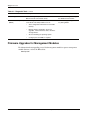
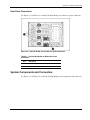
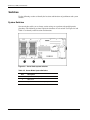
System ID Switch (SW1)
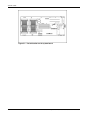
The system ID switch is a three-position switch used for chassis ID. Settings should be
changed only by an authorized service provider. Refer to Table 4-6 for system ID switch
settings.
Table 4-6: System ID Switch (SW1) Settings
Position
Description
On/Off Function
1
Chassis ID0
2
Chassis ID1
All pins will be set to off. HP does
not recommend changing this
switch setting.
3
Chassis ID2
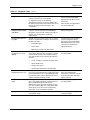
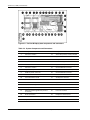
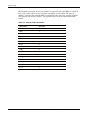
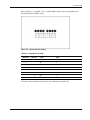
System Maintenance Switch (SW3)
The system maintenance switch is an eight-position switch that implements protection and
override functions. The default setting for all 8 positions is off. For the proper system
maintenance switch settings, refer to Table 4-7 or to the labels attached to the inside of the
server blade access panel.
Table 4-7: System Maintenance Switch (SW3) Settings
Position
1
Description
On/Off Function
iLO Security Override
Off = iLO Security is enabled.
On = Overrides iLO security function.
2
Configuration lock
Off = System configuration can be modified.
On = System configuration is locked and cannot be
modified.
3
iLO Power Button
Override
Off = System power button is controlled through iLO. Rack
power availability is checked before system can power on.
On = System power button turns on the system, regardless
of power availability.
4
Enable Diskette Boot
Off = Diskette boot is controlled by configuration.
On = Override diskette boot.
5
Password Disable
Off = Power-on password is normal.
On = Power-on password is disabled.
6
Invalidate Configuration
Off = Normal.
On = ROM treats the system configuration as invalid.
7
Interlock Disable
Off = Normal.
On = Disable interlock.
8
Hot Spare Boot Disable
Off = Hot spare boot is enabled.
On = Hot spare boot functionality is disabled.
HP ProLiant BL40p Server Blade Maintenance and Service Guide
4-9