1
Front Panel Operation
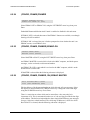
6.5.2
CDM-500 Closed Network Satellite Modem
(CONFIG, TX) MOD (Modulation)
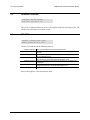
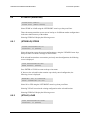
SELECT TX MODULATION:
BPSK QPSK (PRESS ENTER)
Select BPSK or QPSK modulation, using the LEFT/RIGHT arrow keys, then press
ENTER.
6.5.3
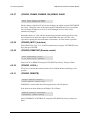
(CONFIG, TX) FREQ (Frequency)
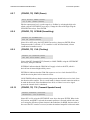
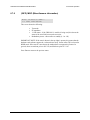
EDIT TX FREQUENCY:
72.2345 MHz (PRESS ENT)
Edit the transmit frequency by selecting the digit to be edited, using the LEFT/RIGHT
arrow keys. Change the value of the digit using the UP/DOWN arrow keys. Press
ENTER. The range of frequencies is from 52 - 88 MHz (70 MHz factory option) or 104 176 MHz (140 MHz factory option).
6.5.4
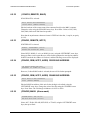
(CONFIG, TX) DATA (Data Rate)
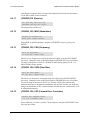
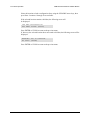
EDIT TX DATA RATE:
512.000 kbps (PRESS ENT)
Edit the transmit data rate by selecting the digit to be edited, using the LEFT/RIGHT
arrow keys. Change the value of the digit using the UP/DOWN arrow keys. Press
ENTER. The overall range of data rates is from 2.4 to 512 kbps.
NOTE: The minimum and maximum data rates are dependent on modulation type and
FEC encoder rate. If the user changes the modulation or FEC, and the currently selected
data rate is then invalid, it will be adjusted automatically.
6.5.5
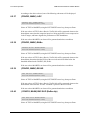
(CONFIG, TX) FEC (Forward Error Correction)
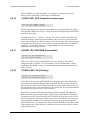
SELECT FEC ENCODER RATE:
1/2 3/4 7/8(PRESS ENT)
Select either Rate 1/2, Rate 3/4 or Rate 7/8 encoding rate, using the LEFT/RIGHT arrow
keys, then press ENTER.
NOTE: If BPSK is selected, only Rate 1/2 is permitted. A warning screen will be
displayed if this sub-branch is entered when in BPSK mode.
6.5.6
(CONFIG, TX) ON/OFF
SELECT TX OUTPUT STATE:
ON OFF (PRESS ENTER)
Select ON or OFF, using the LEFT/RIGHT arrow keys, then press ENTER.
6–6
Rev. 1.3