1
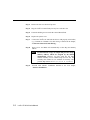
Step 3:
Remove the slot cover bracket if present.
Step 4:
Plug the Intellio CP-204J firmly into any free 32-bit PCI slot.
Step 5:
Fasten the holding screw to make the Control Board fixed.
Step 6:
Replace the system cover.
Step 7:
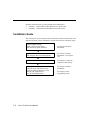
Connect the Intellio CP-204J and the devices with properly wired cables,
e.g., CN20030 or CN20040. The cable wiring is detailed in the chapter,
“Connection Cable and Cable Wiring”.
Step 8:
Power on PC and BIOS will automatically set the IRQ and memory
address.
Note !
Step 9:
2-2
Each board must occupy one unique IRQ and one unique
memory address, which are assigned by PCI BIOS
automatically. However, you may select the free IRQ
number manually via PC’s BIOS setup for PCI slot, but
normally this method is not available for memory. The
possible IRQ numbers are 2/9, 3, 4, 5,7, 10, 11, 12, and 15.
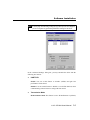
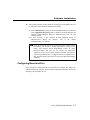
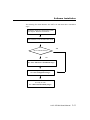
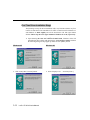
Proceed with software installation detailed in the next chapter,
“Software Installation”.
Intellio CP-204J User’s Manual