1
Chapter 3. Setting Up the DM5E
3.2
Configuring the Instrument (cont.)
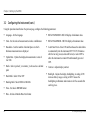
Using the procedure described on the previous page, configure the following parameters:
• Language - Set the language
• BSCAN MINIMUM - BSCAN display of minimum value
• Units - Set the units of measurement to inches or millimeters
• BSCAN MAXIMUM - BSCAN display of maximum value
• Resolution - Sets the number of decimal places to which
• Auto Power Down - Select ON and then choose the desired time
thickness measurements are displayed
• Update Rate - Update the displayed measurement at a rate of
4 or 8 Hz
• Radix - Select a period (.) or comma (,) to be used as a decimal
point
• Dual Multi - Select ON or OFF
• Reading Hold - Select HOLD or BLANK
to automatically turn the instrument OFF 5/10/15/30 minutes
after the last key press (no data will be lost) or select OFF to
allow the instrument to remain ON until manually powered
OFF.
• Contrast - Adjusts display contrast
• Backlight - Adjusts the display backlighting. A setting of ON
increases battery usage, a setting of AUTO causes the
backlighting to illuminate and remain on for five seconds after
each key press.
• Time - Set time in HH:MM format
• Date - Set date in Month-Date-Year format
22
DM5E Operating Manual