1
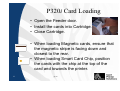
P320i Card Loading
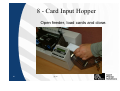
• Open the Feeder door.
• Install the cards into Cartridge.
• Close Cartridge.
• When loading Magnetic cards, ensure that
the magnetic stripe is facing down and
closest to the rear.
• When loading Smart Card Chip, position
the cards with the chip at the top of the
card and towards the printer.
19
jap10