1
Description of Device
2.1
Operating units with key-based front panels
The number of keys, their labeling and their functionality are identical on all
operating units featuring key-based front panels. The various types of front
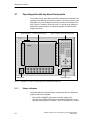
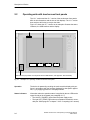
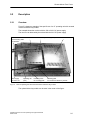
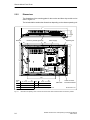
panel differ only in the arrangement the keys and the size and type of display. Figure 2-1 shows the front view of the 12” version as an example to
illustrate the status indicators, the different keypads, the USB interface,
display and mouse.
Status indicators
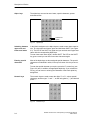
Function keys/soft keys
Alpha, numeric, cursor and control keys
Display
USB interface
Fig. 2-1
2.1.1
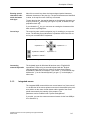
Integrated mouse
Example: 12” version of the operating unit with key-based front panel
Status indicators
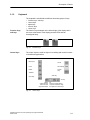
Information about the operation status is supplied by the two LEDs at the
upper left side of the keyboard:
S The left LED (”POWER”) lights when the power supply works
S The right LED (”TEMP”) lights when a temperature threshold is exceeded (see “SOM–program” in chapter 7 of the “Computing Unit” manual).
2-2
SIMATIC Panel PC 670 / 870 Operating Unit, Equipment Manual
Edition 07/02