1
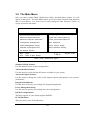
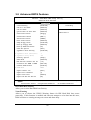
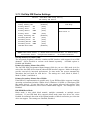
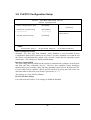
3-9 PnP/PCI Configuration Setup
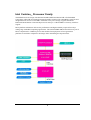
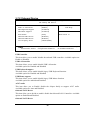
Phoenix – AwardBIOS CMOS Setup Utility
PnP/PCI Configurations
Reset Configuration Data
[Disabled]
Item Help
Resources Controlled By
x IRQ Resources
[Auto(ESCD)]
Press Enter
Menu Level >
PCI/VGA Palette Snoop
[Disabled]
↑↓→← Move Enter:Select +/-/PU/PD:Value F10:Save ESC:Exit
F5:Previous Values
F6:Optimized Defaults
F1:General Help
F7:Standard Defaults
Reset Configuration Data
Normally, you leave this field Disabled. Select Enabled to reset Extended System
Configuration Data (ESCD) when you exit Setup if you have installed a new add-on and
the system reconfiguration has caused such a serious conflict that the operating system
can not boot. The settings are: Enabled and Disabled.
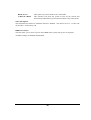
Resource Controlled By
The Award Plug and Play BIOS has the capacity to automatically configure all of the boot
and Plug and Play compatible devices. However, this capability means absolutely
nothing unless you are using a Plug and Play operating system such as Windows®95/98.
If you set this field to “manual” choose specific resources by going into each of the sub
menu that follows this field (a sub menu is preceded by a “>”).
The settings are: Auto (ESCD), Manual.
PCI/VGA Palette Snoop
Leave this field at Disabled. The settings are Enabled, Disabled.
41