1
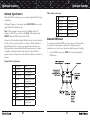
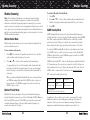
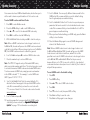
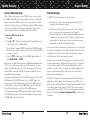
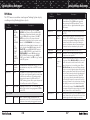
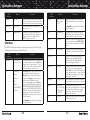
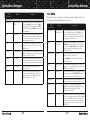
Detailed Menu Reference TSYS Parameter Detailed Menu Reference Options Description LMIT Parameter Options Description Threshold Lo 1-99 Available When Multi-Site is set to ROAM. Sets the control channel decode % threshold for a site to be considered out of range, which will begin the process of looking for a new site. LED Color 0-7 Sets LED color to 0-7 as defined in the GLOB menu. By default, 0=LED Off, 1=Red, 2=Yellow, 3=Green, 4=Cyan, 5=Blue, 6=Magenta, 7=White. T Tables Default, Splinter, Custom For Motorola and P25 systems only - sets custom channel tables. Use , to select option, press SEL on Custom to enter custom table information. Latch LED On or Off Fleet Map Type I For Motorola Type I systems only—sets fleet map. LMIT Menu Normally the Alert LED is active only while the object is receiving a transmission. When Latch is on, the Alert LED will remain lit after the transmission is complete, unless overridden by a subsequent object that is also using the Alert LED. Backlight On, Off or Flash The LMIT menu is used when creating new Limit Search objects, or editing existing Limit Search objects. Controls whether the backlight should be on, off or flashing while the object is active. Alarm None, Chirp, Hi-Lo, Alert, Ring, 2-Chirp, Fast HiLo, DTMF# Sets the Audible Alarm for the LMIT object. When an Audible Alarm is selected, the selected alarm will play anytime the scanner stops for activity on the LMIT object while scanning. Fav Yes or No When On, the LMIT object is a member of the Favorites Scan List. Modulation Auto, AM, FM, NFM Modulation setting for the LMIT search. In most cases Auto will work fine. Use AM to override and force AM modulation, FM to force FM modulation, NFM to force narrow FM modulation. Atten On or Off When on, applies 20 dB of attenuation to all hits received on the LMIT search. Useful in areas where interference from nearby strong signals is present. Delay On or Off Controls whether a Delay is used to wait for reply traffic after a transmission is received during the LMIT search. Delay Time 1-250 x 100 ms Sets the amount of time (in 100 millisecond intervals) for the wait for reply delay if Delay is On, e.g., 20=2 seconds. LMIT Parameter Scan Lists Options Description On or Off for Scan Lists 1-22 Sets membership in Scan Lists. Use keys to scroll through Scan Lists. Use SEL key to toggle Scan List membership. A “*” next to the Scan List number indicates that the object is mapped to that Scan List. FrLo Any supported frequency in MHz A frequency that will be used as the lower limit for the limit search range. FrHi Any supported frequency in MHz A frequency that will be used as the upper limit for the limit search range. Tag Alphanumeric text The alphanumeric display name for the LMIT search. Use the standard text entry method or QTXT to name the object. L/Out On or Off Permanent lockout for the LMIT channel. Also accessed by pressing FUNC L/OUT while the scanner is stopped on the LMIT object. LED Mode Solid or Flash Controls whether the Alert LED flashes or remains on solid when the Alert LED is used. 108 EXPERT BELOW 109