1
Wall Plate DigitalMedia™ CAT Transmitters
Crestron DM-TX-200-2G/400-3G
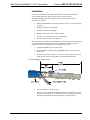
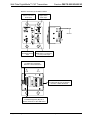
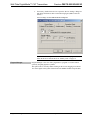
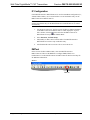
Clamping the Cable to the Unit
9.
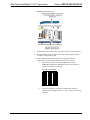
Strip the outer jacket of the yellow “M” cable 2 inches (51 mm) from end.
10. Strip the insulation from the ends of each wire, exposing approximately
3/16 inch (5 mm) of bare copper.
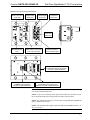
11. Using a miniature flat head screwdriver (not supplied), make the
connections as specified, using the labels on the unit as a guide.
a.
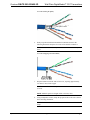
Insert the twisted pairs of the gray DMNet cable into the
G B A 24 terminal block and tighten each screw base. Refer to
footnote #4 on page 15 for details.
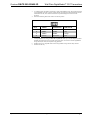
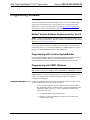
G B A 24 Terminal Block
b.
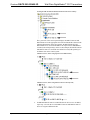
Insert the twisted pairs of the blue, shielded cable into the D
terminal block and tighten each screw base. Use the 568-B wiring
standard.
20 • Wall Plate DigitalMedia™ CAT Transmitters: DM-TX-200-2G/400-3G
Operations & Installation Guide – DOC. 6949B