1
dnp Supernova™ Flex Classic
Installation guide
Safety instructions
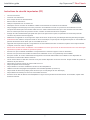
Important Safety Instructions (EN)
>>
>>
>>
>>
>>
>>
>>
>>
>>
>>
>>
>>
>>
>>
>>
>>
>>
>>
>>
>>
>>
>>
>>
Read the instructions
Keep the instructions
Heed all warnings
Follow all instructions
Clean only with dry cloth
Do not block any ventilation openings. Install in accordance with the manufacturer’s instructions
Do not defeat the safety purpose of the grounding-type plug. A grounding type plug has two blades and a third grounding
prong. The third prong is provided for your safety. If the provided plug does not fit into your outlet, consult an electrician for
replacement of the obsolete outlet
Protect the power cord from being walked on or pinched particularly at plugs, convenience receptacles and the point where
they exit from the apparatus
Unplug this apparatus during lightning storms or when unused for long periods of time
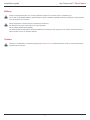
WARNING! To reduce the risk of fire or electric shock, do not expose this apparatus to rain or moisture. Do not operate screen
before it is installed on wall
The apparatus shall not be exposed to dripping or splashing and no objects filled with liquids, such as vases, shall be placed
on the apparatus
Follow all installation instructions. Incorrect installation can lead to severe injury and/or permanent product damage and will
invalidate the dnp warranty
Be sure that the wall studs or other mounting fixtures are suitable for mounting the screen
Be sure that the screen is mounted correctly and securely to the wall or the dnp warranty will be invalidated
If the mains plug, extension cord, appliance inlet or power strip is used as the disconnect device, the disconnect device must
remain readily operable
The screen is a class I construction and shall be connected to a mains socket outlet with protective earthing connection. Do not
install without a ground connection
Do not pull or tug on screen when mounted on wall
Do not restrict the screen from moving
Do not scratch or bend screen material during handling
Operate within specified temperature and humidity range (see section I)
Do not attempt to disassemble any part of the screen (electric shock hazard)
Do not permit children to play with screen controls
Examine the screen for imbalance or signs of wear during operation. If needed, adjust before operating
2