1
Procedure for use
11
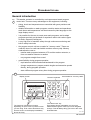
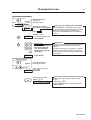
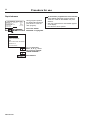
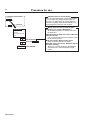
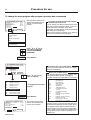
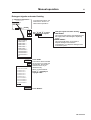
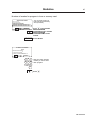
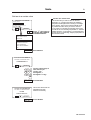
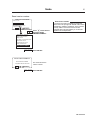
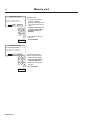
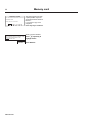
The ”Move back” key
If you find you are in the
wrong place, or if you want to
undo earlier key presses:
3627
The "Move back" function
Each press of the ”Move back” key moves you back
one menu, in reverse order. By pressing this key
repeatedly you can return to this menu at any time:
Press the ”Move back” key
one or more times.
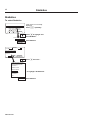
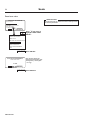
RUN A WASH PROGRAM
OPTIONS MENU
MAKE YOUR CHOICE WITH
OR AND PRESS SELECT
WEIGHT, KG: 000,0
3651
TAR
SELECT
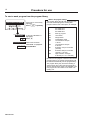
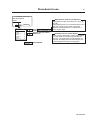
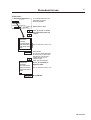
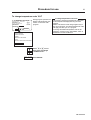
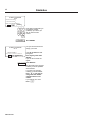
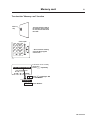
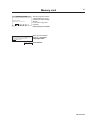
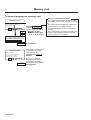
To start the wash program
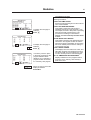
RUN A WASH PROGRAM
OPTIONS MENU
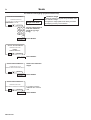
If this menu is not currently
displayed:
Press a repeatedly.
MAKE YOUR CHOICE WITH
OR AND PRESS SELECT
WEIGHT, KG 000,0
SELECT
3580
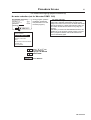
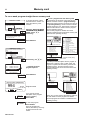
RUN A WASH PROGRAM
OPTIONS MENU
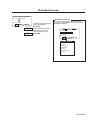
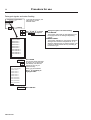
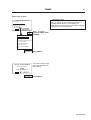
If ”GO TO THE MENU” is
highlighted:
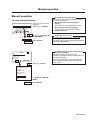
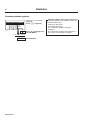
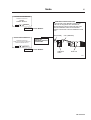
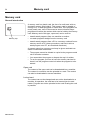
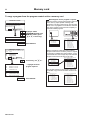
Two ways of starting a program
By entering the actual program number
Enter the actual program number if you know it,
then press SELECT.
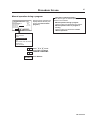
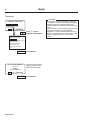
By starting from the program library
(see section "To start a wash program from the
program library)
If you are unsure about the programs available,
you can select a program from the program
library, where the programs are listed with their
descriptions.
Press c.
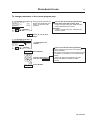
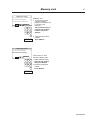
RUN A WASH PROGRAM
OPTIONS MENU
SELECT
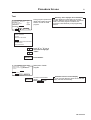
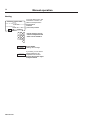
When ”RUN A WASH
PROGRAM” is highlighted:
Press SELECT.
438 9163-01/05