1
2
M SERIES
INSTRUCTION MANUAL
OPERATION
2.17 CONFIGURATION OF CONTROL PARAMETERS
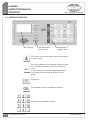
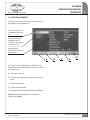
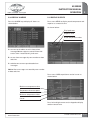
Keys to scroll in parameters
in both directions
2.18 Parameters of control zones
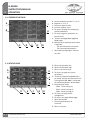
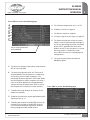
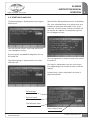
Still from the temperature page, press the PARAM
key to access the following page:
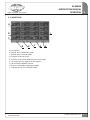
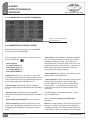
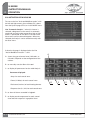
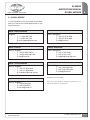
From this page, you may select several parameters
by pressing the key:
- Active setpoint
- 1st setpoint AUTO (°F)
- 2nd setpoint AUTO (°F)
- 1st setpoint MANU (%)
- 2nd setpoint MANU (%)
- BOOST value (°F): this is the value in °F by which
the setpoint will be increased or decreased on one or
more selected zones during a programmable period
of time. Adjustable from 0 to 500°C (or °C).
- Deviation high (°F): Adjustment of acceptable
deviation above setpoint. Adjustable from 0 to 500°C
(or °C).
- Deviation low (°F): Adjustment of acceptable
deviation below setpoint. Adjustable from 0 to 500°C
(or °C).
- Zone slaving: in case of broken or faulty thermocouple,
you may use the temperature value from another
neighboring zone for control. This prevents an
immediate action on the tool. Select the faulty zone
when the parameter “zone slaving” is shown. Press
MODIF and select with the direction arrows the
required zone for troubleshooting.
- Power applied (%): to display instant power value
applied to each heating element.
- Other parameters: after entering password (factory
setting 123456) to display and/or modify other
control parameters such as control mode (PID or
manual), gain …..etc. (Should only be accessed
by INCOE personnel or maintenance dept when
necessary).
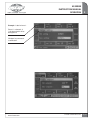
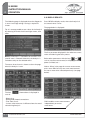
To modify above mentioned parameters, simply
press the MODIF key.
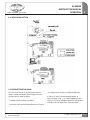
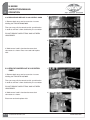
- Zone number and description: for naming zones.
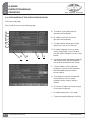
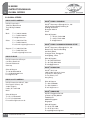
Then a window for parameter modification is
displayed:
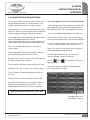
- Zones regrouping: to gather several zones into a
group. You may group by manifolds or nozzles and
manage group 1 and group 2 eventually for other
zones.
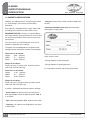
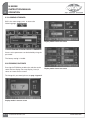
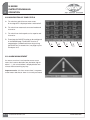
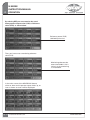
Notice: to change setpoint, select one or more zones
and press any key on the alphanumeric keyboard,
a window then opens for setpoint modification (see
screen below). Type in new setpoint value and enter.
Pg. 20
© INCOE® CORPORATION 8/2010
www.incoe.com