1
LU 252976139A D86C EN.book Page 3 Vendredi, 3. août 2007 9:56 09
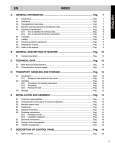
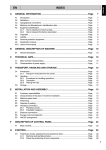
CONTENTS
Your telephone
Unpacking
Your base
Your handset
Connecting the base
Handset set-up
Replacing the batteries
Installation of a SIM card
4
Menu structure
11
Cordless Handset
13
General operations
Switch handset On/Off
Lock handset keypad
Make an external call
Pre-dialing for a call
Mute function
Hands-free operation
Answer an external call
Adjust volume
End a call
Last numbers redialing
Caller Display
View caller list
Delete Caller Display records
Store a Caller Display number
in phonebook
Call back from caller list
Intercom
Make an intercom call
Incoming call - when you are making
an intercom call
Call transfer and Conference
Text (SMS)
SMS Text Message Writing
Write
Inbox
Draft
Outbox
Service Centre
Quick enter to phonebook
Store a number into phonebook
Store a last number into phonebook
Change a stored number
Delete a stored number
SIM copy
Phonebook transfer between handsets
Quick dial
Make a call from phonebook
Display
4
4
5
7
8
9
10
Wallpaper setting
Contrast setting
Alarm/Clock
13
13
13
13
13
13
14
14
14
14
14
15
15
15
17
17
17
17
18
18
18
19
19
19
19
19
20
20
20
20
Sound Settings
23
Handset Volume
HS Ring
Internal Ring
BS Ring
Tone
23
23
23
23
24
Appendix
Care and Maintenance
Problems
25
25
25
25
26
26
26
26
26
27
27
27
28
28
28
28
29
30
30
30
30
31
31
31
Features
32
Environment
33
Packaging
Batteries
The product
3
22
22
22
Handset Settings
Auto answer
Register a new handset to a base
Economy Mode
Handset Name
Language
Resetting the handset (default HS)
Room monitor
Base settings
Change PIN (Personal Identification
Number)
Remove HS
Default BS
Flash Time
Pause Time
Call log
Auto-Delete
To View caller list
Delete Caller Display records
Store a Caller Display number
in phonebook
Call back from caller list
16
16
21
21
Clock Setting
Alarm Setting
Settings
15
15
16
16
21
33
33
33
Recommendations of security
34
Warranty
35