1
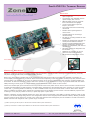
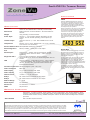
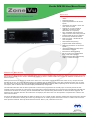
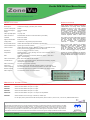
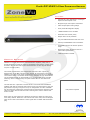
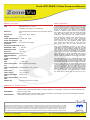
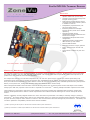
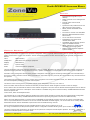
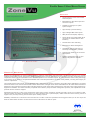
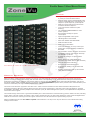
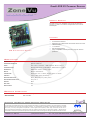
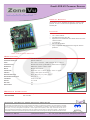
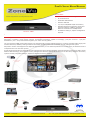
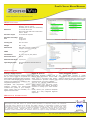
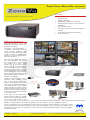
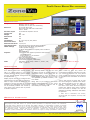
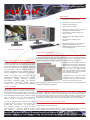
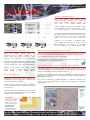
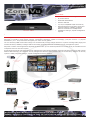
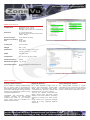
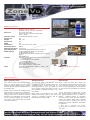
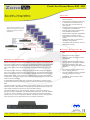
ZoneVu ZVK 22D Keyboard Features www.meyertech.co.uk/zonevu.htm PC back up and restore of settings using Meyertech’s MPower software Fully Auditable with Meyertech’s Fusion Audit software systems Large backlit LCD graphical display combining text and status information System alarm management facilities Menu driven soft-key operator interface Ergonomic design to minimise RSI Designed for Left handed and Right handed operators 3-axis fully proportional joystick for camera or dome control 3rd party control of DVR’s, VCR’s and multiplexers The ZVK 22D Keyboard Product Overview Incorporating the unique ergonomic user friendly design of our ZVK-77D and ZVK-66D keyboards and taking it’s place as a mid range keyboard suitable for stand alone installations and in the case of multi-site systems, slave sites of up to 4096 cameras and 2048 monitors, the ZVK-22D adds a further dimension to Meyertech’s keyboard line up. Although much smaller than it’s bigger brother, the ZVK-22D utilizes the same quality of materials and is designed to the same rigorous standards, allowing 24 hour, 7 day a week, year in year out operation. It encompasses the same precision engineered wrist support to minimise RSI, PC type full travel low profile shot moulded keys and fully proportional joystick for PTZFI control. One of the benefits of the ZVK-22D is that the joystick is mounted in the centre of the keyboard offering the ideal compromise between left handed and right handed operation. Functionally similar to the ZVK-77D, it provides many of the same commands such as DVR control and system alarm handling as well as the standard camera control functions, including preset, patrol and mimic facilities. It can cater for up to 49 individual operator log on details and is fully auditable when used with Meyertech’s FUSION-AUDIT software. To convey system information to the user, the ZVK-22D incorporates a large backlit LCD graphical display which is organised into three distinct areas; the Softkey menu which provides easy menu driven function selection; the keyboard Status Bar and the system Control area. The display instantly informs the operator of any system status changes such as active alarms and camera control status. Also displayed are the current camera and monitor details and the name of the user presently logged-on. DS0702-1.4 ZVK 22D ©Meyertech Ltd 2006 Tel: +44 (0)161 628 8406 Email: [email protected]