1
16.0/17.0/18.0
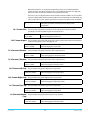
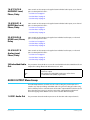
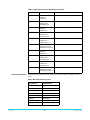
MADI BNC Level,
Phase, Delay
Same controls as SDI, except can be applied to 64 individual audio inputs, or 32 channel
pairs. See descriptions for SDI 1:
• “1.0 SDI1 Level” on page 81
• “2.0 SDI1 Phase” on page 81
• “3.0 SDI1 Delay” on page 81
19.0/20.0/21.0
MADI Fiber Level,
Phase, Delay
Same controls as SDI, except can be applied to 64 individual audio inputs, or 32 channel
pairs. See descriptions for SDI 1:
• “1.0 SDI1 Level” on page 81
• “2.0 SDI1 Phase” on page 81
• “3.0 SDI1 Delay” on page 81
22.0/23.0/24.0
HDMI Level, Phase,
Delay
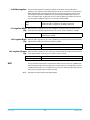
Same controls as SDI, except can be applied to 8 individual audio inputs, or 4 channel
pairs. See descriptions for SDI 1:
• “1.0 SDI1 Level” on page 81
• “2.0 SDI1 Phase” on page 81
• “3.0 SDI1 Delay” on page 81
25.0/26.0/27.0
Analog Level,
Phase, Delay
Same controls as SDI, except can be applied to 8 individual audio inputs, or 4 channel
pairs. See descriptions for SDI 1:
• “1.0 SDI1 Level” on page 81
• “2.0 SDI1 Phase” on page 81
• “3.0 SDI1 Delay” on page 81
34 Embedded Audio
Out
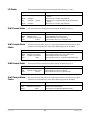
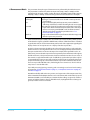
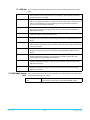
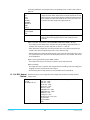
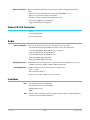
This parameter selects whether or not audio is embedded in the SDI1/SDI2/Fiber1/Fiber2
outputs.This setting affects both Video Processors 1 and 2
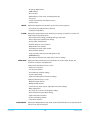
On
The output of the Audio Processor is embedded in the Video
Processor output.
Audio packets are embedded, but they are set for silence.
No embedded audio (HANC) is generated.
Mute
Off
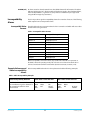
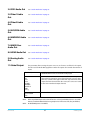
AUDIO OUTPUT Menu Group
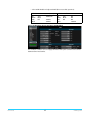
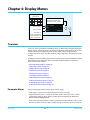
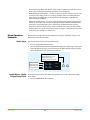
The Audio Output Menus control the FS1-X’s audio routing. Any audio input can be
routed to any output, including embedded audio. The general routing procedure using
the FS1-X front panel is to select the menu of the audio output with the Select knob, and
then select the input source you wish to route to that output with the Adjust knob.
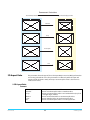
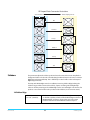
Channel mapping allows different sources to be routed to different outputs
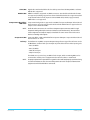
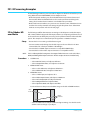
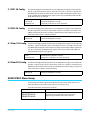
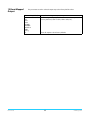
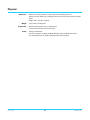
1.0 SDI1 Audio Out
FS1-X v1.0
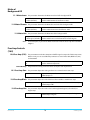
This parameter selects the Audio Input Sources for the SDI1 audio output channels.
83
www.aja.com