1
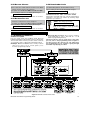
2. SETTING A NEW INSTALLER CODE
A. Having successfully gained access to the installer menu
(see Section 1), the display will read:
1.NEW
INSTL
CODE
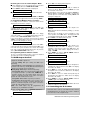
B. To change the installer code, click <OK>. The old code
will appear (the factory default if this is the first change):
INST.
CODE
9999
The cursor will flash on the first digit of the code.
C. Enter a new 4-digit code. After entering the 4th digit, the
cursor will stop flashing.
Attention! Do not use “0000” - this code is invalid.
D. Click <OK>. The “Happy Tune” will sound and the
display will revert to:
1.NEW
INSTL
CODE
E. You may now click <NEXT> or <BACK> to select any
other item on the installer’s menu.
3. ENROLLING WIRELESS DEVICES AND KEYFOB TRANSMITTERS
3.1 General Guidance
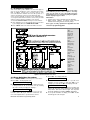
The ENROLLING mode has two sub-modes:
• ENROLL WL DEVICE (wireless devices)
• ENROLL KEYFOB (multi-button CodeSecure transmitters).
Refer to Paragraphs 3.2 and 3.3 for enrolling procedures.
Attention! CodeSecure transmitters are mainly used for
arming/disarming and can not be enrolled to zones. For
enrolling to zones, use only non-CodeSecure
wireless devices.
3.2 Wireless Devices
Wireless devices include various wireless PowerCode
detectors and hand-held special-task transmitters. Your
control panel must recognize the unique identification
code (ID) of each such device in order to supervise them,
receive their signals and respond accordingly.
Before anything else, gather all the devices that you intend
to enroll, and make sure they all have batteries installed.
• The lens at the front of PIR and dualtechnology sensors should be masked to
prevent inadvertent transmission.
• Use rubber bands to bind magnetic contact transmitters together with their magnets, to prevent them
from sending out alarm transmissions.
To enroll wireless devices, go through the following steps:
A. Upon gaining access to the installer menu (see Section
1), the display will read “1. NEW INSTL CODE”.
B. Click <NEXT>. The enrolling mode will be selected and
the display will show:
STOP
2. ENROLLING
C. Click <OK> to select the “enroll wireless devices” submode. The display will change to:
ENROLL
WL
DEVICE
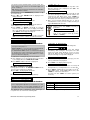
D. Click <OK> again. The display will read:
Zone
No
:
_ _
E. Suppose that the wireless device you are about to
enroll is to be installed in Zone No. 4. Assuming that
zone No. 4 is free - no device has yet been enrolled to it
- just enter <0><4>. The display will change to:
Zone
No:
04
The clear space at the far right tells you that the zone is
free - no wireless device has been enrolled to it as yet.
F. Click <OK>. The display will prompt you to initiate a
transmission from the chosen wireless device:
DE5450P PowerMax Programming Guide
TRANSMIT
NOW
G. Initiate transmission from the chosen device by:
• Removing the mask from the lens of the PIR motion
detector, or
• Separating the magnet from the magnetic contact
sensor, or
• Pressing the button of the hand-held miniature
transmitter, or
• Pressing the test button of the smoke detector.
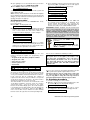
H. In response to the transmitted signal, the “Happy Tune”
(- - - ––– ) will sound and the display will change to:
Zone
No:
04
A dark box will appear at the far right, indicating that the
chosen device has been enrolled to Zone No. 4.
Note: If the same device is already enrolled to another
zone, the “Happy Tune” will sound twice in succession.
I. From this point on, you may continue in several
different directions:
• If you wish to enroll another device to
another zone, select the other zone by:
- Clicking <NEXT> to go up (567.....)
- Clicking <BACK> to go down
(321.....)
- Clicking <HOME> <desired zone #>.
After that, proceed as in the example above.
• To delete a device ID, refer to Para. 3.4.
• To select the Enroll Keyfob sub-mode,
click <HOME> and then <NEXT>.
• To return to the main menu, click
<AWAY>.
This will bring back the display:
<OK>
TO
EXIT
You may now review and select any other
mode on the installer’s menu (by clicking
<NEXT> or <BACK>).
3.3 Keyfob Transmitters
Keyfob transmitters are multi-button wireless units of the
CodeSecure™ type. Eight system users carry them on
their person to exercise better, quicker and safer control
over various system functions. Your control panel must
recognize the unique identification code (ID) of each such
keyfob in order to respond to commands transmitted by
them.
Note: For UL installations where the model MCT-234
keyfob is used, the voice/speaker on the PowerMax
shall be enabled.
3