1
NEW TV EVERYWHERE LETS YOU TAKE
BOUNDARY-FREE TV ANYWHERE YOU
WANT TO GO.
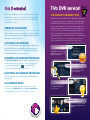
Now you have access to full episodes of available shows,
movies, and live streaming programs as part of your
boundary-free TV PRIME service. Mediacom’s TV Everywhere
provides on-the-go access via any supported desktop, laptop
or mobile device. To access programs available through TV
Everywhere just go to www.mediacomtoday.com, click on the
TV Everywhere link and choose from the wide selection of
channels and programs. Your Mediacom ID (Mediacom email
address) might be required to access some TV Everywhere
programming. To set up your Mediacom ID simply go to
www.mediacomtoday.com/registration.
INTERACTIVE GUIDE
TiVo users should refer to the pamphlet “Welcome to the
TiVo® Experience” for instructions on using their services.
The OnDemand instructions below are relevant to all digital
subscribers, regardless of which DVR service you have, if any.
The Quick Menu offers shortcuts to key Interactive Guide
features. Just push MENU on your remote to open the guide
and you’ll have access to features like Search, Favorites,
Digital Music and more.
MAIN MENU ENHANCED SEARCHING
The Main Menu of the Interactive Guide gives you easy
access to all features. Simply press the MENU button on your
remote twice, then select from the options available, including
Listings by Time or Category, Parental Locks, Favorites,
Local Weather and more. Also search by title
with A-Z title search. This allows you to find a specific
program by entering the first few letters of the program
name. PARENTAL LOCKS let you restrict viewing and
purchases of TV programming based on your preferences.
Set a personalized 4-digit PIN and you can place locks on
specific ratings, channels and titles. You can also hide adult
titles from being displayed on screen.
Homeland on Showtime®
Power on Starz®
Game of Thrones on HBO®
Frozen
5