1
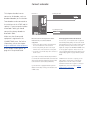
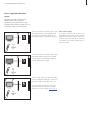
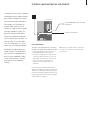
Connect a DVD 1
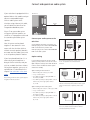
Connect a DVD 1 to the AV socket
on the television.
Make sure that all connected
equipment is registered in the
CONNECTIONS menu. For further
information, refer to the chapter
Register additional video equipment.
BeoVision 3
5
DVD 1
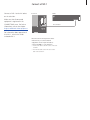
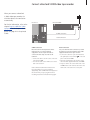
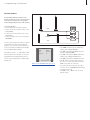
AV connection
For information about operation of
the DVD 1, refer to the Guide
enclosed with it.
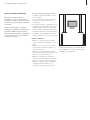
Disconnect all involved systems from the
mains before you connect external
equipment. Use the 21-pin AV cable to
connect the DVD 1 to your television.
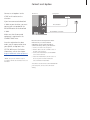
> Connect the cable to the AV socket on the rear
of DVD 1.
> Then run the cable to the AV socket on the
back of the television.