1
DNS
AUTOMATIC TRANSFER SWITCH
USER’S GUIDE
Use this option to define the IP addresses of the primary and secondary
DNS used by the Automatic Transfer Switch e-mail feature.)
See E-mail Feature and DNS servers.
Send DNS query (Web interface. Use this option, available only through
the DNS menu in the Web interface, to send a DNS query that tests the
setup of your DNS servers.
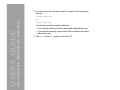
Use the following settings to define the parameters for the test DNS
request; you view the result of the test DNS request in the Last Query
Response field (which displays No last query or text describing the query
result of the last test).
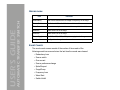
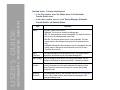
• Use the Query Type setting to select the method to use for the DNS query:
– The URL name of the server (Host)
– The IP address of the server (IP)
– The fully qualified domain name (FQDN)
– The Mail Exchange used by the server (MX)
®
74