1
MIDI
Setting the Keyboard Channel
Sending Memory Playback Data
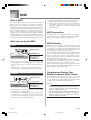
This parameter sets the channel for MIDI messages to an
external device. You can set any MIDI channel in the range
of 1 to 16 as the keyboard channel.
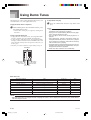
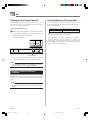
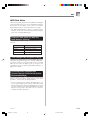
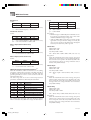
You can send memory playback as MIDI data. The send
channel used depends on the Keyboard Channel setting, as
shown in the table below.
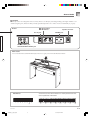
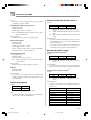
To set the Keyboard Channel
Keyboard Play
Keyboard Channel
1
Memory
Keyboard Channel + 1*
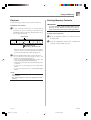
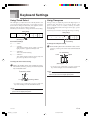
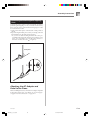
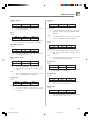
While still holding down the CONTROL button,
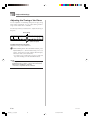
select the Keyboard channel by pressing one of the
keyboard keys illustrated below.
Example: Channel 8
* When you have Channel 16 set as the keyboard channel,
memory playback is send over Channel 1.
• Pedal effect data recorded to the memory is applied to
playback from the memory, and does not affect your
performance on the keyboard. Likewise, pedal operations
on the digital piano are applied to the keyboard only, and
not to playback from the memory.
C 7 (black key)
B 5 (black key)
C4
• A note does not sound when you press a keyboard
key while holding down the CONTROL button.
NOTE
• The Keyboard Channel is automatically set to 1
whenever you turn on the digital piano power.
Assigning Tones to Individual
Channels
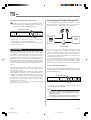
You can assign tones to channels using a Program Change
message sent from a connected MIDI device. You cannot
change the tone assigned to each channel from the the digital
piano.
NOTE
• The tone GRAND PIANO is automatically assigned to
all channels whenever you turn on the digital piano
power.
E-22
PS3000_e_21_25.p65
417A-E-024A
22
03.10.8, 2:22 PM