1
Part Settings
Mixer
1
2
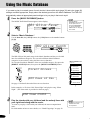
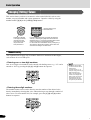
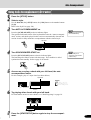
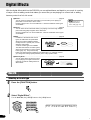
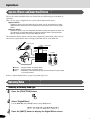
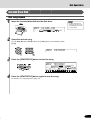
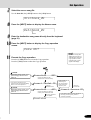
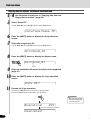
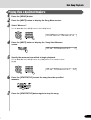
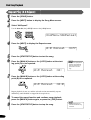
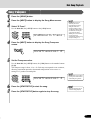
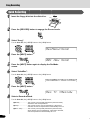
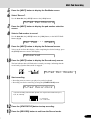
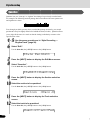
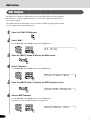
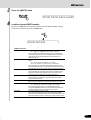
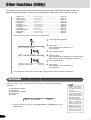
Press the [MIXER] button so that its indicator lights.
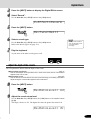
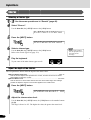
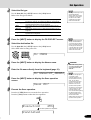
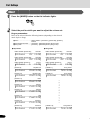
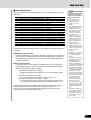
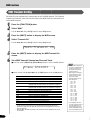
Select the part for which you want to adjust the volume setting or parameters.
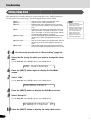
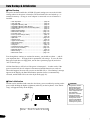
Parts can be selected from the following buttons (depending on the selected
mode: Style or Song):
● Voice ................................. PART ON/OFF [VOICE R1], [VOICE R2], [VOICE L]
buttons
● Accompaniment track ....... [TRACK9] - [TRACK16] buttons (Style mode)
● Song track ......................... [TRACK1] - [TRACK16] button (Song mode)
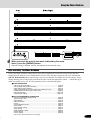
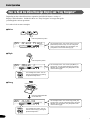
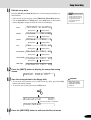
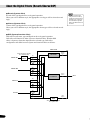
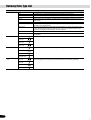
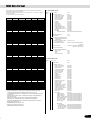
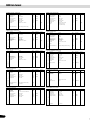
● Style mode
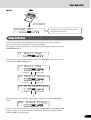
● Song mode
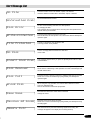
PART ON/OFF [VOICE R1]
Volume
R1 =120
PART ON/OFF [VOICE R2]
Volume
[TRACK 9]
Volume
[TRACK 10]
Volume
[TRACK 11]
Volume
[TRACK 12]
Volume
[TRACK 13]
Volume
[TRACK 14]
Volume
[TRACK 15]
Volume
[TRACK 16]
Volume
Voice R2
R2 =120
PART ON/OFF [VOICE L]
Volume
Voice R1
L
Voice L
=120
Rhythm sub
RhS=120
Rhythm main
RhM=120
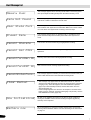
PART ON/OFF [VOICE R1]
Volume
R1 =120
PART ON/OFF [VOICE R2]
Volume
[TRACK 1]
Volume
[TRACK 2]
Volume
Voice R2
R2 =120
PART ON/OFF [VOICE L]
Volume
Voice R1
L
Voice L
=120
Song track 1
T01=120
Song track 2
T02=120
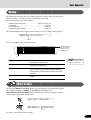
Bass
Bas=120
Chord 1
Cd1=120
Chord 2
Cd2=120
Pad
Pad=120
Phrase 1
Ph1=120
Phrase 2
Ph2=120
[TRACK 16]
Volume
Song track 16
T16=120
76
74





































![2 Drücken Sie die Taste [NEXT]](http://vs1.manualzilla.com/store/data/006734918_1-92b2c5c18a968a318baccbc9ccfd8706-150x150.png)