1
Using a Remote Control
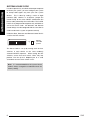
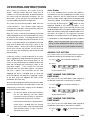
With the required House Code already
configured, press the
button on the
Remote Control.
When the Control Panel receives the signal from
the Remote Control the Panel will beep and the
display will change to show the received house
code on lower line of the display beneath the
corresponding DIP switch numbers (1-8).
Note: Following an alarm condition the Siren will
continue to sound until either the system is
Disarmed; or the Alarm Duration Time expires. If the
“3 minute alarm time limit” of the Solar Siren is
enabled then the Solar Siren will shut down after 3
minutes even if the panel siren is still operating.
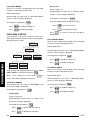
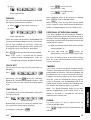
WIREFREE SIREN
Allows the wirefree siren to be enabled or disabled.
Default setting: ON
Press
Press
to save the new setting, or
ENTER
to exit without saving.
ESC
Note: Make a note of the system house code now in
the Alarm Record section.
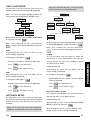
ALARM DURATION
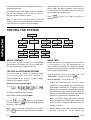
Scroll through the menu until ‘2-2 ALARM TIME’ (and
the current setting) is displayed.
To change the setting press
ENTER
.
On/Off Status
Scroll through the menu until ‘2-3 Wirefree Siren’
(and the current setting) is displayed.
To change the setting press
Scroll through the menu until ‘2-2-1 Status’ (and
the current setting) is displayed.
Press
1
to enable the Solar Siren, or
Press
3
to disable the Solar Siren.
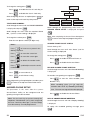
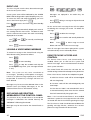
JAMMING DETECTION
Allows the jamming detection in the control panel to
be enabled or disabled.
Scroll through the menu until ‘2-4 RF Jamming
Detection’ (and the current setting) is displayed.
PROGRAMMING
To change the setting press
To change the setting press
1
ENTER
Press
1
to enable Jamming Detection, or
Press
3
to disable Jamming Detection.
to disable the Siren.
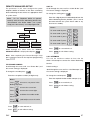
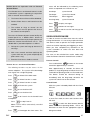
CONTROL PANEL BACK LIGHT
This controls how long the display backlight will
remain illuminated for after a key is pressed.
Default setting: 180s
Scroll through the menu until ‘2-1-2 Time’ (and the
current setting) is displayed.
To change the setting press
ENTER
.
Enter the required alarm duration in units of
10s. e.g. enter 6 for a 60s alarm duration (max
setting 60, i.e. 600s/10mins).
26
.
.
Siren Duration
Press
ENTER
Press
ESC
ESC
ENTER
to enable the Siren, or
Press 3
Press
menu.
.
Default setting: OFF
Default setting: ON
Press
ENTER
to save and exit, or
to exit without saving.
to return to top level System Setup
Default setting: 10s
Scroll through the menu until ‘2-5 Back Light’ (and
the current setting) is displayed.
To change the setting press
Press
ENTER
Press
ESC
ENTER
.
to save and exit, or
to exit without saving.
ALARM RELAY
This controls the operation of the NO/NC hardwired
output relay contacts following an alarm.
Default setting: “ON Until Disarm
SA5