1
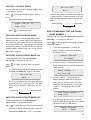
Double Dial-In for Operation with an External
Answer Phone:
If the Remote Access and Control feature is to be
used and the system is operating in conjunction with
an external Answer Phone then
1.
2.
Remote Phone Access and Control must be
enabled.
The number of ‘rings to answer’ for the Control
Panel must be greater than that of the external
answerphone.
To access the Remote System Control facility the
Control panel has a ‘double dial-in’ feature to enable
the Control Panel to pick-up the phone call before the
external answerphone cuts in. The ‘double dial-in’
procedure operates as follows:
MONITORING (OPTIONAL)
REMOTE MANAGER
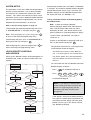
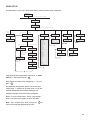
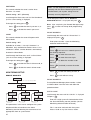
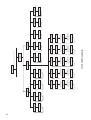
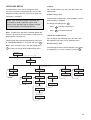
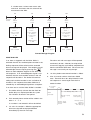
Refer to Remote Manager diagram on page 53.
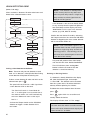
If an alarm occurs and the Remote Manager dialler
is enabled…
1.
The Remote Manager dialler will activate after
fixed 30s dialler delay has expired provided the
system has not been disarmed in that period.
2.
The first Remote Manager phone number will be
dialled and the appropriate alarm signal transmitted.
3.
If an acknowledgement signal is received from
the Alarm Monitoring Service the dialler will stop
and an ‘R-Manager Send OK’ message will be
entered into the event log.
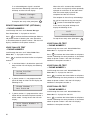
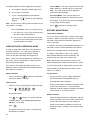
1.
Dial up the system and hang up after 1 or 2 rings.
However…
2.
Wait a few seconds and then redial up the system
within 20 seconds, the system will answer the
phone after 1 ring.
4.
3.
Enter the User Access Code as described above.
There will be a 10s pause between consecutive
calls in the same sequence and a 30s pause
between consecutive sequences.
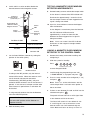
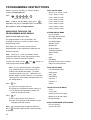
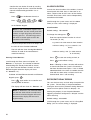
Remote Access and Control Functions:
The following functions may be access via the
remote telephone. The system will acknowledge
each signal with a single long beep over the phone.
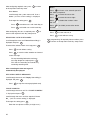
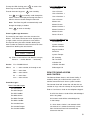
Press
to interrogate the system status.
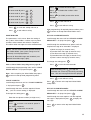
The status will be indicated by the following
tones which are generated once.
1
1
2
3
long beep
short beep
short beeps
short beeps
5.
If an acknowledgement signal is not received after
each entered number has been called three times
then the dialler will shut down and an ‘R-Manager
Fail’ message will be entered into the event log.
Notes:
1.
If system disarmed while dialler is operating the
current call should be completed. After a further
10s the dialler will operate and send a Cancel
signal to the alarm monitoring service using the
same dialler process described above.
2.
system Disarmed
system Armed
system Part-Armed (1 or 2)
Alarm has occurred
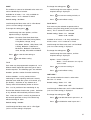
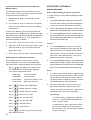
Press
to initiate FULL ARM mode.
Press
to initiate Part-Arm 1 mode.
Press
to initiate Part-Arm 2 mode.
The same alarm event signal must not be retransmitted until there has been at least 10
minutes of inactivity of that event. Alarm events
on different zones are treated separately.
Press
to Disarm the system.
For example:
Press
to turn the Siren OFF.
Press
to turn the Siren ON.
Press
to activate listen in.
Press
to stop Listen-In.
Press
to end the session and disconnect
the Control Panel line.
52
If an acknowledgement signal is not received
from the Alarm Monitoring Service the call will
be ended and the next number will be dialled.
If an alarm event is triggered by a detector
on zone 1, the AMS will be contacted with a
“zone 1 intruder signal”.
If another zone 1 alarm event occurs within
10 minutes the AMS will not be contacted
with this event. The 10 minute period should
restart at this point.