1
Table of Contents
Introduction ...................................................................................................................................................... 3
Hardware Installation ...................................................................................................................................... 3
®
Install PowerPanel Business Edition Software........................................................................................... 4
Installation on Windows ................................................................................................................................. 4
Installation on Linux ....................................................................................................................................... 6
Installation on Text Mode .......................................................................................................................... 9
Installation on VMware ESXi and ESX .......................................................................................................... 9
Installation on ESXi ................................................................................................................................... 9
Installation on ESX .................................................................................................................................. 10
Virtual Appliance Deployment on ESXi ....................................................................................................... 10
Installation on XenServer ............................................................................................................................ 14
Installation on Hyper-V Server .................................................................................................................... 14
®
Access PowerPanel Business Edition Software Interface ...................................................................... 15
Manage PDUs in Center ................................................................................................................................ 15
Add PDUs .................................................................................................................................................... 15
Configure Power Protection for Computer ................................................................................................. 16
Assign PDU’s IP Address and Connected Outlet in Client .......................................................................... 16
Setup Necessary Shutdown Time ............................................................................................................... 17
Configure Shutdown Action for ESXi ........................................................................................................... 17
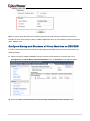
Configure Startup and Shutdown of Virtual Machines on ESX/ESXi .......................................................... 18
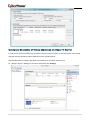
Configure Shutdown of Virtual Machines on Hyper-V Server ..................................................................... 19
Mass Deployment .......................................................................................................................................... 20
2