1
Troubleshooting (Need Assistance?)
H-3
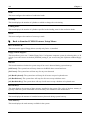
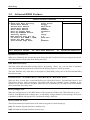
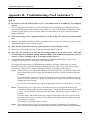
Main instructions:
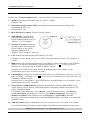
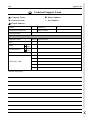
To fill in this “Technical Support Form”, refer to the step-by-step instructions given below:
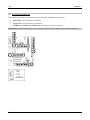
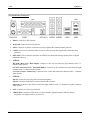
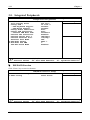
1*. MODEL: Note the model number given in your user’s manual.
Example: NV8
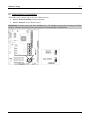
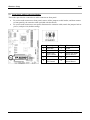
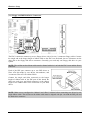
2*. Motherboard model number (REV): Note the motherboard model number labeled on the
motherboard as “REV:*.**”.
Example: REV: 1.00
*
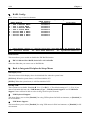
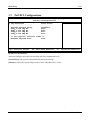
3 . BIOS ID and Part Number: See the on screen message.
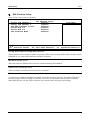
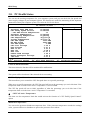
4.
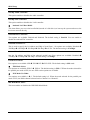
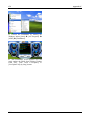
DRIVER REV: Note the driver
version number indicated on the
DEVICE DRIVER disk (if any) as
“Release *.**”. For example:
5*. OS/APPLICATION: Indicate the
operating system and applications
you are running on the system.
Example: MS-DOS® 6.22,
Windows® 98 SE, Windows® 2000, etc....
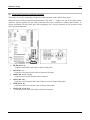
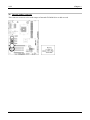
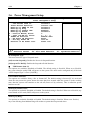
6*. CPU: Indicate the brand and the speed (MHz) of your CPU.
Example:(A) In the “Brand” space, write “Intel”; in the “Specifications” space, write “Pentium® 4
1.9GHz”.
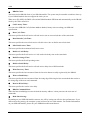
7.
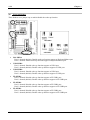
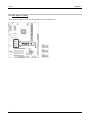
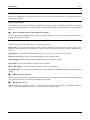
HDD: Indicate the brand and specifications of your HDD(s); specify if the HDD is using %IDE1 or
%IDE2. If you know the disk capacity, indicate it and check (“&”) “ ”; in case you give no
indication, we will consider that your HDD is “'IDE1” Master.
Example: In the “HDD” space, check the box; in the Brand space, write “Seagate”; in the
Specifications space, write “ST31621A (1.6GB)”.
8.
CD-ROM Drive: Indicate the brand and specifications of your CD-ROM drive. Specify if it uses %
IDE1 or %IDE2, and check (“&”) “ ”; in case you give no indication, we will consider that your
CD-ROM is “'IDE2” Master.
Example: In the “CD-ROM drive” space, check the box, in the Brand space, write “Mitsumi”, in the
Specifications space, write “FX-400D”.
9.
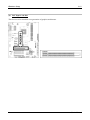
System Memory (DDR SDRAM): Indicate the brand and specifications (DDR DIMM) of your
system memory. Such as Density, Description, Module Components, Module Part Number, CAS
Latency, and Speed (MHz).
For example: In the Brand space, write “Micron”; in the Specifications space, write: Density:
128MB, Description: SS 16 Megx72 2.5V ECC Gold, Module Components: (9) 16 Megx 8,
Module Part Number: MT9VDDT1672AG, CAS Latency: 2, Speed (MHz): 200 MHz.
Please give us the detailed information of your DDR SDRAM module; it will help us to simulate the
problems you met.
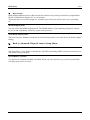
10. ADD-ON CARD: Indicate which add-on cards you are absolutely sure are related to the problem.
If you cannot identify the problem’s origin, indicate all the add-on cards inserted into your system.
NOTE: Items between the “*” are absolutely necessary.
User’s Manual