1
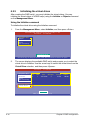
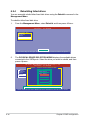
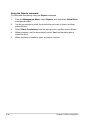
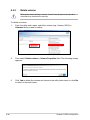
Using the Objects command
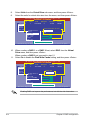
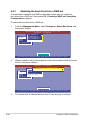
To initialize the virtual drives using the Objects command
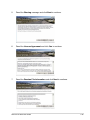
1.
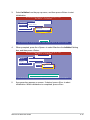
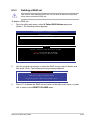
From the Management Menu, select Objects > Virtual Drive, and then
press <Enter>.
LSI Software RAID Configuration Utility Ver C.05 Sep 17, 2010
BIOS Version A.10.09231523R
Objects
Adapter
Management Menu
Virtual Drive
Configure
Physical Drive
Initialize
Objects
Rebuild
Check Consistency
Change VD Parameters
Use Cursor Keys To Navigate Between Items And Press Enter To Select An Option
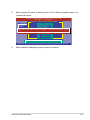
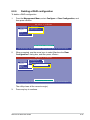
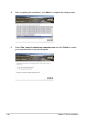
2.
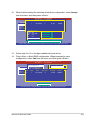
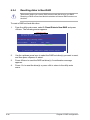
Select the virtual drive to initialize from the Virtual Drives sub‑menu, and
then press <Enter>.
LSI Software RAID Configuration Utility Ver C.05 Sep 17, 2010
BIOS Version A.10.09231523R
Virtual Drive(1)
Virtual Drive 0
Objects
Management Menu
Adapter
Configure
Virtual Drive
Initialize
Physical Drive
Objects
Rebuild
Check Consistency
Select VD
Press ENTER To Select A VD, <Del> To Delete A VD
6-14
Chapter 6: RAID configuration