1
Hardware Manual
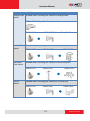
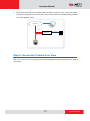
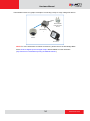
3. Connect the other end of the network cable to a switch or injector. Then, connect the switch
or injector to a network or PC and a power source. See Power-over-Ethernet (PoE) example
connection diagram below.
Network
Ethernet Cable
Ethernet Cable
(Data)
Ethernet Cable
(Data + Power)
PoE Injector /
PoE Switch
Power Cable
AC Power
Source
Camera
Step 6: Access the Camera Live View
See Accessing the Camera on page 40 for more information on how to access the Live View of
the camera.
27
www.acti.com