1
Getting to know your OpenStage phone
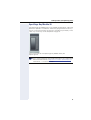
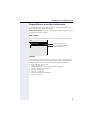
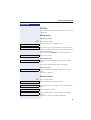
Trunk keys (on multi-line phones only)
The programmable sensor keys on multi-line phones function as trunk
keys. Each key programmed with the "Line" function is handled as a line.
This means up to six lines can be configured.
A distinction is drawn here between primary, secondary and phantom
lines. Each of these line types can be used on a private or shared basis
Æ page 19.
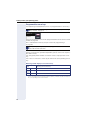
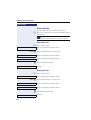
Primary line
All multi-line telephones have a primary line. This line can be reached in the
usual manner via your public phone number. Incoming calls are signaled on
this line.
To avoid conflict between individual multi-line phones, the functions
"Do not disturb" and "Call forwarding" can only be used for the primary line.
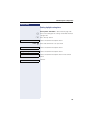
Secondary line
The secondary line on your phone is used as a primary line by another subscriber in the LAN. Your primary line, which is configured on another telephone in the LAN, simultaneously functions as the secondary line on that
telephone.
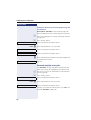
Phantom line
Phantom lines are not used as primary lines by any telephones in the LAN.
Phantom lines are established when the number of lines provided by a
communications system exceeds the number of available telephones.
Line utilization
• Private line: A line that is used by a single telephone. This line cannot
be used as a secondary line by another telephone.
• Shared line: A line that is configured on multiple telephones. The line
status (if configured) is displayed in the "Overview" tab for all telephones that share this line. If, for example, a shared line is being used
by a telephone, a status message indicating that this line is busy is displayed on all other telephones.
• Direct call line: A line with a direct connection to another telephone.
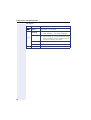
The line status is indicated by the LED in addition to the display in the
"Overview" tab Æ page 27.
19