1
Chapter 2: Getting Started
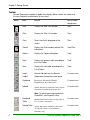
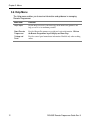
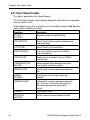
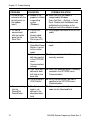
Button
Name
Function
Also accessible
through menu
Help
Displays the Remote Programmer Help files.
Help
Device
Configuration
Performs device configuration.
-
Stop
Terminates device configuration procedure.
-
P. Test
Starts a walk-test on the enrolled zones or
devices referred to in the displayed table. The
test starts after you initiate it on the device
Status Bar
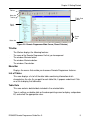
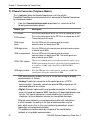
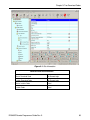
The Status Bar appears at the bottom of the Remote Programmer screen. It
displays the following:
·
Menu name
·
Caps lock
·
Number lock
·
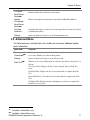
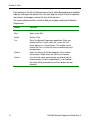
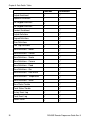
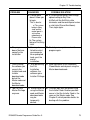
Communication Status: The communication status is displayed by the color
of the two communication status icons:
Program Status
Left Icon
Right Icon
Communication is offline
Gray
Gray
Communication is online
Dark
green
Dark
green
Downloading to control panel
Dark
green
Light
green
Uploading from control panel
·
·
Light
Dark
green
green
PowerMax/PowerMaster model name.
Control Panel State: Displays the control panel state. This can be one of
nine states: disarm, exit delay home, exit delay away, entry delay, home,
away, user test, download and programming.
DE5450S Remote Programmer Guide Rev. 9
7