1
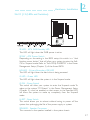
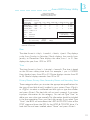
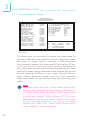
Award BIOS Setup Utility 3 Current CPU Temperature, Current CPU Fan Speed and Current AGP Fan Speed These fields show the current temperature of the processor, and the current fan speed of the CPU and AGP fans in RPM (Revolutions Per Minute). CPU Temperature Limit This field allows you to manually set a limit to the processors temperature. If the temperature of the processor is over the temperature set in this field (70oC/158o F recommended), an alarm will sound warning you of system overheat. The sound of the alarm is continuous low to high beeps. Some of the most common causes leading to high temperature are: - The fan is not functioning normally or has stopped. Turn off your system and replace the fan. The space clearance of the processor, fan and heat sink is inadequate to maintain proper airflow and heat dissipation. The chassis or cabinet has poor ventilation. CPU Fan Speed Limit and AGP Fan Speed Limit These fields allow you to manually set a limit to the speed of the CPU and AGP fans. If the CPU/AGP fan speed is under the speed set in these fields, an alarm will sound informing you to attend to any issue that may damage your system. The sound of the alarm resembles that of the siren of an ambulance. The failure detection circuit requires a fan to operate at greater than 3600 RPM. +3.3V, +5V and +12V Voltages Set these fields to Monitor if you want the system board to detect the output voltage of the power supply. If the output voltage is over or under +3.3V/+5V/+12V (±10%), an alarm will sound warning you of voltage issue. The sound of the alarm is continuous low to high beeps but shorter than the temperature alarm. Some of the most common causes leading to unstable output voltage of a power supply are: - The power supply is not functioning normally. Turn off your system and replace the power supply. 39