1
Printer Operation
Load Roll Media
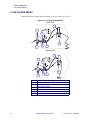
Rewind/Peel-Off Mode
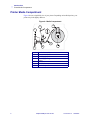
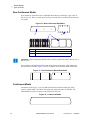
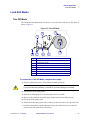
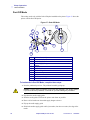
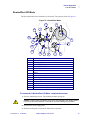
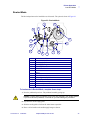
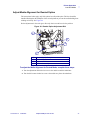
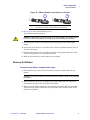
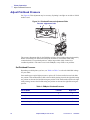
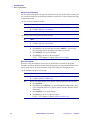
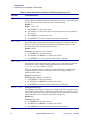
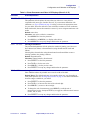
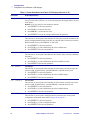
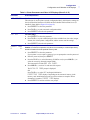
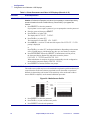
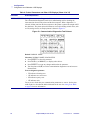
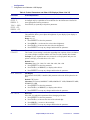
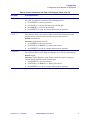
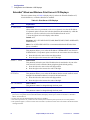
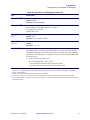
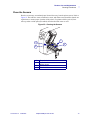
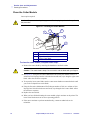
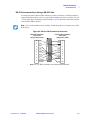
The Rewind option must be installed to use this mode. The option is shown in Figure 21.
Figure 21 • Rewind/Peel Mode
2
15
3
1
14
4
13
5
12
11
1
2
3
4
5
6
7
8
9
10
11
12
13
14
15
10
9
8
7
6
Printhead Assembly
Transmissive Sensor
Label Supply Guide
Label Supply Hanger
Rewind Spindle
Rewind Label Guide
Thumbscrew
Dancer
Label Guide
Media Alignment Spindle
Printhead Open Lever
Peel Assembly
Label
Rewind Base Assembly
Peel Lever
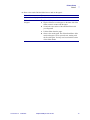
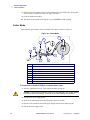
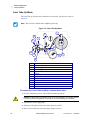
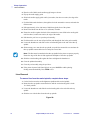
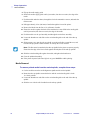
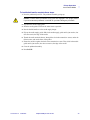
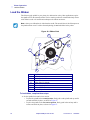
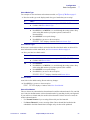
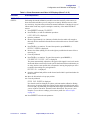
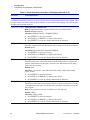
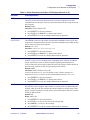
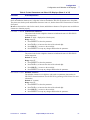
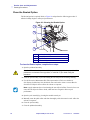
To load media in Rewind/Peel-Off Mode, complete these steps:
1. Press the printhead open lever. The printhead assembly springs up.
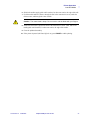
Caution • Ensure that the printhead is fully open and engaged in the upright position.
If you fail to latch the printhead, it could fall on your hand during the procedure.
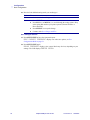
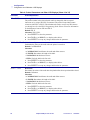
2. Flip down the media supply guide.
3. Slide the media guide as far from the main frame as possible.
13163L Rev. 3 5/20/2004
Z4Mplus/Z6Mplus User Guide
33