1
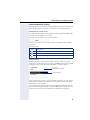
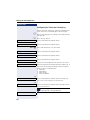
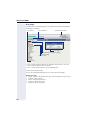
Web interface (WBM)
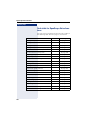
User menu
All settings that you can make via the Web interface’s user menu can also
be made via the phone’s user menu
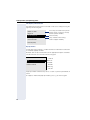
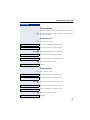
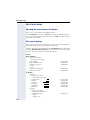
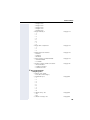
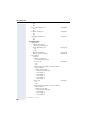
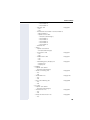
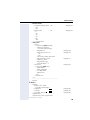
User Pages
User login V Æ page 136
Date and Time
– Local time V Æ page 165
– Local date (day, month, year) V Æ page 165
– Allow daylight saving V Æ page 166
– Difference (minutes) V Æ page 166
– Auto time change V Æ page 167
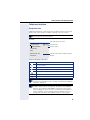
Audio
– Ringer melody (V Æ page 171)
– Ringer tone sequence (V Æ page 172)
– Ring file (V Æ page 170)
– Room Character (V Æ page 170)
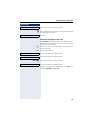
– Open listening (V Æ page 173
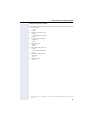
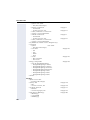
Configuration
– Outgoing calls
– Autodial delay (seconds) V Æ page 98
– Allow callback: busy V Æ page 68
– Allow callback: no reply V Æ page 68
– Allow busy when dialing V Æ page 99
– Allow transfer on ring V Æ page 92
– Allow immediate dialing V Æ page 53
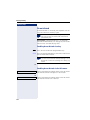
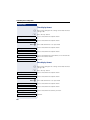
– Incoming calls
– Deflecting
– Allow deflection (V Æ page 79
– Default deflect destination V Æ page 79
– Deflect to DSS V Æ page 79
– Forwarding
– Settings
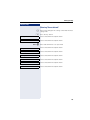
– Forwarding Favorites Destination 1 to Destination 5
V Æ page 79
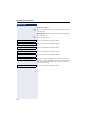
– Forward all calls allowed V Æ page 63
– to V Æ page 62
– Forward on busy allowed V Æ page 63
– to V Æ page 62
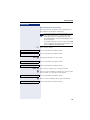
– Forward on no reply allowed V Æ page 63
– to V Æ page 62
– No reply delay (seconds)[1] V Æ page 62
[1]. Only if "Server features" was deactivated by your service personnel
197