1
30
DRAINAGE
Never fill the coffee bean container
with other products! (They might
damage the machine!)
Before filling the container with coffee
beans, make sure the pre-ground
coffee container is closed to prevent coffee grains
from falling into it (they might damage the machine).
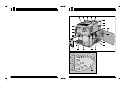
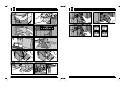
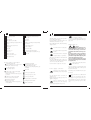
Remove the water tank (8) from the machine,
remove its cover (9) and fill it with cold water
(approx. 2.4 l).
A valve on the tank bottom prevents water from
escaping.
Before installing the water tank in the machine,
make sure the coffee bean container cover is
properly fitted.
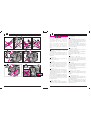
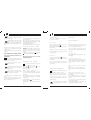
2 6 Install the water tank, slightly pressing over it
to fit the valve which will open automatically.
Replace the cover on the tank.
Do not fill the tank with an excessive
quantity of water.
Always fill the tank with fresh water: hot
water as well as other fluids
might damage the tank.
Do not switch on the machine if the
water tank is empty: always make
sure there is enough water in the tank!
Connect the plug to the socket and press the main
switch.
When the switch is turned on (green colour), the
electronic circuit carries out a self-diagnosis. This
phase could make some noise.
Drainage
Direct the steam/hot water dispensing tube (5)
over the drip tray (2).
Place a cup or another suitable container under
the dispensing tube, then turn the steam/hot water
selection knob (6) counterclockwise.
The pump automatically starts.
Wait until a regular water jet is obtained, then
close the knob. The machine is now drained.
Important: It is advisable to drain the machine
before the first start, after a prolonged use or
whenever the water tank has been completely
emptied.
Furthermore, should temperature or water tank
warning lights blink, drain the machine.
31
RECOMMENDATIONS
As soon as value 4 has been reached, the counter
resets and restarts from 1.
As far as lime scale values are concerned, see
page 37, points 45-48.
Pre-Grinding
The coffee grinder is activated by pressing the
button of the heating plate .
When this button lights up, the coffee grinder has
been activated.
Grinding occurs every time the doser is empty,
thus a ground coffee portion is always ready in the
doser, saving time.
The machine is ready for use as soon as the
temperature light is on.
Pre-Infusion
The regular coffee button
activates or
disactivates the dispensing of coffee, as shown by
the lit button.
Programming the machine
As soon as the coffee has been moistened, the
pump stops for two seconds. Then the brewing
cycle continues.
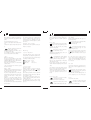
2 7 To enter the programming mode, turn the
machine off with the main switch.
Press steam
, espresso coffee
and the
main switch at the same time.
Release the buttons.
Water hardness adjustment
In order to adjust the water hardness, it is necessary to test the water using the strip supplied with
the machine.
Dip the strip into the water for a second, shake off
excess water gently, wait approx. 1 minute and
read the result.
The tall coffee button
allows a water hardness
adjustment from 1 to 4.
Each time the key is pressed, the value increases
by 1.
Coffe dosage adjustment
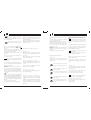
2 8 Adjustment lever (19) allows the selection of
the coffee quantity, from 6 to 9 grams.
Open the service door (15) and place the
adjustment lever (19) in the desired position.
Note: Opening the service door causes the
machine to stop automatically. Close the door to
restart the machine.
Coffee dosage must not be changed
frequently, otherwise the coffee dis-
penser may get damaged, thus spoiling the
quality of coffee.
Recommendations
Test
If the machine has not been used for a prolonged
period, it is advisable for hygienic reasons to run
a rinse cycle through the machine.
Place a cup under the dispensing tube (5) and
operate the steam/hot water knob (6). Fill a cup
with water.
Preheating cups
Cups may be preheated by placing them on the
heating plate.
Temperature warning light
When connecting the machine, the green warning light will light permanently after approx. two
minutes, showing the machine is ready to be
used.
Empty coffee bean container warning
light
When this led is on, the coffee grinder stops.
Fill the container with coffee bean and restart the
cycle.
Empty water tank warning light
An empty water tank causes the cycle to stop
automatically.
Fill the tank with water. It is of the utmost
importance to drain the circuit before restarting the
machine.
It is not possible to start programming without
carrying out the drainage.
When restarting the machine, make sure the red
warning light is not blinking or is off.