1
Section 2. Installation and Configuration
Advanced Mode
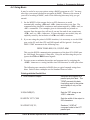
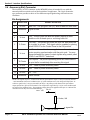
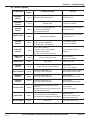
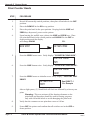
GAP SENSOR:
Perform these steps:
STEP
PROCEDURE
1.
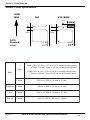
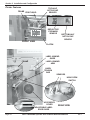
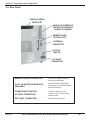
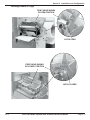
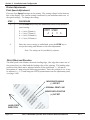
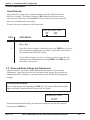
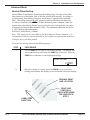
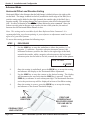
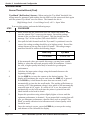
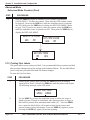
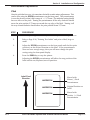
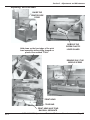
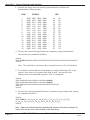
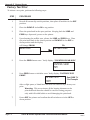
Insert a label still attached to the backing into the sensor and close the
head. Record the voltage shown on the top line of the LCD panel.
This line should have the message "GAP" on the top line (DIP switch
DSW2-2 = OFF). Make sure the label is all the way under the sensor
and the See through Sensor is aligned over your label.
2.
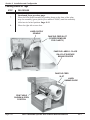
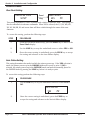
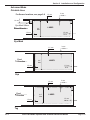
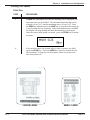
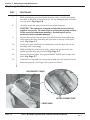
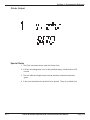
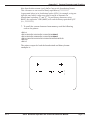
Stip the label from the backing and insert the backing strip under the
sensor and close the head. Record the voltage shown on the top line
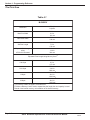
of the LCD panel. The voltage ranges measured should be within the
following ranges:
Backing with Label
Label Backing Only
2.0V to 3.5V
1.0V or less
If the measured values are outside this range, you may have trouble
finding a value that will work properly under all conditions. If this is
the case, a higher quality label may be needed to get adequate
performance.
PN 9001081
Rev. C
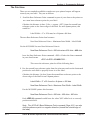
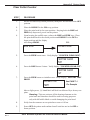
3.
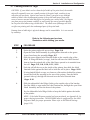
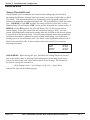
Calculate the input point voltage using the formula shown on page 30.
4.
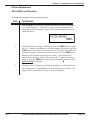
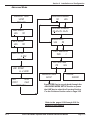
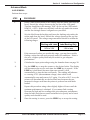
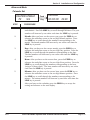
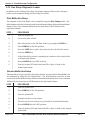
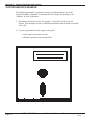
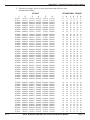
Use the LINE key to step the counter to the desired value. The display
will increment one step for each time the LINE key is pressed. If the
LINE key is held down for more than two seconds, it will
automatically go into the fast scroll mode. The reading will advance
to a setting of 4.9 (the maximum voltage) after which it will
automatically wrap and start at 0.0" again. If a value of 0.0" is set, the
printer will automatically set the level half way between the two
measured voltages each time the printer is powered on with labels
loaded.
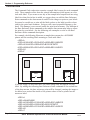
5.
Repeat this procedure using values slightly higher of lower until the
optimum performance is obtained. If you cannot find a setting
between the high and low readings that gives adequate performance,
then the label stock has too much variation in its opacity and a better
quality stock should be used.
6.
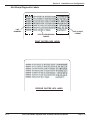
Once the setting is correct, press the FEED key to accept the setting.
SATO M-5900RV Operator and Technical Reference Manual
Page 2-31