1
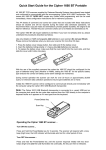
CONNECTION WITH CIPHER 3656 USB BT COMMUNCATION STAND
Note: The Cipher 3656 USB Bluetooth communication stand is connected to a vacant USB
port on the computer and sends the bar code data received from the 1560/62 directly to the
computer’s keyboard buffer so it simply appears as if it was typed from the keyboard.
The Cipher 1560/62 BT will require the supplied Li-Ion battery pack to be fitted. If you have
not already done so, please undertake the procedures described as follows.
1.
2.
3.
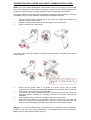
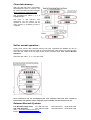
Insert the battery into the scanner first so that it can be charged when sitting in the
3656 BT- communications stand.
Be sure to slide the battery latch to lock the battery in the compartment.
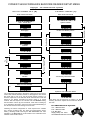
Seat the scanner in the 3656 stand.
The battery may not be full charged for shipment and will require a complete charge before
using in earnest.
4.
5.
6.
7.
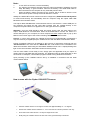
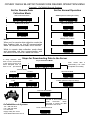
Ensure that the power cable is connected to a power source and the power
transformer is connected to the 3656 USB Bluetooth communication stand, the power
LED indicator on the stand will show solid RED.
The scanner LED will be flashing RED while charging and will turn OFF when the
charging process is complete. If a charging error occurs the scanner LED will stay
solid RED.
It takes approximately 3 hours for the battery to become fully charged.
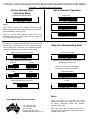
When the scanner battery is fully charged remove the scanner from the stand and
hold down the trigger for approximately 2-3 seconds to turn the scanner ON. The
scanner will respond with a long beep and its LED will turn ON and OFF shortly.
Warning:- It is recommended that the charging devices be operated at room temperature
(18deg C to 25 deg C) for optimal performance. The charging devices will not charge the
battery when the temperature exceeds 40 deg C.