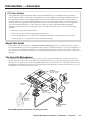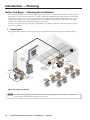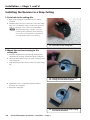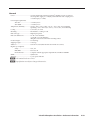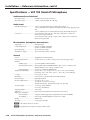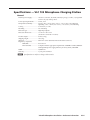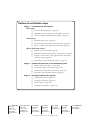
1
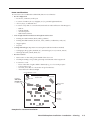
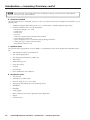
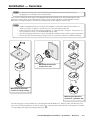
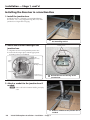
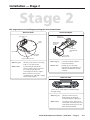
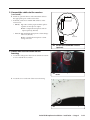
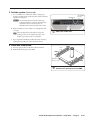
2.Connect the cables to the receiver
(continued).
OUT
RLY
NO C
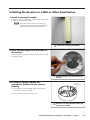
• Tone (2): Up = Enable the microphone volume change alert tone (default).
CTC
IN
+
AUX IN
Down = Output the microphone and aux input separately (default).
RS-232
Tx Rx
TONE
• Mix (1): Up = Mix auxiliary input and microphone
together on microphone output.
2
MIX
c. If desired, set the Tone and Mix DIP switches on the
receiver base.
IN
O 1
N
CTS-2
b. Install any optional devices and connect their cables to
the appropriate ports on the receiver base.
O 1
N
Down = Disable the microphone volume change alert tone.
2
Base Plate
CTS-2
TONE
MIX
É
Set the Tone and Mix DIP switches (optional).
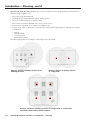
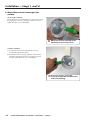
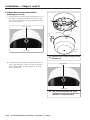
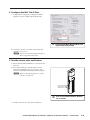
3.Attach the receiver dome to the
housing.
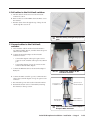
a. Locate the locking tab on the receiver dome that contains
an arrow etched into its surface.
Locate the locking tab marked with the Ñ
arrow.
b. Locate the arrow on the rim of the receiver housing.
Ö
Locate the arrow on the housing rim.
VoiceLift Microphone Installation • Installation — Stage 2
2-11