1
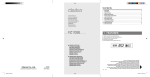
Contents
1.FEATURES ...............................................................................................................................2
2.CONTROLS ..............................................................................................................................3
3.PRECAUTIONS.........................................................................................................................4
4. BASIC OPERATIONS ...............................................................................................................5
5. RADIO MODE OPERATIONS ..................................................................................................6
6. USB OPERATIONS ..................................................................................................................8
7. AUXILIARY INPUT ..................................................................................................................12
8. ADJUSTMENT MODE ............................................................................................................12
9. TROUBLESHOOTING.............................................................................................................14
10. ERROR DISPLAYS .................................................................................................................15
11. SPECIFICATIONS ..................................................................................................................16
Owner’s Manual
Guide de l'utilisateur
Benutzerhandbuch
Manuale dell’utente
Gebruikershandleiding
Manual del usuario
Käyttöopas
Bruksanvisning
Kullanıcı Kılavuzu
FZ102E
1. FEATURES
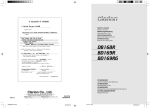
MP3 compatible with ID3-TAG display
WMA compatible with TAG display (optional)
Front Panel 3.5mm Auxiliary Input
USB slot on front panel
High visibility single line display with clock
USB/MP3 RECEIVER
AUTORADIO USB/MP3
USB-/MP3-RECEIVER
Ricevitore USB/MP3
USB/MP3-RADIOCOMBINATIE
RECEPTOR DE USB Y MP3
USB/MP3-VASTAANOTIN
USB/MP3/RADIO
USB/MP3 ALICISI
Clarion Co., Ltd.
All Rights Reserved. Copyright © 2011: Clarion Co., Ltd.
FZ102E_Cover.indd 1
FZ102E
280-9130-00
Printed in Malaysia
USB/MP3/WMA RECEIVER
AUTORADIO USB/MP3/WMA
USB-/MP3-/WMA-RECEIVER
Ricevitore USB/MP3/WMA
USB/MP3/WMA-RADIOCOMBINATIE
RECEPTOR DE USB, MP3 y WMA
USB/MP3/WMA-VASTAANOTIN
USB/MP3/WMA-RADIO
USB/MP3/WMA ALICISI
TATA X3
3
2
Be sure to unfold and read the next page.
Seite 2 ausfalten und die Informationen zu den Bedienelementen beachten.
Despliegue la página 2 para ver la página de controles.
Taita sivu 2, jotta voit lukea ohjaustoiminnot kuvaavan sivun.
Ne manquez pas de déplier la page 2 pour lire le contenu consacré aux commandes.
Assicurarsi di passare alla pagina 2 per leggere le informazioni relative ai Controlli.
Vouw pagina 2 open om de pagina over de bediening te lezen.
Var noga med att veckla ut sidan 2 för att läsa sidan med information om kontrollerna.
Denetimler Sayfasını okumak için katlanmış sayfa 2'yi açtığınızdan emin olun.
FZ102E
7/23/2012 4:42:31 PM
Contents
1.FEATURES ...............................................................................................................................2
2.CONTROLS ..............................................................................................................................3
3.PRECAUTIONS.........................................................................................................................4
4. BASIC OPERATIONS ...............................................................................................................5
5. RADIO MODE OPERATIONS ..................................................................................................6
6. USB OPERATIONS ..................................................................................................................8
7. AUXILIARY INPUT ..................................................................................................................12
8. ADJUSTMENT MODE ............................................................................................................12
9. TROUBLESHOOTING.............................................................................................................14
10. ERROR DISPLAYS .................................................................................................................15
11. SPECIFICATIONS ..................................................................................................................16
Owner’s Manual
Guide de l'utilisateur
Benutzerhandbuch
Manuale dell’utente
Gebruikershandleiding
Manual del usuario
Käyttöopas
Bruksanvisning
Kullanıcı Kılavuzu
FZ102E
1. FEATURES
MP3 compatible with ID3-TAG display
WMA compatible with TAG display (optional)
Front Panel 3.5mm Auxiliary Input
USB slot on front panel
High visibility single line display with clock
USB/MP3 RECEIVER
AUTORADIO USB/MP3
USB-/MP3-RECEIVER
Ricevitore USB/MP3
USB/MP3-RADIOCOMBINATIE
RECEPTOR DE USB Y MP3
USB/MP3-VASTAANOTIN
USB/MP3/RADIO
USB/MP3 ALICISI
Clarion Co., Ltd.
All Rights Reserved. Copyright © 2011: Clarion Co., Ltd.
FZ102E_Cover.indd 1
FZ102E
280-9130-00
Printed in Malaysia
USB/MP3/WMA RECEIVER
AUTORADIO USB/MP3/WMA
USB-/MP3-/WMA-RECEIVER
Ricevitore USB/MP3/WMA
USB/MP3/WMA-RADIOCOMBINATIE
RECEPTOR DE USB, MP3 y WMA
USB/MP3/WMA-VASTAANOTIN
USB/MP3/WMA-RADIO
USB/MP3/WMA ALICISI
TATA X3
3
2
Be sure to unfold and read the next page.
Seite 2 ausfalten und die Informationen zu den Bedienelementen beachten.
Despliegue la página 2 para ver la página de controles.
Taita sivu 2, jotta voit lukea ohjaustoiminnot kuvaavan sivun.
Ne manquez pas de déplier la page 2 pour lire le contenu consacré aux commandes.
Assicurarsi di passare alla pagina 2 per leggere le informazioni relative ai Controlli.
Vouw pagina 2 open om de pagina over de bediening te lezen.
Var noga med att veckla ut sidan 2 för att läsa sidan med information om kontrollerna.
Denetimler Sayfasını okumak için katlanmış sayfa 2'yi açtığınızdan emin olun.
FZ102E
7/23/2012 4:42:31 PM
Deutsch
3. PRECAUTIONS
English
Français
MAIN UNIT, LECTEUR, STEUERGERÄT, UNITÀ PRINCIPALE,
HOOFDEENHEID, UNIDAD PRINCIPAL, PÄÄYKSIKKÖ,
HUVUDENHET, ANA ÜNİTE
English
2. CONTROLS, COMMANDES,
BEDIENELEMENTE, COMANDI,
BEDIENINGSELEMENTEN,
CONTROLES, OHJAUSTOIMINNOT,
KONTROLLER, DENETİMLER
CAUTION
USE OF CONTROLS, ADJUSTMENTS, OR PERFORMANCE OF PROCEDURES OTHER
THAN THOSE SPECIFIED HEREIN, MAY RESULT IN HAZARDOUS RADIATION EXPOSURE.
THE PLAYER SHOULD NOT BE ADJUSTED OR REPAIRED BY ANYONE EXCEPT PROPERLY
QUALIFIED SERVICE PERSONNEL.
THIS EQUIPMENT HAS DIFFERENT POWER SUPPLY (12V OR 24V) DEPENDS ON THE
MODEL. PLEASE CHECK WITH YOUR SERVICE DEALER FOR THE CORRECT POWER
SUPPLY IN THIS UNIT. INCORRECT POWER SUPPLY USAGE MAY RESULT THE EQUIPMENT
PERMANENT UNUSABLE AND VOID THE WARRANTY.
Italiano
INFORMATION FOR USERS:
CHANGES OR MODIFICATIONS TO THIS PRODUCT NOT APPROVED BY THE MANUFACTURER
WILL VOID THE WARRANTY.
Nederlands
Español
Suomi
Svenska
Türkçe
3
Note:
[TA] button will be disabled for non RDS model.
Remarque
Le bouton [TA] sera désactivé pour le modèle qui ne prend pas en charge RDS.
Hinweis:
Die Taste [TA] ist bei Modellen ohne RDS-Funktion deaktiviert.
Nota:
Nei modelli non RDS, il pulsante [TA] viene disattivato.
Opmerking:
De knop [TA] is uitgeschakeld bij andere dan RDS-modellen.
Nota:
El botón [TA](Información de tráfico) está desactivado en los modelos que no son RDS.
Huomautus:
[TA]-painike ei ole käytössä muissa kuin RDS-malleissa.
Obs!
[TA]-knappen är avaktiverad för icke RDS-modeller.
Not:
RDS olmayan model için [TA] düğmesi devre dışı bırakılır.
FZ102E
FZ102E_Cover.indd 2
4
FZ102E
7/23/2012 4:42:31 PM
Deutsch
3. PRECAUTIONS
English
Français
MAIN UNIT, LECTEUR, STEUERGERÄT, UNITÀ PRINCIPALE,
HOOFDEENHEID, UNIDAD PRINCIPAL, PÄÄYKSIKKÖ,
HUVUDENHET, ANA ÜNİTE
English
2. CONTROLS, COMMANDES,
BEDIENELEMENTE, COMANDI,
BEDIENINGSELEMENTEN,
CONTROLES, OHJAUSTOIMINNOT,
KONTROLLER, DENETİMLER
CAUTION
USE OF CONTROLS, ADJUSTMENTS, OR PERFORMANCE OF PROCEDURES OTHER
THAN THOSE SPECIFIED HEREIN, MAY RESULT IN HAZARDOUS RADIATION EXPOSURE.
THE PLAYER SHOULD NOT BE ADJUSTED OR REPAIRED BY ANYONE EXCEPT PROPERLY
QUALIFIED SERVICE PERSONNEL.
THIS EQUIPMENT HAS DIFFERENT POWER SUPPLY (12V OR 24V) DEPENDS ON THE
MODEL. PLEASE CHECK WITH YOUR SERVICE DEALER FOR THE CORRECT POWER
SUPPLY IN THIS UNIT. INCORRECT POWER SUPPLY USAGE MAY RESULT THE EQUIPMENT
PERMANENT UNUSABLE AND VOID THE WARRANTY.
Italiano
INFORMATION FOR USERS:
CHANGES OR MODIFICATIONS TO THIS PRODUCT NOT APPROVED BY THE MANUFACTURER
WILL VOID THE WARRANTY.
Nederlands
Español
Suomi
Svenska
Türkçe
3
Note:
[TA] button will be disabled for non RDS model.
Remarque
Le bouton [TA] sera désactivé pour le modèle qui ne prend pas en charge RDS.
Hinweis:
Die Taste [TA] ist bei Modellen ohne RDS-Funktion deaktiviert.
Nota:
Nei modelli non RDS, il pulsante [TA] viene disattivato.
Opmerking:
De knop [TA] is uitgeschakeld bij andere dan RDS-modellen.
Nota:
El botón [TA](Información de tráfico) está desactivado en los modelos que no son RDS.
Huomautus:
[TA]-painike ei ole käytössä muissa kuin RDS-malleissa.
Obs!
[TA]-knappen är avaktiverad för icke RDS-modeller.
Not:
RDS olmayan model için [TA] düğmesi devre dışı bırakılır.
FZ102E
FZ102E_Cover.indd 2
4
FZ102E
7/23/2012 4:42:31 PM
English
! CAUTION
Be sure to lower the volume before
switching off the unit power or the ignition
key. The unit remembers its last volume
setting. If you switch the power off with the
volume up, when you switch the power back
on, the sudden loud volume may hurt your
hearing and damage the unit.
Be careful about using this unit for a long
time without running the engine. If you drain
the car’s battery too far, you may not be
able to start the engine and this can reduce
the service life of the battery.
Power on/off
Turn on the power
Push the [
] rotary knob during power off.
*The mode before turning off the power will be
displayed.
Turn Off The Power
Push longer the [
] rotary knob.
Switching The Audio Mode
Adjust with the [
] rotary knob.
1. Press the [ ] button to select the desired audio
mode.
“BASS”
“TREB”
“BAL”
“FAD”
previous display
] rotary
2. Adjust the audio mode with the [
knob.
Audio Mode
Range
TREB (Treble)
-7 to +7
BASS (Bass)
-7 to +7
Default settings
0
0
BAL (Balance) L12 to R12
0 (CENTER)
FAD (Fader)
0 (CENTER)
F12 to R12
English
4.BASIC OPERATIONS
Note:
Fader adjustment is not available in 24V power
supply model.
Setting The Loudness On/Off
1. Press longer the [ ] button to activate/deactivate loudness effect.
* The factory default setting is “OFF”.
Source mode
Turn On The Power
Push the [
] rotary knob to select the
desired source.
Radio USB AUX Radio...
2. The loudness effect emphasizes the bass and
treble to create a natural sound tone. When
you are listening to music at low volume,
it is recommended to use the loudness
effect. The loudness effect will depend on
volume level.
Adjusting The Audio
Adjusting The Volume
Adjust with the [
Range
0 to 33
] rotary knob.
Default settings
13
FZ102E
FZ102E_Owner_manual.indb 5
5
7/24/2012 9:55:18 AM
English
5.RADIO MODE OPERATIONS
R
Listening to the radio
Storing radio stations
Push the [
radio mode.
1. Select a radio band and tune in a desired radio
station.
2. Press longer the [DIRECT] button to store the
station into preset memory.
Radio Mode
] rotary knob and select the
Select the band
Press the [BAND] button to select the desired
band.
FM1
FM2
FM3
AM
FM1...
Tuning a station
Select the tuning method
Press longer the [BAND] button to toggle between Auto and Manual tuning method.
*
is lit in the display for Manual Tuning mode.
Auto tuning the stations
Press longer the [BAND] button to toggle between Auto and Manual tuning method.
DX SEEK
(Automatically tune in to a receivable broadcast
station)
Press the [
]/[
] button.
LOCAL SEEK
(Tune in to broadcast station with strong reception
sensitivity)
Press longer the [
]/[
] button.
Manual tuning the stations
Step tuning
(Change the frequency one step at a time)
Press the [
]/[
] button.
Quick tuning
(Change the frequency rapidly)
Press longer the [
]/[
] button.
Storing manually
Note:
Preset memory function can store up to 24 stations: Six stations for each of FM1, FM2, FM3 and
AM.
Recall a stored station
1. Select the desired band.
2. Press the corresponding [DIRECT] button to
recall the stored station.
About RDS (Radio Data System)
This unit has a built-in RDS decoder system that
supports broadcast stations transmitting RDS
data.
This system can display the name of the broadcast station being received (PS) and can automatically switch to the broadcast station with the
best reception as you move long distances (AF
switching).
Also, if a traffic announcement or programme
type is broadcast from an RDS station, no matter
what mode you are in, this broadcast is received.
Additionally, if EON information is received, this
information enables automatic switching of other
preset stations on the same network and interruption of the station being received with traffic information from other stations (TP). This function is
not available in some areas.
When using the RDS function, always set the radio to FM mode.
AF : Alternative Frequency
PS : Programme Service Name
PTY : Programme Type
EON : Enhanced Other Network
TP : Traffic Programme
RDS interrupt does not function during AM radio
reception.
When set receives RDS signal, and can read PS
data, PS appears in the display.
CAUTION
For some countries, RDS (Radio Data
System) broadcasting is not supported.
It is recommended to turn off all the RDS
settings.
6
FZ102E
FZ102E_Owner_manual.indb 6
7/24/2012 9:55:18 AM
d
t
S
e
F
e
r
.
s
r
s
CAUTION
Please disable TA standby mode if broadcasting stations in your country do not
support RDS. Otherwise, you may face
difficulties searching for station.
Traffic announcement (TA)
Setting the TA standby mode
Press the [TA] button during TA indicator off.
Searching for a TP station
Volume setting of TA, emergency
broadcast (ALARM) and PTY
During a TA, ALARM or PTY interrupt, turn the
[
] rotary knob to set the volume to the
desired level.
When the TA, ALARM or PTY interrupt ends, the
volume returns to the level it had before the interrupt.
The factory default setting is “15”.
Other RDS adjustment can be performed in
Adjustment mode. Please refer to “Adjustment
Mode” for further details.
English
e
Radio Mode Operations
Press the [TA] button during TP indicator off.
Note:
TP indicator lit on when a TP station is found.
TA interrupts
In the TA standby mode, when a traffic announcement broadcast starts, “TRA INFO” appears in
the display. The traffic announcement broadcast
is received as top priority regardless of the function mode so you can listen to it.
Cancelling an traffic announcement
Press the [TA] button during TA interrupts.
Cancelling the TA standby mode
Press the [TA] button during TP and TA indicator
on.
Note:
TA standby mode is also cancelled when [TA]
button is pressed during TP station searching
operation.
Emergency broadcasting
Emergency broadcast
If an emergency broadcast is received, all the
function mode operations are stopped.
“ALARM” appears in the display and the emergency broadcast can be heard.
Cancelling an emergency broadcast
Press the [TA] button during interrupts.
a
.
S
FZ102E
FZ102E_Owner_manual.indb 7
7
7/24/2012 9:55:18 AM
English
6.USB OPERATIONS
CAUTION
Do not try to put your fingers in the USB
insertion slot. Also never insert foreign
objects into the slot. USB memory device
insertion may result in protruding as it
might be dangerous to the user while driving. For safety purposes, it is advisable to
use an USB extension cable to connect
between the USB memory device and the
USB slot on the main unit.
Do not leave a USB memory device unattended in an automobile. Exposure to direct
sunlight or high temperatures may cause
deformation or other malfunction of the
USB memory device.
When the device is subjected to static
electricity or electric noise, this may result
in the loss of data.
Insert and remove an USB memory device
only when the device is not being accessed.
Connecting or disconnecting the device at
the following times may result in the loss
of data:
- When the device is subjected to static
electricity or electric noise.
About USB
USB is the abbreviation of Universal Serial Bus,
an external bus standard that supports data
transfer rates of 12Mbps. This unit is compatible
with USB 1.1/2.0 with maximum data transfer
rates of 12Mbps (Full Speed).
USB memory devices that can be played by
connecting to the unit’s USB cable are limited
to those recognized as “USB mass storage
class devices”; operation is not guaranteed
with all USB memory devices.
Devices compatible with “USB Mass Storage
Class” can be used merely by connecting to the
host device, without need for special drivers or
application software.
Consult the manufacturer of your USB memory
device for information regarding whether it is
supported by “USB Mass Storage Class”
standards. Please note that iPod device and
hard disk drive (HDD) are not supported.
8
To prevent the accidental loss of data, always
back up important data to your computer.
This unit does not support connections to
a computer. In addition, connections made
through a USB hub device are also not supported.
If the USB memory device supports multiple
partitions, only the first partition will be supported.
USB memory devices with security functions
cannot be played.
The order in which tracks are recorded may differ depending on the USB memory device connected (the actual playback order may not be
the same as that indicated on your computer’s
display).
Audio files playable on this unit are limited to
MP3/WMA files.
Precautions when creating MP3/WMA
On USB memory device
USB 1.1 and 2.0 compatible with a maximum
transfer rates of up to 12Mbps. (Full speed).
Precautions when creating MP3/WMA
Usable sampling rates and bit rates:
MP3
Decode Format
MPEG 1, 2 - Layer 3
Sampling Rate (kHz) MPEG-1 : 32, 44.1, 48
MPEG-2 : 16, 22.05, 24
Bit-rate (kbps)
WMA
MPEG-1 : 32 - 320
MPEG-2 : 32 - 160
VBR
Decode Format
v7/8/9
Bit-rate (kbps)
32 - 320
Sampling Rate (kHz)
22.05, 32, 44.1, 48
Notes:
Content protected audio file (DRM – Digital Rights
Management) is not supported.
Filesize less than 12KB will not be supported.
FZ102E
FZ102E_Owner_manual.indb 8
7/24/2012 9:55:19 AM
File extensions
Only MP3/WMA file with the correct file extension (“.MP3” or “.WMA”) and encoded format
(Refer to the table above) will be played.
Logical format (File system)
1. When transferring MP3/WMA file to an USB
memory device,please make sure the USB
memory device is formatted in“FAT16” or
“FAT32” file system. USB memory device that
is formatted other than the specified file system
will not be able to detect by the system.
2. The folder name and file name can be displayed
as the title during MP3/WMA play but the title
must be within 30 single byte alphabetical letters and numerals (excluding an extension).
3. Do not affix a name to a file inside a folder having the same name.
File playing order
When selected for playing folder up down functions, files and folders are accessed in the order
in which they were written into the USB memory
device. Because of this, the order in which they are
expected to be played may not match the order in
which they are actually played.
For example, a medium with the following folder/
file hierarchy is shown below.
English
USB Operations
Number of files or folders
1. Up to 255 files can be recognized per folder.
Up to 5000 files can be played.
* Exceeding the files limitation may cause unexpected operation failure.
2. Up to a maximum of 255 folders can be
supported.
ID3 tag/ WMA tag
The folder name will be displayed as “ROOT”
which the file allocates in the root folder.
For MP3, supports ID3 Tags V2.4/2.3/2.2/1.1/1.0.
The MP3 player decodes each file ID3 TAG ver
2 by default, if ID3 TAG ver 2 is unavailable, ID3
TAG ver 1 will be decoded.
UNICODE ID3 (Chinese, Japanese and etc)
is not supported. Only ASCII characters can be
displayed in Tags
If ID3 TAG has Japanese, Chinese character
or other non supported characters, “ ” will be
displayed as substitution.
FZ102E
FZ102E_Owner_manual.indb 9
9
7/24/2012 9:55:19 AM
English
USB Operations
USB memory device connection
Connecting a USB memory device
Connect the USB memory device into the slot
with the correct direction. System switches to
USB mode automatically.
Notes:
Always insert the USB memory device fully into the
slot. Incomplete connections may cause the USB
memory device not be recognized.
Depending on the number of tracks recorded,
some amount of time may be required until all
tracks are read into the unit.
USB memory devices may have different shape
depends on brands. Some USB memory devices
may not be able to plug into the slot due to the
shape design. Please use an extension cable instead.
Please reconnect the USB memory device when it
cannot be detected properly.
Do not forcibly connect the USB memory device to
the slot with incorrect direction as this will damage
the USB memory device as well as the USB slot.
Play/pause
Press the [
] button to toggle play/pause.
Selecting a folder
1. Press the [
folder.
2. Press the [
folder.
] button to move the next
Notes:
Press the [
] button while in the final folder
will shift to the first folder.
Folder without a MP3/WMA file is not selectable.
The first track will always be selected when shifting
to next/previous folder.
Track selection and other special playback mode
cannot be triggered during folder selection display.
Selecting a track
1. Press the [
] button to move to the beginning
of the next track.
2. Press the [
] button to move to the beginning
of the current track.
3. Press the [
] button twice to move to the
beginning of the previous track.
Top function
Press the [BAND] button, then the USB will start
playing from the first track of current folder.
Remove the USB memory device from the USB
slot.
Playback
USB mode
Push the [
mode.
] rotary knob to select the USB
* Track will start to play or resume automatically.
Note:
If there is no USB memory device inserted,
“NO USB” will be displayed.
10
FZ102E
FZ102E_Owner_manual.indb 10
P
N
] button to move the previous
Note:
Unsupported track with MP3/WMA extension will
be skipped. “--:--“ will be blinked for a few seconds
before jumping to the next track automatically.
Unplug the USB memory device
S
7/24/2012 9:55:20 AM
P
N
s
r
g
e
.
g
g
e
l
s
Scan
Scan play
Press the [SCN] button.
Notes:
This function plays the first 10 seconds of all the
tracks. Scan play starts from the next track after the
track currently being played.
The
indicator lights in the display.
All scan play
Press longer the [SCN] button.
Notes:
This function plays the first 10 seconds of the first
track of all the folders. All scan play starts from the
first track of next folder after the track currently being played.
The
and
indicators light in the display.
Repeat
Repeat play
Press the [RPT] button.
Notes:
This function plays the current track repeatedly.
The
indicator lights in the display.
All random play
Press longer the [RDM] button.
Notes:
This function plays all the tracks of all the folders in
a random order.
The
and
indicators light in the display.
English
t
USB Operations
To cancel scan/repeat/random play
Press the operating button previously selected.
Switching the display
Press the [DISP] button to select the desired
display.
Each time the button is pressed, the display
switches in the following order:
Main-1 display (Track No., Play Time)
Main-2 Display (Folder No., Track No.)
Track Name
Folder Name
Title Tag
Artist Tag Album Tag Main-1 Display...
Note:
Once selected, the preferred display becomes the
display default. When a function adjustment such
as volume is made, the screen will momentarily
switch to that function’s display, then revert back
to the preferred display several seconds after the
adjustment.
All repeat play
Press longer the [RPT] button.
Notes:
This function plays all tracks of the current folder
repeatedly.
The
and
indicators light in the display.
Random
Random play
Press the [RDM] button.
Notes:
This function plays all tracks of current folder in a
random order.
The
indicator lights in the display.
FZ102E
FZ102E_Owner_manual.indb 11
11
7/24/2012 9:55:20 AM
English
7.AUXILIARY INPUT
AUX mode
1. Connect the external music player to the
AUX input.
] rotary knob select AUX
2. Push the [
mode.
This system has an external jack input in the front
panel where you can listen to sounds and music
from external devices connected to this unit.
Notes:
Use only the 3.5mm stereo jack for the AUX jack
input.
Volume can be adjusted through the unit.
Remove the audio jack from AUX input during AUX
mode will not revert to Radio mode automatically.
8.ADJUSTMENT MODE
Note:
For some countries, RDS (Radio Data System) broadcasting is not supported. It is recommended to turn off
all the RDS settings.
1. Press longer the [DISP] button to enter adjustment selection display.
2. Press the [
]/[
] button to select the Item
name.
(“AF”
“REG”
“PTY”
“PTY-SEL”)
“CLOCK”
“12/24 HR”
“CLK ADJ”
“SCROLL”
“RESET”
“AF”…
Notes:
Items in bracket (PTY, PTY SEL, AF and REG)
are known as RDS Mode adjustment. It will only
be available for selection during Radio mode FM
band.
“PTY-SEL” is available only when “PTY ON”.
“REG” is available only when “AF ON”.
Setting alternate frequency (AF)
1. Select “AF”.
2. Turn the [
or “OFF”.
] rotary knob to select “ON”
Notes:
The AF function switches to a different frequency
on the same network in order to maintain optimum
reception.
The factory default setting is “OFF”.
If the reception of the current broadcast station deteriorates, “SEARCH” appears in the display and
the radio searches for the same programme on
another frequency.
12
Setting Regional (REG)
1. Select “REG”.
2. Turn the [
or “OFF”.
] rotary knob to select “ON”
Notes:
When the REG function is ON, the optimum regional station can be received. When this function
is OFF, if the regional station area switches as you
drive, a regional station for that region is received.
The factory default setting is “OFF”.
This function is disabled when a national station
such as BBC R2 is being received.
The REG function ON/OFF setting is valid when
the AF function is ON.
Setting Programme Type (PTY)
1. Select “PTY”.
2. Turn the [
or “OFF”.
] rotary knob to select “ON”
Notes:
This function enables you to listen to a broadcast
of the selected programme type even if the unit is
on a function mode other than radio.
Some countries do not yet have PTY broadcast.
In the TA standby mode, a TP station has priority
over a PTY broadcast station.
The factory default setting is “OFF”.
Cancelling a PTY interrupt broadcast
Press the [TA] button during the PTY interrupt
broadcast.
FZ102E
FZ102E_Owner_manual.indb 12
7/24/2012 9:55:21 AM
D
b
N
n
u
n
”
Selecting Program Type
1. Select “PTY SEL”.
2. Press the [
] button.
] rotary knob to select the
3. Turn the [
desired PTY.
PTY ITEM
Contents
NewsNews
Affairs
Notes:
Set user clock format.
The factory default setting is “12HR”.
This setting is only available when User Clock is
selected.
EducateEducation
DramaDrama
CultureCulture
ScienceScience
VariedVariety
Easy M
Adjusting the clock
Pop music
1. Select “CLK ADJ”.
2. Press the [
] button.
3. Press [
]/[
] button to select the hour or
the minute.
] rotary knob to adjust the
4. Turn the [
time.
5. Press the [
] button to memory the new
setting value.
Rock music
Easy music
Light M
Light music
Other M
Other music
ClassicsClassics
Weather
Weather
FinanceFinance
Children
Notes:
This adjustment allows the user clock to be set by
user.
The factory default setting is “1:00”.
This setting is only available when User Clock is
selected.
For children
SocialSocial
ReligionReligion
Phone In
Phone in
TravelTravel
Setting the method for title scroll
LeisureLeisure
Jazz
Jazz
1. Select “SCROLL”.
] rotary knob to select “ON”
2. Turn the [
or “OFF”.
CountryCountry
Nation M
Nation music
OldiesOldies
Folk M
Notes:
Set the MP3/WMA title to scroll continuously or once.
The factory default setting is “ON”
Folk music
DocumentDocumentaries
t
s
*The PTY selection mode is cancelled automatically 7 seconds after a PTY is selected.
y
During PTY item display, press the [
button to search for a PTY broadcast.
PTY SEEK
Notes:
Set to display RDS or User adjustable clock.
The factory default setting is “USER”.
1. Select "12/24 HR".
] rotary knob to select "12HR"
2. Turn the [
or "24HR"
SportSports
Rock M
1. Select “CLOCK”.
] rotary knob to select “RDS”
2. Turn the [
or “USER”.
Setting clock format
Today’s events
InfoInformation
Pop M
Setting clock type
]/[
]
Note:
If no station with the selected PTY broadcast can
be received, the unit returns to the previous receiving station.
Restoring to factory default setting
1. Select “RESET”.
2. Press the [
] button.
A confirmation message will be displayed.
] rotary knob to select “YES”.
3. Turn the [
4. Press the [
] button again to reset.
Notes:
All settings and preset memory channels will be
returned to initial stage. User will have to manually
perform those settings again.
Once reset, system will automatically turn off.
FZ102E
FZ102E_Owner_manual.indb 13
English
”
Adjustment Mode
13
7/24/2012 9:55:21 AM
English
9.TROUBLESHOOTING
General
Problem
Power does not turn on.
(No sound is produced)
Problem
MP3/WMA (USB Memory device)
No sound heard.
14
Cause
Measure
Fuse is blown.
Replace with a fuse of the same amperage.
If the fuse blows again, consult your nearest
service dealers.
Incorrect wiring.
Consult your store of purchase.
Cause
Measure
MP3/WMA files are
absent in a USB memory
device.
Transfer MP3/WMA files onto the USB
memory device properly.
Files are not recognized
as an MP3/WMA file.
Use correct encoded MP3/WMA files.
Sound is cut or skipped.
Noise is generated or
noise is mixed with
sound.
MP3/WMA files are not
encoded properly.
Use correct encoded MP3/WMA files.
USB memory device
cannot be detected.
USB memory device
may be damaged.
Reinsert the USB memory device to try again.
Replace with a new USB memory device if
failed.
USB memory device
connector is in bad
condition.
Compatibility issue
Not all the USB memory device is guaranteed
to be supported.
The USB memory
device connector may be
inserted to the slot in the
wrong direction.
Reinsert the USB memory device with the
correct direction.
The USB memory device
connector is damaged.
Replace with a new USB memory
device.
USB card reader cannot
be detected.
USB card reader is
connected to main unit
first before inserting
memory card to the card
reader.
Insert the memory card to USB card reader
first before connecting to the main unit.
Error display is shown
when USB is plugged in.
Refer to the
corresponding Error
Display type.
USB memory device is
unable to plug into the
USB slot.
FZ102E
FZ102E_Owner_manual.indb 14
7/24/2012 9:55:22 AM
Error Display
English
10.ERROR DISPLAYS
Cause
Measure
Failure detection of USB memory device when it is plugged
into the slot.
The connected USB device is
not supported
Unplug the USB memory device and re-plug
into the slot.
Replace with another supported USB
memory device.
NO FILE
No audio file is detected in the
media.
Replace with audio contents loaded USB
memory device.
USB ERR
An error occurred when control- Make sure the correct file system of the USB
ling the USB device or data error. device is being used.
Unplug the USB memory device and re-plug
into slot.
MNT ERR
Note:
Short circuit USB connector will power off the unit automatically. Replace with another USB memory device.
FZ102E
FZ102E_Owner_manual.indb 15
15
7/24/2012 9:55:22 AM
English
11.SPECIFICATIONS
FM tuner
Frequency Range: 87.5 MHz to 108 MHz
Usable Sensitivity: 11 dBuv
40 dB Quieting Sensitivity: 17 dBuv
Stereo Separation (1 kHz): 35 dB
Frequency Response (±3 dB): 30 Hz to 15 kHz
AM tuner
Frequency Range:
MW 531 kHz to 1602 kHz
LW 153 kHz to 279 kHz
Usable Sensitivity: 25 µV
Common in USB-MP3/WMA
Max. Files Support
: 5000
Max. Folders Support : 255
Max. File per Folder : 255
Max. File Name Support : 30 characters
Max. Folder Name Support : 30 characters
General (24V)
Power Supply Voltage:
28 V DC (21 V to 32 V allowable), negative ground
Current Consumption: Less than 6 A
Speaker Impedance:
4 Ω (4 Ω to 8 Ω allowable) Weight: 1.336 lb.(0.606 kg)
Dimensions:
178 mm Width X 50 mm Height X 100 mm Depth
General (12V)
Power Supply Voltage:
14V DC (10.8V to 15.6 V allowable),
negative ground
Current Consumption: Less than 10 A
Speaker Impedance:
4 Ω (4 Ω to 8 Ω allowable) Weight: 1.336 lb.(0.606 kg)
Dimensions:
178 mm Width X 50 mm Height X 100 mm Depth
Audio (24V)
Maximum Power Output: 40 W (20 W X 2 ch)
Continuous Average Power Output:
15 W X 2, into 4 Ω, 20 Hz to 20 kHz,1%THD
Bass Control Action (100 Hz): ±14 dB
Treble Control Action (10 kHz): ±14 dB
Audio (12V)
Maximum Power Output: 140 W (35 W X 4 ch)
Continuous Average Power Output:
15 W X 4, into 4 Ω, 20 Hz to 20 kHz,1%THD
Bass Control Action (100 Hz): ±14 dB
Treble Control Action (10 kHz): ±14 dB
16
Note:
Specifications and design are subject to change without notice for further improvement.
FZ102E
FZ102E_Owner_manual.indb 16
7/24/2012 9:55:22 AM
Contents
1.FEATURES ...............................................................................................................................2
2.CONTROLS ..............................................................................................................................3
3.PRECAUTIONS.........................................................................................................................4
4. BASIC OPERATIONS ...............................................................................................................5
5. RADIO MODE OPERATIONS ..................................................................................................6
6. USB OPERATIONS ..................................................................................................................8
7. AUXILIARY INPUT ..................................................................................................................12
8. ADJUSTMENT MODE ............................................................................................................12
9. TROUBLESHOOTING.............................................................................................................14
10. ERROR DISPLAYS .................................................................................................................15
11. SPECIFICATIONS ..................................................................................................................16
Owner’s Manual
Guide de l'utilisateur
Benutzerhandbuch
Manuale dell’utente
Gebruikershandleiding
Manual del usuario
Käyttöopas
Bruksanvisning
Kullanıcı Kılavuzu
FZ102E
1. FEATURES
MP3 compatible with ID3-TAG display
WMA compatible with TAG display (optional)
Front Panel 3.5mm Auxiliary Input
USB slot on front panel
High visibility single line display with clock
USB/MP3 RECEIVER
AUTORADIO USB/MP3
USB-/MP3-RECEIVER
Ricevitore USB/MP3
USB/MP3-RADIOCOMBINATIE
RECEPTOR DE USB Y MP3
USB/MP3-VASTAANOTIN
USB/MP3/RADIO
USB/MP3 ALICISI
Clarion Co., Ltd.
All Rights Reserved. Copyright © 2011: Clarion Co., Ltd.
FZ102E_Cover.indd 1
FZ102E
280-9130-00
Printed in Malaysia
USB/MP3/WMA RECEIVER
AUTORADIO USB/MP3/WMA
USB-/MP3-/WMA-RECEIVER
Ricevitore USB/MP3/WMA
USB/MP3/WMA-RADIOCOMBINATIE
RECEPTOR DE USB, MP3 y WMA
USB/MP3/WMA-VASTAANOTIN
USB/MP3/WMA-RADIO
USB/MP3/WMA ALICISI
TATA X3
3
2
Be sure to unfold and read the next page.
Seite 2 ausfalten und die Informationen zu den Bedienelementen beachten.
Despliegue la página 2 para ver la página de controles.
Taita sivu 2, jotta voit lukea ohjaustoiminnot kuvaavan sivun.
Ne manquez pas de déplier la page 2 pour lire le contenu consacré aux commandes.
Assicurarsi di passare alla pagina 2 per leggere le informazioni relative ai Controlli.
Vouw pagina 2 open om de pagina over de bediening te lezen.
Var noga med att veckla ut sidan 2 för att läsa sidan med information om kontrollerna.
Denetimler Sayfasını okumak için katlanmış sayfa 2'yi açtığınızdan emin olun.
FZ102E
7/23/2012 4:42:31 PM