1
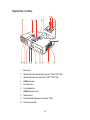
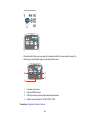
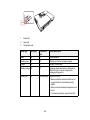
Projector Parts - Control Panel
1
Power button and light
2
Screen Fit button (PowerLite 1776W; adjusts projected images)
3
Source Search button (searches for connected video sources)
4
Enter button (selects options)
5
Vertical keystone adjustment buttons (adjust screen shape) and arrow buttons
6
Help button (accesses projector help information)
7
Esc button (cancels/exits functions)
8
Horizontal keystone adjustment buttons (adjust screen shape) and arrow buttons
9
Menu button (accesses projector menu system)
10
Focus button (PowerLite 1776W)
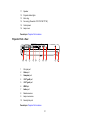
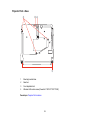
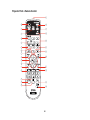
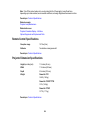
Parent topic: Projector Part Locations
Related references
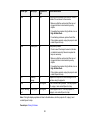
Projector Light Status
19