1
120
UNDERSTANDING THE FEATURES OF YOUR VEHICLE
dialing a number with your paired Bluetootht cellular
phone, the audio will be played through your vehicle’s
audio system. The UConnectt system will work the same
as if you dial the number using voice recognition.
NOTE: Certain brands of mobile phones do not send the
dial ring to the UConnectt system to play it on the
vehicle audio system, so you will not hear it. Under this
situation, after successfully dialing a number the user
may feel that the call did not go through even though the
call is in progress. Once your call is answered, you will
hear the audio.
Mute/Un-Mute (Mute Off)
When you mute the UConnectt system, you will still be
able to hear the conversation coming from the other
party, but the other party will not be able to hear you. In
order to mute the UConnectt system:
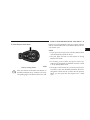
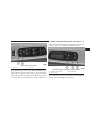
• Press the “Voice Recognition” button.
• Following the beep, say 9Mute.9
In order to un-mute the UConnectt system:
• Press the “Voice Recognition” button.
• Following the beep, say 9Mute off.9
Advanced Phone Connectivity
Transfer Call to and from Cellular Phone
The UConnectt system allows ongoing calls to be transferred from your cellular phone to the UConnectt system
without terminating the call. To transfer an ongoing call
from your UConnectt paired cellular phone to the
UConnectt system or vice versa, press the “Voice Recognition” button and say 9Transfer Call.9