1
3. Getting Started
3. GETTING STARTED
Overview
•
3.1
Activating the base unit
•
Basic Use
•
User Interface
•
Capture more
•
Shared desktop: primary - extended
•
Audio configuration
•
Pairing
Activating the base unit
About power mode
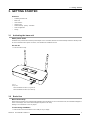
The Base unit is powered via an external power adapter. Once connected, the Base unit is automatically switched in standby mode.
For more information about power connection, see ClickShare’s installation manual.
On and off
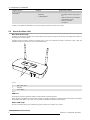
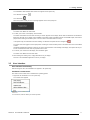
1. Push the button shortly.
Image 3-1
Standby button
When the Base unit was on, it goes out
When the Base unit was off, it starts up.
3.2
Basic Use
Basic functionality
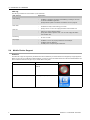
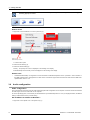
When entering a meeting room equipped with ClickShare and if the display is not in screensaver mode, the ClickShare wallpaper is
shown on the display. The content of the wallpaper depends on the setup.
Starting to use ClickShare is now very simple.
To start using ClickShare
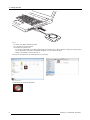
1. Take a Button and Insert the Button into a USB port of your laptop.
R5900013 CLICKSHARE 30/04/2014
9